Codrops 원본
Hover Preview Effect with Mini Map
섹션 · MIT
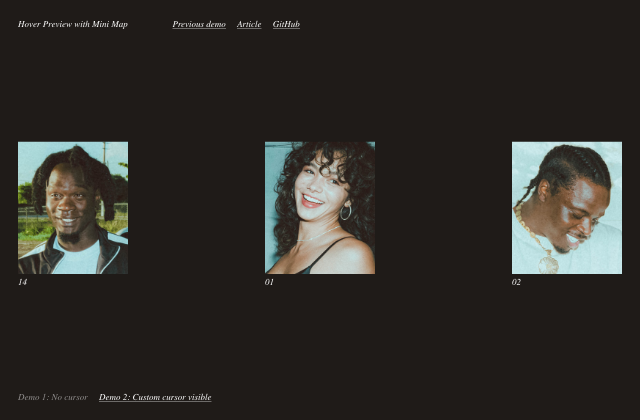
갤러리 안에서는 화면을 벗어나거나 움직임을 멈추면 예제도 닫힙니다. 다시 재생할 때는 처음부터 시작해요.
SOURCE FILES
원본 코드 읽기
수집한 원본 소스와 실행 안내를 함께 제공합니다.
src/css/base.css
*,
*::after,
*::before {
	box-sizing: border-box;
}

:root {
	font-size: 18px;
}

body {
	margin: 0;
	--color-text: #fff;
	--color-text-alt: #747474;
	--color-bg: #1f1b18;
	--color-bg-cover: #1f1b18;
	--color-link: #fff;
	--color-link-hover: #fff;
	--color-map: #5b5958;
	--cursor-fill: #b74946;
    --cursor-text: #000;
	--padding-page: 2rem;
	--color-dot: #b93434;
	--img-width: 110;
	--img-height: 133;
	--img-ratio: calc(var(--img-height) / var(--img-width));
	--map-width: 30px;
	--map-height: calc(var(--img-ratio) * var(--map-width));
	color: var(--color-text);
	background-color: var(--color-bg);
	font-family: forma-djr-deck, sans-serif;
	font-weight: 500;
	-webkit-font-smoothing: antialiased;
	-moz-osx-font-smoothing: grayscale;
}

/* Page Loader */
.js .loading::before,
.js .loading::after {
	content: '';
	position: fixed;
	z-index: 2000;
}

.js .loading::before {
	top: 0;
	left: 0;
	width: 100%;
	height: 100%;
	background: var(--color-bg);
}

.js .loading::after {
	top: 50%;
	left: 50%;
	width: 60px;
	height: 60px;
	margin: -30px 0 0 -30px;
	border-radius: 50%;
	opacity: 0.4;
	background: var(--color-link);
	animation: loaderAnim 0.7s linear infinite alternate forwards;

}

@keyframes loaderAnim {
	to {
		opacity: 1;
		transform: scale3d(0.5,0.5,1);
	}
}

a {
	text-decoration: none;
	color: var(--color-link);
	outline: none;
}

a:hover {
	color: var(--color-link-hover);
	outline: none;
}

/* Better focus styles from https://developer.mozilla.org/en-US/docs/Web/CSS/:focus-visible */
a:focus {
	/* Provide a fallback style for browsers
	 that don't support :focus-visible */
	outline: none;
	background: lightgrey;
}

a:focus:not(:focus-visible) {
	/* Remove the focus indicator on mouse-focus for browsers
	 that do support :focus-visible */
	background: transparent;
}

a:focus-visible {
	/* Draw a very noticeable focus style for
	 keyboard-focus on browsers that do support
	 :focus-visible */
	outline: 2px solid red;
	background: transparent;
}

.oh {
    overflow: hidden;
}

.oh__inner {
	line-height: 1;
}

.line {
	transform-origin: 0% 50%;
	white-space: nowrap;
	will-change: transform;
}

.hover-line {
	white-space: nowrap;
	overflow: hidden;
	position: relative;
}

.hover-line::before {
	content: '';
	height: 1px;
	width: 100%;
	background: currentColor;
	opacity: 0.7;
	position: absolute;
	top: 92%;
	transition: transform 0.3s;
	transform-origin: 0% 50%;
}

.hover-line:hover::before {
	transform: scaleX(0);
	transform-origin: 100% 50%;
}

.unbutton {
	background: none;
	border: 0;
	padding: 0;
	margin: 0;
	font: inherit;
}

.unbutton:focus {
	outline: none;
}

main {
	position: relative;
	display: grid;
	width: 100%;
	height: 100vh;
	grid-template-rows: auto 1fr auto;
	grid-template-areas: 'header' 'content' 'footer';
	padding: var(--padding-page);
}

.frame {
	text-align: center;
	position: relative;
	font-family: meno-banner, serif;
	font-style: italic;
	font-weight: 400;
	z-index: 1000;
	padding-bottom: 1rem;
}

.frame--header {
	grid-area: header;
}

.frame--footer {
	grid-area: footer;
}

.frame__title {
	grid-area: title;
	font-size: 1rem;
	margin: 0 0 1rem;
	font-weight: 400;
}

.frame__links {
	grid-area: links;
}

.frame__links a:not(:last-child),
.frame__demos a:not(:last-child) {
	margin-right: 1rem;
}

.frame__demos {
	grid-area: demos;
	margin: 1rem 0;
}

.frame__demo--current,
.frame__demo--current:hover {
	color: var(--color-text);
	opacity: 0.5;
}

.cursor {
	display: none;
}

.content {
	grid-area: content;
	display: flex;
	flex-direction: row;
	width: 100%;
	position: relative;
	justify-content: space-between;
	align-items: flex-start;
}

.thumb {
	flex: none;
	margin: 3rem 0;
	cursor: pointer;
}

.thumb__img {
	overflow: hidden;
	position: relative;
	width: calc(var(--img-width) * 1px);
	height: calc(var(--img-height) * 1px);
}

.thumb__img--nocursor:hover {
	cursor: none;
}

.thumb__img-inner {
	background-size: cover;
	background-position: 50% 50%;
	width: 100%;
	height: 100%;
}

.thumb__caption {
	font-family: meno-banner, serif;
	font-style: italic;
	font-weight: 400;
	padding-top: 0.25rem;
}

.thumb__caption-inner {
	display: inline-block;
}

.preview {
	position: fixed;
	top: 0;
	left: 0;
	width: 100%;
	height: 100%;
	pointer-events: none;
	display: grid;
}

.preview__item {
	grid-area: 1 / 1 / 2 / 2;
	width: 100%;
	height: 100%;
	overflow: hidden;
	position: relative;
	display: grid;
	grid-template-areas: 'img'
						'columns';
	grid-template-columns: 100%;
	grid-template-rows: 50% 50%;
	z-index: 1;
}

.preview__img {
	grid-area: img;
}

.preview__item-cover {
	background: var(--color-bg);
	grid-area: columns;
	transform-origin: 50% 100%;
	transform: scaleY(2);
}

.preview__img-inner {
	width: 100%;
	height: 100%;
	transform-origin: 50% 100%;
	background-size: cover;
	background-position: 50% 20%;
	will-change: transform, filter;
	backface-visibility: hidden;
}

.columns {
	position: relative;
	grid-area: columns;
	display: grid;
	grid-template-columns: 100%;
	grid-template-rows: 4rem auto auto;
	grid-template-areas: '...' 'column-1' 'column-2';
}

.column {
	grid-area: column-1;
	padding: var(--padding-page) var(--padding-page) 0;
}

.column:nth-child(2) {
	grid-area: column-2;
}

.column__title {
	font-weight: 500;
	font-size: 1.75rem;
	font-size: clamp(1rem,3vw,1.75rem);
	margin-top: 0;
}

.column__text {
	font-size: 0.95rem;
	font-size: clamp(0.75rem,1.5vw,0.95rem);
	color: var(--color-text-alt);
	max-width: 90%;
}

.line-effect {
	opacity: 0;
}

.preview__map {
	opacity: 0;
	z-index: 1000;
	position: absolute;
	left: 0;
	width: 100%;
	top: 50%;
	padding: var(--padding-page);
	display: flex;
	justify-content: center;
}

.preview__map-item {
	flex: none;
	width: var(--map-width);
	height: var(--map-height);
	border: 1px solid var(--color-map);
	margin: 0 1.15rem;
	position: relative;
}

.dot {
	width: 6px;
	height: 6px;
	border-radius: 50%;
	position: absolute;
	background: var(--color-dot);
	opacity: 0;
}

@media screen and (min-width: 60em) {
	body {
		--img-width: 220;
		--img-height: 265;
	}
	main {
		overflow: hidden;
	}
	.frame {
		text-align: left;
		display: grid;
		grid-template-columns: auto 1fr auto;
		justify-content: space-between;
		align-items: baseline;
		grid-gap: 7vw;
		padding: 0;
	}
	.frame--header {
		grid-template-areas: 'title links sponsor';
	}
	.frame--footer {
		grid-template-areas: 'demos demos demos';
	}
	.frame__demos {
		margin: 0;
	}
	.content {
		align-items: center;
	}
	.thumb {
		margin: 1rem 0;
	}
	.columns {
		grid-template-columns: 300px auto minmax(300px,50vw);
		grid-template-areas: 'column-1 ... column-2';
		grid-template-rows: auto;
	}
	.column {
		padding: calc(var(--padding-page) * 1.5) var(--padding-page);
	}
	.preview__map {
		padding: calc(var(--padding-page) * 1.5 + 0.35rem);
		left: 300px;
		width: calc(50vw - 300px);
	}
}

@media (any-pointer:fine) {
	.cursor {
		position: fixed;
		top: 0;
		left: 0;
		display: block;
		pointer-events: none;
		z-index: 10000;
	}

	.cursor__inner {
		fill: var(--cursor-fill);
	}

	.no-js .cursor {
		display: none;
	}

}
src/index.html
<!DOCTYPE html>
<html lang="en" class="no-js">
	<head>
		<meta charset="UTF-8" />
		<meta name="viewport" content="width=device-width, initial-scale=1">
		<title>Hover Preview with Mini Map (No cursor demo) | Codrops</title>
		<!-- Facebook Meta Tags -->
		<meta property="og:url" content="https://tympanus.net/Development/HoverPreviewMiniMap/">
		<meta property="og:type" content="website">
		<meta property="og:title" content="Hover Preview with Mini Map (No cursor demo) | Codrops">
		<meta property="og:description" content="An experimental hover effect, where a content preview is shown while a mini map indicates the position of the cursor.">
		<meta property="og:image" content="https://tympanus.net/codrops/wp-content/uploads/2022/03/HoverPreviewMiniMap_Social.jpg">
		<!-- Twitter Meta Tags -->
		<meta name="twitter:card" content="summary_large_image">
		<meta property="twitter:domain" content="tympanus.net">
		<meta property="twitter:url" content="https://tympanus.net/Development/HoverPreviewMiniMap/">
		<meta name="twitter:title" content="Hover Preview with Mini Map (No cursor demo) | Codrops">
		<meta name="twitter:description" content="An experimental hover effect, where a content preview is shown while a mini map indicates the position of the cursor.">
		<meta name="twitter:image" content="https://tympanus.net/codrops/wp-content/uploads/2022/03/HoverPreviewMiniMap_Social.jpg">
		<meta name="description" content="An experimental hover effect, where a content preview is shown while a mini map indicates the position of the cursor." />
		<meta name="keywords" content="mini map, hover, filter, web design, demo, javascript" />
		<meta name="author" content="Codrops" />
		<link rel="shortcut icon" href="favicon.ico">
		<link rel="stylesheet" href="https://use.typekit.net/vyr6uuw.css">
		<link rel="stylesheet" type="text/css" href="css/base.css" />
		<script>document.documentElement.className="js";var supportsCssVars=function(){var e,t=document.createElement("style");return t.innerHTML="root: { --tmp-var: bold; }",document.head.appendChild(t),e=!!(window.CSS&&window.CSS.supports&&window.CSS.supports("font-weight","var(--tmp-var)")),t.parentNode.removeChild(t),e};supportsCssVars()||alert("Please view this demo in a modern browser that supports CSS Variables.");</script>
		<script src="//tympanus.net/codrops/adpacks/analytics.js"></script>
	</head>
	<body class="loading">
		<main>
			<div class="frame frame--header">
				<h1 class="frame__title">Hover Preview with Mini Map</h1>
				<nav class="frame__links">
					<a class="hover-line" href="http://tympanus.net/Development/RepetitionHoverEffect/">Previous demo</a>
					<a class="hover-line" href="https://tympanus.net/codrops/?p=58785">Article</a>
					<a class="hover-line" href="https://github.com/codrops/HoverPreviewMiniMap">GitHub</a>
				</nav>
			</div>
			<section class="preview">
				<div class="preview__item">
					<div class="preview__img">
						<div class="preview__img-inner" style="background-image:url(img/full/2.jpg)"></div>
					</div>
					<div class="preview__item-cover"></div>
					<div class="columns">
						<div class="column">
							<h2 class="column__title line-effect">The Meeting</h2>
							<p class="column__text line-effect">We must never forget that the world is, in the first place, a subjective phenomenon.</p>
						</div>
						<div class="column">
							<h2 class="column__title line-effect">Our former considerations, and the observation of the concrete case especially, show us that the important subjective condition is the regression. </h2>
							<p class="column__text line-effect">The impressions we receive from these happenings are also our own doing. It is not the case that the impressions are forced on us unconditionally, but our disposition gives the value to the impressions. </p>
						</div>
					</div>
				</div>
				<div class="preview__item">
					<div class="preview__img">
						<div class="preview__img-inner" style="background-image:url(img/full/1.jpg)"></div>
					</div>
					<div class="preview__item-cover"></div>
					<div class="columns">
						<div class="column">
							<h2 class="column__title line-effect">Unconscious Phantasy</h2>
							<p class="column__text line-effect">Every case is theoretically inexhaustible.</p>
						</div>
						<div class="column">
							<h2 class="column__title line-effect">The simplest way to come to an understanding of this important event would be by making an exact inquiry into the circumstances of the moment.</h2>
							<p class="column__text line-effect">The first thing I did was to question the patient about the society in which she had been at that time, and as to what was the farewell gathering to which she had been just before. She had been at a farewell supper, given in honor of her best friend, who was going to a foreign health-resort for a nervous illness.</p>
						</div>
					</div>
				</div>
				<div class="preview__item">
					<div class="preview__img">
						<div class="preview__img-inner" style="background-image:url(img/full/3.jpg)"></div>
					</div>
					<div class="preview__item-cover"></div>
					<div class="columns">
						<div class="column">
							<h2 class="column__title line-effect">The Conception of Transference</h2>
							<p class="column__text line-effect">Both tendencies have their own previous psychological story.</p>
						</div>
						<div class="column">
							<h2 class="column__title line-effect">Analysis must be a biological method, that is, a method which tries to connect the highest subjective well-being with the most valuable biological activity. </h2>
							<p class="column__text line-effect">The best result for a person who passes through analysis, is that he becomes at the end what he really is, in harmony with himself, neither bad nor good, but an ordinary human being.</p>
						</div>
					</div>
				</div>
				<div class="preview__map">
					<div class="preview__map-item"><div class="dot"></div></div>
					<div class="preview__map-item"><div class="dot"></div></div>
					<div class="preview__map-item"><div class="dot"></div></div>
				</div>
			</section>
			<section class="content">
				<figure class="thumb">
					<div class="thumb__img thumb__img--nocursor"><div class="thumb__img-inner" style="background-image:url(img/thumbs/2.jpg)"></div></div>
					<figcaption class="thumb__caption oh"><span class="thumb__caption-inner oh__inner">14</span></figcaption>
				</figure>
				<figure class="thumb">
					<div class="thumb__img thumb__img--nocursor"><div class="thumb__img-inner" style="background-image:url(img/thumbs/1.jpg)"></div></div>
					<figcaption class="thumb__caption oh"><span class="thumb__caption-inner oh__inner">01</span></figcaption>
				</figure>
				<figure class="thumb">
					<div class="thumb__img thumb__img--nocursor"><div class="thumb__img-inner" style="background-image:url(img/thumbs/3.jpg)"></div></div>
					<figcaption class="thumb__caption oh"><span class="thumb__caption-inner oh__inner">02</span></figcaption>
				</figure>
			</section>
			<div class="frame frame--footer">
				<div class="frame__demos">
					<a class="frame__demo frame__demo--current" href="index.html">Demo 1: No cursor</a>
					<a class="frame__demo hover-line" href="index2.html">Demo 2: Custom cursor visible</a>
				</div>
			</div>
		</main>
		<svg class="cursor" width="20" height="20" viewBox="0 0 20 20">
			<circle class="cursor__inner" cx="10" cy="10" r="5"/>
		</svg>
		<script src="https://tympanus.net/codrops/adpacks/cda_sponsor.js"></script>
		<script type="module" src="js/index.js"></script>
	</body>
</html>
함께 쓰는 파일 12개 보기
src/index2.html
<!DOCTYPE html>
<html lang="en" class="no-js">
	<head>
		<meta charset="UTF-8" />
		<meta name="viewport" content="width=device-width, initial-scale=1">
		<title>Hover Preview with Mini Map (Custom cursor visible) | Codrops</title>
		<!-- Facebook Meta Tags -->
		<meta property="og:url" content="https://tympanus.net/Development/HoverPreviewMiniMap/">
		<meta property="og:type" content="website">
		<meta property="og:title" content="Hover Preview with Mini Map (No cursor demo) | Codrops">
		<meta property="og:description" content="An experimental hover effect, where a content preview is shown while a mini map indicates the position of the cursor.">
		<meta property="og:image" content="https://tympanus.net/codrops/wp-content/uploads/2022/03/HoverPreviewMiniMap_Social.jpg">
		<!-- Twitter Meta Tags -->
		<meta name="twitter:card" content="summary_large_image">
		<meta property="twitter:domain" content="tympanus.net">
		<meta property="twitter:url" content="https://tympanus.net/Development/HoverPreviewMiniMap/">
		<meta name="twitter:title" content="Hover Preview with Mini Map (No cursor demo) | Codrops">
		<meta name="twitter:description" content="An experimental hover effect, where a content preview is shown while a mini map indicates the position of the cursor.">
		<meta name="twitter:image" content="https://tympanus.net/codrops/wp-content/uploads/2022/03/HoverPreviewMiniMap_Social.jpg">
		<meta name="description" content="An experimental hover effect, where a content preview is shown while a mini map indicates the position of the cursor." />
		<meta name="keywords" content="mini map, hover, filter, web design, demo, javascript" />
		<meta name="author" content="Codrops" />
		<link rel="shortcut icon" href="favicon.ico">
		<link rel="stylesheet" href="https://use.typekit.net/vyr6uuw.css">
		<link rel="stylesheet" type="text/css" href="css/base.css" />
		<script>document.documentElement.className="js";var supportsCssVars=function(){var e,t=document.createElement("style");return t.innerHTML="root: { --tmp-var: bold; }",document.head.appendChild(t),e=!!(window.CSS&&window.CSS.supports&&window.CSS.supports("font-weight","var(--tmp-var)")),t.parentNode.removeChild(t),e};supportsCssVars()||alert("Please view this demo in a modern browser that supports CSS Variables.");</script>
		<script src="//tympanus.net/codrops/adpacks/analytics.js"></script>
	</head>
	<body class="loading">
		<main>
			<div class="frame frame--header">
				<h1 class="frame__title">Hover Preview with Mini Map</h1>
				<nav class="frame__links">
					<a class="hover-line" href="http://tympanus.net/Development/RepetitionHoverEffect/">Previous demo</a>
					<a class="hover-line" href="https://tympanus.net/codrops/?p=58785">Article</a>
					<a class="hover-line" href="https://github.com/codrops/HoverPreviewMiniMap">GitHub</a>
				</nav>
			</div>
			<section class="preview">
				<div class="preview__item">
					<div class="preview__img">
						<div class="preview__img-inner" style="background-image:url(img/full/2.jpg)"></div>
					</div>
					<div class="preview__item-cover"></div>
					<div class="columns">
						<div class="column">
							<h2 class="column__title line-effect">The Meeting</h2>
							<p class="column__text line-effect">We must never forget that the world is, in the first place, a subjective phenomenon.</p>
						</div>
						<div class="column">
							<h2 class="column__title line-effect">Our former considerations, and the observation of the concrete case especially, show us that the important subjective condition is the regression. </h2>
							<p class="column__text line-effect">The impressions we receive from these happenings are also our own doing. It is not the case that the impressions are forced on us unconditionally, but our disposition gives the value to the impressions. </p>
						</div>
					</div>
				</div>
				<div class="preview__item">
					<div class="preview__img">
						<div class="preview__img-inner" style="background-image:url(img/full/1.jpg)"></div>
					</div>
					<div class="preview__item-cover"></div>
					<div class="columns">
						<div class="column">
							<h2 class="column__title line-effect">Unconscious Phantasy</h2>
							<p class="column__text line-effect">Every case is theoretically inexhaustible.</p>
						</div>
						<div class="column">
							<h2 class="column__title line-effect">The simplest way to come to an understanding of this important event would be by making an exact inquiry into the circumstances of the moment.</h2>
							<p class="column__text line-effect">The first thing I did was to question the patient about the society in which she had been at that time, and as to what was the farewell gathering to which she had been just before. She had been at a farewell supper, given in honor of her best friend, who was going to a foreign health-resort for a nervous illness.</p>
						</div>
					</div>
				</div>
				<div class="preview__item">
					<div class="preview__img">
						<div class="preview__img-inner" style="background-image:url(img/full/3.jpg)"></div>
					</div>
					<div class="preview__item-cover"></div>
					<div class="columns">
						<div class="column">
							<h2 class="column__title line-effect">The Conception of Transference</h2>
							<p class="column__text line-effect">Both tendencies have their own previous psychological story.</p>
						</div>
						<div class="column">
							<h2 class="column__title line-effect">Analysis must be a biological method, that is, a method which tries to connect the highest subjective well-being with the most valuable biological activity. </h2>
							<p class="column__text line-effect">The best result for a person who passes through analysis, is that he becomes at the end what he really is, in harmony with himself, neither bad nor good, but an ordinary human being.</p>
						</div>
					</div>
				</div>
				<div class="preview__map">
					<div class="preview__map-item"><div class="dot"></div></div>
					<div class="preview__map-item"><div class="dot"></div></div>
					<div class="preview__map-item"><div class="dot"></div></div>
				</div>
			</section>
			<section class="content">
				<figure class="thumb">
					<div class="thumb__img"><div class="thumb__img-inner" style="background-image:url(img/thumbs/2.jpg)"></div></div>
					<figcaption class="thumb__caption oh"><span class="thumb__caption-inner oh__inner">14</span></figcaption>
				</figure>
				<figure class="thumb">
					<div class="thumb__img"><div class="thumb__img-inner" style="background-image:url(img/thumbs/1.jpg)"></div></div>
					<figcaption class="thumb__caption oh"><span class="thumb__caption-inner oh__inner">01</span></figcaption>
				</figure>
				<figure class="thumb">
					<div class="thumb__img"><div class="thumb__img-inner" style="background-image:url(img/thumbs/3.jpg)"></div></div>
					<figcaption class="thumb__caption oh"><span class="thumb__caption-inner oh__inner">02</span></figcaption>
				</figure>
			</section>
			<div class="frame frame--footer">
				<div class="frame__demos">
					<a class="frame__demo hover-line" href="index.html">Demo 1: No cursor</a>
					<a class="frame__demo frame__demo--current" href="index2.html">Demo 2: Custom cursor visible</a>
				</div>
			</div>
		</main>
		<svg class="cursor" width="20" height="20" viewBox="0 0 20 20">
			<circle class="cursor__inner" cx="10" cy="10" r="5"/>
		</svg>
		<script src="https://tympanus.net/codrops/adpacks/cda_sponsor.js"></script>
		<script type="module" src="js/index.js"></script>
	</body>
</html>
src/js/cursor.js
import { gsap } from 'gsap';
import { lerp, getCursorPos } from './utils';

// Track the cursor position
let cursor = {x: 0, y: 0};
window.addEventListener('mousemove', ev => cursor = getCursorPos(ev));

/**
 * Class representing a custom Cursor.
 * The cursor has the following HTML syntax:
 *
 *  <svg class="cursor" width="20" height="20" viewBox="0 0 20 20">
 *      <circle class="cursor__inner" cx="10" cy="10" r="5"/>
 *  </svg>
 */
export class Cursor {
    // DOM elements
    DOM = {
        // Main element (.cursor)
        el: null,
    }
    // Properties that will change
    renderedStyles = {
        // With interpolation, we can achieve a smooth animation effect when moving the cursor.
        // The "previous" and "current" values are the values that will interpolate.
        // The returned value will be one between these two (previous and current) at a specific increment.
        // The "amt" is the amount to interpolate.
        // As an example, the following formula calculates the returned translationX value to apply:
        // this.renderedStyles.tx.previous = lerp(this.renderedStyles.tx.previous, this.renderedStyles.tx.current, this.renderedStyles.tx.amt);

        // Cursor translation in the x-axis
        tx: {previous: 0, current: 0, amt: 0.4},
        // Cursor translation in the y-axis
        ty: {previous: 0, current: 0, amt: 0.4},
        // Scale up the cursor
        scale: {previous: 1, current: 1, amt: 0.2},
        // Fade out the cursor
        opacity: {previous: 1, current: 1, amt: 0.3}
    };
    // Size and position
    bounds;

    /**
     * Constructor.
     * @param {Element} DOM_el - The .cursor element
     * @param {String} triggerSelector - Selector for all the elements that when hovered trigger the cursor enter/leave methods. Default is all <a>.
     */
    constructor(DOM_el, triggerSelector = 'a') {
        this.DOM = {el: DOM_el};

        // Hide initially
        this.DOM.el.style.opacity = 0;
        // Calculate size and position
        this.bounds = this.DOM.el.getBoundingClientRect();

        // Mousemove event:
        // Start tracking the cursor position as soon as the user moves the cursor and fede in the cursor element.
        this.onMouseMoveEv = () => {
            // Set up the initial values to be the same
            this.renderedStyles.tx.previous = this.renderedStyles.tx.current = cursor.x - this.bounds.width/2;
            this.renderedStyles.ty.previous = this.renderedStyles.ty.previous = cursor.y - this.bounds.height/2;
            // Fade in
            gsap.to(this.DOM.el, {duration: 0.9, ease: 'Power3.easeOut', opacity: 1});
            // Start loop
            requestAnimationFrame(() => this.render());
            // Remove the mousemove event
            window.removeEventListener('mousemove', this.onMouseMoveEv);
        };
        window.addEventListener('mousemove', this.onMouseMoveEv);

        [...document.querySelectorAll(triggerSelector)].forEach(link => {
            link.addEventListener('mouseenter', () => this.enter());
            link.addEventListener('mouseleave', () => this.leave());
        });
    }

    /**
     * Mouseenter event
     * Scale up and fade out.
     */
    enter() {
        this.renderedStyles['scale'].current = 2;
        this.renderedStyles['opacity'].current = 0.8;
    }

    /**
     * Mouseleave event
     * Reset scale and opacity.
     */
    leave() {
        this.renderedStyles['scale'].current = 1;
        this.renderedStyles['opacity'].current = 1;
    }

    /**
     * Shows the cursor
     */
    show() {
        this.renderedStyles['opacity'].current = 1;
    }

    /**
     * Hides the cursor
     */
    hide() {
        this.renderedStyles['opacity'].current = 0;
    }

    /**
     * Loop
     */
    render() {
        // New cursor positions
        this.renderedStyles['tx'].current = cursor.x - this.bounds.width/2;
        this.renderedStyles['ty'].current = cursor.y - this.bounds.height/2;

        // Interpolation
        for (const key in this.renderedStyles ) {
            this.renderedStyles[key].previous = lerp(this.renderedStyles[key].previous, this.renderedStyles[key].current, this.renderedStyles[key].amt);
        }

        // Apply interpolated values (smooth effect)
        this.DOM.el.style.transform = `translateX(${(this.renderedStyles['tx'].previous)}px) translateY(${this.renderedStyles['ty'].previous}px) scale(${this.renderedStyles['scale'].previous})`;
        this.DOM.el.style.opacity = this.renderedStyles['opacity'].previous;

        // loop...
        requestAnimationFrame(() => this.render());
    }
}
src/js/gsapConfig.js
/**
 * exports some default animation settings.
 */
export let animationDefaults = {
    duration: 0.7,
    ease: 'expo'
};
src/js/hoverMap.js
import { gsap } from 'gsap';
import { map } from './utils';

/**
 * Class representing a preview map element (.preview__map)
 */
export class HoverMap {
    // DOM elements
    DOM = {
        // Main element
        el: null,
        // Main element children (.preview__map-item)
        mapItems: null,
        // The current little dot that moves inside the map as the user moves the cursor (.dot)
        dotEl: null,
        // The Thumb that gets hovered
        thumb: null,
    }
    // Custom cursor (Cursor obj)
    cursor;
    // Size/Position of one of the map items (all the same)
    hoverMapItemBounds;
    // Size/Position of one of the dots (all the same)
    dotBounds;
    // Size/Position of the current hovered thumbs
    thumbBounds;
    // requestAnimationFrame id
    requestId;

    /**
     * Constructor.
     * @param {Element} DOM_el -
     * @param {Cursor} cursor -
     */
    constructor(DOM_el, cursor) {
        this.DOM = {el: DOM_el};
        this.DOM.mapItems = this.DOM.el.querySelectorAll('.preview__map-item');
        this.cursor = cursor;
    }

    /**
     * Shows the hover map element and the current map item's dot element.
     * @param {Thumb} thumb - The Thumb obj representing the .thumb element that is getting hovered at the moment.
     * @param {Number} itemPosition - The position of the thumb which aloow us to get to the right item (this.mapItems). There are as many map items as there are thumbs.
     */
    show(thumb, itemPosition) {
        this.DOM.thumb = thumb.DOM.img;
        this.DOM.dotEl = [...this.DOM.mapItems][itemPosition].querySelector('.dot');
        this.dotBounds = this.DOM.dotEl.getBoundingClientRect();
        this.hoverMapItemBounds = this.DOM.mapItems[0].getBoundingClientRect();
        this.thumbBounds = this.DOM.thumb.getBoundingClientRect();

        // Hide the cursor
        if ( this.DOM.thumb.classList.contains('thumb__img--nocursor') ) {
            this.cursor.hide();
        }

        // Animation
        gsap.killTweensOf([this.DOM.el, this.DOM.dotEl]);
        gsap.to([this.DOM.el, this.DOM.dotEl], {
            duration: 1,
            ease: 'expo',
            opacity: 1
        });

        // Add a click feedback animation to the dot
        this.onClickDotEv = () => {
            gsap.timeline()
            .to(this.DOM.dotEl, {
                duration: 0.1,
                ease: 'power1.in',
                scale: 3
            })
            .to(this.DOM.dotEl, {
                duration: 1,
                ease: 'expo',
                scale: 1
            });
        }
        this.DOM.thumb.addEventListener('click', this.onClickDotEv);

        // Start loop
        this.loopRender();
    }

    /**
     * Hides the hover map element and the current map item's dot element.
     */
    hide() {
        // Show the cursor
        if ( this.DOM.thumb.classList.contains('thumb__img--nocursor') ) {
            this.cursor.show();
        }

        gsap.killTweensOf([this.DOM.el, this.DOM.dotEl]);
        gsap.set([this.DOM.el, this.DOM.dotEl], { opacity: 0 });

        // Remove click event
        this.DOM.thumb.removeEventListener('click', this.onClickDotEv);

        // Stop the rAF loop.
        this.stopRendering();
    }

    /**
     * Start the render loop animation (rAF)
     */
    loopRender() {
        if ( !this.requestId ) {
            this.requestId = requestAnimationFrame(() => this.render());
        }
    }

    /**
     * Stop the render loop animation (rAF)
     */
    stopRendering() {
        if ( this.requestId ) {
            window.cancelAnimationFrame(this.requestId);
            this.requestId = undefined;
        }
    }

    /**
     * rAF loop - move the small dot as the cursor moves hover the thumb
     */
    render() {
        this.requestId = undefined;

        // Set up the translation values of the current dot element.
        // These will map to the current translation values of the cursor position inside the current hovered thumb
        gsap.set(this.DOM.dotEl, {
            x: map(this.cursor.renderedStyles['tx'].previous - this.thumbBounds.left + this.cursor.bounds.width/2, 0, this.thumbBounds.width, 0, this.hoverMapItemBounds.width) - this.dotBounds.width/2 - 1,
            y: map(this.cursor.renderedStyles['ty'].previous - this.thumbBounds.top + this.cursor.bounds.height/2, 0, this.thumbBounds.height, 0, this.hoverMapItemBounds.height) - this.dotBounds.height/2 - 1
        });

        // Keep rolling
        this.loopRender();
    }
}
src/js/index.js
import { preloadImages } from './utils';
import { Cursor } from './cursor';
import { Thumb } from './thumb';
import { Preview } from './preview';
import { HoverMap } from './hoverMap';

// Thumb instances array
let arrThumb = [];

// Preview instances array
let arrPreview = [];

// Initialize custom cursor
const cursor = new Cursor(document.querySelector('.cursor'), 'a, .thumb');

// HoverMap instance. This map will show a little dot moving as the user moves the cursor while hovering on the images, thus giving feedback to where the cursor is at the moment.
const hoverMap = new HoverMap(document.querySelector('.preview__map'), cursor);

// Initialize the Preview instances
[...document.querySelectorAll('.preview__item')].forEach(el => {
    arrPreview.push(new Preview(el));
});

// Initialize the Thumb instances
[...document.querySelectorAll('.thumb')].forEach((el, position) => {
    arrThumb.push(new Thumb(el, arrPreview[position]));
});

// Events
for (const thumb of arrThumb) {
    thumb.DOM.img.addEventListener('mouseenter', () => {
        // Unreveal all the thumbs
        hideThumbs();
        // Reveal this Thumb's preview elements
        thumb.showPreview();
        // Show preview hover map
        showHoverMap(thumb);
    });
    thumb.DOM.img.addEventListener('mouseleave', () => {
        // Unreveal this Thumb's preview elements
        thumb.hidePreview();
        // Reveal all the thumbs
        showThumbs();
        // Hide preview hover map
        hideHoverMap();
    });
}

/**
 * Reveals all the thumbs
 */
const showThumbs = () => {
    for (const thumb of arrThumb) {
        thumb.show(false);
    }
};

/**
 * Unreveals all the thumbs
 */
const hideThumbs = () => {
    for (const thumb of arrThumb) {
        thumb.hide();
    }
};

/**
 * Shows the hover map
 */
const showHoverMap = thumb => {
    hoverMap.show(thumb, arrThumb.indexOf(thumb));
};

/**
 * Hides the hover map
 */
const hideHoverMap = () => {
    hoverMap.hide();
};

// Preload images
preloadImages('.preview__img-inner, .thumb__img-inner').then(() => document.body.classList.remove('loading'));
src/js/preview.js
import { gsap } from 'gsap';
import { animationDefaults } from './gsapConfig';
import { TextLinesReveal } from './textLinesReveal';

/**
 * Class representing a preview
 */
export class Preview {
    // DOM elements
    DOM = {
        // main element (.preview__item)
        el: null,
        // .preview__img
        img: null,
        // .preview__img-inner
        imgInner: null,
        // .preview__item-cover
        cover: null,
        // all texts with class line-effect
        texts: null
    }
    // text lines reveal obj array
    arrTextLinesReveal = [];
    // Animation timeline
    showTimeline;

    /**
     * Constructor.
     * @param {Element} DOM_el - the .preview__item element
     */
    constructor(DOM_el) {
        this.DOM = {el: DOM_el};

        this.DOM.img = this.DOM.el.querySelector('.preview__img');
        this.DOM.imgInner = this.DOM.img.querySelector('.preview__img-inner');
        this.DOM.cover = this.DOM.el.querySelector('.preview__item-cover');
        this.DOM.texts = this.DOM.el.querySelectorAll('.line-effect');

        [...this.DOM.texts].forEach(text => {
            this.arrTextLinesReveal.push(new TextLinesReveal(text));
        });
    }

    /**
     * Shows/Unreveals the preview image+texts
     */
    show() {
        gsap.killTweensOf([this.DOM.cover, this.DOM.imgInner]);

        this.showTimeline = gsap.timeline({defaults: animationDefaults})
        .addLabel('start', 0)
        .set(this.DOM.el, {
            zIndex: 100
        }, 'start')
        .set(this.DOM.texts, {
            opacity: 1
        }, 'start')
        .to(this.DOM.cover, {
            scaleY: 1
        }, 'start')
        .to(this.DOM.imgInner, {
            scale: 1.05
        }, 'start')
        .to(this.DOM.img, {
            startAt: {
                filter: 'brightness(400%)'
            },
            filter: 'brightness(100%)'
        }, 'start');

        for(const instance of this.arrTextLinesReveal) {
            this.showTimeline.add(instance.in(), 'start');
        }
    }

    /**
     * Hides/Reveals the preview image+texts
     */
    hide() {
        if ( this.showTimeline ) this.showTimeline.kill();
        gsap.killTweensOf([this.DOM.cover, this.DOM.imgInner]);
        gsap.set(this.DOM.el, { zIndex: 1 });
        gsap.set(this.DOM.texts, { opacity: 0 });
        gsap.set(this.DOM.cover, { scaleY: 2 });
        gsap.set(this.DOM.imgInner, { scale: 1 });

        for(const instance of this.arrTextLinesReveal) {
            instance.out(false); // no animation
        }
    }
}
src/js/textLinesReveal.js
import SplitType from 'split-type';
import { wrapLines } from './utils';
import { gsap } from 'gsap';
import { animationDefaults } from './gsapConfig';

/**
 * Class representing a text line element that reveals itself by animating its translateY value
 */
export class TextLinesReveal {
    // DOM elements
    DOM = {
        // main element (a text DOM element)
        el: null
    }
    // Split Type instance
    SplitTypeInstance;
    // Checks if the Split Type lines are visible or not
    isVisible;
    // Animation timelines
    inTimeline;
    outTimeline;

    /**
     * Constructor.
     * @param {Element} DOM_el - a text DOM element
     */
    constructor(DOM_el) {
        this.DOM = {
            el: DOM_el
        };

        this.SplitTypeInstance = new SplitType(this.DOM.el, { types: 'lines' });
        // Wrap the lines (div with class .oh)
        // The inner child will be the one animating the transform
        wrapLines(this.SplitTypeInstance.lines, 'div', 'oh');

        this.initEvents();
    }

    /**
     * Animates the lines in.
     * @return {GSAP Timeline} the animation timeline
     * @param {Boolean} animation - with or without animation.
     */
    in(animation = true) {
        // Lines are visible
        this.isVisible = true;

        gsap.killTweensOf(this.SplitTypeInstance.lines);
        this.inTimeline = gsap.timeline({defaults: animationDefaults})
        .addLabel('start', 0)
        .set(this.SplitTypeInstance.lines, {
            y: '150%',
            rotate: 10
        }, 'start');

        if ( animation ) {
            this.inTimeline.to(this.SplitTypeInstance.lines, {
                y: '0%',
                rotate: 0,
                stagger: 0.02
            }, 'start');
        }
        else {
            this.inTimeline.to(this.SplitTypeInstance.lines, {
                y: '0%'
            }, 'start');
        }

        return this.inTimeline;
    }

    /**
     * Animates the lines out.
     * @param {Boolean} animation - with or without animation.
     * @return {GSAP Timeline} the animation timeline
     */
    out(animation = true) {
        // Lines are invisible
        this.isVisible = false;

        gsap.killTweensOf(this.SplitTypeInstance.lines);

        this.outTimeline = gsap.timeline({defaults: animationDefaults}).addLabel('start', 0);

        if ( animation ) {
            this.outTimeline.to(this.SplitTypeInstance.lines, {
                y: '-150%',
                rotate: -5,
                stagger: 0.02
            }, 'start');
        }
        else {
            this.outTimeline.set(this.SplitTypeInstance.lines, {
                y: '-150%',
            }, 'start');
        }

        return this.outTimeline;
    }

    /**
     * Initializes some events.
     */
    initEvents() {
        // Re-initialize the Split Text on window resize.
        window.addEventListener('resize', () => {
            // Re-split text
            // https://github.com/lukePeavey/SplitType#instancesplitoptions-void
            this.SplitTypeInstance.split();

            // Need to wrap again the new lines elements (div with class .oh)
            wrapLines(this.SplitTypeInstance.lines, 'div', 'oh');

            // Hide the lines
            if ( !this.isVisible ) {
                gsap.set(this.SplitTypeInstance.lines, {y: '105%'});
            }
        });
    }
}
src/js/thumb.js
import { gsap } from 'gsap';
import { animationDefaults } from './gsapConfig';

/**
 * Class representing a thumb element (.thumb)
 */
export class Thumb {
    // DOM elements
    DOM = {
        // main element (.thumb)
        el: null,
        // .thumb__img
        img: null,
        // .thumb__img-inner
        imgInner: null,
        // .thumb__caption
        caption: null,
        // .thumb__caption-inner
        captionInner: null,
    }
    // the Preview instance associated with this Thumb
    preview;
    // Animation timelines
    hideTimeline;
    showTimeline;

    /**
     * Constructor.
     * @param {Element} DOM_el - the .thumb element
     * @param {Preview} previewInstance - the Preview instance associated with this Thumb
     */
    constructor(DOM_el, previewInstance) {
        this.DOM = {el: DOM_el};
        this.DOM.img = this.DOM.el.querySelector('.thumb__img');
        this.DOM.imgInner = this.DOM.img.querySelector('.thumb__img-inner');
        this.DOM.caption = this.DOM.el.querySelector('.thumb__caption');
        this.DOM.captionInner = this.DOM.caption.querySelector('.thumb__caption-inner');

        this.preview = previewInstance;
    }

    /**
     * Shows/Reveals the thumb.
     * @param {Boolean} animation - With or without animation
     */
    show(animation = true) {
        gsap.killTweensOf([this.DOM.imgInner, this.DOM.captionInner]);

        this.showTimeline = gsap.timeline({
            defaults: animationDefaults
        })
        .addLabel('start', 0)
        .set([this.DOM.imgInner, this.DOM.captionInner], {
            y: '105%'
        }, 'start');

        if ( animation ) {
            this.showTimeline.to([this.DOM.imgInner, this.DOM.captionInner], {
                y: '0%',
                //delay: options.delay || 0
            }, 'start');
        }
        else {
            this.showTimeline.set([this.DOM.imgInner, this.DOM.captionInner], {
                y: '0%'
            }, 'start');
        }
    }

    /**
     * Hides/Unreveals the thumb.
     * @param {Boolean} animation - With or without animation
     */
    hide(animation = true) {
        gsap.killTweensOf([this.DOM.imgInner, this.DOM.captionInner]);

        this.hideTimeline = gsap.timeline({defaults: animationDefaults}).addLabel('start', 0);
        this.hideTimeline[animation ? 'to' : 'set']([this.DOM.imgInner, this.DOM.captionInner], {
            y: '105%'
        }, 'start');
    }

    /**
     * Shows the preview elements.
     */
    showPreview() {
        this.preview.show();
    }

    /**
     * Hides the preview elements.
     */
    hidePreview() {
        this.preview.hide();
    }
}
src/js/utils.js
const imagesLoaded = require('imagesloaded');

/**
 * Preload images
 * @param {String} selector - Selector/scope from where images need to be preloaded. Default is 'img'
 */
const preloadImages = (selector = 'img') => {
    return new Promise((resolve) => {
        imagesLoaded(document.querySelectorAll(selector), {background: true}, resolve);
    });
};

/**
 * Linear interpolation
 * @param {Number} a
 * @param {Number} b
 * @param {Number} n
 */
const lerp = (a, b, n) => (1 - n) * a + n * b;

/**
 * Map number x from range [a, b] to [c, d]
 */
const map = (x, a, b, c, d) => (x - a) * (d - c) / (b - a) + c;

/**
 * Gets the cursor position
 * @param {Event} ev - event
 */
const getCursorPos = ev => {
    return {
        x : ev.clientX,
        y : ev.clientY
    };
};

/**
 * Wraps the elements of an array.
 * @param {Array} arr - the array of elements to be wrapped
 * @param {String} wrapType - the type of the wrap element ('div', 'span' etc)
 * @param {String} wrapClass - the wrap class(es)
 */
const wrapLines = (arr, wrapType, wrapClass) => {
    arr.forEach(el => {
        const wrapEl = document.createElement(wrapType);
        wrapEl.classList = wrapClass;
        el.parentNode.appendChild(wrapEl);
        wrapEl.appendChild(el);
    });
}

export {
    preloadImages,
    lerp,
    map,
    getCursorPos,
    wrapLines
};
Media credits and license evidence실행 안내·자료
README.md
## Credits

- Images from [Unsplash](https://unsplash.com/)


## License
[MIT](LICENSE)

Made with :blue_heart:  by [Codrops](http://www.codrops.com)
LICENSE실행 안내·자료
MIT License

Copyright (c) 2009 - 2021 [Codrops](https://tympanus.net/codrops)

Permission is hereby granted, free of charge, to any person obtaining a copy
of this software and associated documentation files (the "Software"), to deal
in the Software without restriction, including without limitation the rights
to use, copy, modify, merge, publish, distribute, sublicense, and/or sell
copies of the Software, and to permit persons to whom the Software is
furnished to do so, subject to the following conditions:

The above copyright notice and this permission notice shall be included in all
copies or substantial portions of the Software.

THE SOFTWARE IS PROVIDED "AS IS", WITHOUT WARRANTY OF ANY KIND, EXPRESS OR
IMPLIED, INCLUDING BUT NOT LIMITED TO THE WARRANTIES OF MERCHANTABILITY,
FITNESS FOR A PARTICULAR PURPOSE AND NONINFRINGEMENT. IN NO EVENT SHALL THE
AUTHORS OR COPYRIGHT HOLDERS BE LIABLE FOR ANY CLAIM, DAMAGES OR OTHER
LIABILITY, WHETHER IN AN ACTION OF CONTRACT, TORT OR OTHERWISE, ARISING FROM,
OUT OF OR IN CONNECTION WITH THE SOFTWARE OR THE USE OR OTHER DEALINGS IN THE
SOFTWARE.
Bundled dependency licenses실행 안내·자료
GSAP standard license snapshot
Source: https://gsap.com/community/standard-license/
Retrieved: 2026-09-22T04:22:49.089Z
Original distribution copyright and version headers remain in the runtime code.

Standard "No Charge" GSAP License

 I. DEFINITIONS

 “GSAP License” means the terms and conditions of this GSAP Software License Agreement.

 "GSAP Products" means any Software made available at gsap.com (https://gsap.com) or any successor sites, including but not limited to the GSAP animation library and related plugins, tools, or extensions.

 "Permitted Uses" means the implementation and/or use of GSAP Products on any website, web application, or digital interface by any person or entity (which may include, for clarity, those of companies that compete with Webflow in other areas of business).

 "Prohibited Uses" means any implementation and/or use of GSAP Products in tools that allow users to build visual animations without code that encourages, induces, or materially assists in creating a solution that competes with Webflow’s visual animation building capabilities.

 "Competitive Products" means any software, tool, or service that enables users to create, edit, or manage animations through a visual interface or builder similar to Webflow (https://webflow.com).

 II. GRANT OF LICENSE

 Subject to the terms and conditions of this GSAP License, Webflow grants you a non-exclusive, worldwide license to use, reproduce, display, and implement GSAP Products solely for Permitted Uses.

 III. RESTRICTIONS

 You may not:

 Use any GSAP Products for any Prohibited Uses without prior written consent;

 Reverse engineer any GSAP Products for the purpose of creating Competitive Products;

 Remove or alter any proprietary notices or branding from GSAP Products.

 IV. OWNERSHIP AND INTELLECTUAL PROPERTY

 All intellectual property rights in GSAP Products, including but not limited to copyright, patents, trademarks, and trade secrets, remain the exclusive property of Webflow. This GSAP License does not transfer any ownership rights in GSAP Products to you.

 V. TERMINATION

 Webflow may terminate this GSAP License and revoke your access in its discretion if you fail to comply with any of these terms and conditions. Upon termination, you must cease all use of GSAP Products and destroy all copies in your possession.

 VI. MISCELLANEOUS PROVISIONS

 General: This GSAP License is incorporated into and subject to Webflow’s Terms of Service available here (https://webflow.com/legal/terms) ("Terms of Service"). In the event of any conflict or inconsistency between this GSAP License and the Terms of Service, the terms of this GSAP License shall govern in relation to your use of any GSAP Products.

 Amendments: Webflow reserves the right to update or modify this GSAP License at any time by posting the revised terms on this website, provided that any such updates or modifications shall not result in any material degradation to the security, integrity, or functionality of any GSAP Products. You understand and agree that your continued use of any GSAP Products after such revisions to this GSAP License constitutes your acceptance of this GSAP License as revised. If you do not accept the revised GSAP License, you are prohibited from using versions of the GSAP Products released after the effective date of the revised GSAP License (as well as any updates made to previous versions). Notwithstanding, you may continue using previous versions of GSAP Products under the applicable terms licensed to you prior to the effective date of the revised GSAP License (for clarity, excluding any updates made thereto).

 No Waiver: Failure of Webflow to enforce any provision of this GSAP License shall not constitute a waiver of future enforcement of that or any other provision.

 FAQ

 Is it acceptable for AI tools like ChatGPT, Cursor, Lovable, Webstudio, etc. to generate GSAP code?
 Absolutely! AI-generated code is not a "Prohibited Use".

 What if a WordPress plugin or theme or other niche tool allows users to create GSAP-driven effects through a visual interface? Is that prohibited?
 We want to encourage developers to build on top of GSAP, including visual tools that don't directly compete with Webflow's rich animation-building capabilities. If you are not sure if your product might be considered a "Prohibited Use", feel free to contact us (https://gsap.com/contact) so we can talk through it!

 Can I really use GSAP in commercial projects without paying anything?
 Yes, really! Commercial usage is covered under the standard license. All of GSAP including the plugins that were formerly "members-only" like SplitText (https://gsap.com/docs/v3/Plugins/SplitText/) and MorphSVG (https://gsap.com/docs/v3/Plugins/MorphSVGPlugin) can be used in commercial projects at no charge. Enjoy! 💚

 Effective date: April 30, 2025

 Last modified date: May 30, 2025

 Copyright (©) 2025, Webflow


ev-emitter@2.1.2 — LICENSE.md
Copyright (c) 2016-2021 [David DeSandro](https://desandro.com)

Permission is hereby granted, free of charge, to any person obtaining a copy of this software and associated documentation files (the "Software"), to deal in the Software without restriction, including without limitation the rights to use, copy, modify, merge, publish, distribute, sublicense, and/or sell copies of the Software, and to permit persons to whom the Software is furnished to do so, subject to the following conditions:

The above copyright notice and this permission notice shall be included in all copies or substantial portions of the Software.

THE SOFTWARE IS PROVIDED "AS IS", WITHOUT WARRANTY OF ANY KIND, EXPRESS OR IMPLIED, INCLUDING BUT NOT LIMITED TO THE WARRANTIES OF MERCHANTABILITY, FITNESS FOR A PARTICULAR PURPOSE AND NONINFRINGEMENT. IN NO EVENT SHALL THE AUTHORS OR COPYRIGHT HOLDERS BE LIABLE FOR ANY CLAIM, DAMAGES OR OTHER LIABILITY, WHETHER IN AN ACTION OF CONTRACT, TORT OR OTHERWISE, ARISING FROM, OUT OF OR IN CONNECTION WITH THE SOFTWARE OR THE USE OR OTHER DEALINGS IN THE SOFTWARE.


imagesloaded@5.0.0 — LICENSE.md
Copyright (c) 2011-2022 [David DeSandro](https://desandro.com) and [contributors](https://github.com/desandro/imagesloaded/graphs/contributors)

Permission is hereby granted, free of charge, to any person obtaining a copy of this software and associated documentation files (the "Software"), to deal in the Software without restriction, including without limitation the rights to use, copy, modify, merge, publish, distribute, sublicense, and/or sell copies of the Software, and to permit persons to whom the Software is furnished to do so, subject to the following conditions:

The above copyright notice and this permission notice shall be included in all copies or substantial portions of the Software.

THE SOFTWARE IS PROVIDED "AS IS", WITHOUT WARRANTY OF ANY KIND, EXPRESS OR IMPLIED, INCLUDING BUT NOT LIMITED TO THE WARRANTIES OF MERCHANTABILITY, FITNESS FOR A PARTICULAR PURPOSE AND NONINFRINGEMENT. IN NO EVENT SHALL THE AUTHORS OR COPYRIGHT HOLDERS BE LIABLE FOR ANY CLAIM, DAMAGES OR OTHER LIABILITY, WHETHER IN AN ACTION OF CONTRACT, TORT OR OTHERWISE, ARISING FROM, OUT OF OR IN CONNECTION WITH THE SOFTWARE OR THE USE OR OTHER DEALINGS IN THE SOFTWARE.
BEHIND THE EXAMPLE
이 장면을 만드는 원리
썸네일 안의 커서 위치를 미니맵으로 축소
화면 크기·입력·동시 작업을 고정하고 실제 렌더링 실패와 비용을 관찰합니다.
- 이 예제에서는
- HoverMap은 show 때 썸네일·지도·점의 사각형을 저장합니다. render는 커서 위치를 썸네일 상대 좌표로 바꾸고 지도 크기로 매핑합니다.
코드와 함께 확인하기
코드에서 찾기
renderhoverMap.js저장된 thumbBounds와 hoverMapItemBounds로 점의 위치를 계산합니다.
직접 해보기
미리보기를 유지한 채 스크롤하거나 크기를 바꾼 후 포인터를 모서리로 이동합니다.
살펴볼 변화캐시된 사각형이 바뀐 배치와 어긋나는지, hide 후 RAF와 클릭 리스너가 정리되는지 확인해야 합니다.