GSAP 원본
Infinite card slider
카드 · MIT (public Pen panels); GSAP Standard No Charge License
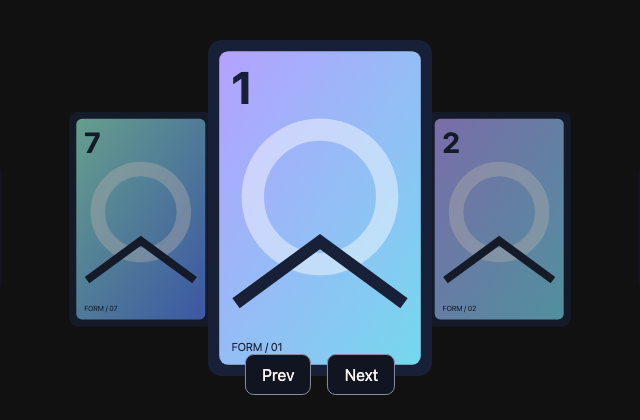
갤러리 안에서는 화면을 벗어나거나 움직임을 멈추면 예제도 닫힙니다. 다시 재생할 때는 처음부터 시작해요.
저장한 HTML에서는 갤러리의 재생 설정이 적용되지 않아요.
SOURCE FILES
원본 코드 읽기
수집한 원본 소스와 실행 안내를 함께 제공합니다. 실행 HTML에는 미리보기를 위한 실행 환경이 들어 있습니다.
vendor/gsap-previews/sources/gsap-b9dc23bc02dd/index.html
<div class="gallery">
	<ul class="cards">
		<li style="background-image: url(https://assets.codepen.io/16327/portrait-number-01.png)"></li>
 <li style="background-image: url(https://assets.codepen.io/16327/portrait-number-02.png)"></li>
 <li style="background-image: url(https://assets.codepen.io/16327/portrait-number-03.png)"></li>
 <li style="background-image: url(https://assets.codepen.io/16327/portrait-number-04.png)"></li>
 <li style="background-image: url(https://assets.codepen.io/16327/portrait-number-05.png)"></li>
 <li style="background-image: url(https://assets.codepen.io/16327/portrait-number-06.png)"></li>
 <li style="background-image: url(https://assets.codepen.io/16327/portrait-number-07.png)"></li>
 <li style="background-image: url(https://assets.codepen.io/16327/portrait-number-01.png)"></li>
 <li style="background-image: url(https://assets.codepen.io/16327/portrait-number-02.png)"></li>
 <li style="background-image: url(https://assets.codepen.io/16327/portrait-number-03.png)"></li>
 <li style="background-image: url(https://assets.codepen.io/16327/portrait-number-04.png)"></li>
 <li style="background-image: url(https://assets.codepen.io/16327/portrait-number-05.png)"></li>
 <li style="background-image: url(https://assets.codepen.io/16327/portrait-number-06.png)"></li>
 <li style="background-image: url(https://assets.codepen.io/16327/portrait-number-07.png)"></li>
	</ul>
	<div class="actions">
		<button class="prev">Prev</button>
		<button class="next">Next</button>
	</div>
</div>
<div class="drag-proxy"></div>
vendor/gsap-previews/sources/gsap-b9dc23bc02dd/style.css
* {
 box-sizing: border-box;
}
body {
 background: #111;
 min-height: 100vh;
 padding: 0;
 margin: 0;
 /* overflow-x: hidden; */
}
.gallery {
 position: absolute;
 width: 100%;
 height: 100vh;
 overflow: hidden;
}

.cards {
 position: absolute;
 width: 14rem;
 height: 18rem;
 top: 40%;
 left: 50%;
 transform: translate(-50%, -50%);
}

.cards li {
 list-style: none;
 padding: 0;
 margin: 0;
 width: 14rem;
 aspect-ratio: 9/16;
 text-align: center;
 line-height: 18rem;
 font-size: 2rem;
 position: absolute;
 background-size: contain;
 background-repeat: no-repeat;
 top: 0;
 left: 0;
 border-radius: 0.8rem;
}

.actions {
 position: absolute;
 bottom: 25px;
 left: 50%;
 transform: translateX(-50%);
 display: flex;
 align-items: center;
 justify-content: center;
 gap: 1rem;
}

a {
 color: #88ce02;
 text-decoration: none;
}
a:hover {
 text-decoration: underline;
}
.drag-proxy {
 visibility: hidden;
 position: absolute;
}
함께 쓰는 파일 4개 보기
vendor/gsap-previews/sources/gsap-b9dc23bc02dd/script.js
gsap.registerPlugin(ScrollTrigger, Draggable);

let iteration = 0; // gets iterated when we scroll all the way to the end or start and wraps around - allows us to smoothly continue the playhead scrubbing in the correct direction.

// set initial state of items
gsap.set('.cards li', {xPercent: 400, opacity: 0, scale: 0});

const spacing = 0.1, // spacing of the cards (stagger)
	snapTime = gsap.utils.snap(spacing), // we'll use this to snapTime the playhead on the seamlessLoop
	cards = gsap.utils.toArray('.cards li'),
	// this function will get called for each element in the buildSeamlessLoop() function, and we just need to return an animation that'll get inserted into a master timeline, spaced
	animateFunc = element => {
		const tl = gsap.timeline();
		tl.fromTo(element, {scale: 0, opacity: 0}, {scale: 1, opacity: 1, zIndex: 100, duration: 0.5, yoyo: true, repeat: 1, ease: "power1.in", immediateRender: false})
		 .fromTo(element, {xPercent: 400}, {xPercent: -400, duration: 1, ease: "none", immediateRender: false}, 0);
		return tl;
	},
	seamlessLoop = buildSeamlessLoop(cards, spacing, animateFunc),
	playhead = {offset: 0}, // a proxy object we use to simulate the playhead position, but it can go infinitely in either direction and we'll just use an onUpdate to convert it to the corresponding time on the seamlessLoop timeline.
	wrapTime = gsap.utils.wrap(0, seamlessLoop.duration()), // feed in any offset (time) and it'll return the corresponding wrapped time (a safe value between 0 and the seamlessLoop's duration)
	scrub = gsap.to(playhead, { // we reuse this tween to smoothly scrub the playhead on the seamlessLoop
		offset: 0,
		onUpdate() {
			seamlessLoop.time(wrapTime(playhead.offset)); // convert the offset to a "safe" corresponding time on the seamlessLoop timeline
		},
		duration: 0.5,
		ease: "power3",
		paused: true
	}),
	trigger = ScrollTrigger.create({
		start: 0,
		onUpdate(self) {
			let scroll = self.scroll();
			if (scroll > self.end - 1) {
				wrap(1, 2);
			} else if (scroll < 1 && self.direction < 0) {
				wrap(-1, self.end - 2);
			} else {
				scrub.vars.offset = (iteration + self.progress) * seamlessLoop.duration();
				scrub.invalidate().restart(); // to improve performance, we just invalidate and restart the same tween. No need for overwrites or creating a new tween on each update.
			}
		},
		end: "+=3000",
		pin: ".gallery"
	}),
	// converts a progress value (0-1, but could go outside those bounds when wrapping) into a "safe" scroll value that's at least 1 away from the start or end because we reserve those for sensing when the user scrolls ALL the way up or down, to wrap.
	progressToScroll = progress => gsap.utils.clamp(1, trigger.end - 1, gsap.utils.wrap(0, 1, progress) * trigger.end),
	wrap = (iterationDelta, scrollTo) => {
		iteration += iterationDelta;
		trigger.scroll(scrollTo);
		trigger.update(); // by default, when we trigger.scroll(), it waits 1 tick to update().
	};

// when the user stops scrolling, snap to the closest item.
ScrollTrigger.addEventListener("scrollEnd", () => scrollToOffset(scrub.vars.offset));

// feed in an offset (like a time on the seamlessLoop timeline, but it can exceed 0 and duration() in either direction; it'll wrap) and it'll set the scroll position accordingly. That'll call the onUpdate() on the trigger if there's a change.
function scrollToOffset(offset) { // moves the scroll playhead to the place that corresponds to the totalTime value of the seamlessLoop, and wraps if necessary.
	let snappedTime = snapTime(offset),
		progress = (snappedTime - seamlessLoop.duration() * iteration) / seamlessLoop.duration(),
		scroll = progressToScroll(progress);
	if (progress >= 1 || progress < 0) {
		return wrap(Math.floor(progress), scroll);
	}
	trigger.scroll(scroll);
}

document.querySelector(".next").addEventListener("click", () => scrollToOffset(scrub.vars.offset + spacing));
document.querySelector(".prev").addEventListener("click", () => scrollToOffset(scrub.vars.offset - spacing));


// below is the dragging functionality (mobile-friendly too)...
Draggable.create(".drag-proxy", {
 type: "x",
 trigger: ".cards",
 onPress() {
 this.startOffset = scrub.vars.offset;
 },
 onDrag() {
 scrub.vars.offset = this.startOffset + (this.startX - this.x) * 0.001;
 scrub.invalidate().restart(); // same thing as we do in the ScrollTrigger's onUpdate
 },
 onDragEnd() {
 scrollToOffset(scrub.vars.offset);
 }
});


function buildSeamlessLoop(items, spacing, animateFunc) {
	let overlap = Math.ceil(1 / spacing), // number of EXTRA animations on either side of the start/end to accommodate the seamless looping
		startTime = items.length * spacing + 0.5, // the time on the rawSequence at which we'll start the seamless loop
		loopTime = (items.length + overlap) * spacing + 1, // the spot at the end where we loop back to the startTime
		rawSequence = gsap.timeline({paused: true}), // this is where all the "real" animations live
		seamlessLoop = gsap.timeline({ // this merely scrubs the playhead of the rawSequence so that it appears to seamlessly loop
			paused: true,
			repeat: -1, // to accommodate infinite scrolling/looping
			onRepeat() { // works around a super rare edge case bug that's fixed GSAP 3.6.1
				this._time === this._dur && (this._tTime += this._dur - 0.01);
			}
		}),
		l = items.length + overlap * 2,
		time, i, index;

	// now loop through and create all the animations in a staggered fashion. Remember, we must create EXTRA animations at the end to accommodate the seamless looping.
	for (i = 0; i < l; i++) {
		index = i % items.length;
		time = i * spacing;
		rawSequence.add(animateFunc(items[index]), time);
		i <= items.length && seamlessLoop.add("label" + i, time); // we don't really need these, but if you wanted to jump to key spots using labels, here ya go.
	}

	// here's where we set up the scrubbing of the playhead to make it appear seamless.
	rawSequence.time(startTime);
	seamlessLoop.to(rawSequence, {
		time: loopTime,
		duration: loopTime - startTime,
		ease: "none"
	}).fromTo(rawSequence, {time: overlap * spacing + 1}, {
		time: startTime,
		duration: startTime - (overlap * spacing + 1),
		immediateRender: false,
		ease: "none"
	});
	return seamlessLoop;
}vendor/gsap-previews/sources/gsap-b9dc23bc02dd/adapters/host.css실행 안내·자료
/* StyleGallery host styles: independent replacement for unavailable shared Pen CSS. */
:root{--color-just-black:#111522;--color-surface-white:#f7f3ec;--color-surface75:#cfccc6;--color-surface50:#898e9f;--color-surface25:#414859;--color-shockingly-green:#95efd2;--color-lt-green:#b5f4da;--color-pink:#fbadce;--color-purple:#897dff;--color-lilac:#b5a1ff;--color-orangey:#ffd28c;--color-blue:#75d8ed;--color-ui-gradient:linear-gradient(135deg,#fbadce,#897dff);--color-ui-gradient-background:linear-gradient(135deg,#fbadce,#897dff);--color-text-gradient:linear-gradient(135deg,#fbadce,#897dff);--gradient-summer-fair:linear-gradient(135deg,#ffd28c,#fbadce);--gradient-lipstick:linear-gradient(135deg,#fbadce,#fc7f8e);--gradient-macha:linear-gradient(135deg,#b5f4da,#75d8ed);--color-grey:#898e9f;--color-grey-dark:#414859;--color-scroll-pink-lt:#fbadce;--color-text-purple:#b5a1ff;--surface50:#898e9f;--light:#f7f3ec;--dark:#111522;--mid:#898e9f}
*{box-sizing:border-box}body{background:#111522;color:#f7f3ec;font-family:system-ui,sans-serif;margin:0;min-height:100vh;width:100%}button,input{font:inherit}button,.button{background:#111522;border:1px solid #898e9f;border-radius:.55rem;color:#f7f3ec;cursor:pointer;padding:.65rem 1rem}button:focus-visible,a:focus-visible,input:focus-visible{outline:3px solid #95efd2;outline-offset:4px}h1,h2,h3,h4{line-height:1.15}h4{font-weight:500}code{font-family:ui-monospace,monospace}.heading-l{font-size:clamp(2rem,6vw,5rem)}.heading-text{font-size:clamp(1.5rem,4vw,3rem)}.box{background:#95efd2;border-radius:14px;height:clamp(38px,12vw,80px);width:clamp(38px,12vw,80px)}.green{background:#95efd2}.purple{background:#897dff}.orange{background:#ffd28c}.gradient-pink{background:linear-gradient(140deg,#fbadce,#fc7f8e)}.gradient-purple{background:linear-gradient(140deg,#b5a1ff,#537ff7)}.center{align-items:center;display:flex;justify-content:center}.text-center{text-align:center}.panel{min-height:100vh;width:100%}.flair:not(img){background-image:url("data:image/svg+xml;base64,PHN2ZyB4bWxucz0iaHR0cDovL3d3dy53My5vcmcvMjAwMC9zdmciIHdpZHRoPSIyNDgiIGhlaWdodD0iMjQ4IiB2aWV3Qm94PSIwIDAgMjQ4IDI0OCI+PGRlZnM+PGxpbmVhckdyYWRpZW50IGlkPSJnIiB4Mj0iMSIgeTI9IjEiPjxzdG9wIHN0b3AtY29sb3I9IiNiNWExZmYiLz48c3RvcCBvZmZzZXQ9IjEiIHN0b3AtY29sb3I9IiM3NWQ4ZWQiLz48L2xpbmVhckdyYWRpZW50PjwvZGVmcz48ZyBmaWxsPSJ1cmwoI2cpIj48cGF0aCBkPSJNODcgMjBoNzR2NjdoNjd2NzRoLTY3djY3SDg3di02N0gyMFY4N2g2N1oiLz48L2c+PC9zdmc+");background-position:center;background-repeat:no-repeat;background-size:contain;height:80px;width:80px}.flair--3:not(img){background-image:url("data:image/svg+xml;base64,PHN2ZyB4bWxucz0iaHR0cDovL3d3dy53My5vcmcvMjAwMC9zdmciIHdpZHRoPSIyNDgiIGhlaWdodD0iMjQ4IiB2aWV3Qm94PSIwIDAgMjQ4IDI0OCI+PGRlZnM+PGxpbmVhckdyYWRpZW50IGlkPSJnIiB4Mj0iMSIgeTI9IjEiPjxzdG9wIHN0b3AtY29sb3I9IiM5NWVmZDIiLz48c3RvcCBvZmZzZXQ9IjEiIHN0b3AtY29sb3I9IiM1MzdmZjciLz48L2xpbmVhckdyYWRpZW50PjwvZGVmcz48ZyBmaWxsPSJ1cmwoI2cpIj48Y2lyY2xlIGN4PSIxMjQiIGN5PSIxMjQiIHI9Ijg4IiBmaWxsPSJub25lIiBzdHJva2U9InVybCgjZykiIHN0cm9rZS13aWR0aD0iNDgiLz48Y2lyY2xlIGN4PSIxODMiIGN5PSI2MCIgcj0iMjMiIGZpbGw9IiNmNmYzZWIiLz48L2c+PC9zdmc+")}.braces{font-size:1rem}img{max-width:100%}
/* External font programs are omitted; preserve readable fallback typography. */
body,button,input,h1,h2,h3,h4,p,span,div{font-family:inherit}body{font-family:system-ui,sans-serif}code,pre{font-family:ui-monospace,monospace}
vendor/gsap-previews/sources/gsap-b9dc23bc02dd/adapters/script.js실행 안내·자료
window.__STYLEGALLERY_ASSETS__={};
gsap.registerPlugin(ScrollTrigger, Draggable);
let iteration = 0;
gsap.set(".cards li", { xPercent: 400, opacity: 0, scale: 0 });
const spacing = 0.1, snapTime = gsap.utils.snap(spacing), cards = gsap.utils.toArray(".cards li"), animateFunc = (element) => {
  const tl = gsap.timeline();
  tl.fromTo(element, { scale: 0, opacity: 0 }, { scale: 1, opacity: 1, zIndex: 100, duration: 0.5, yoyo: true, repeat: 1, ease: "power1.in", immediateRender: false }).fromTo(element, { xPercent: 400 }, { xPercent: -400, duration: 1, ease: "none", immediateRender: false }, 0);
  return tl;
}, seamlessLoop = buildSeamlessLoop(cards, spacing, animateFunc), playhead = { offset: 0 }, wrapTime = gsap.utils.wrap(0, seamlessLoop.duration()), scrub = gsap.to(playhead, {
  // we reuse this tween to smoothly scrub the playhead on the seamlessLoop
  offset: 0,
  onUpdate() {
    seamlessLoop.time(wrapTime(playhead.offset));
  },
  duration: 0.5,
  ease: "power3",
  paused: true
}), trigger = ScrollTrigger.create({
  start: 0,
  onUpdate(self) {
    let scroll = self.scroll();
    if (scroll > self.end - 1) {
      wrap(1, 2);
    } else if (scroll < 1 && self.direction < 0) {
      wrap(-1, self.end - 2);
    } else {
      scrub.vars.offset = (iteration + self.progress) * seamlessLoop.duration();
      scrub.invalidate().restart();
    }
  },
  end: "+=3000",
  pin: ".gallery"
}), progressToScroll = (progress) => gsap.utils.clamp(1, trigger.end - 1, gsap.utils.wrap(0, 1, progress) * trigger.end), wrap = (iterationDelta, scrollTo) => {
  iteration += iterationDelta;
  trigger.scroll(scrollTo);
  trigger.update();
};
ScrollTrigger.addEventListener("scrollEnd", () => scrollToOffset(scrub.vars.offset));
function scrollToOffset(offset) {
  let snappedTime = snapTime(offset), progress = (snappedTime - seamlessLoop.duration() * iteration) / seamlessLoop.duration(), scroll = progressToScroll(progress);
  if (progress >= 1 || progress < 0) {
    return wrap(Math.floor(progress), scroll);
  }
  trigger.scroll(scroll);
}
document.querySelector(".next").addEventListener("click", () => scrollToOffset(scrub.vars.offset + spacing));
document.querySelector(".prev").addEventListener("click", () => scrollToOffset(scrub.vars.offset - spacing));
Draggable.create(".drag-proxy", {
  type: "x",
  trigger: ".cards",
  onPress() {
    this.startOffset = scrub.vars.offset;
  },
  onDrag() {
    scrub.vars.offset = this.startOffset + (this.startX - this.x) * 1e-3;
    scrub.invalidate().restart();
  },
  onDragEnd() {
    scrollToOffset(scrub.vars.offset);
  }
});
function buildSeamlessLoop(items, spacing2, animateFunc2) {
  let overlap = Math.ceil(1 / spacing2), startTime = items.length * spacing2 + 0.5, loopTime = (items.length + overlap) * spacing2 + 1, rawSequence = gsap.timeline({ paused: true }), seamlessLoop2 = gsap.timeline({
    // this merely scrubs the playhead of the rawSequence so that it appears to seamlessly loop
    paused: true,
    repeat: -1,
    // to accommodate infinite scrolling/looping
    onRepeat() {
      this._time === this._dur && (this._tTime += this._dur - 0.01);
    }
  }), l = items.length + overlap * 2, time, i, index;
  for (i = 0; i < l; i++) {
    index = i % items.length;
    time = i * spacing2;
    rawSequence.add(animateFunc2(items[index]), time);
    i <= items.length && seamlessLoop2.add("label" + i, time);
  }
  rawSequence.time(startTime);
  seamlessLoop2.to(rawSequence, {
    time: loopTime,
    duration: loopTime - startTime,
    ease: "none"
  }).fromTo(rawSequence, { time: overlap * spacing2 + 1 }, {
    time: startTime,
    duration: startTime - (overlap * spacing2 + 1),
    immediateRender: false,
    ease: "none"
  });
  return seamlessLoop2;
}
LICENSE실행 안내·자료
<!--

Copyright (c) 2021 - GreenSock - https://codepen.io/GreenSock/pen/RwKwLWK

Permission is hereby granted, free of charge, to any person
obtaining a copy of this software and associated documentation
files (the "Software"), to deal in the Software without restriction,
 including without limitation the rights to use, copy, modify,
merge, publish, distribute, sublicense, and/or sell copies of
the Software, and to permit persons to whom the Software is
furnished to do so, subject to the following conditions:

The above copyright notice and this permission notice shall
be included in all copies or substantial portions of the Software.

THE SOFTWARE IS PROVIDED "AS IS", WITHOUT WARRANTY OF ANY KIND,
EXPRESS OR IMPLIED, INCLUDING BUT NOT LIMITED TO THE WARRANTIES
OF MERCHANTABILITY, FITNESS FOR A PARTICULAR PURPOSE AND
NONINFRINGEMENT. IN NO EVENT SHALL THE AUTHORS OR COPYRIGHT
HOLDERS BE LIABLE FOR ANY CLAIM, DAMAGES OR OTHER LIABILITY,
WHETHER IN AN ACTION OF CONTRACT, TORT OR OTHERWISE, ARISING FROM,
OUT OF OR IN CONNECTION WITH THE SOFTWARE OR THE USE OR OTHER
DEALINGS IN THE SOFTWARE.

-->


GSAP 3.15.0
Copyright 2026, GreenSock. All rights reserved.
Subject to the Standard No Charge License: https://gsap.com/standard-license.
The full notice in each original GSAP library file is preserved.


StyleGallery host adapter and replacement SVG subjects: locally authored.
BEHIND THE EXAMPLE
이 장면을 만드는 원리
누적 이동량과 화면의 반복 위치
끌기 입력, 정착 목표와 최종 항목의 식별을 분리해 관리합니다.
- 이 예제에서는
- playhead.offset은 누적 이동을 유지하고 wrapTime이 반복 타임라인의 표시 위치로 바꿉니다. scrollEnd와 onDragEnd는 같은 scrollToOffset에서 spacing 단위로 맞춥니다. 이전·다음 버튼도 동일한 offset을 사용하므로 드래그 외의 단일 포인터 조작 경로가 실제로 존재합니다.
코드와 함께 확인하기
코드에서 찾기
scrollToOffsetscript.js누적 위치를 스냅하고 반복 회차 또는 안전한 스크롤 위치로 옮깁니다.
Draggable.createscript.js누름 시 offset을 기억하고 수평 드래그 거리를 같은 플레이헤드로 변환합니다.
직접 해보기
드래그가 정착한 뒤 이전·다음을 누릅니다.
살펴볼 변화각 입력이 서로 다른 선택 상태를 만들지 않고 한 루프를 움직이는지 확인합니다.
앞·뒤 반복 경계를 연속으로 넘습니다.
살펴볼 변화회차와 카드 순서가 유지되고 스크롤 이벤트가 재귀적으로 잠기지 않는지 확인합니다.