SaaS Settings
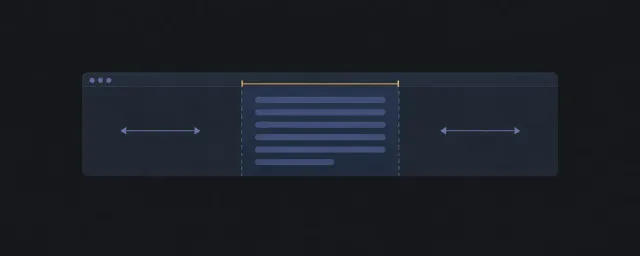
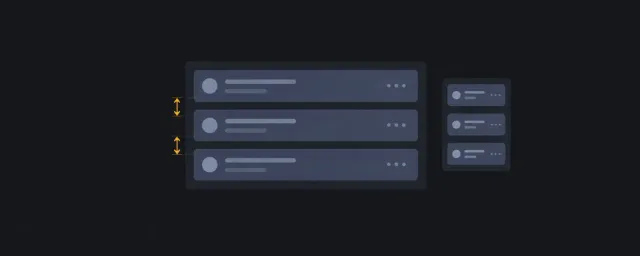
Compose a fixed side navigation with a constrained settings flow.
이 자료로 구현하기
원문 주소와 버전이 포함된 요청문입니다. 복사한 뒤 만들 화면과 요구사항을 채워 에이전트에게 전달하세요.
FROM PRINCIPLE TO PRACTICE
이 원리로 만든 예제 1
예제를 열어 직접 조작하고, 관찰한 동작을 이 문서의 원리와 비교해 보세요.
설정 내비게이션과 스크롤 본문settings composition
- 패턴을 조합한 실행 화면
내비게이션은 밖에 두고 설정 본문이 스크롤을 소유합니다.
- 패턴을 조합한 실행 화면
Recommended Pattern Stack
DOM And Source Order
Place the navigation before the main settings region when it is the first meaningful wayfinding element. Keep each settings section as a semantic section with its own heading.
Scroll Ownership
The main region owns vertical scrolling. The side navigation remains stable. Avoid adding independent scrolling to individual settings groups unless a group has a named overflow responsibility.
Accessibility Expectations
- Focus expectation: Side-navigation links move predictably into the matching settings section, and focus remains visible when the main region scrolls.
- Scroll expectation: The stable navigation must not create a second hidden scroll path; each settings group should rely on the main region unless overflow is declared.
- Cognitive risk: Settings pages mix navigation and editing; use headings, save-state labels, and grouping so users do not lose the current section.
Responsive Behavior
At narrow widths, navigation may become an inline region above the main content. Preserve source order and avoid visually reordering sections ahead of their headings.
Constraints And Change Points
Use a content width token for the settings column and a gutter token for shell spacing. Keep fixed navigation width explicit so the main scroll region has a predictable inline size.
When Not To Use
Do not use this recipe for a short one-page preference form where document flow and a simple content-limiter are enough.
Related Patterns
IA Navigation
Parent: Layout Recipes. Next: Quality Gates for claim checks, or Layout Pattern Catalog when replacing a primitive.