Codrops 원본
Building an Infinite Marquee Along an SVG Path with React & Motion
섹션 · MIT
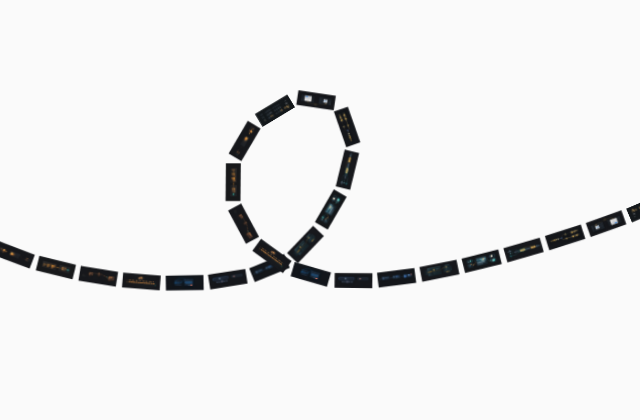
갤러리 안에서는 화면을 벗어나거나 움직임을 멈추면 예제도 닫힙니다. 다시 재생할 때는 처음부터 시작해요.
SOURCE FILES
원본 코드 읽기
수집한 원본 소스와 실행 안내를 함께 제공합니다.
next.config.js
const withMDX = require("@next/mdx")()

/** @type {import('next').NextConfig} */
const nextConfig = {
  pageExtensions: ["js", "jsx", "mdx", "ts", "tsx"],
  async redirects() {
    return [
      {
        source: "/docs",
        destination: "/docs/introduction",
        permanent: true,
      },
    ]
  },
  images: {
    remotePatterns: [
      {
        protocol: "https",
        hostname: "images.unsplash.com",
        port: "",
        pathname: "/**",
      },
      {
        protocol: "https",
        hostname: "plus.unsplash.com",
        port: "",
        pathname: "/**",
      },
      {
        protocol: "https",
        port: "",
        hostname: "musicbrainz.org",
        pathname: "/**",
      },
      {
        protocol: "https",
        hostname: "fancycomponents.b-cdn.net",
        port: "",
        pathname: "/**",
      }
    ],
  },
}

module.exports = withMDX(nextConfig)
postcss.config.mjs
/** @type {import('postcss-load-config').Config} */
const config = {
  plugins: {
    '@tailwindcss/postcss': {},
  },
}

export default config
함께 쓰는 파일 228개 보기
prettier.config.cjs
/** @type {import('prettier').Config} */
module.exports = {
  endOfLine: "lf",
  semi: false,
  singleQuote: false,
  tabWidth: 2,
  trailingComma: "es5",
  importOrder: [
    "^(react/(.*)$)|^(react$)",
    "^(next/(.*)$)|^(next$)",
    "<THIRD_PARTY_MODULES>",
    "",
    "^@workspace/(.*)$",
    "",
    "^types$",
    "^@/types/(.*)$",
    "^@/config/(.*)$",
    "^@/lib/(.*)$",
    "^@/hooks/(.*)$",
    "^@/components/ui/(.*)$",
    "^@/components/(.*)$",
    "^@/fancy/(.*)$",
    "^@/styles/(.*)$",
    "^@/app/(.*)$",
    "",
    "^[./]",
  ],
  importOrderSeparation: false,
  importOrderSortSpecifiers: true,
  importOrderBuiltinModulesToTop: true,
  importOrderParserPlugins: ["typescript", "jsx", "decorators-legacy"],
  importOrderMergeDuplicateImports: true,
  importOrderCombineTypeAndValueImports: true,
  plugins: ["@ianvs/prettier-plugin-sort-imports"],
}
src/app/api/[...slug]/route.ts
import { NextRequest, NextResponse } from "next/server"
import fs from "node:fs"
import path from "node:path"

export async function GET(
  request: NextRequest,
  props: { params: Promise<{ slug: string[] } | undefined> }
) {
  const params = await props.params;
  try {
    // Check if params and slug exist
    if (!params?.slug) {
      return new NextResponse("Not Found", { status: 404 })
    }

    // Check if the request is for a markdown file
    const lastSegment = params.slug[params.slug.length - 1]
    if (!lastSegment.endsWith(".md")) {
      return new NextResponse("Not Found", { status: 404 })
    }

    // Remove .md extension to get the actual slug
    const actualSlug = [...params.slug]
    actualSlug[actualSlug.length - 1] = lastSegment.replace(".md", "")

    // Construct path to pre-generated markdown file
    const markdownPath = path.join(
      process.cwd(),
      "public",
      "docs",
      ...actualSlug
    ) + ".md"

    // Check if file exists
    if (!fs.existsSync(markdownPath)) {
      return new NextResponse("Documentation not found", { status: 404 })
    }

    // Read and serve the pre-generated markdown
    const markdown = fs.readFileSync(markdownPath, "utf8")

    return new NextResponse(markdown, {
      status: 200,
      headers: {
        "Content-Type": "text/markdown; charset=utf-8",
        "Cache-Control": "public, max-age=31536000, immutable",
        "Content-Disposition": `inline; filename="${actualSlug.join("-")}.md"`
      }
    })

  } catch (error) {
    console.error("Error serving markdown:", error)
    return new NextResponse("Internal Server Error", { status: 500 })
  }
}
src/app/api/revalidate/route.ts
import { revalidateTag } from "next/cache"
import { NextRequest, NextResponse } from "next/server"

export async function POST(request: NextRequest) {
  const requestHeaders = new Headers(request.headers)
  const secret = requestHeaders.get("x-vercel-reval-key")

  if (secret !== process.env.CONTENTFUL_REVALIDATE_SECRET) {
    return NextResponse.json({ message: "Invalid secret" }, { status: 401 })
  }

  revalidateTag("components", "max")

  return NextResponse.json({ revalidated: true, now: Date.now() })
}
src/app/components/layout.tsx
import { docsConfig } from "@/config/docs"
import { ScrollArea } from "@/components/ui/scroll-area"
import { Footer } from "@/components/footer"
import { Header } from "@/components/header"
import { DocsSidebarNav } from "@/components/sidebar-nav"

export default function Layout({ children }: { children: React.ReactNode }) {
  return (
    <div className="relative w-full">
      <Header />
      <div>
        <div className="items-start lg:grid lg:grid-cols-[340px_minmax(0,1fr)] ">
          <aside className="sticky top-0 pb-4 z-30 hidden h-[calc(100vh-6rem)] w-full shrink-0 lg:block pt-4 pl-4 ">
            <div className="rounded-2xl bg-background h-full border-border border">
              <ScrollArea className="h-full">
                <DocsSidebarNav items={docsConfig} />
              </ScrollArea>
            </div>
          </aside>

          <div className="p-4">{children}</div>
        </div>
      </div>
      <Footer />
    </div>
  )
}
src/app/components/page.tsx
import { getAllComponents } from "@/lib/get-components"
import ComponentCard from "@/components/component-card"

export default function Page() {
  const components = getAllComponents()

  return (
    <main className="flex-1 justify-center w-full">
      <div className="rounded-2xl bg-background py-6 lg:gap-10 lg:py-6 border-border border p-6">
        <h1 className="text-4xl font-bold mb-8 font-calendas">Components</h1>
        <div className="grid grid-cols-1 sm:grid-cols-2 xl:grid-cols-3 gap-6">
          {components.map((component) => (
            <ComponentCard key={component.name} component={component} />
          ))}
        </div>
      </div>
    </main>
  )
}
src/app/docs/[[...slug]]/page.tsx
import fs from "node:fs"
import path from "node:path"
import { Metadata } from "next"
import Balancer from "react-wrap-balancer"

import { DocPageProps } from "@/types/types"
import { siteConfig } from "@/config/site"
import { CONTENT_DIRECTORY, getDocFromParams } from "@/lib/get-docs"
import { cn } from "@/lib/utils"
import { ScrollArea } from "@/components/ui/scroll-area"
import { DocsPager } from "@/components/doc-pager"
import { DashboardTableOfContents } from "@/components/toc"
import { DocBreadcrumb } from "@/components/doc-breadcrumb"
import { DocAuthor } from "@/components/doc-author"
import { CopyPageMenu } from "@/components/copy-page-menu"
import { getComponentByName } from "@/lib/get-components"

export const runtime = "nodejs"
export const dynamic = "force-static"

export async function generateMetadata(props: DocPageProps): Promise<Metadata> {
  const params = await props.params
  const doc = await getDocFromParams({ params })

  if (!doc) {
    return {}
  }

  const urlSlug = doc.slug.split("/").pop()

  let ogUrl

  try {
    const component = getComponentByName(urlSlug!)
    ogUrl = component?.thumbnail?.url || siteConfig.ogImage
  } catch (error) {
    console.error("Error fetching component:", error)
    ogUrl = siteConfig.ogImage
  }

  return {
    title: doc.title,
    description:
      doc.description === "null" ? siteConfig.description : doc.description,
    openGraph: {
      title: doc.title,
      description:
        doc.description === "null" ? siteConfig.description : doc.description,
      type: "article",
      url: doc.slug,
      images: [
        {
          url: ogUrl,
          width: 1200,
          height: 630,
          alt: siteConfig.name,
        },
      ],
    },
    twitter: {
      card: "summary_large_image",
      title: doc.title,
      description: doc.description,
      images: [ogUrl],
      creator: "@nonzeroexitcode",
    },
  }
}

export function generateStaticParams() {
  const targets = fs.readdirSync(path.join(process.cwd(), CONTENT_DIRECTORY), {
    // Read nested directories and files
    recursive: true,
  })

  const files = []

  for (const target of targets) {
    // Skip directories
    if (
      fs
        .lstatSync(
          path.join(process.cwd(), CONTENT_DIRECTORY, target.toString())
        )
        .isDirectory()
    ) {
      continue
    }

    // Add files as valid paths
    files.push(target)
  }

  // Return the list of files we want to match with, removing the `.mdx` suffix and breaking them up by directory.
  return files.map((file) => ({
    slug: file.toString().replace(".mdx", "").split("/"),
  }))
}

export default async function DocPage(props: DocPageProps) {
  const params = await props.params
  const doc = await getDocFromParams({ params })

  const toc = doc.toc

  const componentType =
    params.slug?.[1]?.charAt(0).toUpperCase() +
      params.slug?.[1]?.slice(1).toLowerCase() || "Getting Started"

  // Generate current URL for markdown links
  const currentUrl = `https://fancycomponents.dev/docs/${params.slug?.join("/") || ""}`

  // Extract plain text content from the page (simplified version)
  // For now, using description. Could be enhanced to extract more content client-side
  const plainTextContent = doc.description || "No description available"

  return (
    <main className="xl:grid xl:grid-cols-[minmax(0,1fr)_340px] justify-center w-full">
      <div className="rounded-2xl bg-background py-6 lg:gap-10 lg:py-6 border-border border">
        <div data-algolia-crawl className="px-4 md:px-8 flex flex-col">
          <div className="flex items-start justify-between gap-4">
            <DocBreadcrumb componentType={componentType} title={doc.title} />
            <div className="flex-shrink-0">
              <CopyPageMenu
                title={doc.title}
                content={plainTextContent}
                currentUrl={currentUrl}
              />
            </div>
          </div>
          <div className="">
            <h1
              className={cn(
                "scroll-m-20 text-3xl text-pretty md:text-5xl font-calendas tracking-tight"
              )}
            >
              {doc.title}
            </h1>
          </div>
          <div className="">{/* Description and author */}
            {!!doc.description && doc.description !== "null" && (
              <p className="text-sm md:text-lg text-muted-foreground pt-2 md:pt-4">
                <Balancer>{doc.description}</Balancer>
              </p>
            )}
            <DocAuthor author={doc.author} />
          </div>

          <div className="mb-12 pt-8 space-y-6">{doc.body}</div>
          <div data-algolia-ignore className="">
            <DocsPager doc={doc} />
          </div>
        </div>
      </div>
      {doc.toc && (
        <div className="hidden text-base xl:block sticky top-4 pt-0 pb-4 h-[calc(100vh-8rem)] pl-4">
          <div className="bg-background rounded-2xl border">
            <ScrollArea className="">
              <DashboardTableOfContents toc={toc} />
            </ScrollArea>
          </div>
        </div>
      )}
    </main>
  )
}
src/app/docs/layout.tsx
import { docsConfig } from "@/config/docs"
import { ScrollArea } from "@/components/ui/scroll-area"
import { Footer } from "@/components/footer"
import { Header } from "@/components/header"
import { DocsSidebarNav } from "@/components/sidebar-nav"

export default function Layout({ children }: { children: React.ReactNode }) {
  return (
    <div className="relative w-full">
      <Header />
      <div>
        <div className="items-start lg:grid lg:grid-cols-[340px_minmax(0,1fr)] ">
          <aside className="sticky top-0 pb-4 z-30 hidden h-[calc(100vh-6rem)] w-full shrink-0 lg:block pt-4 pl-4 ">
            <div className="rounded-2xl bg-background h-full border-border border">
              <ScrollArea className="h-full">
                <DocsSidebarNav items={docsConfig} />
              </ScrollArea>
            </div>
          </aside>

          <div className="p-4">{children}</div>
        </div>
      </div>
      <Footer />
    </div>
  )
}
src/app/globals.css
@import "tailwindcss";

@source '../**/*.{ts,tsx}';

@custom-variant dark (&:is(.dark *));

@theme inline {
  --font-calendas: Calendas Plus, sans-serif;
  --font-overused-grotesk: Overused Grotesk, sans-serif;
  --font-cotham: Cotham Sans;
  --font-VT323: VT323;
  --font-tiny5: Tiny5;
  --font-azeret-mono: Azeret Mono;
  --font-fira-mono: Fira Mono, monospace;
  --font-noto-sans-symbols: Noto Sans Symbols;
  --font-satoshi: Satoshi, sans-serif;

  --font-sans: var(--font-overused-grotesk);
  --font-mono: var(--font-fira-mono);

  --color-lavender: #ecbfff;
  --color-reddish: #ff4a48;
  --color-border: hsl(var(--border));
  --color-input: hsl(var(--input));
  --color-ring: hsl(var(--ring));
  --color-background: var(--background);
  --color-foreground: var(--foreground);

  --color-primary: var(--primary);
  --color-primary-foreground: var(--primary-foreground);

  --color-secondary: var(--secondary);
  --color-secondary-foreground: var(--secondary-foreground);

  --color-destructive: hsl(var(--destructive));
  --color-destructive-foreground: hsl(var(--destructive-foreground));

  --color-muted: hsl(var(--muted));
  --color-muted-foreground: hsl(var(--muted-foreground));

  --color-accent: hsl(var(--accent));
  --color-accent-foreground: hsl(var(--accent-foreground));

  --color-popover: hsl(var(--popover));
  --color-popover-foreground: hsl(var(--popover-foreground));

  --color-card: hsl(var(--card));
  --color-card-foreground: hsl(var(--card-foreground));

  --color-blue: var(--blue);
  --color-blue-50: var(--blue-50);
  --color-blue-100: var(--blue-100);
  --color-blue-200: var(--blue-200);
  --color-blue-300: var(--blue-300);
  --color-blue-400: var(--blue-400);
  --color-blue-500: var(--blue-500);
  --color-blue-600: var(--blue-600);
  --color-blue-700: var(--blue-700);
  --color-blue-800: var(--blue-800);
  --color-blue-900: var(--blue-900);
  --color-blue-950: var(--blue-950);

  --color-editor-background: var(--editor-bg);
  --color-editor-border: var(--editor-border);

  --color-primary-red: var(--red);
  --color-primary-orange: var(--orange);
  --color-primary-pink: var(--pink);
  --color-primary-blue: var(--blue-700);

  --color-teal: var(--teal);
  --color-teal-foreground: var(--teal-foreground);

  --color-yellow: var(--yellow);
  --color-yellow-foreground: var(--yellow-foreground);

  --radius-lg: var(--radius);
  --radius-md: calc(var(--radius) - 2px);
  --radius-sm: calc(var(--radius) - 4px);

  --animate-accordion-down: accordion-down 0.2s ease-out;
  --animate-accordion-up: accordion-up 0.2s ease-out;
  --animate-circling: circling;
  --animate-background-gradient: background-gradient;
  --animate-slide-in-from-left: slide-in-from-left 0.3s ease-out;
  --animate-slide-out-to-left: slide-out-to-left 0.3s ease-in;
  --animate-slide-in-from-right: slide-in-from-right 0.3s ease-out;
  --animate-slide-out-to-right: slide-out-to-right 0.3s ease-in;
  --animate-slide-in-from-top: slide-in-from-top 0.3s ease-out;
  --animate-slide-out-to-top: slide-out-to-top 0.3s ease-in;
  --animate-slide-in-from-bottom: slide-in-from-bottom 0.3s ease-out;
  --animate-slide-out-to-bottom: slide-out-to-bottom 0.3s ease-in;

  @keyframes accordion-down {
    from {
      height: 0;
    }
    to {
      height: var(--radix-accordion-content-height);
    }
  }
  @keyframes accordion-up {
    from {
      height: var(--radix-accordion-content-height);
    }
    to {
      height: 0;
    }
  }
  @keyframes slide-in-from-left {
    0% {
      transform: translateX(-100%);
    }
    100% {
      transform: translateX(0);
    }
  }
  @keyframes slide-out-to-left {
    from {
      transform: translateX(0);
    }
    to {
      transform: translateX(-100%);
    }
  }
  @keyframes slide-in-from-right {
    from {
      transform: translateX(100%);
    }
    to {
      transform: translateX(0);
    }
  }
  @keyframes slide-out-to-right {
    from {
      transform: translateX(0);
    }
    to {
      transform: translateX(100%);
    }
  }
  @keyframes slide-in-from-top {
    from {
      transform: translateY(-100%);
    }
    to {
      transform: translateY(0);
    }
  }
  @keyframes slide-out-to-top {
    from {
      transform: translateY(0);
    }
    to {
      transform: translateY(-100%);
    }
  }
  @keyframes slide-in-from-bottom {
    from {
      transform: translateY(100%);
    }
    to {
      transform: translateY(0);
    }
  }
  @keyframes slide-out-to-bottom {
    from {
      transform: translateY(0);
    }
    to {
      transform: translateY(100%);
    }
  }
  @keyframes circling {
    0% {
      transform: rotate(
          calc(var(--circling-direction, 1) * (var(--circling-offset) * 1deg))
        )
        translate(calc(var(--circling-radius) * 1px), 0)
        rotate(
          calc(var(--circling-direction, 1) * (var(--circling-offset) * -1deg))
        );
    }
    100% {
      transform: rotate(
          calc(
            var(--circling-direction, 1) *
              (360deg + (var(--circling-offset) * 1deg))
          )
        )
        translate(calc(var(--circling-radius) * 1px), 0)
        rotate(
          calc(
            var(--circling-direction, 1) *
              (-360deg + (var(--circling-offset) * -1deg))
          )
        );
    }
  }
  @keyframes background-gradient {
    0%,
    100% {
      transform: translate(0, 0);
      animation-delay: var(--background-gradient-delay, 0s);
    }
    20% {
      transform: translate(
        calc(100% * var(--tx-1, 1)),
        calc(100% * var(--ty-1, 1))
      );
    }
    40% {
      transform: translate(
        calc(100% * var(--tx-2, -1)),
        calc(100% * var(--ty-2, 1))
      );
    }
    60% {
      transform: translate(
        calc(100% * var(--tx-3, 1)),
        calc(100% * var(--ty-3, -1))
      );
    }
    80% {
      transform: translate(
        calc(100% * var(--tx-4, -1)),
        calc(100% * var(--ty-4, -1))
      );
    }
  }
}

@utility container {
  margin-inline: auto;
  padding-inline: 2rem;
  @media (width >= --theme(--breakpoint-sm)) {
    max-width: none;
  }
  @media (width >= 1400px) {
    max-width: 1400px;
  }
}

@utility focus-outline {
  position: relative;

  &::after {
    content: '';
    position: absolute;
    inset: 0 -0.5rem;
    inset-block: -0.25rem;
    border: 2px solid transparent;
    border-radius: 0.75rem;
    pointer-events: none;
    transform: scale(0.95);
    opacity: 0;
    /* transition: transform 200ms ease-out, opacity 200ms ease-out, border-color 200ms ease-out; */
  }

  &:focus-visible {
    outline: none;

    &::after {
      border-color: var(--focus-outline-color, var(--color-primary-blue));
      transform: scale(1);
      opacity: 1;
    }
  }
}

@utility focus-ring {
  outline: 2px solid transparent;
  outline-offset: 2px;
  /* transition: outline-color 200ms ease-out, outline-offset 200ms ease-out; */

  &:focus-visible {
    outline-color: var(--focus-ring-color, var(--color-primary-blue));
  }
}

@utility focus-primary {
  @apply focus-outline [--focus-outline-color:var(--color-primary-blue)];
}

/*
  The default border color has changed to `currentColor` in Tailwind CSS v4,
  so we've added these compatibility styles to make sure everything still
  looks the same as it did with Tailwind CSS v3.

  If we ever want to remove these styles, we need to add an explicit border
  color utility to any element that depends on these defaults.
*/
@layer base {
  *,
  ::after,
  ::before,
  ::backdrop,
  ::file-selector-button {
    border-color: var(--color-gray-200, currentColor);
  }
}

@layer base {
  :root {
    --background: #ffffff;
    --foreground: #0c0a09;

    --card: 0 0% 100%;
    --card-foreground: 20 14.3% 4.1%;

    --popover: 0 0% 100%;
    --popover-foreground: 20 14.3% 4.1%;

    --primary: #0c0a09;
    --primary-foreground: #78716c;

    --secondary: #a1a1a6;
    --secondary-foreground: #f4f4f5;

    --muted: 60 4.8% 95.9%;
    --muted-foreground: 25 5.3% 44.7%;

    --accent: 60 4.8% 95.9%;
    --accent-foreground: 24 9.8% 10%;

    --destructive: 0 84.2% 60.2%;
    --destructive-foreground: 60 9.1% 97.8%;

    --border: 20 5.9% 90%;
    --input: 20 5.9% 90%;
    --ring: 20 14.3% 4.1%;

    --radius: 0.5rem;

    /* Other colors */
    --red: #ff5941;
    --orange: #f97316;
    --pink: #e794da;
    --teal: #1f464d;
    --teal-foreground: #3bb6ab;
    --yellow: #eab308;
    --yellow-foreground: #ffd726;

    --editor-bg: #151515;
    --editor-border: #252525;

    --blue: var(--blue-700);

    --blue-50: #e8f3ff;
    --blue-100: #d5e8ff;
    --blue-200: #b3d2ff;
    --blue-300: #85b2ff;
    --blue-400: #5684ff;
    --blue-500: #2f56ff;
    --blue-600: #0c22ff;
    --blue-700: #0015ff;
    --blue-800: #0619cd;
    --blue-900: #10229f;
    --blue-950: #0a125c;
  }

  .dark {
    --background: #0c0a09;
    --foreground: #f1f1f3;

    --card: 20 14.3% 4.1%;
    --card-foreground: 60 9.1% 97.8%;

    --popover: 20 14.3% 4.1%;
    --popover-foreground: 60 9.1% 97.8%;

    --primary: #cacace;
    --primary-foreground: #f4f4f5;

    --secondary: #96928f;
    --secondary-foreground: #787778;

    --muted: 12 6.5% 15.1%;
    --muted-foreground: 24 5.4% 63.9%;

    --accent: 12 6.5% 15.1%;
    --accent-foreground: 60 9.1% 97.8%;

    --destructive: 0 62.8% 30.6%;
    --destructive-foreground: 60 9.1% 97.8%;

    --border: 12 6.5% 15.1%;
    --input: 12 6.5% 15.1%;
    --ring: 24 5.7% 82.9%;

    --blue: var(--blue-400);

    /* Other colors */
    --red: #ff5941;
    --orange: #f97316;
    --pink: #e794da;
    /* --blue: #5570ff; */
    --teal: #1f464d;
    --teal-foreground: #3bb6ab;
    --yellow: #eab308;
    --yellow-foreground: #ffd726;
  }
}

@layer base {
  * {
    @apply border-border;
  }

  *:focus-visible {
    outline: 2px solid var(--color-primary-blue);
    border-radius: 0.5rem;
    outline-offset: 2px;
  }

  body {
    @apply bg-background text-foreground;
  }

  @font-face {
    font-family: "Overused Grotesk";
    src:
      url("../../public/fonts/overused-grotesk.woff2")
        format("woff2 supports variations"),
      url("../../public/fonts/overused-grotesk.woff2")
        format("woff2-variations");
    font-weight: 300 900;
  }

  @font-face {
    font-family: "Cotham Sans";
    src: url("../../public/fonts/cotham-sans.otf") format("otf");
    font-weight: 400;
  }

  @font-face {
    font-family: "Calendas Plus";
    src: url("../../public/fonts/calendas-plus.woff") format("woff");
    font-weight: 400;
  }

  @font-face {
    font-family: "VT323";
    src: url("../../public/fonts/vt323.ttf") format("truetype");
    font-weight: 400;
  }

  @font-face {
    font-family: "Tiny5";
    src: url("../../public/fonts/tiny5.ttf") format("truetype");
  }

  @font-face {
    font-family: "Azeret Mono";
    src: url("../../public/fonts/azeret-mono.woff2")
      format("woff2-variations");
    font-weight: 100 900;
  }

  @font-face {
    font-family: "Noto Sans Symbols";
    src: url("../../public/fonts/noto-sans.ttf")
      format("truetype-variations");
    font-weight: 100 900;
  }

  @font-face {
    font-family: "Fira Mono";
    src: url("../../public/fonts/fira-mono-regular.ttf") format("truetype");
    font-weight: 400;
  }

  @font-face {
    font-family: "Fira Mono";
    src: url("../../public/fonts/fira-mono-medium.ttf") format("truetype");
    font-weight: 500;
  }

  @font-face {
    font-family: "Fira Mono";
    src: url("../../public/fonts/fira-mono-bold.ttf") format("truetype");
    font-weight: 700;
  }

  @font-face {
    font-family: "Satoshi";
    src: url("../../public/fonts/satoshi.woff2") format("woff2-variations");
    font-weight: 300 900;
  }

  @font-face {
    font-family: "Satoshi Italic";
    src: url("../../public/fonts/satoshi-italic.woff2") format("woff2-variations");
    font-weight: 400;
  }
}
src/app/layout.tsx
import type { Metadata } from "next"

import "./globals.css"

import { siteConfig } from "@/config/site"
import { ThemeProvider } from "@/components/theme-provider"
import { SpeedInsights } from "@vercel/speed-insights/next"

export const metadata: Metadata = {
  title: {
    default: siteConfig.name,
    template: `%s - ${siteConfig.name}`,
  },
  metadataBase: new URL(siteConfig.url),
  description: siteConfig.description,
  keywords: [
    "React",
    "Typescript",
    "Tailwind CSS",
    "Microinteractions",
    "Motion",
    "Creative developers",
  ],
  authors: [
    {
      name: "Daniel Petho",
      url: "https://danielpetho.com",
    },
  ],
  creator: "danielpetho",
  openGraph: {
    type: "website",
    locale: "en_US",
    url: siteConfig.url,
    title: siteConfig.name,
    description: siteConfig.description,
    siteName: siteConfig.name,
    images: [
      {
        url: siteConfig.ogImage,
        width: 1200,
        height: 630,
        alt: siteConfig.name,
      },
    ],
  },
  twitter: {
    card: "summary_large_image",
    title: siteConfig.name,
    description: siteConfig.description,
    images: [siteConfig.ogImage],
    creator: "@nonzeroexitcode",
  },
  icons: {
    icon: "/favicon.ico",
    shortcut: "/favicon-16x16.png",
    apple: "/apple-touch-icon.png",
  },
  manifest: `/site.webmanifest`,
}
export default function RootLayout({
  children,
}: Readonly<{
  children: React.ReactNode
}>) {
  return (
    <html lang="en" suppressHydrationWarning>
      <head>
        {/* <script src="https://unpkg.com/react-scan/dist/auto.global.js"/> */}
        <script
          defer
          src="https://cloud.umami.is/script.js"
          data-website-id="dbbf9969-1099-440a-8dcd-84616691e48a"
        ></script>
      </head>
      <body
        className={`font-overused-grotesk bg-background antialiased flex items-center justify-center w-full text-foreground [font-synthesis-weight:none]`}
      >
        <ThemeProvider
          attribute="class"
          defaultTheme="system"
          enableSystem
          disableTransitionOnChange
        >
          <main className="h-full w-full max-w-(--breakpoint-2xl) flex flex-col items-center justify-center">
            {children}
          </main>
        </ThemeProvider>
        <SpeedInsights />
      </body>
    </html>
  )
}
src/app/not-found.tsx
"use client"

import { useRef } from "react"
import Link from "next/link"
import Screensaver from "@/fancy/components/blocks/screensaver"

export default function NotFound() {
  const containerRef = useRef<HTMLDivElement>(null)

  return (
    <div
      className="w-screen px-12 h-screen bg-background overflow-hidden flex items-center justify-center relative"
      ref={containerRef}
    >
      <div className="flex flex-col items-center justify-center z-30 space-y-8">
        <h1 className="text-3xl md:text-6xl font-overused-grotesk ">
          page not found
        </h1>

        <button
          className="text-sm sm:text-base md:text-lg tracking-tight text-white bg-black px-4 py-2 sm:px-5 sm:py-2.5 rounded-lg md:rounded-2xl shadow-2xl hover:scale-105 transition-all duration-300 ease-out"
        >
          <Link href="/docs/introduction">
            Back to docs <span className="font-serif ml-1">→</span>
          </Link>
        </button>
      </div>

      {[...Array(12)].map((_, i) => (
        <Screensaver
          key={i}
          speed={1}
          startPosition={{ x:  10 + i * 1, y: 10 + i * 1 }} // Offset each element's starting position slightly
          startAngle={215} // Keep same angle for all elements
          containerRef={containerRef}

        >
          <span
            className="text-[160px] sm:text-[200px] md:text-[240px] lg:text-[300px] font-bold text-black [-webkit-text-stroke-width:2px] sm:[-webkit-text-stroke-width:2.5px] md:[-webkit-text-stroke-width:3px]  lg:[-webkit-text-stroke-width:4px] [-webkit-text-stroke-color:white] align-text-top"
          >
            404
          </span>
        </Screensaver>
      ))}
    </div>
  )
}
src/app/page.tsx
import { getAllComponents } from "@/lib/get-components"
import { LandingHero } from "@/components/landing/landing-hero"

export default function Home() {
  const allComps = getAllComponents()

  return <LandingHero allComps={allComps} />
}
src/app/sitemap.ts
import fs from "node:fs"
import path from "node:path"
import type { MetadataRoute } from "next"

import { siteConfig } from "@/config/site"
import { CONTENT_DIRECTORY } from "@/lib/get-docs"

function getDocSlugs(): string[][] {
  const contentPath = path.join(process.cwd(), CONTENT_DIRECTORY)
  const targets = fs.readdirSync(contentPath, { recursive: true })

  const slugs: string[][] = []

  for (const target of targets) {
    const fullPath = path.join(contentPath, target.toString())
    if (fs.lstatSync(fullPath).isDirectory()) {
      continue
    }
    if (!target.toString().endsWith(".mdx")) {
      continue
    }
    slugs.push(
      target.toString().replace(".mdx", "").replace(/\\/g, "/").split("/")
    )
  }

  return slugs
}

export default function sitemap(): MetadataRoute.Sitemap {
  const baseUrl = siteConfig.url

  const docSlugs = getDocSlugs()
  const docUrls: MetadataRoute.Sitemap = docSlugs.map((slugParts) => ({
    url: `${baseUrl}/docs/${slugParts.join("/")}`,
    lastModified: new Date(),
    changeFrequency: "weekly" as const,
    priority: 0.8,
  }))

  return [
    {
      url: baseUrl,
      lastModified: new Date(),
      changeFrequency: "weekly" as const,
      priority: 1,
    },
    {
      url: `${baseUrl}/components`,
      lastModified: new Date(),
      changeFrequency: "weekly" as const,
      priority: 0.9,
    },
    ...docUrls,
  ]
}
src/components/code-snippet.tsx
"use client"

import React from 'react';
import { CopyButton } from './copy-button';
import { Highlight, PrismTheme } from 'prism-react-renderer';
import theme from '@/styles/prism-theme.json';

interface CodeSnippetProps {
  title?: string;
  code: string;
  language?: string;
}

export const CodeSnippet: React.FC<CodeSnippetProps> = ({
  title,
  code,
  language = 'typescript',
}) => {
  const lines = code.trim().split('\n');

  const handleCopy = async () => {
    try {
      await navigator.clipboard.writeText(code);
    } catch (err) {
      console.warn('Copy failed:', err);
    }
  };

  return (
    <div className="border border-editor-border rounded-2xl overflow-hidden pointer-events-auto">
      {title ? (
        <div className="flex items-center justify-between pl-4 pr-3 py-2 border-b border-editor-border bg-editor-background h-11">
          <h3 className="text-white text-sm font-medium">{title}</h3>
          <CopyButton onCopy={handleCopy} />
        </div>
      ) : null}
      <div className="bg-editor-background py-4 relative overflow-y-auto max-h-[calc(530px-44px)] ">
        {!title && (
          <div className={`absolute ${
            lines.length === 1
              ? "top-1/2 -translate-y-1/2 right-3"
              : "top-4 right-3"
          }`}>
            <CopyButton
              onCopy={handleCopy}
            />
          </div>
        )}
        <Highlight
          theme={theme as PrismTheme}
          code={code.trim()}
          language={language}
        >
          {({ className, style, tokens, getLineProps, getTokenProps }) => (
            <pre className={`${className} text-[13px] overflow-x-auto font-mono font-medium`} style={style}>
              {tokens.map((line, i) => (
                <div key={i} {...getLineProps({ line })} className="flex items-center hover:bg-editor-border py-px px-4">
                  <span className="mr-4 select-none text-muted-foreground text-right text-[10px] items-center flex">
                    {i + 1}
                  </span>
                  <span>
                    {line.map((token, key) => (
                      <span key={key} {...getTokenProps({ token })} />
                    ))}
                  </span>
                </div>
              ))}
            </pre>
          )}
        </Highlight>
      </div>
    </div>
  );
};
src/components/component-card.tsx
"use client"

import Image from "next/image"
import Link from "next/link"
import { useState, useRef } from "react"
import { motion, useInView } from "motion/react"
import { cn } from "@/lib/utils"

interface ComponentCardProps {
  component: {
    name: string
    category: string
    thumbnail: { url: string }
    demo: { url: string }
  }
}

export default function ComponentCard({ component }: ComponentCardProps) {
  const [isVideoLoaded, setIsVideoLoaded] = useState(false)
  const ref = useRef(null)
  const isInView = useInView(ref, { once: true })

  const handleVideoLoaded = () => {
    setIsVideoLoaded(true)
  }

  return (
    <motion.div
      ref={ref}
      initial={{ opacity: 0 }}
      animate={{ opacity: isInView ? 1 : 0 }}
      transition={{ duration: 0.5, ease: "easeOut" }}
    >
      <Link
        href={`/docs/components/${component.category}/${component.name}`}
        className="group relative aspect-video rounded-xl overflow-hidden border block focus-ring"
      >
        {/* Thumbnail Image */}
        <Image
          src={component.thumbnail.url}
          alt={component.name}
          fill
          className="object-cover group-hover:opacity-0"
          sizes="(max-width: 640px) 100vw, (max-width: 768px) 50vw, (max-width: 1024px) 33vw, 25vw"
        />
        {/* Video on Hover */}
        <video
          src={component.demo.url}
          autoPlay
          loop
          muted
          playsInline
          onLoadedData={handleVideoLoaded}
          className={cn(
            "absolute inset-0 w-full h-full object-cover opacity-0 transition-opacity duration-0",
            isVideoLoaded && "group-hover:opacity-100"
          )}
        />
      </Link>
    </motion.div>
  )
}
src/components/component-preview.tsx
"use client"

import * as React from "react"
import { Repeat } from "lucide-react"

import { cn } from "@/lib/utils"
import { Tabs, TabsContent, TabsList, TabsTrigger } from "@/components/ui/tabs"
import { Icons } from "@/components/icons"
import { registry } from "@/fancy/index"

import { CodeSnippet } from "./code-snippet"
import { OpenInV0Button } from "./open-in-v0"
import { RestartButton } from "./restart-button"
import { Button } from "./ui/button"
import {
  DropdownMenu,
  DropdownMenuContent,
  DropdownMenuItem,
  DropdownMenuTrigger,
} from "./ui/dropdown-menu"

interface ComponentPreviewProps extends React.HTMLAttributes<HTMLDivElement> {
  name: string
  extractClassname?: boolean
  extractedClassNames?: string
  align?: "center" | "start" | "end"
  framerLink?: string
  description?: string
}

export function ComponentPreview({
  name,
  children,
  className,
  framerLink,
  extractClassname,
  extractedClassNames,
  align = "center",
  description,
  ...props
}: ComponentPreviewProps) {
  const [sourceCode, setSourceCode] = React.useState("")
  const [previewKey, setPreviewKey] = React.useState(0)
  const [showRestartButton, setShowRestartButton] = React.useState(true)

  React.useEffect(() => {
    async function loadSourceCode() {
      try {
        const mod = await import(`../../public/r/${name}.json`)
        const json = mod.default

        // Find the main component file that matches the name
        const mainFile = json.files.find(
          (file: any) => file.path.split("/").pop().replace(".tsx", "") === name
        )

        if (mainFile) {
          setSourceCode(mainFile.content)
        } else {
          console.error(`Could not find main file for ${name}`)
          setSourceCode("")
        }
      } catch (error) {
        console.error(`Failed to load source for ${name}:`, error)
        setSourceCode("")
      }
    }
    loadSourceCode()
  }, [name])

  const handleRestart = React.useCallback(() => {
    setPreviewKey((prev) => prev + 1)
  }, [])

  React.useEffect(() => {
    const handleKeyDown = (event: KeyboardEvent) => {
      if (event.key === "r" || event.key === "R") {
        handleRestart()
      }
      // Toggle restart button visibility with Cmd+D
      if ((event.metaKey || event.ctrlKey) && event.key === "1") {
        event.preventDefault()
        setShowRestartButton((prev) => !prev)
      }
    }

    window.addEventListener("keydown", handleKeyDown)
    return () => window.removeEventListener("keydown", handleKeyDown)
  }, [handleRestart])

  const Preview = React.useMemo(() => {
    const Component = registry[name]?.component

    if (!Component) {
      return (
        <p
          data-algolia-ignore
          className="text text-muted-foreground justify-center items-center flex w-full h-full whitespace-pre"
        >
          Component{" "}
          <code className="relative rounded bg-muted px-[0.3rem] py-[0.2rem] font-mono text-sm whitespace-pre">
            {name}
          </code>{" "}
          not found.
        </p>
      )
    }

    return <Component />
  }, [name])

  return (
    <div
      data-algolia-ignore
      className={cn(
        "relative flex flex-col h-full w-full ",
        className
      )}
      {...props}
    >
      <Tabs defaultValue="preview" className="relative mr-auto w-full">
        <div className="flex items-center justify-between">
          <TabsList className="w-full justify-start rounded-none p-0 h-9 bg-transparent space-x-3 px-3">
            <TabsTrigger
              value="preview"
              className="relative text-base border-b-transparent bg-transparent px-0 font-semibold text-muted-foreground shadow-none transition-colors duration-300 ease-out hover:text-foreground data-[state=active]:font-semibold data-[state=active]:text-foreground data-[state=active]:shadow-none data-[state=active]:bg-transparent focus:outline-none focus-visible:ring-2 focus-visible:ring-offset-2 focus-visible:ring-primary-blue rounded-lg"
            >
              Demo
            </TabsTrigger>
            <TabsTrigger
              value="code"
              className="relative text-base border-b-transparent bg-transparent px-0 font-semibold text-muted-foreground shadow-none transition-colors duration-300 ease-out hover:text-foreground data-[state=active]:font-semibold data-[state=active]:text-foreground data-[state=active]:shadow-none data-[state=active]:bg-transparent focus:outline-none focus-visible:ring-2 focus-visible:ring-offset-2 focus-visible:ring-primary-blue rounded-lg"
            >
              Code
            </TabsTrigger>
          </TabsList>
        </div>
        <TabsContent
          value="preview"
          className="border border-black-500 flex rounded-2xl focus:outline-none focus-visible:ring-2 focus-visible:ring-offset-2 focus-visible:ring-primary-blue"
        >
          <div className="w-full flex items-center justify-center rounded-2xl min-h-[530px] overflow-hidden relative max-h-[530px]">
            {/* <div className="absolute top-4 right-4 rounded-full border">

            </div> */}
            <React.Suspense
              fallback={
                <div className="flex items-center justify-center w-full h-full text-sm text-muted-foreground">
                  <Icons.spinner className="mr-2 h-4 w-4 animate-spin" />
                  Loading...
                </div>
              }
            >
              {showRestartButton && (
                <div className="absolute right-4 top-4 z-50 flex gap-2 flex-row">
                  {framerLink ? (
                    <DropdownMenu>
                      <DropdownMenuTrigger asChild>
                        <Button
                          variant="outline"
                          size="sm"
                          className="h-8 items-center flex justify-center focus:outline-none focus-visible:ring-2 focus-visible:ring-offset-2 focus-visible:ring-primary-blue"
                        >
                          <Repeat className="mr-2 h-4 w-4" />
                          Remix
                        </Button>
                      </DropdownMenuTrigger>
                      <DropdownMenuContent align="end">
                        <DropdownMenuItem>
                          <OpenInV0Button
                            variant="ghost"
                            className="justify-start  text-left px-0 h-6 gap-1  flex w-full border-none"
                            url={`https://fancycomponents.dev/r/${name}.json`}
                          />
                        </DropdownMenuItem>
                        <DropdownMenuItem>
                          <Button
                            variant="ghost"
                            className="justify-start  text-left px-0 h-6 gap-1  flex w-full border-none"
                            onClick={() => window.open(framerLink, "_blank")}
                          >
                            Remix in Framer
                            <Icons.framer className="ml-2 h-3 w-3" />
                          </Button>
                        </DropdownMenuItem>
                      </DropdownMenuContent>
                    </DropdownMenu>
                  ) : (
                    <OpenInV0Button
                      url={`https://fancycomponents.dev/r/${name}.json`}
                    />
                  )}
                  <RestartButton onRestart={handleRestart} />
                </div>
              )}
              <React.Fragment key={previewKey}>{Preview}</React.Fragment>
            </React.Suspense>
          </div>
        </TabsContent>
        <TabsContent value="code">
          <CodeSnippet
            title={name + ".tsx"}
            code={sourceCode}
            language="tsx"
          />
        </TabsContent>
      </Tabs>
    </div>
  )
}
src/components/component-source.tsx
"use client"

import * as React from "react"

import { CodeSnippet } from "./code-snippet"

interface ComponentSourceProps extends React.HTMLAttributes<HTMLDivElement> {
  name: string
}

export function ComponentSource({
  name,
  children,
  className,
  ...props
}: ComponentSourceProps) {
  const [sourceCode, setSourceCode] = React.useState("")

  React.useEffect(() => {
    async function loadSourceCode() {
      try {
        const mod = await import(`../../public/r/${name}.json`)
        const json = mod.default

        // Find the main component file that matches the name
        const mainFile = json.files.find(
          (file: any) =>
            file.path
              .split("/")
              .pop()
              .replace(/\.(tsx|ts)$/, "") === name
        )

        if (mainFile) {
          setSourceCode(mainFile.content)
        } else {
          console.error(`Could not find main file for ${name}`)
          setSourceCode("")
        }
      } catch (error) {
        console.error(`Failed to load source for ${name}:`, error)
        setSourceCode("")
      }
    }
    loadSourceCode()
  }, [name])

  return <CodeSnippet title={name + ".tsx"} code={sourceCode} language="tsx" />
}
src/components/copy-button.tsx
"use client"

import React, { useState, useRef } from 'react';
import { Copy } from 'lucide-react';
import { Button } from "@/components/ui/button";
import { motion, TargetAndTransition, Variants } from 'motion/react';
import { cn } from '@/lib/utils';

interface CopyButtonProps {
  onCopy: () => Promise<void> | void;
  className?: string;
}

const copyIconVariants: Variants = {
  idle: {
    opacity: 1,
    scale: 1,
    transition: { duration: 0.2, ease: "easeOut" }
  },
  copying: {
    opacity: 0,
    scale: 0.8,
    transition: { duration: 0.2, ease: "easeOut" }
  },
  copied: {
    opacity: 0,
    scale: 0.8,
    transition: { duration: 0.2, ease: "easeOut" }
  }
};

const checkIconVariants: Variants = {
  idle: {
    opacity: 0,
    scale: 0.8,
    transition: { duration: 0.2, ease: "easeOut" }
  },
  copying: {
    opacity: 0,
    scale: 0.8,
    transition: { duration: 0.2, ease: "easeOut" }
  },
  copied: {
    opacity: 1,
    scale: 1,
    transition: { duration: 0.2, ease: "easeOut" }
  }
};

const checkPathVariants: Variants = {
  idle: {
    pathLength: 0,
    opacity: 0,
    transition: { duration: 0.2, ease: "easeOut" }
  },
  copying: {
    pathLength: 0,
    opacity: 1,
    transition: { duration: 0.2, ease: "easeOut" }
  },
  copied: {
    pathLength: 1,
    opacity: 1,
    transition: { duration: 0.3, ease: "easeOut" }
  }
};

const MotionButton = motion.create(Button);

export const CopyButton: React.FC<CopyButtonProps> = ({ onCopy, className }) => {
  const [status, setStatus] = useState<"idle" | "copying" | "copied">("idle");
  const [backgroundState, setBackgroundState] = useState<"hidden" | "entering" | "centered" | "leaving">("hidden");
  const [entryDirection, setEntryDirection] = useState({ x: 0, y: 0 });
  const [leaveDirection, setLeaveDirection] = useState({ x: 0, y: 0 });
  const buttonRef = useRef<HTMLButtonElement>(null);

  const handleCopy = async () => {
    if (status !== "idle") return;

    setStatus("copying");
    await onCopy();

    setTimeout(() => {
      setStatus("copied");
    }, 100);

    setTimeout(() => {
      setStatus("idle");
    }, 2000);
  };

  const calculateDirection = (e: React.MouseEvent<HTMLButtonElement>) => {
    if (!buttonRef.current) return { x: 0, y: 0 };

    const rect = buttonRef.current.getBoundingClientRect();
    const centerX = rect.left + rect.width / 2;
    const centerY = rect.top + rect.height / 2;

    const mouseX = e.clientX;
    const mouseY = e.clientY;

    const offsetX = mouseX - centerX;
    const offsetY = mouseY - centerY;


    return { x: offsetX, y: offsetY };
  };

  const handleMouseEnter = (e: React.MouseEvent<HTMLButtonElement>) => {
    const direction = calculateDirection(e);
    setEntryDirection(direction);

    // phase 1: instantly spawn at cursor position
    setBackgroundState("entering");

    // phase 2: animate to center after a brief moment
    setTimeout(() => {
      setBackgroundState("centered");
    }, 10);
  };

  const handleMouseLeave = (e: React.MouseEvent<HTMLButtonElement>) => {
    const direction = calculateDirection(e);
    setLeaveDirection(direction);

    // phase 3: animate to leave direction
    setBackgroundState("leaving");

    // reset to hidden after animation completes
    setTimeout(() => {
      setBackgroundState("hidden");
    }, 150);
  };

  const getBackgroundAnimation = () => {
    switch (backgroundState) {
      case "hidden":
        return {
          opacity: 0,
          x: entryDirection.x,
          y: entryDirection.y,
          scale: 0.6,
          transition: { duration: 0 }
        };
      case "entering":
        return {
          opacity: 0,
          x: entryDirection.x,
          y: entryDirection.y,
          scale: 0.6,
          transition: { duration: 0 }
        };
      case "centered":
        return {
          opacity: 1,
          x: 0,
          y: 0,
          scale: 1,
          transition: { duration: 0.15, ease: "easeOut" }
        };
      case "leaving":
        return {
          opacity: 0,
          x: leaveDirection.x,
          y: leaveDirection.y,
          scale: 1,
          transition: { duration: 0.15, ease: "easeOut" }
        };
      default:
        return {
          opacity: 0,
          x: 0,
          y: 0,
          scale: 0.6,
          transition: { duration: 0 }
        };
    }
  };

  return (
    <div className="relative">
      {/* animated Background */}
      <motion.div
        className="absolute inset-0 bg-editor-border rounded-md"
        animate={getBackgroundAnimation() as TargetAndTransition}
      />

      <MotionButton
        ref={buttonRef}
        onClick={handleCopy}
        onMouseEnter={handleMouseEnter}
        onMouseLeave={handleMouseLeave}
        variant="ghost"
        size="icon"
        className={cn("relative text-muted-foreground cursor-pointer w-8 h-8 hover:text-white hover:scale-105 duration-300 transition-[scale,color,background-color,opacity] ease-out hover:bg-transparent bg-none focus:outline-none! focus-visible:ring-2! focus-visible:ring-offset-0! focus-visible:ring-white!", className)}
        aria-label="Copy code"
        whileTap={{ scale: 0.9 }}
        transition={{ type: "spring", stiffness: 400, damping: 30 }}
        // disabled={status !== "idle"}
      >
        <div className="relative w-4 h-4">
          {/* Copy Icon */}
          <motion.div
            className="absolute inset-0 flex items-center justify-center"
            animate={status}
            variants={copyIconVariants}
          >
            <Copy className="w-4 h-4" />
          </motion.div>

          {/* Check Icon */}
          <motion.div
            className="absolute inset-0 flex items-center justify-center"
            animate={status}
            variants={checkIconVariants}
          >
            <svg
              xmlns="http://www.w3.org/2000/svg"
              width={16}
              height={16}
              viewBox="0 0 24 24"
              fill="none"
              stroke="white"
              strokeWidth="2"
              strokeLinecap="round"
              strokeLinejoin="round"
            >
              <motion.path
                d="M4 12 9 17L20 6"
                animate={status}
                variants={checkPathVariants}
              />
            </svg>
          </motion.div>
        </div>
      </MotionButton>
    </div>
  );
};
src/components/copy-page-menu.tsx
"use client"

import React, { useState } from "react"
import { Copy, FileText, MoreHorizontal, Check, ChevronDown, CopyIcon } from "lucide-react"
import { Button } from "@/components/ui/button"
import {
  DropdownMenu,
  DropdownMenuContent,
  DropdownMenuItem,
  DropdownMenuSeparator,
  DropdownMenuTrigger,
} from "@/components/ui/dropdown-menu"
import { Icons } from "@/components/icons"
import { motion, Variants } from 'motion/react'

interface CopyPageMenuProps {
  title: string
  content: string // The main content to copy
  currentUrl: string // Current page URL for markdown link generation
}

const copyIconVariants: Variants = {
  idle: {
    opacity: 1,
    scale: 1,
    transition: { duration: 0.2, ease: "easeOut" }
  },
  copying: {
    opacity: 0,
    scale: 0.8,
    transition: { duration: 0.2, ease: "easeOut" }
  },
  copied: {
    opacity: 0,
    scale: 0.8,
    transition: { duration: 0.2, ease: "easeOut" }
  }
}

const checkIconVariants: Variants = {
  idle: {
    opacity: 0,
    scale: 0.8,
    transition: { duration: 0.2, ease: "easeOut" }
  },
  copying: {
    opacity: 0,
    scale: 0.8,
    transition: { duration: 0.2, ease: "easeOut" }
  },
  copied: {
    opacity: 1,
    scale: 1,
    transition: { duration: 0.2, ease: "easeOut" }
  }
}

const checkPathVariants: Variants = {
  idle: {
    pathLength: 0,
    opacity: 0,
    transition: { duration: 0.2, ease: "easeOut" }
  },
  copying: {
    pathLength: 0,
    opacity: 1,
    transition: { duration: 0.2, ease: "easeOut" }
  },
  copied: {
    pathLength: 1,
    opacity: 1,
    transition: { duration: 0.3, ease: "easeOut" }
  }
}

export function CopyPageMenu({ title, content, currentUrl }: CopyPageMenuProps) {
  const [status, setStatus] = useState<"idle" | "copying" | "copied">("idle")

  const copyToClipboard = async (text: string) => {
    try {
      await navigator.clipboard.writeText(text)
    } catch (error) {
      console.error("Failed to copy to clipboard:", error)
      throw error
    }
  }

  const handleCopyAsMarkdown = async () => {
    if (status !== "idle") return

    setStatus("copying")

    try {
      const url = new URL(currentUrl)
      const markdownPath = `${url.pathname}.md`
      const response = await fetch(markdownPath)

      if (!response.ok) {
        throw new Error(`Failed to fetch markdown: ${response.statusText}`)
      }

      const fullMarkdownContent = await response.text()
      await copyToClipboard(fullMarkdownContent)

      setTimeout(() => {
        setStatus("copied")
      }, 100)

      setTimeout(() => {
        setStatus("idle")
      }, 2000)
    } catch (error) {
      console.error("Failed to copy markdown:", error)
      setStatus("idle")
    }
  }

  const handleViewAsMarkdown = () => {
    const markdownUrl = `${currentUrl}.md`
    window.open(markdownUrl, "_blank")
  }

  const handleOpenInChatGPT = () => {
    const prompt = `Please help me understand this documentation: ${currentUrl}.md`
    const chatGPTUrl = `https://chat.openai.com/?model=gpt-4&q=${encodeURIComponent(prompt)}`
    window.open(chatGPTUrl, "_blank")
  }

  const handleOpenInClaude = () => {
    const prompt = `Please help me understand this documentation: ${currentUrl}.md`
    const claudeUrl = `https://claude.ai/new?q=${encodeURIComponent(prompt)}`
    window.open(claudeUrl, "_blank")
  }

  return (
    <DropdownMenu>
      <DropdownMenuTrigger asChild>
        <motion.button
          className="inline-flex items-center justify-center gap-2 whitespace-nowrap rounded-lg text-sm cursor-pointer font-medium ring-offset-background transition-colors focus-visible:outline-none focus-visible:ring-2 focus-visible:ring-offset-2 focus-visible:ring-primary-blue disabled:pointer-events-none disabled:opacity-50 [&_svg]:pointer-events-none [&_svg]:size-4 [&_svg]:shrink-0 border border-input bg-background hover:bg-accent hover:text-accent-foreground h-8 w-8"
          //whileTap={{ scale: 0.9 }}
          transition={{ type: "spring", stiffness: 400, damping: 30 }}
        >
          <div className="relative w-4 h-4">
            {/* Copy Icon */}
            <motion.div
              className="absolute inset-0 flex items-center justify-center"
              animate={status}
              variants={copyIconVariants}
            >
              <CopyIcon className="w-4 h-4" />
            </motion.div>

            {/* Check Icon */}
            <motion.div
              className="absolute inset-0 flex items-center justify-center"
              animate={status}
              variants={checkIconVariants}
            >
              <svg
                xmlns="http://www.w3.org/2000/svg"
                width={16}
                height={16}
                viewBox="0 0 24 24"
                fill="none"
                stroke="currentColor"
                strokeWidth="2"
                strokeLinecap="round"
                strokeLinejoin="round"
              >
                <motion.path
                  d="M4 12 9 17L20 6"
                  animate={status}
                  variants={checkPathVariants}
                />
              </svg>
            </motion.div>
          </div>
        </motion.button>
      </DropdownMenuTrigger>
      <DropdownMenuContent align="end">
        <DropdownMenuItem>
          <Button
            variant="ghost"
            className="justify-start text-left px-0 h-6 gap-2 flex w-full border-none"
            onClick={handleCopyAsMarkdown}
          >
            {status === "copied" ? (
              <Check className="h-4 w-4" />
            ) : (
              <Copy className="h-4 w-4" />
            )}
            Copy page as Markdown for LLMs
          </Button>
        </DropdownMenuItem>

        <DropdownMenuItem>
          <Button
            variant="ghost"
            className="justify-start text-left px-0 h-6 gap-2 flex w-full border-none"
            onClick={handleViewAsMarkdown}
          >
            <FileText className="h-4 w-4" />
            View as Markdown
          </Button>
        </DropdownMenuItem>

        <DropdownMenuItem>
          <Button
            variant="ghost"
            className="justify-start text-left px-0 h-6 gap-2 flex w-full border-none"
            onClick={handleOpenInChatGPT}
          >
            <Icons.openai className="h-4 w-4" />
            Open in ChatGPT
          </Button>
        </DropdownMenuItem>

        <DropdownMenuItem>
          <Button
            variant="ghost"
            className="justify-start text-left px-0 h-6 gap-2 flex w-full border-none"
            onClick={handleOpenInClaude}
          >
            <Icons.anthropic className="h-4 w-4" />
            Open in Claude
          </Button>
        </DropdownMenuItem>
      </DropdownMenuContent>
    </DropdownMenu>
  )
}
src/components/doc-author.tsx
import { ExternalLink, ExternalLinkIcon } from "lucide-react"

interface DocAuthorProps {
  author: string
}

export function DocAuthor({ author }: DocAuthorProps) {
  if (!author || author.length === 0 || author === "undefined") {
    return null
  }

  return (
    <p className="pt-4 text text-muted-foreground flex flex-row whitespace-pre text-lg">
      by {" "}
      {author.match(/\[([^\]]+)\]\(([^)]+)\)/g)
        ? author.split(",").map((authorItem, i) => {
            const match = authorItem.match(/\[([^\]]+)\]\(([^)]+)\)/)
            if (match) {
              return (
                <span key={i}>
                  {i > 0 && " "}
                  <a
                    href={match[2]}
                    className="no-underline text-blue hover:text-blue-400 dark:hover:text-blue-500 dark:text-blue-300 duration-300 transition-colors ease-out inline-flex items-center font-medium"
                  >
                    {match[1].trim()}
                    <ExternalLinkIcon
                      className="ml-1 mt-0.5"
                      size={14}
                      strokeWidth={2.5}
                    />
                  </a>
                </span>
              )
            }
            return (
              <span key={i}>
                {i > 0 && " "}
                {authorItem.trim()}
              </span>
            )
          })
        : author.match(/(.*?)\s*<(https?:\/\/[^>]+)>/g)
          ? author.split(",").map((authorItem, i) => {
              const match = authorItem.match(/(.*?)\s*<(https?:\/\/[^>]+)>/)
              if (match) {
                return (
                  <span key={i}>
                    {i > 0 && " "}
                    <a
                      href={match[2]}
                      className="no-underline text-blue hover:text-blue-400 dark:hover:text-blue-300 dark:text-blue-400 duration-300 transition-colors ease-out inline-flex items-center font-medium"
                    >
                      {match[1].trim()}
                      <ExternalLinkIcon
                        className="ml-1 mt-0.5"
                        size={14}
                        strokeWidth={2.5}
                      />
                    </a>
                  </span>
                )
              }
              return (
                <span key={i}>
                  {i > 0 && " "}
                  {authorItem.trim()}
                </span>
              )
            })
          : author}
    </p>
  )
}
src/components/doc-breadcrumb.tsx
interface DocBreadcrumbProps {
componentType: string
title: string
}
export function DocBreadcrumb({ componentType, title }: DocBreadcrumbProps) {
return (
<div className="pb-6 flex items-center space-x-1 text-[13px] md:text-base text-muted-foreground">
<div className="font-medium whitespace-nowrap">
Docs
</div>
<span className="font-serif">→</span>
<div
data-algolia-level-0
className="font-medium text-muted-foreground"
>
{componentType}
</div>
<span className="font-serif">→</span>
<div className="font-medium text-foreground">{title}</div>
</div>
)
}
src/components/doc-pager.tsx
"use client"
import Link from "next/link"
import { motion } from "motion/react"
import { NavItem, NavItemWithChildren } from "@/types/nav"
import { Doc } from "@/types/types"
import { docsConfig } from "@/config/docs"
const MotionLink = motion.create(Link)
interface DocsPagerProps {
doc: Doc
}
export function DocsPager({ doc }: DocsPagerProps) {
const pager = getPagerForDoc(doc)
if (!pager) {
return null
}
return (
<div
className={`flex flex-row items-center ${pager.prev && pager.next ? "justify-between" : pager.next ? "justify-end" : "justify-start"} text`}
>
{pager?.prev?.href && (
<MotionLink
href={pager.prev.href}
className="items-center flex flex-row justify-center bg-muted rounded-xl pl-2 pr-6 py-2 hover:bg-muted/60 duration-300 ease-out transition-[colors,background-color] focus-ring"
whileHover="hover"
whileTap={{ scale: 0.97 }}
>
<motion.p
className="font-serif sm:mr-2 h-7 w-7 rotate-180"
variants={{
hover: {
x: 5,
transition: {
duration: 0.3,
ease: "easeOut"
}
}
}}
>
→
</motion.p>
<span className="truncate hidden sm:block">{pager.prev.title}</span>
</MotionLink>
)}
{pager?.next?.href && (
<MotionLink
href={pager.next.href}
className="flex flex-row hover:bg-muted/60 duration-300 ease-out transition-[colors,background-color] items-center justify-center rounded-xl pr-2 pl-6 py-2 bg-muted focus-ring"
whileHover="hover"
whileTap={{ scale: 0.97 }}
>
<span className="truncate hidden sm:block">{pager.next.title}</span>
<motion.span
className="font-serif h-7 w-7 sm:ml-2"
variants={{
hover: {
x: 5,
transition: {
duration: 0.3,
ease: "easeOut"
}
}
}}
>
→
</motion.span>
</MotionLink>
)}
</div>
)
}
export function getPagerForDoc(doc: Doc) {
const flattenedLinks = flatten(docsConfig)
const activeIndex = flattenedLinks.findIndex(
(link) => doc.slug === link.href?.replace(/^\/docs\//, "")
)
const prev = activeIndex > 0 ? flattenedLinks[activeIndex - 1] : null
const next =
activeIndex < flattenedLinks.length - 1
? flattenedLinks[activeIndex + 1]
: null
return {
prev,
next,
}
}
export function flatten(links: NavItemWithChildren[]): NavItem[] {
return links
.reduce<NavItem[]>((flat, link) => {
return flat.concat(link.items?.length ? flatten(link.items) : link)
}, [])
.filter((link) => !link?.disabled)
}
src/components/doc-search-hit.tsx
import { useState } from "react"
import Link from "next/link"
import { CornerDownLeft, File, Hash, Text } from "lucide-react"

interface DocSearchHitProps {
  hit: any
}

export function DocSearchHit({ hit }: DocSearchHitProps) {
  // Compose hierarchy string
  const hierarchy = [hit.hierarchy.lvl0, hit.hierarchy.lvl1, hit.hierarchy.lvl2]
    .filter(Boolean)
    .join(" / ")
  const mainHierarchy = hit.hierarchy.lvl1 || ""

  // Determine which icon to show based on hierarchy and content
  let LeadingIcon = Text
  if (!hit.content || hit.content.trim() === "") {
    if (hit.hierarchy.lvl2) {
      LeadingIcon = Hash
    } else if (hit.hierarchy.lvl1) {
      LeadingIcon = File
    }
  }

  // Determine what to show as the main content
  let mainContent = null
  let mainContentHighlight = null
  if (!hit.content || hit.content.trim() === "") {
    if (hit.hierarchy.lvl2) {
      mainContent = hit.hierarchy.lvl2
      mainContentHighlight =
        hit._highlightResult?.hierarchy?.lvl2?.value || hit.hierarchy.lvl2
    } else if (hit.hierarchy.lvl1) {
      mainContent = hit.hierarchy.lvl1
      mainContentHighlight =
        hit._highlightResult?.hierarchy?.lvl1?.value || hit.hierarchy.lvl1
    }
  }

  return (
    <Link
      href={hit.url}
      className="w-full px-2 py-3 flex gap-4 items-center cursor-pointer rounded-xl"
    >
      <LeadingIcon className="w-4 h-4 text-foreground shrink-0 stroke-[1.5px]" />
      <div className="min-w-0 flex-1">
        <div className="items-center gap-2 text-foreground flex">
          <span className="text-sm font-medium truncate">
            <style jsx>{`
              mark {
                color: #2563eb;
                background: none;
                font-weight: 600;
                padding: 0;
                overflow: hidden;
              }
            `}</style>
            {mainContent ? (
              <span
                dangerouslySetInnerHTML={{
                  __html: mainContentHighlight,
                }}
              />
            ) : (
              <span
                dangerouslySetInnerHTML={{
                  __html:
                    hit._snippetResult?.content?.value ||
                    hit._highlightResult?.content?.value ||
                    hit.content,
                }}
              />
            )}
          </span>
        </div>
        {hierarchy &&
          hit.type !== "lvl1" &&
          (hit._highlightResult?.hierarchy?.lvl1?.value !== mainContent ||
            hit._highlightResult?.hierarchy?.lvl1?.value !== mainHierarchy) && (
            <div className="text-xs text-muted-foreground leading-tight truncate">
              <style jsx>{`
                mark {
                  color: #2563eb;
                  background: none;
                  font-weight: 600;
                  padding: 0;
                }
              `}</style>
              <span
                dangerouslySetInnerHTML={{
                  __html:
                    hit._highlightResult?.hierarchy?.lvl1?.value ||
                    mainHierarchy,
                }}
              />
            </div>
          )}
      </div>
      <div className="ml-auto" data-enter-icon>
        <CornerDownLeft className="w-4 h-4 text-foreground stroke-[1.5px]" />
      </div>
    </Link>
  )
}
src/components/doc-search.tsx
import { DocSearch } from "@docsearch/react"
import { DocSearchHit } from "./doc-search-hit"

export function Search() {
  return (
    <DocSearch
      appId="2X8YUQBTLC"
      indexName="fancycomponents"
      apiKey="6f798ebaa6226dd06e44bd898b32893f"
      placeholder="Search documentation..."
      disableUserPersonalization
      maxResultsPerGroup={10}
      initialQuery="Text"
      hitComponent={({ hit }) => <DocSearchHit hit={hit} />}
      translations={{
        button: {
          buttonText: 'Search docs...',
          buttonAriaLabel: 'Search documentation',
        },
        modal: {
          searchBox: {
            resetButtonTitle: 'Clear the query',
            resetButtonAriaLabel: 'Clear the query',
            cancelButtonText: 'Close',
            cancelButtonAriaLabel: 'Close',
            searchInputLabel: 'Search',
          },
          startScreen: {
            recentSearchesTitle: 'Recent',
            noRecentSearchesText: 'No recent searches',
            saveRecentSearchButtonTitle: 'Save this search',
            removeRecentSearchButtonTitle: 'Remove this search from history',
            favoriteSearchesTitle: 'Favorite',
            removeFavoriteSearchButtonTitle: 'Remove this search from favorites',
          },
          errorScreen: {
            titleText: 'Unable to fetch results',
            helpText: 'You might want to check your network connection.',
          },
          footer: {
            selectText: 'to select',
            selectKeyAriaLabel: 'Enter key',
            navigateText: 'to navigate',
            navigateUpKeyAriaLabel: 'Arrow up',
            navigateDownKeyAriaLabel: 'Arrow down',
            closeText: 'to close',
            closeKeyAriaLabel: 'Escape key',
            searchByText: 'Search by',
          },
          noResultsScreen: {
            noResultsText: 'No results for',
            suggestedQueryText: 'Try searching for',
            reportMissingResultsText: 'Believe this query should return results?',
            reportMissingResultsLinkText: 'Let us know.',
          },
        },
      }}
    />
  )
}
src/components/explanation-demo.tsx
"use client"

import * as React from "react"
import { cn } from "@/lib/utils"
import { Icons } from "@/components/icons"
import { registry } from "@/fancy/index"

interface ExplanationDemoProps extends React.HTMLAttributes<HTMLDivElement> {
  name: string
  extractClassname?: boolean
  extractedClassNames?: string
  align?: "center" | "start" | "end"
  framerLink?: string
  description?: string
}

export function ExplanationDemo({
  name,
  children,
  className,
  framerLink,
  extractClassname,
  extractedClassNames,
  align = "center",
  description,
  ...props
}: ExplanationDemoProps) {
  const [previewKey, setPreviewKey] = React.useState(0)

  const Preview = React.useMemo(() => {
    const Component = registry[name]?.component

    if (!Component) {
      return (
        <p
          data-algolia-ignore
          className="text text-muted-foreground justify-center items-center flex w-full h-full whitespace-pre"
        >
          Component{" "}
          <code className="relative rounded bg-muted px-[0.3rem] py-[0.2rem] font-mono text-sm whitespace-pre">
            {name}
          </code>{" "}
          not found.
        </p>
      )
    }

    return <Component />
  }, [name])

  return (
    <div
      data-algolia-ignore
      className={cn(
        "group relative my-8 flex flex-col h-full w-full",
        className
      )}
      {...props}
    >
      <div className="border border-border flex rounded-2xl">
        <div className="w-full flex items-center justify-center rounded-2xl min-h-[530px] overflow-hidden relative max-h-[620px]">
          <React.Suspense
            fallback={
              <div className="flex items-center justify-center w-full h-full text-sm text-muted-foreground">
                <Icons.spinner className="mr-2 h-4 w-4 animate-spin" />
                Loading...
              </div>
            }
          >
            <React.Fragment key={previewKey}>{Preview}</React.Fragment>
          </React.Suspense>
        </div>
      </div>
    </div>
  )
}
src/components/footer.tsx
import { ExternalLinkIcon } from "lucide-react";

export function Footer() {
  return (
    <footer className="flex items-center justify-center w-full h-20 mb-4">
      <div className="flex w-full mx-4 rounded-2xl bg-background items-center justify-center h-full border border-border">
        <div className="flex items-center justify-center mx-4 ">
          <p>
            built with 💙 by{" "}
            <a
              href="https://twitter.com/nonzeroexitcode"
              className="cursor-pointer no-underline text-blue hover:text-blue-400 dark:hover:text-blue-300 dark:text-blue-400 duration-300 transition-[colors,text-color] ease-out inline-flex items-center font-medium focus-ring rounded-lg"
            >
              nonzeroexitcode
              <ExternalLinkIcon
                className="ml-1 mt-0.5"
                size={14}
                strokeWidth={2.5}
              />
            </a>
          </p>
        </div>
      </div>
    </footer>
  )
}
src/components/header.tsx
"use client"

import { MainNav } from "./main-nav"
import { MobileNav } from "./mobile-nav"

export function Header() {
  return (
    <header className=" w-full flex justify-center items-center">
      <div className="h-20 px-4 z-50 flex mx-4 mt-4 bg-background flex-row w-full space-x-2 items-center rounded-2xl  border-border border ">
        <MobileNav />
        <MainNav />
      </div>
    </header>
  )
}
src/components/icons.tsx
import { Icon } from "next/dist/lib/metadata/types/metadata-types"

type IconProps = React.HTMLAttributes<SVGElement>

export const Icons = {
  twitter: (props: IconProps) => (
    <svg
      {...props}
      height="23"
      viewBox="0 0 1200 1227"
      width="23"
      xmlns="http://www.w3.org/2000/svg"
    >
      <path d="M714.163 519.284L1160.89 0H1055.03L667.137 450.887L357.328 0H0L468.492 681.821L0 1226.37H105.866L515.491 750.218L842.672 1226.37H1200L714.137 519.284H714.163ZM569.165 687.828L521.697 619.934L144.011 79.6944H306.615L611.412 515.685L658.88 583.579L1055.08 1150.3H892.476L569.165 687.854V687.828Z" />
    </svg>
  ),
  gitHub: (props: IconProps) => (
    <svg viewBox="0 0 438.549 438.549" {...props}>
      <path
        fill="currentColor"
        d="M409.132 114.573c-19.608-33.596-46.205-60.194-79.798-79.8-33.598-19.607-70.277-29.408-110.063-29.408-39.781 0-76.472 9.804-110.063 29.408-33.596 19.605-60.192 46.204-79.8 79.8C9.803 148.168 0 184.854 0 224.63c0 47.78 13.94 90.745 41.827 128.906 27.884 38.164 63.906 64.572 108.063 79.227 5.14.954 8.945.283 11.419-1.996 2.475-2.282 3.711-5.14 3.711-8.562 0-.571-.049-5.708-.144-15.417a2549.81 2549.81 0 01-.144-25.406l-6.567 1.136c-4.187.767-9.469 1.092-15.846 1-6.374-.089-12.991-.757-19.842-1.999-6.854-1.231-13.229-4.086-19.13-8.559-5.898-4.473-10.085-10.328-12.56-17.556l-2.855-6.57c-1.903-4.374-4.899-9.233-8.992-14.559-4.093-5.331-8.232-8.945-12.419-10.848l-1.999-1.431c-1.332-.951-2.568-2.098-3.711-3.429-1.142-1.331-1.997-2.663-2.568-3.997-.572-1.335-.098-2.43 1.427-3.289 1.525-.859 4.281-1.276 8.28-1.276l5.708.853c3.807.763 8.516 3.042 14.133 6.851 5.614 3.806 10.229 8.754 13.846 14.842 4.38 7.806 9.657 13.754 15.846 17.847 6.184 4.093 12.419 6.136 18.699 6.136 6.28 0 11.704-.476 16.274-1.423 4.565-.952 8.848-2.383 12.847-4.285 1.713-12.758 6.377-22.559 13.988-29.41-10.848-1.14-20.601-2.857-29.264-5.14-8.658-2.286-17.605-5.996-26.835-11.14-9.235-5.137-16.896-11.516-22.985-19.126-6.09-7.614-11.088-17.61-14.987-29.979-3.901-12.374-5.852-26.648-5.852-42.826 0-23.035 7.52-42.637 22.557-58.817-7.044-17.318-6.379-36.732 1.997-58.24 5.52-1.715 13.706-.428 24.554 3.853 10.85 4.283 18.794 7.952 23.84 10.994 5.046 3.041 9.089 5.618 12.135 7.708 17.705-4.947 35.976-7.421 54.818-7.421s37.117 2.474 54.823 7.421l10.849-6.849c7.419-4.57 16.18-8.758 26.262-12.565 10.088-3.805 17.802-4.853 23.134-3.138 8.562 21.509 9.325 40.922 2.279 58.24 15.036 16.18 22.559 35.787 22.559 58.817 0 16.178-1.958 30.497-5.853 42.966-3.9 12.471-8.941 22.457-15.125 29.979-6.191 7.521-13.901 13.85-23.131 18.986-9.232 5.14-18.182 8.85-26.84 11.136-8.662 2.286-18.415 4.004-29.263 5.146 9.894 8.562 14.842 22.077 14.842 40.539v60.237c0 3.422 1.19 6.279 3.572 8.562 2.379 2.279 6.136 2.95 11.276 1.995 44.163-14.653 80.185-41.062 108.068-79.226 27.88-38.161 41.825-81.126 41.825-128.906-.01-39.771-9.818-76.454-29.414-110.049z"
      ></path>
    </svg>
  ),
  radix: (props: IconProps) => (
    <svg viewBox="0 0 25 25" fill="none" {...props}>
      <path
        d="M12 25C7.58173 25 4 21.4183 4 17C4 12.5817 7.58173 9 12 9V25Z"
        fill="currentcolor"
      ></path>
      <path d="M12 0H4V8H12V0Z" fill="currentcolor"></path>
      <path
        d="M17 8C19.2091 8 21 6.20914 21 4C21 1.79086 19.2091 0 17 0C14.7909 0 13 1.79086 13 4C13 6.20914 14.7909 8 17 8Z"
        fill="currentcolor"
      ></path>
    </svg>
  ),
  aria: (props: IconProps) => (
    <svg role="img" viewBox="0 0 24 24" fill="currentColor" {...props}>
      <path d="M13.966 22.624l-1.69-4.281H8.122l3.892-9.144 5.662 13.425zM8.884 1.376H0v21.248zm15.116 0h-8.884L24 22.624Z" />
    </svg>
  ),
  npm: (props: IconProps) => (
    <svg viewBox="0 0 24 24" {...props}>
      <path
        d="M1.763 0C.786 0 0 .786 0 1.763v20.474C0 23.214.786 24 1.763 24h20.474c.977 0 1.763-.786 1.763-1.763V1.763C24 .786 23.214 0 22.237 0zM5.13 5.323l13.837.019-.009 13.836h-3.464l.01-10.382h-3.456L12.04 19.17H5.113z"
        fill="currentColor"
      />
    </svg>
  ),
  yarn: (props: IconProps) => (
    <svg viewBox="0 0 24 24" {...props}>
      <path
        d="M12 0C5.375 0 0 5.375 0 12s5.375 12 12 12 12-5.375 12-12S18.625 0 12 0zm.768 4.105c.183 0 .363.053.525.157.125.083.287.185.755 1.154.31-.088.468-.042.551-.019.204.056.366.19.463.375.477.917.542 2.553.334 3.605-.241 1.232-.755 2.029-1.131 2.576.324.329.778.899 1.117 1.825.278.774.31 1.478.273 2.015a5.51 5.51 0 0 0 .602-.329c.593-.366 1.487-.917 2.553-.931.714-.009 1.269.445 1.353 1.103a1.23 1.23 0 0 1-.945 1.362c-.649.158-.95.278-1.821.843-1.232.797-2.539 1.242-3.012 1.39a1.686 1.686 0 0 1-.704.343c-.737.181-3.266.315-3.466.315h-.046c-.783 0-1.214-.241-1.45-.491-.658.329-1.51.19-2.122-.134a1.078 1.078 0 0 1-.58-1.153 1.243 1.243 0 0 1-.153-.195c-.162-.25-.528-.936-.454-1.946.056-.723.556-1.367.88-1.71a5.522 5.522 0 0 1 .408-2.256c.306-.727.885-1.348 1.32-1.737-.32-.537-.644-1.367-.329-2.21.227-.602.412-.936.82-1.08h-.005c.199-.074.389-.153.486-.259a3.418 3.418 0 0 1 2.298-1.103c.037-.093.079-.185.125-.283.31-.658.639-1.029 1.024-1.168a.94.94 0 0 1 .328-.06zm.006.7c-.507.016-1.001 1.519-1.001 1.519s-1.27-.204-2.266.871c-.199.218-.468.334-.746.44-.079.028-.176.023-.417.672-.371.991.625 2.094.625 2.094s-1.186.839-1.626 1.881c-.486 1.144-.338 2.261-.338 2.261s-.843.732-.899 1.487c-.051.663.139 1.2.343 1.515.227.343.51.176.51.176s-.561.653-.037.931c.477.25 1.283.394 1.71-.037.31-.31.371-1.001.486-1.283.028-.065.12.111.209.199.097.093.264.195.264.195s-.755.324-.445 1.066c.102.246.468.403 1.066.398.222-.005 2.664-.139 3.313-.296.375-.088.505-.283.505-.283s1.566-.431 2.998-1.357c.917-.598 1.293-.76 2.034-.936.612-.148.57-1.098-.241-1.084-.839.009-1.575.44-2.196.825-1.163.718-1.742.672-1.742.672l-.018-.032c-.079-.13.371-1.293-.134-2.678-.547-1.515-1.413-1.881-1.344-1.997.297-.5 1.038-1.297 1.334-2.78.176-.899.13-2.377-.269-3.151-.074-.144-.732.241-.732.241s-.616-1.371-.788-1.483a.271.271 0 0 0-.157-.046z"
        fill="currentColor"
      />
    </svg>
  ),
  pnpm: (props: IconProps) => (
    <svg viewBox="0 0 24 24" {...props}>
      <path
        d="M0 0v7.5h7.5V0zm8.25 0v7.5h7.498V0zm8.25 0v7.5H24V0zM8.25 8.25v7.5h7.498v-7.5zm8.25 0v7.5H24v-7.5zM0 16.5V24h7.5v-7.5zm8.25 0V24h7.498v-7.5zm8.25 0V24H24v-7.5z"
        fill="currentColor"
      />
    </svg>
  ),
  react: (props: IconProps) => (
    <svg viewBox="0 0 24 24" {...props}>
      <path
        d="M14.23 12.004a2.236 2.236 0 0 1-2.235 2.236 2.236 2.236 0 0 1-2.236-2.236 2.236 2.236 0 0 1 2.235-2.236 2.236 2.236 0 0 1 2.236 2.236zm2.648-10.69c-1.346 0-3.107.96-4.888 2.622-1.78-1.653-3.542-2.602-4.887-2.602-.41 0-.783.093-1.106.278-1.375.793-1.683 3.264-.973 6.365C1.98 8.917 0 10.42 0 12.004c0 1.59 1.99 3.097 5.043 4.03-.704 3.113-.39 5.588.988 6.38.32.187.69.275 1.102.275 1.345 0 3.107-.96 4.888-2.624 1.78 1.654 3.542 2.603 4.887 2.603.41 0 .783-.09 1.106-.275 1.374-.792 1.683-3.263.973-6.365C22.02 15.096 24 13.59 24 12.004c0-1.59-1.99-3.097-5.043-4.032.704-3.11.39-5.587-.988-6.38-.318-.184-.688-.277-1.092-.278zm-.005 1.09v.006c.225 0 .406.044.558.127.666.382.955 1.835.73 3.704-.054.46-.142.945-.25 1.44-.96-.236-2.006-.417-3.107-.534-.66-.905-1.345-1.727-2.035-2.447 1.592-1.48 3.087-2.292 4.105-2.295zm-9.77.02c1.012 0 2.514.808 4.11 2.28-.686.72-1.37 1.537-2.02 2.442-1.107.117-2.154.298-3.113.538-.112-.49-.195-.964-.254-1.42-.23-1.868.054-3.32.714-3.707.19-.09.4-.127.563-.132zm4.882 3.05c.455.468.91.992 1.36 1.564-.44-.02-.89-.034-1.345-.034-.46 0-.915.01-1.36.034.44-.572.895-1.096 1.345-1.565zM12 8.1c.74 0 1.477.034 2.202.093.406.582.802 1.203 1.183 1.86.372.64.71 1.29 1.018 1.946-.308.655-.646 1.31-1.013 1.95-.38.66-.773 1.288-1.18 1.87-.728.063-1.466.098-2.21.098-.74 0-1.477-.035-2.202-.093-.406-.582-.802-1.204-1.183-1.86-.372-.64-.71-1.29-1.018-1.946.303-.657.646-1.313 1.013-1.954.38-.66.773-1.286 1.18-1.868.728-.064 1.466-.098 2.21-.098zm-3.635.254c-.24.377-.48.763-.704 1.16-.225.39-.435.782-.635 1.174-.265-.656-.49-1.31-.676-1.947.64-.15 1.315-.283 2.015-.386zm7.26 0c.695.103 1.365.23 2.006.387-.18.632-.405 1.282-.66 1.933-.2-.39-.41-.783-.64-1.174-.225-.392-.465-.774-.705-1.146zm3.063.675c.484.15.944.317 1.375.498 1.732.74 2.852 1.708 2.852 2.476-.005.768-1.125 1.74-2.857 2.475-.42.18-.88.342-1.355.493-.28-.958-.646-1.956-1.1-2.98.45-1.017.81-2.01 1.085-2.964zm-13.395.004c.278.96.645 1.957 1.1 2.98-.45 1.017-.812 2.01-1.086 2.964-.484-.15-.944-.318-1.37-.5-1.732-.737-2.852-1.706-2.852-2.474 0-.768 1.12-1.742 2.852-2.476.42-.18.88-.342 1.356-.494zm11.678 4.28c.265.657.49 1.312.676 1.948-.64.157-1.316.29-2.016.39.24-.375.48-.762.705-1.158.225-.39.435-.788.636-1.18zm-9.945.02c.2.392.41.783.64 1.175.23.39.465.772.705 1.143-.695-.102-1.365-.23-2.006-.386.18-.63.406-1.282.66-1.933zM17.92 16.32c.112.493.2.968.254 1.423.23 1.868-.054 3.32-.714 3.708-.147.09-.338.128-.563.128-1.012 0-2.514-.807-4.11-2.28.686-.72 1.37-1.536 2.02-2.44 1.107-.118 2.154-.3 3.113-.54zm-11.83.01c.96.234 2.006.415 3.107.532.66.905 1.345 1.727 2.035 2.446-1.595 1.483-3.092 2.295-4.11 2.295-.22-.005-.406-.05-.553-.132-.666-.38-.955-1.834-.73-3.703.054-.46.142-.944.25-1.438zm4.56.64c.44.02.89.034 1.345.034.46 0 .915-.01 1.36-.034-.44.572-.895 1.095-1.345 1.565-.455-.47-.91-.993-1.36-1.565z"
        fill="currentColor"
      />
    </svg>
  ),
  tailwind: (props: IconProps) => (
    <svg viewBox="0 0 24 24" {...props}>
      <path
        d="M12.001,4.8c-3.2,0-5.2,1.6-6,4.8c1.2-1.6,2.6-2.2,4.2-1.8c0.913,0.228,1.565,0.89,2.288,1.624 C13.666,10.618,15.027,12,18.001,12c3.2,0,5.2-1.6,6-4.8c-1.2,1.6-2.6,2.2-4.2,1.8c-0.913-0.228-1.565-0.89-2.288-1.624 C16.337,6.182,14.976,4.8,12.001,4.8z M6.001,12c-3.2,0-5.2,1.6-6,4.8c1.2-1.6,2.6-2.2,4.2-1.8c0.913,0.228,1.565,0.89,2.288,1.624 c1.177,1.194,2.538,2.576,5.512,2.576c3.2,0,5.2-1.6,6-4.8c-1.2,1.6-2.6,2.2-4.2,1.8c-0.913-0.228-1.565-0.89-2.288-1.624 C10.337,13.382,8.976,12,6.001,12z"
        fill="currentColor"
      />
    </svg>
  ),
  google: (props: IconProps) => (
    <svg role="img" viewBox="0 0 24 24" {...props}>
      <path
        fill="currentColor"
        d="M12.48 10.92v3.28h7.84c-.24 1.84-.853 3.187-1.787 4.133-1.147 1.147-2.933 2.4-6.053 2.4-4.827 0-8.6-3.893-8.6-8.72s3.773-8.72 8.6-8.72c2.6 0 4.507 1.027 5.907 2.347l2.307-2.307C18.747 1.44 16.133 0 12.48 0 5.867 0 .307 5.387.307 12s5.56 12 12.173 12c3.573 0 6.267-1.173 8.373-3.36 2.16-2.16 2.84-5.213 2.84-7.667 0-.76-.053-1.467-.173-2.053H12.48z"
      />
    </svg>
  ),
  apple: (props: IconProps) => (
    <svg role="img" viewBox="0 0 24 24" {...props}>
      <path
        d="M12.152 6.896c-.948 0-2.415-1.078-3.96-1.04-2.04.027-3.91 1.183-4.961 3.014-2.117 3.675-.546 9.103 1.519 12.09 1.013 1.454 2.208 3.09 3.792 3.039 1.52-.065 2.09-.987 3.935-.987 1.831 0 2.35.987 3.96.948 1.637-.026 2.676-1.48 3.676-2.948 1.156-1.688 1.636-3.325 1.662-3.415-.039-.013-3.182-1.221-3.22-4.857-.026-3.04 2.48-4.494 2.597-4.559-1.429-2.09-3.623-2.324-4.39-2.376-2-.156-3.675 1.09-4.61 1.09zM15.53 3.83c.843-1.012 1.4-2.427 1.245-3.83-1.207.052-2.662.805-3.532 1.818-.78.896-1.454 2.338-1.273 3.714 1.338.104 2.715-.688 3.559-1.701"
        fill="currentColor"
      />
    </svg>
  ),
  paypal: (props: IconProps) => (
    <svg role="img" viewBox="0 0 24 24" {...props}>
      <path
        d="M7.076 21.337H2.47a.641.641 0 0 1-.633-.74L4.944.901C5.026.382 5.474 0 5.998 0h7.46c2.57 0 4.578.543 5.69 1.81 1.01 1.15 1.304 2.42 1.012 4.287-.023.143-.047.288-.077.437-.983 5.05-4.349 6.797-8.647 6.797h-2.19c-.524 0-.968.382-1.05.9l-1.12 7.106zm14.146-14.42a3.35 3.35 0 0 0-.607-.541c-.013.076-.026.175-.041.254-.93 4.778-4.005 7.201-9.138 7.201h-2.19a.563.563 0 0 0-.556.479l-1.187 7.527h-.506l-.24 1.516a.56.56 0 0 0 .554.647h3.882c.46 0 .85-.334.922-.788.06-.26.76-4.852.816-5.09a.932.932 0 0 1 .923-.788h.58c3.76 0 6.705-1.528 7.565-5.946.36-1.847.174-3.388-.777-4.471z"
        fill="currentColor"
      />
    </svg>
  ),
  spinner: (props: IconProps) => (
    <svg
      xmlns="http://www.w3.org/2000/svg"
      width="24"
      height="24"
      viewBox="0 0 24 24"
      fill="none"
      stroke="currentColor"
      strokeWidth="2"
      strokeLinecap="round"
      strokeLinejoin="round"
      {...props}
    >
      <path d="M21 12a9 9 0 1 1-6.219-8.56" />
    </svg>
  ),
  framer: (props: IconProps) => (
    <svg
      fill="currentColor"
      width="24"
      height="24"
      viewBox="0 0 38 24"
      role="img"
      xmlns="http://www.w3.org/2000/svg"
    >
      <title>Framer icon</title>
      <path d="M4 0h16v8h-8zM4 8h8l8 8H4zM4 16h8v8z" />
    </svg>
  ),
  openai: (props: IconProps) => (
    <svg
      fill="currentColor"
      fill-rule="evenodd"
      height="1em"
      viewBox="0 0 24 24"
      width="1em"
      xmlns="http://www.w3.org/2000/svg"
      className="w-4 h-4 shrink-0"
    >
      <title>OpenAI</title>
      <path d="M21.55 10.004a5.416 5.416 0 00-.478-4.501c-1.217-2.09-3.662-3.166-6.05-2.66A5.59 5.59 0 0010.831 1C8.39.995 6.224 2.546 5.473 4.838A5.553 5.553 0 001.76 7.496a5.487 5.487 0 00.691 6.5 5.416 5.416 0 00.477 4.502c1.217 2.09 3.662 3.165 6.05 2.66A5.586 5.586 0 0013.168 23c2.443.006 4.61-1.546 5.361-3.84a5.553 5.553 0 003.715-2.66 5.488 5.488 0 00-.693-6.497v.001zm-8.381 11.558a4.199 4.199 0 01-2.675-.954c.034-.018.093-.05.132-.074l4.44-2.53a.71.71 0 00.364-.623v-6.176l1.877 1.069c.02.01.033.029.036.05v5.115c-.003 2.274-1.87 4.118-4.174 4.123zM4.192 17.78a4.059 4.059 0 01-.498-2.763c.032.02.09.055.131.078l4.44 2.53c.225.13.504.13.73 0l5.42-3.088v2.138a.068.068 0 01-.027.057L9.9 19.288c-1.999 1.136-4.552.46-5.707-1.51h-.001zM3.023 8.216A4.15 4.15 0 015.198 6.41l-.002.151v5.06a.711.711 0 00.364.624l5.42 3.087-1.876 1.07a.067.067 0 01-.063.005l-4.489-2.559c-1.995-1.14-2.679-3.658-1.53-5.63h.001zm15.417 3.54l-5.42-3.088L14.896 7.6a.067.067 0 01.063-.006l4.489 2.557c1.998 1.14 2.683 3.662 1.529 5.633a4.163 4.163 0 01-2.174 1.807V12.38a.71.71 0 00-.363-.623zm1.867-2.773a6.04 6.04 0 00-.132-.078l-4.44-2.53a.731.731 0 00-.729 0l-5.42 3.088V7.325a.068.068 0 01.027-.057L14.1 4.713c2-1.137 4.555-.46 5.707 1.513.487.833.664 1.809.499 2.757h.001zm-11.741 3.81l-1.877-1.068a.065.065 0 01-.036-.051V6.559c.001-2.277 1.873-4.122 4.181-4.12.976 0 1.92.338 2.671.954-.034.018-.092.05-.131.073l-4.44 2.53a.71.71 0 00-.365.623l-.003 6.173v.002zm1.02-2.168L12 9.25l2.414 1.375v2.75L12 14.75l-2.415-1.375v-2.75z"></path>
    </svg>
  ),
  anthropic: (props: IconProps) => (
    <svg
      fill="currentColor"
      fill-rule="evenodd"
      height="1em"
      viewBox="0 0 24 24"
      width="1em"
      xmlns="http://www.w3.org/2000/svg"
      className="w-4 h-4 shrink-0"
    >
      <title>Anthropic</title>
      <path d="M13.827 3.52h3.603L24 20h-3.603l-6.57-16.48zm-7.258 0h3.767L16.906 20h-3.674l-1.343-3.461H5.017l-1.344 3.46H0L6.57 3.522zm4.132 9.959L8.453 7.687 6.205 13.48H10.7z"></path>
    </svg>
  ),
}
src/components/install-tabs.tsx
"use client"

import React, { useState } from "react"
import { Highlight, PrismTheme } from "prism-react-renderer"

import { Tabs, TabsList, TabsTrigger } from "@/components/ui/tabs"
import theme from "@/styles/prism-theme.json"

import { CopyButton } from "./copy-button"

interface InstallTabsProps {
  command: string
  npx?: boolean
}

type PackageManager = "pnpm" | "npm" | "yarn" | "bun"

const packageManagers: Array<{ id: PackageManager; label: string }> = [
  { id: "pnpm", label: "pnpm" },
  { id: "npm", label: "npm" },
  { id: "yarn", label: "yarn" },
  { id: "bun", label: "bun" },
]

export const InstallTabs: React.FC<InstallTabsProps> = ({
  command,
  npx = false,
}) => {
  const [activeTab, setActiveTab] = useState<PackageManager>("pnpm")

  const getCommandPrefix = (pm: PackageManager): string => {
    if (npx) {
      switch (pm) {
        case "pnpm":
          return "pnpm dlx"
        case "npm":
          return "npx"
        case "yarn":
          return "npx"
        case "bun":
          return "bunx --bun"
        default:
          return "npx"
      }
    } else {
      switch (pm) {
        case "pnpm":
          return "pnpm add"
        case "npm":
          return "npm install"
        case "yarn":
          return "yarn add"
        case "bun":
          return "bun add"
        default:
          return "npm install"
      }
    }
  }

  const getFullCommand = (pm: PackageManager): string => {
    const prefix = getCommandPrefix(pm)
    return `${prefix} ${command}`
  }

  const handleCopy = async () => {
    const fullCommand = getFullCommand(activeTab)
    try {
      await navigator.clipboard.writeText(fullCommand)
    } catch (err) {
      console.warn("Copy failed:", err)
    }
  }

  return (
    <div className="border border-editor-border rounded-2xl overflow-hidden">
      <div className="flex items-center justify-between pl-4 pr-3 py-2 border-b border-editor-border bg-editor-background h-11">
        <Tabs
          value={activeTab}
          onValueChange={(value) => setActiveTab(value as PackageManager)}
          className="flex-1"
        >
          <TabsList className="bg-transparent h-auto p-0">
            {packageManagers.map((pm) => (
              <TabsTrigger
                key={pm.id}
                value={pm.id}
                className="text hover:text-white duration-300 ease-out transition px-2 py-1 h-auto data-[state=active]:bg-editor-background data-[state=active]:text-white text-muted-foreground cursor-pointer focus-visible:outline-2 focus-visible:outline-offset-2 focus-visible:outline-white rounded"
                aria-label={pm.label}
              >
                {pm.label}
              </TabsTrigger>
            ))}
          </TabsList>
        </Tabs>
        <CopyButton onCopy={handleCopy} className='focus-visible:outline-2! focus-visible:outline-offset-2! focus-visible:outline-white! rounded!' />
      </div>
      <div className="bg-editor-background py-4">
        <Highlight
          theme={theme as PrismTheme}
          code={getFullCommand(activeTab)}
          language="js"
        >
          {({ className, style, tokens, getLineProps, getTokenProps }) => (
            <pre
              className={`${className} text-[13px] overflow-x-auto font-mono font-medium`}
              style={style}
            >
              {tokens.map((line, i) => (
                <div
                  key={i}
                  {...getLineProps({ line })}
                  className="flex items-center hover:bg-editor-border py-px px-4"
                >
                  <span className="mr-4 select-none text-muted-foreground text-right text-[10px] items-center flex">
                    1
                  </span>
                  <span>
                    {line.map((token, key) => (
                      <span key={key} {...getTokenProps({ token })} />
                    ))}
                  </span>
                </div>
              ))}
            </pre>
          )}
        </Highlight>
      </div>
    </div>
  )
}
src/components/landing/hero-images.tsx
"use client"

import Link from "next/link"

import { Component } from "@/lib/get-components"
import Floating, {
  FloatingElement,
} from "@/fancy/components/image/parallax-floating"

import HoverVideo from "./hover-video"

export function HeroImages({ allComps }: { allComps: Component[] }) {
  if (!Array.isArray(allComps)) {
    console.error("allComps is not an array:", allComps)
    return null
  }

  const getComp = (name: string) => {
    const comp = allComps.find((comp) => comp.name === name)
    if (!comp) {
      console.error(`Component ${name} not found`)
      return null
    }
    return comp
  }

  const preLink = "/docs/components"

  // Safely get component data with null checks
  const imageTrail = getComp("image-trail");
  const textHighlighter = getComp("text-highlighter");
  const gravity = getComp("gravity");
  const cssBox = getComp("css-box");
  const marqueePath = getComp("marquee-along-svg-path");

  if (!imageTrail || !textHighlighter || !gravity || !cssBox || !marqueePath) {
    console.error("One or more required components not found");
    return null;
  }

  return (
    <Floating sensitivity={-0.5} className="h-full">
      <FloatingElement
        depth={0.5}
        className="top-[15%] left-[2%] md:top-[25%] md:left-[5%] "
      >
        <Link
          href={`${preLink}/blocks/image-trail`}
          className="-rotate-[3deg] inline-block rounded-xl focus:outline-none focus-visible:ring-2 focus-visible:ring-offset-2 focus-visible:ring-primary-blue"
        >
          <HoverVideo
            thumbnail={imageTrail.thumbnail.url}
            videoSrc={imageTrail.demo.url}
            className="w-16 h-12 sm:w-24 sm:h-16 md:w-28 md:h-20 lg:w-32 lg:h-24 object-cover hover:scale-105 duration-200 cursor-pointer transition-transform shadow-2xl rounded-xl"
            delay={0.5}
          />
        </Link>
      </FloatingElement>
      <FloatingElement
        depth={1}
        className="top-[0%] left-[8%] md:top-[6%] md:left-[11%]"
      >
        <Link
          href={`${preLink}/text/text-highlighter`}
          className="inline-block rounded-xl focus:outline-none focus-visible:ring-2 focus-visible:ring-offset-2 focus-visible:ring-primary-blue"
        >
          <HoverVideo
            thumbnail={textHighlighter.thumbnail.url}
            videoSrc={textHighlighter.demo.url}
            className="w-40 h-28 sm:w-48 sm:h-36 md:w-56 md:h-44 lg:w-60 lg:h-48 object-cover hover:scale-105 duration-200 cursor-pointer transition-transform shadow-2xl rounded-xl"
            delay={0.7}
          />
        </Link>
      </FloatingElement>

      <FloatingElement
        depth={4}
        className="top-[90%] left-[6%] md:top-[80%] md:left-[8%]"
      >
        <Link
          href={`${preLink}/text/gravity`}
          className="-rotate-[4deg] inline-block rounded-xl focus:outline-none focus-visible:ring-2 focus-visible:ring-offset-2 focus-visible:ring-primary-blue"
        >
          <HoverVideo
            thumbnail={gravity.thumbnail.url}
            videoSrc={gravity.demo.url}
            className="w-40 h-40 sm:w-48 sm:h-48 md:w-60 md:h-60 lg:w-64 lg:h-64 object-cover hover:scale-105 duration-200 cursor-pointer transition-transform shadow-2xl rounded-xl"
            delay={0.9}
          />
        </Link>
      </FloatingElement>
      <FloatingElement
        depth={2}
        className="top-[0%] left-[87%] md:top-[2%] md:left-[83%]"
      >
        <Link
          href={`${preLink}/blocks/css-box`}
          className="rotate-[6deg] inline-block rounded-xl focus:outline-none focus-visible:ring-2 focus-visible:ring-offset-2 focus-visible:ring-primary-blue"
        >
          <HoverVideo
            thumbnail={cssBox.thumbnail.url}
            videoSrc={cssBox.demo.url}
            className="w-40 h-36 sm:w-48 sm:h-44 md:w-60 md:h-52 lg:w-64 lg:h-56 object-cover hover:scale-105 duration-200 cursor-pointer transition-transform shadow-2xl rounded-xl"
            delay={1.1}
          />
        </Link>
      </FloatingElement>
      <FloatingElement
        depth={1}
        className="top-[78%] left-[83%] md:top-[68%] md:left-[83%]"
      >
        <Link
          href={`${preLink}/blocks/marquee-along-svg-path`}
          className="rotate-[19deg] inline-block rounded-xl focus:outline-none focus-visible:ring-2 focus-visible:ring-offset-2 focus-visible:ring-primary-blue"
        >
          <HoverVideo
            thumbnail={marqueePath.thumbnail.url}
            videoSrc={marqueePath.demo.url}
            className="w-44 h-44 sm:w-64 sm:h-64 md:w-72 md:h-72 lg:w-80 lg:h-80 object-cover hover:scale-105 duration-200 cursor-pointer transition-transform shadow-2xl rounded-xl"
            delay={1.3}
          />
        </Link>
      </FloatingElement>
    </Floating>
  )
}
src/components/landing/hover-video.tsx
import { useState } from "react"
import { motion } from "motion/react"

interface HoverVideoProps {
  thumbnail: string // URL for the image
  videoSrc: string // URL for the video
  className?: string // Optional additional styling
  delay?: number // Optional delay for the animation
}

const HoverVideo: React.FC<HoverVideoProps> = ({
  thumbnail,
  videoSrc,
  className,
  delay = 0,
}) => {
  const [isHovered, setIsHovered] = useState(false)

  return (
    <motion.div
      className={`relative overflow-hidden ${className}`}
      onMouseEnter={() => setIsHovered(true)}
      onMouseLeave={() => setIsHovered(false)}
      animate={{ opacity: 1 }}
      initial={{ opacity: 0 }}
      transition={{ duration: 0.2, ease: "easeOut", delay: delay }}
    >
      {/* Thumbnail */}
      <motion.img
        src={thumbnail}
        alt="Thumbnail"
        className="absolute inset-0 w-full h-full object-cover"
        animate={{ opacity: isHovered ? 0 : 1 }}
        transition={{ duration: 0 }}
      />
      {/* Video */}
      <motion.video
        src={videoSrc}
        className="absolute inset-0 w-full h-full object-cover"
        autoPlay
        muted
        loop
        poster={thumbnail}
        playsInline
        animate={{ opacity: isHovered ? 1 : 0 }}
        transition={{ duration: 0 }}
      />
    </motion.div>
  )
}

export default HoverVideo
src/components/landing/landing-hero.tsx
"use client"

import Link from "next/link"
import { LayoutGroup, motion } from "motion/react"

import { Component } from "@/lib/get-components"
import TextRotate from "@/fancy/components/text/text-rotate"

import { HeroImages } from "./hero-images"

const MotionLink = motion.create(Link)

export function LandingHero({ allComps }: { allComps: Component[] | null }) {
  return (
    <section className="w-full h-screen overflow-hidden md:overflow-clip overscroll-none flex flex-col items-center justify-center relative">

      {allComps && <HeroImages allComps={allComps} />}

      <div className=" flex flex-col justify-center items-center w-[250px] sm:w-[300px] md:w-[500px] lg:w-[700px] z-50 pointer-events-auto">
        <motion.h1
          className="text-3xl sm:text-5xl md:text-7xl lg:text-8xl text-center w-full justify-center items-center flex-col flex whitespace-pre leading-tight font-calendas tracking-tight space-y-1 md:space-y-4"
          animate={{ opacity: 1, y: 0 }}
          initial={{ opacity: 0, y: 20 }}
          transition={{ duration: 0.2, ease: "easeOut", delay: 0.3 }}
        >
          <span>Make your </span>
          <LayoutGroup>
            <motion.span layout className="flex whitespace-pre">
              <motion.span
                layout
                className="flex whitespace-pre"
                transition={{ type: "spring", damping: 30, stiffness: 400 }}
              >
                website{" "}
              </motion.span>

              <TextRotate
                texts={[
                  "fancy",
                  "fun",
                  "lovely ♥",
                  "weird",
                  "🪩 funky",
                  "💃🕺",
                  "sexy",
                  "🕶️ cool",
                  "go 🚀",
                  "🔥🔥🔥",
                  "over-animated?",
                  "pop ✨",
                  "rock 🤘",
                ]}
                mainClassName="overflow-hidden pr-3 text-blue dark:text-blue-500 py-0 pb-2 md:pb-4 rounded-xl"
                staggerDuration={0.03}
                staggerFrom="last"
                rotationInterval={3000}
                transition={{ type: "spring", damping: 30, stiffness: 400 }}
              />
            </motion.span>
          </LayoutGroup>
        </motion.h1>
        <motion.p
          className="text-sm sm:text-lg md:text-xl lg:text-2xl text-center font-overused-grotesk pt-4 sm:pt-8 md:pt-10 lg:pt-12"
          animate={{ opacity: 1, y: 0 }}
          initial={{ opacity: 0, y: 20 }}
          transition={{ duration: 0.2, ease: "easeOut", delay: 0.5 }}
        >
          with a growing library of ready-to-use react components &
          microinteractions. free & open source.
        </motion.p>

        <div className="flex flex-row justify-center space-x-4 items-center mt-10 sm:mt-16 md:mt-20 lg:mt-20 text-xs">
          <MotionLink
            href="/docs/introduction"
            className="w-28 sm:w-32 md:w-36 lg:w-40 sm:text-base md:text-lg lg:text-xl font-medium tracking-tight text-background bg-foreground px-3 py-1.5 sm:px-4 sm:py-2 md:px-4 md:py-2 lg:px-5 lg:py-2.5 rounded-lg md:rounded-xl z-20 shadow-2xl whitespace-nowrap cursor-pointer inline-block text-center focus:outline-none focus-visible:ring-2 focus-visible:ring-offset-2 focus-visible:ring-foreground"
            animate={{ opacity: 1, y: 0 }}
            initial={{ opacity: 0, y: 20 }}
            transition={{
              duration: 0.2,
              ease: "easeOut",
              delay: 0.7,
              scale: {
                duration: 0.2,
              },
            }}
            whileTap={{ scale: 0.95 }}
            whileHover={{
              scale: 1.05,
              transition: { type: "spring", damping: 30, stiffness: 400 },
            }}
          >
            Check docs <span className="font-serif ml-1">→</span>
          </MotionLink>
          <MotionLink
            href="https://github.com/danielpetho/fancy"
            className="w-28 sm:w-32 md:w-36 lg:w-40 sm:text-base md:text-lg lg:text-xl font-medium tracking-tight text-white bg-blue dark:bg-blue-500 px-3 py-1.5 sm:px-4 sm:py-2 md:px-4 md:py-2 lg:px-5 lg:py-2.5 rounded-lg md:rounded-xl z-20 shadow-2xl whitespace-nowrap cursor-pointer inline-block text-center focus:outline-none focus-visible:ring-2 focus-visible:ring-offset-2 focus-visible:ring-primary-blue"
            animate={{ opacity: 1, y: 0 }}
            initial={{ opacity: 0, y: 20 }}
            transition={{
              duration: 0.2,
              ease: "easeOut",
              delay: 0.7,
              scale: {
                duration: 0.2,
              },
            }}
            whileTap={{ scale: 0.95 }}
            whileHover={{
              scale: 1.05,
              transition: { type: "spring", damping: 30, stiffness: 400 },
            }}
          >
            ★ on GitHub
          </MotionLink>
        </div>
      </div>
    </section>
  )
}
src/components/main-nav.tsx
"use client"

import Link from "next/link"

import { Icons } from "@/components/icons"

import "@/styles/docsearch.css"

import { Search } from "./doc-search"
import ThemeSwitcher from "./theme-switcher"

export function MainNav() {
  return (
    <nav className="flex items-center justify-between w-full gap-x-4">
      <div className="flex flex-row items-center gap-x-12">
        <Link href="/" className="flex items-center gap-x-2 focus-primary">
          <p className=" text-2xl px-2 pb-1.5 tracking-tight font-calendas scale-y-[120%] align-text-top ">
            fancy components*
          </p>
        </Link>
        <div className="flex-row gap-x-8 text-lg  font-regular items-end hidden md:flex">
          <Link href="/docs/introduction" className="focus-primary">
            <span
              className={`inline-flex font-normal border-box after:content-[attr(data-text)] after:font-black after:pointer-none after:overflow-hidden after:select-none after:invisible after:h-0 duration-300 transition-all hover:font-semibold flex-col ease-out text-center`}
              data-text="Docs"
            >
              Docs
            </span>
          </Link>
          <Link href="/components" className="focus-primary">
            <span
              className={`inline-flex font-normal border-box after:content-[attr(data-text)] after:font-black after:pointer-none after:overflow-hidden after:select-none after:invisible after:h-0 duration-300 transition-all hover:font-semibold flex-col ease-out text-center`}
              data-text="Components"
            >
              Components
            </span>
          </Link>
        </div>
      </div>
      <div className="flex-row gap-x-4 sm:gap-x-8 text-xl font-regular flex items-center">
        <div className="hidden sm:block">
          <Search />
        </div>
        <a
          href="https://github.com/danielpetho/fancy"
          className="block lg:hidden focus-primary text-center"
        >
          <Icons.gitHub className="w-[18px] h-[18px]" />
        </a>
        <a
          href="https://github.com/danielpetho/fancy"
          className="hidden lg:block focus-primary"
        >
          <span
            className={`inline-flex font-normal border-box after:content-[attr(data-text)] after:font-black after:pointer-none after:overflow-hidden after:select-none after:invisible after:h-0 duration-300 transition-all hover:font-semibold flex-col ease-out text-center`}
            data-text="Github"
          >
            Github
          </span>
        </a>
        <ThemeSwitcher />
      </div>
    </nav>
  )
}
src/components/mobile-nav.tsx
"use client"

import * as React from "react"
import Link, { LinkProps } from "next/link"
import { useRouter } from "next/navigation"

import { docsConfig } from "@/config/docs"
import { cn } from "@/lib/utils"
import { Button } from "@/components/ui/button"
import { ScrollArea } from "@/components/ui/scroll-area"
import { Sheet, SheetContent, SheetTrigger } from "@/components/ui/sheet"

export function MobileNav() {
  const [open, setOpen] = React.useState(false)

  return (
    <Sheet open={open} onOpenChange={setOpen}>
      <SheetTrigger asChild>
        <Button
          variant="ghost"
          className="mr-2 px-0 text-base hover:bg-transparent focus-visible:bg-transparent focus-visible:ring-0 focus-visible:ring-offset-0 lg:hidden group"
        >
          <svg
            strokeWidth="1.5"
            viewBox="0 0 24 24"
            fill="none"
            xmlns="http://www.w3.org/2000/svg"
            className="h-5 w-5"
          >
            <path
              d="M3 5H11"
              stroke="currentColor"
              strokeWidth="1.5"
              strokeLinecap="round"
              strokeLinejoin="round"
              className="group-hover:[stroke-width:3] transition-all duration-300 ease-out"
            ></path>
            <path
              d="M3 12H16"
              stroke="currentColor"
              strokeWidth="1.5"
              strokeLinecap="round"
              strokeLinejoin="round"
              className="group-hover:[stroke-width:3] transition-all duration-300 delay-100 ease-out"
            ></path>
            <path
              d="M3 19H21"
              stroke="currentColor"
              strokeWidth="1.5"
              strokeLinecap="round"
              strokeLinejoin="round"
              className="group-hover:[stroke-width:3] transition-all duration-300 delay-200 ease-out"
            ></path>
          </svg>
          <span className="sr-only">Toggle Menu</span>
        </Button>
      </SheetTrigger>
      <SheetContent side="left" className="pr-0 m-4 rounded-2xl h-[calc(100vh-3rem)] w-4/5">
        <MobileLink
          href="/"
          className="flex items-center"
          onOpenChange={setOpen}
        >
          {/* <Icons.logo className="mr-2 h-4 w-4" /> */}
          <p className=" text-2xl tracking-tight font-calendas scale-y-[120%] ">
            fancy components*
          </p>
        </MobileLink>
        <ScrollArea className="my-8 h-[calc(100vh-8rem)] pb-24 pl-1">
          <div className="flex flex-col space-y-2">
            {docsConfig.map((item, index) => (
              <div key={index} className="flex flex-col space-y-2 pt-6">
                <h4 className="text-2xl font-medium ">
                  {item.title}{" "}
                  <span className="align-super text-sm">
                    {item.title !== "Getting Started"
                      ? `(${item.items?.length})`
                      : ""}
                  </span>
                </h4>
                {item?.items?.length &&
                  item.items.map((item) => (
                    <React.Fragment key={item.href}>
                      {!item.disabled &&
                        (item.href ? (
                          <MobileLink
                            href={item.href}
                            onOpenChange={setOpen}
                            className="text-base text-foreground/50"
                          >
                            {item.title}
                            {item.label && (
                              <span className="ml-2 rounded-md bg-primary-blue px-1.5 py-0.5 text-xs leading-none text-white no-underline group-hover:no-underline">
                                {item.label}
                              </span>
                            )}
                          </MobileLink>
                        ) : (
                          item.title
                        ))}
                    </React.Fragment>
                  ))}
              </div>
            ))}
          </div>
        </ScrollArea>
      </SheetContent>
    </Sheet>
  )
}

interface MobileLinkProps extends LinkProps {
  onOpenChange?: (open: boolean) => void
  children: React.ReactNode
  className?: string
}

function MobileLink({
  href,
  onOpenChange,
  className,
  children,
  ...props
}: MobileLinkProps) {
  const router = useRouter()
  return (
    <Link
      href={href}
      onClick={() => {
        router.push(href.toString())
        onOpenChange?.(false)
      }}
      className={cn(className)}
      {...props}
    >
      {children}
    </Link>
  )
}
src/components/open-in-v0.tsx
import { Button, ButtonProps } from "@/components/ui/button"
import { motion } from "framer-motion"

export function OpenInV0Button({
  url,
  variant = "outline",
  className = "h-8 gap-1 border px-3 text-xs"
}: {
  url: string
  variant?: ButtonProps["variant"]
  className?: string
}) {
  return (
    <Button
      aria-label="Open in v0"
      variant={variant}
      className={className}
      asChild
    >
      <motion.a
        href={`https://v0.dev/chat/api/open?url=${url}`}
        target="_blank"
        rel="noreferrer"
        whileTap={{ scale: 0.95 }}
      >
        Open in{" "}
        <svg
          viewBox="0 0 40 20"
          fill="none"
          xmlns="http://www.w3.org/2000/svg"
          className="h-5 w-5 text-current"
        >
          <path
            d="M23.3919 0H32.9188C36.7819 0 39.9136 3.13165 39.9136 6.99475V16.0805H36.0006V6.99475C36.0006 6.90167 35.9969 6.80925 35.9898 6.71766L26.4628 16.079C26.4949 16.08 26.5272 16.0805 26.5595 16.0805H36.0006V19.7762H26.5595C22.6964 19.7762 19.4788 16.6139 19.4788 12.7508V3.68923H23.3919V12.7508C23.3919 12.9253 23.4054 13.0977 23.4316 13.2668L33.1682 3.6995C33.0861 3.6927 33.003 3.68923 32.9188 3.68923H23.3919V0Z"
            fill="currentColor"
          ></path>
          <path
            d="M13.7688 19.0956L0 3.68759H5.53933L13.6231 12.7337V3.68759H17.7535V17.5746C17.7535 19.6705 15.1654 20.6584 13.7688 19.0956Z"
            fill="currentColor"
          ></path>
        </svg>
      </motion.a>
    </Button>
  )
}
src/components/restart-button.tsx
"use client"

import { RotateCw } from "lucide-react"

import { Button } from "@/components/ui/button"

export function RestartButton({ onRestart }: { onRestart: () => void }) {
  return (
      <Button
        variant="outline"
        size="icon"
        onClick={onRestart}
        className="h-8 w-8 active:scale-95 duration-300 ease-out transition-[scale,background-color,opacity] group/restart-button"
        aria-label="Restart demo"
      >
        <RotateCw
          className="h-4 w-4 group-hover/restart-button:rotate-45 duration-300 ease-out transition-transform"
        />
      </Button>
  )
}
src/components/sidebar-nav.tsx
"use client"

import Link from "next/link"
import { usePathname } from "next/navigation"
import { motion } from "motion/react"

import { SidebarNavItem } from "@/types/nav"
import { cn } from "@/lib/utils"

export interface DocsSidebarNavProps {
  items: SidebarNavItem[]
}

export function DocsSidebarNav({ items }: DocsSidebarNavProps) {
  const pathname = usePathname()

  return items.length ? (
    <div className="w-full h-full py-6">
      {items.map((item, index) => (
        <div key={index} className="mb-4 pb-3 border-black px-6">
          <h4 className="text-2xl font-medium mb-2">
            {item.title}{" "}
            <span className="align-super text-sm">
              {item.title !== "Getting Started"
                ? `(${item.items?.length})`
                : ""}
            </span>
          </h4>
          {item?.items?.length && (
            <DocsSidebarNavItems items={item.items} pathname={pathname} />
          )}
        </div>
      ))}
    </div>
  ) : null
}

interface NavItemProps {
  item: SidebarNavItem
  index: number
  pathname: string | null
}

function NavItem({ item, index, pathname }: NavItemProps) {
  const isActive = pathname === item.href

  return (
    <motion.p key={index}>
      <Link
        href={item.href ?? "#"}
        className="inline-block focus-primary"
        target={item.external ? "_blank" : ""}
        rel={item.external ? "noreferrer" : ""}
      >
        <motion.span
          initial={{
            fontVariationSettings: isActive ? "'wght' 500" : "'wght' 400",
            color: isActive ? "var(--foreground)" : "hsl(var(--muted-foreground))"
          }}
          whileHover={{
            fontVariationSettings: "'wght' 500",
            color: "var(--foreground)",
            transition: { duration: 0.3, ease: "easeOut" }
          }}
          animate={{
            fontVariationSettings: isActive ? "'wght' 500" : "'wght' 400",
            color: isActive ? "var(--foreground)" : "hsl(var(--muted-foreground))",
            transition: { duration: 0.3, ease: "easeOut" }
          }}
          className={cn(
            "inline-block no-underline duration-300 transition-colors ease-out",
            isActive && "text-foreground",
            !isActive && "text-muted-foreground",
            item.disabled && "opacity-60 cursor-not-allowed"
          )}
        >
          {item.title}
        </motion.span>
        {item.label && (
          <span className="ml-1 rounded-md bg-blue dark:bg-blue-500 px-1.5 py-0.5 text-[11px] leading-none text-white">
            {item.label}
          </span>
        )}
      </Link>
    </motion.p>
  )
}

interface DocsSidebarNavItemsProps {
  items: SidebarNavItem[]
  pathname: string | null
}

export function DocsSidebarNavItems({
  items,
  pathname,
}: DocsSidebarNavItemsProps) {
  return items?.length ? (
    <div className="flex flex-col space-y-2">
      {items.map((item, index) => (
        <NavItem key={index} item={item} index={index} pathname={pathname} />
      ))}
    </div>
  ) : null
}
src/components/theme-provider.tsx
"use client"

import * as React from "react"
import { ThemeProvider as NextThemesProvider } from "next-themes"

export function ThemeProvider({
  children,
  ...props
}: React.ComponentProps<typeof NextThemesProvider>) {
  return <NextThemesProvider {...props}>{children}</NextThemesProvider>
}
src/components/theme-switcher.tsx
"use client"

import * as React from "react"
import { Moon, Sun } from "lucide-react"
import { useTheme } from "next-themes"

import { Button } from "./ui/button"

const ThemeSwitcher = () => {
  const { setTheme, resolvedTheme } = useTheme()

  return (
    <Button
      className="flex items-center justify-center w-8 h-8 hover:bg-transparent text-foreground relative group"
      onClick={() => setTheme(resolvedTheme === "dark" ? "light" : "dark")}
      variant={"ghost"}
    >
      <Sun className="absolute h-[19px] w-[19px] rotate-0 scale-100 transition-all dark:-rotate-90 dark:scale-0 group-hover:[stroke-width:3px] duration-300 ease-out" />
      <Moon className="absolute h-[19px] w-[19px] rotate-90 scale-0 transition-all dark:rotate-0 dark:scale-100 group-hover:[stroke-width:3px] duration-300 ease-out" />
      <span className="sr-only">Toggle theme</span>
    </Button>
  )
}

export default ThemeSwitcher
src/components/toc.tsx
// @ts-nocheck
"use client"

import * as React from "react"

import { TableOfContents } from "@/lib/toc"
import { cn } from "@/lib/utils"
import { useMounted } from "@/hooks/use-mounted"
import { motion } from "motion/react"

interface TocProps {
  toc: TableOfContents
}

export function DashboardTableOfContents({ toc }: TocProps) {
  const itemIds = React.useMemo(
    () =>
      toc.items
        ? toc.items
            .flatMap((item) => [item.url, item?.items?.map((item) => item.url)])
            .flat()
            .filter(Boolean)
            .map((id) => id?.split("#")[1])
        : [],
    [toc]
  )
  const activeHeading = useActiveItem(itemIds)
  const mounted = useMounted()

  if (!toc?.items || !mounted) {
    return null
  }

  return (
    <div className="space-y-2 p-6">
      <p className="font-medium">On This Page</p>
      <Tree tree={toc} activeItem={activeHeading} />
    </div>
  )
}

function useActiveItem(itemIds: string[]) {
  const [activeId, setActiveId] = React.useState(null)

  React.useEffect(() => {
    const observer = new IntersectionObserver(
      (entries) => {
        entries.forEach((entry) => {
          if (entry.isIntersecting) {
            setActiveId(entry.target.id)
          }
        })
      },
      { rootMargin: `0% 0% -80% 0%` }
    )

    itemIds?.forEach((id) => {
      const element = document.getElementById(id)
      if (element) {
        observer.observe(element)
      }
    })

    return () => {
      itemIds?.forEach((id) => {
        const element = document.getElementById(id)
        if (element) {
          observer.unobserve(element)
        }
      })
    }
  }, [itemIds])

  return activeId
}

interface TreeProps {
  tree: TableOfContents
  level?: number
  activeItem?: string
}

function Tree({ tree, level = 1, activeItem }: TreeProps) {
  return tree?.items?.length && level < 3 ? (
    <ul className={cn("m-0 list-none", { "pl-3": level !== 1 })}>
      {tree.items.map((item, index) => {
        return (
          <li key={index} className={cn("mt-0 pt-1")}>
            <motion.a
              href={item.url}
              onClick={(e) => {
                e.preventDefault()
                document.querySelector(item.url)?.scrollIntoView({
                  behavior: "smooth",
                })
              }}
              initial={{ fontVariationSettings: "'wght' 400", color: item.url === `#${activeItem}` ? "var(--foreground)" : "hsl(var(--muted-foreground))"  }}
              whileHover={{ fontVariationSettings: "'wght' 500", color: "var(--foreground)", transition: {duration: 0.3, ease: "easeOut"}}}
              animate={{
                fontVariationSettings: item.url === `#${activeItem}` ? "'wght' 500" : "'wght' 400",
                color: item.url === `#${activeItem}` ? "var(--foreground)" : "hsl(var(--muted-foreground))",
                transition: {duration: 0.3, ease: "easeOut"}
              }}
              className={cn(
                "inline-block no-underline duration-300 transition-[color] ease-out focus-outline",
                item.url === `#${activeItem}`
                  ? "text-foreground"
                  : "text-muted-foreground"
              )}
            >
              {item.title}
            </motion.a>
            {item.items?.length ? (
              <Tree tree={item} level={level + 1} activeItem={activeItem} />
            ) : null}
          </li>
        )
      })}
    </ul>
  ) : null
}
src/components/ui/breadcrumb.tsx
import * as React from "react"
import { Slot } from "@radix-ui/react-slot"
import { ChevronRight, MoreHorizontal } from "lucide-react"

import { cn } from "@/lib/utils"

const Breadcrumb = React.forwardRef<
  HTMLElement,
  React.ComponentPropsWithoutRef<"nav"> & {
    separator?: React.ReactNode
  }
>(({ ...props }, ref) => <nav ref={ref} aria-label="breadcrumb" {...props} />)
Breadcrumb.displayName = "Breadcrumb"

const BreadcrumbList = React.forwardRef<
  HTMLOListElement,
  React.ComponentPropsWithoutRef<"ol">
>(({ className, ...props }, ref) => (
  <ol
    ref={ref}
    className={cn(
      "flex flex-wrap items-center gap-1.5 break-words text-sm text-muted-foreground sm:gap-2.5",
      className
    )}
    {...props}
  />
))
BreadcrumbList.displayName = "BreadcrumbList"

const BreadcrumbItem = React.forwardRef<
  HTMLLIElement,
  React.ComponentPropsWithoutRef<"li">
>(({ className, ...props }, ref) => (
  <li
    ref={ref}
    className={cn("inline-flex items-center gap-1.5", className)}
    {...props}
  />
))
BreadcrumbItem.displayName = "BreadcrumbItem"

const BreadcrumbLink = React.forwardRef<
  HTMLAnchorElement,
  React.ComponentPropsWithoutRef<"a"> & {
    asChild?: boolean
  }
>(({ asChild, className, ...props }, ref) => {
  const Comp = asChild ? Slot : "a"

  return (
    <Comp
      ref={ref}
      className={cn("transition-colors hover:text-foreground", className)}
      {...props}
    />
  )
})
BreadcrumbLink.displayName = "BreadcrumbLink"

const BreadcrumbPage = React.forwardRef<
  HTMLSpanElement,
  React.ComponentPropsWithoutRef<"span">
>(({ className, ...props }, ref) => (
  <span
    ref={ref}
    role="link"
    aria-disabled="true"
    aria-current="page"
    className={cn("font-normal text-foreground", className)}
    {...props}
  />
))
BreadcrumbPage.displayName = "BreadcrumbPage"

const BreadcrumbSeparator = ({
  children,
  className,
  ...props
}: React.ComponentProps<"li">) => (
  <li
    role="presentation"
    aria-hidden="true"
    className={cn("[&>svg]:size-3.5", className)}
    {...props}
  >
    {children ?? <ChevronRight />}
  </li>
)
BreadcrumbSeparator.displayName = "BreadcrumbSeparator"

const BreadcrumbEllipsis = ({
  className,
  ...props
}: React.ComponentProps<"span">) => (
  <span
    role="presentation"
    aria-hidden="true"
    className={cn("flex h-9 w-9 items-center justify-center", className)}
    {...props}
  >
    <MoreHorizontal className="h-4 w-4" />
    <span className="sr-only">More</span>
  </span>
)
BreadcrumbEllipsis.displayName = "BreadcrumbElipssis"

export {
  Breadcrumb,
  BreadcrumbList,
  BreadcrumbItem,
  BreadcrumbLink,
  BreadcrumbPage,
  BreadcrumbSeparator,
  BreadcrumbEllipsis,
}
src/components/ui/button.tsx
import * as React from "react"
import { Slot } from "@radix-ui/react-slot"
import { cva, type VariantProps } from "class-variance-authority"

import { cn } from "@/lib/utils"

const buttonVariants = cva(
  "inline-flex items-center justify-center whitespace-nowrap rounded-md text-sm font-medium focus-ring disabled:pointer-events-none disabled:opacity-50 hover:cursor-pointer transition-[colors,background-color] duration-300 ease-out",
  {
    variants: {
      variant: {
        default: "bg-primary text-primary-foreground hover:bg-primary/90",
        destructive:
          "bg-destructive text-destructive-foreground hover:bg-destructive/90",
        outline:
          "border border-input bg-background hover:bg-muted hover:text-accent-foreground duration-300 ease-out",
        secondary:
          "bg-secondary text-secondary-foreground hover:bg-secondary/80",
        ghost: "hover:bg-accent hover:text-accent-foreground ",
        link: "text-primary underline-offset-4 hover:underline",
      },
      size: {
        default: "h-10 px-4 rounded-lg py-2",
        sm: "h-9 rounded-lg px-3",
        lg: "h-11 rounded-lg px-8",
        icon: "h-10 w-10 rounded-lg",
      },
    },
    defaultVariants: {
      variant: "default",
      size: "default",
    },
  }
)

export interface ButtonProps
  extends React.ButtonHTMLAttributes<HTMLButtonElement>,
    VariantProps<typeof buttonVariants> {
  asChild?: boolean
}

const Button = React.forwardRef<HTMLButtonElement, ButtonProps>(
  ({ className, variant, size, asChild = false, ...props }, ref) => {
    const Comp = asChild ? Slot : "button"
    return (
      <Comp
        className={cn(buttonVariants({ variant, size, className }))}
        ref={ref}
        {...props}
      />
    )
  }
)
Button.displayName = "Button"

export { Button, buttonVariants }
src/components/ui/card.tsx
import * as React from "react"

import { cn } from "@/lib/utils"

const Card = React.forwardRef<
  HTMLDivElement,
  React.HTMLAttributes<HTMLDivElement>
>(({ className, ...props }, ref) => (
  <div
    ref={ref}
    className={cn(
      "rounded-lg border bg-card text-card-foreground shadow-xs",
      className
    )}
    {...props}
  />
))
Card.displayName = "Card"

const CardHeader = React.forwardRef<
  HTMLDivElement,
  React.HTMLAttributes<HTMLDivElement>
>(({ className, ...props }, ref) => (
  <div
    ref={ref}
    className={cn("flex flex-col space-y-1.5 p-6", className)}
    {...props}
  />
))
CardHeader.displayName = "CardHeader"

const CardTitle = React.forwardRef<
  HTMLParagraphElement,
  React.HTMLAttributes<HTMLHeadingElement>
>(({ className, ...props }, ref) => (
  <h3
    ref={ref}
    className={cn(
      "text-2xl font-semibold leading-none tracking-tight",
      className
    )}
    {...props}
  />
))
CardTitle.displayName = "CardTitle"

const CardDescription = React.forwardRef<
  HTMLParagraphElement,
  React.HTMLAttributes<HTMLParagraphElement>
>(({ className, ...props }, ref) => (
  <p
    ref={ref}
    className={cn("text-sm text-muted-foreground", className)}
    {...props}
  />
))
CardDescription.displayName = "CardDescription"

const CardContent = React.forwardRef<
  HTMLDivElement,
  React.HTMLAttributes<HTMLDivElement>
>(({ className, ...props }, ref) => (
  <div ref={ref} className={cn("p-6 pt-0", className)} {...props} />
))
CardContent.displayName = "CardContent"

const CardFooter = React.forwardRef<
  HTMLDivElement,
  React.HTMLAttributes<HTMLDivElement>
>(({ className, ...props }, ref) => (
  <div
    ref={ref}
    className={cn("flex items-center p-6 pt-0", className)}
    {...props}
  />
))
CardFooter.displayName = "CardFooter"

export { Card, CardHeader, CardFooter, CardTitle, CardDescription, CardContent }
src/components/ui/collapsible.tsx
"use client"

import * as CollapsiblePrimitive from "@radix-ui/react-collapsible"

const Collapsible = CollapsiblePrimitive.Root

const CollapsibleTrigger = CollapsiblePrimitive.CollapsibleTrigger

const CollapsibleContent = CollapsiblePrimitive.CollapsibleContent

export { Collapsible, CollapsibleTrigger, CollapsibleContent }
src/components/ui/dropdown-menu.tsx
"use client"

import * as React from "react"
import * as DropdownMenuPrimitive from "@radix-ui/react-dropdown-menu"
import { Check, ChevronRight, Circle } from "lucide-react"

import { cn } from "@/lib/utils"

const DropdownMenu = DropdownMenuPrimitive.Root

const DropdownMenuTrigger = DropdownMenuPrimitive.Trigger

const DropdownMenuGroup = DropdownMenuPrimitive.Group

const DropdownMenuPortal = DropdownMenuPrimitive.Portal

const DropdownMenuSub = DropdownMenuPrimitive.Sub

const DropdownMenuRadioGroup = DropdownMenuPrimitive.RadioGroup

const DropdownMenuSubTrigger = React.forwardRef<
  React.ElementRef<typeof DropdownMenuPrimitive.SubTrigger>,
  React.ComponentPropsWithoutRef<typeof DropdownMenuPrimitive.SubTrigger> & {
    inset?: boolean
  }
>(({ className, inset, children, ...props }, ref) => (
  <DropdownMenuPrimitive.SubTrigger
    ref={ref}
    className={cn(
      "flex cursor-default select-none items-center rounded-lg px-2 py-1.5 text-sm outline-hidden focus:bg-accent data-[state=open]:bg-accent",
      inset && "pl-8",
      className
    )}
    {...props}
  >
    {children}
    <ChevronRight className="ml-auto h-4 w-4" />
  </DropdownMenuPrimitive.SubTrigger>
))
DropdownMenuSubTrigger.displayName =
  DropdownMenuPrimitive.SubTrigger.displayName

const DropdownMenuSubContent = React.forwardRef<
  React.ElementRef<typeof DropdownMenuPrimitive.SubContent>,
  React.ComponentPropsWithoutRef<typeof DropdownMenuPrimitive.SubContent>
>(({ className, ...props }, ref) => (
  <DropdownMenuPrimitive.SubContent
    ref={ref}
    className={cn(
      "z-50 min-w-[8rem] overflow-hidden rounded-lg border  bg-popover p-1 text-popover-foreground data-[state=open]:animate-in data-[state=closed]:animate-out data-[state=closed]:fade-out-0 data-[state=open]:fade-in-0 data-[state=closed]:zoom-out-95 data-[state=open]:zoom-in-95 data-[side=bottom]:slide-in-from-top-2 data-[side=left]:slide-in-from-right-2 data-[side=right]:slide-in-from-left-2 data-[side=top]:slide-in-from-bottom-2",
      className
    )}
    {...props}
  />
))
DropdownMenuSubContent.displayName =
  DropdownMenuPrimitive.SubContent.displayName

const DropdownMenuContent = React.forwardRef<
  React.ElementRef<typeof DropdownMenuPrimitive.Content>,
  React.ComponentPropsWithoutRef<typeof DropdownMenuPrimitive.Content>
>(({ className, sideOffset = 4, ...props }, ref) => (
  <DropdownMenuPrimitive.Portal>
    <DropdownMenuPrimitive.Content
      ref={ref}
      sideOffset={sideOffset}
      className={cn(
        "z-50 min-w-[8rem] overflow-hidden rounded-lg border bg-popover p-1 text-popover-foreground shadow-xl/5 data-[state=open]:animate-in data-[state=closed]:animate-out data-[state=closed]:fade-out-0 data-[state=open]:fade-in-0 data-[state=closed]:zoom-out-95 data-[state=open]:zoom-in-95 data-[side=bottom]:slide-in-from-top-2 data-[side=left]:slide-in-from-right-2 data-[side=right]:slide-in-from-left-2 data-[side=top]:slide-in-from-bottom-2",
        className
      )}
      {...props}
    />
  </DropdownMenuPrimitive.Portal>
))
DropdownMenuContent.displayName = DropdownMenuPrimitive.Content.displayName

const DropdownMenuItem = React.forwardRef<
  React.ElementRef<typeof DropdownMenuPrimitive.Item>,
  React.ComponentPropsWithoutRef<typeof DropdownMenuPrimitive.Item> & {
    inset?: boolean
  }
>(({ className, inset, ...props }, ref) => (
  <DropdownMenuPrimitive.Item
    ref={ref}
    className={cn(
      "relative flex cursor-pointer select-none items-center rounded-sm px-2 py-1.5 text-sm outline-hidden transition-colors focus:bg-accent focus:text-accent-foreground data-disabled:pointer-events-none data-disabled:opacity-50",
      inset && "pl-8",
      className
    )}
    {...props}
  />
))
DropdownMenuItem.displayName = DropdownMenuPrimitive.Item.displayName

const DropdownMenuCheckboxItem = React.forwardRef<
  React.ElementRef<typeof DropdownMenuPrimitive.CheckboxItem>,
  React.ComponentPropsWithoutRef<typeof DropdownMenuPrimitive.CheckboxItem>
>(({ className, children, checked, ...props }, ref) => (
  <DropdownMenuPrimitive.CheckboxItem
    ref={ref}
    className={cn(
      "relative flex cursor-default select-none items-center rounded-sm py-1.5 pl-8 pr-2 text-sm outline-hidden transition-colors focus:bg-accent focus:text-accent-foreground data-disabled:pointer-events-none data-disabled:opacity-50",
      className
    )}
    checked={checked}
    {...props}
  >
    <span className="absolute left-2 flex h-3.5 w-3.5 items-center justify-center">
      <DropdownMenuPrimitive.ItemIndicator>
        <Check className="h-4 w-4" />
      </DropdownMenuPrimitive.ItemIndicator>
    </span>
    {children}
  </DropdownMenuPrimitive.CheckboxItem>
))
DropdownMenuCheckboxItem.displayName =
  DropdownMenuPrimitive.CheckboxItem.displayName

const DropdownMenuRadioItem = React.forwardRef<
  React.ElementRef<typeof DropdownMenuPrimitive.RadioItem>,
  React.ComponentPropsWithoutRef<typeof DropdownMenuPrimitive.RadioItem>
>(({ className, children, ...props }, ref) => (
  <DropdownMenuPrimitive.RadioItem
    ref={ref}
    className={cn(
      "relative flex cursor-default select-none items-center rounded-sm py-1.5 pl-8 pr-2 text-sm outline-hidden transition-colors focus:bg-accent focus:text-accent-foreground data-disabled:pointer-events-none data-disabled:opacity-50",
      className
    )}
    {...props}
  >
    <span className="absolute left-2 flex h-3.5 w-3.5 items-center justify-center">
      <DropdownMenuPrimitive.ItemIndicator>
        <Circle className="h-2 w-2 fill-current" />
      </DropdownMenuPrimitive.ItemIndicator>
    </span>
    {children}
  </DropdownMenuPrimitive.RadioItem>
))
DropdownMenuRadioItem.displayName = DropdownMenuPrimitive.RadioItem.displayName

const DropdownMenuLabel = React.forwardRef<
  React.ElementRef<typeof DropdownMenuPrimitive.Label>,
  React.ComponentPropsWithoutRef<typeof DropdownMenuPrimitive.Label> & {
    inset?: boolean
  }
>(({ className, inset, ...props }, ref) => (
  <DropdownMenuPrimitive.Label
    ref={ref}
    className={cn(
      "px-2 py-1.5 text-sm font-semibold",
      inset && "pl-8",
      className
    )}
    {...props}
  />
))
DropdownMenuLabel.displayName = DropdownMenuPrimitive.Label.displayName

const DropdownMenuSeparator = React.forwardRef<
  React.ElementRef<typeof DropdownMenuPrimitive.Separator>,
  React.ComponentPropsWithoutRef<typeof DropdownMenuPrimitive.Separator>
>(({ className, ...props }, ref) => (
  <DropdownMenuPrimitive.Separator
    ref={ref}
    className={cn("-mx-1 my-1 h-px bg-muted", className)}
    {...props}
  />
))
DropdownMenuSeparator.displayName = DropdownMenuPrimitive.Separator.displayName

const DropdownMenuShortcut = ({
  className,
  ...props
}: React.HTMLAttributes<HTMLSpanElement>) => {
  return (
    <span
      className={cn("ml-auto text-xs tracking-widest opacity-60", className)}
      {...props}
    />
  )
}
DropdownMenuShortcut.displayName = "DropdownMenuShortcut"

export {
  DropdownMenu,
  DropdownMenuTrigger,
  DropdownMenuContent,
  DropdownMenuItem,
  DropdownMenuCheckboxItem,
  DropdownMenuRadioItem,
  DropdownMenuLabel,
  DropdownMenuSeparator,
  DropdownMenuShortcut,
  DropdownMenuGroup,
  DropdownMenuPortal,
  DropdownMenuSub,
  DropdownMenuSubContent,
  DropdownMenuSubTrigger,
  DropdownMenuRadioGroup,
}
src/components/ui/scroll-area.tsx
"use client"

import * as React from "react"
import * as ScrollAreaPrimitive from "@radix-ui/react-scroll-area"

import { cn } from "@/lib/utils"

const ScrollArea = React.forwardRef<
  React.ElementRef<typeof ScrollAreaPrimitive.Root>,
  React.ComponentPropsWithoutRef<typeof ScrollAreaPrimitive.Root>
>(({ className, children, ...props }, ref) => (
  <ScrollAreaPrimitive.Root
    ref={ref}
    className={cn("relative", className)}
    {...props}
  >
    <ScrollAreaPrimitive.Viewport className="h-full w-full rounded-[inherit]">
      {children}
    </ScrollAreaPrimitive.Viewport>
    <ScrollBar />
    <ScrollAreaPrimitive.Corner />
  </ScrollAreaPrimitive.Root>
))
ScrollArea.displayName = ScrollAreaPrimitive.Root.displayName

const ScrollBar = React.forwardRef<
  React.ElementRef<typeof ScrollAreaPrimitive.ScrollAreaScrollbar>,
  React.ComponentPropsWithoutRef<typeof ScrollAreaPrimitive.ScrollAreaScrollbar>
>(({ className, orientation = "vertical", ...props }, ref) => (
  <ScrollAreaPrimitive.ScrollAreaScrollbar
    ref={ref}
    orientation={orientation}
    className={cn(
      "flex touch-none select-none transition-colors",
      orientation === "vertical" &&
        "h-full w-2.5 border-l border-l-transparent p-[1px]",
      orientation === "horizontal" &&
        "h-2.5 flex-col border-t border-t-transparent p-[1px]",
      className
    )}
    {...props}
  >
    <ScrollAreaPrimitive.ScrollAreaThumb className="relative flex-1 rounded-full bg-border" />
  </ScrollAreaPrimitive.ScrollAreaScrollbar>
))
ScrollBar.displayName = ScrollAreaPrimitive.ScrollAreaScrollbar.displayName

export { ScrollArea, ScrollBar }
src/components/ui/select.tsx
"use client"

import * as React from "react"
import * as SelectPrimitive from "@radix-ui/react-select"
import { Check, ChevronDown, ChevronUp } from "lucide-react"

import { cn } from "@/lib/utils"

const Select = SelectPrimitive.Root

const SelectGroup = SelectPrimitive.Group

const SelectValue = SelectPrimitive.Value

const SelectTrigger = React.forwardRef<
  React.ElementRef<typeof SelectPrimitive.Trigger>,
  React.ComponentPropsWithoutRef<typeof SelectPrimitive.Trigger>
>(({ className, children, ...props }, ref) => (
  <SelectPrimitive.Trigger
    ref={ref}
    className={cn(
      "flex h-10 w-full items-center justify-between rounded-md border border-input bg-background px-3 py-2 text-sm ring-offset-background placeholder:text-muted-foreground focus:outline-hidden focus:ring-2 focus:ring-ring focus:ring-offset-2 disabled:cursor-not-allowed disabled:opacity-50 [&>span]:line-clamp-1",
      className
    )}
    {...props}
  >
    {children}
    <SelectPrimitive.Icon asChild>
      <ChevronDown className="h-4 w-4 opacity-50" />
    </SelectPrimitive.Icon>
  </SelectPrimitive.Trigger>
))
SelectTrigger.displayName = SelectPrimitive.Trigger.displayName

const SelectScrollUpButton = React.forwardRef<
  React.ElementRef<typeof SelectPrimitive.ScrollUpButton>,
  React.ComponentPropsWithoutRef<typeof SelectPrimitive.ScrollUpButton>
>(({ className, ...props }, ref) => (
  <SelectPrimitive.ScrollUpButton
    ref={ref}
    className={cn(
      "flex cursor-default items-center justify-center py-1",
      className
    )}
    {...props}
  >
    <ChevronUp className="h-4 w-4" />
  </SelectPrimitive.ScrollUpButton>
))
SelectScrollUpButton.displayName = SelectPrimitive.ScrollUpButton.displayName

const SelectScrollDownButton = React.forwardRef<
  React.ElementRef<typeof SelectPrimitive.ScrollDownButton>,
  React.ComponentPropsWithoutRef<typeof SelectPrimitive.ScrollDownButton>
>(({ className, ...props }, ref) => (
  <SelectPrimitive.ScrollDownButton
    ref={ref}
    className={cn(
      "flex cursor-default items-center justify-center py-1",
      className
    )}
    {...props}
  >
    <ChevronDown className="h-4 w-4" />
  </SelectPrimitive.ScrollDownButton>
))
SelectScrollDownButton.displayName =
  SelectPrimitive.ScrollDownButton.displayName

const SelectContent = React.forwardRef<
  React.ElementRef<typeof SelectPrimitive.Content>,
  React.ComponentPropsWithoutRef<typeof SelectPrimitive.Content>
>(({ className, children, position = "popper", ...props }, ref) => (
  <SelectPrimitive.Portal>
    <SelectPrimitive.Content
      ref={ref}
      className={cn(
        "relative z-50 max-h-96 min-w-[8rem] overflow-hidden rounded-md border bg-popover text-popover-foreground shadow-md data-[state=open]:animate-in data-[state=closed]:animate-out data-[state=closed]:fade-out-0 data-[state=open]:fade-in-0 data-[state=closed]:zoom-out-95 data-[state=open]:zoom-in-95 data-[side=bottom]:slide-in-from-top-2 data-[side=left]:slide-in-from-right-2 data-[side=right]:slide-in-from-left-2 data-[side=top]:slide-in-from-bottom-2",
        position === "popper" &&
          "data-[side=bottom]:translate-y-1 data-[side=left]:-translate-x-1 data-[side=right]:translate-x-1 data-[side=top]:-translate-y-1",
        className
      )}
      position={position}
      {...props}
    >
      <SelectScrollUpButton />
      <SelectPrimitive.Viewport
        className={cn(
          "p-1",
          position === "popper" &&
            "h-[var(--radix-select-trigger-height)] w-full min-w-[var(--radix-select-trigger-width)]"
        )}
      >
        {children}
      </SelectPrimitive.Viewport>
      <SelectScrollDownButton />
    </SelectPrimitive.Content>
  </SelectPrimitive.Portal>
))
SelectContent.displayName = SelectPrimitive.Content.displayName

const SelectLabel = React.forwardRef<
  React.ElementRef<typeof SelectPrimitive.Label>,
  React.ComponentPropsWithoutRef<typeof SelectPrimitive.Label>
>(({ className, ...props }, ref) => (
  <SelectPrimitive.Label
    ref={ref}
    className={cn("py-1.5 pl-8 pr-2 text-sm font-semibold", className)}
    {...props}
  />
))
SelectLabel.displayName = SelectPrimitive.Label.displayName

const SelectItem = React.forwardRef<
  React.ElementRef<typeof SelectPrimitive.Item>,
  React.ComponentPropsWithoutRef<typeof SelectPrimitive.Item>
>(({ className, children, ...props }, ref) => (
  <SelectPrimitive.Item
    ref={ref}
    className={cn(
      "relative flex w-full cursor-default select-none items-center rounded-sm py-1.5 pl-8 pr-2 text-sm outline-hidden focus:bg-accent focus:text-accent-foreground data-disabled:pointer-events-none data-disabled:opacity-50",
      className
    )}
    {...props}
  >
    <span className="absolute left-2 flex h-3.5 w-3.5 items-center justify-center">
      <SelectPrimitive.ItemIndicator>
        <Check className="h-4 w-4" />
      </SelectPrimitive.ItemIndicator>
    </span>

    <SelectPrimitive.ItemText>{children}</SelectPrimitive.ItemText>
  </SelectPrimitive.Item>
))
SelectItem.displayName = SelectPrimitive.Item.displayName

const SelectSeparator = React.forwardRef<
  React.ElementRef<typeof SelectPrimitive.Separator>,
  React.ComponentPropsWithoutRef<typeof SelectPrimitive.Separator>
>(({ className, ...props }, ref) => (
  <SelectPrimitive.Separator
    ref={ref}
    className={cn("-mx-1 my-1 h-px bg-muted", className)}
    {...props}
  />
))
SelectSeparator.displayName = SelectPrimitive.Separator.displayName

export {
  Select,
  SelectGroup,
  SelectValue,
  SelectTrigger,
  SelectContent,
  SelectLabel,
  SelectItem,
  SelectSeparator,
  SelectScrollUpButton,
  SelectScrollDownButton,
}
src/components/ui/separator.tsx
"use client"

import * as React from "react"
import * as SeparatorPrimitive from "@radix-ui/react-separator"

import { cn } from "@/lib/utils"

const Separator = React.forwardRef<
  React.ElementRef<typeof SeparatorPrimitive.Root>,
  React.ComponentPropsWithoutRef<typeof SeparatorPrimitive.Root>
>(
  (
    { className, orientation = "horizontal", decorative = true, ...props },
    ref
  ) => (
    <SeparatorPrimitive.Root
      ref={ref}
      decorative={decorative}
      orientation={orientation}
      className={cn(
        "shrink-0 bg-border",
        orientation === "horizontal" ? "h-[1px] w-full" : "h-full w-[1px]",
        className
      )}
      {...props}
    />
  )
)
Separator.displayName = SeparatorPrimitive.Root.displayName

export { Separator }
src/components/ui/sheet.tsx
"use client"

import * as React from "react"
import * as SheetPrimitive from "@radix-ui/react-dialog"
import { cva, type VariantProps } from "class-variance-authority"
import { X } from "lucide-react"

import { cn } from "@/lib/utils"

const Sheet = SheetPrimitive.Root

const SheetTrigger = SheetPrimitive.Trigger

const SheetClose = SheetPrimitive.Close

const SheetPortal = SheetPrimitive.Portal

const SheetOverlay = React.forwardRef<
  React.ElementRef<typeof SheetPrimitive.Overlay>,
  React.ComponentPropsWithoutRef<typeof SheetPrimitive.Overlay>
>(({ className, ...props }, ref) => (
  <SheetPrimitive.Overlay
    className={cn(
      "fixed inset-0 z-50 bg-black/80  data-[state=open]:animate-in data-[state=closed]:animate-out data-[state=closed]:fade-out-0 data-[state=open]:fade-in-0",
      className
    )}
    {...props}
    ref={ref}
  />
))
SheetOverlay.displayName = SheetPrimitive.Overlay.displayName

const sheetVariants = cva(
  "fixed z-50 gap-4 bg-background p-6 shadow-lg transition ease-in-out data-[state=open]:animate-in data-[state=closed]:animate-out data-[state=closed]:duration-300 data-[state=open]:duration-500",
  {
    variants: {
      side: {
        top: "inset-x-0 top-0 border-b data-[state=closed]:slide-out-to-top data-[state=open]:slide-in-from-top",
        bottom:
          "inset-x-0 bottom-0 border-t data-[state=closed]:slide-out-to-bottom data-[state=open]:slide-in-from-bottom",
        left: "inset-y-0 left-0 h-full w-3/4 border-r data-[state=closed]:slide-out-to-left data-[state=open]:slide-in-from-left sm:max-w-sm",
        right:
          "inset-y-0 right-0 h-full w-3/4  border-l data-[state=closed]:slide-out-to-right data-[state=open]:slide-in-from-right sm:max-w-sm",
      },
    },
    defaultVariants: {
      side: "right",
    },
  }
)

interface SheetContentProps
  extends React.ComponentPropsWithoutRef<typeof SheetPrimitive.Content>,
    VariantProps<typeof sheetVariants> {}

const SheetContent = React.forwardRef<
  React.ElementRef<typeof SheetPrimitive.Content>,
  SheetContentProps
>(({ side = "right", className, children, ...props }, ref) => (
  <SheetPortal>
    <SheetOverlay />
    <SheetPrimitive.Content
      ref={ref}
      className={cn(sheetVariants({ side }), className)}
      {...props}
    >
      {children}
      <SheetPrimitive.Close className="absolute right-4 top-4 rounded-sm opacity-70 ring-offset-background transition-opacity hover:opacity-100 focus:outline-hidden focus:ring-2 focus:ring-ring focus:ring-offset-2 disabled:pointer-events-none data-[state=open]:bg-secondary">
        <X className="h-4 w-4" />
        <span className="sr-only">Close</span>
      </SheetPrimitive.Close>
    </SheetPrimitive.Content>
  </SheetPortal>
))
SheetContent.displayName = SheetPrimitive.Content.displayName

const SheetHeader = ({
  className,
  ...props
}: React.HTMLAttributes<HTMLDivElement>) => (
  <div
    className={cn(
      "flex flex-col space-y-2 text-center sm:text-left",
      className
    )}
    {...props}
  />
)
SheetHeader.displayName = "SheetHeader"

const SheetFooter = ({
  className,
  ...props
}: React.HTMLAttributes<HTMLDivElement>) => (
  <div
    className={cn(
      "flex flex-col-reverse sm:flex-row sm:justify-end sm:space-x-2",
      className
    )}
    {...props}
  />
)
SheetFooter.displayName = "SheetFooter"

const SheetTitle = React.forwardRef<
  React.ElementRef<typeof SheetPrimitive.Title>,
  React.ComponentPropsWithoutRef<typeof SheetPrimitive.Title>
>(({ className, ...props }, ref) => (
  <SheetPrimitive.Title
    ref={ref}
    className={cn("text-lg font-semibold text-foreground", className)}
    {...props}
  />
))
SheetTitle.displayName = SheetPrimitive.Title.displayName

const SheetDescription = React.forwardRef<
  React.ElementRef<typeof SheetPrimitive.Description>,
  React.ComponentPropsWithoutRef<typeof SheetPrimitive.Description>
>(({ className, ...props }, ref) => (
  <SheetPrimitive.Description
    ref={ref}
    className={cn("text-sm text-muted-foreground", className)}
    {...props}
  />
))
SheetDescription.displayName = SheetPrimitive.Description.displayName

export {
  Sheet,
  SheetPortal,
  SheetOverlay,
  SheetTrigger,
  SheetClose,
  SheetContent,
  SheetHeader,
  SheetFooter,
  SheetTitle,
  SheetDescription,
}
src/components/ui/table.tsx
import * as React from "react"

import { cn } from "@/lib/utils"

const Table = React.forwardRef<
  HTMLTableElement,
  React.HTMLAttributes<HTMLTableElement>
>(({ className, ...props }, ref) => (
  <div className="relative w-full overflow-auto">
    <table
      ref={ref}
      className={cn("w-full caption-bottom text-sm", className)}
      {...props}
    />
  </div>
))
Table.displayName = "Table"

const TableHeader = React.forwardRef<
  HTMLTableSectionElement,
  React.HTMLAttributes<HTMLTableSectionElement>
>(({ className, ...props }, ref) => (
  <thead ref={ref} className={cn("[&_tr]:border-b", className)} {...props} />
))
TableHeader.displayName = "TableHeader"

const TableBody = React.forwardRef<
  HTMLTableSectionElement,
  React.HTMLAttributes<HTMLTableSectionElement>
>(({ className, ...props }, ref) => (
  <tbody
    ref={ref}
    className={cn("[&_tr:last-child]:border-0", className)}
    {...props}
  />
))
TableBody.displayName = "TableBody"

const TableFooter = React.forwardRef<
  HTMLTableSectionElement,
  React.HTMLAttributes<HTMLTableSectionElement>
>(({ className, ...props }, ref) => (
  <tfoot
    ref={ref}
    className={cn(
      "border-t bg-muted/50 font-medium last:[&>tr]:border-b-0",
      className
    )}
    {...props}
  />
))
TableFooter.displayName = "TableFooter"

const TableRow = React.forwardRef<
  HTMLTableRowElement,
  React.HTMLAttributes<HTMLTableRowElement>
>(({ className, ...props }, ref) => (
  <tr
    ref={ref}
    className={cn(
      "border-b transition-colors hover:bg-muted/50 data-[state=selected]:bg-muted",
      className
    )}
    {...props}
  />
))
TableRow.displayName = "TableRow"

const TableHead = React.forwardRef<
  HTMLTableCellElement,
  React.ThHTMLAttributes<HTMLTableCellElement>
>(({ className, ...props }, ref) => (
  <th
    ref={ref}
    className={cn(
      "h-12 px-4 text-left align-middle font-medium text-muted-foreground [&:has([role=checkbox])]:pr-0",
      className
    )}
    {...props}
  />
))
TableHead.displayName = "TableHead"

const TableCell = React.forwardRef<
  HTMLTableCellElement,
  React.TdHTMLAttributes<HTMLTableCellElement>
>(({ className, ...props }, ref) => (
  <td
    ref={ref}
    className={cn("p-4 align-middle [&:has([role=checkbox])]:pr-0", className)}
    {...props}
  />
))
TableCell.displayName = "TableCell"

const TableCaption = React.forwardRef<
  HTMLTableCaptionElement,
  React.HTMLAttributes<HTMLTableCaptionElement>
>(({ className, ...props }, ref) => (
  <caption
    ref={ref}
    className={cn("mt-4 text-sm text-muted-foreground", className)}
    {...props}
  />
))
TableCaption.displayName = "TableCaption"

export {
  Table,
  TableHeader,
  TableBody,
  TableFooter,
  TableHead,
  TableRow,
  TableCell,
  TableCaption,
}
src/components/ui/tabs.tsx
"use client"

import * as React from "react"
import * as TabsPrimitive from "@radix-ui/react-tabs"

import { cn } from "@/lib/utils"

const Tabs = TabsPrimitive.Root

const TabsList = React.forwardRef<
  React.ElementRef<typeof TabsPrimitive.List>,
  React.ComponentPropsWithoutRef<typeof TabsPrimitive.List>
>(({ className, ...props }, ref) => (
  <TabsPrimitive.List
    ref={ref}
    className={cn(
      "inline-flex h-10 items-center justify-center rounded-md bg-muted p-1 text-muted-foreground",
      className
    )}
    {...props}
  />
))
TabsList.displayName = TabsPrimitive.List.displayName

const TabsTrigger = React.forwardRef<
  React.ElementRef<typeof TabsPrimitive.Trigger>,
  React.ComponentPropsWithoutRef<typeof TabsPrimitive.Trigger>
>(({ className, ...props }, ref) => (
  <TabsPrimitive.Trigger
    ref={ref}
    className={cn(
      "inline-flex items-center justify-center whitespace-nowrap px-3 py-1.5 text-sm font-medium ring-offset-background transition-[colors,background-color,text-color] focus-visible:outline-hidden focus-visible:ring-0 focus-visible:outline-offset-2 focus-visible:outline-2 rounded-2xl focus-visible:outline-primary-blue disabled:pointer-events-none disabled:opacity-50 data-[state=active]:bg-background data-[state=active]:text-foreground cursor-pointer",
      className
    )}
    {...props}
  />
))
TabsTrigger.displayName = TabsPrimitive.Trigger.displayName

const TabsContent = React.forwardRef<
  React.ElementRef<typeof TabsPrimitive.Content>,
  React.ComponentPropsWithoutRef<typeof TabsPrimitive.Content>
>(({ className, ...props }, ref) => (
  <TabsPrimitive.Content
    ref={ref}
    className={cn(
      "mt-2 ring-offset-background focus-visible:outline-hidden focus-visible:ring-0 focus-visible:outline-2  focus-visible:outline-offset-2 rounded-2xl focus-visible:outline-primary-blue",
      className
    )}
    {...props}
  />
))
TabsContent.displayName = TabsPrimitive.Content.displayName

export { Tabs, TabsList, TabsTrigger, TabsContent }
src/config/docs.ts
import { SidebarNavItem } from "@/types/nav"

export const docsConfig: SidebarNavItem[] = [
  {
    title: "Getting Started",
    items: [
      {
        title: "Introduction",
        href: "/docs/introduction",
        items: [],
      },
      {
        title: "Installation",
        href: "/docs/installation",
        items: [],
      },
      {
        title: "Components",
        href: "/components",
        items: [],
      },
      {
        title: "Changelog",
        href: "/docs/changelog",
        items: [],
      },
      {
        title: "llms.txt",
        href: "/llms.txt",
        items: [],
      }
    ],
  },

  {
    title: "Text",
    href: "/docs/components/text",
    items: [
      {
        title: "Letter Swap Hover",
        href: "/docs/components/text/letter-swap",
        items: [],
      },
      {
        title: "Letter 3D Swap",
        href: "/docs/components/text/letter-3d-swap",
        items: [],
      },
      {
        title: "Random Letter Swap Hover",
        href: "/docs/components/text/random-letter-swap",
        items: [],
      },
      {
        title: "Vertical Cut Reveal",
        href: "/docs/components/text/vertical-cut-reveal",
        items: [],
      },
      {
        title: "Text Rotate",
        href: "/docs/components/text/text-rotate",
        items: [],
      },
      {
        title: "Variable Font Hover By Letter",
        href: "/docs/components/text/variable-font-hover-by-letter",
        items: [],
      },
      {
        title: "Variable Font Hover By Random Letter",
        href: "/docs/components/text/variable-font-hover-by-random-letter",
        items: [],
      },
      {
        title: "Scroll And Swap",
        href: "/docs/components/text/scroll-and-swap",
        items: [],
      },
      {
        title: "Text Cursor Proximity",
        href: "/docs/components/text/text-cursor-proximity",
        items: [],
      },
      {
        title: "Variable Font & Cursor",
        href: "/docs/components/text/variable-font-and-cursor",
        items: [],
      },
      {
        title: "Variable Font Cursor Proximity",
        href: "/docs/components/text/variable-font-cursor-proximity",
        items: [],
      },
      {
        title: "Breathing Text",
        href: "/docs/components/text/breathing-text",
        items: [],
      },
      {
        title: "Underline Animation",
        href: "/docs/components/text/underline-animation",
        items: [],
      },
      {
        title: "Underline To Background",
        href: "/docs/components/text/underline-to-background",
        items: [],
      },
      {
        title: "Basic Number Ticker",
        href: "/docs/components/text/basic-number-ticker",
        items: [],
      },
      {
        title: "Typewriter",
        href: "/docs/components/text/typewriter",
        items: [],
      },
      {
        title: "Scramble Hover",
        href: "/docs/components/text/scramble-hover",
        items: [],
      },
      {
        title: "Text Highlighter",
        href: "/docs/components/text/text-highlighter",
        items: [],
      },
      {
        title: "Scramble In",
        href: "/docs/components/text/scramble-in",
        items: [],
      },
      {
        title: "Text Along Path",
        href: "/docs/components/text/text-along-path",
        items: [],
      }
    ],
  },
  {
    title: "Carousel",
    href: "/docs/components/carousel",
    items: [
      {
        title: "Box Carousel",
        href: "/docs/components/carousel/box-carousel",
        items: [],
      },
    ],
  },
  {
    title: "Background",
    href: "/docs/components/background",
    items: [
      {
        title: "Animated Gradient With SVG",
        href: "/docs/components/background/animated-gradient-svg",
        items: [],
      },
      {
        title: "Pixel Trail",
        href: "/docs/components/background/pixel-trail",
        items: [],
      },
    ],
  },
  {
    title: "Physics",
    href: "/docs/components/physics",
    items: [
      {
        title: "Elastic Line",
        href: "/docs/components/physics/elastic-line",
        items: [],
      },
      {
        title: "Gravity",
        href: "/docs/components/physics/gravity",
        items: [],
      },
      {
        title: "Cursor Attractor & Gravity",
        href: "/docs/components/physics/cursor-attractor-and-gravity",
        items: [],
      },
    ],
  },
  {
    title: "Image",
    href: "/docs/components/image",
    items: [
      {
        title: "Image Trail",
        href: "/docs/components/image/image-trail",
        items: [],
      },
      {
        title: "Parallax Floating",
        href: "/docs/components/image/parallax-floating",
        items: [],
      },
    ],
  },
  {
    title: "Filter",
    href: "/docs/components/filter",
    items: [
      {
        title: "Gooey SVG Filter",
        href: "/docs/components/filter/gooey-svg-filter",
        items: [],
      },
      {
        title: "Pixelate SVG Filter",
        href: "/docs/components/filter/pixelate-svg-filter",
        items: [],
      }
    ],
  },

  {
    title: "Blocks",
    href: "/docs/components/blocks",
    items: [
      {
        title: "Drag Elements",
        href: "/docs/components/blocks/drag-elements",
        items: [],
      },
      {
        title: "Circling Elements",
        href: "/docs/components/blocks/circling-elements",
        items: [],
      },
      {
        title: "Media Between Text",
        href: "/docs/components/blocks/media-between-text",
        items: [],
      },
      {
        title: "CSS Box",
        href: "/docs/components/blocks/css-box",
        items: [],
      },
      {
        title: "Screensaver",
        href: "/docs/components/blocks/screensaver",
        items: [],
      },
      {
        title: "Sticky Footer",
        href: "/docs/components/blocks/sticky-footer",
        items: [],
      },
      {
        title: "Float",
        href: "/docs/components/blocks/float",
        items: [],
      },
      {
        title: "Stacking Cards",
        href: "/docs/components/blocks/stacking-cards",
        items: [],
      },
      {
        title: "Simple Marquee",
        href: "/docs/components/blocks/simple-marquee",
        items: [],
      },
      {
        title: "Marquee Along SVG Path",
        href: "/docs/components/blocks/marquee-along-svg-path",
        items: [],
      },
      // {
      //   title: "Element Along SVG Path",
      //   href: "/docs/components/blocks/element-along-svg-path",
      //   items: [],
      //   label: "New"
      // }
    ],
  },
]
src/config/site.ts
export const siteConfig = {
  name: "Fancy Components",
  url: "https://fancycomponents.dev",
  ogImage: "https://fancycomponents.dev/og.jpg",
  description:
    "Ready to use, fancy React components to make the web fun again. Free & Open Source.",
  links: {
    twitter: "https://twitter.com/nonzeroexitcode",
    github: "https://github.com/danielpetho/fancy",
  },
}

export type SiteConfig = typeof siteConfig
src/fancy/components/background/animated-gradient-with-svg.tsx
"use client"

import React, { useMemo, useRef } from "react"

import { cn } from "@/lib/utils"
import { useDimensions } from "@/hooks/use-debounced-dimensions"

interface AnimatedGradientProps {
  colors: string[]
  speed?: number
  blur?: "light" | "medium" | "heavy"
}

const randomInt = (min: number, max: number) => {
  return Math.floor(Math.random() * (max - min + 1)) + min
}

const AnimatedGradient: React.FC<AnimatedGradientProps> = ({
  colors,
  speed = 5,
  blur = "light",
}) => {
  const containerRef = useRef<HTMLDivElement>(null)
  const dimensions = useDimensions(containerRef)

  const circleSize = useMemo(
    () => Math.max(dimensions.width, dimensions.height),
    [dimensions.width, dimensions.height]
  )

  const blurClass =
    blur === "light"
      ? "blur-2xl"
      : blur === "medium"
        ? "blur-3xl"
        : "blur-[100px]"

  return (
    <div ref={containerRef} className="absolute inset-0 overflow-hidden">
      <div className={cn(`absolute inset-0`, blurClass)}>
        {colors.map((color, index) => {
          const animationProps = {
            animation: `background-gradient ${speed}s infinite ease-in-out`,
            animationDuration: `${speed}s`,
            top: `${Math.random() * 50}%`,
            left: `${Math.random() * 50}%`,
            "--tx-1": Math.random() - 0.5,
            "--ty-1": Math.random() - 0.5,
            "--tx-2": Math.random() - 0.5,
            "--ty-2": Math.random() - 0.5,
            "--tx-3": Math.random() - 0.5,
            "--ty-3": Math.random() - 0.5,
            "--tx-4": Math.random() - 0.5,
            "--ty-4": Math.random() - 0.5,
          } as React.CSSProperties

          return (
            <svg
              key={index}
              className={cn("absolute", "animate-background-gradient")}
              width={circleSize * randomInt(0.5, 1.5)}
              height={circleSize * randomInt(0.5, 1.5)}
              viewBox="0 0 100 100"
              style={animationProps}
            >
              <circle cx="50" cy="50" r="50" fill={color} />
            </svg>
          )
        })}
      </div>
    </div>
  )
}

export default AnimatedGradient
src/fancy/components/background/pixel-trail.tsx
"use client"

import React, { useCallback, useMemo, useRef } from "react"
import { motion, useAnimationControls } from "motion/react"
import { v4 as uuidv4 } from "uuid"

import { cn } from "@/lib/utils"
import { useDimensions } from "@/hooks/use-dimensions"

interface PixelTrailProps {
  pixelSize: number // px
  fadeDuration?: number // ms
  delay?: number // ms
  className?: string
  pixelClassName?: string
}

const PixelTrail: React.FC<PixelTrailProps> = ({
  pixelSize = 20,
  fadeDuration = 500,
  delay = 0,
  className,
  pixelClassName,
}) => {
  const containerRef = useRef<HTMLDivElement>(null)
  const dimensions = useDimensions(containerRef)
  const trailId = useRef(uuidv4())

  const handleMouseMove = useCallback(
    (e: React.MouseEvent<HTMLDivElement>) => {
      if (!containerRef.current) return

      const rect = containerRef.current.getBoundingClientRect()
      const x = Math.floor((e.clientX - rect.left) / pixelSize)
      const y = Math.floor((e.clientY - rect.top) / pixelSize)

      const pixelElement = document.getElementById(
        `${trailId.current}-pixel-${x}-${y}`
      )
      if (pixelElement) {
        const animatePixel = (pixelElement as any).__animatePixel
        if (animatePixel) animatePixel()
      }
    },
    [pixelSize]
  )

  const columns = useMemo(
    () => Math.ceil(dimensions.width / pixelSize),
    [dimensions.width, pixelSize]
  )
  const rows = useMemo(
    () => Math.ceil(dimensions.height / pixelSize),
    [dimensions.height, pixelSize]
  )

  return (
    <div
      ref={containerRef}
      className={cn(
        "absolute inset-0 w-full h-full pointer-events-auto",
        className
      )}
      onMouseMove={handleMouseMove}
    >
      {Array.from({ length: rows }).map((_, rowIndex) => (
        <div key={rowIndex} className="flex">
          {Array.from({ length: columns }).map((_, colIndex) => (
            <PixelDot
              key={`${colIndex}-${rowIndex}`}
              id={`${trailId.current}-pixel-${colIndex}-${rowIndex}`}
              size={pixelSize}
              fadeDuration={fadeDuration}
              delay={delay}
              className={pixelClassName}
            />
          ))}
        </div>
      ))}
    </div>
  )
}

export default PixelTrail

interface PixelDotProps {
  id: string
  size: number
  fadeDuration: number
  delay: number
  className?: string
}

const PixelDot: React.FC<PixelDotProps> = React.memo(
  ({ id, size, fadeDuration, delay, className }) => {
    const controls = useAnimationControls()

    const animatePixel = useCallback(() => {
      controls.start({
        opacity: [1, 0],
        transition: { duration: fadeDuration / 1000, delay: delay / 1000 },
      })
    }, [])

    // Attach the animatePixel function to the DOM element
    const ref = useCallback(
      (node: HTMLDivElement | null) => {
        if (node) {
          ;(node as any).__animatePixel = animatePixel
        }
      },
      [animatePixel]
    )

    return (
      <motion.div
        id={id}
        ref={ref}
        className={cn("cursor-pointer-none", className)}
        style={{
          width: `${size}px`,
          height: `${size}px`,
        }}
        initial={{ opacity: 0 }}
        animate={controls}
        exit={{ opacity: 0 }}
      />
    )
  }
)

PixelDot.displayName = "PixelDot"
src/fancy/components/blocks/circling-elements.tsx
"use client"

import { Children } from "react"
import { motion } from "motion/react"

import { cn } from "@/lib/utils"

type CirclingElementsProps = {
  children: React.ReactNode
  radius?: number
  duration?: number // in seconds
  easing?: string
  direction?: "normal" | "reverse"
  className?: string
  pauseOnHover?: boolean
}

const CirclingElements: React.FC<CirclingElementsProps> = ({
  children,
  radius = 100,
  duration = 10,
  easing = "linear",
  direction = "normal",
  className,
  pauseOnHover = false,
}) => {
  return (
    <div className={cn("relative z-0 group/circling", className)}>
      {Children.map(children, (child, index) => {
        const offset = (index * 360) / Children.count(children)

        const animationProps = {
          "--circling-duration": duration,
          "--circling-radius": radius,
          "--circling-offset": offset,
          "--circling-direction": direction === "reverse" ? -1 : 1,
          animation: `circling ${duration}s ${easing} infinite`,
          animationName: "circling",
          animationDuration: `${duration}s`,
          animationTimingFunction: easing,
          animationIterationCount: "infinite",
        } as React.CSSProperties

        return (
          <motion.div
            key={index}
            style={animationProps}
            className={cn(
              "transform-gpu animate-circling absolute -translate-x-1/2 -translate-y-1/2",
              pauseOnHover &&
                "group-hover/circling:![animation-play-state:paused]"
            )}
          >
            {child}
          </motion.div>
        )
      })}
    </div>
  )
}

export default CirclingElements
src/fancy/components/blocks/css-box.tsx
"use client"

import {
  forwardRef,
  ReactNode,
  useCallback,
  useEffect,
  useImperativeHandle,
  useRef,
} from "react"
import { motion, useMotionValue, useSpring, useTransform } from "motion/react"

import { cn } from "@/lib/utils"

interface FaceProps {
  transform: string
  className?: string
  showBackface?: boolean
  children?: ReactNode
  style?: React.CSSProperties
}

const CubeFace = ({
  transform,
  className,
  showBackface,
  children,
  style,
}: FaceProps) => (
  <div
    className={cn(
      "absolute",
      showBackface ? "backface-visible" : "backface-hidden",
      className
    )}
    style={{ transform, ...style }}
  >
    {children}
  </div>
)

interface CubeFaces {
  front?: ReactNode
  back?: ReactNode
  right?: ReactNode
  left?: ReactNode
  top?: ReactNode
  bottom?: ReactNode
}

export interface CSSBoxRef {
  showFront: () => void
  showBack: () => void
  showLeft: () => void
  showRight: () => void
  showTop: () => void
  showBottom: () => void
  rotateTo: (x: number, y: number) => void
  getCurrentRotation: () => { x: number; y: number }
}

interface CSSBoxProps extends React.HTMLProps<HTMLDivElement> {
  width: number
  height: number
  depth: number
  className?: string
  perspective?: number
  stiffness?: number
  damping?: number
  showBackface?: boolean
  faces?: CubeFaces
  draggable?: boolean
}

const CSSBox = forwardRef<CSSBoxRef, CSSBoxProps>(
  (
    {
      width,
      height,
      depth,
      className,
      perspective = 600,
      stiffness = 100,
      damping = 30,
      showBackface = false,
      faces = {},
      draggable = true,
      ...props
    },
    ref
  ) => {
    const isDragging = useRef(false)
    const startPosition = useRef({ x: 0, y: 0 })
    const startRotation = useRef({ x: 0, y: 0 })

    const baseRotateX = useMotionValue(0)
    const baseRotateY = useMotionValue(0)

    const springRotateX = useSpring(baseRotateX, {
      stiffness,
      damping,
      ...(isDragging.current ? { stiffness: stiffness / 2 } : {}),
    })
    const springRotateY = useSpring(baseRotateY, {
      stiffness,
      damping,
      ...(isDragging.current ? { stiffness: stiffness / 2 } : {}),
    })

    const currentRotation = useRef({ x: 0, y: 0 })

    useImperativeHandle(
      ref,
      () => ({
        showFront: () => {
          baseRotateX.set(0)
          baseRotateY.set(0)
        },
        showBack: () => {
          baseRotateX.set(0)
          baseRotateY.set(180)
        },
        showLeft: () => {
          baseRotateX.set(0)
          baseRotateY.set(-90)
        },
        showRight: () => {
          baseRotateX.set(0)
          baseRotateY.set(90)
        },
        showTop: () => {
          baseRotateX.set(-90)
          baseRotateY.set(0)
        },
        showBottom: () => {
          baseRotateX.set(90)
          baseRotateY.set(0)
        },
        rotateTo: (x: number, y: number) => {
          baseRotateX.set(x)
          baseRotateY.set(y)
        },

        getCurrentRotation: () => currentRotation.current,
      }),
      []
    )

    const transform = useTransform(
      [springRotateX, springRotateY],
      ([x, y]) =>
        `translateZ(-${depth / 2}px) rotateX(${x}deg) rotateY(${y}deg)`
    )
    const handleStart = useCallback(
      (e: React.MouseEvent | React.TouchEvent) => {
        if (!draggable) return
        isDragging.current = true
        const point = 'touches' in e ? e.touches[0] : e
        startPosition.current = { x: point.clientX, y: point.clientY }
        startRotation.current = {
          x: baseRotateX.get(),
          y: baseRotateY.get(),
        }
      },
      [draggable]
    )

    const handleMove = useCallback((e: MouseEvent | TouchEvent) => {
      if (!isDragging.current) return
      const point = 'touches' in e ? e.touches[0] : e
      const deltaX = point.clientX - startPosition.current.x
      const deltaY = point.clientY - startPosition.current.y
      baseRotateX.set(startRotation.current.x - deltaY / 2)
      baseRotateY.set(startRotation.current.y + deltaX / 2)
    }, [])

    const handleEnd = useCallback(() => {
      isDragging.current = false
    }, [])

    useEffect(() => {
      if (draggable) {
        window.addEventListener("mousemove", handleMove)
        window.addEventListener("mouseup", handleEnd)
        window.addEventListener("touchmove", handleMove)
        window.addEventListener("touchend", handleEnd)
        return () => {
          window.removeEventListener("mousemove", handleMove)
          window.removeEventListener("mouseup", handleEnd)
          window.removeEventListener("touchmove", handleMove)
          window.removeEventListener("touchend", handleEnd)
        }
      }
    }, [draggable, handleMove, handleEnd])

    useEffect(() => {
      const unsubscribeX = baseRotateX.on("change", (v) => {
        currentRotation.current.x = v
      })
      const unsubscribeY = baseRotateY.on("change", (v) => {
        currentRotation.current.y = v
      })
      return () => {
        unsubscribeX()
        unsubscribeY()
      }
    }, [])

    return (
      <div
        className={cn(draggable && "cursor-move", className)}
        style={{
          width,
          height,
          perspective: `${perspective}px`,
        }}
        onMouseDown={handleStart}
        onTouchStart={handleStart}
        {...props}
      >
        <motion.div
          className="relative w-full h-full [transform-style:preserve-3d]"
          style={{ transform }}
        >
          {/* Front and Back */}
          <CubeFace
            transform={`rotateY(0deg) translateZ(${depth / 2}px)`}
            style={{ width, height }}
            showBackface={showBackface}
          >
            {faces.front}
          </CubeFace>

          <CubeFace
            transform={`rotateY(180deg) translateZ(${depth / 2}px)`}
            style={{ width, height }}
            showBackface={showBackface}
          >
            {faces.back}
          </CubeFace>

          {/* Right and Left */}
          <CubeFace
            transform={`rotateY(90deg) translateZ(${width / 2}px)`}
            style={{
              width: depth,
              height,
              left: (width - depth) / 2,
            }}
            showBackface={showBackface}
          >
            {faces.right}
          </CubeFace>

          <CubeFace
            transform={`rotateY(-90deg) translateZ(${width / 2}px)`}
            style={{
              width: depth,
              height,
              left: (width - depth) / 2,
            }}
            showBackface={showBackface}
          >
            {faces.left}
          </CubeFace>

          {/* Top and Bottom */}
          <CubeFace
            transform={`rotateX(90deg) translateZ(${height / 2}px)`}
            style={{
              width,
              height: depth,
              top: (height - depth) / 2,
            }}
            showBackface={showBackface}
          >
            {faces.top}
          </CubeFace>

          <CubeFace
            transform={`rotateX(-90deg) translateZ(${height / 2}px)`}
            style={{
              width,
              height: depth,
              top: (height - depth) / 2,
            }}
            showBackface={showBackface}
          >
            {faces.bottom}
          </CubeFace>
        </motion.div>
      </div>
    )
  }
)

CSSBox.displayName = "CSSBox"

export default CSSBox
src/fancy/components/blocks/drag-elements.tsx
"use client"

import React, { useEffect, useRef, useState } from "react"
import { InertiaOptions, motion } from "motion/react"

type DragElementsProps = {
  children: React.ReactNode
  dragElastic?:
    | number
    | { top?: number; left?: number; right?: number; bottom?: number }
    | boolean
  dragConstraints?:
    | { top?: number; left?: number; right?: number; bottom?: number }
    | React.RefObject<Element | null>
  dragMomentum?: boolean
  dragTransition?: InertiaOptions
  dragPropagation?: boolean
  selectedOnTop?: boolean
  className?: string
}

const DragElements: React.FC<DragElementsProps> = ({
  children,
  dragElastic = 0.5,
  dragConstraints,
  dragMomentum = true,
  dragTransition = { bounceStiffness: 200, bounceDamping: 300 },
  dragPropagation = true,
  selectedOnTop = true,
  className,
}) => {
  const constraintsRef = useRef<HTMLDivElement>(null)
  const [zIndices, setZIndices] = useState<number[]>([])

  const [isDragging, setIsDragging] = useState(false)

  useEffect(() => {
    setZIndices(
      Array.from({ length: React.Children.count(children) }, (_, i) => i)
    )
  }, [children])

  const bringToFront = (index: number) => {
    if (selectedOnTop) {
      setZIndices((prevIndices) => {
        const newIndices = [...prevIndices]
        const currentIndex = newIndices.indexOf(index)
        newIndices.splice(currentIndex, 1)
        newIndices.push(index)
        return newIndices
      })
    }
  }

  return (
    <div ref={constraintsRef} className={`relative w-full h-full ${className}`}>
      {React.Children.map(children, (child, index) => (
        <motion.div
          key={index}
          drag
          dragElastic={dragElastic}
          dragConstraints={dragConstraints || constraintsRef}
          dragMomentum={dragMomentum}
          dragTransition={dragTransition}
          dragPropagation={dragPropagation}
          style={{
            zIndex: zIndices.indexOf(index),

            cursor: isDragging ? "grabbing" : "grab",
          }}
          onDragStart={() => {
            bringToFront(index)
            setIsDragging(true)
          }}
          onDragEnd={() => setIsDragging(false)}
          whileDrag={{ cursor: "grabbing" }}
          className={"absolute"}
        >
          {child}
        </motion.div>
      ))}
    </div>
  )
}

export default DragElements
src/fancy/components/blocks/element-along-svg-path.tsx
import {
  createContext,
  RefObject,
  useContext,
  useEffect,
  useRef,
  useState,
} from "react"
import {
  motion,
  MotionValue,
  useMotionValue,
  useScroll,
  UseScrollOptions,
  useSpring,
  useTime,
  useTransform,
} from "motion/react"

import { cn } from "@/lib/utils"

type PreserveAspectRatioAlign =
  | "none"
  | "xMinYMin"
  | "xMidYMin"
  | "xMaxYMin"
  | "xMinYMid"
  | "xMidYMid"
  | "xMaxYMid"
  | "xMinYMax"
  | "xMidYMax"
  | "xMaxYMax"

type PreserveAspectRatioMeetOrSlice = "meet" | "slice"

type PreserveAspectRatio =
  | PreserveAspectRatioAlign
  | `${Exclude<PreserveAspectRatioAlign, "none">} ${PreserveAspectRatioMeetOrSlice}`

interface ElementAlongPathProps {
  // Path properties
  path: string
  pathId?: string
  className?: string
  preserveAspectRatio?: PreserveAspectRatio
  showPath?: boolean
  direction?: "normal" | "reverse"

  // SVG properties
  width?: string | number
  height?: string | number
  viewBox?: string

  // Animation properties
  animationType?: "auto" | "scroll"

  // Animation properties if animationType is auto
  duration?: number
  transition?: any

  // Scroll animation properties if animationType is scroll
  scrollContainer?: RefObject<HTMLElement | null>
  scrollOffset?: UseScrollOptions["offset"]
  scrollTransformValues?: [number, number]

  // Children
  children?: React.ReactNode
}

interface ElementAlongPathItemProps {
  children: React.ReactNode
  className?: string
  startOffset?: number // 0-100 percentage
  transition?: any // Override parent transition
}

// Create context
const ElementAlongPathContext = createContext<{
  path: string
  animationType: "auto" | "scroll"
  direction: "normal" | "reverse" // Add direction to context
  progress: MotionValue<number>
  scrollYProgress: MotionValue<number>
  scrollTransformValues: [number, number]
  transition: any
  setHovered: (isHovered: boolean) => void
} | null>(null)

// Context hook
export const useElementAlongPathContext = () => {
  const context = useContext(ElementAlongPathContext)
  if (!context) {
    throw new Error("ElementAlongPathItem must be used within ElementAlongPath")
  }
  return context
}

// Item component
export const ElementAlongPathItem = ({
  children,
  className,
  startOffset = 0,
  transition: itemTransition,
}: ElementAlongPathItemProps) => {
  const {
    path,
    animationType,
    progress,
    scrollYProgress,
    scrollTransformValues,
    direction,
    transition: parentTransition,
    setHovered,
  } = useElementAlongPathContext()

  // Use item transition if provided, otherwise use parent transition
  const transition = itemTransition || parentTransition

  const initialOffset =
    direction === "normal" ? `${startOffset}%` : `${100 - startOffset}%`
  const animateOffset = direction === "normal" ? "100%" : "0%"

  const scp = useTransform(
    scrollYProgress,
    [0, 1],
    [scrollTransformValues[0], scrollTransformValues[1]]
  )

  return (
    <motion.div
      className={cn("absolute top-0 left-0", className)}
      initial={{ offsetDistance: initialOffset }}
      animate={{
        offsetDistance: animationType === "auto" ? animateOffset : undefined,
      }}
      style={{
        offsetPath: `path('${path}')`,
        offsetDistance: animationType === "scroll" ? scp : undefined,
      }}
      transition={transition}
      // onHoverStart={() => setHovered(true)}
      // onHoverEnd={() => setHovered(false)}
    >
      {children}
    </motion.div>
  )
}

const ElementAlongPath = ({
  children,
  // Path defaults
  path,
  pathId,
  preserveAspectRatio = "xMidYMid meet",
  showPath = false,
  className,

  // SVG defaults
  width = "100%",
  height = "100%",
  viewBox = "0 0 100 100",

  // Animation type
  animationType = "auto",
  direction = "normal",

  // Animation defaults
  duration = 4,
  transition = { duration: 4, repeat: Infinity, ease: "linear" },

  // Scroll animation defaults
  scrollContainer,
  scrollOffset = ["start end", "end end"],
  scrollTransformValues = [0, 100],
}: ElementAlongPathProps) => {
  const container = useRef<HTMLDivElement>(null)
  const [isHovered, setIsHovered] = useState(false)

  // Create a time scale factor that changes based on hover state
  const timeScale = useMotionValue(1)

  // Update time scale when hover state changes
  useEffect(() => {
    timeScale.set(isHovered ? 0.3 : 1) // Slow down to 30% speed when hovered
  }, [isHovered, timeScale])

  // Create a spring-based time scale for smooth transitions
  const smoothTimeScale = useSpring(timeScale, {
    stiffness: 100,
    damping: 30,
  })

  const t = useTime()
  const scaledTime = useTransform(t, (time) => time * smoothTimeScale.get())

  const progress = useTransform(
    scaledTime,
    [0, duration],
    direction === "normal" ? [0, 100] : [100, 0]
  )
  // naive id for the path. you should rather use yours :)
  const id =
    pathId || `animated-path-${Math.random().toString(36).substring(7)}`

  const { scrollYProgress } = useScroll({
    container: scrollContainer || container,
    offset: scrollOffset,
  })

  // Adjust scroll progress based on direction
  const scrollProgressValues =
    direction === "normal"
      ? [scrollTransformValues[0], scrollTransformValues[1]]
      : [scrollTransformValues[1], scrollTransformValues[0]]

  const scrollProgress = useTransform(
    scrollYProgress,
    [0, 1],
    scrollProgressValues
  )

  // Create the progress value based on animation type
  const finalProgress = animationType === "auto" ? progress : scrollProgress

  return (
    <ElementAlongPathContext.Provider
      value={{
        path,
        animationType,
        direction,
        progress: finalProgress,
        scrollYProgress,
        scrollTransformValues,
        transition: {
          ...transition,
        },
        setHovered: setIsHovered,
      }}
    >
      <div
        ref={container}
        className={cn("relative", className)}
      >
        <svg
          xmlns="http://www.w3.org/2000/svg"
          viewBox={viewBox}
          width={width}
          height={height}
          preserveAspectRatio={preserveAspectRatio}
          className="w-full h-full"
        >
          <motion.path
            id={id}
            d={path}
            // initial={{ pathLength: 0.001 }}
            // animate={{ pathLength: 1 }}
            stroke={showPath ? "currentColor" : "none"}
            fill="none"
            transition={transition}
          />
        </svg>
        {children}
      </div>
    </ElementAlongPathContext.Provider>
  )
}

export default ElementAlongPath
src/fancy/components/blocks/float.tsx
"use client"

import React, { useRef } from "react"
import { motion, useAnimationFrame, useMotionValue } from "motion/react"

import { cn } from "@/lib/utils"

type FloatProps = {
  children: React.ReactNode
  speed?: number
  amplitude?: [number, number, number] // [x, y, z]
  rotationRange?: [number, number, number] // [x, y, z]
  timeOffset?: number
  className?: string
}

const Float: React.FC<FloatProps> = ({
  children,
  speed = 0.5,
  amplitude = [10, 30, 30], // Default [x, y, z] amplitudes
  rotationRange = [15, 15, 7.5], // Default [x, y, z] rotation ranges
  timeOffset = 0,
  className,
}) => {
  const x = useMotionValue(0)
  const y = useMotionValue(0)
  const z = useMotionValue(0)
  const rotateX = useMotionValue(0)
  const rotateY = useMotionValue(0)
  const rotateZ = useMotionValue(0)

  // Use refs for animation values to avoid recreating the animation frame callback
  const time = useRef(0)

  useAnimationFrame(() => {
    time.current += speed * 0.02

    // Smooth floating motion on all axes
    const newX = Math.sin(time.current * 0.7 + timeOffset) * amplitude[0]
    const newY = Math.sin(time.current * 0.6 + timeOffset) * amplitude[1]
    const newZ = Math.sin(time.current * 0.5 + timeOffset) * amplitude[2]

    // 3D rotations with different frequencies for more organic movement
    const newRotateX =
      Math.sin(time.current * 0.5 + timeOffset) * rotationRange[0]
    const newRotateY =
      Math.sin(time.current * 0.4 + timeOffset) * rotationRange[1]
    const newRotateZ =
      Math.sin(time.current * 0.3 + timeOffset) * rotationRange[2]

    x.set(newX)
    y.set(newY)
    z.set(newZ)
    rotateX.set(newRotateX)
    rotateY.set(newRotateY)
    rotateZ.set(newRotateZ)
  })

  return (
    <motion.div
      style={{
        x,
        y,
        z,
        rotateX,
        rotateY,
        rotateZ,
        transformStyle: "preserve-3d",
      }}
      className={cn("will-change-transform", className)}
    >
      {children}
    </motion.div>
  )
}

export default Float
src/fancy/components/blocks/marquee-along-svg-path.tsx
import React, { RefObject, useCallback, useEffect, useRef } from "react"
import {
  motion,
  SpringOptions,
  useAnimationFrame,
  useMotionValue,
  useScroll,
  useSpring,
  useTransform,
  useVelocity,
} from "motion/react"

import { cn } from "@/lib/utils"

// Custom wrap function
const wrap = (min: number, max: number, value: number): number => {
  const range = max - min
  return ((((value - min) % range) + range) % range) + min
}

type PreserveAspectRatioAlign =
  | "none"
  | "xMinYMin"
  | "xMidYMin"
  | "xMaxYMin"
  | "xMinYMid"
  | "xMidYMid"
  | "xMaxYMid"
  | "xMinYMax"
  | "xMidYMax"
  | "xMaxYMax"

interface CSSVariableInterpolation {
  property: string
  from: number | string
  to: number | string
}

type PreserveAspectRatioMeetOrSlice = "meet" | "slice"

type PreserveAspectRatio =
  | PreserveAspectRatioAlign
  | `${Exclude<PreserveAspectRatioAlign, "none">} ${PreserveAspectRatioMeetOrSlice}`

interface MarqueeAlongSvgPathProps {
  children: React.ReactNode
  className?: string

  // Path properties
  path: string
  pathId?: string
  preserveAspectRatio?: PreserveAspectRatio
  showPath?: boolean

  // SVG properties
  width?: string | number
  height?: string | number
  viewBox?: string

  // Marquee properties
  baseVelocity?: number
  direction?: "normal" | "reverse"
  easing?: (value: number) => number
  slowdownOnHover?: boolean
  slowDownFactor?: number
  slowDownSpringConfig?: SpringOptions

  // Scroll properties
  useScrollVelocity?: boolean
  scrollAwareDirection?: boolean
  scrollSpringConfig?: SpringOptions
  scrollContainer?: RefObject<HTMLElement | null> | HTMLElement | null

  // Item repetition
  repeat?: number

  // Drag properties
  draggable?: boolean
  dragSensitivity?: number
  dragVelocityDecay?: number
  dragAwareDirection?: boolean
  grabCursor?: boolean

  // Z-index properties
  enableRollingZIndex?: boolean
  zIndexBase?: number
  zIndexRange?: number

  cssVariableInterpolation?: CSSVariableInterpolation[]

  // Responsive properties
  responsive?: boolean
}

const MarqueeAlongSvgPath = ({
  children,
  className,

  // Path defaults
  path,
  pathId,
  preserveAspectRatio = "xMidYMid meet",
  showPath = false,

  // SVG defaults
  width = "100%",
  height = "100%",
  viewBox = "0 0 100 100",

  // Marquee defaults
  baseVelocity = 5,
  direction = "normal",
  easing,
  slowdownOnHover = false,
  slowDownFactor = 0.3,
  slowDownSpringConfig = { damping: 50, stiffness: 400 },

  // Scroll defaults
  useScrollVelocity = false,
  scrollAwareDirection = false,
  scrollSpringConfig = { damping: 50, stiffness: 400 },
  scrollContainer,

  // Items repetition
  repeat = 3,

  // Drag defaults
  draggable = false,
  dragSensitivity = 0.2,
  dragVelocityDecay = 0.96,
  dragAwareDirection = false,
  grabCursor = false,

  // Z-index defaults
  enableRollingZIndex = true,
  zIndexBase = 1, // Base z-index value
  zIndexRange = 10, // Range of z-index values to use

  cssVariableInterpolation = [],

  // Responsive defaults
  responsive = false,
}: MarqueeAlongSvgPathProps) => {
  const container = useRef<HTMLDivElement>(null)
  const marqueeContainerRef = useRef<HTMLDivElement>(null)
  const baseOffset = useMotionValue(0)

  const pathRef = useRef<SVGPathElement>(null)

  const itemRefs = useRef<Map<string, HTMLDivElement>>(new Map())

  // Responsive scaling using direct DOM manipulation (no re-renders)
  useEffect(() => {
    if (!responsive) return

    const [, , vbWidth, vbHeight] = viewBox.split(" ").map(Number)
    const originalWidth = vbWidth || 100
    const originalHeight = vbHeight || 100

    const updateScale = () => {
      const wrapper = container.current
      const marqueeContainer = marqueeContainerRef.current
      if (!wrapper || !marqueeContainer) return

      const wrapperWidth = wrapper.clientWidth
      const wrapperHeight = wrapper.clientHeight

      const scaleX = wrapperWidth / originalWidth
      const scaleY = wrapperHeight / originalHeight
      const scale = Math.min(scaleX, scaleY)

      // Calculate the scaled dimensions
      const scaledWidth = originalWidth * scale
      const scaledHeight = originalHeight * scale

      // Center the marquee container within the wrapper
      const offsetX = (wrapperWidth - scaledWidth) / 2
      const offsetY = (wrapperHeight - scaledHeight) / 2

      // Set fixed dimensions on the container
      marqueeContainer.style.width = `${originalWidth}px`
      marqueeContainer.style.height = `${originalHeight}px`

      // Apply scale and position to center
      marqueeContainer.style.transform = `translate(${offsetX}px, ${offsetY}px) scale(${scale})`
      marqueeContainer.style.transformOrigin = "top left"
    }

    updateScale()
    window.addEventListener("resize", updateScale)
    return () => window.removeEventListener("resize", updateScale)
  }, [responsive, viewBox])

  // Create an array of items outside of the render function
  const items = React.useMemo(() => {
    const childrenArray = React.Children.toArray(children)

    return childrenArray.flatMap((child, childIndex) =>
      Array.from({ length: repeat }, (_, repeatIndex) => {
        const itemIndex = repeatIndex * childrenArray.length + childIndex
        const key = `${childIndex}-${repeatIndex}`
        return {
          child,
          childIndex,
          repeatIndex,
          itemIndex,
          key,
        }
      })
    )
  }, [children, repeat])

  // Function to calculate z-index based on offset distance
  const calculateZIndex = useCallback(
    (offsetDistance: number) => {
      if (!enableRollingZIndex) {
        return undefined
      }

      // Simple progress-based z-index
      const normalizedDistance = offsetDistance / 100
      return Math.floor(zIndexBase + normalizedDistance * zIndexRange)
    },
    [enableRollingZIndex, zIndexBase, zIndexRange]
  )

  // Generate a random ID for the path if not provided
  const id = pathId || `marquee-path-${Math.random().toString(36).substring(7)}`

  // Scroll tracking
  const { scrollY } = useScroll({
    container: (scrollContainer as RefObject<HTMLDivElement | null>) || container,
  })

  const scrollVelocity = useVelocity(scrollY)
  const smoothVelocity = useSpring(scrollVelocity, scrollSpringConfig)

  // Hover and drag state tracking
  const isHovered = useRef(false)
  const isDragging = useRef(false)
  const dragVelocity = useRef(0)

  // Direction factor for changing direction based on scroll or drag
  const directionFactor = useRef(direction === "normal" ? 1 : -1)

  // Motion values for animation
  const hoverFactorValue = useMotionValue(1)
  const defaultVelocity = useMotionValue(1)
  const smoothHoverFactor = useSpring(hoverFactorValue, slowDownSpringConfig)

  // Transform scroll velocity into a factor that affects marquee speed
  const velocityFactor = useTransform(
    useScrollVelocity ? smoothVelocity : defaultVelocity,
    [0, 1000],
    [0, 5],
    { clamp: false }
  )

  // Animation frame handler
  useAnimationFrame((_, delta) => {
    if (isDragging.current && draggable) {
      baseOffset.set(baseOffset.get() + dragVelocity.current)

      // Add decay to dragVelocity
      dragVelocity.current *= 0.9

      // Stop completely if velocity is very small
      if (Math.abs(dragVelocity.current) < 0.01) {
        dragVelocity.current = 0
      }

      return
    }

    // Update hover factor
    if (isHovered.current) {
      hoverFactorValue.set(slowdownOnHover ? slowDownFactor : 1)
    } else {
      hoverFactorValue.set(1)
    }

    // Calculate regular movement
    let moveBy =
      directionFactor.current *
      baseVelocity *
      (delta / 1000) *
      smoothHoverFactor.get()

    // Adjust movement based on scroll velocity if scrollAwareDirection is enabled
    if (scrollAwareDirection && !isDragging.current) {
      if (velocityFactor.get() < 0) {
        directionFactor.current = -1
      } else if (velocityFactor.get() > 0) {
        directionFactor.current = 1
      }
    }

    moveBy += directionFactor.current * moveBy * velocityFactor.get()

    if (draggable) {
      moveBy += dragVelocity.current

      // Update direction based on drag direction if dragAwareDirection is true
      if (dragAwareDirection && Math.abs(dragVelocity.current) > 0.1) {
        directionFactor.current = Math.sign(dragVelocity.current)
      }

      // Gradually decay drag velocity back to zero
      if (!isDragging.current && Math.abs(dragVelocity.current) > 0.01) {
        dragVelocity.current *= dragVelocityDecay
      } else if (!isDragging.current) {
        dragVelocity.current = 0
      }
    }

    baseOffset.set(baseOffset.get() + moveBy)
  })

  // Pointer event handlers for dragging
  const lastPointerPosition = useRef({ x: 0, y: 0 })

  const handlePointerDown = (e: React.PointerEvent) => {
    if (!draggable) return
    ;(e.currentTarget as HTMLElement).setPointerCapture(e.pointerId)

    if (grabCursor) {
      ;(e.currentTarget as HTMLElement).style.cursor = "grabbing"
    }

    isDragging.current = true
    lastPointerPosition.current = { x: e.clientX, y: e.clientY }

    // Pause automatic animation by setting velocity to 0
    dragVelocity.current = 0
  }

  const handlePointerMove = (e: React.PointerEvent) => {
    if (!draggable || !isDragging.current) return

    const currentPosition = { x: e.clientX, y: e.clientY }

    // Calculate movement delta - simplified for path movement
    const deltaX = currentPosition.x - lastPointerPosition.current.x
    const deltaY = currentPosition.y - lastPointerPosition.current.y

    // For path following, we use a simple magnitude of movement
    const delta = Math.sqrt(deltaX * deltaX + deltaY * deltaY)
    const projectedDelta = deltaX > 0 ? delta : -delta

    // Update drag velocity based on the projected movement
    dragVelocity.current = projectedDelta * dragSensitivity

    // Update last position
    lastPointerPosition.current = currentPosition
  }

  const handlePointerUp = (e: React.PointerEvent) => {
    if (!draggable) return
    ;(e.currentTarget as HTMLElement).releasePointerCapture(e.pointerId)
    isDragging.current = false

    if (grabCursor) {
      ;(e.currentTarget as HTMLElement).style.cursor = "grab"
    }
  }

  return (
    <div
      ref={container}
      onPointerDown={handlePointerDown}
      onPointerMove={handlePointerMove}
      onPointerUp={handlePointerUp}
      onPointerCancel={handlePointerUp}
      className={cn("relative", className)}
    >
      <div
        ref={marqueeContainerRef}
        className="relative"
        style={{ contain: "layout style" }}
      >
        <svg
          xmlns="http://www.w3.org/2000/svg"
          width={width}
          height={height}
          viewBox={viewBox}
          preserveAspectRatio={preserveAspectRatio}
          className="w-full h-full"
        >
          <path
            id={id}
            d={path}
            stroke={showPath ? "currentColor" : "none"}
            fill="none"
            ref={pathRef}
          />
        </svg>

        {items.map(({ child, repeatIndex, itemIndex, key }) => {
        // Create a unique offset transform for each item
        const itemOffset = useTransform(baseOffset, (v) => {
          const position = (itemIndex * 100) / items.length
          const wrappedValue = wrap(0, 100, v + position)
          return `${easing ? easing(wrappedValue / 100) * 100 : wrappedValue}%`
        })

        // Create a motion value for the current offset distance
        const currentOffsetDistance = useMotionValue(0)

        // Update z-index when offset distance changes
        const zIndex = useTransform(currentOffsetDistance, (value) =>
          calculateZIndex(value)
        )

        // Update current offset distance value when animation runs
        useEffect(() => {
          const unsubscribe = itemOffset.on("change", (value: string) => {
            // Parse percentage string to get numerical value
            const match = value.match(/^([\d.]+)%$/)
            if (match && match[1]) {
              currentOffsetDistance.set(parseFloat(match[1]))
            }
          })
          return unsubscribe
        }, [itemOffset, currentOffsetDistance])

        const cssVariables = Object.fromEntries(
          (cssVariableInterpolation || []).map(({ property, from, to }) => [
            property,
            useTransform(currentOffsetDistance, [0, 100], [from, to]),
          ])
        )

        return (
          <motion.div
            key={key}
            ref={(el) => {
              if (el) itemRefs.current.set(key, el)
            }}
            className={cn(
              "absolute top-0 left-0",
              draggable && grabCursor && "cursor-grab"
            )}
            style={{
              offsetPath: `path('${path}')`,
              offsetDistance: itemOffset,
              zIndex: enableRollingZIndex ? zIndex : undefined,
              willChange: "offset-distance",
              backfaceVisibility: "hidden",
              ...cssVariables,
            }}
            aria-hidden={repeatIndex > 0}
            onMouseEnter={() => (isHovered.current = true)}
            onMouseLeave={() => (isHovered.current = false)}
          >
            {child}
          </motion.div>
        )
      })}
      </div>
    </div>
  )
}

export default MarqueeAlongSvgPath
src/fancy/components/blocks/media-between-text.tsx
"use client"

import { ElementType, forwardRef, useImperativeHandle, useRef, useState } from "react"
import { motion, useInView, UseInViewOptions, Variants } from "motion/react"

import { cn } from "@/lib/utils"

interface MediaBetweenTextProps {
  /**
   * The text to display before the media
   */
  firstText: string

  /**
   * The text to display after the media
   */
  secondText: string

  /**
   * URL of the media (image or video) to display
   */
  mediaUrl: string

  /**
   * Type of media to display
   */
  mediaType: "image" | "video"

  /**
   * Optional class name for the media container
   */
  mediaContainerClassName?: string

  /**
   * Fallback URL for video poster or image loading
   */
  fallbackUrl?: string

  /**
   * HTML Tag to render the text elements as
   * @default p
   */
  as?: ElementType

  /**
   * Whether video should autoplay
   * @default true
   */
  autoPlay?: boolean

  /**
   * Whether video should loop
   * @default true
   */
  loop?: boolean

  /**
   * Whether video should be muted
   * @default true
   */
  muted?: boolean

  /**
   * Whether video should play inline
   * @default true
   */
  playsInline?: boolean

  /**
   * Alt text for image
   */
  alt?: string

  /**
   * Type of animation trigger
   * @default "hover"
   */
  triggerType?: "hover" | "ref" | "inView"

  /**
   * Reference to container element for inView trigger
   */
  containerRef?: React.RefObject<HTMLDivElement | null>

  /**
   * Options for useInView hook
   */
  useInViewOptionsProp?: UseInViewOptions

  /**
   * Custom animation variants
   */
  animationVariants?: {
    initial: Variants["initial"]
    animate: Variants["animate"]
  }

  /**
   * Optional class name for the root element
   */
  className?: string

  /**
   * Optional class name for the left text element
   */
  leftTextClassName?: string

  /**
   * Optional class name for the right text element
   */
  rightTextClassName?: string
}

export type MediaBetweenTextRef = {
  animate: () => void
  reset: () => void
}

export const MediaBetweenText = forwardRef<
  MediaBetweenTextRef,
  MediaBetweenTextProps
>(
  (
    {
      firstText,
      secondText,
      mediaUrl,
      mediaType,
      mediaContainerClassName,
      fallbackUrl,
      as = "p",
      autoPlay = true,
      loop = true,
      muted = true,
      playsInline = true,
      alt,
      triggerType = "hover",
      containerRef,
      useInViewOptionsProp = {
        once: true,
        amount: 0.5,
        root: containerRef,
      },
      animationVariants = {
        initial: { width: 0, opacity: 1 },
        animate: {
          width: "auto",
          opacity: 1,
          transition: { duration: 0.4, type: "spring", bounce: 0 },
        },
      },
      className,
      leftTextClassName,
      rightTextClassName,
    },
    ref
  ) => {
    const componentRef = useRef<HTMLDivElement>(null)
    const [isAnimating, setIsAnimating] = useState(false)

    const isInView =
      triggerType === "inView"
        ? useInView(componentRef || containerRef, useInViewOptionsProp)
        : false
    const [isHovered, setIsHovered] = useState(false)

    useImperativeHandle(ref, () => ({
      animate: () => setIsAnimating(true),
      reset: () => setIsAnimating(false),
    }))

    const shouldAnimate =
      triggerType === "hover"
        ? isHovered
        : triggerType === "inView"
          ? isInView
          : triggerType === "ref"
            ? isAnimating
            : false

    const TextComponent = motion.create(as)

    return (
      <div
        className={cn("flex", className)}
        ref={componentRef}
        onMouseEnter={() => triggerType === "hover" && setIsHovered(true)}
        onMouseLeave={() => triggerType === "hover" && setIsHovered(false)}
      >
        <TextComponent layout className={leftTextClassName}>
          {firstText}
        </TextComponent>
        <motion.div
          className={mediaContainerClassName}
          variants={animationVariants}
          initial="initial"
          animate={shouldAnimate ? "animate" : "initial"}
        >
          {mediaType === "video" ? (
            <video
              className="w-full h-full object-cover"
              autoPlay={autoPlay}
              loop={loop}
              muted={muted}
              playsInline={playsInline}
              poster={fallbackUrl}
            >
              <source src={mediaUrl} type="video/mp4" />
            </video>
          ) : (
            <img
              src={mediaUrl}
              alt={alt || `${firstText} ${secondText}`}
              className="w-full h-full object-cover"
            />
          )}
        </motion.div>
        <TextComponent layout className={rightTextClassName}>
          {secondText}
        </TextComponent>
      </div>
    )
  }
)

MediaBetweenText.displayName = "MediaBetweenText"

export default MediaBetweenText
src/fancy/components/blocks/screensaver.tsx
"use client"

import React, { useEffect, useRef } from "react"
import {
  motion,
  useAnimationFrame,
  useMotionValue,
} from "motion/react"

import { cn } from "@/lib/utils"
import { useDimensions } from "@/hooks/use-dimensions"

type ScreensaverProps = {
  children: React.ReactNode
  containerRef: React.RefObject<HTMLElement | null>
  speed?: number
  startPosition?: { x: number; y: number } // x,y as percentages (0-100)
  startAngle?: number // in degrees
  className?: string
}

const Screensaver: React.FC<ScreensaverProps> = ({
  children,
  speed = 3,
  startPosition = { x: 0, y: 0 },
  startAngle = 45,
  containerRef,
  className,
}) => {
  const elementRef = useRef<HTMLDivElement>(null)
  const x = useMotionValue(0)
  const y = useMotionValue(0)
  const angle = useRef((startAngle * Math.PI) / 180)

  const containerDimensions = useDimensions(containerRef)
  const elementDimensions = useDimensions(elementRef)

  // Set initial position based on container dimensions and percentage
  useEffect(() => {
    if (containerDimensions.width && containerDimensions.height) {
      const initialX =
        (startPosition.x / 100) *
        (containerDimensions.width - (elementDimensions.width || 0))
      const initialY =
        (startPosition.y / 100) *
        (containerDimensions.height - (elementDimensions.height || 0))
      x.set(initialX)
      y.set(initialY)
    }
  }, [containerDimensions, elementDimensions, startPosition])

  useAnimationFrame(() => {
    const velocity = speed
    const dx = Math.cos(angle.current) * velocity
    const dy = Math.sin(angle.current) * velocity

    let newX = x.get() + dx
    let newY = y.get() + dy

    // Check for collisions with container boundaries
    if (
      newX <= 0 ||
      newX + elementDimensions.width >= containerDimensions.width
    ) {
      angle.current = Math.PI - angle.current
      newX = Math.max(
        0,
        Math.min(newX, containerDimensions.width - elementDimensions.width)
      )
    }
    if (
      newY <= 0 ||
      newY + elementDimensions.height >= containerDimensions.height
    ) {
      angle.current = -angle.current
      newY = Math.max(
        0,
        Math.min(newY, containerDimensions.height - elementDimensions.height)
      )
    }

    x.set(newX)
    y.set(newY)
  })

  return (
    <motion.div
      ref={elementRef}
      style={{
        position: "absolute",
        top: 0,
        left: 0,
        x,
        y,
      }}
      className={cn("transform will-change-transform", className)}
    >
      {children}
    </motion.div>
  )
}

export default Screensaver
src/fancy/components/blocks/simple-carousel.tsx
import { RefObject, useRef } from "react"
import {
  motion,
  SpringOptions,
  useAnimationFrame,
  useMotionValue,
  useScroll,
  useSpring,
  useTransform,
  useVelocity,
} from "motion/react"

import { cn } from "@/lib/utils"

// Custom wrap function
const wrap = (min: number, max: number, value: number): number => {
  const range = max - min
  return ((((value - min) % range) + range) % range) + min
}

interface SimpleMarqueeProps {
  children: React.ReactNode // The elements to be scrolled
  className?: string // Additional CSS classes for the container
  direction?: "left" | "right" | "up" | "down" // The direction of the marquee
  baseVelocity?: number // The base velocity of the marquee in pixels per second
  easing?: (value: number) => number // The easing function for the animation
  slowdownOnHover?: boolean // Whether to slow down the animation on hover
  slowDownFactor?: number // The factor to slow down the animation on hover
  slowDownSpringConfig?: SpringOptions // The spring config for the slow down animation
  useScrollVelocity?: boolean // Whether to use the scroll velocity to control the marquee speed
  scrollAwareDirection?: boolean // Whether to adjust the direction based on the scroll direction
  scrollSpringConfig?: SpringOptions // The spring config for the scroll velocity-based direction adjustment
  scrollContainer?: RefObject<HTMLElement | null> | HTMLElement | null // The container to use for the scroll velocity
  repeat?: number // The number of times to repeat the children.
  draggable?: boolean // Whether to allow dragging of the marquee
  dragSensitivity?: number // The sensitivity of the drag movement
  dragVelocityDecay?: number // The decay of the drag velocity. This means how fast the velocity will gradually reduce to baseVelocity when we release the drag
  dragAwareDirection?: boolean // Whether to adjust the direction based on the drag velocity
  dragAngle?: number // The angle of the drag movement in degrees. This is useful if you eg. rotating your marquee by 45 degrees
  grabCursor?: boolean // Whether to change the cursor to grabbing when dragging
}

const SimpleMarquee = ({
  children,
  className,
  direction = "right",
  baseVelocity = 5,
  slowdownOnHover = false,
  slowDownFactor = 0.3,
  slowDownSpringConfig = { damping: 50, stiffness: 400 },
  useScrollVelocity = false,
  scrollAwareDirection = false,
  scrollSpringConfig = { damping: 50, stiffness: 400 },
  scrollContainer,
  repeat = 3,
  draggable = false,
  dragSensitivity = 0.2,
  dragVelocityDecay = 0.96,
  dragAwareDirection = false,
  dragAngle = 0,
  grabCursor = false,
  easing,
}: SimpleMarqueeProps) => {
  const innerContainer = useRef<HTMLDivElement>(null)
  const baseX = useMotionValue(0)
  const baseY = useMotionValue(0)

  const { scrollY } = useScroll({
    container:
      (scrollContainer as RefObject<HTMLDivElement | null>) || innerContainer.current,
  })

  const scrollVelocity = useVelocity(scrollY)
  const smoothVelocity = useSpring(scrollVelocity, scrollSpringConfig)

  const hoverFactorValue = useMotionValue(1)
  const defaultVelocity = useMotionValue(1)

  // Track if user is currently dragging
  const isDragging = useRef(false)

  // Store drag velocity
  const dragVelocity = useRef(0)

  const smoothHoverFactor = useSpring(hoverFactorValue, slowDownSpringConfig)

  // Transform scroll velocity into a factor that affects marquee speed
  const velocityFactor = useTransform(
    useScrollVelocity ? smoothVelocity : defaultVelocity,
    [0, 1000],
    [0, 5],
    {
      clamp: false,
    }
  )

  // Determine if movement is horizontal or vertical.
  const isHorizontal = direction === "left" || direction === "right"

  // Convert baseVelocity to the correct direction
  const actualBaseVelocity =
    direction === "left" || direction === "up" ? -baseVelocity : baseVelocity

  // Reference to track if mouse is hovering
  const isHovered = useRef(false)

  // Direction factor for changing direction based on scroll or drag
  const directionFactor = useRef(1)

  // Transform baseX/baseY into a percentage for the transform
  // The wrap function ensures the value stays between 0 and -100
  const x = useTransform(baseX, (v) => {
    // Apply easing if provided, otherwise use linear (v directly)
    const wrappedValue = wrap(0, -100, v)
    return `${easing ? easing(wrappedValue / -100) * -100 : wrappedValue}%`
  })
  const y = useTransform(baseY, (v) => {
    // Apply easing if provided, otherwise use linear (v directly)
    const wrappedValue = wrap(0, -100, v)
    return `${easing ? easing(wrappedValue / -100) * -100 : wrappedValue}%`
  })

  useAnimationFrame((t, delta) => {
    if (isDragging.current && draggable) {
      if (isHorizontal) {
        baseX.set(baseX.get() + dragVelocity.current)
      } else {
        baseY.set(baseY.get() + dragVelocity.current)
      }

      // Add decay to dragVelocity when not moving
      // This will gradually reduce the velocity to zero when the pointer isn't moving
      dragVelocity.current *= 0.9

      // Stop completely if velocity is very small
      if (Math.abs(dragVelocity.current) < 0.01) {
        dragVelocity.current = 0
      }

      return
    }

    // Update hover factor
    if (isHovered.current) {
      hoverFactorValue.set(slowdownOnHover ? slowDownFactor : 1)
    } else {
      hoverFactorValue.set(1)
    }

    // Calculate regular movement
    let moveBy =
      directionFactor.current *
      actualBaseVelocity *
      (delta / 1000) *
      smoothHoverFactor.get()

    // Adjust movement based on scroll velocity if scrollAwareDirection is enabled
    if (scrollAwareDirection && !isDragging.current) {
      if (velocityFactor.get() < 0) {
        directionFactor.current = -1
      } else if (velocityFactor.get() > 0) {
        directionFactor.current = 1
      }
    }

    moveBy += directionFactor.current * moveBy * velocityFactor.get()

    if (draggable) {
      moveBy += dragVelocity.current

      // Update direction based on drag direction if dragAwareDirection is true
      if (dragAwareDirection && Math.abs(dragVelocity.current) > 0.1) {
        // If dragging in negative direction, set directionFactor to -1
        // If dragging in positive direction, set directionFactor to 1
        directionFactor.current = Math.sign(dragVelocity.current)
      }

      // Gradually decay drag velocity back to zero
      if (!isDragging.current && Math.abs(dragVelocity.current) > 0.01) {
        dragVelocity.current *= dragVelocityDecay
      } else if (!isDragging.current) {
        dragVelocity.current = 0
      }
    }

    if (isHorizontal) {
      baseX.set(baseX.get() + moveBy)
    } else {
      baseY.set(baseY.get() + moveBy)
    }
  })

  const lastPointerPosition = useRef({ x: 0, y: 0 })

  const handlePointerDown = (e: React.PointerEvent) => {
    if (!draggable)
      return // Capture the pointer to receive events even when pointer moves outside
    ;(e.currentTarget as HTMLElement).setPointerCapture(e.pointerId)

    if (grabCursor) {
      ;(e.currentTarget as HTMLElement).style.cursor = "grabbing"
    }

    isDragging.current = true
    lastPointerPosition.current = { x: e.clientX, y: e.clientY }

    // Pause automatic animation by setting velocity to 0
    dragVelocity.current = 0
  }

  const handlePointerMove = (e: React.PointerEvent) => {
    if (!draggable || !isDragging.current) return

    const currentPosition = { x: e.clientX, y: e.clientY }

    // Calculate delta from last position
    const deltaX = currentPosition.x - lastPointerPosition.current.x
    const deltaY = currentPosition.y - lastPointerPosition.current.y

    // Convert dragAngle from degrees to radians
    const angleInRadians = (dragAngle * Math.PI) / 180

    // Calculate the projection of the movement along the angle direction
    // Using the dot product of the movement vector and the direction vector
    const directionX = Math.cos(angleInRadians)
    const directionY = Math.sin(angleInRadians)

    // Project the movement onto the angle direction
    const projectedDelta = deltaX * directionX + deltaY * directionY

    // Update drag velocity based on the projected movement
    dragVelocity.current = projectedDelta * dragSensitivity

    // Update last position
    lastPointerPosition.current = currentPosition
  }

  const handlePointerUp = (e: React.PointerEvent) => {
    if (!draggable) return // Release pointer capture
    ;(e.currentTarget as HTMLElement).releasePointerCapture(e.pointerId)

    isDragging.current = false
  }

  return (
    <motion.div
      className={cn("flex", isHorizontal ? "flex-row" : "flex-col", className)}
      onHoverStart={() => (isHovered.current = true)}
      onHoverEnd={() => (isHovered.current = false)}
      onPointerDown={handlePointerDown}
      onPointerMove={handlePointerMove}
      onPointerUp={handlePointerUp}
      onPointerCancel={handlePointerUp}
      ref={innerContainer}
    >
      {Array.from({ length: repeat }, (_, i) => i).map((i) => (
        <motion.div
          key={i}
          className={cn(
            "shrink-0",
            isHorizontal && "flex",
            draggable && grabCursor && "cursor-grab"
          )}
          style={isHorizontal ? { x } : { y }}
          aria-hidden={i > 0}
        >
          {children}
        </motion.div>
      ))}
    </motion.div>
  )
}

export default SimpleMarquee
src/fancy/components/blocks/simple-marquee.tsx
import { RefObject, useRef } from "react"
import {
  motion,
  SpringOptions,
  useAnimationFrame,
  useMotionValue,
  useScroll,
  useSpring,
  useTransform,
  useVelocity,
} from "motion/react"

import { cn } from "@/lib/utils"

// Custom wrap function
const wrap = (min: number, max: number, value: number): number => {
  const range = max - min
  return ((((value - min) % range) + range) % range) + min
}

interface SimpleMarqueeProps {
  children: React.ReactNode // The elements to be scrolled
  className?: string // Additional CSS classes for the container
  direction?: "left" | "right" | "up" | "down" // The direction of the marquee
  baseVelocity?: number // The base velocity of the marquee in pixels per second
  easing?: (value: number) => number // The easing function for the animation
  slowdownOnHover?: boolean // Whether to slow down the animation on hover
  slowDownFactor?: number // The factor to slow down the animation on hover
  slowDownSpringConfig?: SpringOptions // The spring config for the slow down animation
  useScrollVelocity?: boolean // Whether to use the scroll velocity to control the marquee speed
  scrollAwareDirection?: boolean // Whether to adjust the direction based on the scroll direction
  scrollSpringConfig?: SpringOptions // The spring config for the scroll velocity-based direction adjustment
  scrollContainer?: RefObject<HTMLElement | null> | HTMLElement | null // The container to use for the scroll velocity
  repeat?: number // The number of times to repeat the children.
  draggable?: boolean // Whether to allow dragging of the marquee
  dragSensitivity?: number // The sensitivity of the drag movement
  dragVelocityDecay?: number // The decay of the drag velocity. This means how fast the velocity will gradually reduce to baseVelocity when we release the drag
  dragAwareDirection?: boolean // Whether to adjust the direction based on the drag velocity
  dragAngle?: number // The angle of the drag movement in degrees. This is useful if you eg. rotating your marquee by 45 degrees
  grabCursor?: boolean // Whether to change the cursor to grabbing when dragging
}

const SimpleMarquee = ({
  children,
  className,
  direction = "right",
  baseVelocity = 5,
  slowdownOnHover = false,
  slowDownFactor = 0.3,
  slowDownSpringConfig = { damping: 50, stiffness: 400 },
  useScrollVelocity = false,
  scrollAwareDirection = false,
  scrollSpringConfig = { damping: 50, stiffness: 400 },
  scrollContainer,
  repeat = 3,
  draggable = false,
  dragSensitivity = 0.2,
  dragVelocityDecay = 0.96,
  dragAwareDirection = false,
  dragAngle = 0,
  grabCursor = false,
  easing,
}: SimpleMarqueeProps) => {
  const baseX = useMotionValue(0)
  const baseY = useMotionValue(0)

  const { scrollY } = useScroll({
    ...(scrollContainer && {
      container: scrollContainer as RefObject<HTMLDivElement>,
    }),
  })

  const scrollVelocity = useVelocity(scrollY)
  const smoothVelocity = useSpring(scrollVelocity, scrollSpringConfig)

  const hoverFactorValue = useMotionValue(1)
  const defaultVelocity = useMotionValue(1)

  // Track if user is currently dragging
  const isDragging = useRef(false)

  // Store drag velocity
  const dragVelocity = useRef(0)

  const smoothHoverFactor = useSpring(hoverFactorValue, slowDownSpringConfig)

  // Transform scroll velocity into a factor that affects marquee speed
  const velocityFactor = useTransform(
    useScrollVelocity ? smoothVelocity : defaultVelocity,
    [0, 1000],
    [0, 5],
    {
      clamp: false,
    }
  )

  // Determine if movement is horizontal or vertical.
  const isHorizontal = direction === "left" || direction === "right"

  // Convert baseVelocity to the correct direction
  const actualBaseVelocity =
    direction === "left" || direction === "up" ? -baseVelocity : baseVelocity

  // Reference to track if mouse is hovering
  const isHovered = useRef(false)

  // Direction factor for changing direction based on scroll or drag
  const directionFactor = useRef(1)

  // Transform baseX/baseY into a percentage for the transform
  // The wrap function ensures the value stays between 0 and -100
  const x = useTransform(baseX, (v) => {
    // Apply easing if provided, otherwise use linear (v directly)
    const wrappedValue = wrap(0, -100, v)
    return `${easing ? easing(wrappedValue / -100) * -100 : wrappedValue}%`
  })
  const y = useTransform(baseY, (v) => {
    // Apply easing if provided, otherwise use linear (v directly)
    const wrappedValue = wrap(0, -100, v)
    return `${easing ? easing(wrappedValue / -100) * -100 : wrappedValue}%`
  })

  useAnimationFrame((t, delta) => {
    if (isDragging.current && draggable) {
      if (isHorizontal) {
        baseX.set(baseX.get() + dragVelocity.current)
      } else {
        baseY.set(baseY.get() + dragVelocity.current)
      }

      // Add decay to dragVelocity when not moving
      // This will gradually reduce the velocity to zero when the pointer isn't moving
      dragVelocity.current *= 0.9

      // Stop completely if velocity is very small
      if (Math.abs(dragVelocity.current) < 0.01) {
        dragVelocity.current = 0
      }

      return
    }

    // Update hover factor
    if (isHovered.current) {
      hoverFactorValue.set(slowdownOnHover ? slowDownFactor : 1)
    } else {
      hoverFactorValue.set(1)
    }

    // Calculate regular movement
    let moveBy =
      directionFactor.current *
      actualBaseVelocity *
      (delta / 1000) *
      smoothHoverFactor.get()

    // Adjust movement based on scroll velocity if scrollAwareDirection is enabled
    if (scrollAwareDirection && !isDragging.current) {
      if (velocityFactor.get() < 0) {
        directionFactor.current = -1
      } else if (velocityFactor.get() > 0) {
        directionFactor.current = 1
      }
    }

    moveBy += directionFactor.current * moveBy * velocityFactor.get()

    if (draggable) {
      moveBy += dragVelocity.current

      // Update direction based on drag direction if dragAwareDirection is true
      if (dragAwareDirection && Math.abs(dragVelocity.current) > 0.1) {
        // If dragging in negative direction, set directionFactor to -1
        // If dragging in positive direction, set directionFactor to 1
        directionFactor.current = Math.sign(dragVelocity.current)
      }

      // Gradually decay drag velocity back to zero
      if (!isDragging.current && Math.abs(dragVelocity.current) > 0.01) {
        dragVelocity.current *= dragVelocityDecay
      } else if (!isDragging.current) {
        dragVelocity.current = 0
      }
    }

    if (isHorizontal) {
      baseX.set(baseX.get() + moveBy)
    } else {
      baseY.set(baseY.get() + moveBy)
    }
  })

  const lastPointerPosition = useRef({ x: 0, y: 0 })

  const handlePointerDown = (e: React.PointerEvent) => {
    if (!draggable)
      return // Capture the pointer to receive events even when pointer moves outside
    ;(e.currentTarget as HTMLElement).setPointerCapture(e.pointerId)

    if (grabCursor) {
      ;(e.currentTarget as HTMLElement).style.cursor = "grabbing"
    }

    isDragging.current = true
    lastPointerPosition.current = { x: e.clientX, y: e.clientY }

    // Pause automatic animation by setting velocity to 0
    dragVelocity.current = 0
  }

  const handlePointerMove = (e: React.PointerEvent) => {
    if (!draggable || !isDragging.current) return

    const currentPosition = { x: e.clientX, y: e.clientY }

    // Calculate delta from last position
    const deltaX = currentPosition.x - lastPointerPosition.current.x
    const deltaY = currentPosition.y - lastPointerPosition.current.y

    // Convert dragAngle from degrees to radians
    const angleInRadians = (dragAngle * Math.PI) / 180

    // Calculate the projection of the movement along the angle direction
    // Using the dot product of the movement vector and the direction vector
    const directionX = Math.cos(angleInRadians)
    const directionY = Math.sin(angleInRadians)

    // Project the movement onto the angle direction
    const projectedDelta = deltaX * directionX + deltaY * directionY

    // Update drag velocity based on the projected movement
    dragVelocity.current = projectedDelta * dragSensitivity

    // Update last position
    lastPointerPosition.current = currentPosition
  }

  const handlePointerUp = (e: React.PointerEvent) => {
    if (!draggable) return // Release pointer capture
    ;(e.currentTarget as HTMLElement).releasePointerCapture(e.pointerId)

    isDragging.current = false
  }

  return (
    <motion.div
      className={cn("flex", isHorizontal ? "flex-row" : "flex-col", className)}
      onHoverStart={() => (isHovered.current = true)}
      onHoverEnd={() => (isHovered.current = false)}
      onPointerDown={handlePointerDown}
      onPointerMove={handlePointerMove}
      onPointerUp={handlePointerUp}
      onPointerCancel={handlePointerUp}
    >
      {Array.from({ length: repeat }, (_, i) => i).map((i) => (
        <motion.div
          key={i}
          className={cn(
            "shrink-0",
            isHorizontal && "flex",
            draggable && grabCursor && "cursor-grab"
          )}
          style={isHorizontal ? { x } : { y }}
          aria-hidden={i > 0}
        >
          {children}
        </motion.div>
      ))}
    </motion.div>
  )
}

export default SimpleMarquee
src/fancy/components/blocks/stacking-cards.tsx
// author: Khoa Phan <https://www.pldkhoa.dev>

"use client"

import {
  createContext,
  useContext,
  useRef,
  type HTMLAttributes,
  type PropsWithChildren,
} from "react"
import {
  motion,
  useScroll,
  useTransform,
  type MotionValue,
  type UseScrollOptions,
} from "motion/react"

import { cn } from "@/lib/utils"

interface StackingCardsProps
  extends PropsWithChildren,
    HTMLAttributes<HTMLDivElement> {
  scrollOptions?: UseScrollOptions
  scaleMultiplier?: number
  totalCards: number
}

interface StackingCardItemProps
  extends HTMLAttributes<HTMLDivElement>,
    PropsWithChildren {
  index: number
  topPosition?: string
}

export default function StackingCards({
  children,
  className,
  scrollOptions,
  scaleMultiplier,
  totalCards,
  ...props
}: StackingCardsProps) {
  const targetRef = useRef<HTMLDivElement>(null)
  const { scrollYProgress } = useScroll({
    offset: ["start start", "end end"],
    ...scrollOptions,
    target: targetRef,
  })

  return (
    <StackingCardsContext.Provider
      value={{ progress: scrollYProgress, scaleMultiplier, totalCards }}
    >
      <div className={cn(className)} ref={targetRef} {...props}>
        {children}
      </div>
    </StackingCardsContext.Provider>
  )
}

const StackingCardItem = ({
  index,
  topPosition,
  className,
  children,
  ...props
}: StackingCardItemProps) => {
  const {
    progress,
    scaleMultiplier,
    totalCards = 0,
  } = useStackingCardsContext() // Get from Context
  const scaleTo = 1 - (totalCards - index) * (scaleMultiplier ?? 0.03)
  const rangeScale = [index * (1 / totalCards), 1]
  const scale = useTransform(progress, rangeScale, [1, scaleTo])
  const top = topPosition ?? `${5 + index * 3}%`

  return (
    <div className={cn("h-full sticky top-0", className)} {...props}>
      <motion.div
        className={"origin-top relative h-full"}
        style={{ top, scale }}
      >
        {children}
      </motion.div>
    </div>
  )
}

const StackingCardsContext = createContext<{
  progress: MotionValue<number>
  scaleMultiplier?: number
  totalCards?: number
} | null>(null)

export const useStackingCardsContext = () => {
  const context = useContext(StackingCardsContext)
  if (!context)
    throw new Error("StackingCardItem must be used within StackingCards")
  return context
}

export { StackingCardItem }
src/fancy/components/carousel/box-carousel.tsx
"use client"

import React, {
  forwardRef,
  memo,
  ReactNode,
  useCallback,
  useEffect,
  useImperativeHandle,
  useMemo,
  useRef,
  useState,
} from "react"
import {
  animate,
  motion,
  useMotionValue,
  useReducedMotion,
  useSpring,
  useTransform,
  ValueAnimationOptions,
} from "motion/react"

import { cn } from "@/lib/utils"

interface CarouselItem {
  /**
   * Unique identifier for the carousel item
   */
  id: string
  /**
   * The type of media: "image" or "video"
   */
  type: "image" | "video"
  /**
   * Source URL for the image or video
   */
  src: string
  /**
   * (Optional) Alternative text for images
   */
  alt?: string
  /**
   * (Optional) Poster image for videos (displayed before playback)
   */
  poster?: string
}

/**
 * Props for a single face of the cube in the BoxCarousel.
 */
interface FaceProps {
  /**
   * The CSS transform string to position and rotate the face in 3D space.
   */
  transform: string
  /**
   * Optional additional CSS class names for the face.
   */
  className?: string
  /**
   * Optional React children to render inside the face.
   */
  children?: ReactNode
  /**
   * Optional inline styles for the face.
   */
  style?: React.CSSProperties
  /**
   * If true, enables debug mode (e.g., shows backface and opacity).
   */
  debug?: boolean
}

const CubeFace = memo(
  ({ transform, className, children, style, debug }: FaceProps) => (
    <div
      className={cn(
        "absolute overflow-hidden",
        debug && "backface-visible opacity-50",
        className
      )}
      style={{ transform, ...style }}
    >
      {children}
    </div>
  )
)

CubeFace.displayName = "CubeFace"

const MediaRenderer = memo(
  ({
    item,
    className,
    debug = false,
  }: {
    item: CarouselItem
    className?: string
    debug?: boolean
  }) => {
    if (!debug) {
      if (item.type === "video") {
        return (
          <video
            src={item.src}
            poster={item.poster}
            className={cn("w-full h-full object-cover", className)}
            muted
            loop
            autoPlay
          />
        )
      }

      return (
        <img
          src={item.src}
          alt={item.alt || ""}
          draggable={false}
          className={cn("w-full h-full object-cover", className)}
        />
      )
    }

    return (
      <div
        className={cn(
          "w-full h-full flex items-center justify-center border text-2xl",
          className
        )}
      >
        {item.id}
      </div>
    )
  }
)

MediaRenderer.displayName = "MediaRenderer"

export interface BoxCarouselRef {
  /**
   * Advance to the next item in the carousel.
   */
  next: () => void

  /**
   * Go back to the previous item in the carousel.
   */
  prev: () => void

  /**
   * Get the index of the currently visible item.
   */
  getCurrentItemIndex: () => number
}

type RotationDirection = "top" | "bottom" | "left" | "right"

interface SpringConfig {
  stiffness?: number
  damping?: number
  mass?: number
}

/**
 * Props for the BoxCarousel component
 */
interface BoxCarouselProps extends React.HTMLProps<HTMLDivElement> {
  /**
   * Array of items to display in the carousel
   */
  items: CarouselItem[]

  /**
   * Width of the carousel in pixels
   */
  width: number

  /**
   * Height of the carousel in pixels
   */
  height: number

  /**
   * Additional CSS classes for the container
   */
  className?: string

  /**
   * Enable debug mode (shows extra info/overlays)
   */
  debug?: boolean

  /**
   * Perspective value for 3D effect (in px)
   * @default 600
   */
  perspective?: number

  /**
   * The axis and direction of rotation
   * @default "vertical"
   * "top" | "bottom" | "left" | "right"
   */
  direction?: RotationDirection

  /**
   * Transition configuration for rotation animation
   * @default { duration: 1.25, ease: [0.953, 0.001, 0.019, 0.995] }
   */
  transition?: ValueAnimationOptions

  /**
   * Transition configuration for snapping after drag
   * @default { type: "spring", damping: 30, stiffness: 200 }
   */
  snapTransition?: ValueAnimationOptions

  /**
   * Spring physics config for drag interaction
   * @default { stiffness: 200, damping: 30 }
   */
  dragSpring?: SpringConfig

  /**
   * Enable auto-play mode
   * @default false
   */
  autoPlay?: boolean

  /**
   * Interval (ms) between auto-play transitions
   * @default 3000
   */
  autoPlayInterval?: number

  /**
   * Callback when the current item index changes
   */
  onIndexChange?: (index: number) => void

  /**
   * Enable drag interaction
   * @default true
   */
  enableDrag?: boolean

  /**
   * Sensitivity of drag (higher = more rotation per pixel)
   * @default 0.5
   */
  dragSensitivity?: number
}

const BoxCarousel = forwardRef<BoxCarouselRef, BoxCarouselProps>(
  (
    {
      items,
      width,
      height,
      className,
      perspective = 600,
      debug = false,
      direction = "left",
      transition = { duration: 1.25, ease: [0.953, 0.001, 0.019, 0.995] },
      snapTransition = { type: "spring", damping: 30, stiffness: 200 },
      dragSpring = { stiffness: 200, damping: 30 },
      autoPlay = false,
      autoPlayInterval = 3000,
      onIndexChange,
      enableDrag = true,
      dragSensitivity = 0.5,
      ...props
    },
    ref
  ) => {
    const [currentItemIndex, setCurrentItemIndex] = useState(0)
    const [currentFrontFaceIndex, setCurrentFrontFaceIndex] = useState(1)

    const prefersReducedMotion = useReducedMotion()

    const _transition = prefersReducedMotion ? { duration: 0 } : transition

    // 0 ⇢ will be shown if the user presses "prev"
    const [prevIndex, setPrevIndex] = useState(items.length - 1)

    // 1 ⇢ item that is currently visible
    const [currentIndex, setCurrentIndex] = useState(0)

    // 2 ⇢ will be shown on the next "next"
    const [nextIndex, setNextIndex] = useState(1)

    // 3 ⇢ two steps ahead (the face that is at the back right now)
    const [afterNextIndex, setAfterNextIndex] = useState(2)

    const [currentRotation, setCurrentRotation] = useState(0)

    const rotationCount = useRef(1)
    const isRotating = useRef(false)
    const pendingIndexChange = useRef<number | null>(null)
    const isDragging = useRef(false)
    const startPosition = useRef({ x: 0, y: 0 })
    const startRotation = useRef(0)

    const baseRotateX = useMotionValue(0)
    const baseRotateY = useMotionValue(0)

    // Use springs for smoother animation during drag
    const springRotateX = useSpring(baseRotateX, dragSpring)
    const springRotateY = useSpring(baseRotateY, dragSpring)

    const handleAnimationComplete = useCallback(
      (triggeredBy: string) => {
        if (isRotating.current && pendingIndexChange.current !== null) {
          isRotating.current = false

          let newFrontFaceIndex: number
          let currentBackFaceIndex: number

          if (triggeredBy === "next") {
            newFrontFaceIndex = (currentFrontFaceIndex + 1) % 4
            currentBackFaceIndex = (newFrontFaceIndex + 2) % 4
          } else {
            newFrontFaceIndex = (currentFrontFaceIndex - 1 + 4) % 4
            currentBackFaceIndex = (newFrontFaceIndex + 3) % 4
          }

          setCurrentItemIndex(pendingIndexChange.current)
          onIndexChange?.(pendingIndexChange.current)

          const indexOffset = triggeredBy === "next" ? 2 : -1

          if (currentBackFaceIndex === 0) {
            setPrevIndex(
              (pendingIndexChange.current + indexOffset + items.length) %
                items.length
            )
          } else if (currentBackFaceIndex === 1) {
            setCurrentIndex(
              (pendingIndexChange.current + indexOffset + items.length) %
                items.length
            )
          } else if (currentBackFaceIndex === 2) {
            setNextIndex(
              (pendingIndexChange.current + indexOffset + items.length) %
                items.length
            )
          } else if (currentBackFaceIndex === 3) {
            setAfterNextIndex(
              (pendingIndexChange.current + indexOffset + items.length) %
                items.length
            )
          }

          pendingIndexChange.current = null
          rotationCount.current++

          setCurrentFrontFaceIndex(newFrontFaceIndex)
        }
      },
      [currentFrontFaceIndex, items.length, onIndexChange]
    )

    // Drag functionality - using direct event handlers like css-box
    const handleDragStart = useCallback(
      (e: React.MouseEvent | React.TouchEvent) => {
        if (!enableDrag || isRotating.current) return

        isDragging.current = true
        const point = "touches" in e ? e.touches[0] : e
        startPosition.current = { x: point.clientX, y: point.clientY }
        startRotation.current = currentRotation

        // Prevent default to avoid text selection
        e.preventDefault()
      },
      [enableDrag, currentRotation]
    )

    const handleDragMove = useCallback(
      (e: MouseEvent | TouchEvent) => {
        if (!isDragging.current || isRotating.current) return

        const point = "touches" in e ? e.touches[0] : e
        const deltaX = point.clientX - startPosition.current.x
        const deltaY = point.clientY - startPosition.current.y

        const isVertical = direction === "top" || direction === "bottom"
        const delta = isVertical ? deltaY : deltaX
        const rotationDelta = (delta * dragSensitivity) / 2

        let newRotation = startRotation.current

        if (direction === "top" || direction === "right") {
          newRotation += rotationDelta
        } else {
          newRotation -= rotationDelta
        }

        // Constrain rotation to ±120 degrees from start position. Otherwise the index recalculation will be off. TBD - find a better solution
        const minRotation = startRotation.current - 120
        const maxRotation = startRotation.current + 120
        newRotation = Math.max(minRotation, Math.min(maxRotation, newRotation))

        // Apply the rotation immediately during drag
        if (isVertical) {
          baseRotateX.set(newRotation)
        } else {
          baseRotateY.set(newRotation)
        }
      },
      [enableDrag, direction, dragSensitivity]
    )

    const handleDragEnd = useCallback(() => {
      if (!isDragging.current) return

      isDragging.current = false

      const isVertical = direction === "top" || direction === "bottom"
      const currentValue = isVertical ? baseRotateX.get() : baseRotateY.get()

      // Calculate the nearest quarter rotation (90-degree increment)
      const quarterRotations = Math.round(currentValue / 90)
      const snappedRotation = quarterRotations * 90

      // Calculate how many steps we've moved from the original position
      const rotationDifference = snappedRotation - currentRotation
      const steps = Math.round(rotationDifference / 90)

      if (steps !== 0) {
        isRotating.current = true

        // Calculate new item index
        let newItemIndex = currentItemIndex
        for (let i = 0; i < Math.abs(steps); i++) {
          if (steps > 0) {
            newItemIndex = (newItemIndex + 1) % items.length
          } else {
            newItemIndex =
              newItemIndex === 0 ? items.length - 1 : newItemIndex - 1
          }
        }

        pendingIndexChange.current = newItemIndex

        // Animate to the snapped position
        const targetMotionValue = isVertical ? baseRotateX : baseRotateY
        animate(targetMotionValue, snappedRotation, {
          ...snapTransition,
          onComplete: () => {
            handleAnimationComplete(steps > 0 ? "next" : "prev")
            setCurrentRotation(snappedRotation)
          },
        })
      } else {
        // Snap back to current position
        const targetMotionValue = isVertical ? baseRotateX : baseRotateY
        animate(targetMotionValue, currentRotation, snapTransition)
      }
    }, [
      direction,
      baseRotateX,
      baseRotateY,
      currentRotation,
      currentItemIndex,
      items.length,
      transition,
      handleAnimationComplete,
    ])

    // Set up global event listeners for drag
    useEffect(() => {
      if (enableDrag) {
        window.addEventListener("mousemove", handleDragMove)
        window.addEventListener("mouseup", handleDragEnd)
        window.addEventListener("touchmove", handleDragMove)
        window.addEventListener("touchend", handleDragEnd)

        return () => {
          window.removeEventListener("mousemove", handleDragMove)
          window.removeEventListener("mouseup", handleDragEnd)
          window.removeEventListener("touchmove", handleDragMove)
          window.removeEventListener("touchend", handleDragEnd)
        }
      }
    }, [enableDrag, handleDragMove, handleDragEnd])

    const next = useCallback(() => {
      if (items.length === 0 || isRotating.current) return

      isRotating.current = true
      const newIndex = (currentItemIndex + 1) % items.length
      pendingIndexChange.current = newIndex

      if (direction === "top") {
        animate(baseRotateX, currentRotation + 90, {
          ..._transition,
          onComplete: () => {
            handleAnimationComplete("next")
            setCurrentRotation(currentRotation + 90)
          },
        })
      } else if (direction === "bottom") {
        animate(baseRotateX, currentRotation - 90, {
          ..._transition,
          onComplete: () => {
            handleAnimationComplete("next")
            setCurrentRotation(currentRotation - 90)
          },
        })
      } else if (direction === "left") {
        animate(baseRotateY, currentRotation - 90, {
          ..._transition,
          onComplete: () => {
            handleAnimationComplete("next")
            setCurrentRotation(currentRotation - 90)
          },
        })
      } else if (direction === "right") {
        animate(baseRotateY, currentRotation + 90, {
          ..._transition,
          onComplete: () => {
            handleAnimationComplete("next")
            setCurrentRotation(currentRotation + 90)
          },
        })
      }
    }, [items.length, direction, transition, currentRotation])

    const prev = useCallback(() => {
      if (items.length === 0 || isRotating.current) return

      isRotating.current = true
      const newIndex =
        currentItemIndex === 0 ? items.length - 1 : currentItemIndex - 1
      pendingIndexChange.current = newIndex

      if (direction === "top") {
        animate(baseRotateX, currentRotation - 90, {
          ..._transition,
          onComplete: () => {
            handleAnimationComplete("prev")
            setCurrentRotation(currentRotation - 90)
          },
        })
      } else if (direction === "bottom") {
        animate(baseRotateX, currentRotation + 90, {
          ..._transition,
          onComplete: () => {
            handleAnimationComplete("prev")
            setCurrentRotation(currentRotation + 90)
          },
        })
      } else if (direction === "left") {
        animate(baseRotateY, currentRotation + 90, {
          ..._transition,
          onComplete: () => {
            handleAnimationComplete("prev")
            setCurrentRotation(currentRotation + 90)
          },
        })
      } else if (direction === "right") {
        animate(baseRotateY, currentRotation - 90, {
          ..._transition,
          onComplete: () => {
            handleAnimationComplete("prev")
            setCurrentRotation(currentRotation - 90)
          },
        })
      }
    }, [items.length, direction, transition])

    useImperativeHandle(
      ref,
      () => ({
        next,
        prev,
        getCurrentItemIndex: () => currentItemIndex,
      }),
      [next, prev, currentItemIndex]
    )

    const depth = useMemo(
      () => (direction === "top" || direction === "bottom" ? height : width),
      [direction, width, height]
    )

    const transform = useTransform(
      isDragging.current
        ? [springRotateX, springRotateY]
        : [baseRotateX, baseRotateY],
      ([x, y]) =>
        `translateZ(-${depth / 2}px) rotateX(${x}deg) rotateY(${y}deg)`
    )

    // Determine face transforms based on the desired rotation axis
    const faceTransforms = (() => {
      switch (direction) {
        case "left":
          return [
            // left, front, right, back (rotation around Y-axis)
            `rotateY(-90deg) translateZ(${width / 2}px)`,
            `rotateY(0deg) translateZ(${depth / 2}px)`,
            `rotateY(90deg) translateZ(${width / 2}px)`,
            `rotateY(180deg) translateZ(${depth / 2}px)`,
          ]
        case "top":
          return [
            // top, front, bottom, back (rotation around X-axis)
            `rotateX(90deg) translateZ(${height / 2}px)`,
            `rotateY(0deg) translateZ(${depth / 2}px)`,
            `rotateX(-90deg) translateZ(${height / 2}px)`,
            `rotateY(180deg) translateZ(${depth / 2}px) rotateZ(180deg)`,
          ]
        case "right":
          return [
            // right, front, left, back (rotation around Y-axis)
            `rotateY(90deg) translateZ(${width / 2}px)`,
            `rotateY(0deg) translateZ(${depth / 2}px)`,
            `rotateY(-90deg) translateZ(${width / 2}px)`,
            `rotateY(180deg) translateZ(${depth / 2}px)`,
          ]
        case "bottom":
          return [
            // bottom, front, top, back (rotation around X-axis)
            `rotateX(-90deg) translateZ(${height / 2}px)`,
            `rotateY(0deg) translateZ(${depth / 2}px)`,
            `rotateX(90deg) translateZ(${height / 2}px)`,
            `rotateY(180deg) translateZ(${depth / 2}px) rotateZ(180deg)`,
          ]
        default:
          return [
            // left, front, right, back (rotation around Y-axis)
            `rotateY(-90deg) translateZ(${width / 2}px)`,
            `rotateY(0deg) translateZ(${depth / 2}px)`,
            `rotateY(90deg) translateZ(${width / 2}px)`,
            `rotateY(180deg) translateZ(${depth / 2}px)`,
          ]
      }
    })()

    // Auto play functionality
    useEffect(() => {
      if (autoPlay && items.length > 0) {
        const interval = setInterval(next, autoPlayInterval)
        return () => clearInterval(interval)
      }
    }, [autoPlay, items.length, next, autoPlayInterval])

    const handleKeyDown = useCallback(
      (e: React.KeyboardEvent) => {
        if (isRotating.current) return

        switch (e.key) {
          case "ArrowLeft":
            e.preventDefault()
            if (direction === "left" || direction === "right") {
              prev()
            }
            break
          case "ArrowRight":
            e.preventDefault()
            if (direction === "left" || direction === "right") {
              next()
            }
            break
          case "ArrowUp":
            e.preventDefault()
            if (direction === "top" || direction === "bottom") {
              prev()
            }
            break
          case "ArrowDown":
            e.preventDefault()
            if (direction === "top" || direction === "bottom") {
              next()
            }
            break
          default:
            break
        }
      },
      [direction, next, prev, items.length]
    )

    return (
      <div
        className={cn("relative focus:outline-0", enableDrag && "cursor-move", className)}
        style={{
          width,
          height,
          perspective: `${perspective}px`,
        }}
        onKeyDown={handleKeyDown}
        tabIndex={0}
        aria-label={`3D carousel with ${items.length} items`}
        aria-describedby="carousel-instructions"
        aria-live="polite"
        aria-atomic="true"
        onMouseDown={handleDragStart}
        onTouchStart={handleDragStart}
        {...props}
      >
        <div className="sr-only" aria-live="assertive">
          Showing item {currentItemIndex + 1} of {items.length}:{" "}
          {items[currentItemIndex]?.alt || `Item ${currentItemIndex + 1}`}
        </div>

        <motion.div
          className="relative w-full h-full [transform-style:preserve-3d]"
          style={{
            transform: transform,
          }}
        >
          {/* First face */}
          <CubeFace
            transform={faceTransforms[0]}
            style={
              debug
                ? { width, height, backgroundColor: "#ff9999" }
                : { width, height }
            }
            debug={debug}
          >
            <MediaRenderer item={items[prevIndex]} debug={debug} />
          </CubeFace>

          {/* Second face */}
          <CubeFace
            transform={faceTransforms[1]}
            style={
              debug
                ? { width, height, backgroundColor: "#99ff99" }
                : { width, height }
            }
            debug={debug}
          >
            <MediaRenderer item={items[currentIndex]} debug={debug} />
          </CubeFace>

          {/* Third face */}
          <CubeFace
            transform={faceTransforms[2]}
            style={
              debug
                ? { width, height, backgroundColor: "#9999ff" }
                : { width, height }
            }
            debug={debug}
          >
            <MediaRenderer item={items[nextIndex]} debug={debug} />
          </CubeFace>

          {/* Fourth face */}
          <CubeFace
            transform={faceTransforms[3]}
            style={
              debug
                ? { width, height, backgroundColor: "#ffff99" }
                : { width, height }
            }
            debug={debug}
          >
            <MediaRenderer item={items[afterNextIndex]} debug={debug} />
          </CubeFace>
        </motion.div>
      </div>
    )
  }
)

BoxCarousel.displayName = "BoxCarousel"

export default BoxCarousel
export type { CarouselItem, RotationDirection, SpringConfig }
src/fancy/components/filter/gooey-svg-filter.tsx
const GooeySvgFilter = ({
  id = "gooey-filter",
  strength = 10,
}: {
  id?: string
  strength?: number
}) => {
  return (
    <svg className="hidden absolute">
      <defs>
        <filter id={id}>
          <feGaussianBlur
            in="SourceGraphic"
            stdDeviation={strength}
            result="blur-sm"
          />
          <feColorMatrix
            in="blur-sm"
            type="matrix"
            values="1 0 0 0 0  0 1 0 0 0  0 0 1 0 0  0 0 0 19 -9"
            result="goo"
          />
          <feComposite in="SourceGraphic" in2="goo" operator="atop" />
        </filter>
      </defs>
    </svg>
  )
}

export default GooeySvgFilter
src/fancy/components/filter/pixelate-svg-filter.tsx
interface PixelateSvgFilterProps {
  id: string
  size?: number
  crossLayers?: boolean
}

export default function PixelateSvgFilter({
  id = "pixelate-filter",
  size = 16,
  crossLayers = false,
}: PixelateSvgFilterProps) {
  return (
    <svg className="absolute inset-0">
      <defs>
        <filter id={id} x="0" y="0" width="1" height="1">
          {"First layer: Normal pixelation effect"}
          <feConvolveMatrix
            kernelMatrix="1 1 1
                          1 1 1
                          1 1 1"
            result="AVG"
          />
          <feFlood x="1" y="1" width="1" height="1" />
          <feComposite
            operator="arithmetic"
            k1="0"
            k2="1"
            k3="0"
            k4="0"
            width={size}
            height={size}
          />
          <feTile result="TILE" />
          <feComposite
            in="AVG"
            in2="TILE"
            operator="in"
            k1="0"
            k2="1"
            k3="0"
            k4="0"
          />
          <feMorphology operator="dilate" radius={size / 2} result={"NORMAL"} />
          {crossLayers && (
            <>
              {"Second layer: Fallback with full-width tiling"}
              <feConvolveMatrix
                kernelMatrix="1 1 1
                              1 1 1
                              1 1 1"
                result="AVG"
              />
              <feFlood x="1" y="1" width="1" height="1" />
              <feComposite
                in2="SourceGraphic"
                operator="arithmetic"
                k1="0"
                k2="1"
                k3="0"
                k4="0"
                width={size / 2}
                height={size}
              />
              <feTile result="TILE" />
              <feComposite
                in="AVG"
                in2="TILE"
                operator="in"
                k1="0"
                k2="1"
                k3="0"
                k4="0"
              />
              <feMorphology
                operator="dilate"
                radius={size / 2}
                result={"FALLBACKX"}
              />
              {"Third layer: Fallback with full-height tiling"}
              <feConvolveMatrix
                kernelMatrix="1 1 1
                              1 1 1
                              1 1 1"
                result="AVG"
              />
              <feFlood x="1" y="1" width="1" height="1" />
              <feComposite
                in2="SourceGraphic"
                operator="arithmetic"
                k1="0"
                k2="1"
                k3="0"
                k4="0"
                width={size}
                height={size / 2}
              />
              <feTile result="TILE" />
              <feComposite
                in="AVG"
                in2="TILE"
                operator="in"
                k1="0"
                k2="1"
                k3="0"
                k4="0"
              />
              <feMorphology
                operator="dilate"
                radius={size / 2}
                result={"FALLBACKY"}
              />
              <feMerge>
                <feMergeNode in="FALLBACKX" />
                <feMergeNode in="FALLBACKY" />
                <feMergeNode in="NORMAL" />
              </feMerge>
            </>
          )}
          {!crossLayers && <feMergeNode in="NORMAL" />}
        </filter>
      </defs>
    </svg>
  )
}
src/fancy/components/image/image-trail.tsx
// author: Khoa Phan <https://www.pldkhoa.dev>

"use client"

import React, { ElementType, HTMLAttributes, useEffect, useMemo } from "react"
import type { DOMKeyframesDefinition, AnimationOptions } from "motion"
import { useAnimate } from "motion/react"

import { cn } from "@/lib/utils"

interface ImageTrailProps extends HTMLAttributes<HTMLDivElement> {
  /**
   * The content to be displayed
   */
  children: React.ReactNode

  /**
   * HTML Tag
   */
  as?: ElementType

  /**
   * How much distance in pixels the mouse has to travel to trigger of an element to appear.
   */
  threshold?: number

  /**
   * The intensity for the momentum movement after showing the element. The value will be clamped > 0 and <= 1.0. Defaults to 0.3.
   */
  intensity?: number

  /**
   * Animation Keyframes for defining the animation sequence. Example: { scale: [0, 1, 1, 0] }
   */
  keyframes?: DOMKeyframesDefinition

  /**
   * Options for the animation/keyframes. Example: { duration: 1, times: [0, 0.1, 0.9, 1] }
   */
  keyframesOptions?: AnimationOptions

  /**
   * Animation keyframes for the x and y positions after showing the element. Describes how the element should try to arrive at the mouse position.
   */
  trailElementAnimationKeyframes?: {
    x?: AnimationOptions
    y?: AnimationOptions
  }

  /**
   * The number of times the children will be repeated. Defaults to 3.
   */
  repeatChildren?: number

  /**
   * The base zIndex for all elements. Defaults to 0.
   */
  baseZIndex?: number

  /**
   * Controls stacking order behavior.
   * - "new-on-top": newer elements stack above older ones (default)
   * - "old-on-top": older elements stay visually on top
   */
  zIndexDirection?: "new-on-top" | "old-on-top"
}

interface ImageTrailItemProps extends HTMLAttributes<HTMLDivElement> {
  /**
   * HTML Tag
   */
  as?: ElementType

  /**
   * The content to be displayed
   */
  children: React.ReactNode
}

/**
 * Helper functions
 */
const MathUtils = {
  // linear interpolation
  lerp: (a: number, b: number, n: number) => (1 - n) * a + n * b,
  // distance between two points
  distance: (x1: number, y1: number, x2: number, y2: number) =>
    Math.hypot(x2 - x1, y2 - y1),
}

const ImageTrail = ({
  className,
  as = "div",
  children,
  threshold = 100,
  intensity = 0.3,
  keyframes,
  keyframesOptions,
  repeatChildren = 3,
  trailElementAnimationKeyframes = {
    x: { duration: 1, type: "tween", ease: "easeOut" },
    y: { duration: 1, type: "tween", ease: "easeOut" },
  },
  baseZIndex = 0,
  zIndexDirection = "new-on-top",
  ...props
}: ImageTrailProps) => {
  const allImages = React.useRef<NodeListOf<HTMLElement>>(undefined)
  const currentId = React.useRef(0)
  const lastMousePos = React.useRef({ x: 0, y: 0 })
  const cachedMousePos = React.useRef({ x: 0, y: 0 })
  const [containerRef, animate] = useAnimate()
  const zIndices = React.useRef<number[]>([])

  const clampedIntensity = useMemo(
    () => Math.max(0.0001, Math.min(1, intensity)),
    [intensity]
  )

  useEffect(() => {
    allImages.current = containerRef?.current?.querySelectorAll(
      ".image-trail-item"
    ) as NodeListOf<HTMLElement>

    zIndices.current = Array.from(
      { length: allImages.current.length },
      (_, index) => index
    )
  }, [containerRef, allImages])

  const handleMouseMove = (e: React.MouseEvent) => {
    const containerRect = containerRef?.current?.getBoundingClientRect()
    const mousePos = {
      x: e.clientX - (containerRect?.left || 0),
      y: e.clientY - (containerRect?.top || 0),
    }

    cachedMousePos.current.x = MathUtils.lerp(
      cachedMousePos.current.x || mousePos.x,
      mousePos.x,
      clampedIntensity
    )

    cachedMousePos.current.y = MathUtils.lerp(
      cachedMousePos.current.y || mousePos.y,
      mousePos.y,
      clampedIntensity
    )

    const distance = MathUtils.distance(
      mousePos.x,
      mousePos.y,
      lastMousePos.current.x,
      lastMousePos.current.y
    )

    if (distance > threshold && allImages?.current) {
      const N = allImages.current.length
      const current = currentId.current

      if (zIndexDirection === "new-on-top") {
        // Shift others down, put current on top
        for (let i = 0; i < N; i++) {
          if (i !== current) {
            zIndices.current[i] -= 1
          }
        }
        zIndices.current[current] = N - 1
      } else {
        // Shift others up, put current at bottom
        for (let i = 0; i < N; i++) {
          if (i !== current) {
            zIndices.current[i] += 1
          }
        }
        zIndices.current[current] = 0
      }

      allImages.current[current].style.display = "block"
      allImages.current.forEach((img, index) => {
        img.style.zIndex = String(zIndices.current[index] + baseZIndex)
      })

      animate(
        allImages.current[currentId.current],
        {
          x: [
            cachedMousePos.current.x -
              allImages.current[currentId.current].offsetWidth / 2,
            mousePos.x - allImages.current[currentId.current].offsetWidth / 2,
          ],
          y: [
            cachedMousePos.current.y -
              allImages.current[currentId.current].offsetHeight / 2,
            mousePos.y -
              allImages.current?.[currentId.current].offsetHeight / 2,
          ],
          ...keyframes,
        },
        {
          ...trailElementAnimationKeyframes.x,
          ...trailElementAnimationKeyframes.y,
          ...keyframesOptions,
        }
      )
      currentId.current = (current + 1) % N
      lastMousePos.current = { x: mousePos.x, y: mousePos.y }
    }
  }

  const ElementTag = as ?? "div"

  return (
    <ElementTag
      className={cn("h-full w-full relative", className)}
      onMouseMove={handleMouseMove}
      ref={containerRef}
      {...props}
    >
      {Array.from({ length: repeatChildren }).map(() => (
        <>{children}</>
      ))}
    </ElementTag>
  )
}

export const ImageTrailItem = ({
  className,
  children,
  as = "div",
  ...props
}: ImageTrailItemProps) => {
  const ElementTag = as ?? "div"
  return (
    <ElementTag
      {...props}
      className={cn(
        "absolute top-0 left-0 will-change-transform hidden",
        className,
        "image-trail-item"
      )}
    >
      {children}
    </ElementTag>
  )
}

export default ImageTrail
src/fancy/components/image/parallax-floating.tsx
"use client"

import {
  createContext,
  ReactNode,
  useCallback,
  useContext,
  useEffect,
  useRef,
} from "react"
import { useAnimationFrame } from "motion/react"

import { cn } from "@/lib/utils"
import { useMousePositionRef } from "@/hooks/use-mouse-position-ref"

interface FloatingContextType {
  registerElement: (id: string, element: HTMLDivElement, depth: number) => void
  unregisterElement: (id: string) => void
}

const FloatingContext = createContext<FloatingContextType | null>(null)

interface FloatingProps {
  children: ReactNode
  className?: string
  sensitivity?: number
  easingFactor?: number
}

const Floating = ({
  children,
  className,
  sensitivity = 1,
  easingFactor = 0.05,
  ...props
}: FloatingProps) => {
  const containerRef = useRef<HTMLDivElement>(null)
  const elementsMap = useRef(
    new Map<
      string,
      {
        element: HTMLDivElement
        depth: number
        currentPosition: { x: number; y: number }
      }
    >()
  )
  const mousePositionRef = useMousePositionRef(containerRef)

  const registerElement = useCallback(
    (id: string, element: HTMLDivElement, depth: number) => {
      elementsMap.current.set(id, {
        element,
        depth,
        currentPosition: { x: 0, y: 0 },
      })
    },
    []
  )

  const unregisterElement = useCallback((id: string) => {
    elementsMap.current.delete(id)
  }, [])

  useAnimationFrame(() => {
    if (!containerRef.current) return

    elementsMap.current.forEach((data) => {
      const strength = (data.depth * sensitivity) / 20

      // Calculate new target position
      const newTargetX = mousePositionRef.current.x * strength
      const newTargetY = mousePositionRef.current.y * strength

      // Check if we need to update
      const dx = newTargetX - data.currentPosition.x
      const dy = newTargetY - data.currentPosition.y

      // Update position only if we're still moving
      data.currentPosition.x += dx * easingFactor
      data.currentPosition.y += dy * easingFactor

      data.element.style.transform = `translate3d(${data.currentPosition.x}px, ${data.currentPosition.y}px, 0)`
    })
  })

  return (
    <FloatingContext.Provider value={{ registerElement, unregisterElement }}>
      <div
        ref={containerRef}
        className={cn("absolute top-0 left-0 w-full h-full", className)}
        {...props}
      >
        {children}
      </div>
    </FloatingContext.Provider>
  )
}

export default Floating

interface FloatingElementProps {
  children: ReactNode
  className?: string
  depth?: number
}

export const FloatingElement = ({
  children,
  className,
  depth = 1,
}: FloatingElementProps) => {
  const elementRef = useRef<HTMLDivElement>(null)
  const idRef = useRef(Math.random().toString(36).substring(7))
  const context = useContext(FloatingContext)

  useEffect(() => {
    if (!elementRef.current || !context) return

    const nonNullDepth = depth ?? 0.01

    context.registerElement(idRef.current, elementRef.current, nonNullDepth)
    return () => context.unregisterElement(idRef.current)
  }, [depth])

  return (
    <div
      ref={elementRef}
      className={cn("absolute will-change-transform", className)}
    >
      {children}
    </div>
  )
}
src/fancy/components/physics/cursor-attractor-and-gravity.tsx
"use client"

import {
  createContext,
  forwardRef,
  ReactNode,
  useCallback,
  useContext,
  useEffect,
  useImperativeHandle,
  useRef,
  useState,
} from "react"
import { calculatePosition } from "@/utils/calculate-position"
import { parsePathToVertices } from "@/utils/svg-path-to-vertices"
import { debounce } from "lodash"
import Matter, {
  Bodies,
  Common,
  Engine,
  Events,
  Render,
  Runner,
  World,
  Body,
} from "matter-js"

import { cn } from "@/lib/utils"
import { useMousePositionRef } from "@/hooks/use-mouse-position-ref"

type GravityProps = {
  children: ReactNode
  debug?: boolean
  attractorPoint?: { x: number | string; y: number | string }
  attractorStrength?: number
  cursorStrength?: number
  cursorFieldRadius?: number
  resetOnResize?: boolean
  addTopWall?: boolean
  autoStart?: boolean
  className?: string
}

type PhysicsBody = {
  element: HTMLElement
  body: Matter.Body
  props: MatterBodyProps
}

type MatterBodyProps = {
  children: ReactNode
  matterBodyOptions?: Matter.IBodyDefinition
  isDraggable?: boolean
  bodyType?: "rectangle" | "circle" | "svg"
  sampleLength?: number
  x?: number | string
  y?: number | string
  angle?: number
  className?: string
}

export type GravityRef = {
  start: () => void
  stop: () => void
  reset: () => void
}

const GravityContext = createContext<{
  registerElement: (
    id: string,
    element: HTMLElement,
    props: MatterBodyProps
  ) => void
  unregisterElement: (id: string) => void
} | null>(null)

export const MatterBody = ({
  children,
  className,
  matterBodyOptions = {
    friction: 0.1,
    restitution: 0.1,
    density: 0.001,
    isStatic: false,
  },
  bodyType = "rectangle",
  isDraggable = true,
  sampleLength = 15,
  x = 0,
  y = 0,
  angle = 0,
  ...props
}: MatterBodyProps) => {
  const elementRef = useRef<HTMLDivElement>(null)
  const idRef = useRef(Math.random().toString(36).substring(7))
  const context = useContext(GravityContext)

  useEffect(() => {
    if (!elementRef.current || !context) return
    context.registerElement(idRef.current, elementRef.current, {
      children,
      matterBodyOptions,
      bodyType,
      sampleLength,
      isDraggable,
      x,
      y,
      angle,
      ...props,
    })

    return () => context.unregisterElement(idRef.current)
  }, [props, children, matterBodyOptions, isDraggable])

  return (
    <div
      ref={elementRef}
      className={cn(
        "absolute",
        className,
      )}
    >
      {children}
    </div>
  )
}

const Gravity = forwardRef<GravityRef, GravityProps>(
  (
    {
      children,
      debug = false,
      attractorPoint = { x: 0.5, y: 0.5 },
      attractorStrength = 0.001,
      cursorStrength = 0.0005,
      cursorFieldRadius = 100,
      resetOnResize = true,
      addTopWall = true,
      autoStart = true,
      className,
      ...props
    },
    ref
  ) => {
    const canvas = useRef<HTMLDivElement>(null)
    const engine = useRef(Engine.create())
    const render = useRef<Render>(undefined)
    const runner = useRef<Runner>(undefined)
    const bodiesMap = useRef(new Map<string, PhysicsBody>())
    const frameId = useRef<number>(undefined)
    const [canvasSize, setCanvasSize] = useState({ width: 0, height: 0 })
    const mouseRef = useMousePositionRef(canvas)

    const isRunning = useRef(false)

    // Register Matter.js body in the physics world
    const registerElement = useCallback(
      (id: string, element: HTMLElement, props: MatterBodyProps) => {
        if (!canvas.current) return
        const width = element.offsetWidth
        const height = element.offsetHeight
        const canvasRect = canvas.current!.getBoundingClientRect()

        const angle = (props.angle || 0) * (Math.PI / 180)

        const x = calculatePosition(props.x, canvasRect.width, width)
        const y = calculatePosition(props.y, canvasRect.height, height)

        let body
        if (props.bodyType === "circle") {
          const radius = Math.max(width, height) / 2
          body = Bodies.circle(x, y, radius, {
            ...props.matterBodyOptions,
            angle: angle,
            render: {
              fillStyle: debug ? "#888888" : "#00000000",
              strokeStyle: debug ? "#333333" : "#00000000",
              lineWidth: debug ? 3 : 0,
            },
          })
        } else if (props.bodyType === "svg") {
          const paths = element.querySelectorAll("path")
          const vertexSets: Matter.Vector[][] = []

          paths.forEach((path) => {
            const d = path.getAttribute("d")
            const p = parsePathToVertices(d!, props.sampleLength)
            vertexSets.push(p)
          })

          body = Bodies.fromVertices(x, y, vertexSets, {
            ...props.matterBodyOptions,
            angle: angle,
            render: {
              fillStyle: debug ? "#888888" : "#00000000",
              strokeStyle: debug ? "#333333" : "#00000000",
              lineWidth: debug ? 3 : 0,
            },
          })
        } else {
          body = Bodies.rectangle(x, y, width, height, {
            ...props.matterBodyOptions,
            angle: angle,
            render: {
              fillStyle: debug ? "#888888" : "#00000000",
              strokeStyle: debug ? "#333333" : "#00000000",
              lineWidth: debug ? 3 : 0,
            },
          })
        }

        if (body) {
          World.add(engine.current.world, [body])
          bodiesMap.current.set(id, { element, body, props })
        }
      },
      [debug]
    )

    // Unregister Matter.js body from the physics world
    const unregisterElement = useCallback((id: string) => {
      const body = bodiesMap.current.get(id)
      if (body) {
        World.remove(engine.current.world, body.body)
        bodiesMap.current.delete(id)
      }
    }, [])

    // Keep react elements in sync with the physics world
    const updateElements = useCallback(() => {
      bodiesMap.current.forEach(({ element, body }) => {
        const { x, y } = body.position
        const rotation = body.angle * (180 / Math.PI)

        element.style.transform = `translate(${
          x - element.offsetWidth / 2
        }px, ${y - element.offsetHeight / 2}px) rotate(${rotation}deg)`
      })

      frameId.current = requestAnimationFrame(updateElements)
    }, [])

    const initializeRenderer = useCallback(() => {
      if (!canvas.current) return

      const height = canvas.current.offsetHeight
      const width = canvas.current.offsetWidth

      Common.setDecomp(require("poly-decomp"))

      // Remove default gravity
      engine.current.gravity.x = 0
      engine.current.gravity.y = 0

      render.current = Render.create({
        element: canvas.current,
        engine: engine.current,
        options: {
          width,
          height,
          wireframes: false,
          background: "#00000000",
        },
      })

      // Add walls
      const walls = [
        // Floor
        Bodies.rectangle(width / 2, height + 10, width, 20, {
          isStatic: true,
          friction: 1,
          render: {
            visible: debug,
          },
        }),

        // Right wall
        Bodies.rectangle(width + 10, height / 2, 20, height, {
          isStatic: true,
          friction: 1,
          render: {
            visible: debug,
          },
        }),

        // Left wall
        Bodies.rectangle(-10, height / 2, 20, height, {
          isStatic: true,
          friction: 1,
          render: {
            visible: debug,
          },
        }),
      ]

      const topWall = addTopWall
        ? Bodies.rectangle(width / 2, -10, width, 20, {
            isStatic: true,
            friction: 1,
            render: {
              visible: debug,
            },
          })
        : null

      if (topWall) {
        walls.push(topWall)
      }

      World.add(engine.current.world, [...walls])

      runner.current = Runner.create()
      Render.run(render.current)
      updateElements()
      runner.current.enabled = false

      if (autoStart) {
        runner.current.enabled = true
        startEngine()
      }

      // Add force application before update
      Events.on(engine.current, "beforeUpdate", () => {
        const bodies = engine.current.world.bodies.filter(
          (body) => !body.isStatic
        )

        // Calculate attractor position in pixels
        const attractorX = typeof attractorPoint.x === 'string'
          ? (width * parseFloat(attractorPoint.x) / 100)
          : width * attractorPoint.x
        const attractorY = typeof attractorPoint.y === 'string'
          ? (height * parseFloat(attractorPoint.y) / 100)
          : height * attractorPoint.y

        bodies.forEach((body) => {
          // Apply attractor force
          const dx = attractorX - body.position.x
          const dy = attractorY - body.position.y
          const distance = Math.sqrt(dx * dx + dy * dy)

          if (distance > 0) {
            const force = {
              x: (dx / distance) * attractorStrength * body.mass,
              y: (dy / distance) * attractorStrength * body.mass,
            }
            Body.applyForce(body, body.position, force)
          }

          // Apply cursor force if mouse is present
          if (mouseRef.current?.x && mouseRef.current?.y && mouseRef.current.x > 0 && mouseRef.current.y > 0) {
            const mdx = mouseRef.current.x - body.position.x
            const mdy = mouseRef.current.y - body.position.y
            const mouseDistance = Math.sqrt(mdx * mdx + mdy * mdy)

            if (mouseDistance > 0 && mouseDistance < cursorFieldRadius) {
              const mouseForce = {
                x: (mdx / mouseDistance) * cursorStrength * body.mass,
                y: (mdy / mouseDistance) * cursorStrength * body.mass,
              }
              Body.applyForce(body, body.position, mouseForce)
            }
          }
        })
      })
    }, [updateElements, debug, autoStart, attractorPoint, attractorStrength, cursorStrength])

    // Clear the Matter.js world
    const clearRenderer = useCallback(() => {
      if (frameId.current) {
        cancelAnimationFrame(frameId.current)
      }

      if (render.current) {
        Render.stop(render.current)
        render.current.canvas.remove()
      }

      if (runner.current) {
        Runner.stop(runner.current)
      }

      if (engine.current) {
        World.clear(engine.current.world, false)
        Engine.clear(engine.current)
      }

      bodiesMap.current.clear()
    }, [])

    const handleResize = useCallback(() => {
      if (!canvas.current || !resetOnResize) return

      const newWidth = canvas.current.offsetWidth
      const newHeight = canvas.current.offsetHeight

      setCanvasSize({ width: newWidth, height: newHeight })

      // Clear and reinitialize
      clearRenderer()
      initializeRenderer()
    }, [clearRenderer, initializeRenderer, resetOnResize])

    const startEngine = useCallback(() => {
      if (runner.current) {
        runner.current.enabled = true

        Runner.run(runner.current, engine.current)
      }
      if (render.current) {
        Render.run(render.current)
      }
      frameId.current = requestAnimationFrame(updateElements)
      isRunning.current = true
    }, [updateElements, canvasSize])

    const stopEngine = useCallback(() => {
      if (!isRunning.current) return

      if (runner.current) {
        Runner.stop(runner.current)
      }
      if (render.current) {
        Render.stop(render.current)
      }
      if (frameId.current) {
        cancelAnimationFrame(frameId.current)
      }
      isRunning.current = false
    }, [])

    const reset = useCallback(() => {
      stopEngine()
      bodiesMap.current.forEach(({ element, body, props }) => {
        body.angle = props.angle || 0

        const x = calculatePosition(
          props.x,
          canvasSize.width,
          element.offsetWidth
        )
        const y = calculatePosition(
          props.y,
          canvasSize.height,
          element.offsetHeight
        )
        body.position.x = x
        body.position.y = y
      })
      updateElements()
      handleResize()
    }, [])

    useImperativeHandle(
      ref,
      () => ({
        start: startEngine,
        stop: stopEngine,
        reset,
      }),
      [startEngine, stopEngine]
    )

    useEffect(() => {
      if (!resetOnResize) return

      const debouncedResize = debounce(handleResize, 500)
      window.addEventListener("resize", debouncedResize)

      return () => {
        window.removeEventListener("resize", debouncedResize)
        debouncedResize.cancel()
      }
    }, [handleResize, resetOnResize])

    useEffect(() => {
      initializeRenderer()
      return clearRenderer
    }, [initializeRenderer, clearRenderer])

    return (
      <GravityContext.Provider value={{ registerElement, unregisterElement }}>
        <div
          ref={canvas}
          className={cn(className, "absolute top-0 left-0 w-full h-full")}
          {...props}
        >
          {children}
        </div>
      </GravityContext.Provider>
    )
  }
)

Gravity.displayName = "Gravity"
export default Gravity
src/fancy/components/physics/elastic-line.tsx
"use client"

import React, { useEffect, useRef, useState } from "react"
import {
  animate,
  motion,
  useAnimationFrame,
  useMotionValue,
  ValueAnimationTransition,
} from "motion/react"

import { useDimensions } from "@/hooks/use-dimensions"
import { useElasticLineEvents } from "@/hooks/use-elastic-line-events"

interface ElasticLineProps {
  isVertical?: boolean
  grabThreshold?: number
  releaseThreshold?: number
  strokeWidth?: number
  transition?: ValueAnimationTransition
  animateInTransition?: ValueAnimationTransition
  className?: string
}

const ElasticLine: React.FC<ElasticLineProps> = ({
  isVertical = false,
  grabThreshold = 5,
  releaseThreshold = 100,
  strokeWidth = 1,
  transition = {
    type: "spring",
    stiffness: 300,
    damping: 5,
  },
  animateInTransition = {
    duration: 0.3,
    ease: "easeInOut",
  },
  className,
}) => {
  const containerRef = useRef<SVGSVGElement>(null)
  const dimensions = useDimensions(containerRef)
  const pathRef = useRef<SVGPathElement>(null)
  const [hasAnimatedIn, setHasAnimatedIn] = useState(false)

  // Clamp releaseThreshold to container dimensions
  const clampedReleaseThreshold = Math.min(
    releaseThreshold,
    isVertical ? dimensions.width / 2 : dimensions.height / 2
  )

  const { isGrabbed, controlPoint } = useElasticLineEvents(
    containerRef,
    isVertical,
    grabThreshold,
    clampedReleaseThreshold
  )

  const x = useMotionValue(dimensions.width / 2)
  const y = useMotionValue(dimensions.height / 2)
  const pathLength = useMotionValue(0)

  useEffect(() => {
    // Initial draw animation
    if (!hasAnimatedIn && dimensions.width > 0 && dimensions.height > 0) {
      animate(pathLength, 1, {
        ...animateInTransition,
        onComplete: () => setHasAnimatedIn(true),
      })
    }
    x.set(dimensions.width / 2)
    y.set(dimensions.height / 2)
  }, [dimensions, hasAnimatedIn])

  useEffect(() => {
    if (!isGrabbed && hasAnimatedIn) {
      animate(x, dimensions.width / 2, transition)
      animate(y, dimensions.height / 2, transition)
    }
  }, [isGrabbed])

  useAnimationFrame(() => {
    if (isGrabbed) {
      x.set(controlPoint.x)
      y.set(controlPoint.y)
    }

    const controlX = hasAnimatedIn ? x.get() : dimensions.width / 2
    const controlY = hasAnimatedIn ? y.get() : dimensions.height / 2

    pathRef.current?.setAttribute(
      "d",
      isVertical
        ? `M${dimensions.width / 2} 0Q${controlX} ${controlY} ${
            dimensions.width / 2
          } ${dimensions.height}`
        : `M0 ${dimensions.height / 2}Q${controlX} ${controlY} ${
            dimensions.width
          } ${dimensions.height / 2}`
    )
  })

  return (
    <svg
      ref={containerRef}
      className={`w-full h-full ${className}`}
      viewBox={`0 0 ${dimensions.width} ${dimensions.height}`}
      preserveAspectRatio="none"
    >
      <motion.path
        ref={pathRef}
        stroke="currentColor"
        strokeWidth={strokeWidth}
        initial={{ pathLength: 0 }}
        style={{ pathLength }}
        fill="none"
      />
    </svg>
  )
}

export default ElasticLine
src/fancy/components/physics/gravity.tsx
"use client"

import {
  createContext,
  forwardRef,
  ReactNode,
  useCallback,
  useContext,
  useEffect,
  useImperativeHandle,
  useRef,
  useState,
} from "react"
import { calculatePosition } from "@/utils/calculate-position"
import { parsePathToVertices } from "@/utils/svg-path-to-vertices"
import { debounce } from "lodash"
import Matter, {
  Bodies,
  Common,
  Engine,
  Events,
  Mouse,
  MouseConstraint,
  Query,
  Render,
  Runner,
  World,
} from "matter-js"

import { cn } from "@/lib/utils"

type GravityProps = {
  children: ReactNode
  debug?: boolean
  gravity?: { x: number; y: number }
  resetOnResize?: boolean
  grabCursor?: boolean
  addTopWall?: boolean
  autoStart?: boolean
  className?: string
}

type PhysicsBody = {
  element: HTMLElement
  body: Matter.Body
  props: MatterBodyProps
}

type MatterBodyProps = {
  children: ReactNode
  matterBodyOptions?: Matter.IBodyDefinition
  isDraggable?: boolean
  bodyType?: "rectangle" | "circle" | "svg"
  sampleLength?: number
  x?: number | string
  y?: number | string
  angle?: number
  className?: string
}

export type GravityRef = {
  start: () => void
  stop: () => void
  reset: () => void
}

const GravityContext = createContext<{
  registerElement: (
    id: string,
    element: HTMLElement,
    props: MatterBodyProps
  ) => void
  unregisterElement: (id: string) => void
} | null>(null)

export const MatterBody = ({
  children,
  className,
  matterBodyOptions = {
    friction: 0.1,
    restitution: 0.1,
    density: 0.001,
    isStatic: false,
  },
  bodyType = "rectangle",
  isDraggable = true,
  sampleLength = 15,
  x = 0,
  y = 0,
  angle = 0,
  ...props
}: MatterBodyProps) => {
  const elementRef = useRef<HTMLDivElement>(null)
  const idRef = useRef(Math.random().toString(36).substring(7))
  const context = useContext(GravityContext)

  useEffect(() => {
    if (!elementRef.current || !context) return
    context.registerElement(idRef.current, elementRef.current, {
      children,
      matterBodyOptions,
      bodyType,
      sampleLength,
      isDraggable,
      x,
      y,
      angle,
      ...props,
    })

    return () => context.unregisterElement(idRef.current)
  }, [props, children, matterBodyOptions, isDraggable])

  return (
    <div
      ref={elementRef}
      className={cn(
        "absolute",
        className,
        isDraggable && "pointer-events-none"
      )}
    >
      {children}
    </div>
  )
}

const Gravity = forwardRef<GravityRef, GravityProps>(
  (
    {
      children,
      debug = false,
      gravity = { x: 0, y: 1 },
      grabCursor = true,
      resetOnResize = true,
      addTopWall = true,
      autoStart = true,
      className,
      ...props
    },
    ref
  ) => {
    const canvas = useRef<HTMLDivElement>(null)
    const engine = useRef(Engine.create())
    const render = useRef<Render>(undefined)
    const runner = useRef<Runner>(undefined)
    const bodiesMap = useRef(new Map<string, PhysicsBody>())
    const frameId = useRef<number>(undefined)
    const mouseConstraint = useRef<Matter.MouseConstraint>(undefined)
    const mouseDown = useRef(false)
    const [canvasSize, setCanvasSize] = useState({ width: 0, height: 0 })

    const isRunning = useRef(false)

    // Register Matter.js body in the physics world
    const registerElement = useCallback(
      (id: string, element: HTMLElement, props: MatterBodyProps) => {
        if (!canvas.current) return
        const width = element.offsetWidth
        const height = element.offsetHeight
        const canvasRect = canvas.current!.getBoundingClientRect()

        const angle = (props.angle || 0) * (Math.PI / 180)

        const x = calculatePosition(props.x, canvasRect.width, width)
        const y = calculatePosition(props.y, canvasRect.height, height)

        let body
        if (props.bodyType === "circle") {
          const radius = Math.max(width, height) / 2
          body = Bodies.circle(x, y, radius, {
            ...props.matterBodyOptions,
            angle: angle,
            render: {
              fillStyle: debug ? "#888888" : "#00000000",
              strokeStyle: debug ? "#333333" : "#00000000",
              lineWidth: debug ? 3 : 0,
            },
          })
        } else if (props.bodyType === "svg") {
          const paths = element.querySelectorAll("path")
          const vertexSets: Matter.Vector[][] = []

          paths.forEach((path) => {
            const d = path.getAttribute("d")
            const p = parsePathToVertices(d!, props.sampleLength)
            vertexSets.push(p)
          })

          body = Bodies.fromVertices(x, y, vertexSets, {
            ...props.matterBodyOptions,
            angle: angle,
            render: {
              fillStyle: debug ? "#888888" : "#00000000",
              strokeStyle: debug ? "#333333" : "#00000000",
              lineWidth: debug ? 3 : 0,
            },
          })
        } else {
          body = Bodies.rectangle(x, y, width, height, {
            ...props.matterBodyOptions,
            angle: angle,
            render: {
              fillStyle: debug ? "#888888" : "#00000000",
              strokeStyle: debug ? "#333333" : "#00000000",
              lineWidth: debug ? 3 : 0,
            },
          })
        }

        if (body) {
          World.add(engine.current.world, [body])
          bodiesMap.current.set(id, { element, body, props })
        }
      },
      [debug]
    )

    // Unregister Matter.js body from the physics world
    const unregisterElement = useCallback((id: string) => {
      const body = bodiesMap.current.get(id)
      if (body) {
        World.remove(engine.current.world, body.body)
        bodiesMap.current.delete(id)
      }
    }, [])

    // Keep react elements in sync with the physics world
    const updateElements = useCallback(() => {
      bodiesMap.current.forEach(({ element, body }) => {
        const { x, y } = body.position
        const rotation = body.angle * (180 / Math.PI)

        element.style.transform = `translate(${
          x - element.offsetWidth / 2
        }px, ${y - element.offsetHeight / 2}px) rotate(${rotation}deg)`
      })

      frameId.current = requestAnimationFrame(updateElements)
    }, [])

    const initializeRenderer = useCallback(() => {
      if (!canvas.current) return

      const height = canvas.current.offsetHeight
      const width = canvas.current.offsetWidth

      Common.setDecomp(require("poly-decomp"))

      engine.current.gravity.x = gravity.x
      engine.current.gravity.y = gravity.y

      render.current = Render.create({
        element: canvas.current,
        engine: engine.current,
        options: {
          width,
          height,
          wireframes: false,
          background: "#00000000",
        },
      })

      const mouse = Mouse.create(render.current.canvas)
      mouseConstraint.current = MouseConstraint.create(engine.current, {
        mouse: mouse,
        constraint: {
          stiffness: 0.2,
          render: {
            visible: debug,
          },
        },
      })

      // Add walls
      const walls = [
        // Floor
        Bodies.rectangle(width / 2, height + 10, width, 20, {
          isStatic: true,
          friction: 1,
          render: {
            visible: debug,
          },
        }),

        // Right wall
        Bodies.rectangle(width + 10, height / 2, 20, height, {
          isStatic: true,
          friction: 1,
          render: {
            visible: debug,
          },
        }),

        // Left wall
        Bodies.rectangle(-10, height / 2, 20, height, {
          isStatic: true,
          friction: 1,
          render: {
            visible: debug,
          },
        }),
      ]

      const topWall = addTopWall
        ? Bodies.rectangle(width / 2, -10, width, 20, {
            isStatic: true,
            friction: 1,
            render: {
              visible: debug,
            },
          })
        : null

      if (topWall) {
        walls.push(topWall)
      }

      const touchingMouse = () =>
        Query.point(
          engine.current.world.bodies,
          mouseConstraint.current?.mouse.position || { x: 0, y: 0 }
        ).length > 0

      if (grabCursor) {
        Events.on(engine.current, "beforeUpdate", (event) => {
          if (canvas.current) {
            if (!mouseDown.current && !touchingMouse()) {
              canvas.current.style.cursor = "default"
            } else if (touchingMouse()) {
              canvas.current.style.cursor = mouseDown.current
                ? "grabbing"
                : "grab"
            }
          }
        })

        canvas.current.addEventListener("mousedown", (event) => {
          mouseDown.current = true

          if (canvas.current) {
            if (touchingMouse()) {
              canvas.current.style.cursor = "grabbing"
            } else {
              canvas.current.style.cursor = "default"
            }
          }
        })
        canvas.current.addEventListener("mouseup", (event) => {
          mouseDown.current = false

          if (canvas.current) {
            if (touchingMouse()) {
              canvas.current.style.cursor = "grab"
            } else {
              canvas.current.style.cursor = "default"
            }
          }
        })
      }

      World.add(engine.current.world, [mouseConstraint.current, ...walls])

      render.current.mouse = mouse

      runner.current = Runner.create()
      Render.run(render.current)
      updateElements()
      runner.current.enabled = false

      if (autoStart) {
        runner.current.enabled = true
        startEngine()
      }
    }, [updateElements, debug, autoStart])

    // Clear the Matter.js world
    const clearRenderer = useCallback(() => {
      if (frameId.current) {
        cancelAnimationFrame(frameId.current)
      }

      if (mouseConstraint.current) {
        World.remove(engine.current.world, mouseConstraint.current)
      }

      if (render.current) {
        Mouse.clearSourceEvents(render.current.mouse)
        Render.stop(render.current)
        render.current.canvas.remove()
      }

      if (runner.current) {
        Runner.stop(runner.current)
      }

      if (engine.current) {
        World.clear(engine.current.world, false)
        Engine.clear(engine.current)
      }

      bodiesMap.current.clear()
    }, [])

    const handleResize = useCallback(() => {
      if (!canvas.current || !resetOnResize) return

      const newWidth = canvas.current.offsetWidth
      const newHeight = canvas.current.offsetHeight

      setCanvasSize({ width: newWidth, height: newHeight })

      // Clear and reinitialize
      clearRenderer()
      initializeRenderer()
    }, [clearRenderer, initializeRenderer, resetOnResize])

    const startEngine = useCallback(() => {
      if (runner.current) {
        runner.current.enabled = true

        Runner.run(runner.current, engine.current)
      }
      if (render.current) {
        Render.run(render.current)
      }
      frameId.current = requestAnimationFrame(updateElements)
      isRunning.current = true
    }, [updateElements, canvasSize])

    const stopEngine = useCallback(() => {
      if (!isRunning.current) return

      if (runner.current) {
        Runner.stop(runner.current)
      }
      if (render.current) {
        Render.stop(render.current)
      }
      if (frameId.current) {
        cancelAnimationFrame(frameId.current)
      }
      isRunning.current = false
    }, [])

    const reset = useCallback(() => {
      stopEngine()
      bodiesMap.current.forEach(({ element, body, props }) => {
        body.angle = props.angle || 0

        const x = calculatePosition(
          props.x,
          canvasSize.width,
          element.offsetWidth
        )
        const y = calculatePosition(
          props.y,
          canvasSize.height,
          element.offsetHeight
        )
        body.position.x = x
        body.position.y = y
      })
      updateElements()
      handleResize()
    }, [])

    useImperativeHandle(
      ref,
      () => ({
        start: startEngine,
        stop: stopEngine,
        reset,
      }),
      [startEngine, stopEngine]
    )

    useEffect(() => {
      if (!resetOnResize) return

      const debouncedResize = debounce(handleResize, 500)
      window.addEventListener("resize", debouncedResize)

      return () => {
        window.removeEventListener("resize", debouncedResize)
        debouncedResize.cancel()
      }
    }, [handleResize, resetOnResize])

    useEffect(() => {
      initializeRenderer()
      return clearRenderer
    }, [initializeRenderer, clearRenderer])

    return (
      <GravityContext.Provider value={{ registerElement, unregisterElement }}>
        <div
          ref={canvas}
          className={cn(className, "absolute top-0 left-0 w-full h-full")}
          {...props}
        >
          {children}
        </div>
      </GravityContext.Provider>
    )
  }
)

Gravity.displayName = "Gravity"
export default Gravity
src/fancy/components/text/basic-number-ticker.tsx
"use client"

import {
  forwardRef,
  useCallback,
  useEffect,
  useImperativeHandle,
  useState,
} from "react"
import {
  animate,
  AnimationPlaybackControls,
  motion,
  useMotionValue,
  useTransform,
  ValueAnimationTransition,
} from "motion/react"

import { cn } from "@/lib/utils"

interface NumberTickerProps {
  from: number // Starting value of the animation
  target: number // End value of the animation
  transition?: ValueAnimationTransition // Animation configuration, refer to motion docs for more details
  className?: string // additionl CSS classes for styling
  onStart?: () => void // Callback function when animation starts
  onComplete?: () => void // Callback function when animation completes
  autoStart?: boolean // Whether to start the animation automatically
}

// Ref interface to allow external control of the animation
export interface NumberTickerRef {
  startAnimation: () => void
}

const NumberTicker = forwardRef<NumberTickerRef, NumberTickerProps>(
  (
    {
      from = 0,
      target = 100,
      transition = {
        duration: 3,
        type: "tween",
        ease: "easeInOut",
      },
      className,
      onStart,
      onComplete,
      autoStart = true,
      ...props
    },
    ref
  ) => {
    const count = useMotionValue(from)
    const rounded = useTransform(count, (latest) => Math.round(latest))
    const [controls, setControls] = useState<AnimationPlaybackControls | null>(
      null
    )

    // Function to start the animation
    const startAnimation = useCallback(() => {
      if (controls) controls.stop()
      onStart?.()

      count.set(from)

      const newControls = animate(count, target, {
        ...transition,
        onComplete: () => {
          onComplete?.()
        },
      })
      setControls(newControls)
    }, [])

    // Expose the startAnimation function via ref
    useImperativeHandle(ref, () => ({
      startAnimation,
    }))

    useEffect(() => {
      if (autoStart) {
        startAnimation()
      }
      return () => controls?.stop()
    }, [autoStart])

    return (
      <motion.span className={cn(className)} {...props}>
        {rounded}
      </motion.span>
    )
  }
)

NumberTicker.displayName = "NumberTicker"

export default NumberTicker

// Usage example:
// To start the animation from outside the component:
// 1. Create a ref:
//    const tickerRef = useRef<NumberTickerRef>(null);
// 2. Pass the ref to the NumberTicker component:
//    <NumberTicker ref={tickerRef} from={0} target={100} autoStart={false} />
// 3. Call the startAnimation function:
//    tickerRef.current?.startAnimation();
src/fancy/components/text/breathing-text.tsx
"use client"

import { ElementType } from "react"
import { motion, Transition, Variants } from "motion/react"

import { cn } from "@/lib/utils"

interface TextProps extends React.HTMLAttributes<HTMLElement> {
  /**
   * The content to be displayed and animated
   */
  children: React.ReactNode

  /**
   * HTML Tag to render the component as
   */
  as?: ElementType

  /**
   * Initial font variation settings
   */
  fromFontVariationSettings: string

  /**
   * Target font variation settings to animate to
   */
  toFontVariationSettings: string

  /**
   * Animation transition configuration
   * @default { duration: 1.5, ease: "easeInOut" }
   */
  transition?: Transition

  /**
   * Duration of stagger delay between elements in seconds
   * @default 0.1
   */
  staggerDuration?: number

  /**
   * Direction to stagger animations from
   * @default "first"
   */
  staggerFrom?: "first" | "last" | "center" | number

  /**
   * Delay between animation repeats in seconds
   * @default 0.1
   */
  repeatDelay?: number
}

const BreathingText = ({
  children,
  as = "span",
  fromFontVariationSettings,
  toFontVariationSettings,
  transition = {
    duration: 1.5,
    ease: "easeInOut",
  },
  staggerDuration = 0.1,
  staggerFrom = "first",
  repeatDelay = 0.1,
  className,
  ...props
}: TextProps) => {
  const letterVariants: Variants = {
    initial: { fontVariationSettings: fromFontVariationSettings },
    animate: (i) => ({
      fontVariationSettings: toFontVariationSettings,
      transition: {
        ...transition,
        repeat: Infinity,
        repeatType: "mirror",
        delay: i * staggerDuration,
        repeatDelay: repeatDelay,
      },
    }),
  }

  const getCustomIndex = (index: number, total: number) => {
    if (typeof staggerFrom === "number") {
      return Math.abs(index - staggerFrom)
    }
    switch (staggerFrom) {
      case "first":
        return index
      case "last":
        return total - 1 - index
      case "center":
      default:
        return Math.abs(index - Math.floor(total / 2))
    }
  }

  const letters = String(children).split("")
  const ElementTag = as

  return (
    <ElementTag
      className={cn(
        className,
        // an after pseudo element is used to create a container large enough to hold the text with full weight. Helps avoid layout shifts
        "relative after:absolute after:content-[attr(data-text)] after:font-black after:pointer-none after:overflow-hidden after:select-none after:invisible after:h-0"
      )}
      {...props}
      data-text={children}
    >
      {letters.map((letter: string, i: number) => (
        <motion.span
          key={i}
          className="inline-block whitespace-pre"
          aria-hidden="true"
          variants={letterVariants}
          initial="initial"
          animate="animate"
          custom={getCustomIndex(i, letters.length)}
        >
          {letter}
        </motion.span>
      ))}
      <span className="sr-only">{children}</span>
    </ElementTag>
  )
}

export default BreathingText
src/fancy/components/text/letter-3d-swap.tsx
"use client"

import React, { ElementType, useCallback, useMemo, useState } from "react"
import {
  AnimationOptions,
  useAnimate,
  ValueAnimationTransition,
} from "motion/react"

import { cn } from "@/lib/utils"

// handy function to split text into characters with support for unicode and emojis
const splitIntoCharacters = (text: string): string[] => {
  if (typeof Intl !== "undefined" && "Segmenter" in Intl) {
    const segmenter = new Intl.Segmenter("en", { granularity: "grapheme" })
    return Array.from(segmenter.segment(text), ({ segment }) => segment)
  }
  // Fallback for browsers that don't support Intl.Segmenter
  return Array.from(text)
}

// handy function to extract text from children
const extractTextFromChildren = (children: React.ReactNode): string | undefined => {
  // Handle null/undefined
  if (children == null) return ""

  // Handle string
  if (typeof children === "string") return children

  // Handle number
  if (typeof children === "number") return String(children)

  // Handle arrays (including fragments)
  if (Array.isArray(children)) {
    return children.map(extractTextFromChildren).join("")
  }

  // Handle React elements
  if (React.isValidElement(children)) {
    const props = (children as React.ReactElement).props
    const childText = (props as any).children as React.ReactNode

    // Recursively extract text from children
    if (childText != null) {
      return extractTextFromChildren(childText)
    }

    return ""
  }
}

/**
 * Internal helper interface for representing a word in the text with its characters and spacing information
 */
interface WordObject {
  /**
   * Array of individual characters in the word
   */
  characters: string[]
  /**
   * Whether this word needs a space after it
   */
  needsSpace: boolean
}

interface Letter3DSwapProps {
  /**
   * The content to be displayed and animated
   */
  children: React.ReactNode

  /**
   * HTML Tag to render the component as
   */
  as?: ElementType
  /**
   * Class name for the main container element.
   */
  mainClassName?: string

  /**
   * Class name for the front face element.
   */
  frontFaceClassName?: string

  /**
   * Class name for the secondary face element.
   */
  secondFaceClassName?: string

  /**
   * Duration of stagger delay between elements in seconds.
   * @default 0.05
   */
  staggerDuration?: number

  /**
   * Direction to stagger animations from.
   * @default "first"
   */
  staggerFrom?: "first" | "last" | "center" | number | "random"

  /**
   * Animation transition configuration.
   * @default { type: "spring", damping: 25, stiffness: 300 }
   */
  transition?: ValueAnimationTransition | AnimationOptions

  /**
   * Direction of rotation
   * @default "right"
   */
  rotateDirection?: "top" | "right" | "bottom" | "left"
}

const Letter3DSwap = ({
  children,
  as = "p",
  mainClassName,
  frontFaceClassName,
  secondFaceClassName,
  staggerDuration = 0.05,
  staggerFrom = "first",
  transition = { type: "spring", damping: 30, stiffness: 300 },
  rotateDirection = "right",
  ...props
}: Letter3DSwapProps) => {
  const [isAnimating, setIsAnimating] = useState(false)
  const [isHovering, setIsHovering] = useState(false)
  const [scope, animate] = useAnimate()

  // Determine rotation transform based on direction
  const rotationTransform = (() => {
    switch (rotateDirection) {
      case "top":
        return "rotateX(90deg)"
      case "right":
        return "rotateY(90deg)"
      case "bottom":
        return "rotateX(-90deg)"
      case "left":
        return "rotateY(90deg)"
      default:
        return "rotateY(-90deg)"
    }
  })()

  // Convert children to string for processing with error handling
  const text = useMemo(() => {
    try {
      return extractTextFromChildren(children)
    } catch (error) {
      console.error(error)
      return ""
    }
  }, [children])

  // Splitting the text into animation segments
  const characters = useMemo(() => {
    const t = text?.split(" ") ?? []
    const result = t.map((word: string, i: number) => ({
      characters: splitIntoCharacters(word),
      needsSpace: i !== t.length - 1,
    }))
    return result
  }, [text])

  // Helper function to calculate stagger delay for each text segment
  const getStaggerDelay = useCallback(
    (index: number, totalChars: number) => {
      const total = totalChars
      if (staggerFrom === "first") return index * staggerDuration
      if (staggerFrom === "last") return (total - 1 - index) * staggerDuration
      if (staggerFrom === "center") {
        const center = Math.floor(total / 2)
        return Math.abs(center - index) * staggerDuration
      }
      if (staggerFrom === "random") {
        const randomIndex = Math.floor(Math.random() * total)
        return Math.abs(randomIndex - index) * staggerDuration
      }
      return Math.abs(staggerFrom - index) * staggerDuration
    },
    [staggerFrom, staggerDuration]
  )

  // Handle hover start - trigger the rotation
  const handleHoverStart = useCallback(async () => {
    if (isAnimating || isHovering) return

    setIsHovering(true)
    setIsAnimating(true)

    const totalChars = characters.reduce(
      (sum: number, word: WordObject) => sum + word.characters.length,
      0
    )

    // Create delays array based on staggerFrom
    const delays = Array.from({ length: totalChars }, (_, i) => {
      return getStaggerDelay(i, totalChars)
    })

    // Animate each character with its specific delay
    await animate(
      ".letter-3d-swap-char-box-item",
      { transform: rotationTransform },
      {
        ...transition,
        delay: (i: number) => delays[i],
      }
    )

    // Reset all boxes
    await animate(
      ".letter-3d-swap-char-box-item",
      { transform: "rotateX(0deg) rotateY(0deg)" },
      { duration: 0 }
    )

    setIsAnimating(false)
  }, [
    isAnimating,
    isHovering,
    characters,
    transition,
    getStaggerDelay,
    rotationTransform,
    animate,
  ])

  // Handle hover end
  const handleHoverEnd = useCallback(() => {
    setIsHovering(false)
  }, [])

  const ElementTag = as ?? "p"

  return (
    <ElementTag
      className={cn("flex flex-wrap relative", mainClassName)}
      onMouseEnter={handleHoverStart}
      onMouseLeave={handleHoverEnd}
      ref={scope}
      {...props}
    >
      <span className="sr-only">{text}</span>

      {characters.map(
        (wordObj: WordObject, wordIndex: number, array: WordObject[]) => {
          const previousCharsCount = array
            .slice(0, wordIndex)
            .reduce(
              (sum: number, word: WordObject) => sum + word.characters.length,
              0
            )

          return (
            <span key={wordIndex} className="inline-flex">
              {wordObj.characters.map((char: string, charIndex: number) => {
                const totalIndex = previousCharsCount + charIndex

                return (
                  <CharBox
                    key={totalIndex}
                    char={char}
                    frontFaceClassName={frontFaceClassName}
                    secondFaceClassName={secondFaceClassName}
                    rotateDirection={rotateDirection}
                  />
                )
              })}
              {wordObj.needsSpace && <span className="whitespace-pre"> </span>}
            </span>
          )
        }
      )}
    </ElementTag>
  )
}

interface CharBoxProps {
  char: string
  frontFaceClassName?: string
  secondFaceClassName?: string
  rotateDirection: "top" | "right" | "bottom" | "left"
}

const CharBox = ({
  char,
  frontFaceClassName,
  secondFaceClassName,
  rotateDirection,
}: CharBoxProps) => {
  // Get the transform for the second face based on rotation direction
  const getSecondFaceTransform = () => {
    switch (rotateDirection) {
      case "top":
        return `rotateX(-90deg) translateZ(0.5lh)`
      case "right":
        return `rotateY(90deg) translateX(50%) rotateY(-90deg) translateX(-50%) rotateY(-90deg) translateX(50%)`
      case "bottom":
        return `rotateX(90deg) translateZ(0.5lh)`
      case "left":
        return `rotateY(90deg) translateX(50%) rotateY(-90deg) translateX(50%) rotateY(-90deg) translateX(50%)`
      default:
        return `rotateY(90deg) translateZ(1ch)`
    }
  }

  const secondFaceTransform = getSecondFaceTransform()

  return (
    <span
      className="letter-3d-swap-char-box-item inline-box transform-3d"
      style={{
        transform:
          rotateDirection === "top" || rotateDirection === "bottom"
            ? "translateZ(-0.5lh)"
            : "rotateY(90deg) translateX(50%) rotateY(-90deg)",
      }}
    >
      {/* Front face */}
      <span
        className={cn("relative backface-hidden h-[1lh]", frontFaceClassName)}
        style={{
          transform: `${
            rotateDirection === "top" || rotateDirection === "bottom"
              ? "translateZ(0.5lh)"
              : rotateDirection === "left"
                ? "rotateY(90deg) translateX(50%) rotateY(-90deg)"
                : "rotateY(-90deg) translateX(50%) rotateY(90deg)"
          }`,
        }}
      >
        {char}
      </span>

      {/* Second face - positioned based on rotation direction */}
      <span
        className={cn(
          "absolute backface-hidden h-[1lh] top-0 left-0",
          secondFaceClassName
        )}
        style={{
          transform: secondFaceTransform,
        }}
      >
        {char}
      </span>
    </span>
  )
}

Letter3DSwap.displayName = "Letter3DSwap"

export default Letter3DSwap
src/fancy/components/text/letter-swap-forward-anim.tsx
"use client"

import { useState } from "react"
import { AnimationOptions, motion, stagger, useAnimate } from "motion/react"

interface TextProps {
  label: string
  reverse?: boolean
  transition?: AnimationOptions
  staggerDuration?: number
  staggerFrom?: "first" | "last" | "center" | number
  className?: string
  onClick?: () => void
}

const LetterSwapForward = ({
  label,
  reverse = true,
  transition = {
    type: "spring",
    duration: 0.7,
  },
  staggerDuration = 0.03,
  staggerFrom = "first",
  className,
  onClick,
  ...props
}: TextProps) => {
  const [scope, animate] = useAnimate()
  const [blocked, setBlocked] = useState(false)

  const hoverStart = () => {
    if (blocked) return

    setBlocked(true)

    // Function to merge user transition with stagger and delay
    const mergeTransition = (baseTransition: AnimationOptions) => ({
      ...baseTransition,
      delay: stagger(staggerDuration, {
        from: staggerFrom,
      }),
    })

    animate(
      ".letter",
      { y: reverse ? "100%" : "-100%" },
      mergeTransition(transition)
    ).then(() => {
      animate(
        ".letter",
        {
          y: 0,
        },
        {
          duration: 0,
        }
      ).then(() => {
        setBlocked(false)
      })
    })

    animate(
      ".letter-secondary",
      {
        top: "0%",
      },
      mergeTransition(transition)
    ).then(() => {
      animate(
        ".letter-secondary",
        {
          top: reverse ? "-100%" : "100%",
        },
        {
          duration: 0,
        }
      )
    })
  }

  return (
    <span
      className={`flex justify-center items-center relative overflow-hidden  ${className} `}
      onMouseEnter={hoverStart}
      onClick={onClick}
      ref={scope}
      {...props}
    >
      <span className="sr-only">{label}</span>

      {label.split("").map((letter: string, i: number) => {
        return (
          <span
            className="whitespace-pre relative flex"
            key={i}
            aria-hidden={true}
          >
            <motion.span className={`relative letter`} style={{ top: 0 }}>
              {letter}
            </motion.span>
            <motion.span
              className="absolute letter-secondary "
              style={{ top: reverse ? "-100%" : "100%" }}
            >
              {letter}
            </motion.span>
          </span>
        )
      })}
    </span>
  )
}

export default LetterSwapForward
src/fancy/components/text/letter-swap-pingpong-anim.tsx
"use client"

import { useState } from "react"
import { debounce } from "lodash"
import { AnimationOptions, motion, stagger, useAnimate } from "motion/react"

interface TextProps {
  label: string
  reverse?: boolean
  transition?: AnimationOptions
  staggerDuration?: number
  staggerFrom?: "first" | "last" | "center" | number
  className?: string
  onClick?: () => void
}

const LetterSwapPingPong = ({
  label,
  reverse = true,
  transition = {
    type: "spring",
    duration: 0.7,
  },
  staggerDuration = 0.03,
  staggerFrom = "first",
  className,
  onClick,
  ...props
}: TextProps) => {
  const [scope, animate] = useAnimate()
  const [isHovered, setIsHovered] = useState(false)

  const mergeTransition = (baseTransition: AnimationOptions) => ({
    ...baseTransition,
    delay: stagger(staggerDuration, {
      from: staggerFrom,
    }),
  })

  const hoverStart = debounce(
    () => {
      if (isHovered) return
      setIsHovered(true)

      animate(
        ".letter",
        { y: reverse ? "100%" : "-100%" },
        mergeTransition(transition)
      )

      animate(
        ".letter-secondary",
        {
          top: "0%",
        },
        mergeTransition(transition)
      )
    },
    100,
    { leading: true, trailing: true }
  )

  const hoverEnd = debounce(
    () => {
      setIsHovered(false)

      animate(
        ".letter",
        {
          y: 0,
        },
        mergeTransition(transition)
      )

      animate(
        ".letter-secondary",
        {
          top: reverse ? "-100%" : "100%",
        },
        mergeTransition(transition)
      )
    },
    100,
    { leading: true, trailing: true }
  )

  return (
    <motion.span
      className={`flex justify-center items-center relative overflow-hidden  ${className} `}
      onHoverStart={hoverStart}
      onHoverEnd={hoverEnd}
      onClick={onClick}
      ref={scope}
      {...props}
    >
      <span className="sr-only">{label}</span>

      {label.split("").map((letter: string, i: number) => {
        return (
          <span
            className="whitespace-pre relative flex"
            key={i}
            aria-hidden={true}
          >
            <motion.span className={`relative letter`} style={{ top: 0 }}>
              {letter}
            </motion.span>
            <motion.span
              className="absolute letter-secondary "
              style={{ top: reverse ? "-100%" : "100%" }}
            >
              {letter}
            </motion.span>
          </span>
        )
      })}
    </motion.span>
  )
}

export default LetterSwapPingPong
src/fancy/components/text/random-letter-swap-forward-anim.tsx
"use client"

import { useState } from "react"
import { debounce } from "lodash"
import { AnimationOptions, motion, useAnimate } from "motion/react"

interface TextProps {
  label: string
  reverse?: boolean
  transition?: AnimationOptions
  staggerDuration?: number
  className?: string
  onClick?: () => void
}

const RandomLetterSwapForward = ({
  label,
  reverse = true,
  transition = {
    type: "spring",
    duration: 0.8,
  },
  staggerDuration = 0.02,
  className,
  onClick,
  ...props
}: TextProps) => {
  const [scope, animate] = useAnimate()
  const [blocked, setBlocked] = useState(false)

  const mergeTransition = (transition: AnimationOptions, i: number) => ({
    ...transition,
    delay: i * staggerDuration,
  })

  const shuffledIndices = Array.from(
    { length: label.length },
    (_, i) => i
  ).sort(() => Math.random() - 0.5)

  const hoverStart = debounce(
    () => {
      if (blocked) return
      setBlocked(true)

      for (let i = 0; i < label.length; i++) {
        const randomIndex = shuffledIndices[i]
        animate(
          ".letter-" + randomIndex,
          {
            y: reverse ? "100%" : "-100%",
          },
          mergeTransition(transition, i)
        ).then(() => {
          animate(
            ".letter-" + randomIndex,
            {
              y: 0,
            },
            {
              duration: 0,
            }
          )
        })

        animate(
          ".letter-secondary-" + randomIndex,
          {
            top: "0%",
          },
          mergeTransition(transition, i)
        )
          .then(() => {
            animate(
              ".letter-secondary-" + randomIndex,
              {
                top: reverse ? "-100%" : "100%",
              },
              {
                duration: 0,
              }
            )
          })
          .then(() => {
            if (i === label.length - 1) {
              setBlocked(false)
            }
          })
      }
    },
    100,
    { leading: true, trailing: true }
  )

  return (
    <motion.span
      className={`flex justify-center items-center relative overflow-hidden ${className}`}
      onHoverStart={hoverStart}
      onClick={onClick}
      ref={scope}
      {...props}
    >
      <span className="sr-only">{label}</span>

      {label.split("").map((letter: string, i: number) => {
        return (
          <span
            className="whitespace-pre relative flex"
            key={i}
            aria-hidden={true}
          >
            <motion.span
              className={`relative pb-2 letter-${i}`}
              style={{ top: 0 }}
            >
              {letter}
            </motion.span>
            <motion.span
              className={`absolute letter-secondary-${i}`}
              style={{ top: reverse ? "-100%" : "100%" }}
            >
              {letter}
            </motion.span>
          </span>
        )
      })}
    </motion.span>
  )
}

export default RandomLetterSwapForward
src/fancy/components/text/random-letter-swap-pingpong-anim.tsx
"use client"

import { useState } from "react"
import { debounce } from "lodash"
import { AnimationOptions, motion, useAnimate } from "motion/react"

interface TextProps {
  label: string
  reverse?: boolean
  transition?: AnimationOptions
  staggerDuration?: number
  className?: string
  onClick?: () => void
}

const RandomLetterSwapPingPong = ({
  label,
  reverse = true,
  transition = {
    type: "spring",
    duration: 0.8,
  },
  staggerDuration = 0.02,
  className,
  onClick,
  ...props
}: TextProps) => {
  const [scope, animate] = useAnimate()
  const [blocked, setBlocked] = useState(false)

  const mergeTransition = (transition: AnimationOptions, i: number) => ({
    ...transition,
    delay: i * staggerDuration,
  })

  const shuffledIndices = Array.from(
    { length: label.length },
    (_, i) => i
  ).sort(() => Math.random() - 0.5)

  const hoverStart = debounce(
    () => {
      if (blocked) return
      setBlocked(true)

      for (let i = 0; i < label.length; i++) {
        const randomIndex = shuffledIndices[i]
        animate(
          ".letter-" + randomIndex,
          {
            y: reverse ? "100%" : "-100%",
          },
          mergeTransition(transition, i)
        )

        animate(
          ".letter-secondary-" + randomIndex,
          {
            top: "0%",
          },
          mergeTransition(transition, i)
        )
      }
    },
    100,
    { leading: true, trailing: true }
  )

  const hoverEnd = debounce(
    () => {
      setBlocked(false)

      for (let i = 0; i < label.length; i++) {
        const randomIndex = shuffledIndices[i]
        animate(
          ".letter-" + randomIndex,
          {
            y: 0,
          },
          mergeTransition(transition, i)
        )

        animate(
          ".letter-secondary-" + randomIndex,
          {
            top: reverse ? "-100%" : "100%",
          },
          mergeTransition(transition, i)
        )
      }
    },
    100,
    { leading: true, trailing: true }
  )

  return (
    <motion.span
      className={`flex justify-center items-center relative overflow-hidden  ${className} `}
      onHoverStart={hoverStart}
      onHoverEnd={hoverEnd}
      onClick={onClick}
      ref={scope}
      {...props}
    >
      <span className="sr-only">{label}</span>

      {label.split("").map((letter: string, i: number) => {
        return (
          <span
            className="whitespace-pre relative flex"
            key={i}
            aria-hidden={true}
          >
            <motion.span
              className={`relative pb-2 letter-${i}`}
              style={{ top: 0 }}
            >
              {letter}
            </motion.span>
            <motion.span
              className={`absolute letter-secondary-${i}`}
              style={{ top: reverse ? "-100%" : "100%" }}
            >
              {letter}
            </motion.span>
          </span>
        )
      })}
    </motion.span>
  )
}

export default RandomLetterSwapPingPong
src/fancy/components/text/scramble-hover.tsx
"use client"

import { useEffect, useState } from "react"
import { motion } from "motion/react"

import { cn } from "@/lib/utils"

interface ScrambleHoverProps {
  text: string
  scrambleSpeed?: number
  maxIterations?: number
  sequential?: boolean
  revealDirection?: "start" | "end" | "center"
  useOriginalCharsOnly?: boolean
  characters?: string
  className?: string
  scrambledClassName?: string
}

const ScrambleHover: React.FC<ScrambleHoverProps> = ({
  text,
  scrambleSpeed = 50,
  maxIterations = 10,
  useOriginalCharsOnly = false,
  characters = "ABCDEFGHIJKLMNOPQRSTUVWXYZabcdefghijklmnopqrstuvwxyz!@#$%^&*()_+",
  className,
  scrambledClassName,
  sequential = false,
  revealDirection = "start",
  ...props
}) => {
  const [displayText, setDisplayText] = useState(text)
  const [isHovering, setIsHovering] = useState(false)
  const [isScrambling, setIsScrambling] = useState(false)
  const [revealedIndices, setRevealedIndices] = useState(new Set<number>())

  useEffect(() => {
    let interval: NodeJS.Timeout
    let currentIteration = 0

    const getNextIndex = () => {
      const textLength = text.length
      switch (revealDirection) {
        case "start":
          return revealedIndices.size
        case "end":
          return textLength - 1 - revealedIndices.size
        case "center":
          const middle = Math.floor(textLength / 2)
          const offset = Math.floor(revealedIndices.size / 2)
          const nextIndex =
            revealedIndices.size % 2 === 0
              ? middle + offset
              : middle - offset - 1

          if (
            nextIndex >= 0 &&
            nextIndex < textLength &&
            !revealedIndices.has(nextIndex)
          ) {
            return nextIndex
          }

          for (let i = 0; i < textLength; i++) {
            if (!revealedIndices.has(i)) return i
          }
          return 0
        default:
          return revealedIndices.size
      }
    }

    const shuffleText = (text: string) => {
      if (useOriginalCharsOnly) {
        const positions = text.split("").map((char, i) => ({
          char,
          isSpace: char === " ",
          index: i,
          isRevealed: revealedIndices.has(i),
        }))

        const nonSpaceChars = positions
          .filter((p) => !p.isSpace && !p.isRevealed)
          .map((p) => p.char)

        // Shuffle remaining non-revealed, non-space characters
        for (let i = nonSpaceChars.length - 1; i > 0; i--) {
          const j = Math.floor(Math.random() * (i + 1))
          ;[nonSpaceChars[i], nonSpaceChars[j]] = [
            nonSpaceChars[j],
            nonSpaceChars[i],
          ]
        }

        let charIndex = 0
        return positions
          .map((p) => {
            if (p.isSpace) return " "
            if (p.isRevealed) return text[p.index]
            return nonSpaceChars[charIndex++]
          })
          .join("")
      } else {
        return text
          .split("")
          .map((char, i) => {
            if (char === " ") return " "
            if (revealedIndices.has(i)) return text[i]
            return availableChars[
              Math.floor(Math.random() * availableChars.length)
            ]
          })
          .join("")
      }
    }

    const availableChars = useOriginalCharsOnly
      ? Array.from(new Set(text.split(""))).filter((char) => char !== " ")
      : characters.split("")

    if (isHovering) {
      setIsScrambling(true)
      interval = setInterval(() => {
        if (sequential) {
          if (revealedIndices.size < text.length) {
            const nextIndex = getNextIndex()
            revealedIndices.add(nextIndex)
            setDisplayText(shuffleText(text))
          } else {
            clearInterval(interval)
            setIsScrambling(false)
          }
        } else {
          setDisplayText(shuffleText(text))
          currentIteration++
          if (currentIteration >= maxIterations) {
            clearInterval(interval)
            setIsScrambling(false)
            setDisplayText(text)
          }
        }
      }, scrambleSpeed)
    } else {
      setDisplayText(text)
      revealedIndices.clear()
    }

    return () => {
      if (interval) clearInterval(interval)
    }
  }, [
    isHovering,
    text,
    characters,
    scrambleSpeed,
    useOriginalCharsOnly,
    sequential,
    revealDirection,
    maxIterations,
  ])

  return (
    <motion.span
      onHoverStart={() => setIsHovering(true)}
      onHoverEnd={() => setIsHovering(false)}
      className={cn("inline-block whitespace-pre-wrap", className)}
      {...props}
    >
      <span className="sr-only">{displayText}</span>
      <span aria-hidden="true">
        {displayText.split("").map((char, index) => (
          <span
            key={index}
            className={cn(
              revealedIndices.has(index) || !isScrambling || !isHovering
                ? className
                : scrambledClassName
            )}
          >
            {char}
          </span>
        ))}
      </span>
    </motion.span>
  )
}

export default ScrambleHover
src/fancy/components/text/scramble-in.tsx
"use client"

import {
  forwardRef,
  useCallback,
  useEffect,
  useImperativeHandle,
  useState,
} from "react"

interface ScrambleInProps {
  text: string
  scrambleSpeed?: number
  scrambledLetterCount?: number
  characters?: string
  className?: string
  scrambledClassName?: string
  autoStart?: boolean
  onStart?: () => void
  onComplete?: () => void
}

export interface ScrambleInHandle {
  start: () => void
  reset: () => void
}

const ScrambleIn = forwardRef<ScrambleInHandle, ScrambleInProps>(
  (
    {
      text,
      scrambleSpeed = 50,
      scrambledLetterCount = 2,
      characters = "abcdefghijklmnopqrstuvwxyz!@#$%^&*()_+",
      className = "",
      scrambledClassName = "",
      autoStart = true,
      onStart,
      onComplete,
    },
    ref
  ) => {
    const [displayText, setDisplayText] = useState("")
    const [isAnimating, setIsAnimating] = useState(false)
    const [visibleLetterCount, setVisibleLetterCount] = useState(0)
    const [scrambleOffset, setScrambleOffset] = useState(0)

    const startAnimation = useCallback(() => {
      setIsAnimating(true)
      setVisibleLetterCount(0)
      setScrambleOffset(0)
      onStart?.()
    }, [onStart])

    const reset = useCallback(() => {
      setIsAnimating(false)
      setVisibleLetterCount(0)
      setScrambleOffset(0)
      setDisplayText("")
    }, [])

    useImperativeHandle(ref, () => ({
      start: startAnimation,
      reset,
    }))

    useEffect(() => {
      if (autoStart) {
        startAnimation()
      }
    }, [autoStart, startAnimation])

    useEffect(() => {
      let interval: NodeJS.Timeout

      if (isAnimating) {
        interval = setInterval(() => {
          // Increase visible text length
          if (visibleLetterCount < text.length) {
            setVisibleLetterCount((prev) => prev + 1)
          }
          // Start sliding scrambled text out
          else if (scrambleOffset < scrambledLetterCount) {
            setScrambleOffset((prev) => prev + 1)
          }
          // Complete animation
          else {
            clearInterval(interval)
            setIsAnimating(false)
            onComplete?.()
          }

          // Calculate how many scrambled letters we can show
          const remainingSpace = Math.max(0, text.length - visibleLetterCount)
          const currentScrambleCount = Math.min(
            remainingSpace,
            scrambledLetterCount
          )

          // Generate scrambled text
          const scrambledPart = Array(currentScrambleCount)
            .fill(0)
            .map(
              () => characters[Math.floor(Math.random() * characters.length)]
            )
            .join("")

          setDisplayText(text.slice(0, visibleLetterCount) + scrambledPart)
        }, scrambleSpeed)
      }

      return () => {
        if (interval) clearInterval(interval)
      }
    }, [
      isAnimating,
      text,
      visibleLetterCount,
      scrambleOffset,
      scrambledLetterCount,
      characters,
      scrambleSpeed,
      onComplete,
    ])

    const renderText = () => {
      const revealed = displayText.slice(0, visibleLetterCount)
      const scrambled = displayText.slice(visibleLetterCount)

      return (
        <>
          <span className={className}>{revealed}</span>
          <span className={scrambledClassName}>{scrambled}</span>
        </>
      )
    }

    return (
      <>
        <span className="sr-only">{text}</span>
        <span className="inline-block whitespace-pre-wrap" aria-hidden="true">
          {renderText()}
        </span>
      </>
    )
  }
)

ScrambleIn.displayName = "ScrambleIn"
export default ScrambleIn
src/fancy/components/text/scroll-and-swap-text.tsx
"use client"

import React, { ElementType, useMemo, useRef } from "react"
import { motion, useScroll, useTransform, useSpring } from "motion/react"
import { cn } from "@/lib/utils"

// handy function to extract text from children
const extractTextFromChildren = (children: React.ReactNode): string | undefined => {
  // Handle null/undefined
  if (children == null) return ""

  // Handle string
  if (typeof children === "string") return children

  // Handle number
  if (typeof children === "number") return String(children)

  // Handle arrays (including fragments)
  if (Array.isArray(children)) {
    return children.map(extractTextFromChildren).join("")
  }

  // Handle React elements
  if (React.isValidElement(children)) {
    const props = (children as React.ReactElement).props
    const childText = (props as any).children as React.ReactNode

    // Recursively extract text from children
    if (childText != null) {
      return extractTextFromChildren(childText)
    }

    return ""
  }
}

interface ScrollAndSwapTextProps {
  /**
   * The content to be displayed and animated
   */
  children: React.ReactNode

  /**
   * HTML Tag to render the component as
   * @default "span"
   */
  as?: ElementType

  /**
   * Reference to the container element for scroll tracking
   */
  containerRef: React.RefObject<HTMLElement | null>

  /**
   * Offset configuration for when the animation should start and end relative to the scroll container. Check motion documentation for more details.
   * @default ["0 0", "0 1"]
   */
  offset?: [string, string]

  /**
   * Additional CSS classes for styling the component
   */
  className?: string

  /**
   * Spring animation configuration for smoothing the scroll-based animation
   * @default { stiffness: 200, damping: 30 }
   */
  springConfig?: {
    stiffness?: number
    damping?: number
    mass?: number
  }
}

/**
 * ScrollAndSwapText creates a scroll-triggered text animation where text slides vertically
 * based on scroll progress.
 */
const ScrollAndSwapText = ({
  children,
  as = "span",
  offset = ["0 0", "0 1"],
  className,
  containerRef,
  springConfig = { stiffness: 200, damping: 30 },
  ...props
}: ScrollAndSwapTextProps) => {
  const ref = useRef<HTMLElement>(null)

  // Convert children to string for processing with error handling
  const text = useMemo(() => {
    try {
      return extractTextFromChildren(children)
    } catch (error) {
      console.error(error)
      return ""
    }
  }, [children])

  // Track scroll progress within the specified container and target element
  const { scrollYProgress } = useScroll({
    container: containerRef,
    target: ref,
    offset: offset as any, // framer motion doesnt export the type, so we have to cast it, sorry :/
  })

  // Apply spring physics to smooth the scroll-based animation
  const springScrollYProgress = useSpring(scrollYProgress, springConfig)

  // Transform scroll progress into vertical translation values
  // Original text moves from 0% to -100% (slides up and out)
  const top = useTransform(springScrollYProgress, [0, 1], ["0%", "-100%"])
  // Replacement text moves from 100% to 0% (slides up from below)
  const bottom = useTransform(springScrollYProgress, [0, 1], ["100%", "0%"])

  const ElementTag = as

  return (
    <ElementTag
      className={cn("flex overflow-hidden relative items-center justify-center p-0", className)}
      ref={ref}
      {...props}
    >

      <span className="relative text-transparent" aria-hidden="true">
        {text}
      </span>

      <motion.span className="absolute" style={{ top: top }}>
        {text}
      </motion.span>

      <motion.span
        className="absolute"
        style={{ top: bottom }}
        aria-hidden="true"
      >
        {text}
      </motion.span>
    </ElementTag>
  )
}

ScrollAndSwapText.displayName = "ScrollAndSwapText"

export default ScrollAndSwapText
src/fancy/components/text/text-along-path.tsx
import { RefObject, useEffect, useRef } from "react"
import { useScroll, UseScrollOptions, useTransform } from "motion/react"

type PreserveAspectRatioAlign =
  | "none"
  | "xMinYMin"
  | "xMidYMin"
  | "xMaxYMin"
  | "xMinYMid"
  | "xMidYMid"
  | "xMaxYMid"
  | "xMinYMax"
  | "xMidYMax"
  | "xMaxYMax"

type PreserveAspectRatioMeetOrSlice = "meet" | "slice"

type PreserveAspectRatio =
  | PreserveAspectRatioAlign
  | `${Exclude<PreserveAspectRatioAlign, "none">} ${PreserveAspectRatioMeetOrSlice}`

interface AnimatedPathTextProps {
  // Path properties
  path: string
  pathId?: string
  pathClassName?: string
  preserveAspectRatio?: PreserveAspectRatio
  showPath?: boolean

  // SVG properties
  width?: string | number
  height?: string | number
  viewBox?: string
  svgClassName?: string

  // Text properties
  text: string
  textClassName?: string
  textAnchor?: "start" | "middle" | "end"

  // Animation properties
  animationType?: "auto" | "scroll"

  // Animation properties if animationType is auto
  duration?: number
  repeatCount?: number | "indefinite"
  easingFunction?: {
    calcMode?: string
    keyTimes?: string
    keySplines?: string
  }

  // Scroll animation properties if animationType is scroll
  scrollContainer?: RefObject<HTMLElement | null>
  scrollOffset?: UseScrollOptions["offset"]
  scrollTransformValues?: [number, number]
}

const AnimatedPathText = ({
  // Path defaults
  path,
  pathId,
  pathClassName,
  preserveAspectRatio = "xMidYMid meet",
  showPath = false,

  // SVG defaults
  width = "100%",
  height = "100%",
  viewBox = "0 0 100 100",
  svgClassName,

  // Text defaults
  text,
  textClassName,
  textAnchor = "start",

  // Animation type
  animationType = "auto",

  // Animation defaults
  duration = 4,
  repeatCount = "indefinite",

  easingFunction = {},

  // Scroll animation defaults
  scrollContainer,
  scrollOffset = ["start end", "end end"],
  scrollTransformValues = [0, 100],
}: AnimatedPathTextProps) => {
  const textPathRefs = useRef<SVGTextPathElement[]>([])

  // naive id for the path. you should rather use yours :)
  const id =
    pathId || `animated-path-${Math.random().toString(36).substring(7)}`

  const { scrollYProgress } = useScroll({
    ...(scrollContainer && { container: scrollContainer }),
    offset: scrollOffset,
  })

  const t = useTransform(scrollYProgress, [0, 1], scrollTransformValues)

  useEffect(() => {
    // Re-initialize scroll handler when container ref changes
    const handleChange = (e: number) => {
      textPathRefs.current.forEach((textPath) => {
        if (textPath) {
          textPath.setAttribute("startOffset", `${t.get()}%`)
        }
      })
    }

    scrollYProgress.on("change", handleChange)

    return () => {
      scrollYProgress.clearListeners()
    }
  }, [scrollYProgress, t])

  const animationProps =
    animationType === "auto"
      ? {
          from: "0%",
          to: "100%",
          begin: "0s",
          dur: `${duration}s`,
          repeatCount: repeatCount,
          ...(easingFunction && easingFunction),
        }
      : null

  return (
    <svg
      className={svgClassName}
      xmlns="http://www.w3.org/2000/svg"
      width={width}
      height={height}
      viewBox={viewBox}
      preserveAspectRatio={preserveAspectRatio}
    >
      <path
        id={id}
        className={pathClassName}
        d={path}
        stroke={showPath ? "currentColor" : "none"}
        fill="none"
      />

      {/* First text element */}
      <text textAnchor={textAnchor} fill="currentColor">
        <textPath
          className={textClassName}
          href={`#${id}`}
          startOffset={"0%"}
          ref={(ref) => {
            if (ref) textPathRefs.current[0] = ref
          }}
        >
          {animationType === "auto" && (
            <animate attributeName="startOffset" {...animationProps} />
          )}
          {text}
        </textPath>
      </text>

      {/* Second text element (offset to hide the jump) */}
      {animationType === "auto" && (
        <text textAnchor={textAnchor} fill="currentColor">
          <textPath
            className={textClassName}
            href={`#${id}`}
            startOffset={"-100%"}
            ref={(ref) => {
              if (ref) textPathRefs.current[1] = ref
            }}
          >
            {animationType === "auto" && (
              <animate
                attributeName="startOffset"
                {...animationProps}
                from="-100%"
                to="0%"
              />
            )}
            {text}
          </textPath>
        </text>
      )}
    </svg>
  )
}

export default AnimatedPathText
src/fancy/components/text/text-cursor-proximity.tsx
"use client"
import React, { CSSProperties, ElementType, forwardRef, useRef, useMemo } from "react"
import {
motion,
useAnimationFrame,
useMotionValue,
useTransform,
} from "motion/react"
import { useMousePositionRef } from "@/hooks/use-mouse-position-ref"
import { cn } from "@/lib/utils"
// Helper type that makes all properties of CSSProperties accept number | string
type CSSPropertiesWithValues = {
[K in keyof CSSProperties]: string | number
}
interface StyleValue<T extends keyof CSSPropertiesWithValues> {
from: CSSPropertiesWithValues[T]
to: CSSPropertiesWithValues[T]
}
interface TextProps extends React.HTMLAttributes<HTMLSpanElement> {
/**
* The content to be displayed and animated
*/
children: React.ReactNode
/**
* HTML Tag to render the component as
* @default span
*/
as?: ElementType
/**
* Object containing style properties to animate
* Each property should have 'from' and 'to' values
*/
styles: Partial<{
[K in keyof CSSPropertiesWithValues]: StyleValue<K>
}>
/**
* Reference to the container element for mouse position calculations
*/
containerRef: React.RefObject<HTMLDivElement | null>
/**
* Radius of the proximity effect in pixels
* @default 50
*/
radius?: number
/**
* Type of falloff function to use for the proximity effect
* @default "linear"
*/
falloff?: "linear" | "exponential" | "gaussian"
}
const TextCursorProximity = forwardRef<HTMLSpanElement, TextProps>(
(
{
children,
as,
styles,
containerRef,
radius = 50,
falloff = "linear",
className,
...props
},
ref
) => {
const MotionComponent = useMemo(() => motion.create(as ?? "span"), [as])
const letterRefs = useRef<(HTMLSpanElement | null)[]>([])
const mousePositionRef = useMousePositionRef(containerRef)
// Convert children to string for letter processing
const text = React.Children.toArray(children).join("")
// Create a motion value for each letter's proximity
const letterProximities = useRef(
Array(text.replace(/\s/g, "").length)
.fill(0)
.map(() => useMotionValue(0))
)
const calculateDistance = (
x1: number,
y1: number,
x2: number,
y2: number
): number => {
return Math.sqrt(Math.pow(x2 - x1, 2) + Math.pow(y2 - y1, 2))
}
const calculateFalloff = (distance: number): number => {
const normalizedDistance = Math.min(Math.max(1 - distance / radius, 0), 1)
switch (falloff) {
case "exponential":
return Math.pow(normalizedDistance, 2)
case "gaussian":
return Math.exp(-Math.pow(distance / (radius / 2), 2) / 2)
case "linear":
default:
return normalizedDistance
}
}
useAnimationFrame(() => {
if (!containerRef.current) return
const containerRect = containerRef.current.getBoundingClientRect()
letterRefs.current.forEach((letterRef, index) => {
if (!letterRef) return
const rect = letterRef.getBoundingClientRect()
const letterCenterX = rect.left + rect.width / 2 - containerRect.left
const letterCenterY = rect.top + rect.height / 2 - containerRect.top
const distance = calculateDistance(
mousePositionRef.current.x,
mousePositionRef.current.y,
letterCenterX,
letterCenterY
)
const proximity = calculateFalloff(distance)
letterProximities.current[index].set(proximity)
})
})
const words = text.split(" ")
let letterIndex = 0
return (
<MotionComponent
ref={ref}
className={cn("", className)}
{...props}
>
{words.map((word, wordIndex) => (
<span
key={wordIndex}
className="inline-block"
aria-hidden={true}
>
{word.split("").map((letter) => {
const currentLetterIndex = letterIndex++
const proximity = letterProximities.current[currentLetterIndex]
// Create transformed values for each style property
const transformedStyles = Object.entries(styles).reduce(
(acc, [key, value]) => {
acc[key] = useTransform(
proximity,
[0, 1],
[value.from, value.to]
)
return acc
},
{} as Record<string, any>
)
return (
<motion.span
key={currentLetterIndex}
ref={(el: HTMLSpanElement | null) => {
letterRefs.current[currentLetterIndex] = el
}}
className="inline-block"
aria-hidden="true"
style={transformedStyles}
>
{letter}
</motion.span>
)
})}
{wordIndex < words.length - 1 && (
<span className="inline-block"> </span>
)}
</span>
))}
<span className="sr-only">{text}</span>
</MotionComponent>
)
}
)
TextCursorProximity.displayName = "TextCursorProximity"
export default TextCursorProximity
src/fancy/components/text/text-highlighter.tsx
"use client"

import {
  ElementType,
  forwardRef,
  useEffect,
  useImperativeHandle,
  useMemo,
  useRef,
  useState,
} from "react"
import { motion, Transition, useInView, UseInViewOptions } from "motion/react"

import { cn } from "@/lib/utils"

type HighlightDirection = "ltr" | "rtl" | "ttb" | "btt"

type TextHighlighterProps = {
  /**
   * The text content to be highlighted
   */
  children: React.ReactNode

  /**
   * HTML element to render as
   * @default "p"
   */
  as?: ElementType

  /**
   * How to trigger the animation
   * @default "inView"
   */
  triggerType?: "hover" | "ref" | "inView" | "auto"

  /**
   * Animation transition configuration
   * @default { duration: 0.4, type: "spring", bounce: 0 }
   */
  transition?: Transition

  /**
   * Options for useInView hook when triggerType is "inView"
   */
  useInViewOptions?: UseInViewOptions

  /**
   * Class name for the container element
   */
  className?: string

  /**
   * Highlight color (CSS color string). Also can be a function that returns a color string, eg:
   * @default 'hsl(60, 90%, 68%)' (yellow)
   */
  highlightColor?: string

  /**
   * Direction of the highlight animation
   * @default "ltr" (left to right)
   */
  direction?: HighlightDirection
} & React.HTMLAttributes<HTMLElement>

export type TextHighlighterRef = {
  /**
   * Trigger the highlight animation
   * @param direction - Optional direction override for this animation
   */
  animate: (direction?: HighlightDirection) => void

  /**
   * Reset the highlight animation
   */
  reset: () => void
}

export const TextHighlighter = forwardRef<
  TextHighlighterRef,
  TextHighlighterProps
>(
  (
    {
      children,
      as = "span",
      triggerType = "inView",
      transition = { type: "spring", duration: 1, delay: 0, bounce: 0 },
      useInViewOptions = {
        once: true,
        initial: false,
        amount: 0.1,
      },
      className,
      highlightColor = "hsl(25, 90%, 80%)",
      direction = "ltr",
      ...props
    },
    ref
  ) => {
    const componentRef = useRef<HTMLDivElement>(null)
    const [isAnimating, setIsAnimating] = useState(false)
    const [isHovered, setIsHovered] = useState(false)
    const [currentDirection, setCurrentDirection] =
      useState<HighlightDirection>(direction)

    // this allows us to change the direction whenever the direction prop changes
    useEffect(() => {
      setCurrentDirection(direction)
    }, [direction])

    const isInView =
      triggerType === "inView"
        ? useInView(componentRef, useInViewOptions)
        : false

    useImperativeHandle(ref, () => ({
      animate: (animationDirection?: HighlightDirection) => {
        if (animationDirection) {
          setCurrentDirection(animationDirection)
        }
        setIsAnimating(true)
      },
      reset: () => setIsAnimating(false),
    }))

    const shouldAnimate =
      triggerType === "hover"
        ? isHovered
        : triggerType === "inView"
          ? isInView
          : triggerType === "ref"
            ? isAnimating
            : triggerType === "auto"
              ? true
              : false

    const ElementTag = as || "span"

    // Get background size based on direction
    const getBackgroundSize = (animated: boolean) => {
      switch (currentDirection) {
        case "ltr":
          return animated ? "100% 100%" : "0% 100%"
        case "rtl":
          return animated ? "100% 100%" : "0% 100%"
        case "ttb":
          return animated ? "100% 100%" : "100% 0%"
        case "btt":
          return animated ? "100% 100%" : "100% 0%"
        default:
          return animated ? "100% 100%" : "0% 100%"
      }
    }

    // Get background position based on direction
    const getBackgroundPosition = () => {
      switch (currentDirection) {
        case "ltr":
          return "0% 0%"
        case "rtl":
          return "100% 0%"
        case "ttb":
          return "0% 0%"
        case "btt":
          return "0% 100%"
        default:
          return "0% 0%"
      }
    }

    const animatedSize = useMemo(() => getBackgroundSize(shouldAnimate), [shouldAnimate, currentDirection])
    const initialSize = useMemo(() => getBackgroundSize(false), [currentDirection])
    const backgroundPosition = useMemo(() => getBackgroundPosition(), [currentDirection])

    const highlightStyle = {
      backgroundImage: `linear-gradient(${highlightColor}, ${highlightColor})`,
      backgroundRepeat: "no-repeat",
      backgroundPosition: backgroundPosition,
      backgroundSize: animatedSize,
      boxDecorationBreak: "clone",
      WebkitBoxDecorationBreak: "clone",
    } as React.CSSProperties

    return (
      <ElementTag
        ref={componentRef}
        onMouseEnter={() => triggerType === "hover" && setIsHovered(true)}
        onMouseLeave={() => triggerType === "hover" && setIsHovered(false)}
        {...props}
      >
        <motion.span
          className={cn("inline", className)}
          style={highlightStyle}
          animate={{
            backgroundSize: animatedSize,
          }}
          initial={{
            backgroundSize: initialSize,
          }}
          transition={transition}
        >
          {children}
        </motion.span>
      </ElementTag>
    )
  }
)

TextHighlighter.displayName = "TextHighlighter"

export default TextHighlighter
src/fancy/components/text/text-rotate.tsx
"use client"

import {
  ElementType,
  forwardRef,
  useCallback,
  useEffect,
  useImperativeHandle,
  useMemo,
  useState,
} from "react"
import {
  AnimatePresence,
  AnimatePresenceProps,
  motion,
  MotionProps,
  Transition,
} from "motion/react"

import { cn } from "@/lib/utils"

// handy function to split text into characters with support for unicode and emojis
const splitIntoCharacters = (text: string): string[] => {
  if (typeof Intl !== "undefined" && "Segmenter" in Intl) {
    const segmenter = new Intl.Segmenter("en", { granularity: "grapheme" })
    return Array.from(segmenter.segment(text), ({ segment }) => segment)
  }
  // Fallback for browsers that don't support Intl.Segmenter
  return Array.from(text)
}

interface TextRotateProps {
  /**
   * Array of text strings to rotate through.
   * Required prop with no default value.
   */
  texts: string[]

  /**
   * render as HTML Tag
   */
  as?: ElementType

  /**
   * Time in milliseconds between text rotations.
   * @default 2000
   */
  rotationInterval?: number

  /**
   * Initial animation state or array of states.
   * @default { y: "100%", opacity: 0 }
   */
  initial?: MotionProps["initial"] | MotionProps["initial"][]

  /**
   * Animation state to animate to or array of states.
   * @default { y: 0, opacity: 1 }
   */
  animate?: MotionProps["animate"] | MotionProps["animate"][]

  /**
   * Animation state when exiting or array of states.
   * @default { y: "-120%", opacity: 0 }
   */
  exit?: MotionProps["exit"] | MotionProps["exit"][]

  /**
   * AnimatePresence mode
   * @default "wait"
   */
  animatePresenceMode?: AnimatePresenceProps["mode"]

  /**
   * Whether to run initial animation on first render.
   * @default false
   */
  animatePresenceInitial?: boolean

  /**
   * Duration of stagger delay between elements in seconds.
   * @default 0
   */
  staggerDuration?: number

  /**
   * Direction to stagger animations from.
   * @default "first"
   */
  staggerFrom?: "first" | "last" | "center" | number | "random"

  /**
   * Animation transition configuration.
   * @default { type: "spring", damping: 25, stiffness: 300 }
   */
  transition?: Transition

  /**
   * Whether to loop through texts continuously.
   * @default true
   */
  loop?: boolean

  /**
   * Whether to auto-rotate texts.
   * @default true
   */
  auto?: boolean

  /**
   * How to split the text for animation.
   * @default "characters"
   */
  splitBy?: "words" | "characters" | "lines" | string

  /**
   * Callback function triggered when rotating to next text.
   * @default undefined
   */
  onNext?: (index: number) => void

  /**
   * Class name for the main container element.
   * @default undefined
   */
  mainClassName?: string

  /**
   * Class name for the split level wrapper elements.
   * @default undefined
   */
  splitLevelClassName?: string

  /**
   * Class name for individual animated elements.
   * @default undefined
   */
  elementLevelClassName?: string
}

/**
 * Interface for the ref object exposed by TextRotate component.
 * Provides methods to control text rotation programmatically.
 * This allows external components to trigger text changes
 * without relying on the automatic rotation.
 */
export interface TextRotateRef {
  /**
   * Advance to next text in sequence.
   * If at the end, will loop to beginning if loop prop is true.
   */
  next: () => void

  /**
   * Go back to previous text in sequence.
   * If at the start, will loop to end if loop prop is true.
   */
  previous: () => void

  /**
   * Jump to specific text by index.
   * Will clamp index between 0 and texts.length - 1.
   */
  jumpTo: (index: number) => void

  /**
   * Reset back to first text.
   * Equivalent to jumpTo(0).
   */
  reset: () => void
}

/**
 * Internal interface for representing words when splitting text by characters.
 * Used to maintain proper word spacing and line breaks while allowing
 * character-by-character animation. This prevents words from breaking
 * across lines during animation.
 */
interface WordObject {
  /**
   * Array of individual characters in the word.
   * Uses Intl.Segmenter when available for proper Unicode handling.
   */
  characters: string[]

  /**
   * Whether this word needs a space after it.
   * True for all words except the last one in a sequence.
   */
  needsSpace: boolean
}

const TextRotate = forwardRef<TextRotateRef, TextRotateProps>(
  (
    {
      texts,
      as = "p",
      transition = { type: "spring", damping: 25, stiffness: 300 },
      initial = { y: "100%", opacity: 0 },
      animate = { y: 0, opacity: 1 },
      exit = { y: "-120%", opacity: 0 },
      animatePresenceMode = "wait",
      animatePresenceInitial = false,
      rotationInterval = 2000,
      staggerDuration = 0,
      staggerFrom = "first",
      loop = true,
      auto = true,
      splitBy = "characters",
      onNext,
      mainClassName,
      splitLevelClassName,
      elementLevelClassName,
      ...props
    },
    ref
  ) => {
    const [currentTextIndex, setCurrentTextIndex] = useState(0)

    // Splitting the text into animation segments
    const elements = useMemo(() => {
      const currentText = texts[currentTextIndex]
      if (splitBy === "characters") {
        const text = currentText.split(" ")
        return text.map((word, i) => ({
          characters: splitIntoCharacters(word),
          needsSpace: i !== text.length - 1,
        }))
      }
      return splitBy === "words"
        ? currentText.split(" ")
        : splitBy === "lines"
          ? currentText.split("\n")
          : currentText.split(splitBy)
    }, [texts, currentTextIndex, splitBy])

    // Helper function to calculate stagger delay for each text segment
    const getStaggerDelay = useCallback(
      (index: number, totalChars: number) => {
        const total = totalChars
        if (staggerFrom === "first") return index * staggerDuration
        if (staggerFrom === "last") return (total - 1 - index) * staggerDuration
        if (staggerFrom === "center") {
          const center = Math.floor(total / 2)
          return Math.abs(center - index) * staggerDuration
        }
        if (staggerFrom === "random") {
          const randomIndex = Math.floor(Math.random() * total)
          return Math.abs(randomIndex - index) * staggerDuration
        }
        return Math.abs(staggerFrom - index) * staggerDuration
      },
      [staggerFrom, staggerDuration]
    )

    // Helper function to handle index changes and trigger callback
    const handleIndexChange = useCallback(
      (newIndex: number) => {
        setCurrentTextIndex(newIndex)
        onNext?.(newIndex)
      },
      [onNext]
    )

    // Go to next text
    const next = useCallback(() => {
      const nextIndex =
        currentTextIndex === texts.length - 1
          ? loop
            ? 0
            : currentTextIndex
          : currentTextIndex + 1

      if (nextIndex !== currentTextIndex) {
        handleIndexChange(nextIndex)
      }
    }, [currentTextIndex, texts.length, loop, handleIndexChange])

    // Go back to previous text
    const previous = useCallback(() => {
      const prevIndex =
        currentTextIndex === 0
          ? loop
            ? texts.length - 1
            : currentTextIndex
          : currentTextIndex - 1

      if (prevIndex !== currentTextIndex) {
        handleIndexChange(prevIndex)
      }
    }, [currentTextIndex, texts.length, loop, handleIndexChange])

    // Jump to specific text by index
    const jumpTo = useCallback(
      (index: number) => {
        const validIndex = Math.max(0, Math.min(index, texts.length - 1))
        if (validIndex !== currentTextIndex) {
          handleIndexChange(validIndex)
        }
      },
      [texts.length, currentTextIndex, handleIndexChange]
    )

    // Reset back to first text
    const reset = useCallback(() => {
      if (currentTextIndex !== 0) {
        handleIndexChange(0)
      }
    }, [currentTextIndex, handleIndexChange])

    // Get animation props for each text segment. If array is provided, states will be mapped to text segments cyclically.
    const getAnimationProps = useCallback(
      (index: number) => {
        const getProp = (
          prop:
            | MotionProps["initial"]
            | MotionProps["initial"][]
            | MotionProps["animate"]
            | MotionProps["animate"][]
            | MotionProps["exit"]
            | MotionProps["exit"][]
        ) => {
          if (Array.isArray(prop)) {
            return prop[index % prop.length]
          }
          return prop
        }

        return {
          initial: getProp(initial) as MotionProps["initial"],
          animate: getProp(animate) as MotionProps["animate"],
          exit: getProp(exit) as MotionProps["exit"],
        }
      },
      [initial, animate, exit]
    )

    // Expose all navigation functions via ref
    useImperativeHandle(
      ref,
      () => ({
        next,
        previous,
        jumpTo,
        reset,
      }),
      [next, previous, jumpTo, reset]
    )

    // Auto-rotate text
    useEffect(() => {
      if (!auto) return
      const intervalId = setInterval(next, rotationInterval)
      return () => clearInterval(intervalId)
    }, [next, rotationInterval, auto])

    // Custom motion component to render the text as a custom HTML tag provided via prop
    const MotionComponent = useMemo(() => motion.create(as ?? "p"), [as])

    return (
      <MotionComponent
        className={cn("flex flex-wrap whitespace-pre-wrap", mainClassName)}
        transition={transition}
        layout
        {...props}
      >
        <span className="sr-only">{texts[currentTextIndex]}</span>

        <AnimatePresence
          mode={animatePresenceMode}
          initial={animatePresenceInitial}
        >
          <motion.span
            key={currentTextIndex}
            className={cn(
              "flex flex-wrap",
              splitBy === "lines" && "flex-col w-full"
            )}
            aria-hidden
            layout
          >
            {(splitBy === "characters"
              ? (elements as WordObject[])
              : (elements as string[]).map((el, i) => ({
                  characters: [el],
                  needsSpace: i !== elements.length - 1,
                }))
            ).map((wordObj, wordIndex, array) => {
              const previousCharsCount = array
                .slice(0, wordIndex)
                .reduce((sum, word) => sum + word.characters.length, 0)

              return (
                <span
                  key={wordIndex}
                  className={cn("inline-flex", splitLevelClassName)}
                >
                  {wordObj.characters.map((char, charIndex) => {
                    const totalIndex = previousCharsCount + charIndex
                    const animationProps = getAnimationProps(totalIndex)
                    return (
                      <span
                      key={totalIndex}
                      className={cn(elementLevelClassName)}
                      >
                        <motion.span
                          {...animationProps}
                          key={charIndex}
                          transition={{
                            ...transition,
                            delay: getStaggerDelay(
                              previousCharsCount + charIndex,
                              array.reduce(
                                (sum, word) => sum + word.characters.length,
                                0
                              )
                            ),
                          }}
                          className={"inline-block"}
                        >
                          {char}
                        </motion.span>
                      </span>
                    )
                  })}
                  {wordObj.needsSpace && (
                    <span className="whitespace-pre"> </span>
                  )}
                </span>
              )
            })}
          </motion.span>
        </AnimatePresence>
      </MotionComponent>
    )
  }
)

TextRotate.displayName = "TextRotate"

export default TextRotate
src/fancy/components/text/typewriter.tsx
"use client"

import { ElementType, useEffect, useState } from "react"
import { motion, Variants } from "motion/react"

import { cn } from "@/lib/utils"

interface TypewriterProps {
  /**
   * Text or array of texts to type out
   */
  text: string | string[]

  /**
   * HTML Tag to render the component as
   * @default div
   */
  as?: ElementType

  /**
   * Speed of typing in milliseconds
   * @default 50
   */
  speed?: number

  /**
   * Initial delay before typing starts
   * @default 0
   */
  initialDelay?: number

  /**
   * Time to wait between typing and deleting
   * @default 2000
   */
  waitTime?: number

  /**
   * Speed of deleting characters
   * @default 30
   */
  deleteSpeed?: number

  /**
   * Whether to loop through texts array
   * @default true
   */
  loop?: boolean

  /**
   * Optional class name for styling
   */
  className?: string

  /**
   * Whether to show the cursor
   * @default true
   */
  showCursor?: boolean

  /**
   * Hide cursor while typing
   * @default false
   */
  hideCursorOnType?: boolean

  /**
   * Character or React node to use as cursor
   * @default "|"
   */
  cursorChar?: string | React.ReactNode

  /**
   * Animation variants for cursor
   */
  cursorAnimationVariants?: {
    initial: Variants["initial"]
    animate: Variants["animate"]
  }

  /**
   * Optional class name for cursor styling
   */
  cursorClassName?: string
}

const Typewriter = ({
  text,
  as: Tag = "div",
  speed = 50,
  initialDelay = 0,
  waitTime = 2000,
  deleteSpeed = 30,
  loop = true,
  className,
  showCursor = true,
  hideCursorOnType = false,
  cursorChar = "|",
  cursorClassName = "ml-1",
  cursorAnimationVariants = {
    initial: { opacity: 0 },
    animate: {
      opacity: 1,
      transition: {
        duration: 0.01,
        repeat: Infinity,
        repeatDelay: 0.4,
        repeatType: "reverse",
      },
    },
  },
  ...props
}: TypewriterProps & React.HTMLAttributes<HTMLElement>) => {
  const [displayText, setDisplayText] = useState("")
  const [currentIndex, setCurrentIndex] = useState(0)
  const [isDeleting, setIsDeleting] = useState(false)
  const [currentTextIndex, setCurrentTextIndex] = useState(0)

  const texts = Array.isArray(text) ? text : [text]

  useEffect(() => {
    let timeout: NodeJS.Timeout

    const currentText = texts[currentTextIndex]

    const startTyping = () => {
      if (isDeleting) {
        if (displayText === "") {
          setIsDeleting(false)
          if (currentTextIndex === texts.length - 1 && !loop) {
            return
          }
          setCurrentTextIndex((prev) => (prev + 1) % texts.length)
          setCurrentIndex(0)
          timeout = setTimeout(() => {}, waitTime)
        } else {
          timeout = setTimeout(() => {
            setDisplayText((prev) => prev.slice(0, -1))
          }, deleteSpeed)
        }
      } else {
        if (currentIndex < currentText.length) {
          timeout = setTimeout(() => {
            setDisplayText((prev) => prev + currentText[currentIndex])
            setCurrentIndex((prev) => prev + 1)
          }, speed)
        } else if (texts.length > 1) {
          timeout = setTimeout(() => {
            setIsDeleting(true)
          }, waitTime)
        }
      }
    }

    // Apply initial delay only at the start
    if (currentIndex === 0 && !isDeleting && displayText === "") {
      timeout = setTimeout(startTyping, initialDelay)
    } else {
      startTyping()
    }

    return () => clearTimeout(timeout)
  }, [
    currentIndex,
    displayText,
    isDeleting,
    speed,
    deleteSpeed,
    waitTime,
    texts,
    currentTextIndex,
    loop,
  ])

  return (
    <Tag className={cn("inline whitespace-pre-wrap tracking-tight", className)} {...props}>
      <span>{displayText}</span>
      {showCursor && (
        <motion.span
          variants={cursorAnimationVariants}
          className={cn(
            cursorClassName,
            hideCursorOnType &&
              (currentIndex < texts[currentTextIndex].length || isDeleting)
              ? "hidden"
              : ""
          )}
          initial="initial"
          animate="animate"
        >
          {cursorChar}
        </motion.span>
      )}
    </Tag>
  )
}

export default Typewriter
src/fancy/components/text/underline-center.tsx
"use client"

import { ElementType, useEffect, useRef, useMemo } from "react"
import { motion, ValueAnimationTransition } from "motion/react"
import { cn } from "@/lib/utils"

interface UnderlineProps {
  /**
   * The content to be displayed and animated
   */
  children: React.ReactNode

  /**
   * HTML Tag to render the component as
   * @default span
   */
  as?: ElementType

  /**
   * Optional class name for styling
   */
  className?: string

  /**
   * Animation transition configuration
   * @default { duration: 0.25, ease: "easeInOut" }
   */
  transition?: ValueAnimationTransition

  /**
   * Height of the underline as a ratio of font size
   * @default 0.1
   */
  underlineHeightRatio?: number

  /**
   * Padding of the underline as a ratio of font size
   * @default 0.01
   */
  underlinePaddingRatio?: number
}

const CenterUnderline = ({
  children,
  as,
  className,
  transition = { duration: 0.25, ease: "easeInOut" },
  underlineHeightRatio = 0.1,
  underlinePaddingRatio = 0.01,
  ...props
}: UnderlineProps) => {
  const textRef = useRef<HTMLSpanElement>(null)
  const MotionComponent = useMemo(() => motion.create(as ?? "span"), [as])

  useEffect(() => {
    const updateUnderlineStyles = () => {
      if (textRef.current) {
        const fontSize = parseFloat(getComputedStyle(textRef.current).fontSize)
        const underlineHeight = fontSize * underlineHeightRatio
        const underlinePadding = fontSize * underlinePaddingRatio
        textRef.current.style.setProperty(
          "--underline-height",
          `${underlineHeight}px`
        )
        textRef.current.style.setProperty(
          "--underline-padding",
          `${underlinePadding}px`
        )
      }
    }

    updateUnderlineStyles()
    window.addEventListener("resize", updateUnderlineStyles)

    return () => window.removeEventListener("resize", updateUnderlineStyles)
  }, [underlineHeightRatio, underlinePaddingRatio])

  const underlineVariants = {
    hidden: {
      width: 0,
      originX: 0.5,
    },
    visible: {
      width: "100%",
      transition: transition,
    },
  }

  return (
    <MotionComponent
      className={cn("relative inline-block cursor-pointer", className)}
      whileHover="visible"
      ref={textRef}
      {...props}
    >
      <span>{children}</span>
      <motion.div
        className="absolute left-1/2 bg-current -translate-x-1/2"
        style={{
          height: "var(--underline-height)",
          bottom: "calc(-1 * var(--underline-padding))",
        }}
        variants={underlineVariants}
        aria-hidden="true"
      />
    </MotionComponent>
  )
}

CenterUnderline.displayName = "CenterUnderline"

export default CenterUnderline
src/fancy/components/text/underline-comes-in-goes-out.tsx
"use client"

import { ElementType, useEffect, useRef, useState, useMemo } from "react"
import cn from "clsx"
import {
  motion,
  useAnimationControls,
  ValueAnimationTransition,
} from "motion/react"

interface ComesInGoesOutUnderlineProps {
  /**
   * The content to be displayed and animated
   */
  children: React.ReactNode

  /**
   * HTML Tag to render the component as
   * @default span
   */
  as?: ElementType

  /**
   * Direction of the animation
   * @default "left"
   */
  direction?: "left" | "right"

  /**
   * Optional class name for styling
   */
  className?: string

  /**
   * Height of the underline as a ratio of font size
   * @default 0.1
   */
  underlineHeightRatio?: number

  /**
   * Padding of the underline as a ratio of font size
   * @default 0.01
   */
  underlinePaddingRatio?: number

  /**
   * Animation transition configuration
   * @default { duration: 0.4, ease: "easeInOut" }
   */
  transition?: ValueAnimationTransition
}

const ComesInGoesOutUnderline = ({
  children,
  as,
  direction = "left",
  className,
  underlineHeightRatio = 0.1,
  underlinePaddingRatio = 0.01,
  transition = {
    duration: 0.4,
    ease: "easeInOut",
  },
  ...props
}: ComesInGoesOutUnderlineProps) => {
  const controls = useAnimationControls()
  const [blocked, setBlocked] = useState(false)
  const textRef = useRef<HTMLSpanElement>(null)
  const MotionComponent = useMemo(() => motion.create(as ?? "span"), [as])

  useEffect(() => {
    const updateUnderlineStyles = () => {
      if (textRef.current) {
        const fontSize = parseFloat(getComputedStyle(textRef.current).fontSize)
        const underlineHeight = fontSize * underlineHeightRatio
        const underlinePadding = fontSize * underlinePaddingRatio
        textRef.current.style.setProperty(
          "--underline-height",
          `${underlineHeight}px`
        )
        textRef.current.style.setProperty(
          "--underline-padding",
          `${underlinePadding}px`
        )
      }
    }

    updateUnderlineStyles()
    window.addEventListener("resize", updateUnderlineStyles)

    return () => window.removeEventListener("resize", updateUnderlineStyles)
  }, [underlineHeightRatio, underlinePaddingRatio])

  const animate = async () => {
    if (blocked) return

    setBlocked(true)

    await controls.start({
      width: "100%",
      transition,
      transitionEnd: {
        left: direction === "left" ? "auto" : 0,
        right: direction === "left" ? 0 : "auto",
      },
    })

    await controls.start({
      width: 0,
      transition,
      transitionEnd: {
        left: direction === "left" ? 0 : "",
        right: direction === "left" ? "" : 0,
      },
    })

    setBlocked(false)
  }

  return (
    <MotionComponent
      className={cn("relative inline-block cursor-pointer", className)}
      onHoverStart={animate}
      ref={textRef}
      {...props}
    >
      <span>{children}</span>
      <motion.span
        className={cn("absolute bg-current w-0", {
          "left-0": direction === "left",
          "right-0": direction === "right",
        })}
        style={{
          height: "var(--underline-height)",
          bottom: "calc(1 * var(--underline-padding))",
        }}
        animate={controls}
        aria-hidden="true"
      />
    </MotionComponent>
  )
}

ComesInGoesOutUnderline.displayName = "ComesInGoesOutUnderline"

export default ComesInGoesOutUnderline
src/fancy/components/text/underline-goes-out-comes-in.tsx
"use client"

import { ElementType, useEffect, useRef, useState, useMemo } from "react"
import cn from "clsx"
import {
  motion,
  useAnimationControls,
  ValueAnimationTransition,
} from "motion/react"

interface GoesOutComesInUnderlineProps {
  /**
   * The content to be displayed and animated
   */
  children: React.ReactNode

  /**
   * HTML Tag to render the component as
   * @default span
   */
  as?: ElementType

  /**
   * Direction of the animation
   * @default "left"
   */
  direction?: "left" | "right"

  /**
   * Optional class name for styling
   */
  className?: string

  /**
   * Height of the underline as a ratio of font size
   * @default 0.1
   */
  underlineHeightRatio?: number

  /**
   * Padding of the underline as a ratio of font size
   * @default 0.01
   */
  underlinePaddingRatio?: number

  /**
   * Animation transition configuration
   * @default { duration: 0.5, ease: "easeOut" }
   */
  transition?: ValueAnimationTransition
}

const GoesOutComesInUnderline = ({
  children,
  as,
  direction = "left",
  className,
  underlineHeightRatio = 0.1,
  underlinePaddingRatio = 0.01,
  transition = {
    duration: 0.5,
    ease: "easeOut",
  },
  ...props
}: GoesOutComesInUnderlineProps) => {
  const controls = useAnimationControls()
  const [blocked, setBlocked] = useState(false)
  const textRef = useRef<HTMLSpanElement>(null)
  const MotionComponent = useMemo(() => motion.create(as ?? "span"), [as])

  useEffect(() => {
    const updateUnderlineStyles = () => {
      if (textRef.current) {
        const fontSize = parseFloat(getComputedStyle(textRef.current).fontSize)
        const underlineHeight = fontSize * underlineHeightRatio
        const underlinePadding = fontSize * underlinePaddingRatio
        textRef.current.style.setProperty(
          "--underline-height",
          `${underlineHeight}px`
        )
        textRef.current.style.setProperty(
          "--underline-padding",
          `${underlinePadding}px`
        )
      }
    }

    updateUnderlineStyles()
    window.addEventListener("resize", updateUnderlineStyles)

    return () => window.removeEventListener("resize", updateUnderlineStyles)
  }, [underlineHeightRatio, underlinePaddingRatio])

  const animate = async () => {
    if (blocked) return

    setBlocked(true)

    await controls.start({
      width: 0,
      transition,
      transitionEnd: {
        left: direction === "left" ? "auto" : 0,
        right: direction === "left" ? 0 : "auto",
      },
    })

    await controls.start({
      width: "100%",
      transition,
      transitionEnd: {
        left: direction === "left" ? 0 : "",
        right: direction === "left" ? "" : 0,
      },
    })

    setBlocked(false)
  }

  return (
    <MotionComponent
      className={cn("relative inline-block cursor-pointer", className)}
      onHoverStart={animate}
      ref={textRef}
      {...props}
    >
      <span>{children}</span>
      <motion.span
        className={cn("absolute bg-current", {
          "left-0": direction === "left",
          "right-0": direction === "right",
        })}
        style={{
          height: "var(--underline-height)",
          bottom: "calc(-1 * var(--underline-padding))",
          width: "100%",
        }}
        animate={controls}
        aria-hidden="true"
      />
    </MotionComponent>
  )
}

GoesOutComesInUnderline.displayName = "GoesOutComesInUnderline"

export default GoesOutComesInUnderline
src/fancy/components/text/underline-to-background.tsx
"use client"

import { ElementType, useEffect, useMemo, useRef } from "react"
import { motion, ValueAnimationTransition } from "motion/react"

import { cn } from "@/lib/utils"

interface UnderlineProps {
  /**
   * The content to be displayed and animated
   */
  children: React.ReactNode

  /**
   * HTML Tag to render the component as
   * @default span
   */
  as?: ElementType

  /**
   * Optional class name for styling
   */
  className?: string

  /**
   * Animation transition configuration
   * @default { type: "spring", damping: 30, stiffness: 300 }
   */
  transition?: ValueAnimationTransition

  /**
   * The color that the text will animate to on hover
   */
  targetTextColor: string

  /**
   * Height of the underline as a ratio of font size
   * @default 0.1
   */
  underlineHeightRatio?: number

  /**
   * Padding of the underline as a ratio of font size
   * @default 0.01
   */
  underlinePaddingRatio?: number
}

const UnderlineToBackground = ({
  children,
  as,
  className,
  transition = { type: "spring", damping: 30, stiffness: 300 },
  underlineHeightRatio = 0.1, // Default to 10% of font size
  underlinePaddingRatio = 0.01, // Default to 1% of font size
  targetTextColor = "#fef",
  ...props
}: UnderlineProps) => {
  const textRef = useRef<HTMLSpanElement>(null)

  // Create custom motion component based on the 'as' prop
  const MotionComponent = useMemo(() => motion.create(as ?? "span"), [as])

  // Update CSS custom properties based on font size
  useEffect(() => {
    const updateUnderlineStyles = () => {
      if (textRef.current) {
        const fontSize = parseFloat(getComputedStyle(textRef.current).fontSize)
        const underlineHeight = fontSize * underlineHeightRatio
        const underlinePadding = fontSize * underlinePaddingRatio
        textRef.current.style.setProperty(
          "--underline-height",
          `${underlineHeight}px`
        )
        textRef.current.style.setProperty(
          "--underline-padding",
          `${underlinePadding}px`
        )
      }
    }

    updateUnderlineStyles()
    window.addEventListener("resize", updateUnderlineStyles)

    return () => window.removeEventListener("resize", updateUnderlineStyles)
  }, [underlineHeightRatio, underlinePaddingRatio])

  // Animation variants for the underline background
  const underlineVariants = {
    initial: {
      height: "var(--underline-height)",
    },
    target: {
      height: "100%",
      transition: transition,
    },
  }

  // Animation variants for the text color
  const textVariants = {
    initial: {
      color: "currentColor",
    },
    target: {
      color: targetTextColor,
      transition: transition,
    },
  }

  return (
    <MotionComponent
      className={cn("relative inline-block cursor-pointer", className)}
      whileHover="target"
      ref={textRef}
      {...props}
    >
      <motion.div
        className="absolute bg-current w-full"
        style={{
          height: "var(--underline-height)",
          bottom: "calc(-1 * var(--underline-padding))",
        }}
        variants={underlineVariants}
        aria-hidden="true"
      />
      <motion.span variants={textVariants} className="text-current relative">
        {children}
      </motion.span>
    </MotionComponent>
  )
}

UnderlineToBackground.displayName = "UnderlineToBackground"

export default UnderlineToBackground
src/fancy/components/text/variable-font-and-cursor.tsx
"use client"

import React, { ElementType, useCallback, useRef } from "react"
import { motion, useAnimationFrame } from "motion/react"

import { cn } from "@/lib/utils"
import { useMousePositionRef } from "@/hooks/use-mouse-position-ref"

/**
 * Interface for defining a single font variation axis.
 * Each axis represents a dimension of variation in a variable font. You should check the font variation settings of the font you are using to see the available axes.
 */
interface FontVariationAxis {
  /**
   * The name of the font variation axis (e.g., "wght" for weight, "slnt" for slant).
   * This corresponds to the OpenType variation axis tags, but can be arbitrary. Make sure to check the font variation settings of the font you are using to see the available axes.
   */
  name: string

  /**
   * The minimum value for this axis.
   * Applied when the cursor is at the left edge (for x-axis) or top edge (for y-axis).
   */
  min: number

  /**
   * The maximum value for this axis.
   * Applied when the cursor is at the right edge (for x-axis) or bottom edge (for y-axis).
   */
  max: number
}

/**
 * Interface for mapping cursor position to font variation settings.
 * Allows independent control of two font variation axes based on cursor movement.
 */
interface FontVariationMapping {
  /**
   * Font variation axis controlled by horizontal cursor movement.
   */
  x: FontVariationAxis

  /**
   * Font variation axis controlled by vertical cursor movement.
   */
  y: FontVariationAxis
}

/**
 * Props for the VariableFontAndCursor component.
 */
interface TextProps extends React.HTMLAttributes<HTMLElement> {
  /**
   * The text content to display and animate.
   * Required prop with no default value.
   */
  children: React.ReactNode

  /**
   * HTML Tag to render the component as.
   * @default "span"
   */
  as?: ElementType

  /**
   * Mapping configuration that defines how cursor position affects font variation settings.
   * Maps x and y cursor positions to specific font variation axes and value ranges.
   * Required prop with no default value.
   */
  fontVariationMapping: FontVariationMapping

  /**
   * Reference to the container element for mouse tracking.
   * The cursor position will be calculated relative to this container's bounds.
   * Required prop with no default value.
   */
  containerRef: React.RefObject<HTMLDivElement | null>
}

const VariableFontAndCursor = ({
  children,
  as = "span",
  fontVariationMapping,
  className,
  containerRef,
  ...props
}: TextProps) => {
  // Hook to track mouse position relative to the specified container
  const mousePositionRef = useMousePositionRef(containerRef)

  // Ref for the visible text span to apply font variation settings
  const spanRef = useRef<HTMLSpanElement>(null)

  /**
   * Calculates font variation settings based on cursor position within the container.
   *
   * This function maps the cursor's x and y coordinates to font variation values
   * by interpolating between the minimum and maximum values defined in the mapping.
   * The position is normalized to a 0-1 range based on the container dimensions.
   *
   * @param xPosition - Horizontal cursor position relative to container
   * @param yPosition - Vertical cursor position relative to container
   * @returns CSS font-variation-settings string with calculated values
   */
  const interpolateFontVariationSettings = useCallback(
    (xPosition: number, yPosition: number) => {
      const container = containerRef.current
      if (!container) return "0 0" // Return default values if container is null

      // Get container dimensions for normalization
      const containerWidth = container.clientWidth
      const containerHeight = container.clientHeight

      // Normalize cursor position to 0-1 range, clamped to container bounds
      const xProgress = Math.min(Math.max(xPosition / containerWidth, 0), 1)
      const yProgress = Math.min(Math.max(yPosition / containerHeight, 0), 1)

      // Interpolate between min and max values for each axis
      const xValue =
        fontVariationMapping.x.min +
        (fontVariationMapping.x.max - fontVariationMapping.x.min) * xProgress
      const yValue =
        fontVariationMapping.y.min +
        (fontVariationMapping.y.max - fontVariationMapping.y.min) * yProgress

      // Return CSS font-variation-settings string
      return `'${fontVariationMapping.x.name}' ${xValue}, '${fontVariationMapping.y.name}' ${yValue}`
    },
    [fontVariationMapping, containerRef]
  )

  // Use animation frame to smoothly update font variations on every frame
  // This ensures smooth transitions as the cursor moves
  useAnimationFrame(() => {
    const settings = interpolateFontVariationSettings(
      mousePositionRef.current.x,
      mousePositionRef.current.y
    )
    if (spanRef.current) {
      spanRef.current.style.fontVariationSettings = settings
    }
  })

  // Custom motion component to render as the specified HTML tag
  const MotionComponent = motion.create(as)

  return (
    <MotionComponent
      className={cn(className)}
      data-text={children}
      ref={spanRef}
      {...props}
    >
      <span className="inline-block">{children}</span>
    </MotionComponent>
  )
}

export default VariableFontAndCursor
src/fancy/components/text/variable-font-cursor-proximity.tsx
"use client"
import React, { ElementType, forwardRef, useMemo, useRef } from "react"
import { motion, useAnimationFrame } from "motion/react"
import { cn } from "@/lib/utils"
import { useMousePositionRef } from "@/hooks/use-mouse-position-ref"
/**
* Props for the VariableFontCursorProximity component.
*/
interface TextProps extends React.HTMLAttributes<HTMLElement> {
/**
* The text content to display and animate.
* Each letter will respond individually to cursor proximity.
* Required prop with no default value.
*/
children: React.ReactNode
/**
* HTML Tag to render the component as.
* @default "span"
*/
as?: ElementType
/**
* Default font variation settings applied when cursor is outside the radius.
* Should be a CSS font-variation-settings string (e.g., "'wght' 400, 'slnt' 0").
* You should check the font variation settings of the font you are using to see the available axes.
* Required prop with no default value.
*/
fromFontVariationSettings: string
/**
* Target font variation settings applied when cursor is at the center of a letter.
* Should be a CSS font-variation-settings string (e.g., "'wght' 900, 'slnt' 15").
* Make sure to check the font variation settings of the font you are using to see the available axes.
* Required prop with no default value.
*/
toFontVariationSettings: string
/**
* Reference to the container element for mouse tracking.
* The cursor position will be calculated relative to this container's bounds.
* Required prop with no default value.
*/
containerRef: React.RefObject<HTMLDivElement | null>
/**
* The radius in pixels within which letters respond to cursor proximity.
* Letters outside this radius will use the default font variation settings.
* @default 50
*/
radius?: number
/**
* The falloff function that determines how the effect diminishes with distance.
* - "linear": Linear interpolation (straight line falloff)
* - "exponential": Quadratic falloff (more dramatic near cursor)
* - "gaussian": Bell curve falloff (smooth, natural feeling)
* @default "linear"
*/
falloff?: "linear" | "exponential" | "gaussian"
}
const VariableFontCursorProximity = forwardRef<HTMLElement, TextProps>(
(
{
children,
as = "span",
fromFontVariationSettings,
toFontVariationSettings,
containerRef,
radius = 50,
falloff = "linear",
className,
...props
},
ref
) => {
// Refs to store references to each individual letter element
const letterRefs = useRef<(HTMLSpanElement | null)[]>([])
// Cache for interpolated font settings to avoid recalculation
const interpolatedSettingsRef = useRef<string[]>([])
// Hook to track mouse position relative to the specified container
const mousePositionRef = useMousePositionRef(containerRef)
/**
* Parse and prepare font variation settings for interpolation.
*
* Converts CSS font-variation-settings strings into structured data that can be
* efficiently interpolated. Each axis is parsed with its from/to values for
* smooth transitions during proximity-based animation.
*
* Expected format: "'wght' 400, 'slnt' 0" -> Map of axis names to values
*/
const parsedSettings = useMemo(() => {
// Parse the 'from' font variation settings string
const fromSettings = new Map(
fromFontVariationSettings
.split(",")
.map((s) => s.trim())
.map((s) => {
const [name, value] = s.split(" ")
return [name.replace(/['"]/g, ""), parseFloat(value)]
})
)
// Parse the 'to' font variation settings string
const toSettings = new Map(
toFontVariationSettings
.split(",")
.map((s) => s.trim())
.map((s) => {
const [name, value] = s.split(" ")
return [name.replace(/['"]/g, ""), parseFloat(value)]
})
)
// Create structured data for each axis with from/to values
return Array.from(fromSettings.entries()).map(([axis, fromValue]) => ({
axis,
fromValue,
toValue: toSettings.get(axis) ?? fromValue,
}))
}, [fromFontVariationSettings, toFontVariationSettings])
/**
* Calculate Euclidean distance between two points.
*
* Used to determine the distance between the cursor position and each letter's center.
* This distance is then used to calculate the proximity effect strength.
*
* @param x1 - X coordinate of first point (cursor)
* @param y1 - Y coordinate of first point (cursor)
* @param x2 - X coordinate of second point (letter center)
* @param y2 - Y coordinate of second point (letter center)
* @returns Distance in pixels between the two points
*/
const calculateDistance = (
x1: number,
y1: number,
x2: number,
y2: number
): number => {
return Math.sqrt(Math.pow(x2 - x1, 2) + Math.pow(y2 - y1, 2))
}
/**
* Calculate the falloff value based on distance and selected falloff type.
*
* This function determines how strongly the proximity effect affects each letter
* based on its distance from the cursor. Different falloff types create different
* visual effects and feelings of interaction.
*
* @param distance - Distance in pixels from cursor to letter center
* @returns Falloff value between 0 (no effect) and 1 (full effect)
*/
const calculateFalloff = (distance: number): number => {
// Normalize distance to 0-1 range within the radius
const normalizedDistance = Math.min(Math.max(1 - distance / radius, 0), 1)
switch (falloff) {
case "exponential":
// Quadratic falloff - more dramatic effect near cursor
return Math.pow(normalizedDistance, 2)
case "gaussian":
// Bell curve falloff - smooth, natural feeling
return Math.exp(-Math.pow(distance / (radius / 2), 2) / 2)
case "linear":
default:
// Linear falloff - consistent rate of change
return normalizedDistance
}
}
// Use animation frame to smoothly update font variations for all letters
// This ensures smooth transitions as the cursor moves across the text
useAnimationFrame(() => {
if (!containerRef.current) return
const containerRect = containerRef.current.getBoundingClientRect()
// Process each letter individually for proximity-based animation
letterRefs.current.forEach((letterRef, index) => {
if (!letterRef) return
// Calculate letter's center position relative to container
const rect = letterRef.getBoundingClientRect()
const letterCenterX = rect.left + rect.width / 2 - containerRect.left
const letterCenterY = rect.top + rect.height / 2 - containerRect.top
// Calculate distance from cursor to this letter's center
const distance = calculateDistance(
mousePositionRef.current.x,
mousePositionRef.current.y,
letterCenterX,
letterCenterY
)
// If letter is outside the effect radius, reset to default settings
if (distance >= radius) {
if (
letterRef.style.fontVariationSettings !== fromFontVariationSettings
) {
letterRef.style.fontVariationSettings = fromFontVariationSettings
}
return
}
// Calculate falloff strength based on distance and falloff type
const falloffValue = calculateFalloff(distance)
// Interpolate between from and to settings for each axis
const newSettings = parsedSettings
.map(({ axis, fromValue, toValue }) => {
const interpolatedValue =
fromValue + (toValue - fromValue) * falloffValue
return `'${axis}' ${interpolatedValue}`
})
.join(", ")
// Cache and apply the interpolated settings
interpolatedSettingsRef.current[index] = newSettings
letterRef.style.fontVariationSettings = newSettings
})
})
// Split text into words and track letter indices across all words
const words = String(children).split(" ")
let letterIndex = 0
const ElementTag = as
return (
<ElementTag
ref={ref}
className={cn(
className,
)}
{...props}
data-text={children}
>
{words.map((word, wordIndex) => (
<span
key={wordIndex}
className="inline-block whitespace-nowrap"
aria-hidden
>
{word.split("").map((letter) => {
const currentLetterIndex = letterIndex++
return (
<motion.span
key={currentLetterIndex}
ref={(el: HTMLSpanElement | null) => {
letterRefs.current[currentLetterIndex] = el
}}
className="inline-block"
aria-hidden="true"
style={{
fontVariationSettings:
interpolatedSettingsRef.current[currentLetterIndex],
}}
>
{letter}
</motion.span>
)
})}
{wordIndex < words.length - 1 && (
<span className="inline-block"> </span>
)}
</span>
))}
<span className="sr-only">{children}</span>
</ElementTag>
)
}
)
VariableFontCursorProximity.displayName = "VariableFontCursorProximity"
export default VariableFontCursorProximity
src/fancy/components/text/variable-font-hover-by-letter.tsx
"use client"

import { useState } from "react"
import { debounce } from "lodash"
import { AnimationOptions, motion, stagger, useAnimate } from "motion/react"

interface TextProps {
  label: string
  fromFontVariationSettings: string
  toFontVariationSettings: string
  transition?: AnimationOptions
  staggerDuration?: number
  staggerFrom?: "first" | "last" | "center" | number
  className?: string
  onClick?: () => void
}

const VariableFontHoverByLetter = ({
  label,
  fromFontVariationSettings = "'wght' 400, 'slnt' 0",
  toFontVariationSettings = "'wght' 900, 'slnt' -10",
  transition = {
    type: "spring",
    duration: 0.7,
  },
  staggerDuration = 0.03,
  staggerFrom = "first",
  className,
  onClick,
  ...props
}: TextProps) => {
  const [scope, animate] = useAnimate()
  const [isHovered, setIsHovered] = useState(false)

  const mergeTransition = (baseTransition: AnimationOptions) => ({
    ...baseTransition,
    delay: stagger(staggerDuration, {
      from: staggerFrom,
    }),
  })

  const hoverStart = debounce(
    () => {
      if (isHovered) return
      setIsHovered(true)

      animate(
        ".letter",
        { fontVariationSettings: toFontVariationSettings },
        mergeTransition(transition)
      )
    },
    100,
    { leading: true, trailing: true }
  )

  const hoverEnd = debounce(
    () => {
      setIsHovered(false)

      animate(
        ".letter",
        { fontVariationSettings: fromFontVariationSettings },
        mergeTransition(transition)
      )
    },
    100,
    { leading: true, trailing: true }
  )

  return (
    <motion.span
      className={`${className}`}
      onHoverStart={hoverStart}
      onHoverEnd={hoverEnd}
      onClick={onClick}
      ref={scope}
      {...props}
    >
      <span className="sr-only">{label}</span>

      {label.split("").map((letter: string, i: number) => {
        return (
          <motion.span
            key={i}
            className="inline-block whitespace-pre letter"
            aria-hidden="true"
          >
            {letter}
          </motion.span>
        )
      })}
    </motion.span>
  )
}

export default VariableFontHoverByLetter
src/fancy/components/text/variable-font-hover-by-random-letter.tsx
"use client"

import { useMemo } from "react"
import { motion, Transition } from "motion/react"

// Function to shuffle an array
function shuffleArray(array: number[]) {
  for (let i = array.length - 1; i > 0; i--) {
    const j = Math.floor(Math.random() * (i + 1))
    ;[array[i], array[j]] = [array[j], array[i]]
  }
}

interface TextProps {
  label: string
  fromFontVariationSettings: string
  toFontVariationSettings: string
  transition?: Transition
  staggerDuration?: number
  className?: string
  onClick?: () => void
}

const VariableFontHoverByRandomLetter = ({
  label,
  fromFontVariationSettings = "'wght' 400, 'slnt' 0",
  toFontVariationSettings = "'wght' 900, 'slnt' -10",
  transition = {
    type: "spring",
    duration: 0.7,
  },
  staggerDuration = 0.03,
  className,
  onClick,
  ...props
}: TextProps) => {
  const shuffledIndices = useMemo(() => {
    const indices = Array.from({ length: label.length }, (_, i) => i)
    shuffleArray(indices)
    return indices
  }, [label])

  const letterVariants = {
    hover: (index: number) => ({
      fontVariationSettings: toFontVariationSettings,
      transition: {
        ...transition,
        delay: staggerDuration * index,
      },
    }),
    initial: (index: number) => ({
      fontVariationSettings: fromFontVariationSettings,
      transition: {
        ...transition,
        delay: staggerDuration * index,
      },
    }),
  }

  return (
    <motion.span
      className={`${className}`}
      onClick={onClick}
      whileHover="hover"
      initial="initial"
      {...props}
    >
      <span className="sr-only">{label}</span>

      {label.split("").map((letter: string, i: number) => {
        const index = shuffledIndices[i]
        return (
          <motion.span
            key={i}
            className="inline-block whitespace-pre"
            aria-hidden="true"
            variants={letterVariants}
            custom={index}
          >
            {letter}
          </motion.span>
        )
      })}
    </motion.span>
  )
}

export default VariableFontHoverByRandomLetter
src/fancy/components/text/vertical-cut-reveal.tsx
"use client"

import { AnimationOptions, motion } from "motion/react"
import {
  forwardRef,
  useCallback,
  useEffect,
  useImperativeHandle,
  useMemo,
  useRef,
  useState,
} from "react"

import { cn } from "@/lib/utils"

interface TextProps {
  children: React.ReactNode
  reverse?: boolean
  transition?: AnimationOptions
  splitBy?: "words" | "characters" | "lines" | string
  staggerDuration?: number
  staggerFrom?: "first" | "last" | "center" | "random" | number
  containerClassName?: string
  wordLevelClassName?: string
  elementLevelClassName?: string
  onClick?: () => void
  onStart?: () => void
  onComplete?: () => void
  autoStart?: boolean // Whether to start the animation automatically
}

// Ref interface to allow external control of the animation
export interface VerticalCutRevealRef {
  startAnimation: () => void
  reset: () => void
}

interface WordObject {
  characters: string[]
  needsSpace: boolean
}

const VerticalCutReveal = forwardRef<VerticalCutRevealRef, TextProps>(
  (
    {
      children,
      reverse = false,
      transition = {
        type: "spring",
        stiffness: 190,
        damping: 22,
      },
      splitBy = "words",
      staggerDuration = 0.2,
      staggerFrom = "first",
      containerClassName,
      wordLevelClassName,
      elementLevelClassName,
      onClick,
      onStart,
      onComplete,
      autoStart = true,
      ...props
    },
    ref
  ) => {
    const containerRef = useRef<HTMLSpanElement>(null)
    const text =
      typeof children === "string" ? children : children?.toString() || ""
    const [isAnimating, setIsAnimating] = useState(false)

    // handy function to split text into characters with support for unicode and emojis
    const splitIntoCharacters = (text: string): string[] => {
      if (typeof Intl !== "undefined" && "Segmenter" in Intl) {
        const segmenter = new Intl.Segmenter("en", { granularity: "grapheme" })
        return Array.from(segmenter.segment(text), ({ segment }) => segment)
      }
      // Fallback for browsers that don't support Intl.Segmenter
      return Array.from(text)
    }

    // Split text based on splitBy parameter
    const elements = useMemo(() => {
      const words = text.split(" ")
      if (splitBy === "characters") {
        return words.map((word, i) => ({
          characters: splitIntoCharacters(word),
          needsSpace: i !== words.length - 1,
        }))
      }
      return splitBy === "words"
        ? text.split(" ")
        : splitBy === "lines"
          ? text.split("\n")
          : text.split(splitBy)
    }, [text, splitBy])

    // Calculate stagger delays based on staggerFrom
    const getStaggerDelay = useCallback(
      (index: number) => {
        const total =
          splitBy === "characters"
            ? elements.reduce(
                (acc, word) =>
                  acc +
                  (typeof word === "string"
                    ? 1
                    : word.characters.length + (word.needsSpace ? 1 : 0)),
                0
              )
            : elements.length
        if (staggerFrom === "first") return index * staggerDuration
        if (staggerFrom === "last") return (total - 1 - index) * staggerDuration
        if (staggerFrom === "center") {
          const center = Math.floor(total / 2)
          return Math.abs(center - index) * staggerDuration
        }
        if (staggerFrom === "random") {
          const randomIndex = Math.floor(Math.random() * total)
          return Math.abs(randomIndex - index) * staggerDuration
        }
        return Math.abs(staggerFrom - index) * staggerDuration
      },
      [elements.length, staggerFrom, staggerDuration]
    )

    const startAnimation = useCallback(() => {
      setIsAnimating(true)
      onStart?.()
    }, [onStart])

    // Expose the startAnimation function via ref
    useImperativeHandle(ref, () => ({
      startAnimation,
      reset: () => setIsAnimating(false),
    }))

    // Auto start animation
    useEffect(() => {
      if (autoStart) {
        startAnimation()
      }
    }, [autoStart])

    const variants = {
      hidden: { y: reverse ? "-100%" : "100%" },
      visible: (i: number) => ({
        y: 0,
        transition: {
          ...transition,
          delay: ((transition?.delay as number) || 0) + getStaggerDelay(i),
        },
      }),
    }

    return (
      <span
        className={cn(
          containerClassName,
          "flex flex-wrap whitespace-pre-wrap",
          splitBy === "lines" && "flex-col"
        )}
        onClick={onClick}
        ref={containerRef}
        {...props}
      >
        <span className="sr-only">{text}</span>

        {(splitBy === "characters"
          ? (elements as WordObject[])
          : (elements as string[]).map((el, i) => ({
              characters: [el],
              needsSpace: i !== elements.length - 1,
            }))
        ).map((wordObj, wordIndex, array) => {
          const previousCharsCount = array
            .slice(0, wordIndex)
            .reduce((sum, word) => sum + word.characters.length, 0)

          return (
            <span
              key={wordIndex}
              aria-hidden="true"
              className={cn("inline-flex overflow-hidden", wordLevelClassName)}
            >
              {wordObj.characters.map((char, charIndex) => (
                <span
                  className={cn(
                    elementLevelClassName,
                    "whitespace-pre-wrap relative"
                  )}
                  key={charIndex}
                >
                  <motion.span
                    custom={previousCharsCount + charIndex}
                    initial="hidden"
                    animate={isAnimating ? "visible" : "hidden"}
                    variants={variants}
                    onAnimationComplete={
                      wordIndex === elements.length - 1 &&
                      charIndex === wordObj.characters.length - 1
                        ? onComplete
                        : undefined
                    }
                    className="inline-block"
                  >
                    {char}
                  </motion.span>
                </span>
              ))}
              {wordObj.needsSpace && <span> </span>}
            </span>
          )
        })}
      </span>
    )
  }
)

VerticalCutReveal.displayName = "VerticalCutReveal"
export default VerticalCutReveal
src/fancy/examples/background/animated-gradient-demo.tsx
"use client"

import React from "react"

import AnimatedGradient from "@/fancy/components/background/animated-gradient-with-svg"

interface BentoCardProps {
  title: string
  subtitle?: string
  description?: string
  buttonText?: string
  align?: "left" | "center"
}

const gradientColors = ["#FF0000", "#FF4500", "#FF9900"]

const BentoCard: React.FC<BentoCardProps> = ({
  title,
  subtitle,
  description,
  buttonText,
  align = "left",
}) => (
  <div className="relative overflow-hidden rounded-2xl min-h-[120px] sm:min-h-[180px] h-full w-full flex flex-col justify-between p-4 sm:p-6 font-medium">
    <span className="absolute inset-0 z-0 pointer-events-none bg-[#ff592f]">
      <AnimatedGradient colors={gradientColors} speed={10} blur="medium" />
    </span>
    <div
      className={`relative z-10 flex-1 ${align === "center" ? "items-center text-center" : "items-start text-left"} flex flex-col justify-between w-full h-full`}
    >
      <div>
        <div className="text-white text-xs sm:text-sm md:text-base font-semibold -mb-0.5">
          {title}
        </div>
        {subtitle && (
          <div className="text-white/80 text-[10px] sm:text-xs md:text-sm mb-1 sm:mb-2">
            {subtitle}
          </div>
        )}
      </div>
      {description && (
        <div className="text-white text-[10px] sm:text-xs mt-auto mb-1 sm:mb-2 text-pretty leading-tight">{description}</div>
      )}
      {buttonText && (
        <button className="mt-2 sm:mt-4 px-2 sm:px-3 py-0.5 sm:py-1 rounded-full border border-white text-white text-[10px] sm:text-xs font-medium transition-colors cursor-pointer">
          {buttonText}
        </button>
      )}
    </div>
  </div>
)

const AnimatedGradientDemo: React.FC = () => {
  return (
    <div className="w-full h-full flex items-center justify-center bg-background px-20 sm:px-8 py-8 sm:py-16">
      <div className="grid grid-cols-1 sm:grid-cols-12 gap-2 w-full max-w-lg">
        {/* Top left card */}
        <div className="sm:col-span-8 h-32 sm:h-48">
          <BentoCard
            title="Animated Bento"
            subtitle="#001"
            description="Using only SVG circles and blur"
          />
        </div>
        {/* Top right card */}
        <div className="h-32 sm:h-48 sm:col-span-4">
          <BentoCard title="Gradients" buttonText="Explore More"  />
        </div>
      </div>
    </div>
  )
}

export default AnimatedGradientDemo
src/fancy/examples/background/pixel-trail-custom-pixel-demo.tsx
import useScreenSize from "@/hooks/use-screen-size"
import PixelTrail from "@/fancy/components/background/pixel-trail"

const PixelTrailDemo: React.FC = () => {
  const screenSize = useScreenSize()

  return (
    <div className="relative w-full h-full bg-white text-black flex flex-col font-calendas">
      <div className="absolute inset-0 z-0">
        <PixelTrail
          pixelSize={screenSize.lessThan(`md`) ? 14 : 20}
          fadeDuration={0}
          delay={600}
          pixelClassName="rounded-full bg-"
        />
      </div>

      <div className="justify-center items-center flex flex-col w-full h-full z-10 pointer-events-none space-y-2 md:space-y-4">
        <h2 className="text-xl cursor-pointer sm:text-3xl md:text-5xl tracking-tight">
          fancy ✽ components{" "}
        </h2>
        <p className="text-xs md:text-lg font-overused-grotesk">
          with react, motion, and typrscript.
        </p>
      </div>
    </div>
  )
}

export default PixelTrailDemo
src/fancy/examples/background/pixel-trail-demo.tsx
import useScreenSize from "@/hooks/use-screen-size"
import PixelTrail from "@/fancy/components/background/pixel-trail"

const PixelTrailDemo: React.FC = () => {
  const screenSize = useScreenSize()

  return (
    <div className="w-full h-full bg-black text-white flex flex-col font-azeret-mono">
      <div className="absolute inset-0 z-0">
        <PixelTrail
          pixelSize={screenSize.lessThan(`md`) ? 16 : 24}
          fadeDuration={500}
          pixelClassName="bg-white"
        />
      </div>

      <div className="justify-center items-center flex flex-col w-full h-full">
        <h2 className="font-tiny5 text-3xl sm:text-4xl md:text-6xl uppercase">
          FANCYCOMPONENTS.DEV
        </h2>
        <p className="pt-0.5 sm:pt-2 text-xs sm:text-base md:text-xl">
          Make the web fun again.
        </p>
      </div>
    </div>
  )
}

export default PixelTrailDemo
src/fancy/examples/background/pixel-trail-no-fade-demo.tsx
import Image from "next/image"

import PixelTrail from "@/fancy/components/background/pixel-trail"

const PixelTrailDemo: React.FC = () => {
  return (
    <div className="w-full h-full flex flex-col overflow-hidden">
      <Image
        src="https://images.unsplash.com/photo-1562016600-ece13e8ba570?q=80&w=2838&auto=format&fit=crop&ixlib=rb-4.0.3&ixid=M3wxMjA3fDB8MHxwaG90by1wYWdlfHx8fGVufDB8fHx8fA%3D%3D"
        alt="water surface"
        fill
        className="absolute inset-0 z-0 contrast-[70%]"
      />
      <div className="absolute inset-0 z-1">
        <PixelTrail
          pixelSize={20}
          delay={130}
          fadeDuration={0}
          pixelClassName="bg-[#f1ff76]"
        />
      </div>

      <ul className="flex w-full items-center font-bold space-x-6 px-6 py-4 text-[#f1ff76] z-10 justify-between text-2xl md:text-4xl">
        <a>WATER SUPPLY CO.</a>
        <a
          href=""
          className="hover:underline cursor-pointer  font-bold uppercase text-[#f1ff76]"
        >
          Menu
        </a>
      </ul>
      <div className="z-0 text-[#f1ff76] text-6xl mt-12 mx-6">
        <div className="flex flex-row items-center">
          <h2 className="font-tiny5 text-6xl md:text-9xl uppercase">100%</h2>
          <h2 className="text-5xl md:text-8xl ml-4 md:ml-8">purity</h2>
        </div>
        <p className="mt-3 text-base md:text-3xl">
          {
            "we deliver more than just hydration — we offer nature's purest refreshment, untouched by modern contaminants. Our water is sourced from deep, protected aquifers and naturally filtered through ancient rock layers, with unmatched clarity and taste."
          }
        </p>
      </div>
    </div>
  )
}

export default PixelTrailDemo
src/fancy/examples/blocks/circling-elements-demo.tsx
import React from "react"
import Image from "next/image"
import { exampleImages } from "@/utils/demo-images"

import useScreenSize from "@/hooks/use-screen-size"
import CirclingElements from "@/fancy/components/blocks/circling-elements"

const CirclingElementsDemo: React.FC = () => {
  const screenSize = useScreenSize()

  return (
    <div className="w-full h-full bg-[#efefef] flex items-center justify-center">
      <CirclingElements
        radius={screenSize.lessThan(`md`) ? 80 : 120}
        duration={10}
        easing="linear"
        pauseOnHover={true}
      >
        {exampleImages.map((image, index) => (
          <div
            key={index}
            className="w-20 h-20 md:w-28 md:h-28 hover:scale-125 duration-200 ease-out cursor-pointer"
          >
            <Image src={image.url} fill alt="image" className="object-cover" />
          </div>
        ))}
      </CirclingElements>
    </div>
  )
}

export default CirclingElementsDemo
src/fancy/examples/blocks/circling-elements-easing-demo.tsx
import React from "react"
import Image from "next/image"
import { exampleImages } from "@/utils/demo-images"

import useScreenSize from "@/hooks/use-screen-size"
import CirclingElements from "@/fancy/components/blocks/circling-elements"

const CirclingElementsDemo: React.FC = () => {
  const screenSize = useScreenSize()

  return (
    <div className="relative w-full h-full bg-[#efefef] flex items-center justify-center">
      <CirclingElements
        radius={screenSize.lessThan(`md`) ? 100 : 180}
        duration={8}
        direction="reverse"
        easing="0.944, 0.008, 0.147, 1.002"
      >
        {[...exampleImages, ...exampleImages].map((image, index) => (
          <div
            key={index}
            className="w-20 h-20 md:w-28 md:h-28 absolute -translate-x-1/2 -translate-y-1/2 cursor-pointer hover:scale-125 duration-200 ease-out"
          >
            <Image
              src={image.url}
              fill
              alt="image"
              className="object-cover shadow-2xl "
            />
          </div>
        ))}
      </CirclingElements>
    </div>
  )
}

export default CirclingElementsDemo
src/fancy/examples/blocks/css-box-demo.tsx
import { useRef } from "react"

import CSSBox, { CSSBoxRef } from "@/fancy/components/blocks/css-box"

export default function CSSBoxDemo() {
  const boxRef = useRef<CSSBoxRef>(null)

  // Example text face component
  const TextFace = ({
    texts,
    className,
  }: {
    texts: string[]
    className?: string
  }) => (
    <div className={`flex flex-col ${className || ""}`}>
      {texts.map((text, i) => (
        <div key={i} className="text-primary-blue font-bold tracking-wider">
          {text}
        </div>
      ))}
    </div>
  )

  return (
    <CSSBox
      ref={boxRef}
      width={200}
      height={200}
      depth={200}
      perspective={600}
      stiffness={100}
      damping={30}
      faces={{
        front: (
          <TextFace
            texts={["YOU CAN", "JUST", "DO THINGS"]}
            className="text-right justify-end items-end h-full w-full p-2 select-none"
          />
        ),
        back: (
          <TextFace
            texts={["MAKE THINGS", "YOU WISH", "EXISTED"]}
            className="text-left justify-end h-full w-full p-2 select-none"
          />
        ),
        right: (
          <TextFace
            texts={["MAKE THINGS", "YOU WISH", "EXISTED"]}
            className="text-left justify-end h-full w-full p-2 select-none"
          />
        ),
        left: (
          <TextFace
            texts={["BREAK", "THINGS", "MOVE", "FAST"]}
            className="items-end w-full h-full p-2 select-none"
          />
        ),
        top: (
          <TextFace
            texts={["YOU CAN", "JUST", "DO THINGS"]}
            className="text-right justify-end items-end h-full w-full p-2 select-none"
          />
        ),
        bottom: (
          <TextFace
            texts={["BREAK", "THINGS", "MOVE", "FAST"]}
            className="items-end w-full h-full p-2 select-none"
          />
        ),
      }}
      className="text-3xl"
    />
  )
}
src/fancy/examples/blocks/css-box-hover-demo.tsx
import { useEffect, useRef } from "react"

import { cn } from "@/lib/utils"
import CSSBox, { CSSBoxRef } from "@/fancy/components/blocks/css-box"

const BoxText = ({
  children,
  className,
  i,
}: {
  children: React.ReactNode
  className?: string
  i: number
}) => (
  <div
    className={cn(
      "w-full h-full uppercase text-white flex items-center justify-center p-0 text-2xl md:text-3xl font-bold",
      className
    )}
  >
    {children}
  </div>
)

export default function CSSBoxHoverDemo() {
  const boxRefs = useRef<(CSSBoxRef | null)[]>([])
  const isRotating = useRef<boolean[]>([])
  const currentRotations = useRef<number[]>([])

  const boxes = [
    { text: "January 15, 2025", size: 300 },
    { text: "Live Q&A", size: 200 },
    { text: "10:00", size: 120 },
    { text: "to", size: 70 },
    { text: "11:30", size: 120 },
    { text: "CET", size: 120 },
    { text: "Online", size: 180 },
    { text: "Recording Available", size: 380 },
    { text: "In English", size: 220 },
    { text: "Register Now", size: 280 },
    { text: "Free Access", size: 240 },
  ]

  useEffect(() => {
    currentRotations.current = new Array(boxes.length).fill(0)
  }, [])

  const handleHover = async (index: number) => {
    if (isRotating.current[index]) return

    isRotating.current[index] = true
    const box = boxRefs.current[index]
    if (!box) return

    const nextRotation = currentRotations.current[index] + 90
    currentRotations.current[index] = nextRotation

    box.rotateTo(0, nextRotation)

    isRotating.current[index] = false
  }

  return (
    <div className="flex flex-col items-center justify-center w-full h-full bg-[#111]">
      {boxes.map(({ text, size }, index) => (
        <CSSBox
          key={index}
          ref={(el) => {
            if (el) {
              boxRefs.current[index] = el
              isRotating.current[index] = false
              currentRotations.current[index] = 0
            }
          }}
          width={size}
          height={35}
          depth={size}
          draggable={false}
          className="hover:z-10"
          onMouseEnter={() => handleHover(index)}
          faces={{
            front: <BoxText i={index}>{text}</BoxText>,
            back: (
              <BoxText i={index} className="">
                {text}
              </BoxText>
            ),
            left: <BoxText i={index}>{text}</BoxText>,
            right: (
              <BoxText i={index} className="">
                {text}
              </BoxText>
            ),
          }}
        />
      ))}
    </div>
  )
}
src/fancy/examples/blocks/css-box-non-uniform-demo.tsx
import { useEffect, useRef } from "react"

import { cn } from "@/lib/utils"
import CSSBox, { CSSBoxRef } from "@/fancy/components/blocks/css-box"

const BoxText = ({ className }: { className?: string }) => (
  <div
    className={cn(
      "w-full h-full text-white flex items-center justify-center p-2 text-sm font-bold bg-transparent",
      className
    )}
  >
    ANYTHING IS POSSIBLE
  </div>
)

export default function CSSBox2Demo() {
  const boxRefs = useRef<(CSSBoxRef | null)[]>([])

  useEffect(() => {
    const animate = async () => {
      const delay = (ms: number) =>
        new Promise((resolve) => setTimeout(resolve, ms))

      while (true) {
        // Rotate to right face
        for (let i = 0; i < boxRefs.current.length; i++) {
          boxRefs.current[i]?.showRight()
          await delay(50)
        }
        await delay(1000)

        // Rotate to back face
        for (let i = 0; i < boxRefs.current.length; i++) {
          boxRefs.current[i]?.showBack()
          await delay(50)
        }
        await delay(1000)

        // Rotate to left face
        for (let i = 0; i < boxRefs.current.length; i++) {
          boxRefs.current[i]?.showLeft()
          await delay(50)
        }
        await delay(1000)

        // Rotate to front face
        for (let i = 0; i < boxRefs.current.length; i++) {
          boxRefs.current[i]?.showFront()
          await delay(50)
        }
        await delay(1000)
      }
    }

    animate()
  }, [])

  return (
    <div className="flex flex-col items-center justify-center w-full h-full bg-black">
      <div>
        {[...Array(12)].map((_, index) => (
          <CSSBox
            key={index}
            ref={(el) => {
              if (el) boxRefs.current[index] = el
            }}
            width={200}
            height={30}
            depth={200}
            draggable={false}
            className="hover:z-10"
            faces={{
              front: <BoxText className=" border-white " />,
              back: <BoxText className=" border-white" />,
              left: <BoxText className=" border-white bg-white text-black" />,
              right: <BoxText className=" border-white bg-white text-black" />,
            }}
          />
        ))}
      </div>
    </div>
  )
}
src/fancy/examples/blocks/css-box-scroll-demo.tsx
import { useRef } from "react"
import { useScroll, useTransform } from "motion/react"

import { cn } from "@/lib/utils"
import useScreenSize from "@/hooks/use-screen-size"
import CSSBox, { CSSBoxRef } from "@/fancy/components/blocks/css-box"

const BoxFace = ({
  imageUrl,
  className,
}: {
  imageUrl: string
  className?: string
}) => (
  <div className={cn("w-full h-full relative", className)}>
    <img src={imageUrl} alt="" className="w-full h-full object-cover" />
    <div
      className="absolute inset-0"
      style={{
        maskImage: "linear-gradient(to top, white 20%, transparent 100%)",
        WebkitMaskImage: "linear-gradient(to top, white 20%, transparent 100%)",
        backgroundColor: "rgba(255,255,255,0.4)",
        backdropFilter: "blur(8px)",
      }}
    >
      <div className="absolute bottom-0 w-full flex flex-col items-start justify-end pb-3">
        <div className="flex w-full justify-between px-2 items-end">
          <div className="text-[8px] font-black pb-1">JUN14</div>
          <div className="text-3xl md:text-5xl font-black px-2">
            New Arrivals
          </div>
          <div className="text-lg md:text-xl font-medium">SS25</div>
        </div>
      </div>
    </div>
  </div>
)

export default function CSSBoxScrollDemo() {
  const boxRef = useRef<CSSBoxRef>(null)
  const containerRef = useRef<HTMLDivElement>(null)
  const screenSize = useScreenSize()

  const { scrollYProgress } = useScroll({
    container: containerRef,
  })

  // Transform scroll progress (0-1) to rotation (0-360)
  const rotation = useTransform(scrollYProgress, [0, 1], [0, 360])

  // Update box rotation when scroll transform changes
  rotation.on("change", (latest) => {
    boxRef.current?.rotateTo(0, latest)
  })

  const imageUrl =
    "https://cdn.cosmos.so/276cdd4e-8a7a-4c32-955f-83c5900a0926?format=jpeg"

  const boxWidth = screenSize.lessThan("md") ? 220 : 300
  const boxHeight = screenSize.lessThan("md") ? 300 : 400
  const boxDepth = screenSize.lessThan("md") ? 220 : 300

  return (
    <div
      ref={containerRef}
      className="relative w-full h-full overflow-y-auto bg-[#fefefe] flex"
    >
      <div className="h-[400%] flex w-full items-start justify-center absolute">
        <div className="sticky py-28 md:py-16 top-0 left-0 px-6 md:px-12">
          <CSSBox
            ref={boxRef}
            width={boxWidth}
            height={boxHeight}
            depth={boxDepth}
            perspective={2000}
            draggable={false}
            faces={{
              front: <BoxFace imageUrl={imageUrl} />,
              back: <BoxFace imageUrl={imageUrl} />,
              left: <BoxFace imageUrl={imageUrl} />,
              right: <BoxFace imageUrl={imageUrl} />,
            }}
          />
        </div>
      </div>
    </div>
  )
}
src/fancy/examples/blocks/drag-elements-demo.tsx
import React from "react"
import Image from "next/image"

import useScreenSize from "@/hooks/use-screen-size"
import DragElements from "@/fancy/components/blocks/drag-elements"

const urls = [
  "https://images.unsplash.com/photo-1683746531526-3bca2bc901b8?q=80&w=1820&auto=format&fit=crop&ixlib=rb-4.0.3&ixid=M3wxMjA3fDB8MHxwaG90by1wYWdlfHx8fGVufDB8fHx8fA%3D%3D",
  "https://images.unsplash.com/photo-1631561729243-9b3291efceae?q=80&w=1885&auto=format&fit=crop&ixlib=rb-4.0.3&ixid=M3wxMjA3fDB8MHxwaG90by1wYWdlfHx8fGVufDB8fHx8fA%3D%3D",
  "https://images.unsplash.com/photo-1635434002329-8ab192fe01e1?q=80&w=2828&auto=format&fit=crop&ixlib=rb-4.0.3&ixid=M3wxMjA3fDB8MHxwaG90by1wYWdlfHx8fGVufDB8fHx8fA%3D%3D",
  "https://images.unsplash.com/photo-1719586799413-3f42bb2a132d?q=80&w=2048&auto=format&fit=crop&ixlib=rb-4.0.3&ixid=M3wxMjA3fDB8MHxwaG90by1wYWdlfHx8fGVufDB8fHx8fA%3D%3D",
  "https://images.unsplash.com/photo-1720561467986-ca3d408ca30b?q=80&w=2048&auto=format&fit=crop&ixlib=rb-4.0.3&ixid=M3wxMjA3fDB8MHxwaG90by1wYWdlfHx8fGVufDB8fHx8fA%3D%3D",
  "https://images.unsplash.com/photo-1724403124996-64115f38cd3f?q=80&w=3082&auto=format&fit=crop&ixlib=rb-4.0.3&ixid=M3wxMjA3fDB8MHxwaG90by1wYWdlfHx8fGVufDB8fHx8fA%3D%3D",
]

const randomInt = (min: number, max: number) => {
  return Math.floor(Math.random() * (max - min + 1)) + min
}

const DragElementsDemo: React.FC = () => {
  const screenSize = useScreenSize()
  return (
    <div className="w-full h-full relative bg-[#eeeeee] overflow-hidden">
      <h1 className="absolute text-xl md:text-4xl md:ml-36 top-1/2 left-1/2 -translate-x-1/2 -translate-y-1/2 text-center text-muted-foreground uppercase w-full">
        all your
        <span className="font-bold text-foreground dark:text-muted">
          {" "}
          memories.{" "}
        </span>
      </h1>
      <DragElements dragMomentum={false} className="p-40">
        {urls.map((url, index) => {
          const rotation = randomInt(-12, 12)
          const width = screenSize.lessThan(`md`)
            ? randomInt(90, 120)
            : randomInt(120, 150)
          const height = screenSize.lessThan(`md`)
            ? randomInt(120, 140)
            : randomInt(150, 180)

          return (
            <div
              key={index}
              className={`flex items-start justify-center bg-white shadow-2xl p-4`}
              style={{
                transform: `rotate(${rotation}deg)`,
                width: `${width}px`,
                height: `${height}px`,
              }}
            >
              <div
                className={`relative overflow-hidden`}
                style={{
                  width: `${width - 4}px`,
                  height: `${height - 30}px`,
                }}
              >
                <Image
                  src={url}
                  fill
                  alt={`Analog photo ${index + 1}`}
                  className="object-cover"
                  draggable={false}
                />
              </div>
            </div>
          )
        })}
      </DragElements>
    </div>
  )
}

export default DragElementsDemo
src/fancy/examples/blocks/drag-elements-momentum-demo.tsx
import React from "react"

import DragElements from "@/fancy/components/blocks/drag-elements"

const DragElementsDemo: React.FC = () => {
  return (
    <div className="w-full h-full relative bg-teal text-teal overflow-hidden">
      <DragElements dragMomentum={true} className="p-30 md:p-40">
        <div className="text-2xl md:text-6xl px-6 py-3 md:px-8 md:py-4 rounded-full bg-primary-pink shadow-lg rotate-[-2deg] justify-center items-center">
          super fun ✿
        </div>
        <div className="text-2xl md:text-6xl px-6 py-3 md:px-8 md:py-4 rounded-full bg-primary-pink shadow-lg rotate-[2deg] justify-center items-center">
          funky time! ✴
        </div>
        <div className="text-2xl md:text-6xl px-6 py-3 md:px-8 md:py-4 rounded-full bg-primary-pink shadow-lg rotate-[-4deg] justify-center items-center">
          awesome ✺
        </div>
      </DragElements>
    </div>
  )
}

export default DragElementsDemo
src/fancy/examples/blocks/element-along-svg-path-demo.tsx
import { useRef } from "react"
import { exampleImages } from "@/utils/demo-images"

import ElementAlongPath, {
  ElementAlongPathItem,
} from "@/fancy/components/blocks/element-along-svg-path"

export default function ElementAlongPathDemo() {
  const containerRef = useRef<HTMLDivElement>(null)

  return (
    <div ref={containerRef} className="relative overflow-auto w-full h-full">
      <p className="h-[200%] absolute top-12 left-12 w-64 text-6xl">
        this week in the bag
      </p>
      <div className="sticky w-full h-full">
        <ElementAlongPath
          path={
            "M3.5002 223.998C-15 50.9992 95.8557 -60.0575 190 37.4991C259 109 274 139.999 444 139.999"
          }
          pathId="path-1"
          showPath={true}
          viewBox="0 0 444 225"
          scrollContainer={containerRef}
          animationType="auto"
          className="absolute w-full h-full top-0 left-0"
        >
          {[...Array(1)].map((_, i) => (
            <ElementAlongPathItem
              key={i}
              transition={{
                duration: 3,
                ease: [0.757, -0.002, 0.123, 0.993],
              }}
              className="pointer-events-auto absolute top-0 left-0"
            >
              <img
                src={exampleImages[i % exampleImages.length].url}
                alt={`Example ${i}`}
                className="w-20 h-20 object-cover shadow-2xl cursor-pointer hover:scale-105 duration-300 ease-in-out"
              />
            </ElementAlongPathItem>
          ))}
        </ElementAlongPath>
      </div>
    </div>
  )
}
src/fancy/examples/blocks/float-demo.tsx
"use client"

import { exampleImages } from "@/utils/demo-images"
import { motion } from "motion/react"

import Float from "@/fancy/components/blocks/float"

export default function FloatDemo() {
  return (
    <div className="w-full h-full flex flex-col items-center justify-center bg-white text-foreground dark:text-muted">
      <div className="flex flex-col items-center justify-center w-full h-full">
        <motion.div
          initial={{ opacity: 0, y: 20 }}
          animate={{ opacity: 1, y: 0 }}
          transition={{ duration: 0.25, delay: 0.5, ease: "easeOut" }}
        >
          <Float>
            <div className="sm:w-40 sm:h-40 h-32 w-32 md:w-48 md:h-48 shadow-2xl relative overflow-hidden  hover:scale-105 duration-200 cursor-pointer transition-transform">
              <img
                src={exampleImages[4].url}
                className="w-full h-full object-cover absolute top-0 left-0"
              />
            </div>
          </Float>
        </motion.div>
        <motion.h2
          className="pt-8 sm:pt-12 md:pt-16 text-xl sm:text-3xl md:text-4xl uppercase z-10"
          initial={{ opacity: 0, y: 20 }}
          animate={{ opacity: 1, y: 0 }}
          transition={{ duration: 0.25, delay: 0.7, ease: "easeOut" }}
        >
          Album of the week
        </motion.h2>
      </div>
    </div>
  )
}
src/fancy/examples/blocks/float-offset-demo.tsx
import { cn } from "@/lib/utils"
import Float from "@/fancy/components/blocks/float"

export default function FloatDemo() {
  const texts = [
    { text: "@mdx-js/loader", position: "top-[0%] left-[20%]" },
    { text: "@mdx-js/react", position: "top-[20%] left-[80%]" },
    { text: "@next/mdx", position: "top-[70%] left-[40%]" },
    { text: "@vercel/analytics", position: "top-[80%] left-[30%]" },
    { text: "class-variance-authority", position: "top-[40%] left-[0%]" },
    { text: "clsx", position: "top-[15%] left-[45%]" },
    { text: "flubber", position: "top-[65%] left-[85%]" },
    { text: "motion", position: "top-[85%] left-[15%]" },
    { text: "lenis", position: "top-[35%] left-[75%]" },
    { text: "lodash", position: "top-[75%] left-[55%]" },
    { text: "lucide-react", position: "top-[25%] left-[35%]" },
    { text: "matter-js", position: "top-[45%] left-[25%]" },
    { text: "mdast-util-toc", position: "top-[55%] left-[65%]" },
    { text: "next", position: "top-[90%] left-[45%]" },
    { text: "next-mdx-remote", position: "top-[10%] left-[70%]" },
    { text: "poly-decomp", position: "top-[60%] left-[10%]" },
    { text: "react", position: "top-[30%] left-[50%]" },
    { text: "react-dom", position: "top-[95%] left-[60%]" },
    { text: "react-syntax-highlighter", position: "top-[5%] left-[90%]" },
    { text: "react-wrap-balancer", position: "top-[82%] left-[75%]" },
    { text: "rehype-pretty-code", position: "top-[28%] left-[15%]" },
    { text: "remark", position: "top-[67%] left-[5%]" },
    { text: "svg-path-commander", position: "top-[92%] left-[25%]" },
    { text: "tailwind-merge", position: "top-[28%] left-[95%]" },
    { text: "tailwindcss-animate", position: "top-[73%] left-[20%]" },
    { text: "zod", position: "top-[8%] left-[40%]" },
  ]

  return (
    <div className="w-full h-full flex flex-col items-center justify-center bg-white relative">
      {texts.map((item, i) => (
        <Float
          key={i}
          timeOffset={i * 0.8}
          amplitude={[
            15 + Math.random() * 20,
            25 + Math.random() * 30,
            20 + Math.random() * 25,
          ]}
          rotationRange={[
            10 + Math.random() * 10,
            10 + Math.random() * 10,
            5 + Math.random() * 5,
          ]}
          speed={0.3 + Math.random() * 0.4}
          className={cn(
            "absolute text-lg flex sm:text-xl md:text-2xl font-light hover:underline cursor-pointer text-primary-blue",
            item.position
          )}
        >
          <p>{item.text}</p>
        </Float>
      ))}
    </div>
  )
}
src/fancy/examples/blocks/marquee-along-svg-path-demo.tsx
import MarqueeAlongSvgPath from "@/fancy/components/blocks/marquee-along-svg-path"

const path =
  "M1 209.434C58.5872 255.935 387.926 325.938 482.583 209.434C600.905 63.8051 525.516 -43.2211 427.332 19.9613C329.149 83.1436 352.902 242.723 515.041 267.302C644.752 286.966 943.56 181.94 995 156.5"

export default function MarqueeAlongSvgPathDemo() {
  return (
    <div className="w-full h-full bg-zinc-50 flex items-center justify-center">
      <MarqueeAlongSvgPath
        path={path}
        viewBox="0 0 996 330"
        baseVelocity={8}
        slowdownOnHover={true}
        draggable={true}
        repeat={2}
        dragSensitivity={0.1}
        className="w-full h-full scale-105"
        responsive
        grabCursor
      >
        {imgs.map((img, i) => (
          <div
            key={i}
            className="w-14 h-full hover:scale-150 duration-300 ease-in-out"
          >
            <img
              src={img.src}
              alt={`Example ${i}`}
              className="w-full h-full object-cover"
              draggable={false}
            />
          </div>
        ))}
      </MarqueeAlongSvgPath>
    </div>
  )
}

const imgs = [
  {
    src: "https://cdn.cosmos.so/b9909337-7a53-48bc-9672-33fbd0f040a1?format=jpeg",
    link: "https://www.instagram.com/p/DCOl6YTS85e/?igsh=MXNvdHhyczl1djJ6ZA%3D%3D",
  },
  {
    src: "https://cdn.cosmos.so/ecdc9dd7-2862-4c28-abb1-dcc0947390f3?format=jpeg",
    link: "https://www.instagram.com/p/C4RTJvVpP4R/?igsh=MWZwOTNlYTVodGszMw%3D%3D",
  },
  {
    src: "https://cdn.cosmos.so/79de41ec-baa4-4ac0-a9a4-c090005ca640?format=jpeg",
    link: "https://pangrampangram.com/products/mori",
  },
  {
    src: "https://cdn.cosmos.so/1a18b312-21cd-4484-bce5-9fb7ed1c5e01?format=jpeg",
    link: "https://www.sergidelgado.com/selected-work/ampersand",
  },
  {
    src: "https://cdn.cosmos.so/d765f64f-7a66-462f-8b2d-3d7bc8d7db55?format=jpeg",
    link: "https://www.instagram.com/p/C40XmANsoe_/?igsh=MXFlZGx4cmw3ZW1qYw%3D%3D",
  },
  {
    src: "https://cdn.cosmos.so/6b9f08ea-f0c5-471f-a620-71221ff1fb65?format=jpeg",
    link: "https://abduzeedo.com/super-stylish-type-explorations",
  },
  {
    src: "https://cdn.cosmos.so/40a09525-4b00-4666-86f0-3c45f5d77605?format=jpeg",
    link: "https://www.instagram.com/p/CrhdrGjr9yK/?igshid=MTc4MmM1YmI2Ng%3D%3D",
  },
  {
    src: "https://cdn.cosmos.so/14f05ab6-b4d0-4605-9007-8a2190a249d0?format=jpeg",
    link: "https://www.instagram.com/julian.stiber/p/By5RBApiDzE/?img_index=1",
  },
  {
    src: "https://cdn.cosmos.so/d05009a2-a2f8-4a4c-a0de-e1b0379dddb8?format=jpeg",
    link: "https://www.instagram.com/p/CeT3COysRNN/?img_index=2",
  },
  {
    src: "https://cdn.cosmos.so/ba646e35-efc2-494a-961b-b40f597e6fc9?format=jpeg",
    link: "https://www.instagram.com/godfreydadich/",
  },
  {
    src: "https://cdn.cosmos.so/e899f9c3-ed48-4899-8c16-fbd5a60705da?format=jpeg",
    link: "https://www.instagram.com/p/Bty1U6BhTOW/?img_index=5",
  },
  {
    src: "https://cdn.cosmos.so/24e83c11-c607-45cd-88fb-5059960b56a0?format=jpeg",
    link: "https://www.instagram.com/p/C48dxn1LqhC/?igsh=dmV5ZWR0Z2Y3Zzlt&img_index=3",
  },
  {
    src: "https://cdn.cosmos.so/cd346bce-f415-4ea7-8060-99c5f7c1741a?format=jpeg",
    link: "https://www.instagram.com/p/C08ZDVyyRhK/?img_index=2&igsh=bHAyZjcxYW1jZDNu",
  },
]
src/fancy/examples/blocks/marquee-along-svg-path-mapping-demo.tsx
import MarqueeAlongSvgPath from "@/fancy/components/blocks/marquee-along-svg-path"

function generateSpiralPath(turns = 5, centerX = 500, centerY = 137) {
  const points = []
  const numPoints = turns * 300 // number of points to create smooth spiral
  const spacing = 18 // controls how far apart the spiral arms are

  for (let i = 0; i < numPoints; i++) {
    const angle = (i / numPoints) * turns * 2 * Math.PI
    const radius = spacing * angle // radius increases with angle
    const x = centerX + radius * Math.cos(angle)
    const y = centerY + radius * Math.sin(angle)
    points.push(`${i === 0 ? "M" : "L"} ${x} ${y}`)
  }

  return points.join(" ")
}

const path = generateSpiralPath(4)

export default function MarqueeAlongSvgPathDemo() {
  return (
    <div className="w-full h-full bg-zinc-50 flex items-center justify-center">
      <h2 className="text-black text-6xl sm:text-8xl z-10">fancy</h2>
      <MarqueeAlongSvgPath
        path={path}
        viewBox="0 0 400 474"
        baseVelocity={1}
        showPath={false}
        slowdownOnHover={true}
        repeat={8}
        enableRollingZIndex={false}
        dragSensitivity={0.01}
        className="absolute w-full h-full transform-3d will-change-transform"
        responsive
        cssVariableInterpolation={[
          { property: "opacity", from: 0, to: 1.5 },
          { property: "scale", from: 0.1, to: 1 },
        ]}
        grabCursor
      >
        {imgs.map((img, i) => (
          <a
            href={img.link}
            target="_blank"
            rel="noopener noreferrer"
            className="pointer-events-auto"
          >
            <div
              key={i}
              className="w-14 h-full cursor-pointer hover:rotate-y-0 duration-300 ease-in-out hover:scale-200 will-change-transform"
            >
              <img
                src={img.src}
                alt={`Example ${i}`}
                className="w-full h-full object-cover"
                draggable={false}
              />
            </div>
          </a>
        ))}
      </MarqueeAlongSvgPath>
    </div>
  )
}

// EXAMPLE IMAGES
const imgs = [
  {
    src: "https://cdn.cosmos.so/b9909337-7a53-48bc-9672-33fbd0f040a1?format=jpeg",
    link: "https://www.instagram.com/p/DCOl6YTS85e/?igsh=MXNvdHhyczl1djJ6ZA%3D%3D",
  },
  {
    src: "https://cdn.cosmos.so/ecdc9dd7-2862-4c28-abb1-dcc0947390f3?format=jpeg",
    link: "https://www.instagram.com/p/C4RTJvVpP4R/?igsh=MWZwOTNlYTVodGszMw%3D%3D",
  },
  {
    src: "https://cdn.cosmos.so/79de41ec-baa4-4ac0-a9a4-c090005ca640?format=jpeg",
    link: "https://pangrampangram.com/products/mori",
  },
  {
    src: "https://cdn.cosmos.so/1a18b312-21cd-4484-bce5-9fb7ed1c5e01?format=jpeg",
    link: "https://www.sergidelgado.com/selected-work/ampersand",
  },
  {
    src: "https://cdn.cosmos.so/d765f64f-7a66-462f-8b2d-3d7bc8d7db55?format=jpeg",
    link: "https://www.instagram.com/p/C40XmANsoe_/?igsh=MXFlZGx4cmw3ZW1qYw%3D%3D",
  },
  {
    src: "https://cdn.cosmos.so/6b9f08ea-f0c5-471f-a620-71221ff1fb65?format=jpeg",
    link: "https://abduzeedo.com/super-stylish-type-explorations",
  },
  {
    src: "https://cdn.cosmos.so/40a09525-4b00-4666-86f0-3c45f5d77605?format=jpeg",
    link: "https://www.instagram.com/p/CrhdrGjr9yK/?igshid=MTc4MmM1YmI2Ng%3D%3D",
  },
  {
    src: "https://cdn.cosmos.so/14f05ab6-b4d0-4605-9007-8a2190a249d0?format=jpeg",
    link: "https://www.instagram.com/julian.stiber/p/By5RBApiDzE/?img_index=1",
  },
  {
    src: "https://cdn.cosmos.so/d05009a2-a2f8-4a4c-a0de-e1b0379dddb8?format=jpeg",
    link: "https://www.instagram.com/p/CeT3COysRNN/?img_index=2",
  },
  {
    src: "https://cdn.cosmos.so/ba646e35-efc2-494a-961b-b40f597e6fc9?format=jpeg",
    link: "https://www.instagram.com/godfreydadich/",
  },
  {
    src: "https://cdn.cosmos.so/e899f9c3-ed48-4899-8c16-fbd5a60705da?format=jpeg",
    link: "https://www.instagram.com/p/Bty1U6BhTOW/?img_index=5",
  },
  {
    src: "https://cdn.cosmos.so/24e83c11-c607-45cd-88fb-5059960b56a0?format=jpeg",
    link: "https://www.instagram.com/p/C48dxn1LqhC/?igsh=dmV5ZWR0Z2Y3Zzlt&img_index=3",
  },
  {
    src: "https://cdn.cosmos.so/cd346bce-f415-4ea7-8060-99c5f7c1741a?format=jpeg",
    link: "https://www.instagram.com/p/C08ZDVyyRhK/?img_index=2&igsh=bHAyZjcxYW1jZDNu",
  },
]
src/fancy/examples/blocks/marquee-along-svg-path-scroll-demo.tsx
import { useState } from "react"

import MarqueeAlongSvgPath from "@/fancy/components/blocks/marquee-along-svg-path"

const imgs = [
  "https://cdn.cosmos.so/b9909337-7a53-48bc-9672-33fbd0f040a1?format=jpeg",
  "https://cdn.cosmos.so/ecdc9dd7-2862-4c28-abb1-dcc0947390f3?format=jpeg",
  "https://cdn.cosmos.so/79de41ec-baa4-4ac0-a9a4-c090005ca640?format=jpeg",
  "https://cdn.cosmos.so/1a18b312-21cd-4484-bce5-9fb7ed1c5e01?format=jpeg",
  "https://cdn.cosmos.so/d765f64f-7a66-462f-8b2d-3d7bc8d7db55?format=jpeg",
  "https://cdn.cosmos.so/6b9f08ea-f0c5-471f-a620-71221ff1fb65?format=jpeg",
  "https://cdn.cosmos.so/40a09525-4b00-4666-86f0-3c45f5d77605?format=jpeg",
  "https://cdn.cosmos.so/14f05ab6-b4d0-4605-9007-8a2190a249d0?format=jpeg",
  "https://cdn.cosmos.so/d05009a2-a2f8-4a4c-a0de-e1b0379dddb8?format=jpeg",
  "https://cdn.cosmos.so/ba646e35-efc2-494a-961b-b40f597e6fc9?format=jpeg",
  "https://cdn.cosmos.so/e899f9c3-ed48-4899-8c16-fbd5a60705da?format=jpeg",
  "https://cdn.cosmos.so/24e83c11-c607-45cd-88fb-5059960b56a0?format=jpeg",
  "https://cdn.cosmos.so/cd346bce-f415-4ea7-8060-99c5f7c1741a?format=jpeg",
]

const path =
  "M1.12756 531.57C28.0893 516.8 74.8013 483.241 115.862 435.167M115.862 435.167C142.71 403.734 167.142 366.095 182.056 323.447C229.212 188.604 -65.6747 303.582 53.6794 397.09C73.8056 412.858 94.5052 425.626 115.862 435.167ZM115.862 435.167C221.157 482.211 342.426 450.85 489.709 314.125C517.752 288.093 540.139 265.319 557.876 245.305M557.876 245.305C652.19 138.884 615.024 110.493 597.546 85.1004C576.782 54.9327 401.867 14.2899 417.559 188.351C424.308 263.214 481.985 261.608 557.876 245.305ZM557.876 245.305C646.667 226.232 760.389 187.041 846.65 226.667M846.65 226.667C858.081 231.918 869.031 238.554 879.376 246.804C1034.5 370.518 957.576 540.884 843.253 562.658C768.137 576.964 767.606 395.943 846.65 226.667ZM846.65 226.667C887.908 138.309 950.848 53.1511 1036.18 0.642822"

export default function MarqueeAlongSvgPathDemo() {
  const [container, setContainer] = useState<HTMLElement | null>(null)

  return (
    <div
      className="w-full h-full relative bg-zinc-50 flex justify-center overflow-auto"
      ref={(node) => setContainer(node)}
    >
      <h2 className="mt-36 text-4xl">scroll down</h2>
      <div className="absolute h-[120%] sm:h-[150%] top-40 w-full justify-center items-center flex flex-col space-y-2 sm:space-y-3 md:space-y-4">
        <MarqueeAlongSvgPath
          path={path}
          viewBox="0 0 1040 570"
          baseVelocity={4}
          showPath={false}
          slowdownOnHover={true}
          draggable={true}
          dragAwareDirection
          dragVelocityDecay={0.98}
          scrollAwareDirection={true}
          useScrollVelocity={true}
          scrollContainer={{ current: container }}
          repeat={4}
          enableRollingZIndex={true}
          dragSensitivity={0.01}
          className="absolute top-0 w-full h-full"
          responsive
          grabCursor
        >
          {imgs.map((img, i) => (
            <div key={i} className="w-14 h-full cursor-pointer">
              <img
                src={img}
                alt={`Example ${i}`}
                className="w-full h-full object-cover"
                draggable={false}
              />
            </div>
          ))}
        </MarqueeAlongSvgPath>
      </div>
    </div>
  );
}
src/fancy/examples/blocks/media-between-text-demo.tsx
import useScreenSize from "@/hooks/use-screen-size"
import MediaBetweenText from "@/fancy/components/blocks/media-between-text"

export default function Preview() {
  const screenSize = useScreenSize()

  return (
    <div className="w-full h-full flex flex-col items-center justify-center bg-background">
      <a
        href="https://www.instagram.com/p/C3oL4euoc2l/?img_index=1"
        target="_blank"
        rel="noreferrer"
      >
        <MediaBetweenText
          firstText="that's a nice ("
          secondText=") chair!"
          mediaUrl={
            "https://cdn.cosmos.so/90e2192e-7bd4-44af-96ae-05cd955c0cfb?format=jpeg"
          }
          mediaType="image"
          triggerType="hover"
          mediaContainerClassName="w-full h-[30px] sm:h-[100px] overflow-hidden mx-px mt-1 sm:mx-2 sm:mt-4"
          className="cursor-pointer sm:text-6xl text-2xl text-primary-red lowercase font-light flex flex-row items-center justify-center w-full"
          animationVariants={{
            initial: { width: 0 },
            animate: {
              width: screenSize.lessThan("sm") ? "30px" : "100px",
              transition: { duration: 0.4, type: "spring", bounce: 0 },
            },
          }}
        />
      </a>
    </div>
  )
}
src/fancy/examples/blocks/media-between-text-scroll-demo.tsx
import React from "react"

import useScreenSize from "@/hooks/use-screen-size"
import MediaBetweenText from "@/fancy/components/blocks/media-between-text"

const elements = [
  {
    src: "https://cdn.cosmos.so/53454cbe-a4ec-4782-923f-a82d70e12645.mp4",
    left: "Tim",
    right: "Rodenböker",
    url: "https://www.instagram.com/tim_rodenbroeker/",
  },
  {
    src: "https://cdn.cosmos.so/499ddb3b-57cf-4c07-996c-f797fadf64ab.mp4",
    left: "Simon ",
    right: "Alexander-Adams",
    url: "https://www.instagram.com/polyhop/",
  },
  {
    src: "https://cdn.cosmos.so/444e4a2a-45a6-477f-b342-6b6bc9a7c53b.mp4",
    left: "Andreion",
    right: "de Castro",
    url: "https://www.instagram.com/andreiongd/",
  },
  {
    src: "https://cdn.cosmos.so/f533f1a8-9f67-4360-b395-7abc8594cac9.mp4",
    left: "Lorraine",
    right: "Li",
    url: "https://www.instagram.com/lorrr.l/",
  },
]

export default function MediaBetweenTextScrollDemo() {
  const ref = React.useRef<HTMLDivElement>(null)
  const screenSize = useScreenSize()

  return (
    <div
      className="w-full h-full items-center justify-center bg-background overflow-auto"
      ref={ref}
    >
      <div className="h-full relative w-full flex">
        <h3 className="text-5xl sm:text-8xl tracking-wide absolute sm:bottom-12 sm:left-12 bottom-4 left-4 w-64">
          today's inspo
        </h3>
        <p className="bottom-4 right-4 sm:right-12 sm:bottom-12 absolute ">
          Scroll down ↓
        </p>
      </div>

      <div className="h-full w-full flex flex-col space-y-12 mt-24 justify-center items-center text-6xl px-6">
        {elements.map((element, index) => (
          <a href={element.url} target="_blank" rel="noreferrer">
            <MediaBetweenText
              key={index}
              firstText={element.left}
              secondText={element.right}
              mediaUrl={element.src}
              mediaType="video"
              triggerType="inView"
              useInViewOptionsProp={{
                once: false,
                amount: 1,
                root: ref,
                margin: "-5% 0px -0% 0px",
              }}
              containerRef={ref}
              mediaContainerClassName="w-full h-[40px] sm:h-[80px] overflow-hidden mx-1 sm:mx-3 mt-1 sm:mt-4"
              className="cursor-pointer text-lg sm:text-4xl font-light flex flex-row items-center justify-center"
              animationVariants={{
                initial: { width: 0 },
                animate: {
                  width: screenSize.lessThan("sm") ? "40px" : "100px",
                  transition: {
                    duration: 1,
                    type: "spring",
                    bounce: 0,
                    delay: 0.1,
                  },
                },
              }}
            />
          </a>
        ))}
      </div>
    </div>
  )
}
src/fancy/examples/blocks/media-between-text-vertical-demo.tsx
import { useRef, useState } from "react"

import useScreenSize from "@/hooks/use-screen-size"
import { Button } from "@/components/ui/button"
import MediaBetweenText, {
  MediaBetweenTextRef,
} from "@/fancy/components/blocks/media-between-text"

export default function Preview() {
  const ref = useRef<MediaBetweenTextRef>(null)
  const [isOpen, setIsOpen] = useState(false)
  const screenSize = useScreenSize()

  return (
    <div className="w-full h-full flex flex-col items-center justify-center bg-background">
      <Button
        onClick={() => {
          setIsOpen(!isOpen)
          if (!isOpen) {
            ref.current?.animate()
          } else {
            ref.current?.reset()
          }
        }}
        size={"sm"}
        variant={"outline"}
        className="absolute top-4 left-4 h-8"
      >
        {isOpen ? "Close" : "Open"}
      </Button>

      <MediaBetweenText
        firstText="Artificial "
        secondText="Intelligence"
        mediaUrl={
          "https://cdn.cosmos.so/47c0223f-c704-4d5a-8b47-c48262ebe301?format=jpeg"
        }
        mediaType="image"
        triggerType="ref"
        ref={ref}
        mediaContainerClassName="w-full h-[60px] sm:h-[100px] overflow-hidden pt-1"
        className="cursor-pointer text-3xl sm:text-7xl font-calendas flex flex-col font-light items-center justify-center"
        leftTextClassName=""
        rightTextClassName="italic"
        animationVariants={{
          initial: {
            width: screenSize.lessThan("sm") ? "160px" : "280px",
            height: 0,
            transition: { duration: 0.7, ease: [0.944, 0.008, 0.147, 1.002] },
          },
          animate: {
            width: screenSize.lessThan("sm") ? "200px" : "330px",
            height: screenSize.lessThan("sm") ? "200px" : "300px",
            transition: { duration: 0.7, ease: [0.944, 0.008, 0.147, 1.002] },
          },
        }}
      />
    </div>
  )
}
src/fancy/examples/blocks/screensaver-demo.tsx
import React from "react"
import { exampleImages } from "@/utils/demo-images"

import Screensaver from "@/fancy/components/blocks/screensaver"

const CirclingElementsDemo: React.FC = () => {
  const containerRef = React.useRef<HTMLDivElement>(null)

  return (
    <div
      className="w-full h-full bg-[#efefef] overflow-hidden flex items-center justify-center relative text-foreground dark:text-muted"
      ref={containerRef}
    >
      <h1 className="z-30 text-3xl md:text-6xl font-overused-grotesk">
        page not found
      </h1>
      {[...exampleImages, ...exampleImages].map((image, index) => (
        <Screensaver
          key={index}
          speed={1}
          startPosition={{ x: index * 3, y: index * 3 }}
          startAngle={40}
          containerRef={containerRef}
        >
          <div className="w-20 h-20 md:w-48 md:h-48 overflow-hidden">
            <img
              src={image.url}
              alt={`Example ${index + 1}`}
              className="w-full h-full object-cover"
            />
          </div>
        </Screensaver>
      ))}
    </div>
  )
}

export default CirclingElementsDemo
src/fancy/examples/blocks/simple-marquee-3d-demo.tsx
import React, { useEffect, useRef, useState } from "react"
import { motion, Variants } from "motion/react"

import { cn } from "@/lib/utils"
import SimpleMarquee from "@/fancy/components/blocks/simple-marquee"

// Interface for album data
interface Album {
  coverArt: string
  title: string
  artist: string
}

const hardcodedAlbums: Album[] = [
  {
    coverArt:
      "https://ia600207.us.archive.org/28/items/mbid-770b9b80-10e1-4297-b1fd-46ad0dbb0305/mbid-770b9b80-10e1-4297-b1fd-46ad0dbb0305-1148987477_thumb500.jpg",
    title: "Homework",
    artist: "Daft Punk",
  },
  {
    coverArt:
      "https://ia800905.us.archive.org/5/items/mbid-9da1a863-f3f2-4618-bdce-f0c88c055ba5/mbid-9da1a863-f3f2-4618-bdce-f0c88c055ba5-8201721911_thumb500.jpg",
    title: "✝",
    artist: "Justice",
  },
  {
    coverArt:
      "https://ia800909.us.archive.org/12/items/mbid-ee618541-23df-4973-afb7-e2d9f02e03d8/mbid-ee618541-23df-4973-afb7-e2d9f02e03d8-8154031977_thumb500.jpg",
    title: "By Your Side",
    artist: "Breakbot",
  },
  {
    coverArt:
      "https://ia800804.us.archive.org/20/items/mbid-3adfe4c6-0fa2-4813-a212-058d9a99b4a8/mbid-3adfe4c6-0fa2-4813-a212-058d9a99b4a8-16639897570_thumb500.jpg",
    title: "Still Waters",
    artist: "Breakbot",
  },
  {
    coverArt:
      "https://ia803403.us.archive.org/14/items/mbid-a7fcead9-ab9d-3d15-bb0d-a2b1945517dd/mbid-a7fcead9-ab9d-3d15-bb0d-a2b1945517dd-8093147470_thumb500.jpg",
    title: "Fancy Footwork",
    artist: "Chromeo",
  },
  {
    coverArt:
      "https://ia801301.us.archive.org/18/items/mbid-8acb4d6d-2cf9-4685-b4e8-5c9937621691/mbid-8acb4d6d-2cf9-4685-b4e8-5c9937621691-5651042668_thumb500.jpg",
    title: "Trax on da Rocks Vol. 2",
    artist: "Thomas Bangalter",
  },
  {
    coverArt:
      "https://ia904509.us.archive.org/32/items/mbid-cb844a4d-c02f-3199-b949-1656b36722da/mbid-cb844a4d-c02f-3199-b949-1656b36722da-8145217760_thumb500.jpg",
    title: "1999",
    artist: "Cassius",
  },
  {
    coverArt:
      "https://ia903201.us.archive.org/6/items/mbid-747ed90c-6479-4cec-a98a-b320a5ef75be/mbid-747ed90c-6479-4cec-a98a-b320a5ef75be-18417637214_thumb500.jpg",
    title: "Woman",
    artist: "Justice",
  },
  {
    coverArt:
      "https://ia800200.us.archive.org/5/items/mbid-9d0a791d-c0ed-4b99-bb31-976fad672408/mbid-9d0a791d-c0ed-4b99-bb31-976fad672408-1959533822_thumb500.jpg",
    title: "Modjo",
    artist: "Modjo",
  },
  {
    coverArt:
      "https://ia903106.us.archive.org/23/items/mbid-bbfc83ad-826f-4957-893d-a808105c828b/mbid-bbfc83ad-826f-4957-893d-a808105c828b-25063975521_thumb500.jpg",
    title: "Random Access Memories",
    artist: "Daft Punk",
  },
]

export default function SimpleMarqueeDemo() {
  const [albums, setAlbums] = useState<Album[]>([])
  const [loading, setLoading] = useState(true)
  const container = useRef<HTMLDivElement>(null)

  useEffect(() => {
    // Simulate loading time
    const timer = setTimeout(() => {
      setAlbums(hardcodedAlbums)
      setLoading(false)
    }, 1000)

    return () => clearTimeout(timer)
  }, [])

  const firstRow = albums.slice(0, Math.floor(albums.length / 2))
  const secondRow = albums.slice(Math.floor(albums.length / 2))

  const MarqueeItem = ({ album, index }: { album: Album; index: number }) => {
    const variants = {
      initial: {
        y: "0px",
        x: "0px",
        scale: 1,
        opacity: 1,
      },
      hover: {
        y: "-12px",
        x: "-12px",
        scale: 1.05,
        transition: {
          duration: 0.15,
          ease: "easeOut",
        },
      },
    }

    const textVariants = {
      initial: {
        opacity: 0,
      },
      hover: {
        opacity: 1,
        transition: {
          duration: 0.15,
          ease: "easeOut",
        },
      },
    }

    const imageVariants = {
      initial: {
        opacity: 1,
      },
      hover: {
        opacity: 0.45,
        transition: {
          duration: 0.15,
          ease: "easeOut",
        },
      },
    }

    const containerClasses = cn(
      "mx-2 sm:mx-3 md:mx-4 cursor-pointer",
      "h-32 w-32 sm:h-40 sm:w-40 md:h-48 md:w-48",
      "relative flex shadow-white/20 shadow-md",
      "overflow-hidden flex-col transform-gpu bg-black"
    )

    const textContainerClasses = cn(
      "justify-end p-2 sm:p-2.5 md:p-3 h-full flex items-start flex-col",
      "leading-tight"
    )

    const imageClasses = cn("object-cover w-full h-full shadow-2xl absolute")

    return (
      <motion.div
        className={containerClasses}
        initial="initial"
        whileHover="hover"
        variants={variants as Variants}
      >
        <motion.div className={textContainerClasses} variants={textVariants as Variants}>
          <h3 className="text-white text-sm sm:text-base md:text-lg font-medium z-30">
            {album.title}
          </h3>
          <p className="text-neutral-300 text-xs sm:text-sm md:text-base z-30">
            {album.artist}
          </p>
        </motion.div>
        <motion.img
          src={album.coverArt}
          alt={`${album.title} by ${album.artist}`}
          draggable={false}
          className={imageClasses}
          variants={imageVariants as Variants}
        />
      </motion.div>
    )
  }

  return (
    <div
      className="flex w-full h-full relative justify-center items-center flex-col bg-black overflow-y-auto overflow-x-hidden"
      ref={container}
    >
      <h1 className="absolute text-center text-3xl sm:text-5xl md:text-6xl top-1/4 text-white font-calendas">
        Weekly Mix
      </h1>
      {loading ? (
        <div className="text-white">Loading album covers...</div>
      ) : (
        <>
          <div
            className="absolute h-1/2 sm:h-full w-[200%] top-32 -left-3/4 justify-center items-center flex flex-col space-y-2 sm:space-y-3 md:space-y-4 perspective-near"
            style={{
              transform:
                "rotateX(45deg) rotateY(-15deg) rotateZ(35deg) translateZ(-200px)",
            }}
          >
            <SimpleMarquee
              className="w-full"
              baseVelocity={10}
              repeat={3}
              draggable={false}
              scrollSpringConfig={{ damping: 50, stiffness: 400 }}
              slowDownFactor={0.2}
              slowdownOnHover
              slowDownSpringConfig={{ damping: 60, stiffness: 300 }}
              scrollAwareDirection={true}
              scrollContainer={container}
              useScrollVelocity={true}
              direction="left"
            >
              {firstRow.map((album, i) => (
                <MarqueeItem key={i} index={i} album={album} />
              ))}
            </SimpleMarquee>

            <SimpleMarquee
              className="w-full"
              baseVelocity={10}
              repeat={3}
              scrollAwareDirection={true}
              scrollSpringConfig={{ damping: 50, stiffness: 400 }}
              slowdownOnHover
              slowDownFactor={0.2}
              slowDownSpringConfig={{ damping: 60, stiffness: 300 }}
              useScrollVelocity={true}
              scrollContainer={container}
              draggable={false}
              direction="right"
            >
              {secondRow.map((album, i) => (
                <MarqueeItem key={i} index={i} album={album} />
              ))}
            </SimpleMarquee>
          </div>
        </>
      )}
    </div>
  );
}
src/fancy/examples/blocks/simple-marquee-demo.tsx
import React, { useRef } from "react"

import SimpleMarquee from "@/fancy/components/blocks/simple-marquee"

const exampleImages = [
  "https://cdn.cosmos.so/4b771c5c-d1eb-4948-b839-255dbeb931ba?format=jpeg",
  "https://cdn.cosmos.so/a8d82afd-2293-43ad-bac3-887683d85b44?format=jpeg",
  "https://cdn.cosmos.so/49206ba5-c174-4cd5-aee8-5b744842e6c2?format=jpeg",
  "https://cdn.cosmos.so/b29bd150-6477-420f-8efb-65ed99694421?format=jpeg",
  "https://cdn.cosmos.so/e1a0313e-7617-431d-b7f1-f1b169e6bcb4?format=jpeg",
  "https://cdn.cosmos.so/ad640c12-69fb-4186-bc3d-b1cc93986a37?format=jpeg",
  "https://cdn.cosmos.so/5cf0c3d2-e785-41a3-b0c8-a073ee2f2862?format=jpeg",
  "https://cdn.cosmos.so/938ab21c-a975-41b3-b303-418290343b09?format=jpeg",
  "https://cdn.cosmos.so/2e14a9bb-27e3-40fd-b940-cfb797a1224c?format=jpeg",
  "https://cdn.cosmos.so/81841d9f-e164-4770-aebc-cfc97d72f3ab?format=jpeg",
  "https://cdn.cosmos.so/49b81db0-37ea-4569-b0d6-04afa5115a10?format=jpeg",
  "https://cdn.cosmos.so/ade1834b-9317-44fb-8dc3-b43d29acd409?format=jpeg",
  "https://cdn.cosmos.so/621c250c-3833-45f9-862a-3f400aaf8f28?format=jpeg",
  "https://cdn.cosmos.so/f9b7eae8-e5a6-4ce6-b6e1-9ef125ba7f8e?format=jpeg",
  "https://cdn.cosmos.so/bd56ed6d-1bbd-44a4-b1a1-79b7199bbebb?format=jpeg",
]

const MarqueeItem = ({ children }: { children: React.ReactNode }) => (
  <div className="mx-2 sm:mx-3 md:mx-4 hover:scale-105 cursor-pointer duration-300 ease-in-out">
    {children}
  </div>
)

export default function SimpleMarqueeDemo() {
  const firstThird = exampleImages.slice(
    0,
    Math.floor(exampleImages.length / 3)
  )
  const secondThird = exampleImages.slice(
    Math.floor(exampleImages.length / 3),
    Math.floor((2 * exampleImages.length) / 3)
  )
  const lastThird = exampleImages.slice(
    Math.floor((2 * exampleImages.length) / 3)
  )

  const container = useRef<HTMLDivElement>(null)

  return (
    <div
      className="flex w-full h-full relative justify-center items-center flex-col bg-black overflow-auto"
      ref={container}
    >
      <h1 className="absolute text-center text-3xl sm:text-5xl md:text-6xl top-1/3 sm:top-1/3 md:top-1/4 text-white font-calendas">
        Weekly Finds
      </h1>
      <div className="absolute h-[170%] sm:h-[200%] top-0 w-full justify-center items-center flex flex-col space-y-2 sm:space-y-3 md:space-y-4">
        <SimpleMarquee
          className="w-full"
          baseVelocity={8}
          repeat={4}
          draggable={false}
          scrollSpringConfig={{ damping: 50, stiffness: 400 }}
          slowDownFactor={0.1}
          slowdownOnHover
          slowDownSpringConfig={{ damping: 60, stiffness: 300 }}
          scrollAwareDirection={true}
          scrollContainer={container}
          useScrollVelocity={true}
          direction="left"
        >
          {firstThird.map((src, i) => (
            <MarqueeItem key={i}>
              <img
                src={src}
                alt={`Image ${i + 1}`}
                className="h-20 w-32 sm:h-24 sm:w-40 md:h-32 md:w-48 object-cover"
              />
            </MarqueeItem>
          ))}
        </SimpleMarquee>

        <SimpleMarquee
          className="w-full"
          baseVelocity={8}
          repeat={4}
          scrollAwareDirection={true}
          scrollSpringConfig={{ damping: 50, stiffness: 400 }}
          slowdownOnHover
          slowDownFactor={0.1}
          slowDownSpringConfig={{ damping: 60, stiffness: 300 }}
          useScrollVelocity={true}
          scrollContainer={container}
          draggable={false}
          direction="right"
        >
          {secondThird.map((src, i) => (
            <MarqueeItem key={i}>
              <img
                src={src}
                alt={`Image ${i + firstThird.length}`}
                className="h-20 w-32 sm:h-24 sm:w-40 md:h-32 md:w-48 object-cover"
              />
            </MarqueeItem>
          ))}
        </SimpleMarquee>

        <SimpleMarquee
          className="w-full"
          baseVelocity={8}
          repeat={4}
          draggable={false}
          scrollSpringConfig={{ damping: 50, stiffness: 400 }}
          slowDownFactor={0.1}
          slowdownOnHover
          slowDownSpringConfig={{ damping: 60, stiffness: 300 }}
          scrollAwareDirection={true}
          scrollContainer={container}
          useScrollVelocity={true}
          direction="left"
        >
          {lastThird.map((src, i) => (
            <MarqueeItem key={i}>
              <img
                src={src}
                alt={`Image ${i + firstThird.length + secondThird.length}`}
                className="h-20 w-32 sm:h-24 sm:w-40 md:h-32 md:w-48 object-cover"
              />
            </MarqueeItem>
          ))}
        </SimpleMarquee>
      </div>
    </div>
  );
}
src/fancy/examples/blocks/simple-marquee-drag-demo.tsx
import React, { useRef } from "react"
import { motion } from "motion/react"

import SimpleMarquee from "@/fancy/components/blocks/simple-marquee"
import VerticalCutReveal from "@/fancy/components/text/vertical-cut-reveal"

const imgs = [
  "https://cdn.cosmos.so/97fd931c-28cc-480f-91a8-cffb635cf832?format=jpeg",
  "https://cdn.cosmos.so/305a25f2-cc53-4ff3-95a5-6a5ca1517ff8?format=jpeg",
  "https://cdn.cosmos.so/2a024234-6713-41b2-a2f2-1d5e385ac490?format=jpeg",
  "https://cdn.cosmos.so/89cc65c1-b0bf-42f6-9afc-4db6678ae652?format=jpeg",
  "https://cdn.cosmos.so/211e0ca7-4126-4222-9de8-03aeb1e4688e?format=jpeg",
  "https://cdn.cosmos.so/b7dc0ec1-4b03-42ce-9805-1964d0f49feb?format=jpeg",
  "https://cdn.cosmos.so/43be3f32-bd6e-4fd1-93c8-d54e0d8196ee?format=jpeg",
  "https://cdn.cosmos.so/d0d146aa-b49c-48be-8b09-6b7eaf8e836d?format=jpeg",
  "https://cdn.cosmos.so/e765d51f-8be7-4618-83e2-90c13379b366?format=jpeg",
  "https://cdn.cosmos.so/c1854fe0-e974-4cb6-8bc4-ffcf1686b9e7?format=jpeg",
]

const firstRow = imgs.slice(0, 5)
const secondRow = imgs.slice(5)

const MarqueeItem = ({
  children,
  index,
}: {
  children: React.ReactNode
  index: number
}) => (
  <motion.div
    className="mx-2 sm:mx-3 md:mx-4 border-neutral-600 p-2 sm:p-3 md:p-4 shadow shadow-white/20 flex justify-center items-center flex-col perspective-near transform-3d rotate-y-45 rotate-z-12 bg-black"
    initial={{ opacity: 0, y: 0, filter: "blur(10px)" }}
    animate={{ opacity: 1, y: 0, filter: "blur(0px)" }}
    transition={{ duration: 0.5, ease: "easeOut", delay: 0.3 + 0.1 * index }}
    style={{
      transform: `translateZ(-150px) rotate(${index * 15}deg)`,
      transformStyle: "preserve-3d",
    }}
  >
    {children}
  </motion.div>
)

export default function SimpleMarqueeDemo() {
  const container = useRef<HTMLDivElement>(null)

  return (
    <div
      className="flex w-full h-full relative justify-center items-center flex-col bg-black overflow-y-auto overflow-x-hidden"
      ref={container}
    >
      <h1 className="absolute text-center text-3xl sm:text-5xl md:text-6xl top-32 sm:top-1/4 text-white font-calendas">
        <VerticalCutReveal splitBy="characters" staggerDuration={0.04}>
          New Arrivals
        </VerticalCutReveal>
      </h1>
      <div className="absolute h-full top-1/5 sm:top-2/4 w-full justify-center items-center flex flex-col space-y-2 sm:space-y-3 md:space-y-4 z-0">
        <SimpleMarquee
          className="w-full z-10 relative"
          baseVelocity={8}
          repeat={2}
          draggable={true}
          dragSensitivity={0.08}
          useScrollVelocity={true}
          scrollAwareDirection={true}
          scrollSpringConfig={{ damping: 50, stiffness: 400 }}
          scrollContainer={container}
          dragAwareDirection={true}
          grabCursor
          direction="left"
        >
          {firstRow.map((src, i) => (
            <MarqueeItem key={i} index={i}>
              <motion.img
                src={src}
                alt={`Image ${i + 1}`}
                draggable={false}
                className="w-32 sm:w-36 md:w-44 select-none"
              />
            </MarqueeItem>
          ))}
        </SimpleMarquee>

        <SimpleMarquee
          className="w-full z-[100] relative"
          baseVelocity={8}
          repeat={2}
          draggable={true}
          dragSensitivity={0.08}
          useScrollVelocity={true}
          scrollAwareDirection={true}
          scrollSpringConfig={{ damping: 50, stiffness: 400 }}
          scrollContainer={container}
          dragAwareDirection={true}
          grabCursor
          direction="right"
        >
          {secondRow.map((src, i) => (
            <MarqueeItem key={i} index={i}>
              <motion.img
                src={src}
                alt={`Image ${i + 6}`}
                draggable={false}
                className="w-32 sm:w-36 md:w-44 select-none"
              />
            </MarqueeItem>
          ))}
        </SimpleMarquee>
      </div>
    </div>
  );
}
src/fancy/examples/blocks/simple-marquee-easing-demo.tsx
import React, { useRef } from "react"

import SimpleMarquee from "@/fancy/components/blocks/simple-marquee"

const exampleImages = [
  "https://cdn.cosmos.so/4b771c5c-d1eb-4948-b839-255dbeb931ba?format=jpeg",
  "https://cdn.cosmos.so/a8d82afd-2293-43ad-bac3-887683d85b44?format=jpeg",
  "https://cdn.cosmos.so/49206ba5-c174-4cd5-aee8-5b744842e6c2?format=jpeg",
  "https://cdn.cosmos.so/b29bd150-6477-420f-8efb-65ed99694421?format=jpeg",
  "https://cdn.cosmos.so/e1a0313e-7617-431d-b7f1-f1b169e6bcb4?format=jpeg",
  "https://cdn.cosmos.so/ad640c12-69fb-4186-bc3d-b1cc93986a37?format=jpeg",
  "https://cdn.cosmos.so/5cf0c3d2-e785-41a3-b0c8-a073ee2f2862?format=jpeg",
  "https://cdn.cosmos.so/938ab21c-a975-41b3-b303-418290343b09?format=jpeg",
  "https://cdn.cosmos.so/2e14a9bb-27e3-40fd-b940-cfb797a1224c?format=jpeg",
  "https://cdn.cosmos.so/81841d9f-e164-4770-aebc-cfc97d72f3ab?format=jpeg",
  "https://cdn.cosmos.so/49b81db0-37ea-4569-b0d6-04afa5115a10?format=jpeg",
  "https://cdn.cosmos.so/ade1834b-9317-44fb-8dc3-b43d29acd409?format=jpeg",
  "https://cdn.cosmos.so/621c250c-3833-45f9-862a-3f400aaf8f28?format=jpeg",
  "https://cdn.cosmos.so/f9b7eae8-e5a6-4ce6-b6e1-9ef125ba7f8e?format=jpeg",
  "https://cdn.cosmos.so/bd56ed6d-1bbd-44a4-b1a1-79b7199bbebb?format=jpeg",
]

const MarqueeItem = ({ children }: { children: React.ReactNode }) => (
  <div className="mb-4 hover:scale-105 cursor-pointer duration-300 ease-in-out rounded overflow-hidden">
    {children}
  </div>
)

export default function SimpleMarqueeDemo() {
  const firstThird = exampleImages.slice(
    0,
    Math.floor(exampleImages.length / 3)
  )
  const secondThird = exampleImages.slice(
    Math.floor(exampleImages.length / 3),
    Math.floor((2 * exampleImages.length) / 3)
  )
  const lastThird = exampleImages.slice(
    Math.floor((2 * exampleImages.length) / 3)
  )

  const containerRef = useRef<HTMLDivElement>(null)

  const easeFn = (x: number) => {
    return x === 0
      ? 0
      : x === 1
        ? 1
        : x < 0.5
          ? Math.pow(2, 20 * x - 10) / 2
          : (2 - Math.pow(2, -20 * x + 10)) / 2
  }

  return (
    <div
      className="flex w-full h-full relative justify-center items-center flex-col bg-black"
      ref={containerRef}
    >
      <div className="h-full top-0 w-full flex flex-row items-start">
        {/* Just fluff for the demo */}
        <div className="hidden sm:flex w-2/4 px-8 md:px-16 h-full items-center justify-center flex-col space-y-6 md:space-y-8 order-2">
          <h1 className="text-white font-calendas text-3xl md:text-4xl tracking-tight">
            Welcome Back!
          </h1>

          <div className="space-y-3 md:space-y-4 w-full max-w-[320px] md:max-w-[360px]">
            <div className="space-y-1">
              <input
                type="email"
                className="w-full bg-transparent border border-white rounded px-3.5 md:px-4 py-2 text-base md:text-lg text-white font-overusedGrotesk focus:outline-none focus:border-white"
                placeholder="Email"
              />
            </div>

            <div className="space-y-1">
              <input
                type="password"
                className="w-full bg-transparent border border-white rounded px-3.5 md:px-4 py-2 text-base md:text-lg text-white font-overusedGrotesk focus:outline-none focus:border-white"
                placeholder="Password"
              />
            </div>

            <button className="w-full bg-white text-black font-overusedGrotesk font-medium py-2 text-base md:text-lg rounded hover:bg-neutral-200 transition-colors">
              Sign In
            </button>

            <p className="text-neutral-400 text-sm md:text-base text-center">
              Don't have an account?{" "}
              <a href="#" className="text-white hover:text-neutral-200">
                Sign up
              </a>
            </p>
          </div>
        </div>

        {/* Marquee section - this is the main content */}
        <div className="w-full sm:w-2/4 h-full flex flex-row space-x-2 sm:space-x-3 md:space-x-4 px-2 sm:px-3 md:px-4 justify-center sm:justify-end items-center sm:-mt-8 md:-mt-10 order-1">
          <SimpleMarquee
            className="h-full"
            baseVelocity={25}
            repeat={4}
            easing={easeFn}
            direction="up"
          >
            {firstThird.map((src, i) => (
              <MarqueeItem key={i}>
                <img
                  src={src}
                  alt={`Image ${i + 1}`}
                  draggable={false}
                  className="w-24 sm:w-28 md:w-32 object-cover"
                />
              </MarqueeItem>
            ))}
          </SimpleMarquee>

          <SimpleMarquee
            className="h-full"
            baseVelocity={25}
            repeat={4}
            easing={easeFn}
            direction="down"
          >
            {secondThird.map((src, i) => (
              <MarqueeItem key={i}>
                <img
                  src={src}
                  draggable={false}
                  alt={`Image ${i + firstThird.length}`}
                  className="w-24 sm:w-28 md:w-32 object-cover"
                />
              </MarqueeItem>
            ))}
          </SimpleMarquee>

          <SimpleMarquee
            className="h-full"
            baseVelocity={25}
            repeat={4}
            easing={easeFn}
            direction="up"
          >
            {lastThird.map((src, i) => (
              <MarqueeItem key={i}>
                <img
                  src={src}
                  draggable={false}
                  alt={`Image ${i + firstThird.length + secondThird.length}`}
                  className="w-24 sm:w-28 md:w-32 object-cover"
                />
              </MarqueeItem>
            ))}
          </SimpleMarquee>
        </div>
      </div>
    </div>
  )
}
src/fancy/examples/blocks/simple-marquee-explainer-demo.tsx
import { useState } from "react"

import { Button } from "@/components/ui/button"
import SimpleMarquee from "@/fancy/components/blocks/simple-marquee"

const MarqueeItem = ({ index }: { index: number }) => (
  <div className="bg-zinc-950 text-white w-24 h-24 sm:w-40 sm:h-40 md:w-48 md:h-48 mx-4 sm:mx-6 md:mx-8 relative rounded-xl shadow  shadow-white">
    <span className="absolute top-2 left-3 sm:left-3 md:left-4 text-base sm:text-lg md:text-lg">
      ITEM {index.toString().padStart(2, "0")}
    </span>
    <span className="absolute bottom-2 left-3 sm:left-3 md:left-4 text-sm sm:text-base md:text-base opacity-70">
      fancy
    </span>
  </div>
)

export default function SimpleMarqueeExplainerDemo() {
  const [repeat, setRepeat] = useState(1)

  return (
    <div className="w-full h-full relative flex justify-center items-center bg-black">
      <Button
        variant={"outline"}
        size={"sm"}
        className="absolute top-4 left-4 h-8"
        onClick={() => setRepeat((prev) => (prev < 5 ? prev + 1 : 1))}
      >
        Repeat: {repeat}
      </Button>

      <div className="sm:m-6 md:m-8 border border-border p-4 flex justify-center items-center w-[200px] sm:w-[450px] md:w-[600px] h-[200px] sm:h-[300px] md:h-[400px]">
        <SimpleMarquee baseVelocity={30} repeat={repeat} direction="left">
          <MarqueeItem index={1} />
          <MarqueeItem index={2} />
        </SimpleMarquee>
      </div>
    </div>
  )
}
src/fancy/examples/blocks/stacking-cards-demo.tsx
// author: Khoa Phan <https://www.pldkhoa.dev>

"use client"

import { useRef } from "react"
import Image from "next/image"

import { cn } from "@/lib/utils"
import StackingCards, {
  StackingCardItem,
} from "@/fancy/components/blocks/stacking-cards"

const cards = [
  {
    bgColor: "bg-primary-orange",
    title: "The Guiding Light",
    description:
      "Lighthouses have stood as beacons of hope for centuries, guiding sailors safely through treacherous waters. Their glowing light and towering presence serve as a reminder of humanity’s connection to the sea.",
    image:
      "https://plus.unsplash.com/premium_vector-1739262161806-d954eb02427c?w=800&auto=format&fit=crop&q=60&ixlib=rb-4.0.3&ixid=M3wxMjA3fDB8MHxjb2xsZWN0aW9uLXBhZ2V8MXxxdGU5Smx2R3d0b3x8ZW58MHx8fHx8",
  },
  {
    bgColor: "bg-primary-blue",
    title: "Life Beneath the Waves",
    description:
      "From shimmering schools of fish to solitary hunters, the ocean is home to an incredible variety of marine life. Each species plays a vital role in maintaining the balance of underwater ecosystems.",
    image:
      "https://plus.unsplash.com/premium_vector-1739200616200-69a138d91627?w=800&auto=format&fit=crop&q=60&ixlib=rb-4.0.3&ixid=M3wxMjA3fDB8MHxjb2xsZWN0aW9uLXBhZ2V8MnxxdGU5Smx2R3d0b3x8ZW58MHx8fHx8",
  },
  {
    bgColor: "bg-primary-red",
    title: "Alone on the Open Sea",
    description:
      "Drifting across the endless horizon, traveling alone on the sea is a test of courage and resilience. With nothing but the waves and the sky, solitude becomes both a challenge and a source of deep reflection.",
    image:
      "https://plus.unsplash.com/premium_vector-1738597190290-a3b571590b9e?w=800&auto=format&fit=crop&q=60&ixlib=rb-4.0.3&ixid=M3wxMjA3fDB8MHxjb2xsZWN0aW9uLXBhZ2V8OHxxdGU5Smx2R3d0b3x8ZW58MHx8fHx8",
  },
  {
    bgColor: "bg-teal",
    title: "The Art of Sailing",
    description:
      "Harnessing the power of the wind, sailing is both a skill and an adventure. Whether racing across the waves or leisurely cruising, it’s a timeless way to explore the vast blue expanse.",
    image:
      "https://plus.unsplash.com/premium_vector-1738935247245-97940c74cced?w=800&auto=format&fit=crop&q=60&ixlib=rb-4.0.3&ixid=M3wxMjA3fDB8MHxjb2xsZWN0aW9uLXBhZ2V8MTZ8cXRlOUpsdkd3dG98fGVufDB8fHx8fA%3D%3D",
  },
  {
    bgColor: "bg-primary-blue",
    title: "The Era of Whaling",
    description:
      "Once a thriving industry, whale hunting shaped economies and cultures across the world. Today, efforts to protect these majestic creatures highlight the shift toward conservation and respect for marine life.",
    image:
      "https://plus.unsplash.com/premium_vector-1738935247692-1c2f2c924fd8?w=800&auto=format&fit=crop&q=60&ixlib=rb-4.0.3&ixid=M3wxMjA3fDB8MHxjb2xsZWN0aW9uLXBhZ2V8MjJ8cXRlOUpsdkd3dG98fGVufDB8fHx8fA%3D%3D",
  },
]

export default function StackingCardsDemo() {
  const container = useRef<HTMLDivElement>(null)

  return (
    <div
      className="h-[620px] bg-white overflow-auto text-white"
      ref={container}
    >
      <StackingCards
        totalCards={cards.length}
        scrollOptions={{ container: container }}
      >
        <div className="relative font-calendas h-[620px] w-full z-10 text-2xl md:text-7xl font-bold uppercase flex justify-center items-center text-primary-red whitespace-pre">
          Scroll down ↓
        </div>
        {cards.map(({ bgColor, description, image, title }, index) => {
          return (
            <StackingCardItem key={index} index={index} className="h-[620px]">
              <div
                className={cn(
                  bgColor,
                  "h-[80%] sm:h-[70%] flex-col sm:flex-row aspect-video px-8 py-10 flex w-11/12 rounded-3xl mx-auto relative"
                )}
              >
                <div className="flex-1 flex flex-col justify-center">
                  <h3 className="font-bold text-2xl mb-5">{title}</h3>
                  <p>{description}</p>
                </div>

                <div className="w-full sm:w-1/2 rounded-xl aspect-video relative overflow-hidden">
                  <Image
                    src={image}
                    alt={title}
                    className="object-cover"
                    fill
                  />
                </div>
              </div>
            </StackingCardItem>
          )
        })}

        <div className="w-full h-80 relative overflow-hidden">
          <h2 className="absolute bottom-0 left-0 translate-y-1/3 sm:text-[192px] text-[80px] text-primary-red font-calendas">
            fancy
          </h2>
        </div>
      </StackingCards>
    </div>
  );
}
src/fancy/examples/blocks/sticky-footer-demo.tsx
import React from "react"

const Preview: React.FC = () => {
  return (
    <div className="w-full bg-[#efefef] items-center justify-center h-full overflow-auto">
      {/* add relative positioning to the main conent */}
      <div className="relative h-full w-full z-10 text-2xl md:text-7xl font-bold uppercase flex justify-center items-center bg-primary-red text-white whitespace-pre">
        Scroll down ↓
      </div>

      {/* Sticky footer. The only important thing here is the z-index, the sticky position and the bottom value */}
      <div className="sticky z-0 bottom-0 left-0 w-full h-80 bg-white flex justify-center items-center">
        <div className="relative overflow-hidden w-full h-full flex justify-end px-12 text-right items-start py-12 text-primary-red">
          <div className="flex flex-row space-x-12 sm:pace-x-16  md:space-x-24 text-sm sm:text-lg md:text-xl">
            <ul>
              <li className="hover:underline cursor-pointer">Home</li>
              <li className="hover:underline cursor-pointer">Docs</li>
              <li className="hover:underline cursor-pointer">Comps</li>
            </ul>
            <ul>
              <li className="hover:underline cursor-pointer">Github</li>
              <li className="hover:underline cursor-pointer">Instagram</li>
              <li className="hover:underline cursor-pointer">X (Twitter)</li>
            </ul>
          </div>
          <h2 className="absolute bottom-0 left-0  translate-y-1/3 sm:text-[192px]  text-[80px] text-primary-red font-calendas">
            fancy
          </h2>
        </div>
      </div>
    </div>
  )
}

export default Preview
src/fancy/examples/carousel/box-carousel-autoplay-demo.tsx
"use client"

import { useRef, useState, useEffect } from "react"
import { Bug, BugOff } from "lucide-react"
import BoxCarousel, {
  type BoxCarouselRef,
  type CarouselItem,
} from "@/fancy/components/carousel/box-carousel"
import useScreenSize from "@/hooks/use-screen-size"

// Sample carousel items with mix of images and videos
const carouselItems: CarouselItem[] = [
  {
    id: "1",
    type: "image",
    src: "https://cdn.cosmos.so/778d0640-d4b8-45b4-8bbe-862e759c231d?format=jpeg",
    alt: "Blurry poster"
  },
  {
    id: "2",
    type: "image",
    src: "https://cdn.cosmos.so/27ac2696-1f2b-498e-8d3d-11f2dd358ab9?format=jpeg",
    alt: "Abstract blurry figure"
  },
  {
    id: "3",
    type: "image",
    src: "https://cdn.cosmos.so/c48b739d-202d-4340-ab6b-afa34f0d7142?format=jpeg",
    alt: "Long exposure photo of a person"
  },
  {
    id: "4",
    type: "image",
    src: "https://cdn.cosmos.so/5332f9ac-7823-4635-871d-d4b3032e1c62?format=jpeg",
    alt: "Blurry portrait photo of a person"
  },
  {
    id: "5",
    type: "image",
    src: "https://cdn.cosmos.so/d9ed937e-7c3b-4f64-a4f3-708d639f13a1?format=jpeg",
    alt: "Long exposure shots with multiple people"
  },
  {
    id: "6",
    type: "image",
    src: "https://cdn.cosmos.so/33b43e2a-da66-42d9-a0b1-08165d80b0aa?format=jpeg",
    alt: "Close up blurry photo of a person poster"
  },
  {
    id: "7",
    type: "image",
    src: "https://cdn.cosmos.so/40342df7-2ea2-4297-add2-fe17cdc62551?format=jpeg",
    alt: "Long exposure shot of a motorcyclist"
  },
]

export default function BoxCarouselDemo() {
  const carouselRef = useRef<BoxCarouselRef>(null)
  const [debug, setDebug] = useState(false)

  const screenSize = useScreenSize()

  // Responsive dimensions based on screen size
  const getCarouselDimensions = () => {
    if (screenSize.lessThan("md")) {
      return { width: 200, height: 150 }
    }
    return { width: 350, height: 250 }
  }

  const { width, height } = getCarouselDimensions()

  const handleIndexChange = (index: number) => {
    console.log('Index changed:', index)
  }

  const toggleDebug = () => {
    setDebug(!debug)
  }

  return (
    <div className="w-full max-w-4xl h-full p-6 flex justify-items-center justify-center items-center text-muted-foreground bg-[#fefefe]">
      <button
        onClick={toggleDebug}
        className="absolute top-4 left-4 p-1.5 border border-black text-black rounded-full cursor-pointer transition-all duration-300 ease-out hover:bg-gray-100 active:scale-95"
        title={debug ? "Debug Mode: ON" : "Debug Mode: OFF"}
      >
        {debug ? (
          <Bug size={10} />
        ) : (
          <BugOff size={10} />
        )}
      </button>

      <div className="space-y-24">

        <div className="flex justify-center">
          <BoxCarousel
            ref={carouselRef}
            items={carouselItems}
            width={width}
            height={height}
            direction="top"
            autoPlay
            autoPlayInterval={1500}
            onIndexChange={handleIndexChange}
            debug={debug}
            enableDrag
            perspective={1000}
          />
        </div>

      </div>
    </div>
  )
}
src/fancy/examples/carousel/box-carousel-demo.tsx
"use client"

import { useRef, useState  } from "react"
import { Bug, BugOff } from "lucide-react"
import BoxCarousel, {
  type BoxCarouselRef,
  type CarouselItem,
} from "@/fancy/components/carousel/box-carousel"
import useScreenSize from "@/hooks/use-screen-size"

// Sample carousel items with mix of images and videos
const carouselItems: CarouselItem[] = [
  {
    id: "1",
    type: "image",
    src: "https://cdn.cosmos.so/778d0640-d4b8-45b4-8bbe-862e759c231d?format=jpeg",
    alt: "Blurry poster"
  },
  {
    id: "2",
    type: "image",
    src: "https://cdn.cosmos.so/27ac2696-1f2b-498e-8d3d-11f2dd358ab9?format=jpeg",
    alt: "Abstract blurry figure"
  },
  {
    id: "3",
    type: "image",
    src: "https://cdn.cosmos.so/c48b739d-202d-4340-ab6b-afa34f0d7142?format=jpeg",
    alt: "Long exposure photo of a person"
  },
  {
    id: "4",
    type: "image",
    src: "https://cdn.cosmos.so/5332f9ac-7823-4635-871d-d4b3032e1c62?format=jpeg",
    alt: "Blurry portrait photo of a person"
  },
  {
    id: "5",
    type: "image",
    src: "https://cdn.cosmos.so/d9ed937e-7c3b-4f64-a4f3-708d639f13a1?format=jpeg",
    alt: "Long exposure shots with multiple people"
  },
  {
    id: "6",
    type: "image",
    src: "https://cdn.cosmos.so/33b43e2a-da66-42d9-a0b1-08165d80b0aa?format=jpeg",
    alt: "Close up blurry photo of a person poster"
  },
  {
    id: "7",
    type: "image",
    src: "https://cdn.cosmos.so/40342df7-2ea2-4297-add2-fe17cdc62551?format=jpeg",
    alt: "Long exposure shot of a motorcyclist"
  },
]

export default function BoxCarouselDemo() {
  const carouselRef = useRef<BoxCarouselRef>(null)
  const [debug, setDebug] = useState(false)
  const screenSize = useScreenSize()

  // Responsive dimensions based on screen size
  const getCarouselDimensions = () => {
    if (screenSize.lessThan("md")) {
      return { width: 200, height: 150 }
    }
    return { width: 350, height: 250 }
  }

  const { width, height } = getCarouselDimensions()

  const handleNext = () => {
    carouselRef.current?.next()
  }

  const handlePrev = () => {
    carouselRef.current?.prev()
  }

  const handleIndexChange = (index: number) => {
    console.log('Index changed:', index)
  }

  const toggleDebug = () => {
    setDebug(!debug)
  }

  return (
    <div className="w-full max-w-4xl h-full p-6 flex justify-items-center justify-center items-center text-muted-foreground bg-[#fefefe]">
      <button
        onClick={toggleDebug}
        className="absolute top-4 left-4 p-1.5 border border-black text-black rounded-full cursor-pointer transition-all duration-300 ease-out hover:bg-gray-100 active:scale-95"
        title={debug ? "Debug Mode: ON" : "Debug Mode: OFF"}
      >
        {debug ? (
          <Bug size={10} />
        ) : (
          <BugOff size={10} />
        )}
      </button>

      <div className="space-y-24">

        <div className="flex justify-center pt-20">
          <BoxCarousel
            ref={carouselRef}
            items={carouselItems}
            width={width}
            height={height}
            direction="right"
            onIndexChange={handleIndexChange}
            debug={debug}
            enableDrag
            perspective={1000}
          />
        </div>


        <div className="flex gap-2 justify-center">
          <button
            onClick={handlePrev}
            className="px-2 py-0.5 text-xs border border-black text-black rounded-full cursor-pointer transition-all duration-300 ease-out hover:bg-gray-100 active:scale-95"
          >
            Prev
          </button>
          <button
            onClick={handleNext}
            className="px-2 py-0.5 text-xs border border-black text-black rounded-full cursor-pointer transition-all duration-300 ease-out hover:bg-gray-100 active:scale-95"
          >
            Next
          </button>
        </div>
      </div>
    </div>
  )
}
src/fancy/examples/carousel/box-carousel-video-demo.tsx
"use client"

import { useRef, useState } from "react"
import { AnimatePresence, motion } from "motion/react"

import BoxCarousel, {
  type BoxCarouselRef,
  type CarouselItem,
} from "@/fancy/components/carousel/box-carousel"
import useScreenSize from "@/hooks/use-screen-size"

// Sample carousel items with mix of images and videos
const carouselItems: CarouselItem[] = [
  {
    id: "1",
    type: "video",
    src: "https://cdn.cosmos.so/3fe9c8a8-b562-4090-a5ac-5bbdf655a938.mp4",
    alt: "@portalsandpaths",
  },
  {
    id: "2",
    type: "video",
    src: "https://cdn.cosmos.so/594e87df-e8ca-4d03-8137-f78b5dab6793.mp4",
    alt: "@studio.size",
  },
  {
    id: "3",
    type: "image",
    src: "https://cdn.cosmos.so/92162e2e-abf6-4b98-a557-bfe25a336608?format=jpeg",
    alt: "@david_wise",
  },
  {
    id: "4",
    type: "video",
    src: "https://cdn.cosmos.so/aae0a1e6-d03d-43ae-aa7f-21627a950730.mp4",
    alt: "@svenvranjes",
  },
  {
    id: "5",
    type: "image",
    src: "https://cdn.cosmos.so/7a5f1a73-ca73-466b-afaf-2b3d0639aa1a?format=jpeg",
    alt: "@deconstructie",
  },
]

export default function BoxCarouselDemo() {
  const carouselRef = useRef<BoxCarouselRef>(null)
  const [currentIndex, setCurrentIndex] = useState(0)
  const screenSize = useScreenSize()

  // Responsive dimensions based on screen size
  const getCarouselDimensions = () => {
    if (screenSize.lessThan("md")) {
      return { width: 200, height: 150 }
    }
    return { width: 350, height: 250 }
  }

  const { width, height } = getCarouselDimensions()

  const handleIndexChange = (index: number) => {
    setCurrentIndex(index)
  }

  return (
    <div className="w-full max-w-4xl h-full p-6 flex justify-items-center justify-center items-center text-muted-foreground bg-[#fefefe]">


      <div className="space-y-20">
        <div className="flex justify-center">
          <BoxCarousel
            ref={carouselRef}
            items={carouselItems}
            width={width}
            height={height}
            direction="right"
            onIndexChange={handleIndexChange}
            enableDrag
            perspective={1000}
          />
        </div>

        <div className="flex gap-2 justify-center w-full items-start">
          <AnimatePresence mode="popLayout">
            <motion.span
              key={currentIndex}
              layoutId="id"
              layout
              initial={{ opacity: 0, y: 0 }}
              animate={{ opacity: 1, y: 0 }}
              exit={{ opacity: 0, y: 0 }}
              transition={{ duration: 0.2, ease: "easeOut" }}
              className="px-3 py-1.5 text-sm w-autp bg-gray-200 text-black rounded-xl"
            >
              {carouselItems[currentIndex]?.alt}
            </motion.span>
          </AnimatePresence>
        </div>
      </div>
    </div>
  )
}
src/fancy/examples/filter/gooey-svg-filter-demo.tsx
import { useState } from "react"
import { AnimatePresence, motion } from "motion/react"

import useDetectBrowser from "@/hooks/use-detect-browser"
import useScreenSize from "@/hooks/use-screen-size"
import { Button } from "@/components/ui/button"
import GooeySvgFilter from "@/fancy/components/filter/gooey-svg-filter"

const TAB_CONTENT = [
  {
    title: "2024",
    files: [
      "learning-to-meditate.md",
      "spring-garden-plans.md",
      "travel-wishlist.md",
      "new-coding-projects.md",
    ],
  },
  {
    title: "2023",
    files: [
      "year-in-review.md",
      "marathon-training-log.md",
      "recipe-collection.md",
      "book-reflections.md",
    ],
  },
  {
    title: "2022",
    files: [
      "moving-to-a-new-city.md",
      "starting-a-blog.md",
      "photography-basics.md",
      "first-coding-project.md",
    ],
  },
  {
    title: "2021",
    files: [
      "goals-and-aspirations.md",
      "daily-gratitude.md",
      "learning-to-cook.md",
      "remote-work-journal.md",
    ],
  },
]

export default function GooeyDemo() {
  const [activeTab, setActiveTab] = useState(0)
  const [isGooeyEnabled, setIsGooeyEnabled] = useState(true)
  const screenSize = useScreenSize()
  const browserName = useDetectBrowser()
  const isSafari = browserName === "Safari"

  return (
    <div className="relative w-full h-full flex justify-center p-8 font-calendas md:text-base text-xs sm:text-sm bg-white dark:bg-black">
      <GooeySvgFilter
        id="gooey-filter"
        strength={screenSize.lessThan("md") ? 8 : 15}
      />

      <Button
        variant="outline"
        onClick={() => setIsGooeyEnabled(!isGooeyEnabled)}
        className="absolute top-4 left-4 font-overused-grotesk"
      >
        {isGooeyEnabled ? "Disable filter" : "Enable filter"}
      </Button>

      <div className="w-11/12 md:w-4/5 relative mt-24">
        <div
          className="absolute inset-0"
          style={{ filter: isGooeyEnabled ? "url(#gooey-filter)" : "none" }}
        >
          <div className="flex w-full ">
            {TAB_CONTENT.map((_, index) => (
              <div key={index} className="relative flex-1 h-8 md:h-12">
                {activeTab === index && (
                  <motion.div
                    layoutId="active-tab"
                    className="absolute inset-0 bg-[#efefef]"
                    transition={{
                      type: "spring",
                      bounce: 0.0,
                      duration: isSafari ? 0 : 0.4,
                    }}
                  />
                )}
              </div>
            ))}
          </div>
          {/* Content panel */}
          <div className="w-full h-[200px] sm:h-[250px] md:h-[300px] bg-[#efefef] overflow-hidden text-muted-foreground">
            <AnimatePresence mode="popLayout">
              <motion.div
                key={activeTab}
                initial={{
                  opacity: 0,
                  y: 50,
                  filter: "blur(10px)",
                }}
                animate={{
                  opacity: 1,
                  y: 0,
                  filter: "blur(0px)",
                }}
                exit={{
                  opacity: 0,
                  y: -50,
                  filter: "blur(10px)",
                }}
                transition={{
                  duration: 0.2,
                  ease: "easeOut",
                }}
                className="p-8 md:p-12"
              >
                <div className="space-y-2 mt-4 sm:mt-8 md:mt-8">
                  <ul className="">
                    {TAB_CONTENT[activeTab].files.map((file, index) => (
                      <li
                        key={file}
                        className="border-b border-muted-foreground/50 pt-2 pb-1 text-black"
                      >
                        {file}
                      </li>
                    ))}
                  </ul>
                </div>
              </motion.div>
            </AnimatePresence>
          </div>
        </div>

        {/* Interactive text overlay, no filter */}
        <div className="relative flex w-full ">
          {TAB_CONTENT.map((tab, index) => (
            <button
              key={index}
              onClick={() => setActiveTab(index)}
              className="flex-1 h-8 md:h-12"
            >
              <span
                className={`
                w-full h-full flex items-center justify-center
                ${activeTab === index ? "text-black" : "text-muted-foreground"}
              `}
              >
                {tab.title}
              </span>
            </button>
          ))}
        </div>
      </div>
    </div>
  )
}
src/fancy/examples/filter/gooey-svg-filter-menu-demo.tsx
import { useState } from "react"
import { AnimatePresence, motion } from "motion/react"
import { Home, Mail, Menu, Settings, User, X } from "lucide-react"

import useDetectBrowser from "@/hooks/use-detect-browser"
import GooeySvgFilter from "@/fancy/components/filter/gooey-svg-filter"

const MENU_ITEMS = [
  { icon: Home, label: "Home" },
  { icon: Mail, label: "Contact" },
  { icon: User, label: "Profile" },
  { icon: Settings, label: "Settings" },
]

export default function GooeyDemo() {
  const [isOpen, setIsOpen] = useState(false)
  const browser = useDetectBrowser()
  const isSafari = browser === "Safari"

  return (
    <div className="relative w-full h-full flex items-center justify-center dark:bg-black bg-white">
      <GooeySvgFilter id="gooey-filter-menu" strength={5} />

      <div
        className="absolute top-4 left-4"
        style={{ filter: "url(#gooey-filter-menu)" }}
      >
        {/* Menu Items */}
        <AnimatePresence>
          {isOpen &&
            MENU_ITEMS.map((item, index) => {
              const Icon = item.icon
              return (
                <motion.button
                  key={item.label}
                  className="absolute w-12 h-12 bg-[#efefef] rounded-full flex items-center justify-center"
                  initial={{ x: 0, opacity: 0 }}
                  animate={{
                    y: (index + 1) * 44,
                    opacity: 1,
                  }}
                  exit={{
                    y: 0,
                    opacity: 0,
                    transition: {
                      delay:
                        (MENU_ITEMS.length - index) * (isSafari ? 0.0 : 0.05),
                      duration: isSafari ? 0 : 0.4,
                      type: "spring",
                      bounce: 0,
                    },
                  }}
                  transition={{
                    delay: index * (isSafari ? 0.0 : 0.05),
                    duration: isSafari ? 0 : 0.4,
                    type: "spring",
                    bounce: 0,
                  }}
                >
                  <AnimatePresence mode="wait">
                    <motion.div
                      key={item.label}
                      initial={{ opacity: 0, filter: "blur(10px)" }}
                      animate={{ opacity: 1, filter: "blur(0px)" }}
                      exit={{ opacity: 0, filter: "blur(10px)" }}
                      transition={{
                        delay: index * (isSafari ? 0.0 : 0.05),
                        duration: isSafari ? 0 : 0.2,
                        type: "spring",
                        bounce: 0,
                      }}
                    >
                      <Icon className="w-5 h-5 text-muted-foreground hover:text-black" />
                    </motion.div>
                  </AnimatePresence>
                </motion.button>
              )
            })}
        </AnimatePresence>

        {/* Main Menu Button */}
        <motion.button
          className="relative w-12 h-12 bg-[#efefef] rounded-full flex items-center justify-center"
          onClick={() => setIsOpen(!isOpen)}
        >
          <AnimatePresence mode="wait">
            {isOpen ? (
              <motion.div
                key="close"
                initial={{ opacity: 0, filter: "blur(10px)" }}
                animate={{ opacity: 1, filter: "blur(0px)" }}
                exit={{ opacity: 0, filter: "blur(10px)" }}
                transition={{ duration: isSafari ? 0 : 0.2 }}
              >
                <X className="w-5 h-5 text-black" />
              </motion.div>
            ) : (
              <motion.div
                key="menu"
                initial={{ opacity: 0, filter: "blur(10px)" }}
                animate={{ opacity: 1, filter: "blur(0px)" }}
                exit={{ opacity: 0, filter: "blur(10px)" }}
                transition={{ duration: isSafari ? 0 : 0.2 }}
              >
                <Menu className="w-5 h-5 text-black" />
              </motion.div>
            )}
          </AnimatePresence>
        </motion.button>
      </div>

      <p>Open the menu in the top left corner</p>
    </div>
  )
}
src/fancy/examples/filter/gooey-svg-filter-pixel-trail-demo.tsx
import useDetectBrowser from "@/hooks/use-detect-browser"
import useScreenSize from "@/hooks/use-screen-size"
import PixelTrail from "@/fancy/components/background/pixel-trail"
import GooeySvgFilter from "@/fancy/components/filter/gooey-svg-filter"

export default function GooeyDemo() {
  const screenSize = useScreenSize()
  const browserName = useDetectBrowser()
  const isSafari = browserName === "Safari"

  return (
    <div className="relative w-full h-full flex flex-col items-center justify-center gap-8 bg-black text-center text-pretty">
      <img
        src="https://images.aiscribbles.com/34fe5695dbc942628e3cad9744e8ae13.png?v=60d084"
        alt="impressionist painting"
        className="w-full h-full object-cover absolute inset-0 opacity-70"
      />

      <GooeySvgFilter id="gooey-filter-pixel-trail" strength={5} />

      <div
        className="absolute inset-0 z-0"
        style={{ filter: isSafari ? "none" : "url(#gooey-filter-pixel-trail)" }}
      >
        <PixelTrail
          pixelSize={screenSize.lessThan(`md`) ? 24 : 32}
          fadeDuration={0}
          delay={500}
          pixelClassName="bg-white"
        />
      </div>

      <p className="text-white text-4xl sm:text-5xl md:text-7xl z-10 font-calendas w-1/2 font-bold">
        Speaking things into existence
        <span className="font-overused-grotesk"></span>
      </p>
    </div>
  )
}
src/fancy/examples/filter/pixelate-svg-filter-demo.tsx
import { useRef } from "react"
import PixelateSvgFilter from "@/fancy/components/filter/pixelate-svg-filter"
import { useMousePosition } from "@/hooks/use-mouse-position"

export default function PixelateSVGFilterDemo() {
    const containerRef = useRef<HTMLDivElement>(null)
    const mousePosition = useMousePosition(containerRef)
    const pixelSize = Math.min(Math.max(mousePosition.x / 30, 1), 64)

  return (
    <div className="relative flex flex-col items-center justify-center w-full h-full gap-4 bg-black" ref={containerRef}>
      <PixelateSvgFilter id="pixelate-filter" size={pixelSize} crossLayers />
      <div
        id="image-container"
        className="w-1/2 md:w-1/3 h-1/2 overflow-hidden relative text-white"
        style={{ filter: "url(#pixelate-filter)" }}
      >
        <video
          src={"https://cdn.cosmos.so/96ae0b34-289d-489d-94a1-c68925ddd3a9.mp4"}
          className="w-full h-full object-cover absolute inset-0"
          autoPlay
          muted
          playsInline
          loop
          //style={{ filter: "url(#pixelate-filter)" }}

        />
      </div>

    </div>
  )
}
src/fancy/examples/filter/pixelate-svg-filter-text.tsx
import { useEffect, useRef, useState } from "react"
import { animate, useMotionValue, useMotionValueEvent } from "motion/react"

import PixelateSvgFilter from "@/fancy/components/filter/pixelate-svg-filter"

export default function PixelateSVGFilterDemo() {
  const containerRef = useRef<HTMLDivElement>(null)
  const pixelSize = useMotionValue(16)
  const [size, setSize] = useState(16)
  const [isAnimating, setIsAnimating] = useState(true)

  useMotionValueEvent(pixelSize, "change", (latest) => {
    setSize(latest)
  })

  useEffect(() => {
    const controls = animate(pixelSize, 1, {
      duration: 1.2,
      ease: "easeOut",
      onComplete: () => setIsAnimating(false),
    })

    return controls.stop
  }, [])

  return (
    <div
      className="relative flex flex-col md:flex-row w-full h-full bg-background p-4 sm:p-8 md:p-12"
      ref={containerRef}
    >
      {isAnimating && (
        <PixelateSvgFilter id="pixelate-text-filter" size={size} />
      )}

      {/* Left Content */}
      <div
        className="flex-1 mb-8 md:mb-0"
        style={{
          filter: isAnimating ? "url(#pixelate-text-filter)" : undefined,
        }}
      >
        <div className="mb-4 sm:mb-6">
          <h1 className="text-lg sm:text-xl mb-1">Ari — Yu</h1>
          <a
            href="mailto:hello@arianexus.io"
            className="text-muted-foreground text-xs sm:text-sm"
          >
            hello@ariyu.co
          </a>
        </div>

        <div className="mb-12 sm:mb-16 md:mb-24">
          <h2 className="text-base sm:text-lg font-bold">Creative Director</h2>
          <h2 className="text-base sm:text-lg font-bold">& Writer</h2>
        </div>

        <div className="w-full md:w-1/2">
          <h3 className="text-sm sm:text-base font-medium mb-2">
            Selected Works
          </h3>
          <p className="text-[10px] sm:text-xs text-muted-foreground">
            Dreamweaver #93 Dec 2023 Starlight #87 "digital dreams" The Quantum
            Mirror Press Holograph Vol.5 crystal edition 2020 Byte Flow Vol.12
            Neural Canvas #9 Synthmagazin 11/2020 VOID 2020 zine Nebula #4 VOID
            量子 + Wave zines Binary Pulse volume 7 Cyber Cascade
            (self-published)
          </p>
        </div>
      </div>

      {/* Right Content - Image */}
      <div className="hidden md:block md:w-36 md:h-36 relative mx-auto md:mr-12">
        <img
          className="w-full h-full object-cover absolute inset-0"
          src={
            "https://images.unsplash.com/photo-1729009704569-474ddd86ed3a?q=80&w=2043&auto=format&fit=crop&ixlib=rb-4.0.3&ixid=M3wxMjA3fDB8MHxwaG90by1wYWdlfHx8fGVufDB8fHx8fA%3D%3D"
          }
          style={{
            filter: isAnimating ? "url(#pixelate-text-filter)" : undefined,
          }}
        />
      </div>
    </div>
  )
}
src/fancy/examples/image/image-trail-demo.tsx
import Image from "next/image"
import { exampleImages } from "@/utils/demo-images"

import ImageTrail,{
  ImageTrailItem,
} from "@/fancy/components/image/image-trail"

const ImageTrailDemo = () => {
  return (
    <div className="w-full h-full bg-white relative text-foreground dark:text-muted">
      <ImageTrail
         threshold={80}
         keyframes={{ opacity: [0, 1, 1, 0], scale: [1, 1, 2] }}
         keyframesOptions={{
           opacity: { duration: 2, times: [0, 0.001, 0.9, 1] },
           scale: { duration: 2, times: [0, 0.8, 1] },
         }}
         repeatChildren={1}
      >
        {[...exampleImages, ...exampleImages].map((image, index) => (
          <ImageTrailItem key={index}>
            <div className="h-20 w-20 sm:w-28 sm:h-24 relative overflow-hidden">
              <Image
                src={image.url}
                alt="image"
                fill
                className="object-cover"
                sizes="96px"
              />
            </div>
          </ImageTrailItem>
        ))}
      </ImageTrail>
      <h1 className="text-5xl sm:text-9xl absolute top-1/2 left-1/2 pointer-events-none -translate-x-1/2 -translate-y-1/2 z-100">
        ALBUMS
      </h1>
    </div>
  )
}

export default ImageTrailDemo
src/fancy/examples/image/image-trail-instant-demo.tsx
import ImageTrail,{
  ImageTrailItem,
} from "@/fancy/components/image/image-trail"

const images = [
  "https://cdn.cosmos.so/7dc46d69-ad3b-4942-ab84-511ae786892e?format=jpeg",
  "https://cdn.cosmos.so/cb5c5995-4ba7-4519-a0e8-aa6427cc0a90?format=jpeg",
  "https://cdn.cosmos.so/264d0ae9-f2e9-4deb-843c-229e70bbe4cc?format=jpeg",
  "https://cdn.cosmos.so/d9ed5da2-92b8-4b71-84e8-7bef645c44dc?format=jpeg",
  "https://cdn.cosmos.so/223c2fad-7dcb-46e0-9f00-826edcf8d7b1?format=jpeg",
  "https://cdn.cosmos.so/48e640ee-75e1-4390-a34a-b790785f033a?format=jpeg",
  "https://cdn.cosmos.so/d9c19f7c-d605-4257-8546-dafe0daa250f.?format=jpeg",
  "https://cdn.cosmos.so/5ff27be0-bed8-4779-b520-6896e68e7e4d?format=jpeg",
  "https://cdn.cosmos.so/9098d86e-b3f7-425f-be96-40df45c82342?format=jpeg",
  "https://cdn.cosmos.so/5c01be2f-57fe-4a1a-91ad-a37b9426e080?format=jpeg",
  "https://cdn.cosmos.so/6a1d9c63-5b32-4a22-b03e-5dc63164ad8a?format=jpeg",
]

const ImageTrailDemo = () => {
  return (
    <div className="w-full h-full bg-white relative text-foreground dark:text-muted">
      <ImageTrail
        threshold={100}
        intensity={1}
        keyframes={{ scale: [1, 1] }}
        keyframesOptions={{
          scale: { duration: 1, times: [1, 1] },
        }}
        repeatChildren={1}
      >
        {images.map((url, index) => (
          <ImageTrailItem key={index}>
            <div className="w-20 sm:w-28 h-full relative overflow-hidden">
              <img src={url} alt="image" className="object-cover" />
            </div>
          </ImageTrailItem>
        ))}
      </ImageTrail>
      <p className="text sm:text-lg absolute top-4 left-6 font-medium pointer-events-none z-100">
        move your cursor
      </p>
    </div>
  )
}

export default ImageTrailDemo
src/fancy/examples/image/image-trail-various-elements-demo.tsx
import Image from "next/image"

import ImageTrail,{
  ImageTrailItem,
} from "@/fancy/components/image/image-trail"

const ImageTrailVariousElementsDemo = () => {
  return (
    <div className="w-full h-full bg-white relative text-foreground dark:text-muted">
      <ImageTrail
        threshold={60}
        keyframes={{ opacity: [0, 1, 1, 0], scale: [1, 1, 0] }}
        keyframesOptions={{
          opacity: { duration: 1, times: [0, 0.001, 0.9, 1] },
          scale: { duration: 1, times: [0, 0.8, 1] },
        }}
      >
        <ImageTrailItem>
          <div className="w-20 sm:w-28 aspect-square relative overflow-hidden bg-orange-500">
            <Image
              src={
                "https://images.unsplash.com/photo-1727341554370-80e0fe9ad082?q=80&w=2276&auto=format&fit=crop&ixlib=rb-4.0.3&ixid=M3wxMjA3fDB8MHxwaG90by1wYWdlfHx8fGVufDB8fHx8fA%3D%3D"
              }
              alt=""
              fill
              className="object-cover"
            />
          </div>
        </ImageTrailItem>
        <ImageTrailItem>
          <div className="w-16 sm:w-20">
            <svg
              className="w-full h-full"
              viewBox="0 0 107 243"
              fill="none"
              xmlns="http://www.w3.org/2000/svg"
            >
              <path
                d="M90.6323 71.1433C95.9279 63.8693 101.283 56.5333 104.965 48.2748C105.355 47.1008 106.388 45.9327 106.181 44.6678C105.859 43.3526 103.93 43.0857 103.28 44.2887C100.187 51.4196 96.0129 56.3747 93.3873 59.7922C88.1477 66.6601 85.7113 69.8668 79.8443 76.9862C77.933 79.6185 75.3537 82.6433 72.6644 86.2504C73.4926 81.4036 74.2088 76.5375 74.7996 71.6559C74.9251 71.5843 75.0448 71.4992 75.1471 71.389C75.0911 71.4315 75.0545 71.4605 75.0178 71.4857C75.0583 71.4547 75.1066 71.418 75.1568 71.3793C75.2031 71.3503 75.3267 71.2594 75.4638 71.1433C75.7089 70.9751 75.8807 70.8552 75.9985 70.7681C76.2997 70.6115 76.5796 70.4007 76.8325 70.186C77.9947 69.4549 77.124 69.9752 79.2554 68.4163C80.7323 67.5769 89.335 58.7981 92.8661 54.05C96.8952 48.5765 99.7197 43.8168 101.515 38.4285C102.253 36.2623 102.907 34.0652 103.403 31.8313C103.538 30.903 104.054 29.8876 103.531 29.0056C102.811 27.6885 100.673 27.9554 100.316 29.4273C97.4184 40.5907 91.3679 49.4836 83.3965 57.7905C81.2478 60.1094 78.9407 62.2621 76.6124 64.3973C76.4097 64.6178 76.2186 64.8286 76.0371 65.0297C79.2419 52.6478 84.5298 40.9254 87.8581 28.5879C89.3543 22.923 90.1323 17.0995 90.5571 11.2624C90.6111 8.70172 91.1363 5.584 90.7501 3.12385C90.3756 2.0311 88.8002 1.74872 88.0222 2.58231C87.2364 3.45458 87.5627 4.76202 87.3697 5.8393C86.6534 15.6122 85.831 23.1241 82.7382 32.7017C80.9003 38.4304 78.765 44.1069 76.8287 49.8337C76.9522 47.4799 77.0353 45.1532 77.0565 42.9445C77.2804 37.4982 77.319 32.0421 76.5159 26.6364C75.7205 20.0161 74.093 13.5253 72.0929 7.17381C71.3091 4.73301 70.9713 3.853 70.396 2.39277C69.8824 1.37158 70.477 1.6733 69.2434 0.630829C68.1275 -0.0518993 66.5676 0.592147 66.2355 1.85703C66.0618 2.42178 66.2336 2.9788 66.3977 3.52227C66.7278 4.69626 67.0425 5.87411 67.3784 7.04809C70.8072 18.7009 73.342 28.1198 73.0969 39.6856C73.1471 46.9693 72.9327 54.2415 72.342 61.502C72.3227 61.8385 72.3053 62.177 72.2879 62.5135C70.9809 59.8387 69.4345 56.7287 69.1932 55.9318C66.9672 50.3172 65.4285 44.4492 63.9343 38.6045C62.2392 31.6263 61.3222 24.4934 60.1137 17.4244C59.5441 15.4652 56.5826 16.2446 57.0903 18.2599C58.824 31.5296 61.2681 48.2594 66.8861 62.0996C67.3205 63.2272 69.5832 68.3428 70.6488 69.0062C70.9828 69.2886 71.3477 69.4356 71.7107 69.4839C70.784 76.5452 69.3226 83.9063 67.4943 91.366C67.3167 90.3622 67.1371 89.3585 66.9595 88.3547C65.7896 81.1425 64.0791 74.0174 61.9439 67.0315C59.8106 60.6413 57.2892 54.3846 55.1269 48.0021C53.2736 42.401 51.592 36.7439 49.87 31.1022C49.395 29.3847 46.7212 30.0655 47.1961 31.841C49.8815 43.2694 53.1616 54.5277 57.0421 65.6061C59.8588 74.5918 61.9574 83.7941 63.7316 93.0371C64.2528 96.031 64.4439 97.0174 64.6158 99.2783C64.7393 99.9417 64.6119 100.667 64.8609 101.296C64.2374 103.493 63.5791 105.69 62.9072 107.885C62.7759 105.903 62.5906 103.976 62.357 102.305C61.1909 96.1896 60.3106 89.989 58.5673 84.003C56.9456 79.1446 55.1752 74.3268 53.1964 69.6038C52.2195 67.2965 50.4395 63.8113 49.4452 61.0765C49.1981 60.4672 49.0842 59.7284 48.4587 59.388C47.3447 58.6918 45.8292 59.8387 46.2231 61.1113C47.3003 64.2348 48.6421 67.2636 49.6827 70.4007C51.177 75.3383 52.5477 80.3147 54.0574 85.2505C57.0575 98.2436 58.4186 106.268 59.2082 116.524C59.2622 117.395 59.2487 118.358 59.2584 119.166C58.7043 120.793 58.1386 122.412 57.5672 124.023C57.154 122.816 56.7371 121.613 56.3896 120.391C54.0246 112.09 51.2658 103.912 48.4278 95.7622C47.6189 93.4548 46.6999 91.1881 45.9431 88.8614C45.4894 87.8402 45.5261 86.4303 44.5242 85.7707C43.3349 85.0261 41.7209 86.2543 42.1399 87.6081C44.0106 93.4587 45.4856 99.4098 46.9914 105.361C49.3043 113.262 52.6519 125.288 54.9802 130.926C54.9879 130.958 55.0053 130.984 55.015 131.016C54.2678 133.016 53.5168 135.003 52.7542 136.96C51.7059 139.882 50.6769 142.689 49.6556 145.427C49.3332 142.354 48.895 139.2 48.4742 136.801C47.0687 129.003 45.6941 121.184 43.75 113.5C43.084 110.877 42.3214 108.278 41.7036 105.641C41.248 104.173 41.219 102.497 40.4854 101.151C39.4718 99.7193 37.1068 100.891 37.6107 102.586C39.0316 109.233 39.2093 112.409 40.3078 118.466C42.2326 129.195 44.7076 142.397 45.7636 151.2C45.9586 153.251 45.9779 152.744 46.059 154.79C45.1265 157.142 44.1825 159.455 43.2172 161.757C41.4024 149.137 38.7961 136.645 35.6705 124.284C35.3037 122.665 34.9253 121.05 34.5121 119.443C34.3905 118.996 34.0913 118.611 33.6955 118.377C32.3924 117.561 30.6239 118.907 31.0815 120.391C33.9098 135.192 37.9119 157.976 39.3231 168.273C39.3231 168.866 39.493 169.352 39.7653 169.723C38.3791 172.816 36.9234 175.937 35.3848 179.123C35.1434 175.636 34.6994 172.158 34.3249 168.683C33.2939 159.179 30.622 149.984 28.2686 140.751C27.923 139.335 27.5987 137.915 27.3033 136.488C27.1933 136.08 26.9191 135.73 26.5581 135.517C25.3689 134.774 23.7549 135.999 24.1738 137.354C26.2183 149.073 29.1393 162.606 29.9637 172.684C30.4637 177.133 30.8576 181.604 30.6761 186.085C30.6529 187.064 30.5853 188.039 30.512 189.014C24.6121 200.537 16.4785 213.977 11.6791 222.193C8.88358 227.067 6.10163 231.954 3.10535 236.706C2.5088 237.679 1.90644 238.646 1.2983 239.611C0.773184 240.303 0.678612 241.354 1.27709 242.029C3.55712 244.342 4.94517 241.011 6.49929 239.388C7.48969 238.131 10.847 233.778 12.7293 230.89C20.9652 218.843 29.0544 205.099 36.4022 190.638C47.4509 182.122 64.1177 170.067 77.3461 158.415C78.9871 157.039 80.6165 155.649 82.2806 154.301C83.0258 153.57 84.1726 153.131 84.6167 152.16C85.3812 150.593 83.4235 148.868 81.9505 149.808C71.4462 157.457 59.4437 167.296 49.2715 174.864C46.5764 176.916 43.8619 178.941 41.1514 180.972C42.5646 177.995 43.945 175.001 45.281 171.992C45.3678 171.924 45.4508 171.851 45.5281 171.767C50.4704 168.259 62.8609 159.6 70.0407 153.552C76.5912 148.017 82.8946 142.116 88.6574 135.759C90.1246 134.246 87.9122 131.984 86.3696 133.467C79.2342 140.876 70.228 147.748 65.3707 151.494C61.7643 154.169 58.1927 156.896 54.5536 159.525C52.7041 160.795 50.841 162.053 49.0012 163.339C49.6518 161.768 50.2908 160.198 50.9144 158.625C51.4183 158.221 51.8797 157.626 52.8624 156.629C60.4554 148.86 68.0561 141.087 75.9271 133.598C79.6338 129.96 83.1533 126.139 86.7384 122.383C89.14 119.838 91.9819 117.041 93.3719 115.138C93.9028 114.258 94.9685 113.416 94.6924 112.295C94.3873 111.053 92.5726 110.803 91.9548 111.937C89.8524 115.006 84.1205 119.4 79.8559 123.574C71.4945 131.363 63.2064 139.221 55.1675 147.342C55.3509 146.826 55.5478 146.307 55.7293 145.791C57.3413 141.196 58.9958 136.612 60.6098 132.013C61.2256 131.523 61.7797 130.906 62.4091 130.469C65.1003 128.224 67.8688 126.069 70.533 123.791C76.6472 118.917 82.5451 113.766 87.8851 108.04C90.6381 105.057 93.2367 101.934 95.7755 98.7677C96.6674 97.6769 98.3528 95.4508 98.4126 95.3367C98.7717 94.7255 99.4165 94.2072 99.5111 93.4819C99.8026 91.9559 97.54 91.1726 96.8025 92.5439C89.2076 102.208 75.5912 113.49 63.5713 123.319C64.6235 120.118 65.6313 116.904 66.556 113.662C66.6661 113.558 66.7761 113.451 66.9151 113.327C69.9693 110.204 73.0235 107.075 76.0796 103.951C81.9525 97.8896 88.0956 92.041 93.2232 85.3124C95.6461 82.2198 96.8855 80.4656 99.4397 76.8411C100.712 74.8819 102.521 72.9691 103.399 70.8339C103.681 69.3582 101.49 68.5942 100.776 69.9249C97.6578 74.2088 92.5205 80.0343 88.1786 84.8675C81.854 91.4105 75.3576 97.7871 68.9847 104.284C69.5272 102 70.0485 99.7096 70.535 97.4139C78.3616 86.1924 82.3289 81.8233 90.6362 71.1453L90.6323 71.1433Z"
                fill="black"
              />
            </svg>
          </div>
        </ImageTrailItem>
        <ImageTrailItem>
          <div className="w-20 sm:w-28 relative overflow-hidden aspect-[9/16]">
            <video
              src={
                "https://cdn.cosmos.so/96ae0b34-289d-489d-94a1-c68925ddd3a9.mp4"
              }
              className="w-full h-full object-cover absolute inset-0"
              autoPlay
              muted
              playsInline
              loop
            />
          </div>
        </ImageTrailItem>
        <ImageTrailItem>
          <div className="w-28 sm:w-36 aspect-video text-center border bg-white border-black grid place-items-center text-sm sm:text-base">
            Hey, this is just a simple div
          </div>
        </ImageTrailItem>
      </ImageTrail>
      <p className="text sm:text-lg absolute top-4 left-6 font-medium pointer-events-none z-100">
        move your cursor
      </p>
    </div>
  )
}

export default ImageTrailVariousElementsDemo
src/fancy/examples/image/image-trail-zindex-demo.tsx
import ImageTrail,{
  ImageTrailItem,
} from "@/fancy/components/image/image-trail"

const images = [
  "https://cdn.cosmos.so/7dc46d69-ad3b-4942-ab84-511ae786892e?format=jpeg",
  "https://cdn.cosmos.so/cb5c5995-4ba7-4519-a0e8-aa6427cc0a90?format=jpeg",
  "https://cdn.cosmos.so/264d0ae9-f2e9-4deb-843c-229e70bbe4cc?format=jpeg",
  "https://cdn.cosmos.so/d9ed5da2-92b8-4b71-84e8-7bef645c44dc?format=jpeg",
  "https://cdn.cosmos.so/223c2fad-7dcb-46e0-9f00-826edcf8d7b1?format=jpeg",
  "https://cdn.cosmos.so/48e640ee-75e1-4390-a34a-b790785f033a?format=jpeg",
  "https://cdn.cosmos.so/d9c19f7c-d605-4257-8546-dafe0daa250f.?format=jpeg",
  "https://cdn.cosmos.so/5ff27be0-bed8-4779-b520-6896e68e7e4d?format=jpeg",
  "https://cdn.cosmos.so/9098d86e-b3f7-425f-be96-40df45c82342?format=jpeg",
  "https://cdn.cosmos.so/5c01be2f-57fe-4a1a-91ad-a37b9426e080?format=jpeg",
  "https://cdn.cosmos.so/6a1d9c63-5b32-4a22-b03e-5dc63164ad8a?format=jpeg",
]

const ImageTrailDemo = () => {
  return (
    <div className="w-full h-full bg-white relative text-foreground dark:text-muted">
      <ImageTrail
        threshold={1}
        intensity={1}
        className="perspective-400"
        keyframes={{ scale: [1, 0], rotateX: [0, -90], rotateY: [0, -90], rotateZ: [0, 360] }}
        keyframesOptions={{
          scale: { duration: 1, type: "tween", ease: "easeOut" },
          rotateZ: { duration: 3, type: "tween", ease: "easeOut" },
          rotateY: { duration: 3, type: "tween", ease: "easeOut" },
          rotateX: { duration: 3, type: "tween", ease: "easeOut" },
        }}
        repeatChildren={10}
        zIndexDirection="old-on-top"
      >
        {images.map((url, index) => (
          <ImageTrailItem key={index} className="transform-3d">
            <div className="sm:w-36 sm:h-36 w-30 h-30 relative overflow-hidden rounded-xl">
              <img src={url} alt="image" className="object-cover" />
            </div>
          </ImageTrailItem>
        ))}
      </ImageTrail>
      <p className="text sm:text-lg absolute top-4 left-6 font-medium pointer-events-none z-100">
        move your cursor
      </p>
    </div>
  )
}

export default ImageTrailDemo
src/fancy/examples/image/parallax-floating-demo.tsx
"use client"

import { useEffect } from "react"
import { exampleImages } from "@/utils/demo-images"
import { motion, stagger, useAnimate } from "motion/react"

import Floating, {
  FloatingElement,
} from "@/fancy/components/image/parallax-floating"

const Preview = () => {
  const [scope, animate] = useAnimate()

  useEffect(() => {
    animate("img", { opacity: [0, 1] }, { duration: 0.5, delay: stagger(0.15) })
  }, [])

  return (
    <div
      className="flex w-full h-full justify-center items-center bg-black overflow-hidden"
      ref={scope}
    >
      <motion.div
        className="z-50 text-center space-y-4 items-center flex flex-col"
        initial={{ opacity: 0, y: 10 }}
        animate={{ opacity: 1, y: 0 }}
        transition={{ duration: 0.88, delay: 1.5 }}
      >
        <p className="text-5xl md:text-7xl z-50 text-white font-calendas italic">
          fancy.
        </p>
        <p className="text-xs z-50 hover:scale-110 transition-transform bg-white text-black rounded-full py-2 w-20 cursor-pointer">
          Download
        </p>
      </motion.div>

      <Floating sensitivity={-1} className="overflow-hidden">
        <FloatingElement depth={0.5} className="top-[8%] left-[11%]">
          <motion.img
            initial={{ opacity: 0 }}
            src={exampleImages[0].url}
            className="w-16 h-16 md:w-24 md:h-24 object-cover hover:scale-105 duration-200 cursor-pointer transition-transform"
          />
        </FloatingElement>
        <FloatingElement depth={1} className="top-[10%] left-[32%]">
          <motion.img
            initial={{ opacity: 0 }}
            src={exampleImages[1].url}
            className="w-20 h-20 md:w-28 md:h-28 object-cover hover:scale-105 duration-200 cursor-pointer transition-transform"
          />
        </FloatingElement>
        <FloatingElement depth={2} className="top-[2%] left-[53%]">
          <motion.img
            initial={{ opacity: 0 }}
            src={exampleImages[2].url}
            className="w-28 h-40 md:w-40 md:h-52 object-cover hover:scale-105 duration-200 cursor-pointer transition-transform"
          />
        </FloatingElement>
        <FloatingElement depth={1} className="top-[0%] left-[83%]">
          <motion.img
            initial={{ opacity: 0 }}
            src={exampleImages[3].url}
            className="w-24 h-24 md:w-32 md:h-32 object-cover hover:scale-105 duration-200 cursor-pointer transition-transform"
          />
        </FloatingElement>

        <FloatingElement depth={1} className="top-[40%] left-[2%]">
          <motion.img
            initial={{ opacity: 0 }}
            src={exampleImages[4].url}
            className="w-28 h-28 md:w-36 md:h-36 object-cover hover:scale-105 duration-200 cursor-pointer transition-transform"
          />
        </FloatingElement>
        <FloatingElement depth={2} className="top-[70%] left-[77%]">
          <motion.img
            initial={{ opacity: 0 }}
            src={exampleImages[7].url}
            className="w-28 h-28 md:w-36 md:h-48 object-cover hover:scale-105 duration-200 cursor-pointer transition-transform"
          />
        </FloatingElement>

        <FloatingElement depth={4} className="top-[73%] left-[15%]">
          <motion.img
            initial={{ opacity: 0 }}
            src={exampleImages[5].url}
            className="w-40 md:w-52 h-full object-cover hover:scale-105 duration-200 cursor-pointer transition-transform"
          />
        </FloatingElement>
        <FloatingElement depth={1} className="top-[80%] left-[50%]">
          <motion.img
            initial={{ opacity: 0 }}
            src={exampleImages[6].url}
            className="w-24 h-24 md:w-32 md:h-32 object-cover hover:scale-105 duration-200 cursor-pointer transition-transform"
          />
        </FloatingElement>
      </Floating>
    </div>
  )
}

export default Preview
src/fancy/examples/physics/cursor-attractor-and-gravity-demo.tsx
import { motion } from "motion/react"

import useScreenSize from "@/hooks/use-screen-size"
import Gravity, {
  MatterBody,
} from "@/fancy/components/physics/cursor-attractor-and-gravity"

export default function Preview() {
  const screenSize = useScreenSize()
  const words = [
    "we",
    "analyze",
    { text: "millions", highlight: true },
    { text: "of", highlight: true },
    { text: "data", highlight: true },
    { text: "points", highlight: true },
    "per",
    "second",
    "to",
    "provide",
    "you",
    "with",
    "the",
    "most",
    "accurate",
    "insights.",
  ]

  return (
    <div className="w-full h-full flex flex-col relative font-overused-grotesk justify-center items-center bg-white">
      <Gravity
        attractorStrength={0.0}
        cursorStrength={0.0004}
        cursorFieldRadius={200}
        className="w-full h-full z-0 absolute"
      >
        {[...Array(150)].map((_, i) => {
          // Adjust max size based on screen size
          const maxSize = screenSize.lessThan("sm")
            ? 20
            : screenSize.lessThan("md")
              ? 30
              : 40
          const size = Math.max(
            screenSize.lessThan("sm") ? 10 : 20,
            Math.random() * maxSize
          )
          return (
            <MatterBody
              key={i}
              matterBodyOptions={{ friction: 0.5, restitution: 0.2 }}
              x={`${Math.random() * 100}%`}
              y={`${Math.random() * 100}%`}
            >
              <div
                className="rounded-full bg-[#eee]"
                style={{
                  width: `${size}px`,
                  height: `${size}px`,
                }}
              />
            </MatterBody>
          )
        })}
      </Gravity>
      <span className="text z-10 sm:text-lg md:text-xl text-black px-4 py-2 w-2/3 flex flex-wrap whitespace-pre-wrap">
        {words.map((word, index) => {
          const text = typeof word === "string" ? word : word.text
          const highlight = typeof word === "object" && word.highlight

          return (
            <motion.span
              key={index}
              initial={{ opacity: 0 }}
              animate={{ opacity: 1 }}
              transition={{ duration: 0.5, delay: index * 0.05 }}
              className={`${highlight ? "text-[#0015ff]" : ""} ${index < words.length - 1 ? "mr-1" : ""}`}
            >
              {text}
            </motion.span>
          )
        })}
      </span>
    </div>
  )
}
src/fancy/examples/physics/cursor-attractor-and-gravity-image-demo.tsx
import useScreenSize from "@/hooks/use-screen-size"
import Gravity, {
  MatterBody,
} from "@/fancy/components/physics/cursor-attractor-and-gravity"

export default function Preview() {
  const screenSize = useScreenSize()

  const getImageCount = () => {
    if (screenSize.lessThan("sm")) return 50
    if (screenSize.lessThan("md")) return 60
    if (screenSize.lessThan("lg")) return 70
    return 80
  }

  const getMaxSize = () => {
    if (screenSize.lessThan("sm")) return 40
    if (screenSize.lessThan("md")) return 50
    return 60
  }

  const getMinSize = () => {
    if (screenSize.lessThan("sm")) return 10
    if (screenSize.lessThan("md")) return 20
    return 20
  }

  return (
    <div className="w-full h-full flex flex-col relative justify-center items-center md:items-end bg-white">
      <div>
        <p className="z-20 text-2xl sm:text-3xl md:text-3xl text-foreground dark:text-muted md:pr-24">
          join the <span className="font-calendas  italic">community</span>
        </p>
      </div>
      <Gravity
        attractorPoint={{ x: "33%", y: "50%" }}
        attractorStrength={0.0005}
        cursorStrength={-0.004}
        cursorFieldRadius={screenSize.lessThan("sm") ? 100 : 200}
        className="w-full h-full"
      >
        {[...Array(getImageCount())].map((_, i) => {
          const size = Math.max(getMinSize(), Math.random() * getMaxSize())
          return (
            <MatterBody
              key={i}
              matterBodyOptions={{ friction: 0.5, restitution: 0.2 }}
              x={`${Math.random() * 100}%`}
              y={`${Math.random() * 30}%`}
            >
              <img
                src={`https://randomuser.me/api/portraits/${i % 2 === 0 ? "men" : "women"}/${i}.jpg`}
                alt={`Avatar ${i}`}
                className="rounded-full object-cover hover:cursor-pointer"
                style={{
                  width: `${size}px`,
                  height: `${size}px`,
                }}
              />
            </MatterBody>
          )
        })}
      </Gravity>
    </div>
  )
}
src/fancy/examples/physics/cursor-attractor-and-gravity-svg-demo.tsx
import { useState } from "react"

import Gravity, {
  MatterBody,
} from "@/fancy/components/physics/cursor-attractor-and-gravity"

export default function Preview() {
  const [debug, setDebug] = useState(false)

  return (
    <div className="w-full h-full flex flex-col relative justify-center items-center bg-white">
      <button
        onClick={() => setDebug(!debug)}
        className="absolute top-4 left-4 px-4 py-2 text-xs border border-border rounded-lg bg-background hover:bg-accent cursor-pointer z-10"
      >
        {debug ? "Disable Debug" : "Enable Debug"}
      </button>
      <p className="z-20 text-2xl sm:text-3xl md:text-3xl text-black">
        fancy components
      </p>
      <Gravity
        //attractorPoint={{ x: "33%", y: "50%" }}
        attractorStrength={0.0}
        cursorStrength={0.0005}
        cursorFieldRadius={200}
        className="w-full h-full"
        debug={debug}
      >
        {["#0015FF", "#E794DA"].map((color, i) => (
          <>
            <MatterBody
              key={`star1-${i}`}
              matterBodyOptions={{ friction: 0.5, restitution: 0.2 }}
              x={`${10 + Math.random() * 80}%`}
              y={`${10 + Math.random() * 80}%`}
              bodyType="svg"
            >
              <svg
                width="111"
                height="108"
                viewBox="0 0 111 108"
                fill="none"
                xmlns="http://www.w3.org/2000/svg"
              >
                <path
                  d="M19.9185 107.176L33.6145 66.472L0.5905 44.328H41.0385L55.5025 0.679993L70.2225 44.328L110.415 44.328L77.3905 66.472L91.3425 107.176L55.5025 81.192L19.9185 107.176Z"
                  fill={color}
                />
              </svg>
            </MatterBody>

            <MatterBody
              key={`star2-${i}`}
              matterBodyOptions={{ friction: 0.5, restitution: 0.2 }}
              x={`${10 + Math.random() * 80}%`}
              y={`${10 + Math.random() * 80}%`}
              bodyType="svg"
            >
              <svg
                width="152"
                height="153"
                viewBox="0 0 152 153"
                fill="none"
                xmlns="http://www.w3.org/2000/svg"
              >
                <path
                  d="M45.3648 152.4L41.7648 150.8L52.5648 100L1.76484 110.8L0.164844 107.2L41.7648 76.4L0.164844 46L1.76484 42.4L52.5648 52.8L41.7648 2.39999L45.3648 0.799989L76.1648 42.4L106.565 0.799989L110.165 2.39999L99.7648 52.8L150.165 42.4L151.765 46L110.165 76.4L151.765 107.2L150.165 110.8L99.7648 100L110.165 150.8L106.565 152.4L76.1648 110.8L45.3648 152.4Z"
                  fill={color}
                />
              </svg>
            </MatterBody>

            <MatterBody
              key={`star3-${i}`}
              matterBodyOptions={{ friction: 0.5, restitution: 0.2 }}
              x={`${10 + Math.random() * 80}%`}
              y={`${10 + Math.random() * 80}%`}
              angle={10}
              bodyType="svg"
            >
              <svg
                width="99"
                height="99"
                viewBox="0 0 99 99"
                fill="none"
                xmlns="http://www.w3.org/2000/svg"
              >
                <path
                  d="M46.9325 98.376C45.0125 87.368 37.2045 73.544 22.3565 62.408C15.0605 56.904 7.6365 53.32 0.3405 51.784V46.408C14.8045 42.952 29.0125 33.224 38.1005 20.04C42.7085 13.384 45.6525 6.856 46.9325 0.0719986H52.3085C54.4845 13 64.4685 27.336 78.0365 36.936C84.6925 41.672 91.6045 44.872 98.6445 46.408V51.784C84.4365 54.728 67.9245 67.4 59.7325 80.328C55.6365 86.856 53.2045 92.872 52.3085 98.376H46.9325Z"
                  fill={color}
                />
              </svg>
            </MatterBody>
          </>
        ))}
      </Gravity>
    </div>
  )
}
src/fancy/examples/physics/elastic-line-demo.tsx
"use client"

import { motion, Variants } from "motion/react"

import ElasticLine from "@/fancy/components/physics/elastic-line"

export default function Preview() {
  const textVariants = {
    hidden: { opacity: 0, y: 10 },
    visible: (i: number) => ({
      opacity: 1,
      y: 0,
      transition: {
        delay: i * 0.3,
        type: "spring",
        stiffness: 300,
        damping: 30,
      },
    }),
  }

  return (
    <div className="w-full h-full flex flex-row items-center justify-center font-overused-grotesk overflow-hidden bg-white text-foreground dark:text-muted">
      <div className="absolute left-0 top-0 w-full h-full px-6 sm:px-8 md:px-12 z-10">
        {/* Animated elastic line */}
        <ElasticLine
          releaseThreshold={50}
          strokeWidth={1}
          animateInTransition={{
            type: "spring",
            stiffness: 300,
            damping: 30,
            delay: 0.15,
          }}
        />
      </div>

      {/* This is just fluff for the demo */}
      <div className="h-full flex flex-col py-6 w-full px-6 sm:px-8 md:px-12 font-light">
        <div className="h-1/2 py-8 w-full items-end flex">
          <motion.p
            variants={textVariants as Variants}
            initial="hidden"
            animate="visible"
            className="uppercase text-4xl sm:text-5xl md:text-6xl font-medium"
            custom={0}
          >
            FANCY COMPONENTS
          </motion.p>
        </div>
        <div className="flex flex-row  pt-8 justify-between items-start gap-x-4">
          <motion.p
            variants={textVariants as Variants}
            initial="hidden"
            animate="visible"
            className="w-1/3 uppercase md:text-7xl hidden md:block text-orange-500"
            custom={0}
          >
            ✽
          </motion.p>
          <motion.p
            variants={textVariants as Variants}
            initial="hidden"
            animate="visible"
            className="w-full md:w-2/3 sm:text-left text-base sm:text-xl md:text-2xl"
            custom={1}
          >
            Ready to use, fancy, animated React components & microinteractions
            for creative developers.
          </motion.p>
        </div>

        {/* <div className="h-1/3 flex items-center justify-end">
          <motion.p
            variants={textVariants}
            initial="hidden"
            animate="visible"
            custom={2}
          >

          </motion.p>
        </div> */}
      </div>
    </div>
  )
}
src/fancy/examples/physics/gravity-body-types-demo.tsx
import {
  Atom,
  AudioLines,
  BatteryCharging,
  Brain,
  Cloud,
  Cog,
  Cpu,
  Cuboid,
  Earth,
  Eye,
  Globe,
  HandMetal,
  Heart,
  Laptop,
  Layers,
  MessageCircle,
  Microscope,
  Move,
  PaintRoller,
  PersonStanding,
  Pyramid,
  Regex,
  Rocket,
  Satellite,
  Save,
  ScanFace,
  Settings,
  Sigma,
  Sparkles,
  Star,
  Sun,
  TrendingUp,
  Zap,
} from "lucide-react"

import Gravity, { MatterBody } from "@/fancy/components/physics/gravity"

export default function Preview() {
  const icons = [
    { icon: Atom, size: 24 },
    { icon: Brain, size: 24 },
    { icon: Cog, size: 24 },
    { icon: Cpu, size: 24 },
    { icon: TrendingUp, size: 24 },
    { icon: Globe, size: 24 },
    { icon: Laptop, size: 24 },
    { icon: Microscope, size: 24 },
    { icon: Pyramid, size: 24 },
    { icon: Rocket, size: 24 },
    { icon: PaintRoller, size: 24 },
    { icon: Eye, size: 24 },
    { icon: ScanFace, size: 24 },
    { icon: PersonStanding, size: 24 },
    { icon: Sun, size: 24 },
    { icon: Sparkles, size: 24 },
    { icon: Regex, size: 24 },
    { icon: Cloud, size: 24 },
    { icon: Settings, size: 24 },
    { icon: MessageCircle, size: 24 },
    { icon: Cuboid, size: 24 },
    { icon: Atom, size: 24 },
    { icon: Brain, size: 24 },
    { icon: AudioLines, size: 24 },
    { icon: BatteryCharging, size: 24 },
    { icon: Satellite, size: 24 },
    { icon: Move, size: 24 },
    { icon: Star, size: 24 },
    { icon: HandMetal, size: 24 },
    { icon: Heart, size: 24 },
    { icon: Save, size: 24 },
    { icon: Layers, size: 24 },
    { icon: Earth, size: 24 },
    { icon: Zap, size: 24 },
    { icon: Sigma, size: 24 },
  ]

  return (
    <div className="w-full h-full flex flex-col items-center relative bg-white">
      <h2 className=" text-black pt-24 text-xl ponter-events-none">
        icons from lucide.dev
      </h2>
      <Gravity gravity={{ x: 0, y: 1 }} className="w-full h-full">
        {icons.map((IconData, index) => {
          const Icon = IconData.icon
          const randomX = Math.random() * 60 + 20 // Random x between 20-80%
          const randomY = Math.random() * 20 + 5 // Random y between 5-25%
          const bodyType = Math.random() > 0.7 ? "rectangle" : "circle"

          return (
            <MatterBody
              key={index}
              matterBodyOptions={{ friction: 0.5, restitution: 0.2 }}
              bodyType={bodyType}
              x={`${randomX}%`}
              y={`${randomY}%`}
            >
              <div
                className={`p-4 ${
                  bodyType === "circle" ? "rounded-full" : "rounded-md"
                } bg-white border border-border shadow-md text-foreground dark:text-muted`}
              >
                <Icon size={IconData.size} />
              </div>
            </MatterBody>
          )
        })}
      </Gravity>
    </div>
  )
}
src/fancy/examples/physics/gravity-demo.tsx
import Gravity, { MatterBody } from "@/fancy/components/physics/gravity"

export default function Preview() {
  return (
    <div className="w-full h-full flex flex-col relative font-azeret-mono bg-white">
      <div className="pt-20 text-6xl sm:text-7xl md:text-8xl text-foreground dark:text-muted w-full text-center font-calendas italic">
        fancy
      </div>
      <p className="pt-4 text-base sm:text-xl md:text-2xl text-foreground dark:text-muted w-full text-center">
        components made with:
      </p>
      <Gravity gravity={{ x: 0, y: 1 }} className="w-full h-full">
        <MatterBody
          matterBodyOptions={{ friction: 0.5, restitution: 0.2 }}
          x="30%"
          y="10%"
        >
          <div className="text-xl sm:text-2xl md:text-3xl bg-primary-blue text-white rounded-full hover:cursor-pointer px-8 py-4">
            react
          </div>
        </MatterBody>
        <MatterBody
          matterBodyOptions={{ friction: 0.5, restitution: 0.2 }}
          x="30%"
          y="30%"
        >
          <div className="text-xl sm:text-2xl md:text-3xl bg-primary-pink text-white rounded-full hover:cursor-grab px-8 py-4 ">
            typescript
          </div>
        </MatterBody>
        <MatterBody
          matterBodyOptions={{ friction: 0.5, restitution: 0.2 }}
          x="40%"
          y="20%"
          angle={10}
        >
          <div className="text-xl sm:text-2xl md:text-3xl bg-teal text-white rounded-full hover:cursor-grab px-8 py-4 ">
            motion
          </div>
        </MatterBody>
        <MatterBody
          matterBodyOptions={{ friction: 0.5, restitution: 0.2 }}
          x="75%"
          y="10%"
        >
          <div className="text-xl sm:text-2xl md:text-3xl bg-primary-red text-white rounded-full hover:cursor-grab px-8 py-4 ">
            tailwind
          </div>
        </MatterBody>
        <MatterBody
          matterBodyOptions={{ friction: 0.5, restitution: 0.2 }}
          x="80%"
          y="20%"
        >
          <div className="text-xl sm:text-2xl md:text-3xl bg-primary-orange text-white rounded-full hover:cursor-grab px-8 py-4 ">
            drei
          </div>
        </MatterBody>
        <MatterBody
          matterBodyOptions={{ friction: 0.5, restitution: 0.2 }}
          x="50%"
          y="10%"
        >
          <div className="text-xl sm:text-2xl md:text-3xl bg-yellow-foreground text-white rounded-full hover:cursor-grab px-8 py-4 ">
            matter-js
          </div>
        </MatterBody>
      </Gravity>
    </div>
  )
}
src/fancy/examples/physics/gravity-non-draggable-demo.tsx
"use client"

import { motion } from "motion/react"

import Gravity, { MatterBody } from "@/fancy/components/physics/gravity"

const socialLinks = [
  { name: "LinkedIn", x: "30%", y: "10%" },
  { name: "X (Twitter)", x: "30%", y: "30%" },
  { name: "Instagram", x: "40%", y: "20%", angle: 10 },
  { name: "GitHub", x: "75%", y: "10%", angle: -4 },
  { name: "BlueSky", x: "80%", y: "20%", angle: 5 },
]

const stars = ["✱", "✽", "✦", "✸", "✹", "✺"]

export default function Preview() {
  return (
    <div className="w-full h-full flex flex-col relative bg-white font-calendas">
      <p className="pt-4 text-6xl sm:text-7xl md:text-9xl text-primary-blue w-full text-center font-calendas">
        CONTACT
      </p>
      <Gravity gravity={{ x: 0, y: 1 }} className="w-full h-full">
        {socialLinks.map((link) => (
          <MatterBody
            key={link.name}
            matterBodyOptions={{ friction: 0.5, restitution: 0.2 }}
            x={link.x}
            y={link.y}
            angle={link.angle || 0}
            isDraggable={false}
          >
            <motion.div
              className="text-xl sm:text-2xl md:text-3xl bg-white text-primary-blue border border-primary-blue rounded-full hover:cursor-pointer hover:bg-primary-blue hover:text-white md:px-8 md:py-4 py-3 px-6"
              whileTap={{ scale: 0.9 }}
            >
              {link.name}
            </motion.div>
          </MatterBody>
        ))}

        {stars.map((star, i) => (
          <MatterBody
            key={i}
            matterBodyOptions={{ friction: 0.5, restitution: 0.2 }}
            x={`${Math.random() * 60 + 20}%`}
            y={`${Math.random() * 20 + 40}%`}
            angle={Math.random() * 360}
          >
            <div
              className={`aspect-square w-12 h-12 sm:w-14 sm:h-14 md:w-16 md:h-16 bg-primary-blue text-white rounded-lg text-center`}
            ></div>
          </MatterBody>
        ))}
      </Gravity>
    </div>
  )
}
src/fancy/examples/physics/gravity-svg-bodies-demo.tsx
"use client"

import { useState } from "react"

import Gravity, { MatterBody } from "@/fancy/components/physics/gravity"

export default function Preview() {
  const [debug, setDebug] = useState(false)

  return (
    <div className="w-full h-full flex flex-col relative  bg-white">
      <button
        onClick={() => setDebug(!debug)}
        className="absolute top-4 left-4 px-4 py-2 text-xs border border-border rounded-lg bg-background hover:bg-accent cursor-pointer z-10"
      >
        {debug ? "Disable Debug" : "Enable Debug"}
      </button>
      <Gravity gravity={{ x: 0, y: 1 }} className="w-full h-full" debug={debug}>
        <MatterBody
          matterBodyOptions={{ friction: 0.5, restitution: 0.2 }}
          x="30%"
          y="10%"
          bodyType="svg"
        >
          <svg
            width="111"
            height="108"
            viewBox="0 0 111 108"
            fill="none"
            xmlns="http://www.w3.org/2000/svg"
          >
            <path
              d="M19.9185 107.176L33.6145 66.472L0.5905 44.328H41.0385L55.5025 0.679993L70.2225 44.328L110.415 44.328L77.3905 66.472L91.3425 107.176L55.5025 81.192L19.9185 107.176Z"
              fill="#1F464D"
            />
          </svg>
        </MatterBody>
        <MatterBody
          matterBodyOptions={{ friction: 0.5, restitution: 0.2 }}
          x="80%"
          y="30%"
          bodyType="svg"
        >
          <svg
            width="152"
            height="153"
            viewBox="0 0 152 153"
            fill="none"
            xmlns="http://www.w3.org/2000/svg"
          >
            <path
              d="M45.3648 152.4L41.7648 150.8L52.5648 100L1.76484 110.8L0.164844 107.2L41.7648 76.4L0.164844 46L1.76484 42.4L52.5648 52.8L41.7648 2.39999L45.3648 0.799989L76.1648 42.4L106.565 0.799989L110.165 2.39999L99.7648 52.8L150.165 42.4L151.765 46L110.165 76.4L151.765 107.2L150.165 110.8L99.7648 100L110.165 150.8L106.565 152.4L76.1648 110.8L45.3648 152.4Z"
              fill="#0015FF"
            />
          </svg>
        </MatterBody>
        <MatterBody
          matterBodyOptions={{ friction: 0.5, restitution: 0.2 }}
          x="40%"
          y="20%"
          angle={10}
          bodyType="svg"
        >
          <svg
            width="99"
            height="99"
            viewBox="0 0 99 99"
            fill="none"
            xmlns="http://www.w3.org/2000/svg"
          >
            <path
              d="M46.9325 98.376C45.0125 87.368 37.2045 73.544 22.3565 62.408C15.0605 56.904 7.6365 53.32 0.3405 51.784V46.408C14.8045 42.952 29.0125 33.224 38.1005 20.04C42.7085 13.384 45.6525 6.856 46.9325 0.0719986H52.3085C54.4845 13 64.4685 27.336 78.0365 36.936C84.6925 41.672 91.6045 44.872 98.6445 46.408V51.784C84.4365 54.728 67.9245 67.4 59.7325 80.328C55.6365 86.856 53.2045 92.872 52.3085 98.376H46.9325Z"
              fill="#E794DA"
            />
          </svg>
        </MatterBody>
        <MatterBody
          matterBodyOptions={{ friction: 0.5, restitution: 0.2 }}
          x="75%"
          y="10%"
          bodyType="circle"
        >
          <div className="w-32 h-32 bg-red  text-white [#E794DA] rounded-full hover:cursor-grab px-8 py-4 " />
        </MatterBody>
        <MatterBody
          matterBodyOptions={{ friction: 0.5, restitution: 0.2 }}
          x="80%"
          y="20%"
        >
          <div className="w-16 h-16 bg-orange-500  text-white [#E794DA] rounded-lg hover:cursor-grab px-8 py-4 " />
        </MatterBody>
        <MatterBody
          matterBodyOptions={{
            friction: 0.5,
            restitution: 0.2,
            isStatic: true,
          }}
          x="50%"
          y="95%"
          bodyType="svg"
        >
          <svg
            width="298"
            height="125"
            viewBox="0 0 298 125"
            fill="none"
            xmlns="http://www.w3.org/2000/svg"
          >
            <path
              d="M10.7705 44.16H2.3225L1.8105 41.344C1.8105 41.344 7.9545 39.936 10.7705 37.376V32.512C10.7705 16.128 19.3465 -7.62939e-06 37.9065 -7.62939e-06C48.1465 -7.62939e-06 53.2665 3.96799 53.2665 8.448C53.2665 12.032 50.0665 14.336 46.9945 14.336C46.2265 14.336 45.7145 14.208 45.7145 14.208C45.0745 12.288 42.1305 5.24799 35.0905 5.24799C25.8745 5.24799 21.7785 14.848 21.7785 28.672V38.4H42.2585V44.416H21.7785V84.48C21.7785 90.496 23.4425 91.776 27.2825 92.032L34.1945 92.544V96C34.1945 96 22.0345 95.616 16.4025 95.616C10.5145 95.616 0.5305 96 0.5305 96V92.544L3.9865 92.032C7.8265 91.52 10.7705 88.32 10.7705 83.456V44.16ZM58.4255 83.584C58.4255 89.216 62.1375 91.648 66.4895 91.648C72.6335 91.648 74.9375 88.96 80.1855 87.68C80.1855 87.68 79.5455 84.096 79.5455 79.36C79.5455 74.752 79.6735 70.528 79.6735 70.528C68.1535 70.528 58.4255 74.752 58.4255 83.584ZM79.8015 66.432C79.8015 66.432 80.1855 57.856 80.1855 53.632C80.1855 46.848 77.8815 41.728 69.8175 41.728C63.6735 41.728 61.2415 45.056 61.2415 48.256C61.2415 50.304 62.0095 51.968 62.9055 52.992C61.2415 54.272 59.0655 54.912 56.7615 54.912C52.6655 54.912 49.9775 52.736 49.9775 49.024C49.9775 42.112 60.8575 36.352 72.6335 36.352C85.8175 36.352 90.8095 44.032 90.8095 55.936C90.8095 64 90.1695 71.936 90.1695 80.512C90.1695 86.912 90.9375 91.008 96.1855 91.008C99.3855 91.008 101.434 89.728 101.434 89.728L102.586 91.904C102.586 91.904 98.7455 98.048 91.3215 98.048C85.3055 98.048 82.1055 94.208 81.0815 90.496C75.8335 91.648 72.1215 98.048 61.8815 98.048C52.6655 98.048 47.1615 93.44 47.1615 84.992C47.1615 70.656 64.9535 66.432 79.8015 66.432ZM170.138 92.032L174.106 92.544V96C174.106 96 165.658 95.616 160.026 95.616C153.754 95.616 144.666 96 144.666 96V92.544L147.354 92.032C151.194 91.264 154.138 88.32 154.138 83.456V54.656C154.138 47.744 150.682 44.16 144.026 44.16C137.242 44.16 132.378 48.512 127.514 49.408V84.48C127.514 90.496 128.41 91.648 132.506 92.032L136.602 92.544V96C136.602 96 127.77 95.616 122.01 95.616C116.25 95.616 106.138 96 106.138 96V92.544L109.722 92.032C113.562 91.52 116.506 88.32 116.506 83.456V52.864C116.506 47.36 114.33 45.184 106.906 45.184L106.138 42.368C118.042 41.216 127.514 36.48 127.514 36.48V45.824C130.586 44.928 138.266 36.352 148.25 36.352C159.642 36.352 165.018 43.776 165.018 53.248V84.48C165.018 90.496 166.042 91.52 170.138 92.032ZM207.426 42.112C198.466 42.112 191.298 49.408 191.298 66.048C191.298 77.952 198.082 89.856 213.314 89.856C219.202 89.856 224.194 88.704 227.906 86.912L229.186 89.344C227.522 91.392 220.61 98.048 207.554 98.048C197.826 98.048 180.034 91.392 180.034 68.608C180.034 52.096 191.938 36.352 212.418 36.352C220.994 36.352 230.338 39.808 230.338 46.72C230.338 50.56 226.114 52.992 222.146 52.992C220.866 52.992 219.714 52.736 218.562 52.224C218.562 52.224 219.074 50.944 219.074 49.28C219.074 46.208 216.77 42.112 207.426 42.112ZM263.396 38.4V41.856L260.196 42.368C257.636 42.752 256.356 43.648 256.356 45.312C256.356 45.568 256.356 46.208 256.612 47.104L268.004 83.968L282.084 47.872C282.468 46.72 282.724 45.952 282.724 45.44C282.724 43.904 281.7 42.752 279.396 42.368L275.94 41.856V38.4C275.94 38.4 281.316 38.784 288.1 38.784C293.732 38.784 297.956 38.4 297.956 38.4V41.856L296.036 42.24C292.196 43.008 289.38 44.928 287.332 49.92L263.396 106.624C259.044 116.992 252.9 124.416 242.66 124.416C233.444 124.416 230.883 119.68 230.883 115.712C230.883 112.896 233.059 109.824 237.796 109.824C238.564 109.824 239.588 109.952 239.844 110.08C239.716 110.464 239.588 110.976 239.588 111.488C239.588 115.072 241.764 116.48 245.348 116.48C251.236 116.48 256.1 113.024 259.3 104.96L262.5 97.024L245.988 50.304C243.94 44.416 241.635 42.88 238.436 42.368L234.98 41.856V38.4C234.98 38.4 244.708 38.784 250.468 38.784C255.46 38.784 263.396 38.4 263.396 38.4Z"
              fill="black"
            />
          </svg>
        </MatterBody>
      </Gravity>
    </div>
  )
}
src/fancy/examples/text/basic-number-ticker-demo.tsx
import NumberTicker from "@/fancy/components/text/basic-number-ticker"

const NumberTickerDemo = () => {
  return (
    <div className="p-10 flex w-full h-full justify-center items-center bg-white">
      <p className="w-full text-7xl md:text-9xl flex justify-center font-azeret-mono text-teal">
        <NumberTicker
          from={0}
          target={100}
          autoStart={true}
          transition={{ duration: 3.5, type: "tween", ease: "easeInOut" }}
          onComplete={() => console.log("complete")}
          onStart={() => console.log("start")}
        />
        %
      </p>
    </div>
  )
}

export default NumberTickerDemo
src/fancy/examples/text/breathing-text-demo.tsx
import BreathingText from "@/fancy/components/text/breathing-text"

export default function Preview() {
  return (
    <div className="w-full h-full text-3xl sm:text-4xl md:text-5xl flex flex-row gap-12 items-center justify-center font-overused-grotesk bg-white">
      <div className="flex flex-col items-center justify-center text-black">
        <BreathingText
          staggerDuration={0.08}
          fromFontVariationSettings="'wght' 100, 'slnt' 0"
          toFontVariationSettings="'wght' 800, 'slnt' -10"
        >
          overused grotesk
        </BreathingText>
      </div>
    </div>
  )
}
src/fancy/examples/text/fancy-basic-number-ticker-demo.tsx
"use client"

import { useEffect, useRef } from "react"
import {
  Activity,
  ArrowDownRight,
  DollarSign,
  LucideIcon,
  TrendingUp,
  Zap,
} from "lucide-react"
import { motion, useInView } from "motion/react"

import NumberTicker, {
  NumberTickerRef,
} from "@/fancy/components/text/basic-number-ticker"

const cards = [
  {
    title: "Revenue",
    icon: DollarSign,
    from: 0,
    target: 1250321,
    prefix: "$",
    suffix: "",
    gradient: "from-gray-100 to-blue-400",
    size: "large",
  },
  {
    title: "Conversion Rate",
    icon: TrendingUp,
    from: 0,
    target: 12.5,
    prefix: "",
    suffix: "%",
    gradient: "from-gray-100 to-purple-200",
    size: "small",
  },
  {
    title: "Bounce Rate",
    icon: ArrowDownRight,
    from: 100,
    target: 35.8,
    prefix: "",
    suffix: "%",
    gradient: "from-gray-100 to-orange-200",
    size: "small",
  },
  {
    title: "Avg. Session Duration",
    icon: Zap,
    from: 0,
    target: 245,
    prefix: "",
    suffix: "s",
    gradient: "from-gray-100 to-purple-200",
    size: "small",
  },
  {
    title: "New Users",
    icon: TrendingUp,
    from: 0,
    target: 15420,
    prefix: "",
    suffix: "",
    gradient: "from-gray-100 to-orange-200",
    size: "small",
  },
  {
    title: "Active Users",
    icon: Activity,
    from: 0,
    target: 8750,
    prefix: "",
    suffix: "",
    gradient: "from-gray-100 to-blue-200",
    size: "small",
  },
]

interface CardProps {
  title: string
  icon: LucideIcon
  from: number
  target: number
  prefix: string
  suffix: string
  gradient: string
  size: string
}

const Card = ({ card, index }: { card: CardProps; index: number }) => {
  const cardRef = useRef<HTMLDivElement>(null)
  const tickerRef = useRef<NumberTickerRef>(null)
  const inView = useInView(cardRef, { once: false })

  useEffect(() => {
    if (inView) {
      tickerRef.current?.startAnimation()
    }
  }, [inView])

  return (
    <motion.div
      ref={cardRef}
      initial={{ opacity: 0, y: 10 }}
      animate={{ opacity: 1, y: 0 }}
      transition={{ duration: 0.5, delay: index * 0.1 }}
      className={`p-6 bg-linear-to-b from-50% to-130% flex justify-between flex-col text-foreground dark:text-muted ${
        card.gradient
      } ${card.size === "large" ? "col-span-2 row-span-2" : ""}`}
    >
      <div className="flex justify-between items-center mb-4">
        <h3 className="text-xs md:text-sm">{card.title}</h3>
        <card.icon className={`h-4 w-4`} />
      </div>
      <div
        className={`${card.size === "large" ? "text-2xl md:text-5xl" : "text-xl md:text-3xl"}`}
      >
        {card.prefix}
        <NumberTicker
          ref={tickerRef}
          from={card.from}
          target={card.target}
          transition={{
            duration: 3,
            ease: "easeInOut",
            type: "tween",
            delay: index * 0.2,
          }}
          className="tabular-nums"
          autoStart={false}
        />
        {card.suffix}
      </div>
    </motion.div>
  )
}

export default function FancyNumberTickerDemo() {
  return (
    <div className="w-full h-full font-azeret-mono bg-white">
      <div className="grid grid-cols-3 grid-rows-2 h-full">
        {cards.map((card, index) => (
          <Card key={index} card={card} index={index} />
        ))}
      </div>
    </div>
  )
}
src/fancy/examples/text/letter-3d-swap-demo.tsx
"use client"

import { useState } from "react"
import Letter3DSwap from "@/fancy/components/text/letter-3d-swap"

export default function Preview() {
  const [debug, setDebug] = useState(false)

  return (
    <div className="relative w-full h-full flex flex-col items-center justify-center p-8 bg-background">
      {/* <button
        className="absolute top-4 left-4 px-2 py-1 bg-background text-foreground rounded-md border text-[8px] cursor-pointer hover:bg-muted"
        onClick={() => setDebug(!debug)}
      >
        Debug: {debug ? "On" : "Off"}
      </button> */}
      <div className="flex flex-col items-center max-w-2xl font-cotham">
        <Letter3DSwap
          mainClassName="text-2xl sm:text-5xl md:text-7xl bg-background lowercase"
          frontFaceClassName={`bg-background ${debug ? 'border' : ''} text-foreground`}
          secondFaceClassName={`bg-background ${debug ? 'border' : ''} text-foreground`}
          rotateDirection="top"
          staggerDuration={0.03}
          staggerFrom="first"
          transition={{ type: "spring", damping: 25, stiffness: debug ? 50 : 160 }}
        >
          SET YOUR MIND TO IT
        </Letter3DSwap>
      </div>
    </div>
  )
}
src/fancy/examples/text/letter-3d-swap-explanation-left-demo.tsx
/*
 * If you're reading this file, you're probably looking for the explanation demo.
 * Keep in my mind this demo contains some extra transforms that are only needed
 * for making the animation prettier, and not necessary for the actual functionality.
 * There is a lot of messy code here, so I advise you not to try learn from it.
 * Please refer to the actual documentation for more details.
 */
"use client"

import { useEffect, useState } from "react"
import { AnimatePresence, motion } from "motion/react"

interface AxisHelperProps {
  axisLength: number
}

export const AxisHelper = ({ axisLength }: AxisHelperProps) => {
  // Arrowhead size
  const arrowSize = 12

  return (
    <div
      className="pointer-events-none transform-3d"
      style={{
        transform: "translateY(-100px) translateZ(-100px) translateX(-100px)",
      }}
    >
      {/* X axis (red, right) */}
      <svg
        width={axisLength + arrowSize}
        height={arrowSize * 2}
        style={{
          position: "absolute",
          left: 0,
          top: 0,
          transform: `translateY(-${arrowSize}px)`,
        }}
      >
        <line
          x1={0}
          y1={arrowSize}
          x2={axisLength}
          y2={arrowSize}
          stroke="currentColor"
          strokeOpacity="0.6"
          strokeWidth={2}
          strokeDasharray="6,4"
        />
        <polygon
          points={`
              ${axisLength},${arrowSize}
              ${axisLength - arrowSize},${arrowSize - 5}
              ${axisLength - arrowSize},${arrowSize + 5}
            `}
          fill="currentColor"
        />
      </svg>

      {/* Y axis (green, up) */}
      <svg
        width={arrowSize * 10}
        height={axisLength + arrowSize}
        style={{
          position: "absolute",
          left: 0,
          top: 0,
          transform: `translateX(-${arrowSize}px) translateY(-${axisLength}px)`,
        }}
      >
        <line
          x1={arrowSize}
          y1={axisLength}
          x2={arrowSize}
          y2={0}
          stroke="currentColor"
          strokeOpacity="0.6"
          strokeWidth={2}
          strokeDasharray="6,4"
        />
        <polygon
          points={`
              ${arrowSize},0
              ${arrowSize - 5},${arrowSize}
              ${arrowSize + 5},${arrowSize}
            `}
          fill="currentColor"
        />
      </svg>

      <svg
        width={arrowSize * 2}
        height={axisLength + arrowSize}
        style={{
          position: "absolute",
          left: 0,
          top: 0,
          transform: `translateX(-${arrowSize * 1.8}px) translateY(-${axisLength}px) rotateX(90deg) rotateY(90deg) translateX(${axisLength / 2}px) rotateX(180deg) translateY(-${axisLength / 2 - arrowSize * 1}px)`,
        }}
      >
        <line
          x1={arrowSize}
          y1={axisLength}
          x2={arrowSize}
          y2={0}
          stroke="currentColor"
          strokeOpacity="0.6"
          strokeWidth={2}
          strokeDasharray="6,4"
        />
        <polygon
          points={`
              ${arrowSize},0
              ${arrowSize - 5},${arrowSize}
              ${arrowSize + 5},${arrowSize}
            `}
          fill="currentColor"
        />
      </svg>
    </div>
  )
}
export default function Preview() {
  const [step, setStep] = useState(0)
  const totalSteps = 8

  useEffect(() => {
    const interval = setInterval(
      () => {
        setStep((prev) => {
          if (prev === totalSteps - 1) {
            // Wait longer on the last step
            return 0
          }
          return prev + 1
        })
      },
      step === totalSteps - 1 ? 5000 : 3000
    ) // 4 seconds for last step, 2 seconds for others

    return () => clearInterval(interval)
  }, [step])

  const getSecondFaceTransform = () => {
    switch (step) {
      case 0:
        return `rotateY(0deg)`
      case 1:
        return `rotateY(90deg)`
      case 2:
        return `rotateY(90deg) translateX(-50%)`
      case 3:
        return "rotateY(90deg) translateX(-50%) rotateY(-90deg)"
      case 4:
        return "rotateY(90deg) translateX(-50%) rotateY(-90deg) translateX(50%)"
      case 5:
        return "rotateY(90deg) translateX(-50%) rotateY(-90deg) translateX(50%) rotateY(-90deg)"
      case 6:
        return "rotateY(90deg) translateX(-50%) rotateY(-90deg) translateX(50%) rotateY(-90deg) translateX(-50%)"
      case 7:
        return "rotateY(90deg) translateX(-50%) rotateY(-90deg) translateX(50%) rotateY(-90deg) translateX(-50%)"
      default:
        return "rotateX(0deg)"
    }
  }

  const getFirstFaceTransform = () => {
    switch (step) {
      case 0:
        return `rotateY(0deg) translateZ(0.001lh)`
      case 1:
        return `rotateY(90deg) translateZ(0.001lh)`
      case 2:
        return `rotateY(90deg) translateX(-50%) translateZ(0.01lh)`
      case 3:
        return "rotateY(90deg) translateX(-50%) rotateY(-90deg) translateZ(0.001lh)"
      case 4:
        return "rotateY(90deg) translateX(-50%) rotateY(-90deg) translateZ(0.001lh)"
      case 5:
        return "rotateY(90deg) translateX(-50%) rotateY(-90deg) translateZ(0.001lh)"
      case 6:
        return "rotateY(90deg) translateX(-50%) rotateY(-90deg) translateZ(0.001lh)"
      case 7:
        return "rotateY(90deg) translateX(-50%) rotateY(-90deg) translateZ(0.001lh)"
      default:
        return "rotateY(0deg) translateZ(0.001lh)"
    }
  }

  const getContainerTransform = () => {
    switch (step) {
      case 0:
        return "translateZ(0)"
      case 1:
        return "translateZ(0)"
      case 2:
        return "translateZ(0)"
      case 3:
        return "translateZ(0)"
      case 4:
        return "translateZ(0)"
      case 5:
        return "translateZ(0)"
      case 6:
        return "translateZ(0lh)"
      case 7:
        return "rotateY(90deg) translateX(50%) rotateY(-90deg)"
      default:
        return "translateZ(0)"
    }
  }

  const getDisplayTransform = () => {
    switch (step) {
      case 0:
        return [" ", " "]
      case 1:
        return ["both faces:", "rotateY(90deg)"]
      case 2:
        return ["both faces:", "rotateY(90deg) translateX(50%)"]
      case 3:
        return ["both faces:", "rotateY(90deg) translateX(50%) rotateY(-90deg)"]
      case 4:
        return [
          "2nd face:",
          "rotateY(90deg) translateX(50%) rotateY(-90deg) translateX(-50%)",
        ]
      case 5:
        return [
          "2nd face:",
          "rotateY(90deg) translateX(50%) rotateY(-90deg) translateX(-50%) rotateY(-90deg)",
        ]
      case 6:
        return [
          "2nd face:",
          "rotateY(90deg) translateX(50%) rotateY(-90deg) translateX(-50%) rotateY(-90deg) translateX(50%)",
        ]
      case 7:
        return ["container:", "rotateY(90deg) translateX(50%) rotateY(-90deg)"]
      default:
        return [" ", " "]
    }
  }

  return (
    <div className="relative w-full h-full flex flex-col items-center justify-center bg-background">
      <div className="flex flex-col items-center max-w-2xl">
        <motion.div
          className="text-9xl transform-3d perspective-1000"
          style={{ transform: "rotateX(-25deg) rotateY(-45deg)" }}
        >
          {/* Axes helper */}
          <div className="absolute top-[150%] left-1/2 -translate-x-1/2 -translate-y-1/2 transform-3d">
            <AxisHelper axisLength={200} />
          </div>

          <motion.div
            className="transform-3d relative z-20 backface-hidden"
            animate={{ transform: getContainerTransform() }}
            transition={{
              ease: "easeInOut",
              duration: 1,
            }}
          >
            {/* Front face */}
            <motion.div
              className="border border-foreground h-[1lh] dark:bg-neutral-800 opacity-80 bg-gray-200 text-foreground"
              animate={{ transform: getFirstFaceTransform() }}
              transition={{
                ease: "easeInOut",
                duration: 1,
              }}
            >
              A
            </motion.div>

            {/* Second face */}
            <motion.div
              className="absolute top-0 left-0 border border-foreground opacity-60 h-[1lh] bg-gray-200 dark:bg-neutral-800 text-foreground"
              animate={{ transform: getSecondFaceTransform() }}
              transition={{
                ease: "easeInOut",
                duration: 1,
              }}
            >
              A
            </motion.div>
          </motion.div>
        </motion.div>

        {/* Transform display */}
        <div className="absolute bottom-1/6 flex items-center h-[1lh] w-full px-16 sm:px-0 sm:w-64">
          <div className="flex w-1/3  min-w-12 min-h-[1lh]">
            <AnimatePresence mode="wait" initial={false}>
              <motion.span
                key={getDisplayTransform()[0]}
                initial={{ opacity: 0, y: 10 }}
                animate={{ opacity: 1, y: 0 }}
                exit={{ opacity: 0, y: -10 }}
                transition={{ duration: 0.2, delay: 0, ease: "easeOut" }}
                className="font-overusedGrotesk text-muted-foreground  w-full text-end"
              >
                {getDisplayTransform()[0]}
              </motion.span>
            </AnimatePresence>
          </div>
          <div className="flex w-2/3 min-w-12 min-h-[1lh]">
            <AnimatePresence mode="wait">
              <motion.span
                key={getDisplayTransform()[1]}
                initial={{ opacity: 0, y: 10 }}
                animate={{ opacity: 1, y: 0 }}
                exit={{ opacity: 0, y: -10 }}
                transition={{ duration: 0.2, delay: 0, ease: "easeOut" }}
                className="pl-8 font-mono text-xs text-muted-foreground  pt-1 w-full "
              >
                {getDisplayTransform()[1]}
              </motion.span>
            </AnimatePresence>
          </div>
        </div>
      </div>
    </div>
  )
}
src/fancy/examples/text/letter-3d-swap-explanation-top-demo.tsx
/*
 * If you're reading this file, you're probably looking for the explanation demo.
 * Keep in my mind this demo contains some extra transforms that are only needed
 * for making the animation prettier, and not necessary for the actual functionality.
 * There is a lot of messy code here, so I advise you not to try learn from it.
 * Please refer to the actual documentation for more details.
 */
"use client"

import { useEffect, useState } from "react"
import { AnimatePresence, motion } from "motion/react"

interface AxisHelperProps {
  axisLength: number
}

export const AxisHelper = ({ axisLength }: AxisHelperProps) => {
  // Arrowhead size
  const arrowSize = 12

  return (
    <div
      className="pointer-events-none transform-3d"
      style={{
        transform: "translateY(-100px) translateZ(-100px) translateX(-100px)",
      }}
    >
      {/* X axis (red, right) */}
      <svg
        width={axisLength + arrowSize}
        height={arrowSize * 2}
        style={{
          position: "absolute",
          left: 0,
          top: 0,
          transform: `translateY(-${arrowSize}px)`,
        }}
      >
        <line
          x1={0}
          y1={arrowSize}
          x2={axisLength}
          y2={arrowSize}
          stroke="currentColor"
          strokeOpacity="0.6"
          strokeWidth={2}
          strokeDasharray="6,4"
        />
        <polygon
          points={`
              ${axisLength},${arrowSize}
              ${axisLength - arrowSize},${arrowSize - 5}
              ${axisLength - arrowSize},${arrowSize + 5}
            `}
          fill="currentColor"
        />
      </svg>

      {/* Y axis (green, up) */}
      <svg
        width={arrowSize * 10}
        height={axisLength + arrowSize}
        style={{
          position: "absolute",
          left: 0,
          top: 0,
          transform: `translateX(-${arrowSize}px) translateY(-${axisLength}px)`,
        }}
      >
        <line
          x1={arrowSize}
          y1={axisLength}
          x2={arrowSize}
          y2={0}
          stroke="currentColor"
          strokeOpacity="0.6"
          strokeWidth={2}
          strokeDasharray="6,4"
        />
        <polygon
          points={`
              ${arrowSize},0
              ${arrowSize - 5},${arrowSize}
              ${arrowSize + 5},${arrowSize}
            `}
          fill="currentColor"
        />
      </svg>

      <svg
        width={arrowSize * 2}
        height={axisLength + arrowSize}
        style={{
          position: "absolute",
          left: 0,
          top: 0,
          transform: `translateX(-${arrowSize * 1.8}px) translateY(-${axisLength}px) rotateX(90deg) rotateY(90deg) translateX(${axisLength / 2}px) rotateX(180deg) translateY(-${axisLength / 2 - arrowSize * 1}px)`,
        }}
      >
        <line
          x1={arrowSize}
          y1={axisLength}
          x2={arrowSize}
          y2={0}
          stroke="currentColor"
          strokeOpacity="0.6"
          strokeWidth={2}
          strokeDasharray="6,4"
        />
        <polygon
          points={`
              ${arrowSize},0
              ${arrowSize - 5},${arrowSize}
              ${arrowSize + 5},${arrowSize}
            `}
          fill="currentColor"
        />
      </svg>
    </div>
  )
}
export default function Preview() {
  const [step, setStep] = useState(0)
  const totalSteps = 5

  useEffect(() => {
    const interval = setInterval(
      () => {
        setStep((prev) => {
          if (prev === totalSteps - 1) {
            // Wait longer on the last step
            return 0
          }
          return prev + 1
        })
      },
      step === totalSteps - 1 ? 5000 : 3000
    ) // 4 seconds for last step, 2 seconds for others

    return () => clearInterval(interval)
  }, [step])

  const getSecondFaceTransform = () => {
    switch (step) {
      case 0:
        return `rotateX(0deg)`
      case 1:
        return `rotateX(0deg)`
      case 2:
        return "rotateX(90deg)"
      case 3:
        return "rotateX(90deg) translateZ(0.5lh)"
      case 4:
        return "rotateX(90deg) translateZ(0.5lh)"
      default:
        return "rotateX(0deg)"
    }
  }

  const getFirstFaceTransform = () => {
    switch (step) {
      case 0:
        return "translateZ(0lh)"
      case 1:
        return "translateZ(0.5lh)"
      case 2:
        return "translateZ(0.5lh)"
      case 3:
        return "translateZ(0.5lh)"
      case 4:
        return "translateZ(0.5lh)"
      default:
        return "translateZ(0lh)"
    }
  }

  const getContainerTransform = () => {
    switch (step) {
      case 0:
        return "translateZ(0)"
      case 1:
        return "translateZ(0)"
      case 2:
        return "translateZ(0)"
      case 3:
        return "translateZ(0)"
      case 4:
        return "translateZ(-0.5lh)"
      default:
        return "translateZ(0)"
    }
  }

  const getDisplayTransform = () => {
    switch (step) {
      case 0:
        return [" ", " "]
      case 1:
        return ["1st face:", "translateZ(0.5lh)"]
      case 2:
        return ["2nd face:", "rotateX(90deg)"]
      case 3:
        return ["2nd face:", "rotateX(90deg) translateZ(0.5lh)"]
      case 4:
        return ["container:", "translateZ(-0.5lh)"]
      default:
        return [" ", " "]
    }
  }

  return (
    <div className="relative w-full h-full flex flex-col items-center justify-center bg-background">
      <div className="flex flex-col items-center max-w-2xl">
        <motion.div
          className="text-9xl transform-3d perspective-1000"
          style={{ transform: "rotateX(-25deg) rotateY(-45deg)" }}
        >
          {/* Axes helper */}
          <div className="absolute top-[150%] left-1/2 -translate-x-1/2 -translate-y-1/2 transform-3d">
            <AxisHelper axisLength={200} />
          </div>

          <motion.div
            className="transform-3d relative z-20 backface-hidden"
            animate={{ transform: getContainerTransform() }}
            transition={{
              ease: "easeInOut",
              duration: 1,
            }}
          >
            {/* Front face */}
            <motion.div
              className="border border-foreground h-[1lh] dark:bg-neutral-800 opacity-80 bg-gray-200 text-foreground"
              animate={{ transform: getFirstFaceTransform() }}
              transition={{
                ease: "easeInOut",
                duration: 1,
              }}
            >
              A
            </motion.div>

            {/* Second face */}
            <motion.div
              className="absolute top-0 left-0 border border-foreground opacity-60 h-[1lh] bg-gray-200 dark:bg-neutral-800 text-foreground"
              animate={{ transform: getSecondFaceTransform() }}
              transition={{
                ease: "easeInOut",
                duration: 1,
              }}
            >
              A
            </motion.div>
          </motion.div>
        </motion.div>

        {/* Transform display */}
        <div className="absolute bottom-1/6 flex items-center h-[1lh] w-full px-16 sm:px-0 sm:w-64">
          <div className="flex w-1/3  min-w-12 min-h-[1lh]">
            <AnimatePresence mode="wait" initial={false}>
              <motion.span
                key={getDisplayTransform()[0]}
                initial={{ opacity: 0, y: 10 }}
                animate={{ opacity: 1, y: 0 }}
                exit={{ opacity: 0, y: -10 }}
                transition={{ duration: 0.2, delay: 0, ease: "easeOut" }}
                className="font-overusedGrotesk text-muted-foreground  w-full text-end"
              >
                {getDisplayTransform()[0]}
              </motion.span>
            </AnimatePresence>
          </div>
          <div className="flex w-2/3 min-w-12 min-h-[1lh]">
            <AnimatePresence mode="wait">
              <motion.span
                key={getDisplayTransform()[1]}
                initial={{ opacity: 0, y: 10 }}
                animate={{ opacity: 1, y: 0 }}
                exit={{ opacity: 0, y: -10 }}
                transition={{ duration: 0.2, delay: 0, ease: "easeOut" }}
                className="pl-8 font-mono w-full text-muted-foreground  "
              >
                {getDisplayTransform()[1]}
              </motion.span>
            </AnimatePresence>
          </div>
        </div>
      </div>
    </div>
  )
}
src/fancy/examples/text/letter-3d-swap-rotate-top-explainer.tsx
"use client"

import { useState } from "react"
import Letter3DSwap from "@/fancy/components/text/letter-3d-swap"

export default function Preview() {
  const [debug, setDebug] = useState(false)

  return (
    <div className="relative w-full h-full flex flex-col items-center justify-center p-8 bg-white ">
      <button
        className="absolute top-4 left-4 px-2 py-1 bg-white text-black rounded-md border text-[8px] cursor-pointer hover:bg-muted"
        onClick={() => setDebug(!debug)}
      >
        Debug: {debug ? "On" : "Off"}
      </button>
      <div className="flex flex-col items-center max-w-2xl font-cotham">
        <Letter3DSwap
          mainClassName="text-7xl bg-white lowercase"
          frontFaceClassName={`bg-white ${debug ? 'border' : ''} text-black`}
          secondFaceClassName={`bg-white ${debug ? 'border' : ''} text-black`}
          rotateDirection="left"
          staggerDuration={0.03}
          staggerFrom="first"
          transition={{ type: "spring", damping: 25, stiffness: debug ? 50 : 160 }}
        >
          SET YOUR MIND TO IT
        </Letter3DSwap>
      </div>
    </div>
  )
}
src/fancy/examples/text/letter-3d-swap-stagger-demo.tsx
"use client"

import { useState } from "react"
import Letter3DSwap from "@/fancy/components/text/letter-3d-swap"

export default function Preview() {
  const [debug, setDebug] = useState(false)
  const sharedProps = {
    mainClassName: "text-lg sm:text-3xl md:text-4xl bg-background lowercase text-foreground",
    frontFaceClassName: `bg-background ${debug ? 'border' : ''}`,
    secondFaceClassName: `bg-background ${debug ? 'border' : ''}`,
    staggerDuration: 0.02,
    transition: { type: "spring" as const, damping: 25, stiffness: debug ? 50 : 160 }
  }

  return (
    <div className="relative w-full h-full flex flex-col items-center justify-center p-4 sm:p-6 md:p-8 bg-background gap-4 sm:gap-6 md:gap-8">
      <button
        className="absolute top-4 left-4 px-2 py-1 bg-background text-foreground rounded-md border text-[8px] cursor-pointer hover:bg-muted"
        onClick={() => setDebug(!debug)}
      >
        Debug: {debug ? "On" : "Off"}
      </button>

      <div className="flex flex-col items-center gap-4 sm:gap-6 md:gap-8 max-w-xs sm:max-w-xl md:max-w-2xl font-cotham">
        <Letter3DSwap
          rotateDirection="left"
          staggerFrom="first"
          {...sharedProps}
        >
          Rotate Left, Stagger First
        </Letter3DSwap>

        <Letter3DSwap
          rotateDirection="right"
          staggerFrom="last"
          {...sharedProps}
        >
          Rotate Right, Stagger Last
        </Letter3DSwap>

        <Letter3DSwap
          rotateDirection="top"
          staggerFrom="center"
          {...sharedProps}
        >
          Rotate Top, Stagger Center
        </Letter3DSwap>

        <Letter3DSwap
          rotateDirection="bottom"
          staggerFrom="random"
          {...sharedProps}
        >
          Rotate Bottom, Stagger Random
        </Letter3DSwap>
      </div>
    </div>
  )
}
src/fancy/examples/text/letter-swap-demo-line.tsx
import LetterSwapForward from "@/fancy/components/text/letter-swap-forward-anim"

export default function Preview() {
  return (
    <div className="w-full h-full text-3xl flex flex-row gap-12 items-center justify-center font-calendas bg-primary-blue">
      <div className="items-center justify-center grid grid-cols-1 md:grid-cols-2 gap-4 md:gap-12  text-white">
        <LetterSwapForward label="oh, wow!" staggerDuration={0} />
        <LetterSwapForward label="nice!" staggerDuration={0} reverse={false} />
      </div>
    </div>
  )
}
src/fancy/examples/text/letter-swap-demo-stagger.tsx
import LetterSwapForward from "@/fancy/components/text/letter-swap-forward-anim"

export default function Preview() {
  return (
    <div className="w-full h-full text-3xl flex md:flex-row flex-col items-center justify-center font-calendas gap-x-12 gap-y-4 bg-white  text-primary-blue">
      <LetterSwapForward label="First" staggerFrom={"first"} />
      <LetterSwapForward label="Center" staggerFrom={"center"} className="" />
      <LetterSwapForward label="Last" staggerFrom={"last"} />
    </div>
  )
}
src/fancy/examples/text/letter-swap-demo.tsx
import LetterSwapForward from "@/fancy/components/text/letter-swap-forward-anim"
import LetterSwapPingPong from "@/fancy/components/text/letter-swap-pingpong-anim"

export default function Preview() {
  return (
    <div className="w-full h-full rounded-lg bg-white text-xl md:text-3xl  flex flex-col items-center justify-center font-calendas">
      <div className=" p-12 text-primary-blue rounded-xl align-text-top  gap-y-1 md:gap-y-2 flex flex-col">
        <LetterSwapForward
          label="Hover me chief!"
          reverse={true}
          className="italic"
        />
        <LetterSwapForward
          label="{awesome}"
          reverse={false}
          className="font-bold"
        />
        <LetterSwapForward
          label="Good day!"
          staggerFrom={"center"}
          className="mono"
        />
        <LetterSwapPingPong
          label="More text?"
          staggerFrom={"center"}
          reverse={false}
          className="font-overused-grotesk font-bold"
        />
        <LetterSwapPingPong label="oh, seriously?!" staggerFrom={"last"} />
      </div>
    </div>
  )
}
src/fancy/examples/text/random-letter-swap-demo.tsx
import RandomLetterSwapForward from "@/fancy/components/text/random-letter-swap-forward-anim"
import RandomLetterSwapPingPong from "@/fancy/components/text/random-letter-swap-pingpong-anim"

export default function Preview() {
  return (
    <div className="w-full h-full rounded-lg bg-white text-3xl md:text-5xl flex flex-col items-center justify-center font-overused-grotesk">
      <div className="h-full text-red-500 rounded-xl py-12  align-text-center gap-y-1 md:gap-y-2 flex flex-col justify-center items-center">
        <RandomLetterSwapForward
          label="Right here!"
          reverse={true}
          className=""
        />
        <RandomLetterSwapForward
          label="Right now!"
          reverse={false}
          className="font-bold italic px-4"
        />
        <RandomLetterSwapPingPong label="Right here!" className="" />
        <RandomLetterSwapPingPong
          label="Right now!"
          reverse={false}
          className=" font-bold"
        />
      </div>
    </div>
  )
}
src/fancy/examples/text/scramble-hover-demo.tsx
"use client"

import { motion } from "motion/react"

import ScrambleHover from "@/fancy/components/text/scramble-hover"

export default function Preview() {
  const models = [
    "Llama 3.1 405B Instruct Turbo",
    "Llama 3.2 3B Instruct Turbo",
    "Gemma 2 27B",
    "Mistral 7B Instruct v0.3",
    "Mixtral 8x7B Instruct",
    "DeepSeek LLM Chat 67B",
    "Qwen 2.5 72B Instruct Turbo",
    "WizardLM 2 8x22B",
    "Nous Hermes 2 Mixtral",
    "StripedHyena Nous 7B",
    "DBRX Instruct",
    "MythoMax L2 13B",
    "SOLAR 10.7B Instruct",
    "Gemma 2B Instruct",
  ]

  return (
    <div className="w-full h-full flex flex-col  justify-center items-end bg-white text-foreground dark:text-muted font-normal overflow-hidden py-20 px-8 sm:px-16 md:px-24 lg:px-32 text-right text-sm sm:text-lg md:text-xl">
      {models.map((model, index) => (
        <motion.div
          layout
          key={model}
          animate={{ opacity: [0, 1, 1], y: [10, 10, 0] }}
          transition={{
            duration: 0.1,
            ease: "circInOut",
            delay: index * 0.05 + 0.5,
            times: [0, 0.2, 1],
          }}
        >
          <ScrambleHover
            text={model}
            scrambleSpeed={50}
            maxIterations={8}
            useOriginalCharsOnly={true}
            className="cursor-pointer"
          />
        </motion.div>
      ))}
    </div>
  )
}
src/fancy/examples/text/scramble-hover-diff-class-demo.tsx
import ScrambleHover from "@/fancy/components/text/scramble-hover"

export default function Preview() {
  return (
    <div className="w-full h-full flex text-4xl justify-center items-center bg-white text-foreground dark:text-muted  font-normal overflow-hidden p-24 space-y-2">
      <ScrambleHover
        text={"special symbols"}
        scrambleSpeed={50}
        maxIterations={8}
        useOriginalCharsOnly={false}
        className="cursor-pointer text-4xl"
        characters="čüỳĦØ↋⒬¢⏧⏛⏄⎄*¿"
        scrambledClassName="font-notoSansSymbols text-3xl cursor-pointer"
      />
    </div>
  )
}
src/fancy/examples/text/scramble-hover-new-chars-demo.tsx
import ScrambleHover from "@/fancy/components/text/scramble-hover"

export default function Preview() {
  return (
    <div className="w-full h-full  text-xl sm:text-3xl md:text-5xl bg-white text-foreground dark:text-muted font-normal overflow-hidden p-12 sm:p-20 flex flex-col md:p-24 space-y-2 space-x-6">
      <ScrambleHover
        text={"original characters"}
        scrambleSpeed={50}
        maxIterations={8}
        useOriginalCharsOnly={true}
        className="cursor-pointer"
      />
      <ScrambleHover
        text={"new characters"}
        scrambleSpeed={50}
        maxIterations={8}
        useOriginalCharsOnly={false}
        className="cursor-pointer"
        characters="abcdefghijklmnopqrstuvwxyz!@#$%^&*()_+-=[]{}|;':\,./<>?"
      />
    </div>
  )
}
src/fancy/examples/text/scramble-hover-sequential-demo.tsx
import ScrambleHover from "@/fancy/components/text/scramble-hover"

export default function Preview() {
  return (
    <div className="w-full h-full text-sm sm:text-xl md:text-2xl justify-center items-center font-normal text-light overflow-hidden p-12 sm:p-20 flex flex-col md:p-24 space-y-20 bg-black text-white">
      <div className="text-left w-full">
        <ScrambleHover
          text={"from the start"}
          scrambleSpeed={40}
          sequential={true}
          revealDirection="start"
          useOriginalCharsOnly={false}
          className="font-azeret-mono"
          characters="abcdefghijklmnopqrstuvwxyz!@#$%^&*()_+-=[]{}|;':\,./<>?"
        />
      </div>
      <div className="text-center w-full">
        <ScrambleHover
          text={"from the center"}
          scrambleSpeed={40}
          sequential={true}
          revealDirection="center"
          useOriginalCharsOnly={false}
          className="font-azeret-mono"
          characters="abcdefghijklmnopqrstuvwxyz!@#$%^&*()_+-=[]{}|;':\,./<>?"
        />
      </div>
      <div className="text-right w-full">
        <ScrambleHover
          text={"from the end"}
          scrambleSpeed={40}
          sequential={true}
          revealDirection="end"
          useOriginalCharsOnly={false}
          className="font-azeret-mono"
          characters="abcdefghijklmnopqrstuvwxyz!@#$%^&*()_+-=[]{}|;':\,./<>?"
        />
      </div>
    </div>
  )
}
src/fancy/examples/text/scramble-in-demo.tsx
import { useEffect, useRef } from "react"

import ScrambleIn, {
  ScrambleInHandle,
} from "@/fancy/components/text/scramble-in"

export default function Preview() {
  const titles = [
    "1. One More Time (featuring Romanthony) - 5:20",
    "2. Aerodynamic - 3:27",
    "3. Digital Love - 4:58",
    "4. Harder, Better, Faster, Stronger - 3:45",
    "5. Crescendolls - 3:31",
    "6. Nightvision - 1:44",
    "7. Superheroes - 3:57",
    "8. High Life - 3:22",
    "9. Something About Us - 3:51",
    "10. Voyager - 3:47",
    "11. Veridis Quo - 5:44",
    "12. Short Circuit - 3:26",
    "13. Face to Face (featuring Todd Edwards) - 3:58",
    "14. Too Long (featuring Romanthony) - 10:00",
  ]

  const scrambleRefs = useRef<(ScrambleInHandle | null)[]>([])

  useEffect(() => {
    titles.forEach((_, index) => {
      const delay = index * 50
      setTimeout(() => {
        scrambleRefs.current[index]?.start()
      }, delay)
    })
  }, [])

  return (
    <div className="w-full h-full flex flex-col text-sm md:text-lg lg:text-lg xl:text-xl justify-start items-start bg-white text-foreground dark:text-muted font-normal overflow-hidden py-16 px-8 sm:px-16 md:px-20 lg:px-24 text-center">
      {titles.map((model, index) => (
        <ScrambleIn
          key={index}
          ref={(el) => {
            scrambleRefs.current[index] = el
          }}
          text={model}
          scrambleSpeed={25}
          scrambledLetterCount={5}
          autoStart={false}
        />
      ))}
    </div>
  )
}
src/fancy/examples/text/scroll-and-swap-text-demo.tsx
"use client"

import { useEffect, useRef } from "react"
import Lenis from "lenis"

import ScrollAndSwapText from "@/fancy/components/text/scroll-and-swap-text"

// Generate an array of imaginary names
const names = [
  "Alexandra Rodriguez",
  "Benjamin Chen",
  "Catherine Williams",
  "David Martinez",
  "Elena Petrov",
  "Francesco Rossi",
  "Gabriela Santos",
  "Henrik Larsson",
  "Isabella Thompson",
  "James Anderson",
  "Katarina Novak",
  "Leonardo Silva",
  "Maria Gonzalez",
  "Nikolai Volkov",
  "Olivia Johnson",
  "Pablo Hernandez",
  "Qiana Washington",
  "Ricardo Lopez",
  "Sophia Kim",
  "Thomas Mueller",
  "Ursula Schmidt",
  "Viktor Petersen",
  "Wen Li",
  "Xavier Dubois",
  "Yasmin Hassan",
  "Zachary Brown",
  "Amelia Davis",
  "Bruno Costa",
  "Clara Johansson",
  "Diego Morales",
  "Evelyn Taylor",
  "Felix Wagner",
  "Grace Wilson",
  "Hugo Andersen",
  "Iris Nakamura",
  "Julian Beck",
  "Kira Popovic",
  "Lucas Garcia",
  "Maya Patel",
  "Nathan Clark",
  "Ophelia Martin",
  "Pietro Romano",
  "Quinn O'Brien",
  "Rosa Fernandez",
  "Sebastian Lee",
  "Tara Mitchell",
  "Ulrich Weber",
  "Valentina Rosso",
  "William Jones",
  "Xiomara Reyes",
  "Yuki Tanaka",
  "Zara Ahmed",
  "Andre Leclerc",
  "Beatrice Hall",
  "Carlos Mendoza",
  "Delphine Moreau",
  "Emilio Bianchi",
  "Fiona Murphy",
  "Giovanni Conti",
  "Helena Svensson",
  "Ivan Dimitrov",
  "Jasmine Green",
  "Kai Nielsen",
  "Luna Torres",
  "Marco Esposito",
  "Nadia Kozlov",
  "Oscar Lindberg",
  "Penelope White",
  "Quincy Adams",
  "Rafael Vargas",
  "Stella Jackson",
  "Theo Van Der Berg",
  "Uma Sharma",
  "Vincenzo Ferrari",
  "Willow Parker",
  "Ximena Castillo",
  "Yolanda King",
  "Zander Cooper",
  "Aria Blackwood",
  "Bastien Dubois",
  "Camille Laurent",
  "Dante Ricci",
  "Estelle Moreau",
  "Fabio Santos",
  "Gemma Wright",
  "Hector Vega",
  "Ingrid Hansen",
  "Javier Ruiz",
  "Kaia Storm",
  "Liam O'Connor",
  "Mila Petrov",
  "Noah Fischer",
  "Octavia Bell",
  "Phoenix Rivera",
  "Quentin Gray",
  "Ruby Anderson",
  "Sage Thompson",
  "Tobias Klein",
  "Unity Cross",
  "Vera Kozlova",
  "Wade Turner",
  "Xara Moon",
  "York Sterling",
  "Zoe Martinez",
  "Atlas Kane",
  "Brielle Fox",
  "Caspian Reed",
  "Dara Singh",
  "Eden Blake",
  "Falcon Knight",
  "Gaia Stone",
  "Harbor Wells",
  "Indigo Vale",
  "Juno Pierce",
  "Knox Rivers",
]

export default function Preview() {
  const containerRef = useRef<HTMLDivElement>(null)

  useEffect(() => {
    if (!containerRef.current) return

    const lenis = new Lenis({
      autoRaf: true,
      wrapper: containerRef.current,
      duration: 3,
      orientation: "vertical",
      gestureOrientation: "vertical",
      smoothWheel: true,
      touchMultiplier: 2,
    })

    return () => {
      lenis.destroy()
    }
  }, [])

  return (
    <div
      className="w-full h-full rounded-lg items-center justify-start font-overused-grotesk p-4 overflow-auto overscroll-auto bg-blue-500 text-white relative"
      ref={containerRef}
    >
      <div className="min-h-[200vh] flex justify-center items-start pt-96 uppercase relative">
        <p className="absolute top-4 left-4 font-bold text-xl">
          SCROLL SLOWLY
        </p>
        <div className="flex md:text-4xl sm:text-2xl text-3xl lg:text-4xl xl:text-5xl justify-center items-center flex-col leading-none -space-y-0">
          {names.map((name, index) => (
            <ScrollAndSwapText
              key={index}
              offset={[`0 0.2`, `0 0.8`]}
              className="font-bold leading-tighter"
              containerRef={containerRef}
            >
              {name}
            </ScrollAndSwapText>
          ))}
        </div>
      </div>
    </div>
  )
}
src/fancy/examples/text/text-along-path-auto-demo.tsx
import React, { useRef } from "react"

import AnimatedPathText from "@/fancy/components/text/text-along-path"

export default function TextAlongPathAutoDemo() {
  const containerRef = useRef<HTMLDivElement>(null)

  const paths = [
    "M1 248C214 -47 582 158 679 -39",
    "M1 208C214 -87 582 118 679 -79",
    "M1 168C214 -127 582 78 679 -119",
  ]

  const texts = [
    `PARIS • LONDON • BERLIN • ROME • BARCELONA • MADRID • VIENNA • PRAGUE • AMSTERDAM • STOCKHOLM`,
    `BUDAPEST • COPENHAGEN • OSLO • HELSINKI • MILAN • MUNICH • VENICE • MADRID • VIENNA • PRAGUE`,
    `PARIS • BERLIN • ROME • BARCELONA • MADRID • VIENNA • PRAGUE • AMSTERDAM`,
  ]

  return (
    <div
      className="w-full h-full overflow-hidden relative bg-white"
      ref={containerRef}
    >
      <div className="absolute w-full h-full flex flex-col">
        {paths.map((path, i) => (
          <AnimatedPathText
            key={`auto-path-${i}`}
            path={path}
            pathId={`auto-path-${i}`}
            svgClassName={`absolute -left-[100px] top-1/3 w-[calc(100%+200px)] h-full`}
            viewBox="0 0 680 250"
            text={texts[i]}
            textClassName={`text font-thin text-gray-800`}
            animationType="auto"
            duration={i * 0.5 + 5}
            textAnchor="start"
          />
        ))}
      </div>
    </div>
  )
}
src/fancy/examples/text/text-along-path-circle-demo.tsx
import { cn } from "@/lib/utils"
import AnimatedPathText from "@/fancy/components/text/text-along-path"

export default function Preview() {
  const circlePath =
    "M 100 100 m -50, 0 a 50,50 0 1,1 100,0 a 50,50 0 1,1 -100,0"

  return (
    <div className="w-full h-full flex justify-center items-center relative ">
      {[0, 90, 180, 270].map((rotation, i) => (
        <AnimatedPathText
          key={rotation}
          path={circlePath}
          pathId={`circle-path-${i}`}
          svgClassName={cn(
            "absolute top-1/2 left-1/2 -translate-x-1/2 -translate-y-1/2 w-full h-full ",
            {
              "rotate-0": rotation === 0,
              "rotate-90": rotation === 90,
              "rotate-180": rotation === 180,
              "-rotate-90": rotation === 270,
            }
          )}
          easingFunction={{
            calcMode: "spline",
            keyTimes: "0;1",
            keySplines: "0.762 0.002 0.253 0.999",
          }}
          viewBox="0 0 200 200"
          text="loading"
          textClassName="text-[15px]"
          duration={2.5}
          textAnchor="start"
        />
      ))}
    </div>
  )
}
src/fancy/examples/text/text-along-path-demo.tsx
import { useCallback, useState } from "react"
import { AnimatePresence, motion } from "motion/react"

import { Button } from "@/components/ui/button"
import AnimatedPathText from "@/fancy/components/text/text-along-path"

export default function Preview() {
  // Rounded rectangle path
  const rectPath =
    "M 20,20 L 180,20 A 20,20 0 0,1 200,40 L 200,160 A 20,20 0 0,1 180,180 L 20,180 A 20,20 0 0,1 0,160 L 0,40 A 20,20 0 0,1 20,20"
  const [buttonState, setButtonState] = useState<
    "idle" | "loading" | "success"
  >("idle")
  const [email, setEmail] = useState("")

  const buttonCopy = {
    idle: "Subscribe",
    loading: (
      <motion.div className="h-2 w-2 sm:h-4 sm:w-4 animate-spin rounded-full border-2 border-white border-t-transparent" />
    ),
    success: "Done ✓",
  } as const

  const handleSubmit = useCallback(() => {
    if (buttonState === "success") return

    setButtonState("loading")

    setTimeout(() => {
      setButtonState("success")
    }, 1750)

    setTimeout(() => {
      setButtonState("idle")
      setEmail("")
    }, 3500)
  }, [buttonState])

  return (
    <div className="w-full h-full flex justify-center items-center text-primary-blue relative bg-white">
      <AnimatedPathText
        path={rectPath}
        svgClassName="absolute top-1/2 left-1/2 -translate-x-1/2 -translate-y-1/2 py-2 sm:py-8"
        viewBox="-20 10 240 180"
        text="JOIN THE WAITLIST ✉ JOIN THE WAITLIST ✉ JOIN THE WAITLIST ✉ JOIN THE WAITLIST ✉ JOIN THE WAITLIST ✉ "
        textClassName="text-[10.6px] lowercase font-azeret-mono text-primary-blue"
        duration={20}
        preserveAspectRatio="none"
        textAnchor="start"
      />

      {/* This is just fluff for the demo */}
      <div className="absolute top-1/2 left-1/2 -translate-x-1/2 -translate-y-1/2 w-56 sm:w-80 p-6 ">
        <div className="space-y-2">
          <input
            type="email"
            placeholder="Enter your email"
            value={email}
            onChange={(e) => setEmail(e.target.value)}
            className="w-full px-3 py-2 sm:px-4 sm:py-2 border border-primary-blue focus:outline-hidden focus:ring-primary-blue/50 font-azeret-mono text-xs sm:text-base placeholder:text-primary-blue rounded-lg bg-white"
          />
          <Button
            type="submit"
            onClick={handleSubmit}
            disabled={buttonState === "loading"}
            className="w-full px-3 py-2 h-9 sm:h-11 sm:px-8 sm:py-2 bg-primary-blue text-white hover:bg-primary-blue/90 transition-colors font-azeret-mono text-xs sm:text-base rounded-lg"
          >
            <AnimatePresence mode="popLayout" initial={false}>
              <motion.span
                transition={{ type: "spring", duration: 0.3, bounce: 0 }}
                initial={{ opacity: 0, y: -25 }}
                animate={{ opacity: 1, y: 0 }}
                exit={{ opacity: 0, y: 25 }}
                key={buttonState}
              >
                {buttonCopy[buttonState]}
              </motion.span>
            </AnimatePresence>
          </Button>
        </div>
      </div>
    </div>
  )
}
src/fancy/examples/text/text-along-path-scroll-demo.tsx
import { useRef } from "react"

import AnimatedPathText from "@/fancy/components/text/text-along-path"

export default function Preview() {
  const container = useRef<HTMLDivElement>(null)

  const paths = [
    "M1 254C177 219 61 -64 269 15C477 94 332 285 214 348C96 411 155 546 331 486C507 426 410 267 667 215C872.6 173.4 951.333 264.333 965 315",
    "M1 214C177 179 61 -104 269 -25C477 54 332 245 214 308C96 371 155 506 331 446C507 386 410 227 667 175C872.6 133.4 951.333 224.333 965 275",
    "M1 294C177 259 61 -24 269 55C477 134 332 325 214 388C96 451 155 586 331 526C507 466 410 307 667 255C872.6 213.4 951.333 304.333 965 355",
    "M1 174C177 139 61 -144 269 -65C477 14 332 205 214 268C96 331 155 466 331 406C507 346 410 187 667 135C872.6 93.4 951.333 184.333 965 235",
    "M1 334C177 299 61 16 269 95C477 174 332 365 214 428C96 491 155 626 331 566C507 506 410 347 667 295C872.6 253.4 951.333 344.333 965 395",
    "M1 134C177 99 61 -184 269 -105C477 -26 332 165 214 228C96 291 155 426 331 366C507 306 410 147 667 95C872.6 53.4 951.333 144.333 965 195",
    "M1 374C177 339 61 56 269 135C477 214 332 405 214 468C96 531 155 666 331 606C507 546 410 387 667 335C872.6 293.4 951.333 384.333 965 435",
    "M1 94C177 59 61 -224 269 -145C477 -66 332 125 214 188C96 251 155 386 331 326C507 266 410 107 667 55C872.6 13.4 951.333 104.333 965 155",
  ]

  // Fun text phrases for each path
  const texts = [
    "Information is expanding daily. How to get it out visually is important.",
    "The details are not the details. They make the design.",
    "There's no other product that changes function like the computer.",
    "Innovation is the outcome of a habit, not a random act.",
    "The only important thing about design is how it relates to people.",
    "Good design is obvious. Great design is transparent.",
  ]

  return (
    <div
      className="w-full h-full overflow-auto relative font-calendas"
      ref={container}
    >
      <div className="h-[200%] absolute top-0 left-0 w-full flex flex-col items-center mt-40 text-4xl">
        <p>SCROLL DOWN</p>
      </div>
      <div className="sticky w-full top-0  h-full flex flex-col">
        {paths.map((path, i) => (
          <AnimatedPathText
            key={`path-${i}`}
            path={path}
            // showPath
            scrollContainer={container}
            pathId={`flowing-path-${i}`}
            svgClassName={`absolute -left-[100px] top-0 w-[calc(100%+200px)] h-full`}
            viewBox="0 0 900 600"
            text={texts[i]}
            textClassName={`text-xl font-thin font-calendas`}
            animationType="scroll"
            scrollTransformValues={[-130, 95]}
            textAnchor="start"
          />
        ))}
      </div>
    </div>
  );
}
src/fancy/examples/text/text-cursor-proximity-demo.tsx
"use client"

import { useRef } from "react"

import TextCursorProximity from "@/fancy/components/text/text-cursor-proximity"

const styles = {
  title: {
    filter: {
      from: "blur(0px)",
      to: "blur(8px)",
    }
  },
  details: {
    filter: {
      from: "blur(0px)",
      to: "blur(4px)",
    }
  }
}

export default function Preview() {
  const containerRef = useRef<HTMLDivElement>(null)

  return (
    <div
      className="w-full h-full flex flex-col items-center justify-center p-6 sm:p-12 md:p-16 lg:p-24 shadow-lg bg-white"
      ref={containerRef}
    >
      <div className="relative min-w-[280px] max-w-[400px] sm:min-w-[350px] h-2/3 sm:h-full overflow-hidden w-full sm:w-4/5 md:w-4/5 lg:w-2/3 justify-between flex-col flex items-start shadow-lg p-4 bg-primary-blue text-white select-none">
        <div className="flex flex-col justify-center uppercase -space-y-2">
          <TextCursorProximity
            className="text-xl will-change-transform sm:text-2xl md:text-3xl lg:text-5xl font-overused-grotesk font-bold"
            styles={styles.title}
            falloff="gaussian"
            radius={100}
            containerRef={containerRef}
          >
            DIGITAL
          </TextCursorProximity>
          <TextCursorProximity
            className="text-xl will-change-transform sm:text-2xl md:text-3xl lg:text-5xl font-overused-grotesk font-bold"
            styles={styles.title}
            falloff="gaussian"
            radius={100}
            containerRef={containerRef}
          >
            WORKSHOP
          </TextCursorProximity>
        </div>

        <div className=" flex w-full justify-between font-medium">
          <div className="flex flex-col w-full leading-tight text-xs sm:text-sm md:text-sm lg:text-base ">
            <TextCursorProximity
              className="text-left"
              styles={styles.details}
              falloff="exponential"
              radius={70}
              containerRef={containerRef}
            >
              LONDON, UK ⟡ 18:30 GMT
            </TextCursorProximity>

            <TextCursorProximity
              className=" text-right"
              styles={styles.details}
              falloff="exponential"
              radius={70}
              containerRef={containerRef}
            >
              123 DIGITAL STREET, EC1A 1BB ⟶
            </TextCursorProximity>

            <TextCursorProximity
              className="text-left"
              styles={styles.details}
              falloff="exponential"
              radius={70}
              containerRef={containerRef}
            >
              +44 20 7123 4567 ⟨⟩ INFO@DIGITAL.WORK
            </TextCursorProximity>

            <TextCursorProximity
              className="text-left"
              styles={styles.details}
              falloff="exponential"
              radius={70}
              containerRef={containerRef}
            >
              @DIGITALWORKSHOP * DIGITAL.WORK®
            </TextCursorProximity>

            <TextCursorProximity
              className="text-right"
              styles={styles.details}
              falloff="exponential"
              radius={70}
              containerRef={containerRef}
            >
              RSVP REQUIRED ⌲ LIMITED SEATS
            </TextCursorProximity>
          </div>
        </div>
      </div>
    </div>
  )
}
src/fancy/examples/text/text-cursor-proximity-falloff-demo.tsx
"use client"

import { useRef } from "react"

import TextCursorProximity from "@/fancy/components/text/text-cursor-proximity"

export default function Preview() {
  const containerRef = useRef<HTMLDivElement>(null)

  return (
    <div
      className="w-full h-full rounded-lg items-center justify-center font-overused-grotesk p-8 sm:p-16 md:p-20 lg:p-24 bg-white cursor-pointer relative overflow-hidden"
      ref={containerRef}
    >
      {/* this is the important stuff */}
      <div className="w-full h-full items-center justify-center grid text-justify">
        <TextCursorProximity
          className="leading-tight text-primary-blue text-pretty"
          styles={{
            opacity: { from: 0.1, to: 1 },
          }}
          falloff="linear"
          radius={80}
          containerRef={containerRef}
        >
          Just as every problem is novel and different from others. so the grid
          must be conceived afresh every time so as to meet requirements. This
          means that the designer must approach each new problem with an open
          mind and must seek to solve it by analysing it objectively. The
          difficulties of the task are due to the enormous differences in the
          demands made on the designer by the various assignments he receives. A
          small newspaper advertisement does not present the difficulties of
          designing, say, a daily paper with 10 and more columns. a great
          variety of subjects, and an additional advertising section. Such a
          task calls not only for designing talent but also organizing ability
          since the many constantly changing items of information have to be
          arranged in a logical order and their priorities reflected in
          appropriate typography.
        </TextCursorProximity>
      </div>
    </div>
  )
}
src/fancy/examples/text/text-highlighter-demo.tsx
"use client"

import { useEffect, useRef } from "react"
import Lenis from "lenis"

import { TextHighlighter } from "@/fancy/components/text/text-highlighter"
import { Transition } from "motion"

export default function TextHighlighterDemo() {
  const containerRef = useRef<HTMLDivElement | null>(null)

  const transition = { type: "spring", duration: 1, delay: 0.4, bounce: 0 }
  const highlightClass = "rounded-[0.3em] px-px"
  const highlightColor = "#F2AD91"
  const inViewOptions = { once: true, initial: true, amount: 0.1 }

  useEffect(() => {
    if (!containerRef.current) return

    const lenis = new Lenis({
      autoRaf: true,
      wrapper: containerRef.current,
      duration: 1.2,
      orientation: "vertical",
      gestureOrientation: "vertical",
      smoothWheel: true,
      touchMultiplier: 2,
    })

    return () => {
      lenis.destroy()
    }
  }, [])

  return (
    <div className="h-full w-full bg-[#fefefe] relative p-0">
      <div className="absolute bottom-0 w-full left-0 h-64 bg-gradient-to-t from-[#fefefe] from-10% via-50% via-[#fefefe]/50 to-transparent pointer-events-none isolate" />

      <div
        className="h-full w-full z-10 bg-[#fefefe] overflow-scroll"
        ref={containerRef}
      >
        <div className="max-w-md mx-auto px-4 mt-40 pb-64 p-0  text-black">
          <h1 className="text-4xl font-medium mb-20 font-calendas tracking-tight">
            Typeface alphabets
          </h1>

          <div className="text leading-normal space-y-4 font-overusedGrotesk ">
            <p className="whitespace-break-spaces">
              The present-day designer has a host of printing types at his
              disposal.{" "}
              <TextHighlighter
                className={highlightClass}
                transition={transition as Transition}
                highlightColor={highlightColor}
                useInViewOptions={inViewOptions}
              >
                Since Gutenberg first invented movable type in 1436-55
              </TextHighlighter>{" "}
              hundreds of different types have been designed and cast in lead.{" "}
              <TextHighlighter
                className={highlightClass}
                transition={transition as Transition}
                highlightColor={highlightColor}
                useInViewOptions={inViewOptions}
              >
                The most recent technical developments
              </TextHighlighter>{" "}
              with computer and photo-typesetting have once again brought new
              faces or variations of old ones on the market.
            </p>

            <p>
              <TextHighlighter
                className={highlightClass}
                transition={transition as Transition}
                highlightColor={highlightColor}
                useInViewOptions={inViewOptions}
              >
                The choice is up to the designer
              </TextHighlighter>{" "}
              It is left to his feeling for form to use{" "}
              <TextHighlighter
                className={highlightClass}
                transition={transition as Transition}
                highlightColor={highlightColor}
                useInViewOptions={inViewOptions}
              >
                good or poor typefaces
              </TextHighlighter>{" "}
              for his design work. In view of the limited space available, we
              shall refer here to only a few of the outstanding designs of the
              past and the 20th century which have appeared most frequently in
              publications.
            </p>

            <p>
              Knowledge of the quality of a typeface is of the greatest
              importance for the{" "}
              <TextHighlighter
                className={highlightClass}
                transition={transition as Transition}
                highlightColor={highlightColor}
                useInViewOptions={inViewOptions}
              >
                functional, aesthetic and psychological effect
              </TextHighlighter>{" "}
              of printed matter. Again, the typographic design, i. e. the
              correct spaces between letters and words and the length and
              spacing of lines conducive to easy reading, does much to enhance
              the impression created.{" "}
              <TextHighlighter
                className={highlightClass}
                transition={transition as Transition}
                highlightColor={highlightColor}
                useInViewOptions={inViewOptions}
              >
                Today the field is dominated mainly by computer and
                photo-typesetting
              </TextHighlighter>{" "}
              A typical characteristic of these forms of composition is the too
              narrow setting of the letters which makes reading difficult. The
              designer will be well advised to demand the normal spacing between
              letters when ordering photo-typesetting.
            </p>

            <p>
              <TextHighlighter
                className={highlightClass}
                transition={transition as Transition}
                highlightColor={highlightColor}
                useInViewOptions={inViewOptions}
              >
                By studying the classic designs
              </TextHighlighter>{" "}
              of{" "}
              <TextHighlighter
                className={highlightClass}
                transition={transition as Transition}
                highlightColor={highlightColor}
                useInViewOptions={inViewOptions}
              >
                Garamond, Casion, Bodoni, Walbaum
              </TextHighlighter>{" "}
              and others, the designer can learn what the timeless criteria are
              which produce a refined and artistic typeface that makes for ease
              of reading.
            </p>

            <p>
              The lead type designs of{" "}
              <TextHighlighter
                className={highlightClass}
                transition={transition as Transition}
                highlightColor={highlightColor}
                useInViewOptions={inViewOptions}
              >
                Berthold, Helvetica, Folio, Univers
              </TextHighlighter>{" "}
              etc. produce pleasant and easily legible type areas. The
              typographic rules that apply to the roman typefaces are also valid
              for the sans serifs.
            </p>

            <p>
              <TextHighlighter
                className={highlightClass}
                transition={transition as Transition}
                highlightColor={highlightColor}
                useInViewOptions={inViewOptions}
              >
                The creators of these type designs
              </TextHighlighter>{" "}
              were extremely intelligent artists with high creative powers. This
              is shown by the fact that for more than four centuries innumerable
              type designers have sought to create new type alphabets but very
              few of these have gained acceptance.{" "}
              <TextHighlighter
                className={highlightClass}
                transition={transition as Transition}
                highlightColor={highlightColor}
                useInViewOptions={inViewOptions}
              >
                An alphabet of Garamond
              </TextHighlighter>{" "}
              for example, is an artistic achievement of the first order. Each
              letter has its own unmistakable face, whether lower or upper case,
              and displays the highest quality of form and originality. Each
              letter has its own personality and makes a marked impact.
            </p>

            <p>
              Every designer who is concerned with typography should take the
              trouble when creating graphic designs to{" "}
              <TextHighlighter
                className={highlightClass}
                transition={transition as Transition}
                highlightColor={highlightColor}
                useInViewOptions={inViewOptions}
              >
                sketch words and sentences by hand
              </TextHighlighter>{" "}
              Many designers take advantage of the Letraset process, which can
              undoubtedly produce a clean draft design that is almost ready for
              press. But a feeling for good letter forms and an attractive
              typeface can be acquired only by constant and careful practice in
              sketching letters.
            </p>

            <p>
              <TextHighlighter
                className={highlightClass}
                transition={transition as Transition}
                highlightColor={highlightColor}
                useInViewOptions={inViewOptions}
              >
                How the forms of letters can create simultaneously both tension
                and nobility
              </TextHighlighter>{" "}
              and how pleasantly legible lines of type can appear to the eye of
              the reader may be seen from the examples on the following pages.
            </p>

            <p>
              <TextHighlighter
                className={highlightClass}
                transition={transition as Transition}
                highlightColor={highlightColor}
                useInViewOptions={inViewOptions}
              >
                The Renaissance created midline typography
              </TextHighlighter>{" "}
              which held its position until the 20th century.
            </p>

            <p>
              The new typography differs from the old in that it is the first to
              try to{" "}
              <TextHighlighter
                className={highlightClass}
                transition={transition as Transition}
                highlightColor={highlightColor}
                useInViewOptions={inViewOptions}
              >
                develop the outward appearance from the function of the text
              </TextHighlighter>
            </p>

            <p>
              <TextHighlighter
                className={highlightClass}
                transition={transition as Transition}
                highlightColor={highlightColor}
                useInViewOptions={inViewOptions}
              >
                The new typography uses the background
              </TextHighlighter>{" "}
              as an element of design which is on a par with the other elements.
            </p>

            <p>
              Earlier typography (midline typography){" "}
              <TextHighlighter
                className={highlightClass}
                transition={transition as Transition}
                highlightColor={highlightColor}
                useInViewOptions={inViewOptions}
              >
                played an active role against a dead, passive background.
              </TextHighlighter>
            </p>
          </div>
        </div>
      </div>
    </div>
  )
}
src/fancy/examples/text/text-highlighter-hover-demo.tsx
"use client"

import { TextHighlighter } from "@/fancy/components/text/text-highlighter"

export default function TextHighlighterHoverDemo() {
  return (
    <div className="h-full w-full bg-[#fefefe] flex items-center justify-center">
      <div className="max-w-sm md:max-w-md lg:max-w-lg xl:max-w-xl mx-auto px-4 text-black">
        <div className="flex flex-col gap-8 text-lg sm:text-xl md:text-2xl lg:text-3xl text-center">
          <TextHighlighter
            triggerType="hover"
            direction="ltr"
            className="px-2 py-1 cursor-pointer"
            highlightColor="#BBC2E2"
            transition={{ type: "spring", duration: 0.68, bounce: 0 }}
          >
            hover me - left to right
          </TextHighlighter>

          <TextHighlighter
            triggerType="hover"
            direction="rtl"
            className="px-2 py-1 cursor-pointer"
            highlightColor="#BBC2E2"
            transition={{ type: "spring", duration: 0.8, bounce: 0 }}
          >
            hover me - right to left
          </TextHighlighter>

          <TextHighlighter
            triggerType="hover"
            direction="ttb"
            className="px-2 py-1 cursor-pointer"
            highlightColor="#BBC2E2"
            transition={{ type: "spring", duration: 0.8, bounce: 0 }}
          >
            hover me - top to bottom
          </TextHighlighter>

          <TextHighlighter
            triggerType="hover"
            direction="btt"
            className="px-2 py-1 cursor-pointer"
            highlightColor="#BBC2E2"
            transition={{ type: "spring", duration: 0.8, bounce: 0 }}
          >
            hover me - bottom to top
          </TextHighlighter>
        </div>
      </div>
    </div>
  )
}
src/fancy/examples/text/text-highlighter-ref-demo.tsx
"use client"

import { useRef, useState } from "react"

import {
  TextHighlighter,
  TextHighlighterRef,
} from "@/fancy/components/text/text-highlighter"
import { Transition } from "motion"

export default function TextHighlighterDemo() {
  const containerRef = useRef<HTMLDivElement | null>(null)
  const highlighterRefs = useRef<TextHighlighterRef[]>([])
  const [isHighlighted, setIsHighlighted] = useState(false)

  const transition = { type: "spring", duration: 1, delay: 0, bounce: 0 }
  const highlightClass = "rounded-[0.3em] px-px"
  const highlightColor = "#F7F764"

  const handleHighlight = () => {
    highlighterRefs.current.forEach((ref) => {
      ref.animate()
    })
    setIsHighlighted(true)
  }

  const handleReset = () => {
    highlighterRefs.current.forEach((ref) => {
      ref.reset()
    })
    setIsHighlighted(false)
  }

  return (
    <div className="h-full w-full bg-[#fefefe] relative p-0">
      <div
        className="h-full w-full z-10 bg-[#fefefe] overflow-scroll"
        ref={containerRef}
      >
        <div className="max-w-5xl mx-auto px-12 mt-20 pb-32">
          <div className="grid grid-cols-1 md:grid-cols-2 gap-8 text-xs leading-relaxed">
            <div className="space-y-2">
              <p>
                The present-day designer has a host of printing types at his
                disposal. Since{" "}
                <TextHighlighter
                  ref={(el) => {
                    if (el) highlighterRefs.current.push(el)
                  }}
                  triggerType="ref"
                  className={highlightClass}
                  transition={transition as Transition}
                  highlightColor={highlightColor}
                >
                  Gutenberg
                </TextHighlighter>{" "}
                first invented movable type in 1436-55 hundreds of different
                types have been designed and cast in lead. The{" "}
                <TextHighlighter
                  ref={(el) => {
                    if (el) highlighterRefs.current.push(el)
                  }}
                  triggerType="ref"
                  className={highlightClass}
                  transition={transition as Transition}
                  highlightColor={highlightColor}
                >
                  most recent technical developments
                </TextHighlighter>{" "}
                with computer and photo-typesetting have once again brought new
                faces or variations of old ones on the market.
              </p>
            </div>

            <div className="space-y-2">
              <p>
                Knowledge of the quality of a typeface is of the greatest
                importance for the{" "}
                <TextHighlighter
                  ref={(el) => {
                    if (el) highlighterRefs.current.push(el)
                  }}
                  triggerType="ref"
                  className={highlightClass}
                  transition={transition as Transition}
                  highlightColor={highlightColor}
                >
                  functional, aesthetic and psychological effect
                </TextHighlighter>{" "}
                of printed matter. Again, the typographic design, i.e. the
                correct spaces between letters and words and the length and
                spacing of lines conducive to easy reading, does much to enhance
                the impression created.
              </p>
            </div>

            <div className="space-y-2">
              <p>
                By studying the classic designs of{" "}
                <TextHighlighter
                  ref={(el) => {
                    if (el) highlighterRefs.current.push(el)
                  }}
                  triggerType="ref"
                  className={highlightClass}
                  transition={transition as Transition}
                  highlightColor={highlightColor}
                >
                  Garamond, Caslon, Bodoni, Walbaum
                </TextHighlighter>{" "}
                and others, the designer can learn what the timeless criteria
                are which produce a refined and artistic typeface that makes for
                ease of reading.
              </p>
            </div>

            <div className="space-y-2">
              <p>
                The lead type designs of{" "}
                <TextHighlighter
                  ref={(el) => {
                    if (el) highlighterRefs.current.push(el)
                  }}
                  triggerType="ref"
                  className={highlightClass}
                  transition={transition as Transition}
                  highlightColor={highlightColor}
                >
                  Berthold, Helvetica, Folio, Univers
                </TextHighlighter>{" "}
                etc. produce pleasant and easily legible type areas. The
                typographic rules that apply to the roman typefaces are also
                valid for the sans serifs.
              </p>
            </div>

            <div className="space-y-2">
              <p>
                <TextHighlighter
                  ref={(el) => {
                    if (el) highlighterRefs.current.push(el)
                  }}
                  triggerType="ref"
                  className={highlightClass}
                  transition={transition as Transition}
                  highlightColor={highlightColor}
                >
                  The creators of these type designs
                </TextHighlighter>{" "}
                were extremely intelligent artists with high creative powers.
                This is shown by the fact that for more than four centuries
                innumerable type designers have sought to create new type
                alphabets but very few of these have gained acceptance. An{" "}
                <TextHighlighter
                  ref={(el) => {
                    if (el) highlighterRefs.current.push(el)
                  }}
                  triggerType="ref"
                  className={highlightClass}
                  transition={transition as Transition}
                  highlightColor={highlightColor}
                >
                  alphabet of Garamond
                </TextHighlighter>{" "}
                for example, is an artistic achievement of the first order.
              </p>
            </div>

            <div className="space-y-2">
              <p>
                Every designer who is concerned with typography should take the
                trouble when creating graphic designs to{" "}
                <TextHighlighter
                  ref={(el) => {
                    if (el) highlighterRefs.current.push(el)
                  }}
                  triggerType="ref"
                  className={highlightClass}
                  transition={transition as Transition}
                  highlightColor={highlightColor}
                >
                  sketch words and sentences by hand
                </TextHighlighter>
                . Many designers take advantage of the Letraset process, which
                can undoubtedly produce a clean draft design that is almost
                ready for press.
              </p>
            </div>
          </div>
        </div>
      </div>

      <div className="absolute top-4 left-4 flex gap-4">
        <button
          onClick={isHighlighted ? handleReset : handleHighlight}
          className="text-black border border-border px-3 py-1.5 rounded-md bg-transparent text-xs backdrop-blur-lg cursor-pointer hover:bg-muted"
        >
          {isHighlighted ? "Reset" : "Highlight"}
        </button>
      </div>
    </div>
  )
}
src/fancy/examples/text/text-highlighter-scroll-demo.tsx
"use client"

import React, { useEffect, useRef, useState } from "react"
import { motion, Transition, useInView } from "motion/react"

import { TextHighlighter } from "@/fancy/components/text/text-highlighter"

const HIGHLIGHT_COLOR = "hsl(80, 100%, 50%)"

const DEMO_USE_IN_VIEW_OPTIONS = { once: false, initial: false, amount: 0.1 }
const DEMO_TRANSITION = { type: "spring", duration: 1, delay: 0.4, bounce: 0 }

const SECTION_CLASSES =
  "min-w-full h-full snap-start flex items-center justify-center shrink-0"
const CONTAINER_CLASSES =
  "max-w-[240px] sm:max-w-sm md:max-w-md lg:max-w-lg xl:max-w-xl mx-auto px-4 sm:px-6"
const PARAGRAPH_CLASSES =
  "text-sm sm:text-base md:text-lg leading-relaxed font-overusedGrotesk mb-3 sm:mb-4 last:mb-0"

function Section({
  children,
  delay = 0,
}: {
  children: React.ReactNode
  delay?: number
}) {
  const ref = useRef(null)
  const isInView = useInView(ref, {
    once: false,
    margin: "-20%",
    amount: 0.5,
  })

  return (
    <section className={SECTION_CLASSES}>
      <div className={CONTAINER_CLASSES}>
        <motion.div
          ref={ref}
          initial={{
            opacity: 0,
            filter: "blur(8px)",
          }}
          animate={
            isInView
              ? { opacity: 1, filter: "blur(0px)" }
              : { opacity: 0.3, filter: "blur(6px)" }
          }
          transition={{
            duration: 0.8,
            delay: isInView ? delay : 0,
            ease: [0.25, 0.1, 0.25, 1],
          }}
          className="space-y-4"
        >
          {children}
        </motion.div>
      </div>
    </section>
  )
}

function Paragraph({ children }: { children: React.ReactNode }) {
  return <p className={PARAGRAPH_CLASSES}>{children}</p>
}

export default function TextHighlighterDemo() {
  const containerRef = useRef<HTMLDivElement>(null)
  const [currentSection, setCurrentSection] = useState(1)
  const [scrollDirection, setScrollDirection] = useState<"ltr" | "rtl">("ltr")

  useEffect(() => {
    const container = containerRef.current
    if (!container) return

    let prevScrollLeft = container.scrollLeft

    const handleScroll = () => {
      const scrollLeft = container.scrollLeft
      const containerWidth = container.clientWidth
      const sectionIndex = Math.round(scrollLeft / containerWidth) + 1
      setCurrentSection(Math.min(5, Math.max(1, sectionIndex)))

      const scrollDiff = scrollLeft - prevScrollLeft
      if (Math.abs(scrollDiff) > 5) {
        setScrollDirection(scrollDiff > 0 ? "ltr" : "rtl")
      }
      prevScrollLeft = scrollLeft
    }

    container.addEventListener("scroll", handleScroll)
    return () => container.removeEventListener("scroll", handleScroll)
  }, [])

  return (
    <div className="h-full w-full bg-[#fff] text-black relative p-0">
      <div className="absolute bottom-8 sm:bottom-12 md:bottom-16 lg:bottom-20 left-1/2 z-20 text-sm sm:text-base -translate-x-1/2 rounded-full border border-black/80 px-2 sm:px-3 pb-0.5 flex items-center justify-center w-8 sm:w-10 tabular-nums">
        <div key={currentSection} className="font-overusedGrotesk">
          {currentSection.toString().padStart(2, "0")}
        </div>
      </div>

      <div
        ref={containerRef}
        className="h-full w-full z-10 bg-[#fff] overflow-x-scroll overflow-y-hidden snap-x snap-mandatory flex mb-4 sm:mb-6"
      >
        <Section>
          <Paragraph>
            <span>Our </span>
            <TextHighlighter
              highlightColor={HIGHLIGHT_COLOR}
              direction={scrollDirection}
              useInViewOptions={DEMO_USE_IN_VIEW_OPTIONS}
              transition={DEMO_TRANSITION as Transition}
            >
              object detection systems
            </TextHighlighter>
            <span> identify and locate items in real-time. From </span>
            <TextHighlighter
              highlightColor={HIGHLIGHT_COLOR}
              direction={scrollDirection}
              useInViewOptions={DEMO_USE_IN_VIEW_OPTIONS}
              transition={DEMO_TRANSITION as Transition}
            >
              facial recognition
            </TextHighlighter>
            <span>
              {" "}
              to product identification, we deliver precision at scale.
            </span>
          </Paragraph>

          <Paragraph>
            <span>Whether it's </span>
            <TextHighlighter
              highlightColor={HIGHLIGHT_COLOR}
              direction={scrollDirection}
              useInViewOptions={DEMO_USE_IN_VIEW_OPTIONS}
              transition={DEMO_TRANSITION as Transition}
            >
              traffic monitoring
            </TextHighlighter>
            <span> for smart cities or </span>
            <TextHighlighter
              highlightColor={HIGHLIGHT_COLOR}
              direction={scrollDirection}
              useInViewOptions={DEMO_USE_IN_VIEW_OPTIONS}
              transition={DEMO_TRANSITION as Transition}
            >
              inventory management
            </TextHighlighter>
            <span>
              {" "}
              for retail, our AI distinguishes between people, vehicles, and
              objects with unmatched accuracy.
            </span>
          </Paragraph>
        </Section>

        <Section>
          <Paragraph>
            <span>Advanced </span>
            <TextHighlighter
              highlightColor={HIGHLIGHT_COLOR}
              direction={scrollDirection}
              useInViewOptions={DEMO_USE_IN_VIEW_OPTIONS}
              transition={DEMO_TRANSITION as Transition}
            >
              video analytics
            </TextHighlighter>
            <span> track movement across frames. Our </span>
            <TextHighlighter
              highlightColor={HIGHLIGHT_COLOR}
              direction={scrollDirection}
              useInViewOptions={DEMO_USE_IN_VIEW_OPTIONS}
              transition={DEMO_TRANSITION as Transition}
            >
              object tracking algorithms
            </TextHighlighter>
            <span>
              {" "}
              power autonomous vehicles and security systems worldwide.
            </span>
          </Paragraph>

          <Paragraph>
            <TextHighlighter
              highlightColor={HIGHLIGHT_COLOR}
              direction={scrollDirection}
              useInViewOptions={DEMO_USE_IN_VIEW_OPTIONS}
              transition={DEMO_TRANSITION as Transition}
            >
              Scene understanding
            </TextHighlighter>
            <span>
              {" "}
              capabilities analyze spatial relationships and context. From{` `}
            </span>
            <TextHighlighter
              highlightColor={HIGHLIGHT_COLOR}
              direction={scrollDirection}
              useInViewOptions={DEMO_USE_IN_VIEW_OPTIONS}
              transition={DEMO_TRANSITION as Transition}
            >
              sports performance analysis
            </TextHighlighter>
            <span> to </span>
            <TextHighlighter
              highlightColor={HIGHLIGHT_COLOR}
              direction={scrollDirection}
              useInViewOptions={DEMO_USE_IN_VIEW_OPTIONS}
              transition={DEMO_TRANSITION as Transition}
            >
              surveillance systems
            </TextHighlighter>
            <span>, we make sense of complex visual data.</span>
          </Paragraph>
        </Section>

        <Section>
          <Paragraph>
            <span>Our </span>
            <TextHighlighter
              highlightColor={HIGHLIGHT_COLOR}
              direction={scrollDirection}
              useInViewOptions={DEMO_USE_IN_VIEW_OPTIONS}
              transition={DEMO_TRANSITION as Transition}
            >
              OCR technology
            </TextHighlighter>
            <span>
              {" "}
              converts printed and handwritten text to digital format instantly.{" "}
            </span>
            <TextHighlighter
              highlightColor={HIGHLIGHT_COLOR}
              direction={scrollDirection}
              useInViewOptions={DEMO_USE_IN_VIEW_OPTIONS}
              transition={DEMO_TRANSITION as Transition}
            >
              Document automation
            </TextHighlighter>
            <span> streamlines workflows across industries.</span>
          </Paragraph>

          <Paragraph>
            <span>From </span>
            <TextHighlighter
              highlightColor={HIGHLIGHT_COLOR}
              direction={scrollDirection}
              useInViewOptions={DEMO_USE_IN_VIEW_OPTIONS}
              transition={DEMO_TRANSITION as Transition}
            >
              invoice processing
            </TextHighlighter>
            <span> to </span>
            <TextHighlighter
              highlightColor={HIGHLIGHT_COLOR}
              direction={scrollDirection}
              useInViewOptions={DEMO_USE_IN_VIEW_OPTIONS}
              transition={DEMO_TRANSITION as Transition}
            >
              accessibility solutions
            </TextHighlighter>
            <span>
              , our text recognition supports multiple languages and formats
              with exceptional accuracy.
            </span>
          </Paragraph>
        </Section>

        <Section>
          <Paragraph>
            <TextHighlighter
              highlightColor={HIGHLIGHT_COLOR}
              direction={scrollDirection}
              useInViewOptions={DEMO_USE_IN_VIEW_OPTIONS}
              transition={DEMO_TRANSITION as Transition}
            >
              3D depth perception
            </TextHighlighter>
            <span> enables precise spatial understanding. Our </span>
            <TextHighlighter
              highlightColor={HIGHLIGHT_COLOR}
              direction={scrollDirection}
              useInViewOptions={DEMO_USE_IN_VIEW_OPTIONS}
              transition={DEMO_TRANSITION as Transition}
            >
              stereo vision systems
            </TextHighlighter>
            <span>
              {" "}
              power robotic automation and quality control processes.
            </span>
          </Paragraph>

          <Paragraph>
            <span>Advanced </span>
            <TextHighlighter
              highlightColor={HIGHLIGHT_COLOR}
              direction={scrollDirection}
              useInViewOptions={DEMO_USE_IN_VIEW_OPTIONS}
              transition={DEMO_TRANSITION as Transition}
            >
              augmented reality
            </TextHighlighter>
            <span> and </span>
            <TextHighlighter
              highlightColor={HIGHLIGHT_COLOR}
              direction={scrollDirection}
              useInViewOptions={DEMO_USE_IN_VIEW_OPTIONS}
              transition={DEMO_TRANSITION as Transition}
            >
              virtual reality applications
            </TextHighlighter>
            <span>
              {" "}
              rely on our depth analysis for immersive, interactive experiences.
            </span>
          </Paragraph>
        </Section>

        <Section>
          <Paragraph>
            <TextHighlighter
              highlightColor={HIGHLIGHT_COLOR}
              direction={scrollDirection}
              useInViewOptions={DEMO_USE_IN_VIEW_OPTIONS}
              transition={DEMO_TRANSITION as Transition}
            >
              Image segmentation
            </TextHighlighter>
            <span>
              {" "}
              separates objects with pixel-perfect precision. Our{` `}
            </span>
            <TextHighlighter
              highlightColor={HIGHLIGHT_COLOR}
              direction={scrollDirection}
              useInViewOptions={DEMO_USE_IN_VIEW_OPTIONS}
              transition={DEMO_TRANSITION as Transition}
            >
              enhancement algorithms
            </TextHighlighter>
            <span>
              {" "}
              restore clarity and remove noise from any visual content.
            </span>
          </Paragraph>

          <Paragraph>
            <span>Generate </span>
            <TextHighlighter
              highlightColor={HIGHLIGHT_COLOR}
              direction={scrollDirection}
              useInViewOptions={DEMO_USE_IN_VIEW_OPTIONS}
              transition={DEMO_TRANSITION as Transition}
            >
              synthetic training data
            </TextHighlighter>
            <span> and create </span>
            <TextHighlighter
              highlightColor={HIGHLIGHT_COLOR}
              direction={scrollDirection}
              useInViewOptions={DEMO_USE_IN_VIEW_OPTIONS}
              transition={DEMO_TRANSITION as Transition}
            >
              high-resolution imagery
            </TextHighlighter>
            <span> for machine learning models and creative applications.</span>
          </Paragraph>

          <Paragraph>
            <TextHighlighter
              highlightColor={HIGHLIGHT_COLOR}
              direction={scrollDirection}
              useInViewOptions={DEMO_USE_IN_VIEW_OPTIONS}
              transition={DEMO_TRANSITION as Transition}
            >
              Transform your industry
            </TextHighlighter>
            <span>
              {" "}
              with computer vision that sees, understands, and acts on visual
              information like never before.
            </span>
          </Paragraph>
        </Section>
      </div>
    </div>
  )
}
src/fancy/examples/text/text-rotate-custom-animation-demo.tsx
"use client"

import TextRotate from "@/fancy/components/text/text-rotate"

export default function Preview() {
  return (
    <div className="w-full h-full text-2xl sm:text-3xl md:text-5xl flex flex-col items-center justify-center font-cotham text font-normal overflow-hidden p-12 gap-12 bg-white text-black">
      <TextRotate
        texts={[
          "The problem isn't how to make the world more technological. It's about how to make the world more humane again.",
          "When you use other people's software you live in somebody else's dream.",
        ]}
        mainClassName=" md:leading-10 flex whitespace-pre text-lg sm:text-xl md:text-5xl max-w-xl text-center"
        staggerFrom={"random"}
        animatePresenceMode="wait"
        splitBy="characters"
        initial={[
          { filter: "blur(20px)", opacity: 0 },
        ]}
        animate={[
          { filter: "blur(0px)", opacity: 1 },
        ]}
        exit={[
          { filter: "blur(20px)", opacity: 0 },
        ]}
        loop
        staggerDuration={0.01}
        splitLevelClassName=""
        elementLevelClassName="md:py-[4px]"
        transition={{ ease: [0.909, 0.151, 0.153, 0.86], duration: 1 }}
        rotationInterval={4000}
      />
    </div>
  )
}
src/fancy/examples/text/text-rotate-demo.tsx
"use client"

import { LayoutGroup, motion } from "motion/react"

import TextRotate from "@/fancy/components/text/text-rotate"

export default function Preview() {
  return (
    <div className="w-full h-full text-2xl sm:text-3xl md:text-5xl flex flex-row items-center justify-center font-overused-grotesk bg-white dark:text-muted text-foreground font-light overflow-hidden p-12 sm:p-20 md:p-24">
      <LayoutGroup>
        <motion.p className="flex whitespace-pre" layout>
          <motion.span
            className="pt-0.5 sm:pt-1 md:pt-2"
            layout
            transition={{ type: "spring", damping: 30, stiffness: 400 }}
          >
            Make it{" "}
          </motion.span>
          <TextRotate
            texts={[
              "work!",
              "fancy ✽",
              "right",
              "fast",
              "fun",
              "rock",
              "🕶️🕶️🕶️",
            ]}
            mainClassName="text-white px-2 sm:px-2 md:px-3 bg-primary-red overflow-hidden py-0.5 sm:py-1 md:py-2 justify-center rounded-lg"
            staggerFrom={"last"}
            initial={{ y: "100%" }}
            animate={{ y: 0 }}
            exit={{ y: "-120%" }}
            staggerDuration={0.025}
            splitLevelClassName="overflow-hidden pb-0.5 sm:pb-1 md:pb-1"
            transition={{ type: "spring", damping: 30, stiffness: 400 }}
            rotationInterval={2000}
          />
        </motion.p>
      </LayoutGroup>
    </div>
  )
}
src/fancy/examples/text/text-rotate-mapping-demo.tsx
"use client"

import TextRotate from "@/fancy/components/text/text-rotate"

export default function Preview() {
  return (
    <div className="w-full h-full text-2xl sm:text-3xl md:text-5xl flex flex-col items-center justify-center font-cotham text font-normal overflow-hidden p-12 gap-12 bg-white text-black">
      <TextRotate
        texts={[
          "The problem isn't how to make the world more technological. It's about how to make the world more humane again.",
          "The problem isn't how to make the world more technological. It's about how to make the world more humane again.",
        ]}
        mainClassName="overflow-hidden md:leading-10 flex whitespace-pre text-lg sm:text-xl md:text-5xl max-w-xl text-center"
        staggerFrom={"random"}
        animatePresenceMode="wait"
        splitBy="characters"
        initial={[{ x: "120%" }, { y: "120%" }, { x: "-120%" }, { y: "-120%" }]}
        animate={[{ x: 0 }, { y: 0 }, { x: 0 }, { y: 0 }]}
        exit={[{ x: "-120%" }, { y: "-120%" }, { x: "120%" }, { y: "120%" }]}
        loop
        staggerDuration={0.01}
        splitLevelClassName="overflow-hidden"
        elementLevelClassName="overflow-hidden md:py-[4px]"
        transition={{ ease: [0.909, 0.151, 0.153, 0.86], duration: 1 }}
        rotationInterval={4000}
      />
    </div>
  )
}
src/fancy/examples/text/text-rotate-multiline-demo.tsx
"use client"

import { LayoutGroup, motion } from "motion/react"

import TextRotate from "@/fancy/components/text/text-rotate"

export default function Preview() {
  return (
    <div className="w-full h-full flex flex-col items-start font-overused-grotesk  font-light overflow-hidden p-8 pt-20 sm:pt-16 sm:p-16 md:p-20 bg-white text-base sm:text-xl md:text-2xl leading-tight dark:text-muted text-foreground">
      <LayoutGroup>
        <TextRotate
          texts={[
            "A typeface family is an accomplishment on the order of a novel, a feature film screenplay, a computer language design and implementation, a major musical composition, a monumental sculpture, or other artistic or technical endeavors that consume a year or more of intensive creative effort.",
            "Typography is two-dimensional architecture, based on experience and imagination, and guided by rules and readability. And this is the purpose of typography: The arrangement of design elements within a given structure should allow the reader to easily focus on the message, without slowing down the speed of his reading.",
          ]}
          staggerFrom={"first"}
          staggerDuration={0.01}
          initial={{ opacity: 0, x: 10 }}
          animate={{ opacity: 1, x: 0 }}
          exit={{ opacity: 0, x: -10 }}
          transition={{ type: "spring", damping: 30, stiffness: 400 }}
          rotationInterval={4000}
          splitBy="words"
        />
        <motion.div
          className="bg-primary-red w-2 h-2 sm:w-3 sm:h-3 rounded-full my-6"
          layout
        />
        <TextRotate
          texts={["Charles Bigelow", "Hermann Zapf"]}
          staggerFrom={"first"}
          staggerDuration={0.025}
          initial={{ opacity: 0, x: 10 }}
          animate={{ opacity: 1, x: 0 }}
          exit={{ opacity: 0, x: -10 }}
          transition={{ type: "spring", damping: 30, stiffness: 400 }}
          rotationInterval={4000}
          splitBy="characters"
        />
      </LayoutGroup>
    </div>
  )
}
src/fancy/examples/text/text-rotate-scroll-step-demo.tsx
"use client"

import { useEffect, useRef } from "react"
import { exampleImages } from "@/utils/demo-images"
import { useInView } from "motion/react"

import TextRotate, { TextRotateRef } from "@/fancy/components/text/text-rotate"

function Item({
  index,
  image,
  link,
  onInView,
}: {
  index: number
  image: string
  link: string
  onInView: (inView: boolean) => void
}) {
  const ref = useRef<HTMLDivElement>(null)
  const isInView = useInView(ref, {
    margin: "-45% 0px -45% 0px",
  })

  useEffect(() => {
    onInView(isInView)
  }, [isInView, onInView])

  return (
    <section
      ref={ref}
      key={index + 1}
      className="h-full w-1/2 flex justify-center items-center snap-center"
    >
      <div className="w-16 h-16 sm:w-36 sm:h-36 md:w-40 md:h-40">
        <a href={link} target="_blank" rel="noreferrer">
          <img
            src={image}
            alt={`Example ${index + 2}`}
            className="w-full h-full object-cover"
          />
        </a>
      </div>
    </section>
  )
}

export default function Preview() {
  const textRotateRef = useRef<TextRotateRef>(null)

  const handleInView = (index: number, inView: boolean) => {
    console.log(index, inView)
    if (inView && textRotateRef.current) {
      textRotateRef.current.jumpTo(index)
    }
  }

  return (
    <div className="w-full h-full overflow-auto absolute snap-y snap-mandatory">
      <div className="sticky inset-0 h-full w-full flex items-center justify-end bg-white dark:text-muted text-foreground">
        <div className="w-2/3">
          <TextRotate
            ref={textRotateRef}
            texts={[...exampleImages.map((image) => image.author)]}
            mainClassName="text-sm sm:text-3xl md:text-4xl w-full justify-center flex pt-2"
            splitLevelClassName="overflow-hidden pb-2"
            staggerFrom={"first"}
            animatePresenceMode="wait"
            loop={false}
            auto={false}
            staggerDuration={0.005}
            initial={{ opacity: 0, y: 50 }}
            animate={{ opacity: 1, y: 0 }}
            exit={{ opacity: 0, y: -50 }}
            transition={{ type: "spring", duration: 0.6, bounce: 0 }}
          />
        </div>
      </div>
      <div className="absolute inset-0">
        {exampleImages.slice(1).map((image, index) => (
          <Item
            key={index}
            index={index}
            image={image.url}
            link={image.link}
            onInView={(inView) => handleInView(index, inView)}
          />
        ))}
      </div>
    </div>
  )
}
src/fancy/examples/text/text-rotate-stagger-demo.tsx
"use client"

import { exampleImages } from "@/utils/demo-images"

import TextRotate from "@/fancy/components/text/text-rotate"

export default function Preview() {
  return (
    <div className="w-full h-full text-base sm:text-xl md:text-2xl flex flex-row items-center justify-center font-overused-grotesk bg-white font-light overflow-hidden p-6 uppercase relative text-primary-red">
      <div className="absolute inset-0 w-full h-full blur-3xl">
        <img
          src={exampleImages[0].url}
          alt="city"
          className="w-full h-full object-cover overflow-hidden"
        />
      </div>
      <div className="absolute inset-0 flex justify-center items-center">
        <div className=" grid grid-cols-2 gap-y-12 gap-x-8 w-full text-red font-bold">
          <TextRotate
            texts={["New York", "Los Angeles", "Chicago", "Miami"]}
            mainClassName="justify-center"
            staggerFrom="first"
            initial={{ y: "100%" }}
            animate={{ y: 0 }}
            exit={{ y: "-120%" }}
            staggerDuration={0.04}
            splitLevelClassName="overflow-hidden"
            transition={{ type: "spring", damping: 30, stiffness: 400 }}
            rotationInterval={2500}
          />

          <TextRotate
            texts={["São Paulo", "Rio de Janeiro", "Salvador", "Brasília"]}
            mainClassName="justify-center"
            staggerFrom="center"
            initial={{ y: "100%" }}
            animate={{ y: 0 }}
            exit={{ y: "-120%" }}
            staggerDuration={0.04}
            splitLevelClassName="overflow-hidden"
            transition={{ type: "spring", damping: 30, stiffness: 400 }}
            rotationInterval={2500}
          />

          <TextRotate
            texts={["Tokyo", "Osaka", "Kyoto", "Sapporo"]}
            mainClassName="justify-center"
            staggerFrom="last"
            initial={{ y: "100%" }}
            animate={{ y: 0 }}
            exit={{ y: "-120%" }}
            staggerDuration={0.04}
            splitLevelClassName="overflow-hidden"
            transition={{ type: "spring", damping: 30, stiffness: 400 }}
            rotationInterval={2500}
          />

          <TextRotate
            texts={["Mumbai", "Delhi", "Bangalore", "Chennai"]}
            mainClassName="justify-center"
            staggerFrom="random"
            initial={{ y: "100%" }}
            animate={{ y: 0 }}
            exit={{ y: "-120%" }}
            staggerDuration={0.04}
            splitLevelClassName="overflow-hidden"
            transition={{ type: "spring", damping: 30, stiffness: 400 }}
            rotationInterval={2500}
          />
        </div>
      </div>
    </div>
  )
}
src/fancy/examples/text/text-rotate-step-demo.tsx
"use client"

import { useRef } from "react"
import { MoveLeft, MoveRight } from "lucide-react"
import { LayoutGroup, motion } from "motion/react"

import TextRotate, { TextRotateRef } from "@/fancy/components/text/text-rotate"

export default function Preview() {
  const textRotateRef = useRef<TextRotateRef>(null)

  return (
    <div className="w-full h-full flex flex-col items-center justify-center font-overused-grotesk bg-white text-foreground dark:text-muted font-light overflow-hidden p-8 sm:p-20 md:p-24 gap-8">
      <LayoutGroup>
        <motion.p className="" layout>
          <TextRotate
            ref={textRotateRef}
            texts={[
              "this is the first text",
              "this is the 2nd",
              "we're at third!",
              "4th! keep going",
              "5th.",
              "this is the end.",
            ]}
            mainClassName="text-lg sm:text-2xl md:text-4xl justify-center flex"
            staggerFrom={"first"}
            animatePresenceMode="sync"
            loop={true}
            auto={false}
            staggerDuration={0.0}
            initial={{ opacity: 0, y: 0 }}
            animate={{ opacity: 1, y: 0 }}
            exit={{ opacity: 0, y: 0 }}
            transition={{ type: "spring", damping: 30, stiffness: 400 }}
            rotationInterval={3000}
            splitBy="words"
          />
        </motion.p>
      </LayoutGroup>

      <div className="flex gap-4">
        <button
          onClick={() => textRotateRef.current?.previous()}
          className="px-2 py-2 text-foreground dark:text-muted"
        >
          <MoveLeft className="w-3 h-3 sm:w-4 sm:h-4" />
        </button>
        <button
          onClick={() => textRotateRef.current?.next()}
          className="px-2 py-2 text-foreground dark:text-muted"
        >
          <MoveRight className="w-3 h-3 sm:w-4 sm:h-4" />
        </button>
      </div>
    </div>
  )
}
src/fancy/examples/text/typewriter-demo.tsx
import Typewriter from "@/fancy/components/text/typewriter"

export default function Preview() {
  return (
    <div className="w-full h-full md:text-3xl lg:text-4xl sm:text-2xl text-xl flex flex-row items-start justify-start bg-white text-foreground dark:text-muted font-normal overflow-hidden p-16 pt-48">
      <p className="whitespace-pre-wrap">
        <span>{"We're born 🌞 to "}</span>
        <Typewriter
          text={[
            "experience",
            "dance",
            "love",
            "be alive",
            "create things that make the world a better place",
          ]}
          speed={70}
          className="text-yellow-500 text-pretty"
          waitTime={1500}
          deleteSpeed={40}
          cursorChar={"_"}
        />
      </p>
    </div>
  )
}
src/fancy/examples/text/underline-demo.tsx
import Link from "next/link"

import CenterUnderline from "@/fancy/components/text/underline-center"
import ComesInGoesOutUnderline from "@/fancy/components/text/underline-comes-in-goes-out"
import GoesOutComesInUnderline from "@/fancy/components/text/underline-goes-out-comes-in"

export default function UnderlineDemo() {
  return (
    <div className="w-full h-full flex flex-col items-center justify-center bg-white">
      <div className="flex flex-row font-overused-grotesk items-start text-primary-blue h-full py-36 uppercase space-x-8 text-sm sm:text-lg md:text-xl lg:text-2xl">
        <div>Contact</div>
        <ul className="flex flex-col space-y-1 h-full">
          <Link className="" href="#">
            <CenterUnderline>LINKEDIN</CenterUnderline>
          </Link>
          <Link className="" href="#">
            <ComesInGoesOutUnderline direction="right">
              INSTAGRAM
            </ComesInGoesOutUnderline>
          </Link>
          <Link className="" href="#">
            <ComesInGoesOutUnderline direction="left">
              X (TWITTER)
            </ComesInGoesOutUnderline>
          </Link>

          <div className="pt-12">
            <ul className="flex flex-col space-y-1 h-full">
              <Link className="" href="#">
                <GoesOutComesInUnderline direction="left">
                  FANCY@FANCY.DEV
                </GoesOutComesInUnderline>
              </Link>
              <Link className="" href="#">
                <GoesOutComesInUnderline direction="right">
                  HELLO@FANCY.DEV
                </GoesOutComesInUnderline>
              </Link>
            </ul>
          </div>
        </ul>
      </div>
    </div>
  )
}
src/fancy/examples/text/underline-to-background-demo.tsx
"use client"

import { motion } from "motion/react"

import UnderlineToBackground from "@/fancy/components/text/underline-to-background"

export default function UnderlineToBackgroundDemo() {
  const fadeInVariants = {
    hidden: { opacity: 0 },
    visible: {
      opacity: 1,
      transition: { duration: 0.5, staggerChildren: 0.1 },
    },
  }

  const wordVariants = {
    hidden: { opacity: 0 },
    visible: { opacity: 1 },
  }

  const words = "Weekly goodies delivered straight to your inbox —".split(" ")

  return (
    <div className="w-full h-full flex flex-col items-center justify-center bg-[#f5f5f5]">
      <motion.h2
        className="text-primary-blue text-xl p-12 md:p-24"
        initial="hidden"
        animate="visible"
        variants={fadeInVariants}
      >
        {words.map((word, index) => (
          <motion.span
            key={index}
            variants={wordVariants}
            className="inline-block mr-1"
          >
            {word}
          </motion.span>
        ))}
        <motion.span variants={wordVariants} className="inline-block">
          <UnderlineToBackground
            targetTextColor="#f0f0f0"
            className="cursor-pointer"
          >
            subscribe
          </UnderlineToBackground>
        </motion.span>
      </motion.h2>
    </div>
  )
}
src/fancy/examples/text/variable-font-and-cursor-demo.tsx
"use client"

import { useRef } from "react"

import { useMousePosition } from "@/hooks/use-mouse-position"
import VariableFontAndCursor from "@/fancy/components/text/variable-font-and-cursor"

export default function Preview() {
  const containerRef = useRef<HTMLDivElement>(null)

  const { x, y } = useMousePosition(containerRef)

  return (
    <div
      className="w-full h-full rounded-lg items-center justify-center font-overused-grotesk p-24 bg-background relative cursor-none overflow-hidden"
      ref={containerRef}
    >
      {/* this is the important stuff */}
      <div className="w-full h-full items-center justify-center flex">
        <VariableFontAndCursor
          className="text-5xl sm:text-7xl md:text-9xl text-primary-orange"
          fontVariationMapping={{
            y: { name: "wght", min: 100, max: 900 },
            x: { name: "slnt", min: 0, max: -10 },
          }}
          containerRef={containerRef}
        >
          fancy!
        </VariableFontAndCursor>
      </div>

      {/* this is just fluff for the demo */}

      <div className="absolute bottom-8 left-8 flex flex-col font-azeret-mono">
        <span className="text-xs text-foreground/60 tabular-nums">
          x: {Math.round(x)}
        </span>
        <span className="text-xs text-foreground/60 tabular-nums">
          y: {Math.round(y)}
        </span>
      </div>

      <div
        className="absolute w-px h-screen bg-foreground/20 dark:bg-foreground top-0 -translate-x-1/2"
        style={{
          left: `${x}px`,
        }}
      />
      <div
        className="absolute w-screen h-px bg-foreground/20 dark:bg-foreground left-0 -translate-y-1/2"
        style={{
          top: `${y}px`,
        }}
      />
      <div
        className="absolute w-2 h-2 bg-primary-orange -translate-x-1/2 -translate-y-1/2 rounded-xs"
        style={{
          top: `${y}px`,
          left: `${x}px`,
        }}
      />
    </div>
  )
}
src/fancy/examples/text/variable-font-cursor-proximity-demo.tsx
"use client"

import { useRef } from "react"

import { cn } from "@/lib/utils"
import VariableFontCursorProximity from "@/fancy/components/text/variable-font-cursor-proximity"

const texts = ["Overstimulated", "Underutilized", "Familiar", "Extraordinary"]

export default function Preview() {
  const containerRef = useRef<HTMLDivElement>(null)

  return (
    <div
      className="w-full h-full rounded-lg items-center justify-center font-overused-grotesk bg-primary-red cursor-pointer relative overflow-hidden"
      ref={containerRef}
    >
      <div className="w-full h-full flex flex-col items-center justify-center gap-4 text-white">
        {texts.map((text, i) => (
          <VariableFontCursorProximity
            key={i}
            className={cn("text-4xl md:text-6xl lg:text-7xl leading-none")}
            fromFontVariationSettings="'wght' 400, 'slnt' 0"
            toFontVariationSettings="'wght' 900, 'slnt' -10"
            radius={200}
            containerRef={containerRef}
          >
            {text}
          </VariableFontCursorProximity>
        ))}
      </div>
    </div>
  )
}
src/fancy/examples/text/variable-font-cursor-proximity-falloff-demo.tsx
"use client"

import { useRef } from "react"

import VariableFontCursorProximity from "@/fancy/components/text/variable-font-cursor-proximity"

export default function Preview() {
  const containerRef = useRef<HTMLDivElement>(null)

  return (
    <div
      className="w-full h-full rounded-lg items-center justify-center font-overused-grotesk p-8 sm:p-16 md:p-20 lg:p-24 bg-white cursor-pointer relative overflow-hidden"
      ref={containerRef}
    >
      <div className="w-full h-full items-center justify-center grid text-justify">
        <VariableFontCursorProximity
          className="leading-tight text-xs sm:text-sm md:text-base lg:text-lg text-primary-red -m-4 p-2"
          fromFontVariationSettings="'wght' 400, 'slnt' 0"
          toFontVariationSettings="'wght' 900, 'slnt' -10"
          falloff="exponential"
          radius={70}
          containerRef={containerRef}
        >
          {`Modern typography is based primarily on the theories and principles of design evolved in the 20's and 30's of our century. It was Mallarmé and Rimbaud in the 19th century and Apollinaire in the early 20th century who paved the way to a new understanding of the possibilities inherent in typography and who, released from conventional prejudices and fetters, created through their experiments the basis for the pioneer achievements of the theoreticians and practitioners that followed. Walter Dexel, El Lissitzky, Kurt Schwitters, Jan Tschichold, Paul Renner, Moholy-Nagy, Joost Schmidt etc. breathed new life into an unduly rigid typography. In his book "Die neue Typografie" (1928) J. Tschichold formulated the rules of an up-to-date and objective typography which met the needs of the age.`}
        </VariableFontCursorProximity>
      </div>
    </div>
  )
}
src/fancy/examples/text/variable-font-hover-by-letter-demo.tsx
import VariableFontHoverByLetter from "@/fancy/components/text/variable-font-hover-by-letter"

export default function Preview() {
  return (
    <div className="w-full h-full rounded-lg sm:text-xl xs:text-sm md:text-2xl xl:text-3xl flex flex-col items-center justify-center font-overused-grotesk bg-white text-foreground dark:text-muted">
      <div className="w-full justify-start items-center p-6 sm:p-8 md:p-12 lg:p-16">
        <div className="w-3/4">
          <h2>OPEN ROLES ✽</h2>
          <ul className="flex flex-col space-y-1 mt-6 md:mt-12 h-full cursor-pointer">
            <VariableFontHoverByLetter
              label="DESIGN ENGINEER (US)"
              staggerDuration={0.03}
              fromFontVariationSettings="'wght' 400, 'slnt' 0"
              toFontVariationSettings="'wght' 900, 'slnt' -10"
            />
            <VariableFontHoverByLetter
              label="PRODUCT DESIGNER (US/UK)"
              staggerDuration={0.0}
              transition={{ duration: 1, type: "spring" }}
              fromFontVariationSettings="'wght' 400, 'slnt' -10"
              toFontVariationSettings="'wght' 900, 'slnt' -10"
            />
            <VariableFontHoverByLetter
              label="ENGINEERING MANAGER (US)"
              fromFontVariationSettings="'wght' 400, 'slnt' 0"
              toFontVariationSettings="'wght' 900, 'slnt' -10"
              staggerFrom={"last"}
            />
            <VariableFontHoverByLetter
              label="SALES ENGINEER (US)"
              staggerFrom={"center"}
              fromFontVariationSettings="'wght' 400, 'slnt' 0"
              toFontVariationSettings="'wght' 900, 'slnt' -10"
            />
          </ul>
        </div>
      </div>
    </div>
  )
}
src/fancy/examples/text/variable-font-hover-by-random-letter-demo.tsx
import VariableFontHoverByRandomLetter from "@/fancy/components/text/variable-font-hover-by-random-letter"

export default function Preview() {
  return (
    <div className="w-full h-full rounded-lg items-center justify-center font-overused-grotesk p-24 bg-linear-to-br text-teal bg-white ">
      <div className="w-full h-full items-center justify-center flex">
        <VariableFontHoverByRandomLetter
          label="Let's Go!"
          staggerDuration={0.03}
          className="rounded-full items-center flex justify-center cursor-pointer px-8 py-5 align-text-top text-4xl sm:text-5xl md:text-7xl"
          fromFontVariationSettings="'wght' 400, 'slnt' 0"
          toFontVariationSettings="'wght' 900, 'slnt' 0"
        />
      </div>
    </div>
  )
}
src/fancy/examples/text/vertical-cut-reveal-demo.tsx
import VerticalCutReveal from "@/fancy/components/text/vertical-cut-reveal"

export default function Preview() {
  return (
    <div className="w-full h-full xs:text-2xl bg-white text-2xl sm:text-4xl md:text-5xl lg:text-5xl xl:text-5xl flex flex-col items-start justify-center font-overused-grotesk p-10 md:p-16 lg:p-24 text-primary-blue tracking-wide uppercase">
      <VerticalCutReveal
        splitBy="characters"
        staggerDuration={0.025}
        staggerFrom="first"
        transition={{
          type: "spring",
          stiffness: 200,
          damping: 21,
        }}
      >
        {`HI 👋, FRIEND!`}
      </VerticalCutReveal>
      <VerticalCutReveal
        splitBy="characters"
        staggerDuration={0.025}
        staggerFrom="last"
        reverse={true}
        transition={{
          type: "spring",
          stiffness: 200,
          damping: 21,
          delay: 0.5,
        }}
      >
        {`🌤️ IT IS NICE ⇗ TO`}
      </VerticalCutReveal>
      <VerticalCutReveal
        splitBy="characters"
        staggerDuration={0.025}
        staggerFrom="center"
        transition={{
          type: "spring",
          stiffness: 200,
          damping: 21,
          delay: 1.1,
        }}
      >
        {`MEET 😊 YOU.`}
      </VerticalCutReveal>
    </div>
  )
}
src/fancy/examples/text/vertical-cut-reveal-letter-random-demo.tsx
import VerticalCutReveal from "@/fancy/components/text/vertical-cut-reveal"

export default function Preview() {
  return (
    <div className="w-full h-full text md:text-xl flex items-center justify-center font-overused-grotesk bg-white p-10 md:p-16 lg:p-24 text-primary-blue">
      <VerticalCutReveal
        splitBy="characters"
        staggerDuration={0.002}
        staggerFrom="random"
        transition={{
          type: "spring",
          stiffness: 200,
          damping: 35,
          delay: 0.1,
        }}
        containerClassName="text-[#00000] leading-snug"
      >
        {`“When a small, unassuming object exceeds our expectations, we are not only surprised but pleased. Our usual reaction is something like, "That little thing did all that?" Simplicity is about the unexpected pleasure derived from what is likely to be insignificant and would otherwise go unnoticed. The smaller the object, the more forgiving we can be when it misbehaves.”
        ― John Maeda,`}
      </VerticalCutReveal>
    </div>
  )
}
src/fancy/examples/text/vertical-cut-reveal-line-demo.tsx
import VerticalCutReveal from "@/fancy/components/text/vertical-cut-reveal"

export default function Preview() {
  return (
    <div className="w-full h-full text md:text-2xl lg:text-4xl flex flex-col items-start justify-center font-azeret-mono bg-white p-6 md:p-16 lg:p-20 xl:p-24 text-primary-blue tracking-wide ">
      <div className="flex flex-col justify-center w-full items-start space-y-4">
        <VerticalCutReveal
          splitBy="lines"
          staggerDuration={0.2}
          staggerFrom="first"
          transition={{
            type: "spring",
            stiffness: 250,
            damping: 30,
            delay: 0.2,
          }}
          containerClassName="text-[#00000] leading-relaxed"
        >
          {"→ We're on a mission\nto make the 🌐 web \nsuper fun again! ☺"}
        </VerticalCutReveal>
      </div>
    </div>
  )
}
src/fancy/examples/text/vertical-cut-reveal-scroll-demo.tsx
"use client"

import { useEffect, useRef } from "react"
import { useInView } from "motion/react"

import VerticalCutReveal, {
  VerticalCutRevealRef,
} from "@/fancy/components/text/vertical-cut-reveal"

export default function Preview() {
  const ref = useRef(null)
  const textRef = useRef<VerticalCutRevealRef>(null)
  const isInView = useInView(ref, { once: false })

  useEffect(() => {
    if (isInView) {
      textRef.current?.startAnimation()
    } else {
      textRef.current?.reset()
    }
  }, [isInView])

  return (
    <div className="w-full h-full font-overused-grotesk bg-primary-blue overflow-auto text-white text md:text-4xl lg:text-4xl font-bold text-xl">
      <div className="h-full flex w-full  justify-center items-center ">
        Scroll down champ ↓
      </div>
      <div className="h-full  flex text-white justify-center items-center">
        <div ref={ref}>
          <VerticalCutReveal
            splitBy="characters"
            staggerDuration={0.02}
            staggerFrom="first"
            transition={{
              type: "spring",
              stiffness: 200,
              damping: 35,
              delay: 0.1,
            }}
            containerClassName="text-[#00000] leading-snug"
            ref={textRef}
            autoStart={false}
          >
            {`howdy! 👋`}
          </VerticalCutReveal>
        </div>
      </div>
    </div>
  )
}
src/fancy/examples/text/vertical-cut-reveal-stagger-demo.tsx
import VerticalCutReveal from "@/fancy/components/text/vertical-cut-reveal"

export default function Preview() {
  return (
    <div className="w-full h-full text-sm sm:text-base md:text-lg lg:text-xl xl:text-2xl flex flex-col items-start justify-center font-overused-grotesk bg-white p-2 text-primary-blue tracking-wide uppercase font-bold">
      <div className="flex flex-col justify-center w-full items-center space-y-4">
        <VerticalCutReveal
          splitBy="characters"
          staggerDuration={0.05}
          staggerFrom="first"
          transition={{
            type: "spring",
            stiffness: 200,
            damping: 21,
            delay: 0,
          }}
        >
          {`THIS STAGGERS FROM FIRST`}
        </VerticalCutReveal>
        <VerticalCutReveal
          splitBy="characters"
          staggerDuration={0.05}
          staggerFrom="last"
          reverse={true}
          transition={{
            type: "spring",
            stiffness: 200,
            damping: 21,
            delay: 1,
          }}
        >
          {`THIS STAGGERS FROM LAST`}
        </VerticalCutReveal>
        <VerticalCutReveal
          splitBy="characters"
          staggerDuration={0.05}
          staggerFrom="center"
          transition={{
            type: "spring",
            stiffness: 200,
            damping: 21,
            delay: 2.3,
          }}
        >
          {`THIS STAGGERS FROM CENTER`}
        </VerticalCutReveal>
        <VerticalCutReveal
          splitBy="characters"
          staggerDuration={0.05}
          staggerFrom={5}
          transition={{
            type: "spring",
            stiffness: 200,
            damping: 21,
            delay: 3.2,
          }}
        >
          {`THIS ONE FROM THE 5TH CHARACTER`}
        </VerticalCutReveal>
      </div>
    </div>
  )
}
src/fancy/examples/text/vertical-cut-reveal-word-demo.tsx
import VerticalCutReveal from "@/fancy/components/text/vertical-cut-reveal"

export default function Preview() {
  return (
    <div className="w-full h-full text-lg md:text-2xl flex flex-col items-start justify-center font-calendas p-10 md:p-16 lg:p-24 bg-primary-blue text-white tracking-wide font-bold">
      <div className="flex flex-col justify-center w-full items-center space-y-4">
        <VerticalCutReveal
          splitBy="words"
          staggerDuration={0.1}
          staggerFrom="first"
          reverse={true}
          transition={{
            type: "spring",
            stiffness: 250,
            damping: 30,
            delay: 0,
          }}
        >
          {`super cool & awesome example text`}
        </VerticalCutReveal>
      </div>
    </div>
  )
}
src/fancy/schema.ts
import * as z from "zod"

// Schema for deeply nested tailwind config
const tailwindSchema = z.object({
  config: z.record(z.string(), z.unknown()).optional()
}).optional()

export const registrySchema = z.record(
  z.string(),
  z.object({
    name: z.string(),
    dependencies: z.array(z.string()).optional(), // external dependencies. inferred from the import statements, and fetched from the addition .json file next to the component .tsx file
    devDependencies: z.array(z.string()).optional(), // dev dependencies. fetched from the addition .json file next to the component .tsx file
    registryDependencies: z.array(z.string()).optional(), // other component dependencies
    files: z.array(z.object({
      path: z.string(),
      type: z.enum(["registry:ui", "registry:block", "registry:hook" , "registry:lib"]),
    })),
    type: z.enum(["registry:ui", "registry:block", "registry:hook" , "registry:lib"]),
    component: z.function().args(z.any()).returns(z.any()).optional(), // lazy loading component for the documentation page. Not part of the output .json file
    tailwind: tailwindSchema,
    cssVars: z.record(z.string(), z.unknown()).optional(),
    author: z.string().optional()
  })
)

export type Registry = z.infer<typeof registrySchema>
src/hooks/use-debounced-dimensions.ts
import { RefObject, useEffect, useState } from "react"

interface Dimensions {
  width: number
  height: number
}

export function useDimensions(
  ref: RefObject<HTMLElement | SVGElement | null>
): Dimensions {
  const [dimensions, setDimensions] = useState<Dimensions>({
    width: 0,
    height: 0,
  })

  useEffect(() => {
    let timeoutId: NodeJS.Timeout

    const updateDimensions = () => {
      if (ref.current) {
        const { width, height } = ref.current.getBoundingClientRect()
        setDimensions({ width, height })
      }
    }

    const debouncedUpdateDimensions = () => {
      clearTimeout(timeoutId)
      timeoutId = setTimeout(updateDimensions, 250) // Wait 250ms after resize ends
    }

    // Initial measurement
    updateDimensions()

    window.addEventListener("resize", debouncedUpdateDimensions)

    return () => {
      window.removeEventListener("resize", debouncedUpdateDimensions)
      clearTimeout(timeoutId)
    }
  }, [ref])

  return dimensions
}
src/hooks/use-detect-browser.ts
import React from "react"
export default function useDetectBrowser() {
if (typeof window === "undefined") return null
let sBrowser,
sUsrAg = navigator.userAgent
const [browserName, setBrowserName] = React.useState("")
React.useEffect(() => {
if (sUsrAg.indexOf("Firefox") > -1) {
sBrowser = "Firefox"
// "Mozilla/5.0 (X11; Ubuntu; Linux x86_64; rv:61.0) Gecko/20100101 Firefox/61.0"
} else if (sUsrAg.indexOf("SamsungBrowser") > -1) {
sBrowser = "Samsung Internet"
// "Mozilla/5.0 (Linux; Android 9; SAMSUNG SM-G955F Build/PPR1.180610.011) AppleWebKit/537.36 (KHTML, like Gecko) SamsungBrowser/9.4 Chrome/67.0.3396.87 Mobile Safari/537.36
} else if (sUsrAg.indexOf("Opera") > -1 || sUsrAg.indexOf("OPR") > -1) {
sBrowser = "Opera"
// "Mozilla/5.0 (Macintosh; Intel Mac OS X 10_14_0) AppleWebKit/537.36 (KHTML, like Gecko) Chrome/70.0.3538.102 Safari/537.36 OPR/57.0.3098.106"
} else if (sUsrAg.indexOf("Trident") > -1) {
sBrowser = "IE"
// "Mozilla/5.0 (Windows NT 10.0; WOW64; Trident/7.0; .NET4.0C; .NET4.0E; Zoom 3.6.0; wbx 1.0.0; rv:11.0) like Gecko"
} else if (sUsrAg.indexOf("Edge") > -1) {
sBrowser = "Edge"
// "Mozilla/5.0 (Windows NT 10.0; Win64; x64) AppleWebKit/537.36 (KHTML, like Gecko) Chrome/58.0.3029.110 Safari/537.36 Edge/16.16299"
} else if (sUsrAg.indexOf("Chrome") > -1) {
sBrowser = "Chrome"
// "Mozilla/5.0 (X11; Linux x86_64) AppleWebKit/537.36 (KHTML, like Gecko) Ubuntu Chromium/66.0.3359.181 Chrome/66.0.3359.181 Safari/537.36"
} else if (sUsrAg.indexOf("Safari") > -1) {
sBrowser = "Safari"
// "Mozilla/5.0 (iPhone; CPU iPhone OS 11_4 like Mac OS X) AppleWebKit/605.1.15 (KHTML, like Gecko) Version/11.0 Mobile/15E148 Safari/604.1 980x1306"
} else {
sBrowser = "unknown"
}
setBrowserName(sBrowser)
}, [])
return browserName
}
src/hooks/use-dimensions.ts
import { RefObject, useEffect, useState } from "react"
interface Dimensions {
width: number
height: number
}
export function useDimensions(
ref: RefObject<HTMLElement | SVGElement | null>
): Dimensions {
const [dimensions, setDimensions] = useState<Dimensions>({
width: 0,
height: 0,
})
useEffect(() => {
const updateDimensions = () => {
if (ref.current) {
const { width, height } = ref.current.getBoundingClientRect()
setDimensions({ width, height })
}
}
updateDimensions()
window.addEventListener("resize", updateDimensions)
return () => window.removeEventListener("resize", updateDimensions)
}, [ref])
return dimensions
}
src/hooks/use-elastic-line-events.ts
import { useEffect, useState } from "react"
import { useDimensions } from "@/hooks/use-dimensions"
import { useMousePosition } from "@/hooks/use-mouse-position"
interface ElasticLineEvents {
isGrabbed: boolean
controlPoint: { x: number; y: number }
}
export function useElasticLineEvents(
containerRef: React.RefObject<SVGSVGElement | null>,
isVertical: boolean,
grabThreshold: number,
releaseThreshold: number
): ElasticLineEvents {
const mousePosition = useMousePosition(containerRef)
const dimensions = useDimensions(containerRef)
const [isGrabbed, setIsGrabbed] = useState(false)
const [controlPoint, setControlPoint] = useState({
x: dimensions.width / 2,
y: dimensions.height / 2,
})
useEffect(() => {
if (containerRef.current) {
const { width, height } = dimensions
const x = mousePosition.x
const y = mousePosition.y
// Check if mouse is outside container bounds
const isOutsideBounds = x < 0 || x > width || y < 0 || y > height
if (isOutsideBounds) {
setIsGrabbed(false)
return
}
let distance: number
let newControlPoint: { x: number; y: number }
if (isVertical) {
const midX = width / 2
distance = Math.abs(x - midX)
newControlPoint = {
x: midX + 2.2 * (x - midX),
y: y,
}
} else {
const midY = height / 2
distance = Math.abs(y - midY)
newControlPoint = {
x: x,
y: midY + 2.2 * (y - midY),
}
}
setControlPoint(newControlPoint)
if (!isGrabbed && distance < grabThreshold) {
setIsGrabbed(true)
} else if (isGrabbed && distance > releaseThreshold) {
setIsGrabbed(false)
}
}
}, [mousePosition, isVertical, isGrabbed, grabThreshold, releaseThreshold])
return { isGrabbed, controlPoint }
}
src/hooks/use-line-breakdown.ts
import { RefObject, useEffect, useState } from "react"
interface UseLineBreakdownResult {
lineCount: number
lines: string[][]
}
export function useLineBreakdown(
elementRef: RefObject<HTMLElement | null>,
text: string
): UseLineBreakdownResult {
const [breakdown, setBreakdown] = useState<UseLineBreakdownResult>({
lineCount: 0,
lines: [[]],
})
useEffect(() => {
const element = elementRef.current
if (!element) return
const calculateLines = () => {
// Get basic measurements
const style = window.getComputedStyle(element)
const lineHeight = parseInt(style.lineHeight)
const elementHeight = element.offsetHeight
const linesCount = Math.ceil(elementHeight / lineHeight)
console.log(elementHeight / lineHeight)
// Create temporary elements to measure text
const tempSpan = element.appendChild(document.createElement("span"))
tempSpan.style.visibility = "hidden"
tempSpan.style.position = "absolute"
tempSpan.style.whiteSpace = "nowrap"
element.appendChild(tempSpan)
// Split text into words
const words = text.split(" ")
const lineGroups: string[][] = [[]]
let currentLine = 0
let previousTop = 0
// Group words into lines
words.forEach((word, index) => {
tempSpan.textContent = word
const rect = tempSpan.getBoundingClientRect()
if (rect.top > previousTop && index > 0) {
currentLine++
lineGroups[currentLine] = []
previousTop = rect.top
}
lineGroups[currentLine].push(word)
})
element.removeChild(tempSpan)
setBreakdown({
lineCount: lineGroups.length,
lines: lineGroups,
})
}
calculateLines()
const resizeObserver = new ResizeObserver(calculateLines)
resizeObserver.observe(element)
return () => {
resizeObserver.disconnect()
}
}, [elementRef, text])
return breakdown
}
src/hooks/use-line-count.ts
import { useEffect, useState } from "react"
export function useLineCount(element: HTMLElement) {
const [lineCount, setLineCount] = useState(0)
useEffect(() => {
const calculateLines = () => {
if (!element) return
const elementHeight = element.offsetHeight
const style = window.getComputedStyle(element)
const lineHeight = parseInt(style.lineHeight)
const lines = Math.floor(elementHeight / lineHeight)
setLineCount(lines)
}
calculateLines()
const resizeObserver = new ResizeObserver(calculateLines)
resizeObserver.observe(element)
return () => {
resizeObserver.disconnect()
}
}, [element])
return lineCount
}
src/hooks/use-mounted.ts
import * as React from "react"
export function useMounted() {
const [mounted, setMounted] = React.useState(false)
React.useEffect(() => {
setMounted(true)
}, [])
return mounted
}
src/hooks/use-mouse-position-ref.ts
import { RefObject, useEffect, useRef } from "react"
export const useMousePositionRef = (
containerRef?: RefObject<HTMLElement | SVGElement | null>
) => {
const positionRef = useRef({ x: 0, y: 0 })
useEffect(() => {
const updatePosition = (x: number, y: number) => {
if (containerRef && containerRef.current) {
const rect = containerRef.current.getBoundingClientRect()
const relativeX = x - rect.left
const relativeY = y - rect.top
// Calculate relative position even when outside the container
positionRef.current = { x: relativeX, y: relativeY }
} else {
positionRef.current = { x, y }
}
}
const handleMouseMove = (ev: MouseEvent) => {
updatePosition(ev.clientX, ev.clientY)
}
const handleTouchMove = (ev: TouchEvent) => {
const touch = ev.touches[0]
updatePosition(touch.clientX, touch.clientY)
}
// Listen for both mouse and touch events
window.addEventListener("mousemove", handleMouseMove)
window.addEventListener("touchmove", handleTouchMove)
return () => {
window.removeEventListener("mousemove", handleMouseMove)
window.removeEventListener("touchmove", handleTouchMove)
}
}, [containerRef])
return positionRef
}
src/hooks/use-mouse-position.ts
import { RefObject, useEffect, useState } from "react"
export const useMousePosition = (
containerRef?: RefObject<HTMLElement | SVGElement | null>
) => {
const [position, setPosition] = useState({ x: 0, y: 0 })
useEffect(() => {
const updatePosition = (x: number, y: number) => {
if (containerRef && containerRef.current) {
const rect = containerRef.current.getBoundingClientRect()
const relativeX = x - rect.left
const relativeY = y - rect.top
// Calculate relative position even when outside the container
setPosition({ x: relativeX, y: relativeY })
} else {
setPosition({ x, y })
}
}
const handleMouseMove = (ev: MouseEvent) => {
updatePosition(ev.clientX, ev.clientY)
}
const handleTouchMove = (ev: TouchEvent) => {
const touch = ev.touches[0]
updatePosition(touch.clientX, touch.clientY)
}
// Listen for both mouse and touch events
window.addEventListener("mousemove", handleMouseMove)
window.addEventListener("touchmove", handleTouchMove)
return () => {
window.removeEventListener("mousemove", handleMouseMove)
window.removeEventListener("touchmove", handleTouchMove)
}
}, [containerRef])
return position
}
src/hooks/use-mouse-vector.ts
import { RefObject, useEffect, useState } from "react"
export const useMouseVector = (
containerRef?: RefObject<HTMLElement | SVGElement | null>
) => {
const [position, setPosition] = useState({ x: 0, y: 0 })
const [vector, setVector] = useState({ dx: 0, dy: 0 })
useEffect(() => {
let lastPosition = { x: 0, y: 0 }
const updatePosition = (x: number, y: number) => {
let newX, newY
if (containerRef && containerRef.current) {
const rect = containerRef.current.getBoundingClientRect()
newX = x - rect.left
newY = y - rect.top
} else {
newX = x
newY = y
}
// Calculate the movement vector
const dx = newX - lastPosition.x
const dy = newY - lastPosition.y
setVector({ dx, dy })
setPosition({ x: newX, y: newY })
lastPosition = { x: newX, y: newY }
}
const handleMouseMove = (ev: MouseEvent) => {
updatePosition(ev.clientX, ev.clientY)
}
const handleTouchMove = (ev: TouchEvent) => {
const touch = ev.touches[0]
updatePosition(touch.clientX, touch.clientY)
}
// Listen for both mouse and touch events
window.addEventListener("mousemove", handleMouseMove)
window.addEventListener("touchmove", handleTouchMove)
return () => {
window.removeEventListener("mousemove", handleMouseMove)
window.removeEventListener("touchmove", handleTouchMove)
}
}, [containerRef])
return { position, vector }
}
src/hooks/use-screen-size.ts
import { useEffect, useState } from "react"
// Define the possible screen sizes as a const array for better type inference
const SCREEN_SIZES = ["xs", "sm", "md", "lg", "xl", "2xl"] as const
// Create a union type from the array
export type ScreenSize = (typeof SCREEN_SIZES)[number]
// Type-safe size order mapping
const sizeOrder: Record<ScreenSize, number> = {
xs: 0,
sm: 1,
md: 2,
lg: 3,
xl: 4,
"2xl": 5,
} as const
class ComparableScreenSize {
constructor(private value: ScreenSize) {}
toString(): ScreenSize {
return this.value
}
valueOf(): number {
return sizeOrder[this.value]
}
// Add type predicate methods for better TypeScript support
equals(other: ScreenSize): boolean {
return this.value === other
}
lessThan(other: ScreenSize): boolean {
return this.valueOf() < sizeOrder[other]
}
greaterThan(other: ScreenSize): boolean {
return this.valueOf() > sizeOrder[other]
}
lessThanOrEqual(other: ScreenSize): boolean {
return this.valueOf() <= sizeOrder[other]
}
greaterThanOrEqual(other: ScreenSize): boolean {
return this.valueOf() >= sizeOrder[other]
}
}
const useScreenSize = (): ComparableScreenSize => {
const [screenSize, setScreenSize] = useState<ScreenSize>("xs")
useEffect(() => {
const handleResize = () => {
const width = window.innerWidth
if (width >= 1536) {
setScreenSize("2xl")
} else if (width >= 1280) {
setScreenSize("xl")
} else if (width >= 1024) {
setScreenSize("lg")
} else if (width >= 768) {
setScreenSize("md")
} else if (width >= 640) {
setScreenSize("sm")
} else {
setScreenSize("xs")
}
}
handleResize()
window.addEventListener("resize", handleResize)
return () => window.removeEventListener("resize", handleResize)
}, [])
return new ComparableScreenSize(screenSize)
}
export default useScreenSize
src/lib/events.ts
import va from "@vercel/analytics"
import { z } from "zod"
const eventSchema = z.object({
name: z.enum([
"copy_npm_command",
"copy_usage_import_code",
"copy_usage_code",
"copy_primitive_code",
]),
// declare type AllowedPropertyValues = string | number | boolean | null
properties: z
.record(z.union([z.string(), z.number(), z.boolean(), z.null()]))
.optional(),
})
export type Event = z.infer<typeof eventSchema>
export function trackEvent(input: Event): void {
const event = eventSchema.parse(input)
if (event) {
va.track(event.name, event.properties)
}
}
src/lib/get-components.ts
import fs from "node:fs"
import path from "node:path"
export const COMPONENTS_DIRECTORY = "/src/content/docs/components/"
export interface Component {
name: string
category: string
thumbnail: {
url: string
}
demo: {
url: string
}
}
export function getAllComponentNames(): string[] {
const componentsPath = path.join(process.cwd(), COMPONENTS_DIRECTORY)
const categories = fs.readdirSync(componentsPath, { withFileTypes: true })
.filter(dirent => dirent.isDirectory())
.map(dirent => dirent.name)
const componentNames: string[] = []
for (const category of categories) {
const categoryPath = path.join(componentsPath, category)
const files = fs.readdirSync(categoryPath)
.filter(file => file.endsWith('.mdx'))
.map(file => file.replace('.mdx', ''))
componentNames.push(...files)
}
return componentNames
}
export function getAllComponents(): Component[] {
const componentsPath = path.join(process.cwd(), COMPONENTS_DIRECTORY)
const categories = fs.readdirSync(componentsPath, { withFileTypes: true })
.filter(dirent => dirent.isDirectory())
.map(dirent => dirent.name)
const components: Component[] = []
for (const category of categories) {
const categoryPath = path.join(componentsPath, category)
const files = fs.readdirSync(categoryPath)
.filter(file => file.endsWith('.mdx'))
.map(file => file.replace('.mdx', ''))
for (const componentName of files) {
components.push({
name: componentName,
category: category,
thumbnail: {
url: `${process.env.BUNNY_CDN_URL}/thumbnails/${componentName}.jpg`
},
demo: {
url: `${process.env.BUNNY_CDN_URL}/demos/${componentName}.mp4`
}
})
}
}
return components
}
export function getComponentByName(name: string): Component | undefined {
const componentsPath = path.join(process.cwd(), COMPONENTS_DIRECTORY)
const categories = fs.readdirSync(componentsPath, { withFileTypes: true })
.filter(dirent => dirent.isDirectory())
.map(dirent => dirent.name)
for (const category of categories) {
const categoryPath = path.join(componentsPath, category)
const files = fs.readdirSync(categoryPath)
.filter(file => file.endsWith('.mdx'))
.map(file => file.replace('.mdx', ''))
if (files.includes(name)) {
return {
name: name,
category: category,
thumbnail: {
url: `${process.env.BUNNY_CDN_URL}/thumbnails/${name}.jpg`
},
demo: {
url: `${process.env.BUNNY_CDN_URL}/demos/${name}.mp4`
}
}
}
}
return undefined
}
src/lib/get-docs.ts
import fs from "node:fs"
import path from "node:path"
import { mdxComponents } from "@/mdx-components"
import { compileMDX } from "next-mdx-remote/rsc"
import { Doc } from "@/types/types"
import { getTableOfContents } from "./toc"
export const CONTENT_DIRECTORY = "/src/content/docs/"
export async function getDocFromParams({ params }: { params: { slug: string[] } }): Promise<Doc> {
const source = fs.readFileSync(
path.join(process.cwd(), CONTENT_DIRECTORY, params.slug.join("/")) + ".mdx",
"utf8"
)
const toc = await getTableOfContents(source)
// Use the Next.js component mappings
const components = mdxComponents()
const { content, frontmatter } = await compileMDX({
source,
options: { parseFrontmatter: true },
components,
})
return {
slug: params.slug.join("/"),
slugAsParams: params.slug.join("/"),
_id: params.slug.join("/"),
type: "Doc",
title: String(frontmatter.title),
description: String(frontmatter.description),
published: Boolean(frontmatter.published),
featured: Boolean(frontmatter.featured),
component: Boolean(frontmatter.component),
author: String(frontmatter.author),
toc: toc,
body: content,
}
}
src/lib/toc.ts
// @ts-nocheck
// TODO: I'll fix this later.
import { toc } from "mdast-util-toc"
import { remark } from "remark"
import { visit } from "unist-util-visit"
const textTypes = ["text", "emphasis", "strong", "inlineCode"]
function flattenNode(node) {
const p = []
visit(node, (node) => {
if (!textTypes.includes(node.type)) return
p.push(node.value)
})
return p.join(``)
}
interface Item {
title: string
url: string
items?: Item[]
}
interface Items {
items?: Item[]
}
function getItems(node, current): Items {
if (!node) {
return {}
}
if (node.type === "paragraph") {
visit(node, (item) => {
if (item.type === "link") {
current.url = item.url
current.title = flattenNode(node)
}
if (item.type === "text") {
current.title = flattenNode(node)
}
})
return current
}
if (node.type === "list") {
current.items = node.children.map((i) => getItems(i, {}))
return current
} else if (node.type === "listItem") {
const heading = getItems(node.children[0], {})
if (node.children.length > 1) {
getItems(node.children[1], heading)
}
return heading
}
return {}
}
const getToc = () => (node, file) => {
const table = toc(node)
if (!table.map) return // Add this check
const items = getItems(table.map, {})
// Change this to data.toc to match remark's expectations
file.data = { toc: items }
}
function preprocessContentForToc(content: string): string {
// Remove frontmatter section
let processed = content.replace(/^---[\s\S]*?---\n/, "")
// Remove JSX components that break markdown parsing
// Remove CodeSnippet components and their content
processed = processed.replace(/<CodeSnippet[^>]*>[\s\S]*?<\/CodeSnippet>/g, "")
// Remove Table components and their content
processed = processed.replace(/<Table>[\s\S]*?<\/Table>/g, "")
// Remove other JSX components but keep their content if they're inline
processed = processed.replace(/<ComponentPreview[^>]*\/>/g, "")
processed = processed.replace(/<ComponentSource[^>]*\/>/g, "")
processed = processed.replace(/<InstallTabs[^>]*\/>/g, "")
processed = processed.replace(/<Tabs[^>]*>[\s\S]*?<\/Tabs>/g, "")
// Remove self-closing JSX tags
processed = processed.replace(/<[A-Z][^>]*\/>/g, "")
// Remove opening/closing JSX tags but keep content
processed = processed.replace(/<\/?[A-Z][^>]*>/g, "")
return processed
}
export type TableOfContents = Items
export async function getTableOfContents(
content: any
): Promise<TableOfContents> {
const markdownContent =
typeof content === "string" ? content : content?.props?.children || ""
// Preprocess content to remove JSX components that break markdown parsing
const cleanedContent = preprocessContentForToc(markdownContent)
try {
const processedContent = await remark()
.use(() => (node, file) => {
const table = toc(node)
if (!table.map) return
const items = getItems(table.map, {})
file.data = { toc: items }
})
.process(cleanedContent)
return processedContent.data.toc || {}
} catch (error) {
console.error("Error generating table of contents:", error)
return {}
}
}
src/lib/utils.ts
import { clsx, type ClassValue } from "clsx"
import { twMerge } from "tailwind-merge"
export function cn(...inputs: ClassValue[]) {
return twMerge(clsx(inputs))
}
export function absoluteUrl(path: string) {
return `${process.env.NEXT_PUBLIC_APP_URL}${path}`
}
src/mdx-components.tsx
import { Children } from "react"
import { ExternalLinkIcon } from "lucide-react"
import type { MDXComponents } from "mdx/types"
import { cn } from "@/lib/utils"
import {
Table,
TableBody,
TableCell,
TableHead,
TableHeader,
TableRow,
} from "@/components/ui/table"
import { Tabs, TabsContent, TabsList, TabsTrigger } from "@/components/ui/tabs"
import { CodeSnippet } from "@/components/code-snippet"
import { ComponentPreview } from "@/components/component-preview"
import { ComponentSource } from "@/components/component-source"
import { ExplanationDemo } from "@/components/explanation-demo"
import { InstallTabs } from "@/components/install-tabs"
import "katex/dist/katex.min.css"
import Link from "next/link"
import { BlockMath, InlineMath } from "react-katex"
export function mdxComponents(components?: MDXComponents): MDXComponents {
return {
h1: ({ className, children, ...props }: React.ComponentProps<"h1">) => (
<h1
id={children?.toString().toLowerCase().replace(/\s+/g, "-")}
className={cn(
"text-[44px] font-calendas tracking-tighter text-pretty leading-tight",
className
)}
{...props}
>
{children}
</h1>
),
h2: ({ className, children, ...props }: React.ComponentProps<"h2">) => (
<>
<h2
id={children?.toString().toLowerCase().replace(/\s+/g, "-")}
className={cn("text-3xl md:text-4xl font-medium mb-0 py-0 mt-14 tracking-tight", className)}
{...props}
>
{children}
</h2>
<hr className="mt-2.5" />
</>
),
h3: ({ className, children, ...props }: React.ComponentProps<"h3">) => (
<h3
id={children?.toString().toLowerCase().replace(/\s+/g, "-")}
className={cn("text-xl md:text-2xl font-medium py-0 mt-12 [h2+hr+&]:mt-0 tracking-tight", className)}
{...props}
>
{children}
</h3>
),
h4: ({ className, children, ...props }: React.ComponentProps<"h4">) => (
<h4
id={children?.toString().toLowerCase().replace(/\s+/g, "-")}
className={cn("text-lg md:text-xl font-medium py-0 mt-10 [h3+&]:mt-0 tracking-tight", className)}
{...props}
>
{children}
</h4>
),
a: ({
className,
children,
...props
}: React.HTMLAttributes<HTMLAnchorElement>) => (
<a
className={cn(
"font-medium text-base md:text-lg text-blue hover:text-blue-400 dark:text-blue-400 dark:hover:text-blue-300 duration-300 ease-out transition-[color,background-color,opacity] inline-flex items-center leading-0 rounded-sm focus-visible:outline-2 focus-visible:outline-offset-2 focus-visible:outline-primary-blue",
className
)}
{...props}
>
{children}
<ExternalLinkIcon className="ml-1 mt-0.5" size={14} strokeWidth={2.5} />
</a>
),
Link: ({
className,
href,
children,
...props
}: React.ComponentProps<typeof Link>) => (
<Link
href={href}
className={cn(
"font-medium text-base md:text-lg text-blue hover:text-blue-400 dark:text-blue-400 dark:hover:text-blue-300 duration-300 ease-out transition-[color,background-color,opacity] items-center leading-0 rounded-sm focus-primary",
className
)}
{...props}
>
{children}
</Link>
),
p: ({
className,
...props
}: React.HTMLAttributes<HTMLParagraphElement>) => (
<p className={cn("text-base md:text-lg text-pretty", className)} {...props} />
),
strong: ({ className, ...props }: React.HTMLAttributes<HTMLElement>) => (
<strong className={cn("font-semibold", className)} {...props} />
),
em: ({ className, ...props }: React.HTMLAttributes<HTMLElement>) => (
<em
className={cn(className)}
style={{ fontVariationSettings: "'slnt' -10" }}
{...props}
/>
),
ul: ({ className, ...props }: React.HTMLAttributes<HTMLUListElement>) => (
<ul
className={cn("list-disc ml-3 list-outside space-y-3", className)}
{...props}
/>
),
ol: ({ className, ...props }: React.HTMLAttributes<HTMLOListElement>) => (
<ol
className={cn("list-outside list-decimal ml-6 space-y-3", className)}
{...props}
/>
),
li: ({ className, ...props }: React.HTMLAttributes<HTMLElement>) => (
<li
className={cn(
"marker:text-sm [&>ul]:marker:text-[10px] [&>ol]:marker:text-base text-base md:text-lg first:mt-2 last:pb-4",
className
)}
{...props}
/>
),
math: ({ children }) => <BlockMath>{children}</BlockMath>,
inlineMath: ({ children }) => <InlineMath>{children}</InlineMath>,
blockquote: ({
className,
...props
}: React.HTMLAttributes<HTMLElement>) => (
<blockquote
className={cn("mt-2 border-l-1 pl-0 px-6", className)}
style={{ fontVariationSettings: "'slnt' -10" }}
{...props}
/>
),
img: ({
className,
alt,
...props
}: React.ImgHTMLAttributes<HTMLImageElement>) => (
//@ts-expect-error img src expects a Blob or string
(<ImageComponent
src={props.src as string}
alt={alt as string}
caption={true}
className={className}
{...props}
/>)
),
hr: ({ ...props }: React.HTMLAttributes<HTMLHRElement>) => (
<hr className="" {...props} />
),
code: ({ className, ...props }: React.HTMLAttributes<HTMLElement>) => (
<code
className={cn(
"font-fira-mono text-xs md:text-sm px-0.5 py-px md:px-1 md:py-0.5 border border-border rounded-md leading-6 bg-muted sm:whitespace-pre box-decoration-clone",
className
)}
{...props}
/>
),
InstallTabs,
CodeSnippet: ({
className,
title,
children,
...props
}: React.HTMLAttributes<HTMLElement> & {
title?: string
}) => {
// Extract code content and language from children
const preElement = Children.toArray(children)[0] as React.ReactElement<any>
//@ts-ignore
const codeElement = preElement?.props?.children as React.ReactElement<{
className?: string
children?: string
}>
if (!codeElement) return null
const code = codeElement.props.children || ""
const language =
codeElement.props.className?.replace("language-", "") || "typescript"
return (
<CodeSnippet title={title} code={code} language={language} {...props} />
)
},
ComponentPreview,
ComponentSource,
ExplanationDemo,
Table: ({ className, ...props }: React.ComponentProps<typeof Table>) => (
<div className="rounded-2xl overflow-hidden border border-border w-full">
<Table className={cn("h-full w-full text-xs", className)} {...props} />
</div>
),
TableHeader: ({
className,
...props
}: React.ComponentProps<typeof TableHeader>) => (
<TableHeader
className={cn(
"bg-muted dark:bg-background text-sm font-normal text-foreground",
className
)}
{...props}
/>
),
TableBody: ({
className,
...props
}: React.ComponentProps<typeof TableBody>) => (
<TableBody
className={cn("font-mono text-xs", className)}
{...props}
/>
),
TableRow: ({
className,
...props
}: React.ComponentProps<typeof TableRow>) => (
<TableRow className={cn("hover:bg-transparent", className)} {...props} />
),
TableCell: ({
className,
...props
}: React.ComponentProps<typeof TableCell>) => (
<TableCell
className={cn("font-mono text-xs [&_*]:!text-xs [&_code]:!text-xs [&_code]:whitespace-pre-wrap [&_code]:box-decoration-clone", className)}
{...props}
/>
),
TableHead: ({
className,
...props
}: React.ComponentProps<typeof TableHead>) => (
<TableHead className={cn(className)} {...props} />
),
Tabs: ({ className, ...props }: React.ComponentProps<typeof Tabs>) => (
<Tabs className={cn("relative w-full", className)} {...props} />
),
TabsList: ({
className,
...props
}: React.ComponentProps<typeof TabsList>) => (
<TabsList
className={cn(
"w-full justify-start rounded-none bg-transparent p-0 space-x-3 px-3",
className
)}
{...props}
/>
),
TabsTrigger: ({
className,
...props
}: React.ComponentProps<typeof TabsTrigger>) => (
<TabsTrigger
className={cn(
"relative text-base h-7 mt-3 bg-transparent px-0 font-semibold text-muted-foreground shadow-none data-[state=active]:font-semibold data-[state=active]:text-foreground data-[state=active]:shadow-none hover:font-semibold hover:text-foreground duration-300 ease-out transition-[colors,background-color,text-color] focus-visible:outline-hidden focus-visible:ring-0 focus-visible:outline-2 focus-visible:outline-offset-2 rounded-lg focus-visible:outline-primary-blue",
className
)}
{...props}
/>
),
TabsContent: ({
className,
...props
}: React.ComponentProps<typeof TabsContent>) => (
<TabsContent className={cn("space-y-5",className)} {...props} />
),
...components,
};
}
src/scripts/build-docs-markdown.ts
// @ts-ignore
const fs = require("fs")
// @ts-ignore
const path = require("path")
// @ts-ignore
const baseDir = path.join(__dirname, "..", "..")
const CONTENT_DIRECTORY = "/src/content/docs/"
const outputDir = path.join(baseDir, "public", "docs")
interface ConversionOptions {
includeSourceCode?: boolean
includeInstallInstructions?: boolean
}
interface TocItem {
text: string
anchor: string
level: number
children: TocItem[]
}
function generateTableOfContents(content: string): string {
// Extract headings from the markdown content
const headingRegex = /^(#{2,6})\s+(.+)$/gm
const headings: { level: number; text: string; anchor: string }[] = []
let match
while ((match = headingRegex.exec(content)) !== null) {
const level = match[1].length
const text = match[2].trim()
const anchor = generateAnchor(text)
headings.push({ level, text, anchor })
}
if (headings.length === 0) {
return ""
}
// Build nested TOC structure
const tocItems = buildTocStructure(headings)
// Generate TOC markdown
let toc = "## Table of Contents\n\n"
toc += generateTocMarkdown(tocItems)
toc += "\n"
return toc
}
function generateAnchor(text: string): string {
return text
.toLowerCase()
.replace(/[^\w\s-]/g, '') // Remove special characters except spaces and hyphens
.replace(/\s+/g, '-') // Replace spaces with hyphens
.replace(/-+/g, '-') // Replace multiple hyphens with single hyphen
.replace(/^-|-$/g, '') // Remove leading/trailing hyphens
}
function buildTocStructure(headings: { level: number; text: string; anchor: string }[]): TocItem[] {
const root: TocItem[] = []
const stack: TocItem[] = []
for (const heading of headings) {
const item: TocItem = {
text: heading.text,
anchor: heading.anchor,
level: heading.level,
children: []
}
// Find the appropriate parent
while (stack.length > 0 && stack[stack.length - 1].level >= heading.level) {
stack.pop()
}
if (stack.length === 0) {
root.push(item)
} else {
stack[stack.length - 1].children.push(item)
}
stack.push(item)
}
return root
}
function generateTocMarkdown(items: TocItem[], depth: number = 0): string {
let markdown = ""
const indent = " ".repeat(depth)
for (const item of items) {
markdown += `${indent}- [${item.text}](#${item.anchor})\n`
if (item.children.length > 0) {
markdown += generateTocMarkdown(item.children, depth + 1)
}
}
return markdown
}
async function convertMdxToMarkdown(
slug: string[],
options: ConversionOptions = {}
): Promise<string> {
const { includeSourceCode = true, includeInstallInstructions = true } = options
try {
// Read the MDX file
const filePath = path.join(baseDir, CONTENT_DIRECTORY, slug.join("/")) + ".mdx"
const source = fs.readFileSync(filePath, "utf8")
// Extract frontmatter
const frontmatterMatch = source.match(/^---\n([\s\S]*?)\n---/)
const frontmatter = frontmatterMatch ? frontmatterMatch[1] : ""
const content = source.replace(/^---\n[\s\S]*?\n---\n/, "")
// Parse frontmatter
const title = frontmatter.match(/title:\s*(.+)/)?.[1]?.replace(/['"]/g, "") || ""
const description = frontmatter.match(/description:\s*(.+)/)?.[1]?.replace(/['"]/g, "") || ""
let markdown = ""
// Add title and description
if (title) {
markdown += `# ${title}\n\n`
}
if (description) {
markdown += `> ${description}\n\n`
}
// Convert MDX components to markdown
let convertedContent = content
// Convert ComponentPreview to markdown with demo source code
convertedContent = convertedContent.replace(
/<ComponentPreview\s+name="([^"]+)"[^>]*\/>/g,
(match: string, name: string) => {
try {
// Try to load the demo source code from the registry
const registryPath = path.join(baseDir, "public", "r", `${name}.json`)
if (fs.existsSync(registryPath)) {
const registry = JSON.parse(fs.readFileSync(registryPath, "utf8"))
const mainFile = registry.files.find(
(file: any) => file.path.split("/").pop().replace(/\.(tsx|ts)$/, "") === name
)
if (mainFile) {
return `Example:\n\n\`\`\`tsx\n${mainFile.content}\n\`\`\`\n`
}
}
// Fallback to link if demo source not found
return `See the interactive demo at: [${name}](https://fancycomponents.dev/docs/components/${slug.join("/")})\n\n`
} catch (error) {
// Fallback to link if error loading demo source
return `See the interactive demo at: [${name}](https://fancycomponents.dev/docs/components/${slug.join("/")})\n\n`
}
}
)
// Convert Link components to markdown links
convertedContent = convertLinksToMarkdown(convertedContent)
// Convert ComponentSource to markdown code block
convertedContent = convertComponentSourceToMarkdown(convertedContent, includeSourceCode)
// Convert InstallTabs to markdown
convertedContent = convertInstallTabsToMarkdown(convertedContent, includeInstallInstructions)
// Convert CodeSnippet to markdown code blocks
convertedContent = convertCodeSnippetsToMarkdown(convertedContent)
// Convert custom tables to markdown
convertedContent = convertTablesToMarkdown(convertedContent)
// Convert Tabs to markdown sections
convertedContent = convertTabsToMarkdown(convertedContent)
// Clean up any remaining JSX-style components
convertedContent = cleanupRemainingComponents(convertedContent)
// Generate table of contents
const toc = generateTableOfContents(convertedContent)
// Combine everything
markdown += toc + convertedContent
// Add footer
markdown += `\n\n---\n\n*This documentation is also available in [interactive format](https://fancycomponents.dev/docs/components/${slug.join("/")}).*\n`
return markdown.trim()
} catch (error) {
console.error("Error converting MDX to markdown:", error)
throw new Error(`Failed to convert ${slug.join("/")} to markdown`)
}
}
function convertLinksToMarkdown(content: string): string {
// Convert Link components to markdown links
return content.replace(
/<Link\s+href="([^"]+)"[^>]*>([\s\S]*?)<\/Link>/g,
(match, href, linkText) => {
// Clean the link text (remove any nested HTML)
const cleanText = linkText.replace(/<[^>]*>/g, '').trim()
// Add the base URL if it's a relative path
let fullUrl = href
if (href.startsWith('/')) {
fullUrl = `https://fancycomponents.dev${href}.md`
}
return `[${cleanText}](${fullUrl})`
}
)
}
function convertComponentSourceToMarkdown(content: string, includeSourceCode: boolean): string {
if (!includeSourceCode) {
return content.replace(/<ComponentSource[^>]*\/>/g, "")
}
return content.replace(
/<ComponentSource\s+name="([^"]+)"[^>]*\/>/g,
(match, name) => {
try {
// Try to load the source code from the registry
const registryPath = path.join(baseDir, "public", "r", `${name}.json`)
if (fs.existsSync(registryPath)) {
const registry = JSON.parse(fs.readFileSync(registryPath, "utf8"))
const mainFile = registry.files.find(
(file: any) => file.path.split("/").pop().replace(/\.(tsx|ts)$/, "") === name
)
if (mainFile) {
return `#### ${name}\n\n\`\`\`tsx\n${mainFile.content}\n\`\`\`\n\n`
}
}
return `#### ${name}\n\nSource code for \`${name}\` component.\n\n`
} catch (error) {
return `#### ${name}\n\nSource code for \`${name}\` component.\n\n`
}
}
)
}
function convertInstallTabsToMarkdown(content: string, includeInstructions: boolean): string {
if (!includeInstructions) {
return content.replace(/<InstallTabs[^>]*\/>/g, "")
}
return content.replace(
/<InstallTabs\s+command="([^"]+)"[^>]*\/>/g,
(match, command) => {
const decodedCommand = command.replace(/"/g, '"')
// Check if it's a shadcn command and add npx prefix if needed
if (decodedCommand.includes('shadcn add') && !decodedCommand.startsWith('npx')) {
return `\`\`\`bash\nnpx ${decodedCommand}\n\`\`\`\n\n`
}
return `\`\`\`bash\n${decodedCommand}\n\`\`\`\n\n`
}
)
}
function convertCodeSnippetsToMarkdown(content: string): string {
// Convert CodeSnippet components to regular markdown code blocks
return content.replace(
/<CodeSnippet\s+title="([^"]*)"[^>]*>\s*```(\w+)?\n([\s\S]*?)\n```\s*<\/CodeSnippet>/g,
(match, title, language, code) => {
const lang = language || "typescript"
return `${title ? `### ${title}\n\n` : ""}\`\`\`${lang}\n${code}\n\`\`\`\n\n`
}
)
}
function convertTablesToMarkdown(content: string): string {
// Convert JSX tables to proper markdown tables
let result = content
// Process each table block
result = result.replace(/<Table[^>]*>[\s\S]*?<\/Table>/g, (tableBlock) => {
// Extract header content
const headerMatch = tableBlock.match(/<TableHeader[^>]*>([\s\S]*?)<\/TableHeader>/)
const bodyMatch = tableBlock.match(/<TableBody[^>]*>([\s\S]*?)<\/TableBody>/)
if (!headerMatch || !bodyMatch) {
return tableBlock // Return original if can't parse
}
// Extract header cells
const headerContent = headerMatch[1]
const headerCells = extractTableCells(headerContent, 'TableHead')
// Extract body rows
const bodyContent = bodyMatch[1]
const bodyRows = extractTableRows(bodyContent)
if (headerCells.length === 0) {
return tableBlock // Return original if no headers
}
// Build markdown table
let markdownTable = ''
// Header row
markdownTable += '| ' + headerCells.join(' | ') + ' |\n'
// Separator row
markdownTable += '|' + headerCells.map(() => '----------|').join('') + '\n'
// Body rows
bodyRows.forEach(row => {
if (row.length > 0) {
// Pad row to match header length
while (row.length < headerCells.length) {
row.push('')
}
markdownTable += '| ' + row.join(' | ') + ' |\n'
}
})
return markdownTable + '\n'
})
return result
}
function extractTableCells(content: string, cellType: string): string[] {
const cellRegex = new RegExp(`<${cellType}[^>]*>([\\s\\S]*?)<\\/${cellType}>`, 'g')
const cells: string[] = []
let match
while ((match = cellRegex.exec(content)) !== null) {
// Clean the cell content
let cellContent = match[1]
.replace(/<[^>]*>/g, '') // Remove HTML tags
.replace(/\s+/g, ' ') // Normalize whitespace
.trim()
cells.push(cellContent)
}
return cells
}
function extractTableRows(content: string): string[][] {
const rowRegex = /<TableRow[^>]*>([\s\S]*?)<\/TableRow>/g
const rows: string[][] = []
let match
while ((match = rowRegex.exec(content)) !== null) {
const rowContent = match[1]
const cells = extractTableCells(rowContent, 'TableCell')
if (cells.length > 0) {
rows.push(cells)
}
}
return rows
}
function convertTabsToMarkdown(content: string): string {
// Convert Tabs to markdown sections
let result = content
// Replace entire Tabs blocks with converted content
result = result.replace(/<Tabs[^>]*>[\s\S]*?<\/Tabs>/g, (tabsBlock) => {
// Extract TabsContent sections from this specific tabs block
const tabsContentMatches = tabsBlock.match(/<TabsContent[^>]*value="([^"]+)"[^>]*>([\s\S]*?)<\/TabsContent>/g)
if (!tabsContentMatches) return ''
return tabsContentMatches.map(tabMatch => {
const valueMatch = tabMatch.match(/value="([^"]+)"/)
const contentMatch = tabMatch.match(/<TabsContent[^>]*>([\s\S]*?)<\/TabsContent>/)
if (!valueMatch || !contentMatch) return ''
const value = valueMatch[1]
const content = contentMatch[1].trim()
// Capitalize the first letter of the tab value
const capitalizedValue = value.charAt(0).toUpperCase() + value.slice(1)
return `### ${capitalizedValue}\n\n${content}\n\n`
}).join('')
})
return result
}
function cleanupRemainingComponents(content: string): string {
// Remove specific MDX components that don't have markdown equivalents
// But preserve JSX components inside code blocks
let result = content
// Remove ExplanationDemo components
result = result.replace(/<ExplanationDemo[^>]*\/>/g, "")
// Split content by code blocks to avoid cleaning inside them
const codeBlockRegex = /(```[\s\S]*?```)/g
const parts = result.split(codeBlockRegex)
// Clean up only the parts that are NOT code blocks (odd indices are code blocks)
for (let i = 0; i < parts.length; i += 2) {
// Only clean non-code-block parts
if (parts[i]) {
// Remove other known MDX components that we might have missed
parts[i] = parts[i]
.replace(/<Balancer[^>]*>/g, "")
.replace(/<\/Balancer>/g, "")
.replace(/<Link[^>]*>/g, "")
.replace(/<\/Link>/g, "")
.replace(/<TabsTrigger[^>]*>/g, "")
.replace(/<\/TabsTrigger>/g, "")
.replace(/<TabsList[^>]*>/g, "")
.replace(/<\/TabsList>/g, "")
// Clean up any remaining tab-related tags
.replace(/<TabsContent[^>]*>/g, "")
.replace(/<\/TabsContent>/g, "")
// Clean up any remaining unknown single-tag components
.replace(/<[A-Z][a-zA-Z]*[^>]*\/>/g, "")
}
}
result = parts.join("")
// Clean up extra whitespace
result = result.replace(/\n\n\n+/g, "\n\n").trim()
return result
}
function getAllMdxFiles(): string[][] {
const contentDir = path.join(baseDir, CONTENT_DIRECTORY)
const allFiles: string[][] = []
function traverseDirectory(dir: string, currentPath: string[] = []) {
const files = fs.readdirSync(dir)
files.forEach((file: string) => {
const filePath = path.join(dir, file)
const stat = fs.statSync(filePath)
if (stat.isDirectory()) {
traverseDirectory(filePath, [...currentPath, file])
} else if (file.endsWith('.mdx')) {
const fileName = file.replace('.mdx', '')
allFiles.push([...currentPath, fileName])
}
})
}
traverseDirectory(contentDir)
return allFiles
}
async function buildMarkdownDocs() {
console.log("Building markdown documentation...")
// Ensure output directory exists
if (!fs.existsSync(outputDir)) {
fs.mkdirSync(outputDir, { recursive: true })
}
// Get all MDX files
const allMdxFiles = getAllMdxFiles()
for (const slug of allMdxFiles) {
try {
console.log(`Converting: ${slug.join("/")}`)
// Convert to markdown
const markdown = await convertMdxToMarkdown(slug)
// Create output directory structure
const outputPath = path.join(outputDir, ...slug)
const outputFileDir = path.dirname(outputPath)
if (!fs.existsSync(outputFileDir)) {
fs.mkdirSync(outputFileDir, { recursive: true })
}
// Write markdown file
fs.writeFileSync(`${outputPath}.md`, markdown)
console.log(`✓ Generated: ${slug.join("/")}.md`)
} catch (error) {
console.error(`✗ Failed to convert ${slug.join("/")}:`, error)
}
}
console.log("Markdown documentation build completed!")
}
buildMarkdownDocs()src/scripts/build-llms-txt.ts
// @ts-ignore
const fs = require("fs")
// @ts-ignore
const path = require("path")
const projectDir = path.join(__dirname, "..", "..")
const DOCS_DIRECTORY = "/src/content/docs/"
const outputPath = path.join(projectDir, "public", "llms.txt")
interface DocFile {
path: string
title: string
description: string
category: string
slug: string
}
function getAllDocFiles(): DocFile[] {
const contentDir = path.join(projectDir, DOCS_DIRECTORY)
const allFiles: DocFile[] = []
function traverseDirectory(dir: string, currentPath: string[] = []) {
const files = fs.readdirSync(dir)
files.forEach((file: string) => {
const filePath = path.join(dir, file)
const stat = fs.statSync(filePath)
if (stat.isDirectory()) {
traverseDirectory(filePath, [...currentPath, file])
} else if (file.endsWith('.mdx')) {
try {
const source = fs.readFileSync(filePath, "utf8")
// Extract frontmatter
const frontmatterMatch = source.match(/^---\n([\s\S]*?)\n---/)
const frontmatter = frontmatterMatch ? frontmatterMatch[1] : ""
const title = frontmatter.match(/title:\s*(.+)/)?.[1]?.replace(/['"]/g, "") || ""
const description = frontmatter.match(/description:\s*(.+)/)?.[1]?.replace(/['"]/g, "") || ""
if (title) {
const fileName = file.replace('.mdx', '')
const slug = [...currentPath, fileName].join("/")
const category = currentPath.length > 0 ? currentPath[0] : "getting-started"
allFiles.push({
path: filePath,
title,
description,
category,
slug
})
}
} catch (error) {
console.error(`Error reading ${filePath}:`, error)
}
}
})
}
traverseDirectory(contentDir)
return allFiles
}
function categorizeFiles(files: DocFile[]) {
const categories: Record<string, DocFile[]> = {}
files.forEach(file => {
if (!categories[file.category]) {
categories[file.category] = []
}
categories[file.category].push(file)
})
// Sort files within each category
Object.keys(categories).forEach(category => {
categories[category].sort((a, b) => a.title.localeCompare(b.title))
})
return categories
}
function generateLlmsTxt(categories: Record<string, DocFile[]>): string {
let llmsTxt = ""
// Header
llmsTxt += "# Fancy Components\n\n"
// Description
llmsTxt += "> A collection of fun and weird, ready-to-use components and microinteractions built with React, TypeScript, Tailwind CSS, and Motion (formerly Framer Motion).\n\n"
// Overview
llmsTxt += "Fancy Components aims to inject playfulness into web UI by providing copy-and-paste-able components inspired by award-winning sites. All components are open source and free to use for personal or commercial projects.\n\n"
// Getting Started section
if (categories["getting-started"]) {
llmsTxt += "## Getting Started\n\n"
categories["getting-started"].forEach(file => {
const url = `https://fancycomponents.dev/docs/${file.slug}.md`
llmsTxt += `- [${file.title}](${url})`
if (file.description && file.description !== "null" && file.description.trim()) {
llmsTxt += `: ${file.description}`
}
llmsTxt += "\n"
})
llmsTxt += "\n"
}
// Component categories
const componentCategories = Object.keys(categories)
.filter(cat => cat !== "getting-started")
.sort()
componentCategories.forEach(categoryKey => {
const files = categories[categoryKey]
if (files.length === 0) return
// Format category name
const categoryName = categoryKey.split('-')
.map(word => word.charAt(0).toUpperCase() + word.slice(1))
.join(' ')
llmsTxt += `## ${categoryName}\n\n`
files.forEach(file => {
const url = `https://fancycomponents.dev/docs/${file.slug}.md`
llmsTxt += `- [${file.title}](${url})`
if (file.description && file.description !== "null" && file.description.trim()) {
llmsTxt += `: ${file.description}`
}
llmsTxt += "\n"
})
llmsTxt += "\n"
})
// Additional Resources
llmsTxt += "## Additional Resources\n\n"
llmsTxt += "- [GitHub Repository](https://github.com/danielpetho/fancy): Source code and contributions\n"
llmsTxt += "- [Interactive Documentation](https://fancycomponents.dev): Full documentation with live examples\n"
llmsTxt += "- [Installation Guide](https://fancycomponents.dev/docs/installation.md): Setup instructions\n"
llmsTxt += "- [Changelog](https://fancycomponents.dev/docs/changelog.md): Recent updates and new components\n\n"
// Footer
llmsTxt += "---\n\n"
llmsTxt += "All components are available in both interactive format (for developers) and markdown format (for LLMs and documentation tools). "
llmsTxt += "Simply append `.md` to any documentation URL to access the markdown version.\n"
return llmsTxt
}
async function buildLlmsTxt() {
console.log("Building llms.txt file...")
try {
// Get all documentation files
const files = getAllDocFiles()
console.log(`Found ${files.length} documentation files`)
// Categorize files
const categories = categorizeFiles(files)
console.log(`Organized into categories: ${Object.keys(categories).join(", ")}`)
// Generate llms.txt content
const llmsTxtContent = generateLlmsTxt(categories)
// Write to public folder
fs.writeFileSync(outputPath, llmsTxtContent)
console.log(`✓ Generated llms.txt with ${files.length} components`)
console.log(`✓ File saved to: ${outputPath}`)
} catch (error) {
console.error("✗ Failed to build llms.txt:", error)
throw error
}
}
buildLlmsTxt() src/scripts/build-registry-index.ts
// @ts-ignore
const fs = require("fs")
// @ts-ignore
const path = require("path")
// @ts-ignore
const baseDir = path.join(__dirname, "..", "fancy")
const componentsDir = path.join(baseDir, "components")
const examplesDir = path.join(baseDir, "examples")
const hooksDir = path.join(__dirname, "..", "hooks")
const utilsDir = path.join(__dirname, "..", "utils")
type RegistryType =
| "registry:ui"
| "registry:block"
| "registry:hook"
| "registry:lib"
interface RegistryFile {
path: string
type: RegistryType
}
interface RegistryItem {
name: string
type: RegistryType
files: RegistryFile[]
registryDependencies?: string[]
dependencies?: string[]
component?: string
devDependencies?: string[]
tailwind?: string
cssVars?: string
author?: string
}
function getAuthor(componentName: string, type: "ui" | "example" | "hook" | "util"): string {
const defaultAuthor = "daniel petho <https://www.danielpetho.com>"
// Get the source file path based on type
let sourceFilePath
if (type === "example") {
sourceFilePath = path.join(baseDir, "examples", "blocks", `${componentName}.tsx`)
} else if (type === "ui") {
sourceFilePath = path.join(baseDir, "components", "blocks", `${componentName}.tsx`)
} else if (type === "hook") {
sourceFilePath = path.join(__dirname, "..", "hooks", `${componentName}.ts`)
} else if (type === "util") {
sourceFilePath = path.join(__dirname, "..", "utils", `${componentName}.ts`)
}
if (sourceFilePath && fs.existsSync(sourceFilePath)) {
const content = fs.readFileSync(sourceFilePath, "utf-8")
const authorMatch = content.match(/\/\/\s*author:\s*([^<]+)<([^>]+)>/)
if (authorMatch) {
const [_, name, url] = authorMatch
return `${name.trim()} <${url.trim()}>`
}
}
return defaultAuthor
}
function findHookImports(sourceCode: string): string[] {
// This will match lines such as:
// import useDetectBrowser from "@/hooks/use-detect-browser"
// import { useScreenSize } from "@/hooks/use-screen-size"
// import useDebounce, { useSomethingElse } from "@/hooks/use-debounce"
const hookImportRegex = /import\s+[^'"]+\s+from\s+['"]@\/hooks\/([^'"]+)['"]/g
const hooks: string[] = []
let match
while ((match = hookImportRegex.exec(sourceCode)) !== null) {
// e.g. "use-detect-browser" from "@/hooks/use-detect-browser"
const hookName = match[1].replace(/\.(ts|tsx)$/, "")
hooks.push(hookName)
}
return hooks
}
function findComponentImports(sourceCode: string): string[] {
// Match static imports from @/fancy/components/ or @/fancy/examples/
const componentImportRegex =
/import\s+([^'"]+?)\s+from\s+['"]@\/fancy\/(components|examples)\/([^'"]+)['"]/g
const components: string[] = []
let match
while ((match = componentImportRegex.exec(sourceCode)) !== null) {
const [_, importStatement, type, componentPath] = match
// Handle the path for all imports from this line
const basePath = componentPath
.replace(/\.(ts|tsx)$/, "")
.replace(/([A-Z])/g, "-$1")
.toLowerCase()
.replace(/^-/, "")
// no self-reference
const currentComponent = path
.basename(componentPath, path.extname(componentPath))
.replace(/([A-Z])/g, "-$1")
.toLowerCase()
.replace(/^-/, "")
if (basePath !== currentComponent) {
components.push(`fancy/${basePath}`)
}
}
// Collect dynamic imports as well
components.push(...findDynamicComponentImports(sourceCode))
// Remove duplicates
return Array.from(new Set(components))
}
// ---------------------------------------------------------------------------
// helper to detect dynamic imports, e.g. dynamic(() => import("@/fancy/..."))
function findDynamicComponentImports(sourceCode: string): string[] {
// Looks for lines like: dynamic(() => import("@/fancy/components/..."))
// Capture the part after "@/fancy/{components|examples}/"
const dynamicImportRegex =
/dynamic\(\s*\(\)\s*=>\s*import\(\s*['"]@\/fancy\/(components|examples)\/([^'"]+)['"]\s*\)/g
const dynComponents: string[] = []
let match
while ((match = dynamicImportRegex.exec(sourceCode)) !== null) {
const [_, type, componentPath] = match
const componentName = componentPath
.replace(/\.(ts|tsx)$/, "")
.replace(/([A-Z])/g, "-$1")
.toLowerCase()
.replace(/^-/, "")
dynComponents.push(`fancy/${componentName}`)
}
return dynComponents
}
// ---------------------------------------------------------------------------
function findExternalDependencies(sourceCode: string): string[] {
// Match all imports that:
// - Don't start with @/
// - Don't start with react or next (ignore react, react-dom, next, etc)
// - Don't start with ./ or ../
const externalImportRegex = /from\s+['"]([^'"@\./][^'"]+)['"]/g
const dependencies = new Set<string>()
let match
while ((match = externalImportRegex.exec(sourceCode)) !== null) {
const [_, importPath] = match
// Get the package name (everything before any / character)
const packageName = importPath.split("/")[0]
// Skip react-related and next-related packages
if (!packageName.startsWith("react") && !packageName.startsWith("next")) {
dependencies.add(packageName)
}
}
return Array.from(dependencies)
}
function findUtilImports(sourceCode: string): string[] {
// Match imports from @/utils/
const utilImportRegex =
/import\s+{?[^}]*}?\s+from\s+['"]@\/utils\/([^'"]+)['"]/g
const utils: string[] = []
let match
while ((match = utilImportRegex.exec(sourceCode)) !== null) {
const utilPath = match[1].replace(/\.(ts|tsx)$/, "")
utils.push(utilPath)
}
return utils
}
function getAdditionalConfig(filePath: string): any {
const dir = path.dirname(filePath)
const baseName = path.basename(filePath, path.extname(filePath))
const configPath = path.join(dir, `${baseName}.json`)
if (fs.existsSync(configPath)) {
try {
return JSON.parse(fs.readFileSync(configPath, "utf-8"))
} catch (error) {
console.warn(`Error reading config for ${baseName}:`, error)
}
}
return null
}
function generateRegistryItem(
filePath: string,
type: "ui" | "example" | "hook" | "util",
allHooks: Record<string, string>
// @ts-ignore
): RegistryItem | null {
// Get the relative path from the components or examples directory
const baseDirectory =
type === "hook"
? hooksDir
: type === "example"
? examplesDir
: componentsDir
const relativePath = path.relative(baseDirectory, filePath)
const sourceCode = fs.readFileSync(filePath, "utf-8")
const name = path
.basename(filePath, path.extname(filePath))
.replace(/([A-Z])/g, "-$1")
.toLowerCase()
.replace(/^-/, "")
// Construct the import path with the correct directory structure
const basePath =
type === "hook"
? "@/hooks/"
: type === "example"
? "@/fancy/examples/"
: "@/fancy/components/"
const importPath = `${basePath}${relativePath}`.replace(/\\/g, "/")
const importPathWithoutExt = importPath.replace(/\.tsx?$/, "")
const getSimplifiedPath = (
originalPath: string,
itemType: "ui" | "example" | "hook" | "util"
) => {
// Get the relative path from the base directory
const relativePath = path
.relative(
itemType === "hook"
? hooksDir
: itemType === "example"
? examplesDir
: itemType === "util"
? utilsDir
: componentsDir,
originalPath
)
.replace(/\\/g, "/")
// Remove the file extension
const pathWithoutExt = relativePath.replace(/\.(ts|tsx)$/, "")
switch (itemType) {
case "hook":
return `hooks/${pathWithoutExt}`
case "example":
return `examples/${pathWithoutExt}`
case "ui":
return `fancy/${pathWithoutExt}`
case "util":
return `utils/${pathWithoutExt}`
}
}
const files: RegistryFile[] = [
{
path: getSimplifiedPath(filePath, type),
type:
type === "hook"
? "registry:hook"
: type === "example"
? "registry:block"
: type === "util"
? "registry:lib"
: "registry:ui",
},
]
const registryDependencies: string[] = []
// ADD the discovered hooks
if (type !== "hook") {
const usedHooks = findHookImports(sourceCode)
usedHooks.forEach((hookName) => {
registryDependencies.push(`hooks/${hookName}`)
})
}
// Find component dependencies
const externalDeps = new Set(findExternalDependencies(sourceCode))
// Find component dependencies
const componentDeps = findComponentImports(sourceCode)
componentDeps.forEach((dep) => {
registryDependencies.push(dep)
})
// Handle utils dependencies
const utilDeps = findUtilImports(sourceCode)
if (utilDeps.length > 0) {
utilDeps.forEach((utilPath) => {
registryDependencies.push(`utils/${utilPath}`)
// Add dependencies from utils
const utilFilePath = path.join(utilsDir, `${utilPath}.ts`)
if (fs.existsSync(utilFilePath)) {
const utilCode = fs.readFileSync(utilFilePath, "utf-8")
const utilExternalDeps = findExternalDependencies(utilCode)
utilExternalDeps.forEach((dep) => externalDeps.add(dep))
}
})
}
const additionalConfig = getAdditionalConfig(filePath)
// Add additional dependencies if they exist
if (additionalConfig?.additionalDependencies) {
additionalConfig.additionalDependencies.forEach((dep: string) => {
externalDeps.add(dep)
})
}
const item: RegistryItem = {
name,
type:
type === "hook"
? "registry:hook"
: type === "example"
? "registry:block"
: type === "util"
? "registry:lib"
: "registry:ui",
files,
author: getAuthor(name, type),
...(registryDependencies.length > 0 && {
registryDependencies: registryDependencies,
}),
...(externalDeps.size > 0 || additionalConfig?.devDependencies
? {
dependencies: [
...Array.from(externalDeps),
...(additionalConfig?.devDependencies || []),
],
}
: null),
...(additionalConfig?.tailwind && {
tailwind: additionalConfig.tailwind,
}),
...(additionalConfig?.cssVars && {
cssVars: additionalConfig.cssVars,
}),
...(type !== "hook" &&
type !== "util" && {
component: `React.lazy(\n () => import('${importPathWithoutExt}') \n)`,
}),
}
return item
}
function buildHooksMap(): Record<string, string> {
const hooksMap: Record<string, string> = {}
function traverseHooks(dir: string) {
const files = fs.readdirSync(dir)
files.forEach((file: any) => {
const filePath = path.join(dir, file)
const stat = fs.statSync(filePath)
if (stat.isDirectory()) {
traverseHooks(filePath)
} else if (file.match(/\.(ts|tsx)$/)) {
const hookName = path.basename(file, path.extname(file))
hooksMap[hookName] = `hooks/${hookName}` // Simplified hook path
}
})
}
traverseHooks(hooksDir)
return hooksMap
}
const hooksMap = buildHooksMap()
function traverseDirectory(
dir: string,
type: "ui" | "example" | "hook" | "util"
): Record<string, RegistryItem> {
const registry: Record<string, RegistryItem> = {}
function traverse(currentDir: string) {
const files = fs.readdirSync(currentDir)
files.forEach((file: string) => {
const filePath = path.join(currentDir, file)
const stat = fs.statSync(filePath)
// Skip _helpers folder in utils
if (type === "util" && file === "_helpers") {
return
}
if (stat.isDirectory()) {
traverse(filePath)
} else if (file.match(/\.(tsx|ts)$/)) {
const item = generateRegistryItem(filePath, type, hooksMap)
if (item) {
registry[item.name] = item
}
}
})
}
traverse(dir)
return registry
}
// Generate both registries
const fancy = traverseDirectory(componentsDir, "ui")
const example = traverseDirectory(examplesDir, "example")
const hooks = traverseDirectory(hooksDir, "hook")
const utils = traverseDirectory(utilsDir, "util")
// Generate the final index.ts content
const content = `import * as React from "react";
import { Registry } from "@/fancy/schema";
// This file is generated automatically. Do not edit it manually.
const fancy: Registry = ${JSON.stringify(fancy, null, 2)};
const example: Registry = ${JSON.stringify(example, null, 2)};
const hooks: Registry = ${JSON.stringify(hooks, null, 2)};
const utils: Registry = ${JSON.stringify(utils, null, 2)};
export const registry = {
...fancy,
...example,
...hooks,
...utils,
};
`
// Replace double quotes with single quotes and fix the React.lazy imports
const formattedContent = content
.replace(/"component": "(.*?)"/g, "component: $1")
.replace(/\\n/g, "\n")
.replace(/\s+\)/g, ")")
.replace(/"\{/g, "{")
.replace(/\}"/g, "}")
.replace(/\\"/g, '"')
// Write the file
fs.writeFileSync(path.join(baseDir, "index.ts"), formattedContent)
console.log("Registry file generated successfully!")
// Create a clean version of the registry for JSON
function createCleanRegistry(registry: any) {
const cleanRegistry = { ...registry }
// Remove React.lazy components from all entries
Object.values(cleanRegistry).forEach((item: any) => {
if (item.component) {
delete item.component
}
})
return cleanRegistry
}
// Generate and write the index.json file
const cleanRegistry = {
...createCleanRegistry(fancy),
...createCleanRegistry(example),
...createCleanRegistry(hooks),
...createCleanRegistry(utils),
}
// Convert the flat registry to shadcn schema format
const registryItems = Object.values(cleanRegistry).map((item: any) => {
// Add title and description if they don't exist
const title = item.title || item.name
.split('-')
.map((word: string) => word.charAt(0).toUpperCase() + word.slice(1))
.join(' ')
const description = item.description || `A ${item.type.replace('registry:', '')} component.`
return {
name: item.name,
type: item.type,
title,
description,
...(item.registryDependencies && { registryDependencies: item.registryDependencies }),
...(item.dependencies && { dependencies: item.dependencies }),
...(item.devDependencies && { devDependencies: item.devDependencies }),
...(item.tailwind && { tailwind: item.tailwind }),
...(item.cssVars && { cssVars: item.cssVars }),
...(item.author && { author: item.author }),
files: item.files || []
}
})
// Create the shadcn schema format
const shadcnRegistry = {
"$schema": "https://ui.shadcn.com/schema/registry.json",
"name": "fancy",
"homepage": "https://fancycomponents.dev",
"items": registryItems
}
const jsonOutputDir = path.join(__dirname, "..", "..", "public/r")
if (!fs.existsSync(jsonOutputDir)) {
fs.mkdirSync(jsonOutputDir, { recursive: true })
}
fs.writeFileSync(
path.join(jsonOutputDir, "registry.json"),
JSON.stringify(shadcnRegistry, null, 2)
)
console.log("Registry files generated successfully!")
src/scripts/build-registry-sources.ts
// @ts-ignore
const fs = require("fs")
// @ts-ignore
const path = require("path")
// @ts-ignore
const baseDir = path.join(__dirname, "..", "..")
const registryJsonPath = path.join(baseDir, "public/r/registry.json")
// Single output directory for all registry items
const registryOutputDir = path.join(baseDir, "public/r")
// Get the category from the file path (the directory structure)
const getCategory = (filePath: string) => {
const parts = filePath.split("/")
// Remove the filename and get the parent directory if it exists
parts.pop()
return parts.length > 0 ? parts[parts.length - 1] : ""
}
// Ensure output directory exists
if (!fs.existsSync(registryOutputDir)) {
fs.mkdirSync(registryOutputDir, { recursive: true })
}
// ---------------------------------------------------------------------------
// Helper: Safely read file content
function getSourceContent(filePath: string): string {
try {
if (!fs.existsSync(filePath)) {
console.warn(`File does not exist: ${filePath}`)
return ""
}
return fs.readFileSync(filePath, "utf-8")
} catch (error) {
console.error(`Error reading file ${filePath}:`, error)
return ""
}
}
// Transform @/fancy/components and @/fancy/examples imports to @/components/fancy/...
// so it will work with open in v0
function transformImportPaths(content: string): string {
let newContent = content
// Match import statements with @/fancy/components or @/fancy/examples
// Handles patterns like:
// - import Foo from "@/fancy/components/text/bar"
// - import { Bar } from '@/fancy/examples/blocks/baz'
// - Multi-line imports like:
// import Foo, {
// Bar,
// Baz
// } from "@/fancy/components/something"
const importRegex = /import\s+([\s\S]+?)\s+from\s+['"]@\/fancy\/(components|examples)(\/[^'"]*)?['"]/g
newContent = newContent.replace(importRegex, (match, importPart, type, subPath) => {
// Transform:
// - @/fancy/components/text/something -> @/components/fancy/text/something
// - @/fancy/examples/carousel/demo -> @/components/fancy/carousel/demo
const newPath = subPath ? `@/components/fancy${subPath}` : '@/components/fancy'
return `import ${importPart} from "${newPath}"`
})
return newContent
}
function resolveColorInContent(content: string): string {
const colorMappings = {
"primary-red": "#ff5941",
"primary-orange": "#f97316",
"primary-pink": "#e794da",
"primary-blue": "#0015ff",
teal: "#1f464d",
"teal-foreground": "#3bb6ab",
yellow: "#eab308",
"yellow-foreground": "#ffd726",
}
// Replace color classes with their hex values
let newContent = content
// Handle the container transformation first (before color replacements). this is for v0.
// Look for the first occurrence of a container with w-full h-full
const containerRegex =
/(<(?:div|section)[^>]*\bclass(?:Name)?=["'](?:[^"']*\s)?)(w-full\s+h-full|h-full\s+w-full)(\s[^"']*["'][^>]*>)/i
newContent = newContent.replace(
containerRegex,
(match, prefix, dimensions, suffix) => {
return `${prefix}w-dvw h-dvh${suffix}`
}
)
// Handle basic color classes (bg-red, text-red, etc.)
Object.entries(colorMappings).forEach(([color, hex]) => {
// Match patterns like bg-red, text-red, border-red, etc.
const regex = new RegExp(
`(bg|text|border|ring-3|outline|fill|stroke)-${color}(?![\\w-])`,
"g"
)
newContent = newContent.replace(regex, `$1-[${hex}]`)
})
// Handle opacity modifiers (bg-red/50, text-red/75, etc.)
Object.entries(colorMappings).forEach(([color, hex]) => {
const opacityRegex = new RegExp(
`(bg|text|border|ring-3|outline|fill|stroke)-${color}/([0-9]+)`,
"g"
)
newContent = newContent.replace(opacityRegex, (_, prefix, opacity) => {
const alpha = parseInt(opacity) / 100
return `${prefix}-[${hex}${alpha.toString(16).padStart(2, "0")}]`
})
})
return newContent
}
// ---------------------------------------------------------------------------
// "file => { path, content, target }"
function processItemFiles(registryItem: any): any[] {
const out: any[] = []
if (!registryItem.files) return out
registryItem.files.forEach((file: any) => {
// // skip any _helpers folder
// if (file.path.includes('_helpers')) {
// return
// }
let sourceFilePath = ""
const fileName = file.path.split("/").pop()
if (file.type === "registry:hook") {
const hookPath = file.path.replace("hooks/", "")
sourceFilePath = path.join(baseDir, "src", "hooks", `${hookPath}.ts`)
} else if (file.type === "registry:ui") {
const componentPath = file.path.replace("fancy/", "")
sourceFilePath = path.join(
baseDir,
"src",
"fancy",
"components",
`${componentPath}.tsx`
)
} else if (file.type === "registry:block") {
const examplePath = file.path.replace("examples/", "")
sourceFilePath = path.join(
baseDir,
"src",
"fancy",
"examples",
`${examplePath}.tsx`
)
} else if (file.type === "registry:lib") {
const utilPath = file.path.replace("utils/", "")
sourceFilePath = path.join(baseDir, "src", "utils", `${utilPath}.ts`)
}
if (!sourceFilePath) return
let content = getSourceContent(sourceFilePath)
// Apply import path transformations to all content
content = transformImportPaths(content)
// Add appropriate extension for the path
let extension =
file.type === "registry:ui" || file.type === "registry:block"
? ".tsx"
: ".ts"
const pathWithExt = file.path.startsWith("/")
? file.path + extension
: `${file.path}${extension}`
// We also compute the "target" path as your original code does
let targetPath = ""
if (file.type === "registry:hook") {
targetPath = `hooks/${fileName}.ts`
} else if (file.type === "registry:ui") {
const category = getCategory(file.path.replace("fancy/", ""))
targetPath = category
? `components/fancy/${category}/${fileName}.tsx`
: `components/fancy/${fileName}.tsx`
} else if (file.type === "registry:block") {
const examplePath = file.path.replace("examples/", "")
const category = getCategory(examplePath)
targetPath = category
? `components/fancy/${category}/${fileName}.tsx`
: `components/fancy/${fileName}.tsx`
} else if (file.type === "registry:lib") {
const utilPath = file.path.replace("utils/", "")
const category = getCategory(utilPath)
targetPath = category
? `utils/${category}/${fileName}.ts`
: `utils/${fileName}.ts`
}
// Only resolve colors for block registry items
if (file.type === "registry:block") {
content = resolveColorInContent(content)
}
console.log(targetPath)
out.push({
path: pathWithExt,
content,
type: file.type,
target: targetPath,
})
})
return out
}
// ---------------------------------------------------------------------------
// A function to recursively collect *all* files from a given registry
// item name, including that item's own files plus all of its nested
// registryDependencies. We gather them in an array so we can feed them
// into the final "files" for a block.
function gatherAllDependencyFiles(
itemName: string,
registry: Record<string, any>,
visited = new Set<string>()
): any[] {
if (!registry[itemName]) return []
// If we've already processed this item, skip to avoid duplicates / loops:
if (visited.has(itemName)) return []
visited.add(itemName)
const item = registry[itemName]
let allFiles: any[] = []
// 1) Collect *this* item's own files
const processedFiles = processItemFiles(item)
allFiles.push(...processedFiles)
// 2) Recursively gather sub-dependencies (registryDependencies)
if (item.registryDependencies) {
item.registryDependencies.forEach((depUrl: string) => {
// depUrl is e.g. 'https://fancycomponents.dev/r/gravity.json'
// we want just "gravity"
const depName = depUrl.split("/").pop()?.replace(".json", "")
if (depName && registry[depName]) {
const subFiles = gatherAllDependencyFiles(depName, registry, visited)
allFiles.push(...subFiles)
}
})
}
// 3) NEW: Also check imports in each file's content for additional dependencies
processedFiles.forEach((file) => {
const imports = parseImports(file.content)
imports.forEach((importPath) => {
// Look for imports from @/hooks or @/utils
if (
importPath.startsWith("@/hooks/") ||
importPath.startsWith("@/utils/")
) {
const depName = importPath.split("/").pop()
if (depName && registry[depName] && !visited.has(depName)) {
const subFiles = gatherAllDependencyFiles(depName, registry, visited)
allFiles.push(...subFiles)
}
}
})
})
return allFiles
}
// ---------------------------------------------------------------------------
// Helper to parse import statements from file content.
// We'll match lines like: import foo from "..."
function parseImports(content: string): string[] {
const regex = /import\s+[^"'\n]+?\s+from\s+['"]([^'"]+)['"]/g
const imports: string[] = []
let match
while ((match = regex.exec(content)) !== null) {
imports.push(match[1])
}
return imports
}
// ---------------------------------------------------------------------------
// This now builds a single item's .json file
function processRegistryItem(name: string, item: any): any {
const output: any = {
$schema: "https://ui.shadcn.com/schema/registry-item.json",
name,
type: item.type,
title: item.title,
description: item.description,
dependencies: item.dependencies || [],
author: item.author, // Add this line
}
// Collect direct registryDependencies
const registryDeps = new Set<string>()
if (item.registryDependencies) {
item.registryDependencies.forEach((dep: string) => {
// Don't add self as dependency
const fileName = dep.split("/").pop()
if (fileName !== name) {
registryDeps.add(`https://fancycomponents.dev/r/${fileName}.json`)
}
})
}
// Also add hooks/libs from item.files
item.files.forEach((f: any) => {
if (f.type === "registry:hook" || f.type === "registry:lib") {
const fileName = f.path.split("/").pop()
if (fileName !== name) {
registryDeps.add(`https://fancycomponents.dev/r/${fileName}.json`)
}
}
})
// -------------------------------------------------------------------------
// Gather all *actual* files for this item, including dependencies:
const registry = JSON.parse(fs.readFileSync(registryJsonPath, "utf-8"))
//let allFiles = gatherAllDependencyFiles(name, registry)
const allFiles = processItemFiles(item)
// NEW: Detect in-file imports and handle them dynamically:
allFiles.forEach((file) => {
const imports = parseImports(file.content)
imports.forEach((importPath) => {
// Handle shadcn components
if (importPath.startsWith("@/components/ui/")) {
const componentName = importPath.split("/").pop() || ""
if (componentName !== name) {
registryDeps.add(componentName)
}
return
}
// Handle local references (hooks, utils, components)
const possibleName = importPath.split("/").pop() || ""
// Read and parse registry with schema format support
const registryData = JSON.parse(fs.readFileSync(registryJsonPath, "utf-8"))
let registryMap: any
if (registryData.items) {
registryMap = {}
registryData.items.forEach((item: any) => {
registryMap[item.name] = item
})
} else {
registryMap = registryData
}
if (registryMap[possibleName] && possibleName !== name) {
registryDeps.add(`https://fancycomponents.dev/r/${possibleName}.json`)
}
})
})
// // Also update registryDependencies to include all discovered dependencies
// allFiles.forEach((file) => {
// const imports = parseImports(file.content)
// imports.forEach((importPath) => {
// if (
// importPath.startsWith("@/hooks/") ||
// importPath.startsWith("@/utils/")
// ) {
// const depName = importPath.split("/").pop()
// if (depName && registry[depName]) {
// registryDeps.add(`https://fancycomponents.dev/r/${depName}.json`)
// }
// }
// })
// })
if (registryDeps.size > 0) {
output.registryDependencies = Array.from(registryDeps)
}
// Add devDependencies
if (item.devDependencies) {
output.devDependencies = item.devDependencies
}
// Add tailwind config
if (item.tailwind && Object.keys(item.tailwind.config || {}).length > 0) {
output.tailwind = item.tailwind
}
// Add cssVars
if (item.cssVars && Object.keys(item.cssVars).length > 0) {
output.cssVars = item.cssVars
}
// Remove duplicates by path in allFiles:
const uniqueMap = new Map<string, any>()
allFiles.forEach((f) => {
uniqueMap.set(f.path, f)
})
output.files = Array.from(uniqueMap.values())
// add cssVars for blocks
if (item.type === "registry:block") {
output.cssVars = {
...output.cssVars,
":root": {
red: "#ff5941",
orange: "#f97316",
pink: "#e794da",
blue: "#0015ff",
teal: "#1f464d",
"teal-foreground": "#3bb6ab",
yellow: "#eab308",
"yellow-foreground": "#ffd726",
"primary-red": "var(--red)",
"primary-orange": "var(--orange)",
"primary-pink": "var(--pink)",
"primary-blue": "var(--blue)",
},
}
// Merge existing tailwind config with our new colors
if (!output.tailwind) {
output.tailwind = { config: { theme: { extend: {} } } }
}
if (!output.tailwind.config) {
output.tailwind.config = { theme: { extend: {} } }
}
if (!output.tailwind.config.theme) {
output.tailwind.config.theme = { extend: {} }
}
if (!output.tailwind.config.theme.extend) {
output.tailwind.config.theme.extend = {}
}
}
return output
}
// ---------------------------------------------------------------------------
// Build the source files for all items
function buildSourceFiles() {
// Read the registry
const registryData = JSON.parse(fs.readFileSync(registryJsonPath, "utf-8"))
// Handle both old and new schema formats
let registry: any
if (registryData.items) {
// New shadcn schema format
registry = {}
registryData.items.forEach((item: any) => {
registry[item.name] = item
})
} else {
// Old format (fallback)
registry = registryData
}
// Process items in order: utils -> hooks -> ui -> blocks
const processItemsByType = (type: string) => {
Object.entries(registry).forEach(([name, item]: [string, any]) => {
if (item.type === type) {
const sourceFile = processRegistryItem(name, item)
const outputPath = path.join(registryOutputDir, `${name}.json`)
fs.writeFileSync(outputPath, JSON.stringify(sourceFile, null, 2))
console.log(`Generated source file for: ${name}`)
}
})
}
processItemsByType("registry:lib") // Utils first
processItemsByType("registry:hook") // Then hooks
processItemsByType("registry:ui") // Then UI components
processItemsByType("registry:block") // Finally blocks/demos
console.log("Source files generation completed.")
}
buildSourceFiles()
src/styles/docsearch.css
/* Custom DocSearch styles */
:root {
/* Primary colors and text */
--docsearch-primary-color: var(--muted); /* Default: #5468ff */
--docsearch-text-color: var(--foreground); /* Default: #1c1e21 */
--docsearch-muted-color: var(--muted-foreground); /* Default: #969faf */
--docsearch-logo-color: var(--color-blue); /* Default: #5468ff */
--docsearch-highlight-color: var(
--color-blue
); /* Default: var(--docsearch-primary-color) */
--docsearch-icon-color: var(
--color-blue
); /* Default: var(--docsearch-muted-color) */
/* Spacing and sizing */
--docsearch-spacing: 12px; /* Default: 12px */
--docsearch-icon-stroke-width: 1.1; /* Default: 1.4 */
--docsearch-modal-width: 560px; /* Default: 560px */
--docsearch-modal-height: 600px; /* Default: 600px */
--docsearch-hit-height: 44px; /* Default: 56px */
--docsearch-footer-height: 44px; /* Default: 44px */
--docsearch-vh: 1vh; /* Default: 1vh - Used for mobile height calculations */
/* Modal styling */
--docsearch-container-background: rgba(
150,
150,
150,
0.5
); /* Default: rgba(101, 108, 133, 0.8) */
--docsearch-modal-shadow: none; /* Default: inset 1px 1px 0 0 hsla(0, 0%, 100%, 0.5), 0 3px 8px 0 #555a64 */
/* Searchbox styling */
--docsearch-searchbox-background: var(--input); /* Default: #ebedf0 */
--docsearch-searchbox-focus-background: #fff; /* Default: #fff */
--docsearch-searchbox-shadow: none; /* Default: inset 0 0 0 2px var(--docsearch-primary-color) */
/* Hit (search result) styling */
/* Button specific styling */
--docsearch-button-border-radius: 0.6rem; /* Default: 40px - Border radius of the search button */
--docsearch-button-margin: 0 0 0 16px; /* Default: 0 0 0 16px - Margin of the search button */
--docsearch-button-padding: 0 8px; /* Default: 0 8px - Padding of the search button */
--docsearch-button-key-width: 20px; /* Default: 20px - Width of keyboard shortcut keys */
--docsearch-button-key-height: 18px; /* Default: 18px - Height of keyboard shortcut keys */
--docsearch-button-key-border-radius: 3px; /* Default: 3px - Border radius of keyboard shortcut keys */
}
.dark {
--docsearch-container-background: rgba(
50,
50,
50,
0.5
);
}
/* Modal styling overrides */
.DocSearch--active {
overflow: hidden !important;
}
.DocSearch-Container,
.DocSearch-Container * {
box-sizing: border-box;
}
.DocSearch-Container {
background-color: var(--docsearch-container-background);
backdrop-filter: blur(8px);
height: 100vh;
left: 0;
position: fixed;
top: 0;
width: 100vw;
z-index: 200;
}
.DocSearch-Container a {
text-decoration: none;
}
.DocSearch-Link {
appearance: none;
background: none;
border: 0;
color: var(--red);
cursor: pointer;
font: inherit;
margin: 0;
padding: 0;
}
.DocSearch-Modal {
background: var(--background);
border-radius: 1rem;
border: 1px solid hsl(var(--border));
display: flex;
flex-direction: column;
position: fixed;
top: 50%;
left: 50%;
transform: translate(-50%, -50%);
max-width: var(--docsearch-modal-width);
min-width: var(--docsearch-modal-width);
height: 520px;
max-height: 80vh;
margin: 0;
}
.DocSearch-SearchBar {
display: flex;
padding: 0;
}
.DocSearch-Form {
align-items: center;
background: var(--background);
display: flex;
font-size: 0.8em;
height: 48px;
margin: 0;
padding: 0 12px;
position: relative;
border-bottom: 1px solid hsl(var(--border));
border-top-left-radius: 1rem;
border-top-right-radius: 1rem;
width: 100%;
}
.DocSearch-Input {
appearance: none;
background: transparent;
color: var(--foreground);
flex: 1;
font: inherit;
font-size: 1.2em;
height: 100%;
outline: none;
padding: 0 0 0 8px;
/* border-radius: 1rem; */
width: 100%;
}
.DocSearch-Input::placeholder {
color: hsl(var(--muted-foreground));
opacity: 1;
}
.DocSearch-Input::-webkit-search-cancel-button,
.DocSearch-Input::-webkit-search-decoration,
.DocSearch-Input::-webkit-search-results-button,
.DocSearch-Input::-webkit-search-results-decoration {
display: none;
}
.DocSearch-LoadingIndicator,
.DocSearch-MagnifierLabel,
.DocSearch-Reset {
margin: 0;
padding: 0;
}
.DocSearch-MagnifierLabel,
.DocSearch-Reset {
align-items: center;
color: hsl(var(--muted-foreground));
display: flex;
justify-content: center;
}
.DocSearch-Container--Stalled .DocSearch-MagnifierLabel,
.DocSearch-LoadingIndicator {
display: none;
}
.DocSearch-Container--Stalled .DocSearch-LoadingIndicator {
align-items: center;
color: var(--foreground);
display: flex;
justify-content: center;
}
@media screen and (prefers-reduced-motion: reduce) {
.DocSearch-Reset {
animation: none;
appearance: none;
background: none;
border: 0;
border-radius: 50%;
color: var(--foreground);
cursor: pointer;
right: 0;
stroke-width: var(--docsearch-icon-stroke-width);
}
}
.DocSearch-Reset {
animation: fade-in 0.1s ease-in forwards;
appearance: none;
background: none;
border: 0;
border-radius: 50%;
color: var(--foreground);
cursor: pointer;
padding: 2px;
right: 0;
stroke-width: var(--docsearch-icon-stroke-width);
}
.DocSearch-Reset[hidden] {
display: none;
}
.DocSearch-Reset:hover {
color: hsl(var(--muted-foreground));
}
.DocSearch-LoadingIndicator svg,
.DocSearch-MagnifierLabel svg {
height: 16px;
width: 16px;
}
.DocSearch-Cancel {
display: none;
}
.DocSearch-Dropdown {
flex: 1;
overflow-y: auto;
padding: 0 var(--docsearch-spacing);
scrollbar-color: var(--muted) var(--docsearch-modal-background);
scrollbar-width: thin;
}
.DocSearch-Dropdown::-webkit-scrollbar {
width: 8px;
}
.DocSearch-Dropdown::-webkit-scrollbar-track {
background: transparent;
}
.DocSearch-Dropdown::-webkit-scrollbar-thumb {
background-color: hsl(var(--muted));
border-radius: 20px;
}
.DocSearch-Dropdown ul {
list-style: none;
margin: 0;
padding: 0;
}
.DocSearch-Label {
font-size: 0.75em;
color: hsl(var(--muted-foreground));
line-height: 1.6em;
}
.DocSearch-Help,
.DocSearch-Label {
color: hsl(var(--muted-foreground));
}
.DocSearch-Help {
font-size: 0.9em;
margin: 0;
user-select: none;
}
.DocSearch-Title {
font-size: 2em;
}
.DocSearch-Logo a {
display: flex;
}
.DocSearch-Logo svg {
margin-left: 12px;
}
.DocSearch-Hits:last-of-type {
margin-bottom: 32px;
}
.DocSearch-Hits mark {
background: none;
color: var(--color-blue);
}
.DocSearch-HitsFooter {
display: none;
}
.DocSearch-Hit {
display: flex;
position: relative;
gap: 1rem;
width: 100%;
align-items: center;
cursor: pointer;
margin: 1px 0;
border-radius: 0.75rem;
border: 1px solid transparent;
}
.DocSearch-Hit:focus {
background-color: hsl(var(--muted));
border-color: hsl(var(--border));
}
.DocSearch-Hit *[data-enter-icon="true"] {
display: none !important;
}
.DocSearch-Hit[aria-selected="true"] *[data-enter-icon="true"] {
display: block !important;
}
.DocSearch-Hit[aria-selected="true"] {
background-color: hsl(var(--muted));
border-color: hsl(var(--border));
}
/* .DocSearch-Hit a {
background: var(--background);
border-radius: 0.75rem;
display: block;
padding-left: 10px;
width: 100%;
} */
.DocSearch-Hit-source {
background: var(--background);
color: hsl(var(--muted-foreground));
font-size: 0.85em;
font-weight: 500;
line-height: 32px;
margin: 0;
padding: 8px 4px 0;
/* position: sticky; */
top: 0;
z-index: 10;
}
.DocSearch-Hit-Tree {
color: var(--foreground);
height: 32px;
opacity: 0.5;
stroke-width: var(--docsearch-icon-stroke-width);
width: 24px;
}
.DocSearch-Hit[aria-selected="true"] a {
background-color: hsl(var(--muted));
}
.DocSearch-Hit[aria-selected="true"] mark {
color: var(--color-blue) !important;
text-decoration: underline;
}
.DocSearch-Hit-Container {
align-items: center;
color: var(--docsearch-hit-color);
display: flex;
flex-direction: row;
height: var(--docsearch-hit-height);
padding: 0 12px 0 0;
}
.DocSearch-Hit-icon {
height: 16px;
width: 16px;
align-items: center;
display: flex;
}
/* .DocSearch-Hit-action,
.DocSearch-Hit-icon {
color: var(--docsearch-muted-color);
stroke-width: var(--docsearch-icon-stroke-width);
} */
.DocSearch-Hit-action {
align-items: center;
display: flex;
height: 16px;
width: 16px;
}
.DocSearch-Hit-action svg {
display: block;
height: 16px;
width: 16px;
}
.DocSearch-Hit-action + .DocSearch-Hit-action {
margin-left: 6px;
}
/* .DocSearch-Hit-action-button {
color: var(--red);
appearance: none;
background: none;
border: 0;
border-radius: 50%;
color: inherit;
cursor: pointer;
padding: 2px;
} */
svg.DocSearch-Hit-Select-Icon {
display: none;
}
.DocSearch-Hit[aria-selected="true"] .DocSearch-Hit-Select-Icon {
display: block;
}
/* .DocSearch-Hit-action-button:focus,
.DocSearch-Hit-action-button:hover {
background: rgba(0, 0, 0, 0.2);
transition: background-color 0.1s ease-in;
} */
@media screen and (prefers-reduced-motion: reduce) {
.DocSearch-Hit-action-button:focus,
.DocSearch-Hit-action-button:hover {
transition: none;
}
}
.DocSearch-Hit-action-button:focus path,
.DocSearch-Hit-action-button:hover path {
fill: #fff;
}
.DocSearch-Hit-content-wrapper {
display: flex;
flex: 1 1 auto;
flex-direction: column;
font-weight: 500;
justify-content: center;
line-height: 1.2em;
margin: 0 12px;
overflow-x: hidden;
position: relative;
text-overflow: ellipsis;
color: hsl(var(--muted-foreground));
white-space: nowrap;
width: 100%;
}
.DocSearch-Hit-title {
font-size: 0.9em;
}
.DocSearch-Hit-path {
color: hsl(var(--muted-foreground));
font-size: 0.75em;
}
.DocSearch-Hit[aria-selected="true"] .DocSearch-Hit-Tree,
.DocSearch-Hit[aria-selected="true"] .DocSearch-Hit-action,
.DocSearch-Hit[aria-selected="true"] .DocSearch-Hit-icon,
.DocSearch-Hit[aria-selected="true"] .DocSearch-Hit-path,
.DocSearch-Hit[aria-selected="true"] .DocSearch-Hit-text,
.DocSearch-Hit[aria-selected="true"] .DocSearch-Hit-title,
.DocSearch-Hit[aria-selected="true"] mark {
color: var(--foreground);
}
/* @media screen and (prefers-reduced-motion: reduce) {
.DocSearch-Hit-action-button:focus,
.DocSearch-Hit-action-button:hover {
background: rgba(0, 0, 0, 0.2);
transition: none;
}
} */
.DocSearch-ErrorScreen,
.DocSearch-NoResults,
.DocSearch-StartScreen {
/* display: none; */
font-size: 0.5rem;
margin: 0 auto;
padding: 36px 0;
text-align: center;
display: flex;
flex-direction: column;
justify-content: center;
height: 100%;
width: 80%;
}
.DocSearch-Screen-Icon {
display: none;
}
.DocSearch-NoResults-Prefill-List {
display: none;
padding-bottom: 24px;
text-align: left;
}
.DocSearch-NoResults-Prefill-List ul {
display: inline-block;
padding: 8px 0 0;
}
.DocSearch-NoResults-Prefill-List li {
list-style-position: inside;
list-style-type: "» ";
}
.DocSearch-Prefill {
appearance: none;
background: none;
border: 0;
border-radius: 1em;
color: var(--docsearch-highlight-color);
cursor: pointer;
display: inline-block;
font-size: 1em;
font-weight: 500;
padding: 0;
}
.DocSearch-Prefill:focus,
.DocSearch-Prefill:hover {
outline: none;
text-decoration: underline;
}
.DocSearch-Footer {
align-items: center;
background: hsl(var(--background));
border-radius: 0 0 0.75rem 0.75rem;
display: flex;
flex-direction: row-reverse;
flex-shrink: 0;
height: var(--docsearch-footer-height);
justify-content: space-between;
padding: 0 var(--docsearch-spacing);
position: relative;
user-select: none;
width: 100%;
z-index: 300;
}
.DocSearch-Commands {
display: none;
}
.DocSearch-Commands-Key {
display: none;
}
.DocSearch-VisuallyHiddenForAccessibility {
clip: rect(0 0 0 0);
clip-path: inset(50%);
height: 1px;
overflow: hidden;
position: absolute;
white-space: nowrap;
width: 1px;
}
@media (max-width: 640px) {
:root {
--docsearch-spacing: 10px;
--docsearch-footer-height: 40px;
}
.DocSearch-Dropdown {
height: 100%;
max-width: 100%;
}
.DocSearch-Container {
height: 100vh;
width: 100%;
min-width: auto;
height: -webkit-fill-available;
height: calc(var(--docsearch-vh, 1vh) * 100);
position: absolute;
}
.DocSearch-Footer {
border-radius: 0;
bottom: 0;
position: absolute;
}
.DocSearch-Hit-content-wrapper {
display: flex;
position: relative;
/* width: 80%; */
}
.DocSearch-Modal {
border-radius: 0;
box-shadow: none;
/* height: 100vh; */
height: -webkit-fill-available;
height: calc(var(--docsearch-vh, 1vh) * 100);
max-height: 100vh;
margin: 0;
max-width: 100%;
min-width: auto;
width: 100%;
}
.DocSearch-Dropdown {
max-height: calc(
var(--docsearch-vh, 1vh) * 100 - var(--docsearch-searchbox-height) -
var(--docsearch-spacing) - var(--docsearch-footer-height)
);
max-width: 100%;
min-width: auto;
}
.DocSearch-Cancel {
appearance: none;
background: none;
/* display: none; */
border: 0;
cursor: pointer;
display: flex;
align-items: center;
flex: none;
font: inherit;
font-size: 1em;
margin-right: 1rem;
font-weight: 500;
outline: none;
overflow: hidden;
padding: 0;
user-select: none;
white-space: nowrap;
}
.DocSearch-Form {
border: none;
}
.DocSearch-Commands,
.DocSearch-Hit-Tree {
display: none;
}
.DocSearch-SearchBar {
border-bottom: 1px solid hsl(var(--border));
}
}
@keyframes fade-in {
0% {
opacity: 0;
}
to {
opacity: 1;
}
}
/* Button styling overrides */
/*! @docsearch/css Button 3.9.0 | MIT License | © Algolia, Inc. and contributors | https://docsearch.algolia.com */
.DocSearch-Button {
align-items: center;
background: hsl(var(--muted));
border: 1px solid hsl(var(--border));
border-radius: 0.5rem;
color: hsl(var(--muted-foreground));
cursor: pointer;
display: flex;
font-weight: 400;
height: 36px;
width: 256px;
justify-content: space-between;
margin: 0 0 0 16px;
padding: 2px 8px;
user-select: none;
outline: 2px solid transparent;
outline-offset: 2px;
transition: all 200ms ease-out;
}
.DocSearch-Button:active,
.DocSearch-Button:hover {
background: hsl(var(--muted));
box-shadow: none;
opacity: 0.75;
transition: all 300ms ease-out;
}
.DocSearch-Button:focus,
.DocSearch-Button:focus-visible {
background: hsl(var(--muted));
box-shadow: none;
opacity: 0.75;
outline: 2px solid var(--color-primary-blue);
outline-offset: 2px;
}
.DocSearch-Button-Container {
align-items: center;
display: flex;
}
.DocSearch-Search-Icon {
stroke-width: 1.5;
}
.DocSearch-Button .DocSearch-Search-Icon {
color: hsl(var(--muted-foreground));
width: 15px;
height: 15px;
}
.DocSearch-Button-Placeholder {
font-size: 1rem;
padding: 0 12px 0 8px;
}
.DocSearch-Button-Keys {
display: flex;
border-radius: 0.275rem;
/* border: 1px solid hsl(var(--border)); */
background: hsl(var(--background));
font-size: 1rem;
padding: 0 3px 0 3px;
}
.DocSearch-Button-Key {
align-items: center;
background: transparent;
box-shadow: none;
color: hsl(var(--muted-foreground));
display: flex;
height: 20px;
justify-content: center;
align-items: center;
padding: 0px;
width: 14px;
}
.DocSearch-Button-Key:nth-child(2) {
font-size: 0.7rem;
}
@media (prefers-reduced-motion) {
.DocSearch-Button-Key {
transition: none;
}
}
.DocSearch-Button-Key--pressed {
color: hsl(var(--primary));
font-weight: 800;
}
@media (max-width: 1024px) {
.DocSearch-Button {
background: transparent;
background-color: transparent !important;
stroke: hsl(var(--foreground)) !important;
color: hsl(var(--foreground)) !important;
border: none;
width: 36px;
height: 36px;
margin: 0;
padding: 0;
display: flex;
align-items: center;
justify-content: center;
}
.DocSearch-Button .DocSearch-Search-Icon {
color: hsl(var(--foreground)) !important;
width: 18px;
height: 18px;
display: block !important;
stroke-width: 2;
stroke: hsl(var(--foreground)) !important;
transition: stroke-width 300ms cubic-bezier(0.4, 0, 0.2, 1);
}
.DocSearch-Button:hover .DocSearch-Search-Icon {
stroke-width: 3;
background: transparent !important;
background-color: transparent !important;
}
.DocSearch-Button-Placeholder,
.DocSearch-Button-Keys {
display: none;
}
}
@media (min-width: 1025px) {
.DocSearch-Button .DocSearch-Search-Icon {
display: none;
}
}
/* Mobile overrides */
@media (max-width: 640px) {
:root {
--docsearch-spacing: 10px; /* Default: 10px - Reduced spacing for mobile */
--docsearch-footer-height: 40px; /* Default: 40px - Reduced footer height for mobile */
}
}
src/styles/modal.css
/*! @docsearch/css Modal 3.9.0 | MIT License | © Algolia, Inc. and contributors | https://docsearch.algolia.com */
src/types/nav.ts
import { Icons } from "@/components/icons"
export interface NavItem {
title: string
href?: string
disabled?: boolean
external?: boolean
icon?: keyof typeof Icons
label?: string
}
export interface NavItemWithChildren extends NavItem {
items: NavItemWithChildren[]
}
export interface MainNavItem extends NavItem {}
export interface SidebarNavItem extends NavItemWithChildren {}
src/types/types.ts
export type Doc = {
_id: string
type: "Doc"
title: string
description: string
published: boolean
featured: boolean
component: boolean
toc: any
author: string
/** MDX file body */
body: any
slug: string
slugAsParams: string
}
export type NpmCommands = {
__npmCommand__?: string
__yarnCommand__?: string
__pnpmCommand__?: string
__bunCommand__?: string
}
export interface DocPageProps {
params: Promise<{
slug: string[]
}>
}
// CMS data
export type Component = {
slug: string
name: string
thumbnail: {
url: string
}
demo: {
url: string
}
category: string
}
src/utils/calculate-position.ts
export function calculatePosition(
value: number | string | undefined,
containerSize: number,
elementSize: number
): number {
// Handle percentage strings (e.g. "50%")
if (typeof value === "string" && value.endsWith("%")) {
const percentage = parseFloat(value) / 100
return containerSize * percentage
}
// Handle direct pixel values
if (typeof value === "number") {
return value
}
// If no value provided, center the element
return (containerSize - elementSize) / 2
}
src/utils/demo-images.ts
export const exampleImages = [
{
url: "https://images.unsplash.com/photo-1727341554370-80e0fe9ad082?q=80&w=2276&auto=format&fit=crop&ixlib=rb-4.0.3&ixid=M3wxMjA3fDB8MHxwaG90by1wYWdlfHx8fGVufDB8fHx8fA%3D%3D",
author: "Branislav Rodman",
link: "https://unsplash.com/photos/a-black-and-white-photo-of-a-woman-brushing-her-teeth-r1SjnJL5tf0",
title: "A Black and White Photo of a Woman Brushing Her Teeth",
},
{
url: "https://images.unsplash.com/photo-1640680608781-2e4199dd1579?q=80&w=3087&auto=format&fit=crop&ixlib=rb-4.0.3&ixid=M3wxMjA3fDB8MHxwaG90by1wYWdlfHx8fGVufDB8fHx8fA%3D%3D",
link: "https://unsplash.com/photos/a-painting-of-a-palm-leaf-on-a-multicolored-background-AaNPwrSNOFE",
title: "Neon Palm",
author: "Tim Mossholder",
},
{
url: "https://images.unsplash.com/photo-1726083085160-feeb4e1e5b00?q=80&w=3024&auto=format&fit=crop&ixlib=rb-4.0.3&ixid=M3wxMjA3fDB8MHxwaG90by1wYWdlfHx8fGVufDB8fHx8fA%3D%3D",
link: "https://unsplash.com/photos/a-blurry-photo-of-a-crowd-of-people-UgbxzloNGsc",
author: "ANDRII SOLOK",
title: "A blurry photo of a crowd of people",
},
{
url: "https://images.unsplash.com/photo-1562016600-ece13e8ba570?q=80&w=2838&auto=format&fit=crop&ixlib=rb-4.0.3&ixid=M3wxMjA3fDB8MHxwaG90by1wYWdlfHx8fGVufDB8fHx8fA%3D%3D",
link: "https://unsplash.com/photos/rippling-crystal-blue-water-9-OCsKoyQlk",
author: "Wesley Tingey",
title: "Rippling Crystal Blue Water",
},
{
url: "https://images.unsplash.com/photo-1624344965199-ed40391d20f2?q=80&w=2960&auto=format&fit=crop&ixlib=rb-4.0.3&ixid=M3wxMjA3fDB8MHxwaG90by1wYWdlfHx8fGVufDB8fHx8fA%3D%3D",
link: "https://unsplash.com/de/fotos/mann-im-schwarzen-hemd-unter-blauem-himmel-m8RDNiuEXro",
author: "Serhii Tyaglovsky",
title: "Mann im schwarzen Hemd unter blauem Himmel",
},
{
url: "https://images.unsplash.com/photo-1689553079282-45df1b35741b?q=80&w=3087&auto=format&fit=crop&ixlib=rb-4.0.3&ixid=M3wxMjA3fDB8MHxwaG90by1wYWdlfHx8fGVufDB8fHx8fA%3D%3D",
link: "https://unsplash.com/photos/a-woman-with-a-flower-crown-on-her-head-0S3muIttbsY",
author: "Vladimir Yelizarov",
title: "A women with a flower crown on her head",
},
{
url: "https://images.unsplash.com/photo-1721968317938-cf8c60fccd1a?q=80&w=2728&auto=format&fit=crop&ixlib=rb-4.0.3&ixid=M3wxMjA3fDB8MHxwaG90by1wYWdlfHx8fGVufDB8fHx8fA%3D%3D",
title: "A blurry photo of white flowers in a field",
author: "Eugene Golovesov",
link: "https://unsplash.com/photos/a-blurry-photo-of-white-flowers-in-a-field-6qbx0lzGPyc",
},
{
url: "https://images.unsplash.com/photo-1677338354108-223e807fb1bd?q=80&w=3087&auto=format&fit=crop&ixlib=rb-4.0.3&ixid=M3wxMjA3fDB8MHxwaG90by1wYWdlfHx8fGVufDB8fHx8fA%3D%3D",
author: "Mathilde Langevin",
link: "https://unsplash.com/photos/a-table-topped-with-two-wine-glasses-and-plates-Ig0gRAHspV0",
title: "A table topped with two wine glasses and plates",
},
]
src/utils/svg-path-to-vertices.ts
import SVGPathCommander from "svg-path-commander"
// Function to convert SVG path `d` to vertices
export function parsePathToVertices(path: string, sampleLength = 15) {
// Convert path to absolute commands
const commander = new SVGPathCommander(path)
const points: { x: number; y: number }[] = []
let lastPoint: { x: number; y: number } | null = null
// Get total length of the path
const totalLength = commander.getTotalLength()
let length = 0
// Sample points along the path
while (length < totalLength) {
const point = commander.getPointAtLength(length)
// Only add point if it's different from the last one
if (!lastPoint || point.x !== lastPoint.x || point.y !== lastPoint.y) {
points.push({ x: point.x, y: point.y })
lastPoint = point
}
length += sampleLength
}
// Ensure we get the last point
const finalPoint = commander.getPointAtLength(totalLength)
if (
lastPoint &&
(finalPoint.x !== lastPoint.x || finalPoint.y !== lastPoint.y)
) {
points.push({ x: finalPoint.x, y: finalPoint.y })
}
return points
}Media credits and license evidence실행 안내·자료
README.md
## Acknowledgments
Huge thanks to [shadcn](https://github.com/shadcn-ui/ui), as many parts of this repository—documentation page, structure, registry system, guides, and many more—is built upon it.
## License
Licensed under the [MIT license](LICENSE).
<br/>
<a href="https://vercel.com/oss">
<img alt="Vercel OSS Program" src="https://vercel.com/oss/program-badge.svg" />
</a>
LICENSE실행 안내·자료
MIT License
Copyright (c) 2024 Daniel Petho
Permission is hereby granted, free of charge, to any person obtaining a copy
of this software and associated documentation files (the "Software"), to deal
in the Software without restriction, including without limitation the rights
to use, copy, modify, merge, publish, distribute, sublicense, and/or sell
copies of the Software, and to permit persons to whom the Software is
furnished to do so, subject to the following conditions:
The above copyright notice and this permission notice shall be included in all
copies or substantial portions of the Software.
THE SOFTWARE IS PROVIDED "AS IS", WITHOUT WARRANTY OF ANY KIND, EXPRESS OR
IMPLIED, INCLUDING BUT NOT LIMITED TO THE WARRANTIES OF MERCHANTABILITY,
FITNESS FOR A PARTICULAR PURPOSE AND NONINFRINGEMENT. IN NO EVENT SHALL THE
AUTHORS OR COPYRIGHT HOLDERS BE LIABLE FOR ANY CLAIM, DAMAGES OR OTHER
LIABILITY, WHETHER IN AN ACTION OF CONTRACT, TORT OR OTHERWISE, ARISING FROM,
OUT OF OR IN CONNECTION WITH THE SOFTWARE OR THE USE OR OTHER DEALINGS IN THE
SOFTWARE.
Bundled dependency licenses실행 안내·자료
react@19.2.1 — LICENSE
MIT License
Copyright (c) Meta Platforms, Inc. and affiliates.
Permission is hereby granted, free of charge, to any person obtaining a copy
of this software and associated documentation files (the "Software"), to deal
in the Software without restriction, including without limitation the rights
to use, copy, modify, merge, publish, distribute, sublicense, and/or sell
copies of the Software, and to permit persons to whom the Software is
furnished to do so, subject to the following conditions:
The above copyright notice and this permission notice shall be included in all
copies or substantial portions of the Software.
THE SOFTWARE IS PROVIDED "AS IS", WITHOUT WARRANTY OF ANY KIND, EXPRESS OR
IMPLIED, INCLUDING BUT NOT LIMITED TO THE WARRANTIES OF MERCHANTABILITY,
FITNESS FOR A PARTICULAR PURPOSE AND NONINFRINGEMENT. IN NO EVENT SHALL THE
AUTHORS OR COPYRIGHT HOLDERS BE LIABLE FOR ANY CLAIM, DAMAGES OR OTHER
LIABILITY, WHETHER IN AN ACTION OF CONTRACT, TORT OR OTHERWISE, ARISING FROM,
OUT OF OR IN CONNECTION WITH THE SOFTWARE OR THE USE OR OTHER DEALINGS IN THE
SOFTWARE.
scheduler@0.27.0 — LICENSE
MIT License
Copyright (c) Meta Platforms, Inc. and affiliates.
Permission is hereby granted, free of charge, to any person obtaining a copy
of this software and associated documentation files (the "Software"), to deal
in the Software without restriction, including without limitation the rights
to use, copy, modify, merge, publish, distribute, sublicense, and/or sell
copies of the Software, and to permit persons to whom the Software is
furnished to do so, subject to the following conditions:
The above copyright notice and this permission notice shall be included in all
copies or substantial portions of the Software.
THE SOFTWARE IS PROVIDED "AS IS", WITHOUT WARRANTY OF ANY KIND, EXPRESS OR
IMPLIED, INCLUDING BUT NOT LIMITED TO THE WARRANTIES OF MERCHANTABILITY,
FITNESS FOR A PARTICULAR PURPOSE AND NONINFRINGEMENT. IN NO EVENT SHALL THE
AUTHORS OR COPYRIGHT HOLDERS BE LIABLE FOR ANY CLAIM, DAMAGES OR OTHER
LIABILITY, WHETHER IN AN ACTION OF CONTRACT, TORT OR OTHERWISE, ARISING FROM,
OUT OF OR IN CONNECTION WITH THE SOFTWARE OR THE USE OR OTHER DEALINGS IN THE
SOFTWARE.
react-dom@19.2.1 — LICENSE
MIT License
Copyright (c) Meta Platforms, Inc. and affiliates.
Permission is hereby granted, free of charge, to any person obtaining a copy
of this software and associated documentation files (the "Software"), to deal
in the Software without restriction, including without limitation the rights
to use, copy, modify, merge, publish, distribute, sublicense, and/or sell
copies of the Software, and to permit persons to whom the Software is
furnished to do so, subject to the following conditions:
The above copyright notice and this permission notice shall be included in all
copies or substantial portions of the Software.
THE SOFTWARE IS PROVIDED "AS IS", WITHOUT WARRANTY OF ANY KIND, EXPRESS OR
IMPLIED, INCLUDING BUT NOT LIMITED TO THE WARRANTIES OF MERCHANTABILITY,
FITNESS FOR A PARTICULAR PURPOSE AND NONINFRINGEMENT. IN NO EVENT SHALL THE
AUTHORS OR COPYRIGHT HOLDERS BE LIABLE FOR ANY CLAIM, DAMAGES OR OTHER
LIABILITY, WHETHER IN AN ACTION OF CONTRACT, TORT OR OTHERWISE, ARISING FROM,
OUT OF OR IN CONNECTION WITH THE SOFTWARE OR THE USE OR OTHER DEALINGS IN THE
SOFTWARE.
framer-motion@12.23.24 — LICENSE.md
The MIT License (MIT)
Copyright (c) 2018 Framer B.V.
Permission is hereby granted, free of charge, to any person obtaining a copy
of this software and associated documentation files (the "Software"), to deal
in the Software without restriction, including without limitation the rights
to use, copy, modify, merge, publish, distribute, sublicense, and/or sell
copies of the Software, and to permit persons to whom the Software is
furnished to do so, subject to the following conditions:
The above copyright notice and this permission notice shall be included in all
copies or substantial portions of the Software.
THE SOFTWARE IS PROVIDED "AS IS", WITHOUT WARRANTY OF ANY KIND, EXPRESS OR
IMPLIED, INCLUDING BUT NOT LIMITED TO THE WARRANTIES OF MERCHANTABILITY,
FITNESS FOR A PARTICULAR PURPOSE AND NONINFRINGEMENT. IN NO EVENT SHALL THE
AUTHORS OR COPYRIGHT HOLDERS BE LIABLE FOR ANY CLAIM, DAMAGES OR OTHER
LIABILITY, WHETHER IN AN ACTION OF CONTRACT, TORT OR OTHERWISE, ARISING FROM,
OUT OF OR IN CONNECTION WITH THE SOFTWARE OR THE USE OR OTHER DEALINGS IN THE
SOFTWARE.
motion-utils@12.23.6 — LICENSE.md
The MIT License (MIT)
Copyright (c) 2024 [Motion](https://motion.dev) B.V.
Permission is hereby granted, free of charge, to any person obtaining a copy
of this software and associated documentation files (the "Software"), to deal
in the Software without restriction, including without limitation the rights
to use, copy, modify, merge, publish, distribute, sublicense, and/or sell
copies of the Software, and to permit persons to whom the Software is
furnished to do so, subject to the following conditions:
The above copyright notice and this permission notice shall be included in all
copies or substantial portions of the Software.
THE SOFTWARE IS PROVIDED "AS IS", WITHOUT WARRANTY OF ANY KIND, EXPRESS OR
IMPLIED, INCLUDING BUT NOT LIMITED TO THE WARRANTIES OF MERCHANTABILITY,
FITNESS FOR A PARTICULAR PURPOSE AND NONINFRINGEMENT. IN NO EVENT SHALL THE
AUTHORS OR COPYRIGHT HOLDERS BE LIABLE FOR ANY CLAIM, DAMAGES OR OTHER
LIABILITY, WHETHER IN AN ACTION OF CONTRACT, TORT OR OTHERWISE, ARISING FROM,
OUT OF OR IN CONNECTION WITH THE SOFTWARE OR THE USE OR OTHER DEALINGS IN THE
SOFTWARE.
motion-dom@12.23.23 — LICENSE.md
The MIT License (MIT)
Copyright (c) 2024 [Motion](https://motion.dev) B.V.
Permission is hereby granted, free of charge, to any person obtaining a copy
of this software and associated documentation files (the "Software"), to deal
in the Software without restriction, including without limitation the rights
to use, copy, modify, merge, publish, distribute, sublicense, and/or sell
copies of the Software, and to permit persons to whom the Software is
furnished to do so, subject to the following conditions:
The above copyright notice and this permission notice shall be included in all
copies or substantial portions of the Software.
THE SOFTWARE IS PROVIDED "AS IS", WITHOUT WARRANTY OF ANY KIND, EXPRESS OR
IMPLIED, INCLUDING BUT NOT LIMITED TO THE WARRANTIES OF MERCHANTABILITY,
FITNESS FOR A PARTICULAR PURPOSE AND NONINFRINGEMENT. IN NO EVENT SHALL THE
AUTHORS OR COPYRIGHT HOLDERS BE LIABLE FOR ANY CLAIM, DAMAGES OR OTHER
LIABILITY, WHETHER IN AN ACTION OF CONTRACT, TORT OR OTHERWISE, ARISING FROM,
OUT OF OR IN CONNECTION WITH THE SOFTWARE OR THE USE OR OTHER DEALINGS IN THE
SOFTWARE.
motion@12.23.24 — LICENSE.md
The MIT License (MIT)
Copyright (c) 2024 [Motion](https://motion.dev) B.V.
Permission is hereby granted, free of charge, to any person obtaining a copy
of this software and associated documentation files (the "Software"), to deal
in the Software without restriction, including without limitation the rights
to use, copy, modify, merge, publish, distribute, sublicense, and/or sell
copies of the Software, and to permit persons to whom the Software is
furnished to do so, subject to the following conditions:
The above copyright notice and this permission notice shall be included in all
copies or substantial portions of the Software.
THE SOFTWARE IS PROVIDED "AS IS", WITHOUT WARRANTY OF ANY KIND, EXPRESS OR
IMPLIED, INCLUDING BUT NOT LIMITED TO THE WARRANTIES OF MERCHANTABILITY,
FITNESS FOR A PARTICULAR PURPOSE AND NONINFRINGEMENT. IN NO EVENT SHALL THE
AUTHORS OR COPYRIGHT HOLDERS BE LIABLE FOR ANY CLAIM, DAMAGES OR OTHER
LIABILITY, WHETHER IN AN ACTION OF CONTRACT, TORT OR OTHERWISE, ARISING FROM,
OUT OF OR IN CONNECTION WITH THE SOFTWARE OR THE USE OR OTHER DEALINGS IN THE
SOFTWARE.
clsx@2.1.1 — license
MIT License
Copyright (c) Luke Edwards <luke.edwards05@gmail.com> (lukeed.com)
Permission is hereby granted, free of charge, to any person obtaining a copy of this software and associated documentation files (the "Software"), to deal in the Software without restriction, including without limitation the rights to use, copy, modify, merge, publish, distribute, sublicense, and/or sell copies of the Software, and to permit persons to whom the Software is furnished to do so, subject to the following conditions:
The above copyright notice and this permission notice shall be included in all copies or substantial portions of the Software.
THE SOFTWARE IS PROVIDED "AS IS", WITHOUT WARRANTY OF ANY KIND, EXPRESS OR IMPLIED, INCLUDING BUT NOT LIMITED TO THE WARRANTIES OF MERCHANTABILITY, FITNESS FOR A PARTICULAR PURPOSE AND NONINFRINGEMENT. IN NO EVENT SHALL THE AUTHORS OR COPYRIGHT HOLDERS BE LIABLE FOR ANY CLAIM, DAMAGES OR OTHER LIABILITY, WHETHER IN AN ACTION OF CONTRACT, TORT OR OTHERWISE, ARISING FROM, OUT OF OR IN CONNECTION WITH THE SOFTWARE OR THE USE OR OTHER DEALINGS IN THE SOFTWARE.
tailwind-merge@2.3.0 — LICENSE.md
MIT License
Copyright (c) 2021 Dany Castillo
Permission is hereby granted, free of charge, to any person obtaining a copy
of this software and associated documentation files (the "Software"), to deal
in the Software without restriction, including without limitation the rights
to use, copy, modify, merge, publish, distribute, sublicense, and/or sell
copies of the Software, and to permit persons to whom the Software is
furnished to do so, subject to the following conditions:
The above copyright notice and this permission notice shall be included in all
copies or substantial portions of the Software.
THE SOFTWARE IS PROVIDED "AS IS", WITHOUT WARRANTY OF ANY KIND, EXPRESS OR
IMPLIED, INCLUDING BUT NOT LIMITED TO THE WARRANTIES OF MERCHANTABILITY,
FITNESS FOR A PARTICULAR PURPOSE AND NONINFRINGEMENT. IN NO EVENT SHALL THE
AUTHORS OR COPYRIGHT HOLDERS BE LIABLE FOR ANY CLAIM, DAMAGES OR OTHER
LIABILITY, WHETHER IN AN ACTION OF CONTRACT, TORT OR OTHERWISE, ARISING FROM,
OUT OF OR IN CONNECTION WITH THE SOFTWARE OR THE USE OR OTHER DEALINGS IN THE
SOFTWARE.
BEHIND THE EXAMPLE
이 장면을 만드는 원리
경로 길이의 비율로 반복 항목을 배치
화면 크기·입력·동시 작업을 고정하고 실제 렌더링 실패와 비용을 관찰합니다.
- 이 예제에서는
- MarqueeAlongSvgPath는 itemIndex로 경로 위 시작 비율을 나누고 baseOffset을 더해 0~100으로 감쌉니다. 결과를 offsetDistance에 전달하며 responsive 모드는 viewBox 크기의 내부 표면 전체를 같은 배율로 축소하고 가운데에 놓습니다.
코드와 함께 확인하기
코드에서 찾기
const wrappedValue = wrap(0, 100, v + position)marquee-along-svg-path.tsx항목의 반복 위치와 경로·내용을 함께 확대하는 좌표계를 확인할 지점입니다.
직접 해보기
동일한 children·repeat를 유지한 채 부모 폭을 320px·768px로 바꾸고 한 바퀴 이동을 관찰합니다.
살펴볼 변화경로 끝의 감김·겹침 순서·화면 잘림을 확인합니다. 창 크기 변화 없이 부모만 바뀌는 경우도 검사해야 하며 현재 크기 재계산은 window resize에 연결되어 있습니다.
드래그 해제와 취소가 공유하는 관성 복귀
반복 입력에서 현재 의도와 전환의 종료·취소 책임을 명시합니다.
- 이 예제에서는
- handlePointerMove는 이동 거리의 크기에 x 방향 부호를 붙여 dragVelocity를 정합니다. handlePointerUp은 포인터 해제와 취소 모두에서 isDragging만 내리며 속도를 지우지 않습니다. 다음 프레임부터 자동 이동에 남은 속도를 더하고 감쇠합니다.
코드와 함께 확인하기
코드에서 찾기
const handlePointerUp = (e: React.PointerEvent)marquee-along-svg-path.tsx자동 이동은 delta 시간을 쓰지만 드래그 잔여 속도와 감쇠는 프레임마다 적용됩니다.
직접 해보기
같은 짧은 드래그를 정상 해제와 pointercancel로 각각 끝내고 60Hz·120Hz 환경에서 복귀 구간을 비교합니다.
살펴볼 변화취소 때도 이어지는 관성이 제품 의도인지 정하고 최종 위치·정지까지의 시간을 기록해야 합니다. 두 입력 종료 경로와 서로 다른 프레임 간격의 결과가 같다고 가정하면 안 됩니다.