GSAP 원본
Three.js Scroll Waypoints
스크롤 · MIT (public Pen panels); GSAP Standard No Charge License
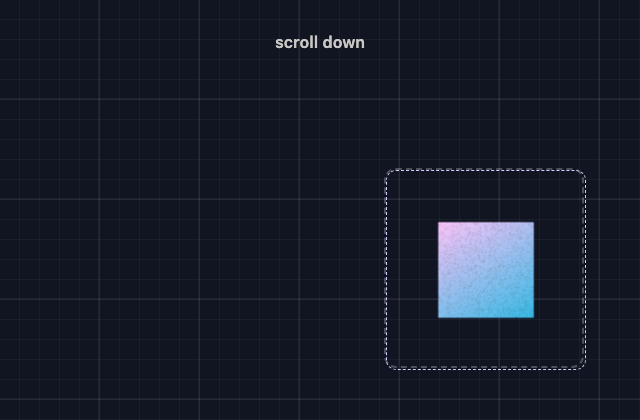
갤러리 안에서는 화면을 벗어나거나 움직임을 멈추면 예제도 닫힙니다. 다시 재생할 때는 처음부터 시작해요.
저장한 HTML에서는 갤러리의 재생 설정이 적용되지 않아요.
SOURCE FILES
원본 코드 읽기
수집한 원본 소스와 실행 안내를 함께 제공합니다. 실행 HTML에는 미리보기를 위한 실행 환경이 들어 있습니다.
vendor/gsap-previews/sources/gsap-e341cdba463e/index.html
<div class="spacer">scroll down</div>

<div class="main">
 <div class="container initial">
 <!-- we will inject a <canvas class="box"> here -->
 </div>

 <div class="container second">
 <div class="marker"></div>
 </div>

 <div class="container third">
 <div class="marker"></div>
 </div>
</div>

<div class="spacer final">end</div>
vendor/gsap-previews/sources/gsap-e341cdba463e/style.css
:root {
 --grid-line: rgba(255, 255, 255, 0.08);
 --box-border: rgba(255, 255, 255, 0.25);
}

/* subtle grid background */
body {
 background-image: linear-gradient(
 rgba(255, 255, 255, 0.05) 2px,
 transparent 2px
 ),
 linear-gradient(90deg, rgba(255, 255, 255, 0.05) 2px, transparent 2px),
 linear-gradient(rgba(255, 255, 255, 0.04) 1px, transparent 1px),
 linear-gradient(90deg, rgba(255, 255, 255, 0.04) 1px, transparent 1px);
 background-size: 100px 100px, 100px 100px, 20px 20px, 20px 20px;
 background-position: -2px -2px, -2px -2px, -1px -1px, -1px -1px;
}

* {
 box-sizing: border-box;
 margin: 0;
 padding: 0;
}

.spacer {
 width: 100%;
 height: 20vh;
 display: grid;
 place-items: center;
 font-weight: 600;
 letter-spacing: 0.02em;
 opacity: 0.8;
}

.main {
 position: relative;
 height: 200vh;
}

.container {
 position: absolute;
 width: 200px;
 height: 200px;
 display: grid;
 place-items: center;
 border: 2px dashed var(--box-border);
 border-radius: 12px;
}

.initial {
 left: 60%;
 top: 10%;
}

.container.second {
 left: 10%;
 top: 50%;
 width: 100px;
 height: 100px;
}

.second .marker {
 width: 100px;
 height: 100px;
}

.third {
 right: 10%;
 bottom: 3rem;
}

.marker {
 width: 200px;
 height: 200px;
 border-radius: 10px;
 outline: 1px dashed var(--grid-line);
 outline-offset: -6px;
 opacity: 0.6;
}

/* the moving canvas is the “box” */
canvas.box {
 width: 200px;
 height: 200px;
 border: dashed 1px #d2ceff;
 display: block;
 border-radius: 10px;
 background: transparent;
 z-index: 2;
}
함께 쓰는 파일 4개 보기
vendor/gsap-previews/sources/gsap-e341cdba463e/script.js
console.clear();
gsap.registerPlugin(Flip, ScrollTrigger);

let ctx, renderer, scene, camera, mesh, canvasEl;

/*
 makeGradientNoiseTexture() This becomes our texture for the cube.
*/
function makeGradientNoiseTexture() {
 const c = document.createElement("canvas");
 c.width = c.height = 256;
 const g = c.getContext("2d");

 g.fillStyle = (() => {
 const grd = g.createLinearGradient(0, 0, 230, 384);
 grd.addColorStop(0, "#fec5fb"); // color A
 grd.addColorStop(1, "#00bae2"); // color B
 return grd;
 })();
 g.fillRect(0, 0, 256, 256);

 // Subtle grain for texture.
 for (let i = 0; i < 4000; i++) {
 const x = Math.floor(gsap.utils.random(0, 256));
 const y = Math.floor(gsap.utils.random(0, 256));
 const a = gsap.utils.random(0.02, 0.1);
 g.fillStyle = `rgba(0,0,0,${a})`;
 g.fillRect(x, y, 3, 3);
 }

 const tex = new THREE.CanvasTexture(c);
 tex.colorSpace = THREE.SRGBColorSpace;
 tex.anisotropy = 4;
 return tex;
}

/*
 initThree(canvas)
 Sets up a very small Three.js scene that renders into the supplied canvas.
*/
function initThree(canvas) {
 renderer = new THREE.WebGLRenderer({ canvas, antialias: true, alpha: true });
 renderer.outputColorSpace = THREE.SRGBColorSpace;

 scene = new THREE.Scene();
 camera = new THREE.PerspectiveCamera(45, 1, 0.1, 100);
 camera.position.set(0, 0, 3);

 // Square cube with our gradient noise texture
 const mat = new THREE.MeshBasicMaterial({ map: makeGradientNoiseTexture() });
 mesh = new THREE.Mesh(new THREE.BoxGeometry(1, 1, 1), mat);
 scene.add(mesh);

 // Render on the GSAP ticker so ScrollTrigger timing stays in sync
 gsap.ticker.add(render);
 onResize();

 buildTimeline();
}

/*
 render() the scene.
*/
function render() {
 if (!renderer) return;
 renderer.render(scene, camera);
}

/*
 onResize()
*/
function onResize() {
 if (!renderer || !canvasEl) return;
 const r = canvasEl.getBoundingClientRect();
 const dpr = Math.min(window.devicePixelRatio || 1, 2);
 renderer.setPixelRatio(1);
 renderer.setSize(
 Math.max(1, r.width * dpr),
 Math.max(1, r.height * dpr),
 false
 );
 camera.aspect = (r.width || 1) / (r.height || 1);
 camera.updateProjectionMatrix();
}

/*
 buildTimeline()
 Flip moves the canvas between your marker targets
 while we rotate the cube in the same timeline.
*/
function buildTimeline() {
 ctx && ctx.revert(); // clean teardown for resizes
 ctx = gsap.context(() => {
 const s2 = Flip.getState(".second .marker");
 const s3 = Flip.getState(".third .marker");

 const tl = gsap.timeline({
 scrollTrigger: {
 start: 0,
 end: "max",
 scrub: 2
 }
 });

 // Hop to second marker and rotate the cube
 tl.add(Flip.fit(canvasEl, s2, { duration: 1, ease: "none" }), 0)
 .to(
 mesh.rotation,
 { x: `+=${Math.PI}`, y: `+=${Math.PI}`, duration: 1, ease: "none" },
 "<"
 )

 // A little breathing room between hops
 .addLabel("mid", "+=0.5")

 // Hop to third marker and rotate again
 .add(Flip.fit(canvasEl, s3, { duration: 1, ease: "none" }), "mid")
 .to(
 mesh.rotation,
 { x: `+=${Math.PI}`, y: `+=${Math.PI}`, duration: 1, ease: "none" },
 "<"
 );
 });
}

/*
 build()
 Creates the canvas in the starting container and kicks off the scene.
*/
function build() {
 ctx && ctx.revert();
 const start = document.querySelector(".container.initial");
 if (!canvasEl) {
 canvasEl = document.createElement("canvas");
 canvasEl.className = "box";
 start.appendChild(canvasEl);
 initThree(canvasEl);
 } else {
 buildTimeline();
 }
}

// Boot it up
build();

// Keep things laid out correctly when the layout changes
addEventListener("resize", () => {
 onResize();
 buildTimeline();
});
vendor/gsap-previews/sources/gsap-e341cdba463e/adapters/host.css실행 안내·자료
/* StyleGallery host styles: independent replacement for unavailable shared Pen CSS. */
:root{--color-just-black:#111522;--color-surface-white:#f7f3ec;--color-surface75:#cfccc6;--color-surface50:#898e9f;--color-surface25:#414859;--color-shockingly-green:#95efd2;--color-lt-green:#b5f4da;--color-pink:#fbadce;--color-purple:#897dff;--color-lilac:#b5a1ff;--color-orangey:#ffd28c;--color-blue:#75d8ed;--color-ui-gradient:linear-gradient(135deg,#fbadce,#897dff);--light:#f7f3ec;--dark:#111522;--mid:#898e9f}
*{box-sizing:border-box}body{background:#111522;color:#f7f3ec;font-family:system-ui,sans-serif;margin:0;min-height:100vh;width:100%}button,input{font:inherit}button,.button{background:#111522;border:1px solid #898e9f;border-radius:.55rem;color:#f7f3ec;cursor:pointer;padding:.65rem 1rem}button:focus-visible,a:focus-visible,input:focus-visible{outline:3px solid #95efd2;outline-offset:4px}h1,h2,h3,h4{line-height:1.15}h4{font-weight:500}code{font-family:ui-monospace,monospace}.heading-l{font-size:clamp(2rem,6vw,5rem)}.heading-text{font-size:clamp(1.5rem,4vw,3rem)}.box{background:#95efd2;border-radius:14px;height:clamp(38px,12vw,80px);width:clamp(38px,12vw,80px)}.green{background:#95efd2}.purple{background:#897dff}.orange{background:#ffd28c}.gradient-pink{background:linear-gradient(140deg,#fbadce,#fc7f8e)}.gradient-purple{background:linear-gradient(140deg,#b5a1ff,#537ff7)}.center{align-items:center;display:flex;justify-content:center}.text-center{text-align:center}.panel{min-height:100vh;width:100%}.flair:not(img){background-image:url("data:image/svg+xml;base64,PHN2ZyB4bWxucz0iaHR0cDovL3d3dy53My5vcmcvMjAwMC9zdmciIHdpZHRoPSIyNDgiIGhlaWdodD0iMjQ4IiB2aWV3Qm94PSIwIDAgMjQ4IDI0OCI+PGRlZnM+PGxpbmVhckdyYWRpZW50IGlkPSJnIiB4Mj0iMSIgeTI9IjEiPjxzdG9wIHN0b3AtY29sb3I9IiNiNWExZmYiLz48c3RvcCBvZmZzZXQ9IjEiIHN0b3AtY29sb3I9IiM3NWQ4ZWQiLz48L2xpbmVhckdyYWRpZW50PjwvZGVmcz48ZyBmaWxsPSJ1cmwoI2cpIj48cGF0aCBkPSJNODcgMjBoNzR2NjdoNjd2NzRoLTY3djY3SDg3di02N0gyMFY4N2g2N1oiLz48L2c+PC9zdmc+");background-position:center;background-repeat:no-repeat;background-size:contain;height:80px;width:80px}.flair--3:not(img){background-image:url("data:image/svg+xml;base64,PHN2ZyB4bWxucz0iaHR0cDovL3d3dy53My5vcmcvMjAwMC9zdmciIHdpZHRoPSIyNDgiIGhlaWdodD0iMjQ4IiB2aWV3Qm94PSIwIDAgMjQ4IDI0OCI+PGRlZnM+PGxpbmVhckdyYWRpZW50IGlkPSJnIiB4Mj0iMSIgeTI9IjEiPjxzdG9wIHN0b3AtY29sb3I9IiM5NWVmZDIiLz48c3RvcCBvZmZzZXQ9IjEiIHN0b3AtY29sb3I9IiM1MzdmZjciLz48L2xpbmVhckdyYWRpZW50PjwvZGVmcz48ZyBmaWxsPSJ1cmwoI2cpIj48Y2lyY2xlIGN4PSIxMjQiIGN5PSIxMjQiIHI9Ijg4IiBmaWxsPSJub25lIiBzdHJva2U9InVybCgjZykiIHN0cm9rZS13aWR0aD0iNDgiLz48Y2lyY2xlIGN4PSIxODMiIGN5PSI2MCIgcj0iMjMiIGZpbGw9IiNmNmYzZWIiLz48L2c+PC9zdmc+")}.braces{font-size:1rem}img{max-width:100%}
/* External font programs are omitted; preserve readable fallback typography. */
body,button,input,h1,h2,h3,h4,p,span,div{font-family:inherit}body{font-family:system-ui,sans-serif}code,pre{font-family:ui-monospace,monospace}
vendor/gsap-previews/sources/gsap-e341cdba463e/adapters/script.js실행 안내·자료
window.__STYLEGALLERY_ASSETS__={};
console.clear();
gsap.registerPlugin(Flip, ScrollTrigger);
let ctx, renderer, scene, camera, mesh, canvasEl;
function makeGradientNoiseTexture() {
  const c = document.createElement("canvas");
  c.width = c.height = 256;
  const g = c.getContext("2d");
  g.fillStyle = (() => {
    const grd = g.createLinearGradient(0, 0, 230, 384);
    grd.addColorStop(0, "#fec5fb");
    grd.addColorStop(1, "#00bae2");
    return grd;
  })();
  g.fillRect(0, 0, 256, 256);
  for (let i = 0; i < 4e3; i++) {
    const x = Math.floor(gsap.utils.random(0, 256));
    const y = Math.floor(gsap.utils.random(0, 256));
    const a = gsap.utils.random(0.02, 0.1);
    g.fillStyle = `rgba(0,0,0,${a})`;
    g.fillRect(x, y, 3, 3);
  }
  const tex = new THREE.CanvasTexture(c);
  tex.colorSpace = THREE.SRGBColorSpace;
  tex.anisotropy = 4;
  return tex;
}
function initThree(canvas) {
  renderer = new THREE.WebGLRenderer({ canvas, antialias: true, alpha: true });
  renderer.outputColorSpace = THREE.SRGBColorSpace;
  scene = new THREE.Scene();
  camera = new THREE.PerspectiveCamera(45, 1, 0.1, 100);
  camera.position.set(0, 0, 3);
  const mat = new THREE.MeshBasicMaterial({ map: makeGradientNoiseTexture() });
  mesh = new THREE.Mesh(new THREE.BoxGeometry(1, 1, 1), mat);
  scene.add(mesh);
  gsap.ticker.add(render);
  onResize();
  buildTimeline();
}
function render() {
  if (!renderer) return;
  renderer.render(scene, camera);
}
function onResize() {
  if (!renderer || !canvasEl) return;
  const r = canvasEl.getBoundingClientRect();
  const dpr = Math.min(window.devicePixelRatio || 1, 2);
  renderer.setPixelRatio(1);
  renderer.setSize(
    Math.max(1, r.width * dpr),
    Math.max(1, r.height * dpr),
    false
  );
  camera.aspect = (r.width || 1) / (r.height || 1);
  camera.updateProjectionMatrix();
}
function buildTimeline() {
  ctx && ctx.revert();
  ctx = gsap.context(() => {
    const s2 = Flip.getState(".second .marker");
    const s3 = Flip.getState(".third .marker");
    const tl = gsap.timeline({
      scrollTrigger: {
        start: 0,
        end: "max",
        scrub: 2
      }
    });
    tl.add(Flip.fit(canvasEl, s2, { duration: 1, ease: "none" }), 0).to(
      mesh.rotation,
      { x: `+=${Math.PI}`, y: `+=${Math.PI}`, duration: 1, ease: "none" },
      "<"
    ).addLabel("mid", "+=0.5").add(Flip.fit(canvasEl, s3, { duration: 1, ease: "none" }), "mid").to(
      mesh.rotation,
      { x: `+=${Math.PI}`, y: `+=${Math.PI}`, duration: 1, ease: "none" },
      "<"
    );
  });
}
function build() {
  ctx && ctx.revert();
  const start = document.querySelector(".container.initial");
  if (!canvasEl) {
    canvasEl = document.createElement("canvas");
    canvasEl.className = "box";
    start.appendChild(canvasEl);
    initThree(canvasEl);
  } else {
    buildTimeline();
  }
}
build();
addEventListener("resize", () => {
  onResize();
  buildTimeline();
});
LICENSE실행 안내·자료
<!--

Copyright (c) 2025 - GreenSock - https://codepen.io/GreenSock/pen/GgpMeZp

Permission is hereby granted, free of charge, to any person
obtaining a copy of this software and associated documentation
files (the "Software"), to deal in the Software without restriction,
 including without limitation the rights to use, copy, modify,
merge, publish, distribute, sublicense, and/or sell copies of
the Software, and to permit persons to whom the Software is
furnished to do so, subject to the following conditions:

The above copyright notice and this permission notice shall
be included in all copies or substantial portions of the Software.

THE SOFTWARE IS PROVIDED "AS IS", WITHOUT WARRANTY OF ANY KIND,
EXPRESS OR IMPLIED, INCLUDING BUT NOT LIMITED TO THE WARRANTIES
OF MERCHANTABILITY, FITNESS FOR A PARTICULAR PURPOSE AND
NONINFRINGEMENT. IN NO EVENT SHALL THE AUTHORS OR COPYRIGHT
HOLDERS BE LIABLE FOR ANY CLAIM, DAMAGES OR OTHER LIABILITY,
WHETHER IN AN ACTION OF CONTRACT, TORT OR OTHERWISE, ARISING FROM,
OUT OF OR IN CONNECTION WITH THE SOFTWARE OR THE USE OR OTHER
DEALINGS IN THE SOFTWARE.

-->


GSAP 3.15.0
Copyright 2026, GreenSock. All rights reserved.
Subject to the Standard No Charge License: https://gsap.com/standard-license.
The full notice in each original GSAP library file is preserved.

The MIT License

Copyright © 2010-2023 three.js authors

Permission is hereby granted, free of charge, to any person obtaining a copy
of this software and associated documentation files (the "Software"), to deal
in the Software without restriction, including without limitation the rights
to use, copy, modify, merge, publish, distribute, sublicense, and/or sell
copies of the Software, and to permit persons to whom the Software is
furnished to do so, subject to the following conditions:

The above copyright notice and this permission notice shall be included in
all copies or substantial portions of the Software.

THE SOFTWARE IS PROVIDED "AS IS", WITHOUT WARRANTY OF ANY KIND, EXPRESS OR
IMPLIED, INCLUDING BUT NOT LIMITED TO THE WARRANTIES OF MERCHANTABILITY,
FITNESS FOR A PARTICULAR PURPOSE AND NONINFRINGEMENT. IN NO EVENT SHALL THE
AUTHORS OR COPYRIGHT HOLDERS BE LIABLE FOR ANY CLAIM, DAMAGES OR OTHER
LIABILITY, WHETHER IN AN ACTION OF CONTRACT, TORT OR OTHERWISE, ARISING FROM,
OUT OF OR IN CONNECTION WITH THE SOFTWARE OR THE USE OR OTHER DEALINGS IN
THE SOFTWARE.

StyleGallery host adapter and replacement SVG subjects: locally authored.
BEHIND THE EXAMPLE
이 장면을 만드는 원리
캔버스 이동과 내부 렌더링의 별도 비용
표면의 기하 변화와 매 프레임 렌더링 작업을 나누어 측정합니다.
- 이 예제에서는
- 한 번 만든 WebGLRenderer가 같은 canvas를 계속 사용하고 GSAP ticker가 render를 호출합니다. Flip.fit은 캔버스 위치·크기를 두 marker로 연결하고 같은 타임라인에서 mesh.rotation을 바꿉니다. onResize는 DPR을 최대 2로 제한한 버퍼 크기와 카메라 비율을 갱신합니다.
코드와 함께 확인하기
코드에서 찾기
initThreescript.js렌더러·장면·큐브와 ticker를 만듭니다.
onResizescript.js실제 표시 크기에서 버퍼와 카메라를 갱신합니다.
buildTimelinescript.js이전 GSAP 컨텍스트를 되돌린 뒤 FLIP과 회전을 다시 구성합니다.
직접 해보기
두 번째 목표에 도달한 상태에서 크기를 바꿉니다.
살펴볼 변화캔버스가 새 marker와 맞고 큐브의 비율이 유지되는지 확인합니다.
갤러리에서 정지하여 iframe을 제거합니다.
살펴볼 변화프리뷰 실행 자원이 해제되어야 하며 원본 자체에 dispose 경로가 있다고 주장하지 않습니다.