Form Flow
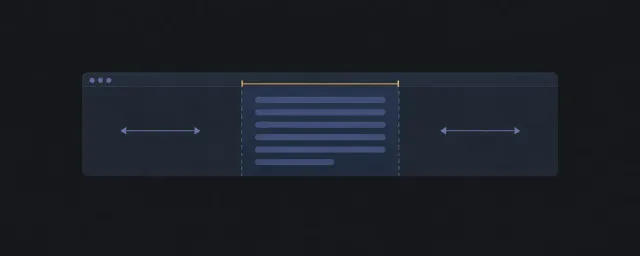
Compose sequential form content with constrained width and reachable actions.
이 자료로 구현하기
원문 주소와 버전이 포함된 요청문입니다. 복사한 뒤 만들 화면과 요구사항을 채워 에이전트에게 전달하세요.
FROM PRINCIPLE TO PRACTICE
이 원리로 만든 예제 1
예제를 열어 직접 조작하고, 관찰한 동작을 이 문서의 원리와 비교해 보세요.
필드·힌트·액션의 폼 흐름form composition
- 패턴을 조합한 실행 화면
레이블과 입력 순서를 유지하며 긴 액션 레이블이 줄바꿈되는지 확인합니다.
- 패턴을 조합한 실행 화면
Recommended Pattern Stack
DOM And Source Order
Keep labels, descriptions, fields, and errors adjacent in DOM order. Group related fields under semantic headings before adding layout classes.
Scroll Ownership
Prefer document scrolling. If actions must remain visible, use a shell or footer pattern only after confirming it does not obscure validation messages or focus targets.
Accessibility Checklist
- Source order: Keep each label, description, input, hint, and error adjacent in DOM order, even when groups are visually split into columns.
- Focus expectation: Keyboard focus must move through fields, validation messages, and actions in the same sequence a user completes the form.
- Scroll expectation: Sticky or fixed actions must not cover focused fields, inline errors, or the first invalid field after submission.
- Semantic risk: Group related controls with fieldset/legend or labelled sections before adding stack or cluster layout classes.
- Cognitive risk: Long flows create memory burden; expose step context, error recovery, and required/optional state without depending on color alone.
- Verification method: Use
automatedform-name/error association checks where possible, thenmanualkeyboard and error-recovery review; useuserevidence for completion-rate or comprehension claims.
Responsive Behavior
Field groups should stack naturally. Action groups should wrap before they overflow and should preserve a clear primary action position.
Constraints And Change Points
Use readable inline constraints for the form body. Keep field gaps, group gaps, and action gaps separate so density can change without changing structure.
When Not To Use
Do not use this recipe for a data-dense editor where users compare many fields at once. A dashboard or panel layout may be more appropriate.
Related Patterns
IA Navigation
Parent: Layout Recipes. Next: Quality Gates for claim checks, or Layout Pattern Catalog when replacing a primitive.