Homepage
Compose raw content into a homepage or ordinary webpage before product-level visual styling.
이 자료로 구현하기
원문 주소와 버전이 포함된 요청문입니다. 복사한 뒤 만들 화면과 요구사항을 채워 에이전트에게 전달하세요.
FROM PRINCIPLE TO PRACTICE
이 원리로 만든 예제 1
예제를 열어 직접 조작하고, 관찰한 동작을 이 문서의 원리와 비교해 보세요.
Aurora launch빛으로 여는 첫 화면
- 첫 문장·설명·행동의 순서
소개 문구, 큰 제목, 짧은 설명, 행동 버튼을 세로로 묶고 오로라는 장식으로 분리합니다. 전체 홈페이지 레시피나 화면 높이를 채우는 커버를 구현한 것은 아니며 버튼은 이동 대신 상태 문구를 표시합니다.
- 첫 문장·설명·행동의 순서
Use this recipe when raw content needs to become a homepage, landing page, campaign page, or general webpage and no narrower recipe has been chosen yet.
Recommended Pattern Stack
Content-To-Layout Matching
Map content blocks to section jobs before selecting visual treatment.
- Hook: use
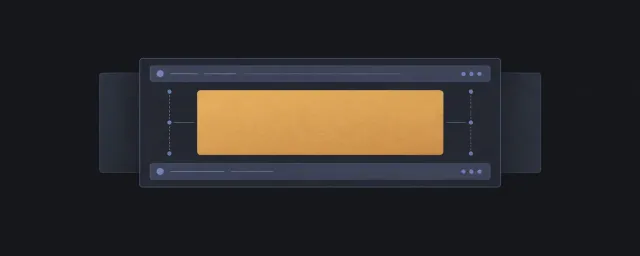
coveror a constrained first section when the opening message needs viewport-level framing. - Explain: use
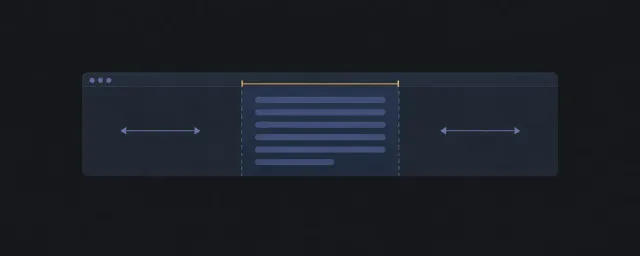
content-limiterandstackfor readable copy and progressive disclosure. - Prove: use
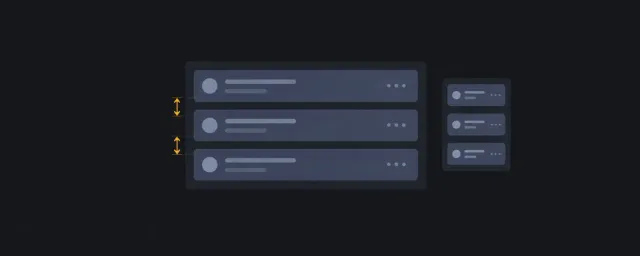
ram-grid,card-grid, orcolumnsfor testimonials, metrics, logos, examples, or repeated evidence. - Compare: use a grid or sidebar composition only when comparisons need alignment or nearby support.
- Convert: use
clusterorwrap-rowfor CTA groups that must wrap before overflow. - Navigate or retain: use footer, link clusters, or repeated navigation groups after the primary action path.
Reject this recipe when the page is primarily a document, dashboard, form, command surface, or list-detail workflow.
DOM And Source Order
Order sections by the visitor's decision path, not by visual symmetry. Put the primary heading, explanation, proof, and action in semantic order before layout classes. Repeated proof should be a list when each item has the same role.
Scroll Story Composition
When a section explains a product through changing visual chapters, compose existing containment, stacking, overlay, and sticky responsibilities before proposing a new spatial pattern. Name the sticky containing block, stage height, document scroll track, offset, release boundary, and long-content fallback. Prevent clipping when copy is taller than the stage.
Motion owns continuous progress and scene changes through the Scroll-driven Story recipe. The Scroll Story Lab demonstrates this composition with two products. Photography, device mockups, transforms, opacity, and timing remain in those consuming examples.
Scroll Ownership
A short full-page showcase can compose a viewport shell and overlay-stack responsibilities with the Full-viewport Scene Navigation contract. Declare the document as fixed in scene mode, the chapter copy as the native overflow owner, and the document as the scroll owner in reading mode. The failure to prevent is a clipped or unreachable chapter when the viewport or text size changes. The worked example uses a shrinkable stage between header and footer; it introduces no new reusable Layout pattern.
Prefer normal document scrolling. Avoid nested scroll regions unless a section has an explicit independent task, such as a horizontally scrolling media reel with named keyboard and overflow behavior.
Accessibility Expectations
- Focus expectation: Navigation, primary CTA, proof links, and conversion actions follow the visitor decision path declared in DOM order.
- Scroll expectation: Any carousel, reel, sticky CTA, or first-viewport treatment must declare keyboard access and avoid hiding focused content.
- Cognitive risk: Marketing hierarchy can overstate meaning visually; headings, section jobs, and CTA labels must make the same path understandable without the generated image.
Responsive Behavior
Let sections collapse through intrinsic sizing, content limits, wrapping action rows, and repeat grids before adding viewport breakpoints. Keep the first viewport readable on narrow screens; do not require a generated hero image to carry essential text.
Constraints And Change Points
Declare content measure, section gaps, page gutters, repeat-grid minimums, media ratios, and CTA wrapping thresholds. Treat brand color, typography, shadows, borders, and motion as product-level decisions outside this recipe.
GPT Image Reference
Use the Webpage Generation Workflow before generating the GPT Image reference. The prompt should describe the approved semantic order, section jobs, pattern stack, constraints, and harmony notes. After generation, extract hierarchy, spacing, media treatment, and CTA priority; keep decorative styling in the consuming product.
Required preconditions before prompt:
- Use case, audience, section jobs, semantic order, pattern stack, scroll owner, constraints, and harmony evaluation are approved.
Image review extract-vs-ignore:
- Extract section rhythm, hierarchy, approximate spacing, media treatment, and CTA priority.
- Ignore decorative choices that belong to the consuming product or conflict with source order, accessibility, constraints, or content stress behavior.
Harmony Evaluation
Use the Harmony evaluation gate before implementation. If hierarchy, rhythm, accessibility, or source order conflict with the visual reference, the layout contract wins and the image prompt should be regenerated.
When Not To Use
Do not use this recipe to force marketing-page structure onto task-heavy apps, documentation, long articles, settings, or list-detail workflows.
Related Patterns
IA Navigation
Parent: Layout Recipes. Next: Quality Gates for claim checks, or Layout Pattern Catalog when replacing a primitive.