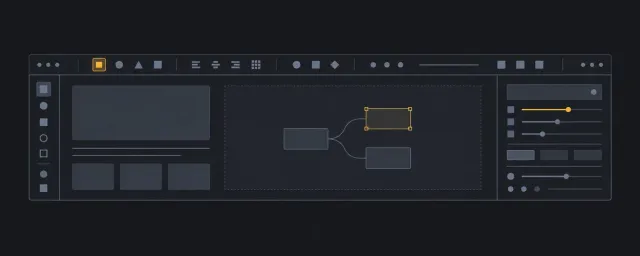
Webpage Generation Workflow
Intake-to-implementation workflow for turning raw content into a homepage or ordinary webpage layout.
이 자료로 구현하기
원문 주소와 버전이 포함된 요청문입니다. 복사한 뒤 만들 화면과 요구사항을 채워 에이전트에게 전달하세요.
FROM PRINCIPLE TO PRACTICE
이 원리로 만든 예제 1
예제를 열어 직접 조작하고, 관찰한 동작을 이 문서의 원리와 비교해 보세요.
기존 사진을 사용하는 제품 스토리Photo-led homepage
- 실제 페이지에서 적용한 원리
도입, 설명, 제품, 행동 섹션의 역할을 실제 홈페이지 전개에 대조합니다.
- 실제 페이지에서 적용한 원리
Use this workflow when the request is broad: "make a webpage," "make a homepage," "turn this content into a landing page," or any similar brief where the content exists before the layout model is clear.
The workflow keeps two responsibilities separate:
- The StyleGallery Layout domain chooses semantic structure, spatial model, constraints, pattern stack, scroll ownership, and verification.
- The consuming product owns brand, typography, color, images, shadows, motion, generated visuals, and final styling.
Use Cases
Start by naming the page use case, because the same content can imply different spatial models.
- Homepage: introduce the offer, route visitors, prove credibility, and convert or continue exploration.
- Campaign page: keep one narrative path and one primary conversion.
- Product page: explain the product through feature, proof, comparison, and action sections.
- Article or editorial page: preserve reading order and place supporting material near the relevant prose.
- Portfolio or profile page: balance identity, selected work, proof, and contact routes.
- Documentation or support page: prioritize wayfinding, search, stable navigation, and readable task content.
If the use case is a homepage or marketing-style page, start from the Homepage recipe. If the content is mostly prose, compare it with Article page. If the content is task-heavy, compare it with Command surface, Form flow, or List detail.
Content-to-Layout Match
Translate content into section jobs before choosing CSS.
- Inventory the supplied content as blocks: headline, proof, features, media, pricing, FAQ, contact, navigation, legal, or support.
- Assign each block a job: hook, explain, prove, compare, convert, navigate, or retain.
- Choose the closest recipe by spatial model, not by product category.
- Check the primitive-to-recipe matrix, then map each section job to reusable patterns:
coverfor first-viewport framing,content-limiterfor readable copy,stackfor vertical rhythm,clusterorwrap-rowfor actions,ram-gridorcard-gridfor repeated proof,sidebarorsticky-asidefor nearby support. - Reject patterns that only make the page look fashionable while weakening source order, focus order, scroll ownership, or content stress behavior.
The output of this step is a candidate pattern stack with rejected alternatives named in the Layout brief.
Workflow Route Examples
Use these routes as trace examples before generating a GPT Image reference. Each route must preserve this order: content blocks become section jobs, section jobs choose a recipe, the recipe yields a pattern stack, scroll owner and constraints are named, harmony evaluation approves the contract, and only then can a GPT Image reference be generated.
Homepage Route
Path: Content blocks -> Section jobs -> Recipe -> Pattern stack -> Scroll owner -> Constraints -> Harmony evaluation -> GPT Image reference -> Implementation handoff
- Content blocks: headline, offer explanation, proof, feature groups, comparison, CTA, footer navigation.
- Section jobs: hook, explain, prove, compare, convert, navigate.
- Recipe: Homepage.
- Pattern stack:
cover,content-limiter,stack,cluster,ram-grid,frame. - Scroll owner: normal document scroll; no nested scroll region unless a media reel has an explicit independent task.
- Constraints: content measure, page gutters, section gaps, repeat-grid minimums, media ratios, and CTA wrapping thresholds.
- Rejected alternatives: dashboard, article, form, command surface, or list-detail recipes when the content is primarily promotional and decision-path based.
Dashboard Route
Path: Content blocks -> Section jobs -> Recipe -> Pattern stack -> Scroll owner -> Constraints -> Harmony evaluation -> GPT Image reference -> Implementation handoff
- Content blocks: page title, filters, status panels, metrics, repeated workflow cards, primary actions.
- Section jobs: orient, filter, scan, compare, act.
- Recipe: Dashboard.
- Pattern stack:
page-grid,card-grid,cluster, withram-gridordense-gridonly when repeated panels need them. - Scroll owner: normal document scroll unless a declared panel has independent scroll state.
- Constraints: page gutters, panel gaps, minimum panel widths, action wrapping, and any fixed panel block size.
- Rejected alternatives: homepage framing when the primary task is repeated scan-and-compare work, or form flow when panels must remain comparable.
Article Route
Path: Content blocks -> Section jobs -> Recipe -> Pattern stack -> Scroll owner -> Constraints -> Harmony evaluation -> GPT Image reference -> Implementation handoff
- Content blocks: title, deck, prose sections, figures, references, supplemental aside, related links.
- Section jobs: orient, read, reference, retain.
- Recipe: Article page.
- Pattern stack:
content-limiter,sticky-aside,stack, withsidebaronly when support content must sit near prose. - Scroll owner: document scroll; aside stickiness cannot create an unnamed nested scroll region.
- Constraints: readable measure, section gaps, local prose gaps, figure ratios, and aside width or collapse point.
- Rejected alternatives: homepage or dashboard recipes when the primary task is sequential reading.
Form Route
Path: Content blocks -> Section jobs -> Recipe -> Pattern stack -> Scroll owner -> Constraints -> Harmony evaluation -> GPT Image reference -> Implementation handoff
- Content blocks: form title, instructions, field groups, validation messages, primary and secondary actions, help text.
- Section jobs: orient, collect, validate, submit, recover.
- Recipe: Form flow.
- Pattern stack:
content-limiter,stack,cluster, withsticky-footeronly when persistent actions do not hide errors or focus targets. - Scroll owner: document scroll unless a shell owns a named body scroll area.
- Constraints: form measure, field gaps, group gaps, action gaps, wrapping thresholds, and validation-message space.
- Rejected alternatives: dashboard or command-surface layouts when the task is a sequential input flow.
Command Surface Route
Path: Content blocks -> Section jobs -> Recipe -> Pattern stack -> Scroll owner -> Constraints -> Harmony evaluation -> GPT Image reference -> Implementation handoff
- Content blocks: command bar, navigation or mode switcher, primary work area, inspector or supporting pane, status feedback.
- Section jobs: orient, command, inspect, edit, confirm.
- Recipe: Command surface.
- Pattern stack:
scroll-body-shell,split-nav,wrap-row, withreelonly when horizontal command scanning is intentional. - Scroll owner: shell body owns content scrolling; fixed command regions stay outside the body scroll container.
- Constraints: shell height, command gaps, command wrapping behavior, pane widths, and overflow responsibilities.
- Rejected alternatives: homepage, article, or form flow recipes when stable commands and controlled regions define the task.
Harmony Evaluation
Run harmony evaluation before generating images or writing implementation CSS. Use the Harmony evaluation gate for the claim shape.
Check:
- Content hierarchy: the section order follows the visitor's decision path.
- Spatial rhythm: repeated sections share a rhythm, while sections with different jobs have distinct scale or grouping.
- Weight balance: primary content receives visual weight before supporting content and decoration.
- Constraint fit: gutters, section gaps, readable measures, media ratios, and grid minimums support real content.
- Accessibility precedence: semantic order, focus order, keyboard routes, reduced-motion needs, and readable text override visual novelty.
- Pattern boundary: reusable pattern CSS remains layout-only; brand and generated-image styling stay in the consuming product.
If the harmony claim fails, revise the content map or pattern stack before generating the visual reference.
GPT Image Reference
Generate the GPT Image reference only after the use case, section jobs, semantic skeleton, pattern stack, and harmony notes are approved.
Required preconditions before prompt:
- use case, audience, content blocks, and section jobs are recorded;
- recipe, semantic skeleton, pattern stack, scroll owner, constraints, and harmony notes are approved.
The image prompt should include:
- page use case and audience;
- section list with each section job;
- approved semantic order and pattern stack;
- required hierarchy, spacing, media ratio, CTA priority, and scroll behavior;
- accessibility constraints that the image must respect;
- instruction to keep the render implementation-friendly and readable;
- instruction that decorative styling is product-level and not part of reusable pattern CSS.
Generate one clear homepage or section reference image when the page is short. For a larger homepage, generate section-level references so text, spacing, and hierarchy remain inspectable.
After generation, review the image with this extract-vs-ignore split:
Extract from image:
- section rhythm, hierarchy, approximate spacing, media treatment, and CTA priority;
- unclear areas that need another image or a written decision;
Ignore from image:
- decorative choices that belong to the consuming product, not this pattern library.
- claims about source order, focus order, accessibility, usability, brand correctness, or implementation correctness.
Do not treat a generated image as proof of usability, accessibility, or brand fit. It is a visual reference that still needs quality gates and real implementation verification.
Implementation Handoff
Before implementation, hand off a compact contract:
Use case:
Primary task:
Audience:
Section jobs:
Semantic HTML skeleton:
Pattern stack:
Scroll owner:
Constraints and change points:
Harmony evaluation:
GPT Image reference:
Image observations to implement:
Image observations to ignore:
Consumer reference: not_applicable
Consumer reference reason: This generic workflow declares no consumer-specific reference record.
Accessibility checks:
Viewport/content stress checks:
Implementation debt:
Final implementation proof:
Accepted debt:
Every handoff keeps the consumer-reference field. Replace the default not_applicable pair only when the consuming repository has one canonical record; then use Consumer reference: declared and a normalized repository-relative .json path under that repository root. See the Consumer Reference Receiver Contract.
Do not add a migration-conformance field to ordinary webpage work. When an existing consumer is explicitly being migrated, add Consumer migration conformance: declared and a normalized consumer-local JSON path, then follow Consumer Migration Readiness. This extension does not change the ordinary not_applicable default.
The implementer builds from semantic HTML and layout patterns first, then applies product-level visual styling from the image reference outside reusable pattern CSS. The final page must still pass layout stress checks, accessibility evidence, and any visual-evidence protocol declared by the consuming product.