모션 접근성과 대체 피드백
Accessible Motion And Equivalent Feedback
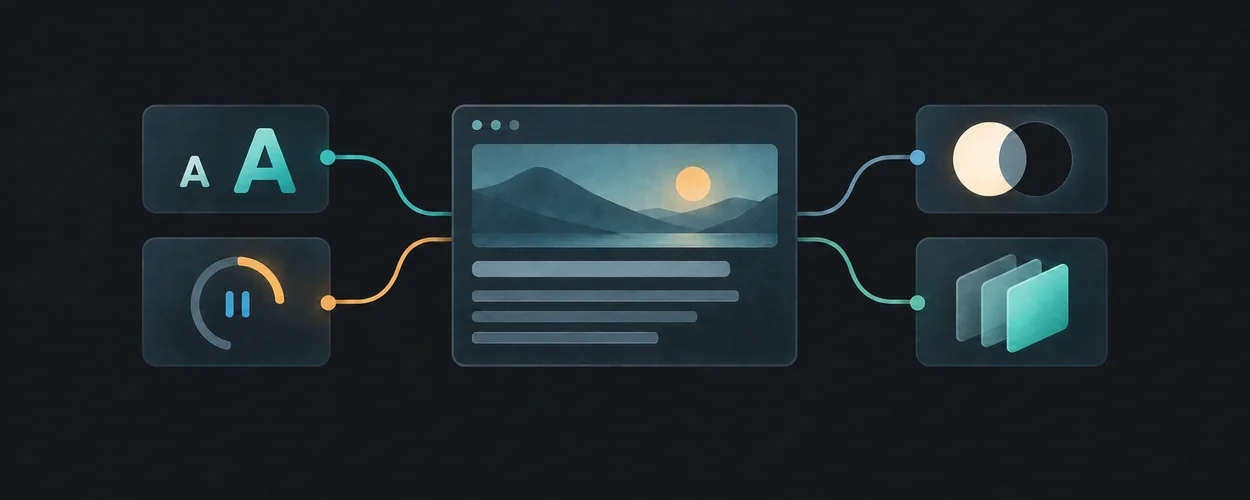
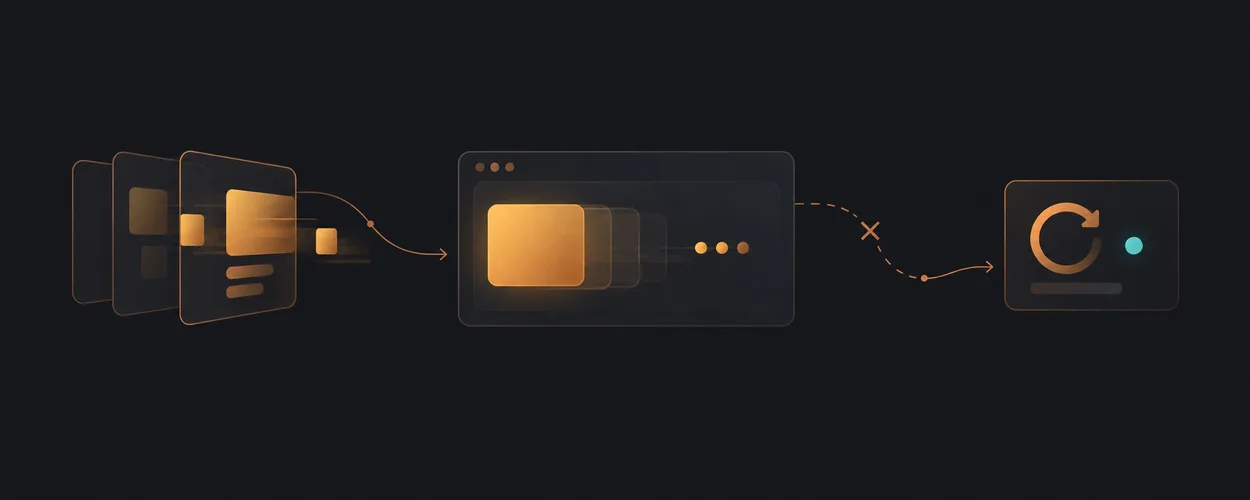
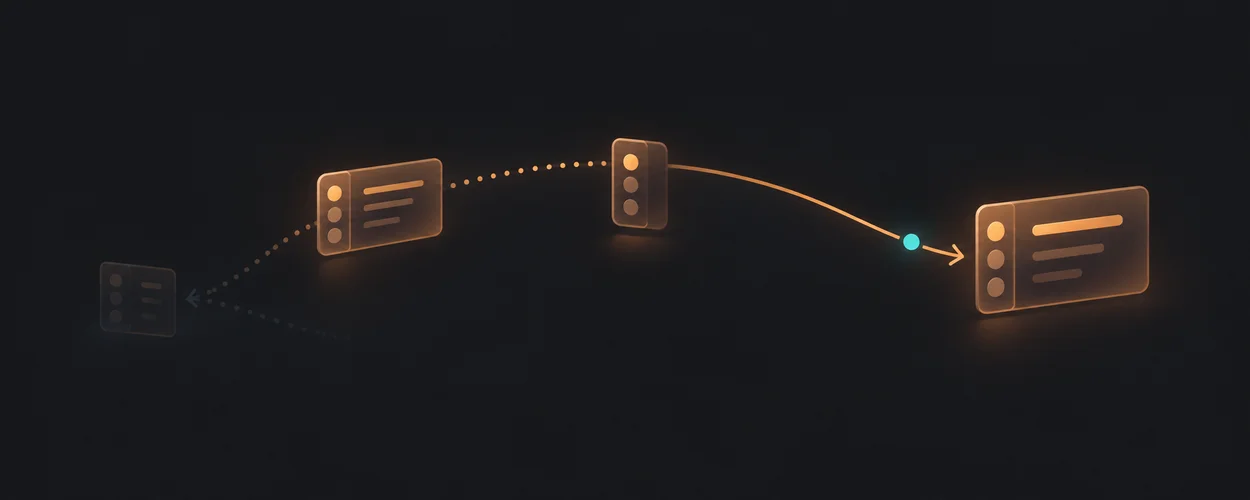
움직임을 줄여도 정보와 다음 행동을 유지하는 방법을 살펴봅니다.
이 자료로 구현하기
원문 주소와 버전이 포함된 요청문입니다. 복사한 뒤 만들 화면과 요구사항을 채워 에이전트에게 전달하세요.
FROM PRINCIPLE TO PRACTICE
이 원리로 만든 예제 119
예제를 열어 동작을 살펴보고, 코드와 함께 이 문서의 원리를 확인해 보세요.
Aurora Text
- 시각 글자와 읽기용 글자의 분리
AuroraText는 children을 sr-only 영역과 aria-hidden 색상 영역에 나누어 둡니다. 대표 데모는 제목의 한 단어만 이 처리로 감쌉니다. speed는 10/speed초이며 색 배열의 첫 색을 끝에 반복합니다.
- 시각 글자와 읽기용 글자의 분리
Border Beam
- 테두리 효과와 로그인 작업
BorderBeam은 pointer-events-none 테두리 마스크 안에서 offsetDistance를 반복시킵니다. 데모는 로그인 필드와 별도 푸터 버튼을 감싸지만 인증 요청은 없습니다. 움직임 정지 여부와 입력 가능성을 따로 검토해야 합니다.
- 테두리 효과와 로그인 작업
god rays
- GodRays의 시간 입력과 정지 화면
광선의 반경 방향 무늬는 u_time에 따라 달라집니다. 광원 강도와 재생 속도는 별개입니다. 공통 마운트는 speed=0에서 반복 프레임 요청을 끄며 frame으로 시간 위치를 지정할 수 있습니다. 이 원본 경로에는 시스템의 움직임 줄이기 선호를 읽는 처리가 없으므로 소비자 화면에서 연결해야 합니다.
- GodRays의 시간 입력과 정지 화면
연결된 예제 116개 더 보기
grain gradient
- GrainGradient의 시간 입력과 정지 화면
wave·dots·corners 등 선택한 형상의 시간 경로가 색 분포를 움직입니다. 공통 마운트는 speed=0에서 반복 프레임 요청을 끄며 frame으로 시간 위치를 지정할 수 있습니다. 이 원본 경로에는 시스템의 움직임 줄이기 선호를 읽는 처리가 없으므로 소비자 화면에서 연결해야 합니다.
- GrainGradient의 시간 입력과 정지 화면
pulsing border
- 맥박을 없애는 값과 모든 재생을 멈추는 값
pulse는 beat에 곱해지는 맥박 강도입니다. pulse=0이어도 별도 시간 값으로 움직이는 색 흔적과 smoke가 남을 수 있습니다. 모든 시간 기반 움직임을 멈추려면 speed=0을 적용해야 하며, 테두리를 작업 성공이나 로딩의 유일한 신호로 쓰면 별도 지속 상태도 필요합니다.
- 맥박을 없애는 값과 모든 재생을 멈추는 값
Animated Gradient Text
- 투명 글자의 정지 상태
AnimatedGradientText는 투명 글자에 이동 배경을 잘라 넣고 speed를 배경 크기 배수로 사용합니다. 대표 데모의 배지·화살표는 div와 span으로 구성되어 실제 링크가 아닙니다. 글자 대체색과 동작 의미를 별도로 판단해야 합니다.
- 투명 글자의 정지 상태
Confetti
- 축하 효과와 완료 사실
Confetti는 기본적으로 마운트 때 발사하고 데모는 canvas의 mouseenter 때 다시 발사합니다. fire의 완료는 입자 효과의 완료이며 저장·결제 성공이 아닙니다. unmount에서 인스턴스를 reset하는 책임이 있습니다.
- 축하 효과와 완료 사실
Dia Text Reveal
- 색 띠의 진행을 최종 글자로 정착
DiaTextReveal은 sweepPos로 색 띠를 이동시키며 감소 선호일 때 SWEEP_END로 보냅니다. 대표 데모는 단일 문구·한 번 재생입니다. 여러 문자열 옵션은 숨은 복제 노드로 너비를 재며 반복 타이머와 별도 정리가 필요합니다.
- 색 띠의 진행을 최종 글자로 정착
Icon Cloud
- 회전 정지와 이미지 준비 상태
IconCloud에는 재생 버튼과 감소 선호 감지가 있습니다. 정지해도 드래그·목표 회전·미완료 이미지가 있으면 RAF가 이어집니다. 데모는 외부 아이콘 30개를 불러오며 이미지 실패 핸들러가 없어 pending 상태의 의미를 확인해야 합니다.
- 회전 정지와 이미지 준비 상태
Line Shadow Text
- 그림자 글자와 원문 읽기
LineShadowText는 data-text를 after content로 복제해 대각선 무늬의 그림자로 씁니다. 실제 children은 그대로 앞에 남습니다. 데모는 제목의 Fast만 감싸고 테마에 맞춰 shadowColor를 바꿉니다.
- 그림자 글자와 원문 읽기
Marquee
- 흐르는 후기의 복제와 정지
Marquee는 children을 기본 네 번 복제하고 CSS로 줄을 이동합니다. 대표 데모는 후기 여섯 개를 두 줄로 나눠 반대 방향으로 20초 주기로 흐르게 하며 hover 때만 멈춥니다. 복제 영역에 aria-hidden이나 키보드 정지 제어가 없습니다.
- 흐르는 후기의 복제와 정지
Morphing Text
- 변형되는 두 문구의 지속 정보
MorphingText는 두 빈 span의 textContent·blur·opacity를 RAF로 바꾸고 SVG threshold 필터로 섞습니다. 데모는 아홉 단어를 순환합니다. 초기 정적 문구·감소 선호·정지 제어가 없고 필터 ID도 고정입니다.
- 변형되는 두 문구의 지속 정보
Shimmer Button
- 빛이 없어도 완성된 버튼
ShimmerButton은 button 안의 이동·회전 원뿔형 그라디언트를 내부 표면으로 가려 테두리 빛을 만듭니다. children은 한 번 렌더링되고 active 이동은 별도 CSS입니다. 데모는 동작 핸들러 없는 표현 시연입니다.
- 빛이 없어도 완성된 버튼
Shine Border
- 움직임 선호가 제어하는 테두리
ShineBorder는 content-box 제외 마스크로 배경을 테두리에 남기고 motion-safe:animate-shine을 사용합니다. 대표 데모의 입력과 라벨은 별도 카드 내용입니다. 감소 선호 분기가 있는 것은 테두리 애니메이션이며 로그인 동작의 완성 여부와는 무관합니다.
- 움직임 선호가 제어하는 테두리
Shiny Button
- 움직이는 마스크 안의 버튼 문구
ShinyButton은 --x를 100%에서 -100%로 반복 이동시키며 라벨 마스크와 테두리 배경에 함께 씁니다. 라벨 일부를 투명하게 만드는 표현과 버튼의 의미는 별개입니다. props는 기본 motion 설정 뒤에 전달되어 소비자가 덮어쓸 수 있습니다.
- 움직이는 마스크 안의 버튼 문구
Spinning Text
- 회전 글자의 정적인 문장
SpinningText는 문자열을 글자 span으로 나누고 ch 단위 반지름에 배치해 컨테이너를 무한 회전시킵니다. 각 시각 글자는 aria-hidden이고 sr-only 원문이 있습니다. 원형 글자는 absolute라 자체 부모 크기를 만들지 않습니다.
- 회전 글자의 정적인 문장
Video Text
- 영상 마스크 글자의 대체 표현
VideoText는 children을 문자열로 합쳐 SVG text 마스크를 만들고 영상을 그 안에 표시합니다. 숫자 fontSize는 vw로 해석되며 데모는 200px 영역의 OCEAN입니다. sr-only 원문은 있지만 영상 실패 때 보이는 단색 글자나 재생 제어는 없습니다.
- 영상 마스크 글자의 대체 표현
Word Rotate
- 자동 교체 제목의 읽기 정책
WordRotate는 2500ms interval로 words 인덱스를 순환하고 AnimatePresence mode=wait로 h1을 교체합니다. 대표 데모는 Word와 Rotate 두 단어입니다. 빈 배열·축소된 배열의 index·중복 문자열 key·고정 h1 의미를 소비자가 검토해야 합니다.
- 자동 교체 제목의 읽기 정책
color panels
- ColorPanels의 시간 입력과 정지 화면
중앙 축을 기준으로 판이 회전하는 모양은 u_time에서 계산합니다. 공통 마운트는 speed=0에서 반복 프레임 요청을 끄며 frame으로 시간 위치를 지정할 수 있습니다. 이 원본 경로에는 시스템의 움직임 줄이기 선호를 읽는 처리가 없으므로 소비자 화면에서 연결해야 합니다.
- ColorPanels의 시간 입력과 정지 화면
dot orbit
- DotOrbit의 시간 입력과 정지 화면
셀마다 움직이는 점의 위치는 시간 입력을 사용합니다. spreading=0은 이동 범위를 없애지만 마운트의 반복 요청은 speed로 제어합니다. 공통 마운트는 speed=0에서 반복 프레임 요청을 끄며 frame으로 시간 위치를 지정할 수 있습니다. 이 원본 경로에는 시스템의 움직임 줄이기 선호를 읽는 처리가 없으므로 소비자 화면에서 연결해야 합니다.
- DotOrbit의 시간 입력과 정지 화면
mesh gradient
- MeshGradient의 시간 입력과 정지 화면
색 덩어리의 경로와 왜곡 위상은 u_time을 사용합니다. 정지한 장면에서도 팔레트·입자·변형 입력은 별도로 바꿀 수 있습니다. 공통 마운트는 speed=0에서 반복 프레임 요청을 끄며 frame으로 시간 위치를 지정할 수 있습니다. 이 원본 경로에는 시스템의 움직임 줄이기 선호를 읽는 처리가 없으므로 소비자 화면에서 연결해야 합니다.
- MeshGradient의 시간 입력과 정지 화면
neuro noise
- NeuroNoise의 시간 입력과 정지 화면
선망의 흐르는 모양은 neuroShape에 전달되는 시간 값에서 만들어집니다. 공통 마운트는 speed=0에서 반복 프레임 요청을 끄며 frame으로 시간 위치를 지정할 수 있습니다. 이 원본 경로에는 시스템의 움직임 줄이기 선호를 읽는 처리가 없으므로 소비자 화면에서 연결해야 합니다.
- NeuroNoise의 시간 입력과 정지 화면
simplex noise
- SimplexNoise의 시간 입력과 정지 화면
곡선 형태는 시간 입력을 사용하는 두 잡음의 합에서 나오고 색 단계와 부드러움은 그 이후에 적용됩니다. 공통 마운트는 speed=0에서 반복 프레임 요청을 끄며 frame으로 시간 위치를 지정할 수 있습니다. 이 원본 경로에는 시스템의 움직임 줄이기 선호를 읽는 처리가 없으므로 소비자 화면에서 연결해야 합니다.
- SimplexNoise의 시간 입력과 정지 화면
spiral
- Spiral의 시간 입력과 정지 화면
나선의 회전과 distortion의 변형 모두 시간 입력을 사용하므로 한 속도 소유자로 함께 멈출 수 있습니다. 공통 마운트는 speed=0에서 반복 프레임 요청을 끄며 frame으로 시간 위치를 지정할 수 있습니다. 이 원본 경로에는 시스템의 움직임 줄이기 선호를 읽는 처리가 없으므로 소비자 화면에서 연결해야 합니다.
- Spiral의 시간 입력과 정지 화면
swirl
- Swirl의 시간 입력과 정지 화면
띠의 각도에 더하는 시간 값이 색 무늬를 이동시킵니다. 정지 이후에도 twist와 중심 마스크는 현재 입력을 반영합니다. 공통 마운트는 speed=0에서 반복 프레임 요청을 끄며 frame으로 시간 위치를 지정할 수 있습니다. 이 원본 경로에는 시스템의 움직임 줄이기 선호를 읽는 처리가 없으므로 소비자 화면에서 연결해야 합니다.
- Swirl의 시간 입력과 정지 화면
voronoi
- Voronoi의 시간 입력과 정지 화면
셀 중심의 시간 기반 위치 변화가 셀 경계를 바꿉니다. 멈춘 상태에서 gap과 색 단계를 비교할 수 있습니다. 공통 마운트는 speed=0에서 반복 프레임 요청을 끄며 frame으로 시간 위치를 지정할 수 있습니다. 이 원본 경로에는 시스템의 움직임 줄이기 선호를 읽는 처리가 없으므로 소비자 화면에서 연결해야 합니다.
- Voronoi의 시간 입력과 정지 화면
water
- Water의 시간 입력과 정지 화면
waves와 광무늬 계산이 같은 시간 입력을 사용하므로 이미지가 있든 없든 재생 속도를 한곳에서 제어할 수 있습니다. 공통 마운트는 speed=0에서 반복 프레임 요청을 끄며 frame으로 시간 위치를 지정할 수 있습니다. 이 원본 경로에는 시스템의 움직임 줄이기 선호를 읽는 처리가 없으므로 소비자 화면에서 연결해야 합니다.
- Water의 시간 입력과 정지 화면
3D Perspective Glitch Hover Effect
- 기울기·조각 이동·깜박임의 분리
hover는 다섯 이미지 레이어 중 추가 레이어를 켜며 마지막 레이어에는 0.5초 steps 깜박임을 반복합니다. 기울기만 줄여도 깜박임은 별도로 남습니다.
- 기울기·조각 이동·깜박임의 분리
A little order. A lot of motion.
- 01 / Text & particle timing · applyMotionPreference
A local timeline assigns independent character offsets, cyclic colors and directions, seeded repeat-refresh particles, and a smoothed playback rate. Line and character clipping can be compared without a text-animation library. This binding describes the authored study and does not verify the original project.
- 01 / Text & particle timing · applyMotionPreference
The weight of a moment.
- 02 / Keyframes & independent tracks · applyMotionPreference
A deterministic bounce evaluator maps the playhead to separate height, squash and color tracks. The impact keyframe is editable; the graph and sphere use the same evaluated values. This binding describes the authored study and does not verify the original project.
- 02 / Keyframes & independent tracks · applyMotionPreference
One object. Two truths.
- 03 / Material passes & compositing · applyMotionPreference
An independently generated torus knot is projected once into two offscreen 2D render targets. Solid and wire passes share geometry and camera; a directional alpha mask composites their outputs. This browser-canvas study isolates the article’s render-target principle without claiming its Three.js shader implementation. This binding describes the authored study and does not verify the original project.
- 03 / Material passes & compositing · applyMotionPreference
Building a Layered Zoom Scroll Effect with GSAP ScrollSmoother and ScrollTrigger
- 고정 구간의 깊이 이동과 흐림 해제
Animation.init은 section을 pin하고 스크롤 진행을 --progress에 씁니다. animate는 작은 이미지를 z=100vh로 보내며 앞 이미지를 확대하고 blur를 해제합니다.
- 고정 구간의 깊이 이동과 흐림 해제
Depth without drift.
- 20 / Generated coordinates & camera projection · applyMotionPreference
An original indexed patch reuses a persistent position buffer. Normalized generated coordinates map through cover sizing and optional camera-ray compensation into a Three.js perspective camera. Actual updated vertex positions are projected with that camera and compared in CSS pixels with an independently calculated 2D cover reference. No camera or face inference is used. This binding describes the authored study and does not verify the original project.
- 20 / Generated coordinates & camera projection · applyMotionPreference
Building a Scroll-Driven 3D Cube Gallery in Webflow with GSAP
- 스크롤 진행에 묶인 큐브와 배경·설명 순서
내보낸 Webflow ix3 설정의 t-c1712931은 section의 top top부터 bottom bottom까지 scrub=0.8로 진행합니다. 하나의 action 목록에 큐브 회전·wrapper 이동·배경 투명도와 단어별 텍스트 마스크 전환이 들어 있습니다.
- 스크롤 진행에 묶인 큐브와 배경·설명 순서
People make the pattern.
- 07 / Rolling digits & member collage · renderMembers
Measured digit strips settle with digit-specific revolutions and durations. Twelve original geometric portrait cards use stable local IDs and container-relative collage positions, then orbit only after the count completes. This binding describes the authored study and does not verify the original project.
- 07 / Rolling digits & member collage · applyMotionPreference
Measured digit strips settle with digit-specific revolutions and durations. Twelve original geometric portrait cards use stable local IDs and container-relative collage positions, then orbit only after the count completes. This binding describes the authored study and does not verify the original project.
- 07 / Rolling digits & member collage · renderMembers
Glass, with no glass.
- 04 / SDF bevels & recycled cards · applyMotionPreference
A rounded-rectangle signed distance drives a bevel height field and finite-difference normals in a native WebGL shader. Three refracted samples of an original procedural texture create dispersion. A bounded pool reprojects over a spherical field, and selectable HTML labels use the same projected card data. GPU cloth and the publisher’s full camera-matrix implementation are outside this study. This binding describes the authored study and does not verify the original project.
- 04 / SDF bevels & recycled cards · applyMotionPreference
Building an Infinite Loom: Unravelling Images into Threads with Three.js
- 화면 가장자리에서만 풀리는 리본
VERTEX_SHADER는 세계 x좌표와 화면 양 끝의 구간으로 tear를 만들고 리본 인덱스별 난수로 흩어짐을 달리합니다. uWobble은 시간에 따른 추가 흔들림과 관련된 별도 제어입니다.
- 화면 가장자리에서만 풀리는 리본
Same orchard. Fewer calls.
- 21 / Instancing & measured rendering work · applyMotionPreference
A deterministic array of original column transforms feeds either separate Three.js Mesh objects or one InstancedMesh. A single render reports renderer.info draw calls and triangles, while the drawing buffer reports actual pixel dimensions. Object count, DPR and scheduling are separate controls; no frame-rate or universal speedup claim is made. This binding describes the authored study and does not verify the original project.
- 21 / Instancing & measured rendering work · applyMotionPreference
Contour, light, altitude.
- 05 / Persistent terrain scene · applyMotionPreference
One persistent Canvas 2D surface projects an independently generated elevation grid. Elevation bands, approximate surface hillshade and a snow threshold are derived during drawing. Document progress selects camera and chapter state; the renderer is never remounted. This isolates terrain presentation and lifecycle principles without an actual DEM, glTF or Webflow integration. This binding describes the authored study and does not verify the original project.
- 05 / Persistent terrain scene · applyMotionPreference
Creating 3D Scroll-Driven Text Animations with CSS and GSAP
- 긴 고정 구간에서 회전하는 반원형 텍스트
Cylinder는 문구를 반원에 배치하고 wrapper를 고정한 2000svh 구간에서 rotateX를 -80→270으로 움직입니다. 반지름은 뷰포트의 짧은 변에 비례합니다.
- 긴 고정 구간에서 회전하는 반원형 텍스트
Creating Stylized Water Effects with React Three Fiber
- 파도 속도와 표면 무늬의 시간이 다른 입력
Water는 매 프레임 uTime을 갱신합니다. 표면 색·거품 셰이더도 uTime을 직접 사용하므로 WAVE_SPEED만 바꿔 전체 수면 표현이 멈춘다고 볼 수 없습니다.
- 파도 속도와 표면 무늬의 시간이 다른 입력
Custom SVG Cursors with an Interactive Emitter Effect
- 프레임마다 갱신하는 SVG 커서와 입자 꼬리
Cursors.loop는 포인터 차이를 보간하고 tiny cursor와 입자의 cx·cy를 갱신한 뒤 자신을 다시 예약합니다. 이 클래스는 RAF 식별자와 이벤트 제거용 destroy 경로를 보관하지 않습니다.
- 프레임마다 갱신하는 SVG 커서와 입자 꼬리
A field made of functions.
- 06 / Parametric GPU tubes · applyMotionPreference
A native WebGL vertex shader derives curve positions, finite-difference tangents, a cross-section frame and normals from immutable progress/angle attributes. The animated reveal changes radius rather than transparency. A stable reference-axis fallback prevents zero-length cross products for this bounded curve family; it does not promise a globally continuous frame for arbitrary curves. This binding describes the authored study and does not verify the original project.
- 06 / Parametric GPU tubes · applyMotionPreference
Experimental CSS-Only Carousels with Scroll-Driven Animations
- 스크롤 타임라인 지원 분기와 콘텐츠 대체
첫 데모는 --scroller와 슬라이드별 view-timeline을 timeline-scope로 공유합니다. 이미지·설명·번호 링크는 supports-sda 분기로 나타나고 미지원 분기는 지원 안내만 표시합니다.
- 스크롤 타임라인 지원 분기와 콘텐츠 대체
Exploration of On-Scroll Layout Formations
- 긴 이미지 진입과 제목 노출을 분리해서 확인
첫 grid는 이미지의 출발 y를 화면 높이 1~1.8배에서 무작위로 정하고 제목에는 이동과 autoAlpha 진입을 적용합니다. 이를 제거하면 제목과 이미지의 최종 상태를 별도로 보장해야 합니다.
- 긴 이미지 진입과 제목 노출을 분리해서 확인
One state. Two surfaces.
- 22 / Semantic content & pixel treatment · applyMotionPreference
One application state owns caption, accent and effect. Both a semantic HTML card and an independently drawn Canvas2D cover consume the same snapshot. Pixelated mode paints that cover into a smaller detached canvas, then enlarges it with image smoothing disabled. Inputs and resize events redraw the current state without replacing native controls. This is manual drawing of known content, not automatic HTML rasterization. This binding describes the authored study and does not verify the original project.
- 22 / Semantic content & pixel treatment · applyMotionPreference
A frame becomes a page.
- 08 / Design tree & responsive constraints · applyMotionPreference
A local design-tree fixture is rendered into a section, header, article and native action. Prepared and fixed-frame modes expose the effects of logical sizing, min/max bounds and shared spacing variables without connecting to Figma or WordPress. This binding describes the authored study and does not verify the original project.
- 08 / Design tree & responsive constraints · applyMotionPreference
Name the thing it does.
- 09 / Semantic preparation inspector · applyMotionPreference
An independent preparation inspector maps stable node identities to native HTML elements and named layout constraints. Node selection, role editing and a shared spacing variable update the rendered fixture and its generated markup together. It studies semantic preparation, not a provider import. This binding describes the authored study and does not verify the original project.
- 09 / Semantic preparation inspector · applyMotionPreference
Good things have roots.
- 10 / Clipping, states & responsive callouts · applyMotionPreference
A native range and pointer position share a clipping value for an original SVG pot cross-section. Stable feature selection drives reusable callouts. The care button has idle, hover/focus and expanded states, while its semantic expansion state commits immediately. This binding describes the authored study and does not verify the original project.
- 10 / Clipping, states & responsive callouts · applyMotionPreference
Fullscreen Clip Animation
- 클립 모양과 실제 보기 전환의 끝 상태
showSlider는 큰 이미지의 clip-path를 둥근 세로 창으로 줄이면서 슬라이드를 z축에서 들이고 제목 글자의 scaleY를 0으로 만듭니다.
- 클립 모양과 실제 보기 전환의 끝 상태
Grid Item Hover Effect
- hover로 나타나는 카드의 보조 정보
Card.enter는 반대 이탈 효과를 종료하고 이미지 축소·필터 변경과 카드 박스·번호 글자 노출을 시작합니다. 등록된 진입·이탈 이벤트는 mouseenter와 mouseleave입니다.
- hover로 나타나는 카드의 보조 정보
Twelve views, one orbit.
- 11 / Perspective ring composition · applyMotionPreference
Twelve CSS 3D card transforms share one orbit parent. Each card uses a fixed index-derived 30-degree angle plus a depth translation; radius, tilt, parent rotation and scene scale remain separately editable. Keyboard-operable card selection and angle controls replace any need for a custom cursor. This binding describes the authored study and does not verify the original project.
- 11 / Perspective ring composition · applyMotionPreference
Scroll is the director.
- 12 / Cylindrical camera sequence · applyMotionPreference
A software-projected cylinder samples an original procedural panel atlas. Document progress sets the camera path, base rotation and chapter selection. A closed-form exponentially decaying spin impulse derives rotation and particle energy from the same scrubbed time. This is a deterministic study of inertia, not a claim that live wheel velocity was measured. This binding describes the authored study and does not verify the original project.
- 12 / Cylindrical camera sequence · applyMotionPreference
An event is a beginning.
- 13 / Interaction & timeline composer · applyMotionPreference
A consumer-owned event adapter launches one preset evaluator. Duration, delay and order define track offsets; the scrubber can inspect the same timeline without firing its trigger. This binding describes the authored study and does not verify the original project.
- 13 / Interaction & timeline composer · applyMotionPreference
When drops become one.
- 14 / Smooth distance fields · applyMotionPreference
An independently authored native WebGL ray marcher evaluates a smooth union of sphere signed-distance fields. A bounded pointer trail supplies sphere centers; finite-difference surface normals support shaded, normal and distance views. No original custom-licensed implementation is redistributed. This binding describes the authored study and does not verify the original project.
- 14 / Smooth distance fields · applyMotionPreference
Image Stack Entrance Animations
- 입장 이후에도 남는 무한 회전
첫 데모는 카드의 입장을 끝낸 뒤 무작위 카드의 rotateY를 반복 증가시키며 group도 20초 주기로 계속 회전합니다. entrance 종료와 전체 움직임 종료가 다릅니다.
- 입장 이후에도 남는 무한 회전
A window with depth.
- 15 / Pointer input & bound layers · renderBoundParallax
One normalized pointer model drives bounded transforms for three independently illustrated DOM/SVG layers. Direct input and bound-model modes share the same render function, with reset and native coordinate controls. The setting is a botanical display, without game, staking, transaction or provider-runtime behavior. This binding describes the authored study and does not verify the original project.
- 15 / Pointer input & bound layers · applyMotionPreference
One normalized pointer model drives bounded transforms for three independently illustrated DOM/SVG layers. Direct input and bound-model modes share the same render function, with reset and native coordinate controls. The setting is a botanical display, without game, staking, transaction or provider-runtime behavior. This binding describes the authored study and does not verify the original project.
- 15 / Pointer input & bound layers · renderBoundParallax
From far away to within.
- 16 / Layered three-scene story · mountStory
A single progress evaluator blends an original SVG globe, atmospheric depth layers and an observatory interior. Document-owned scroll maps to bounded scale, translation and opacity; chapter availability changes immediately at explicit boundaries. Native view inputs replace pointer parallax and the static path exposes every chapter in ordinary flow. This binding describes the authored study and does not verify the original project.
- 16 / Layered three-scene story · applyMotionPreference
A single progress evaluator blends an original SVG globe, atmospheric depth layers and an observatory interior. Document-owned scroll maps to bounded scale, translation and opacity; chapter availability changes immediately at explicit boundaries. Native view inputs replace pointer parallax and the static path exposes every chapter in ordinary flow. This binding describes the authored study and does not verify the original project.
- 16 / Layered three-scene story · mountStory
One model. Every measure.
- 17 / Data-bound quantity calculator · applyMotionPreference
A local data model owns grams per bar, quantity and demonstration units per gram. Total mass and total price are derived by multiplication; original SVG bar dimensions, count and labels update together. No market-data, financial-quote or provider API is involved. This binding describes the authored study and does not verify the original project.
- 17 / Data-bound quantity calculator · applyMotionPreference
On-Scroll Animation Ideas for Sticky Sections
- 마지막 섹션과 앞선 섹션의 다른 퇴장
첫 데모는 마지막 섹션에는 어두워짐·전체 이동을 적용하지 않지만 내부 이미지는 다른 섹션과 같이 위로 이동하고 회전합니다.
- 마지막 섹션과 앞선 섹션의 다른 퇴장
On-Scroll Shape Morph Animations
- 이미지 모핑과 글자 노출은 별도 책임
prepareTextForAnimation은 여러 span을 분할하고 모든 char opacity를 0으로 설정합니다. 이미지의 clip-path 모핑만 완료돼도 글자 상태가 자동으로 복구되는 것은 아닙니다.
- 이미지 모핑과 글자 노출은 별도 책임
Origami: 12 Free Animated 3D Objects
- 개별 화살표와 전체 그룹의 두 반복 회전
Item12는 공유 ExtrudeGeometry의 네 화살표를 만들고 개별 x·y 회전을 5초, 전체 group의 z 회전을 10초 주기로 무한 반복합니다.
- 개별 화살표와 전체 그룹의 두 반복 회전
Fit the frame. Keep the shape.
- 18 / Texture fitting & crop anchors · applyMotionPreference
The CPU calculates image and plane aspect-ratio fitting only when its dimension inputs change. A simple texture sampler consumes the derived UV scale and anchor offset. Cover and contain share one fit calculation with zero-size guards; a collapse animation updates only the changing plane dimension. This binding describes the authored study and does not verify the original project.
- 18 / Texture fitting & crop anchors · applyMotionPreference
Meet Pip. Find the beat.
- 19 / SVG pose & frame timing · stepPip
An original seed character uses grouped SVG pivots, a clipped ground plane, a continuous pose evaluator and a discrete variable-hold frame selector. The flag inherits the hand transform. This binding describes the authored study and does not verify the original project.
- 19 / SVG pose & frame timing · applyMotionPreference
An original seed character uses grouped SVG pivots, a clipped ground plane, a continuous pose evaluator and a discrete variable-hold frame selector. The flag inherits the hand transform. This binding describes the authored study and does not verify the original project.
- 19 / SVG pose & frame timing · stepPip
Scroll Animation Ideas for Image Grids
- 상단을 지난 이미지가 모서리로 축소
첫 데모는 항목 top이 화면 top에 닿은 뒤 bottom이 지날 때까지 이미지를 scale 0으로 줄입니다. 축소 원점은 아래쪽 좌·우 모서리 중 하나로 정합니다.
- 상단을 지난 이미지가 모서리로 축소
Scroll-based SVG Filter Animations on Text
- 스크롤은 시작 신호이고 blur는 시간으로 재생
filter1은 ScrollTrigger의 center bottom에서 타임라인을 시작해 stdDeviation 50→0과 텍스트 opacity 0→1을 재생합니다. replay 버튼은 restart를 호출합니다.
- 스크롤은 시작 신호이고 blur는 시간으로 재생
Some More On-Scroll Typography Animations
- 단어 강조와 제목 기울기의 별도 트리거
추가 데모의 fx16은 제목을 3도에서 바로잡고 단어 opacity를 0.1→1로 올립니다. 회전 제거와 단어의 기본 가독성은 서로 다른 조정입니다.
- 단어 강조와 제목 기울기의 별도 트리거
Some On-Scroll Text Highlight Animations
- 강조가 끝나면 글자를 보이는 상태로 복구
HighlightEffect는 앞·뒤 방향 진입에서 글자를 z=300·회전 상태에서 들입니다. resetChars는 tween을 종료하고 opacity=1·z=0·rotationX=0으로 정리합니다.
- 강조가 끝나면 글자를 보이는 상태로 복구
Tooltip to Gallery Transition
- 툴팁 안 자동 이미지 순환의 정지
Tooltip.showNextImage는 delayedCall로 현재 이미지 클래스를 다음 이미지로 넘깁니다. stopSlideshow는 예약을 종료하고 reset은 첫 이미지로 별도로 복구합니다.
- 툴팁 안 자동 이미지 순환의 정지
Volatile Nexus: Tinkering with Glass, Caustics, Cubes and Sound in Three.js
- 유리 파동 에너지로 움직이는 합성음의 수명
ensureAudio는 oscillator와 반복 noise source를 만들고 여러 전역 입력에서 생성·resume을 시도합니다. 렌더 루프는 파동 강도와 나이로 glassGain을 조절하며 soundEnabled=false일 때 masterGain을 0으로 보냅니다.
- 유리 파동 에너지로 움직이는 합성음의 수명
WebGPU Scanning Effect with Depth Maps
- 깊이 값에 가까운 점만 밝히는 반복 스캔
effect1은 depth와 uProgress 차이가 0.02 이내인 띠를 점 패턴과 곱해 빨간 mask를 만듭니다. uProgress는 3초마다 0→1을 반복하고 포인터는 깊이에 비례한 texture 좌표 오프셋을 만듭니다.
- 깊이 값에 가까운 점만 밝히는 반복 스캔
Animate along a path
- 경로 이동과 자동 반복의 책임
하나의 rect가 path를 20초 동안 따라가며 repeat:-1로 반복합니다. autoRotate를 지정하지 않으므로 방향까지 경로 접선에 맞춘다고 설명하면 안 됩니다. 원본에는 정지 버튼이나 선호도 분기가 없고 프리뷰의 재생 수명은 갤러리가 소유합니다.
- 경로 이동과 자동 반복의 책임
Animate text replacement
- 도착 문장을 남기는 문자 교체
문서 코드는 h1의 text를 2초 동안 새 문장으로 바꿉니다. 동반 예제의 버튼은 이전 트윈을 정리하고 시작 문장을 복원한 뒤 그 코드를 다시 실행합니다. 반복 버튼의 동작과 시작 문장은 동반 예제의 선택이며 원본 데모에서 관찰한 기능이 아닙니다.
- 도착 문장을 남기는 문자 교체
Ignore nested elements
- 분해에서 제외한 인라인 의미
SplitText.create는 ignore:"sup"와 wordsClass:"word++"를 지정합니다. from 트윈은 split.words만 이동·회전·페이드하며 두 sup 요소는 분해 대상에서 제외됩니다. ignore 설정 자체가 스크린 리더의 읽기 순서나 접근성 적합성을 증명하지는 않습니다.
- 분해에서 제외한 인라인 의미
Rolling text
- 회전 표현과 중복된 읽기 내용
네 h1을 각각 SplitText로 분해하고 폭의 -1/8 깊이를 transformOrigin에 넣습니다. 타임라인의 각 줄은 0.45초 차이로 -90→90도 회전합니다. 폭과 깊이는 초기 한 번만 읽고 네 중복 문장을 보조 기술에서 숨기는 처리는 없습니다.
- 회전 표현과 중복된 읽기 내용
공연 포스터의 미디어 모자이크
- 공연 포스터의 미디어 모자이크의 구현 계약
각 타일은 자체 SVG 포스터를 항상 유지하며 사용자가 시작한 조명 장식만 별도로 정지합니다. 이 연결은 새로 작성한 실행 코드의 계약을 설명하며, 원본의 동작을 검증했다는 뜻은 아닙니다.
- 공연 포스터의 미디어 모자이크의 구현 계약
기계 장면과 독립 소식 카드
- 기계 장면과 독립 소식 카드의 구현 계약
회전하는 기계 도형과 고정된 소식 정보를 분리하며 움직임 정지가 본문을 숨기지 않게 합니다. 이 연결은 새로 작성한 실행 코드의 계약을 설명하며, 원본의 동작을 검증했다는 뜻은 아닙니다.
- 기계 장면과 독립 소식 카드의 구현 계약
배지와 캐릭터를 겹친 행사 제목
- 배지와 캐릭터를 겹친 행사 제목의 구현 계약
행사 날짜는 도형 배지 안의 실제 텍스트로 남기고 프로그램은 네이티브 disclosure로 공개합니다. 이 연결은 새로 작성한 실행 코드의 계약을 설명하며, 원본의 동작을 검증했다는 뜻은 아닙니다.
- 배지와 캐릭터를 겹친 행사 제목의 구현 계약
노란 캡슐 타이포그래피 입장
- 노란 캡슐 타이포그래피 입장의 구현 계약
입장 가능 여부를 장식의 완료 시간과 분리하고 명시적 버튼으로 새 타이포그래피 상태를 즉시 선택합니다. 이 연결은 새로 작성한 실행 코드의 계약을 설명하며, 원본의 동작을 검증했다는 뜻은 아닙니다.
- 노란 캡슐 타이포그래피 입장의 구현 계약
무음 경로를 가진 경험 시작
- 무음 경로를 가진 경험 시작의 구현 계약
무음과 짧은 시작음이 같은 입장 상태로 합류하며 소리는 명시적인 활성화에서만 한 번 재생합니다. 이 연결은 새로 작성한 실행 코드의 계약을 설명하며, 원본의 동작을 검증했다는 뜻은 아닙니다.
- 무음 경로를 가진 경험 시작의 구현 계약
반복 곡선 마스크와 소개문
- 반복 곡선 마스크와 소개문의 구현 계약
자체 그림의 마스크 간격만 range로 바꾸고 읽기 텍스트와 소식 띠는 효과 바깥에 둡니다. 이 연결은 새로 작성한 실행 코드의 계약을 설명하며, 원본의 동작을 검증했다는 뜻은 아닙니다.
- 반복 곡선 마스크와 소개문의 구현 계약
앞뒷면 정보 카드의 입체 군집
- 앞뒷면 정보 카드의 입체 군집의 구현 계약
게임 기능 없이 일반 정보 카드의 앞뒷면을 버튼 상태로 전환하며 키보드와 포인터가 같은 값을 변경합니다. 이 연결은 새로 작성한 실행 코드의 계약을 설명하며, 원본의 동작을 검증했다는 뜻은 아닙니다.
- 앞뒷면 정보 카드의 입체 군집의 구현 계약
별점 공간의 금속성 글자 마스크
- 별점 공간의 금속성 글자 마스크의 구현 계약
게임 영역 없이 새 단어의 금속성 색면만 조절하고 range 입력과 정적인 제목의 읽기 가능성을 비교합니다. 이 연결은 새로 작성한 실행 코드의 계약을 설명하며, 원본의 동작을 검증했다는 뜻은 아닙니다.
- 별점 공간의 금속성 글자 마스크의 구현 계약
네온 전시 구체와 페이지 탐색
- 네온 전시 구체와 페이지 탐색의 구현 계약
자동 재생 없이 이전·다음·직접 페이지 선택이 하나의 장면값을 변경하고 네온 장식과 제목·전시 안내를 분리합니다. 이 연결은 새로 작성한 실행 코드의 계약을 설명하며, 원본의 동작을 검증했다는 뜻은 아닙니다.
- 네온 전시 구체와 페이지 탐색의 구현 계약
큰 소개 문장과 제작 중 작업 띠
- 큰 소개 문장과 제작 중 작업 띠의 구현 계약
큰 소개 문장을 중심으로 자체 작업 조각과 제작 중 표식을 배치합니다. 활동 띠는 정지한 채 시작하고 중요한 문구와 상세 설명은 움직임에 의존하지 않습니다. 이 연결은 새로 작성한 실행 코드의 계약을 설명하며, 원본의 동작을 검증했다는 뜻은 아닙니다.
- 큰 소개 문장과 제작 중 작업 띠의 구현 계약
붉은 망점 타이포그래피 전시
- 붉은 망점 타이포그래피 전시의 구현 계약
새 전시 문구를 크기와 위치가 다른 붉은 글자로 조합합니다. 망점·단색 보기 모두 읽을 수 있고 플래시나 원본 소리·모드 동작을 추정하지 않습니다. 이 연결은 새로 작성한 실행 코드의 계약을 설명하며, 원본의 동작을 검증했다는 뜻은 아닙니다.
- 붉은 망점 타이포그래피 전시의 구현 계약
문자 밀도 배경과 읽을 수 있는 픽셀 제목
- 문자 밀도 배경과 읽을 수 있는 픽셀 제목의 구현 계약
자체 문자 밀도와 윤곽 고리 위에 연두 픽셀 띠를 겹치지만 새 제목은 항상 즉시 읽을 수 있습니다. 선택적 장식 움직임·정지·문자 숨기기는 원본 전환과 별개의 실습 동작입니다. 이 연결은 새로 작성한 실행 코드의 계약을 설명하며, 원본의 동작을 검증했다는 뜻은 아닙니다.
- 문자 밀도 배경과 읽을 수 있는 픽셀 제목의 구현 계약
숲속 건축과 직접 선택하는 작품 묶음
- 숲속 건축과 직접 선택하는 작품 묶음의 구현 계약
세 장의 자체 건축 그림을 번호·이전·다음 버튼으로 직접 선택합니다. 진행선은 현재 선택만 표시하며 한 프레임으로 확인되지 않은 자동재생을 주장하지 않습니다. 이 연결은 새로 작성한 실행 코드의 계약을 설명하며, 원본의 동작을 검증했다는 뜻은 아닙니다.
- 숲속 건축과 직접 선택하는 작품 묶음의 구현 계약
기차 객실과 겹친 여정 티켓
- 기차 객실과 겹친 여정 티켓의 구현 계약
티켓 진입과 시작음은 별도 행동입니다. 여정은 일반 문서와 disclosure로 읽으며 보상·수집·게임 상태를 만들지 않습니다. 이 연결은 새로 작성한 실행 코드의 계약을 설명하며, 원본의 동작을 검증했다는 뜻은 아닙니다.
- 기차 객실과 겹친 여정 티켓의 구현 계약
별밤 풍경과 두 줄 행사 초대장
- 별밤 풍경과 두 줄 행사 초대장의 구현 계약
날짜·장소·일정은 별밤 그림 밖의 실제 텍스트이며 소리 없이 바로 접근됩니다. 시작음은 사용자가 요청할 때만 짧게 재생하고 가상 행사임을 밝힙니다. 이 연결은 새로 작성한 실행 코드의 계약을 설명하며, 원본의 동작을 검증했다는 뜻은 아닙니다.
- 별밤 풍경과 두 줄 행사 초대장의 구현 계약
Spinner · Kibo
- CSS와 SVG 재생을 함께 다루기
회전 변형과 bars는 CSS 애니메이션을 쓰고 ellipsis·ring·infinite는 SVG animate를 사용합니다. 원본에는 움직임 감소 경로가 없습니다. 이 미리보기의 호스트는 CSS 재생을 멈추고 SVG pauseAnimations를 함께 호출하며, 변형 이름은 그대로 남깁니다.
- CSS와 SVG 재생을 함께 다루기
New Feature Banner · Origin UI
- 호버 화살표와 공지 정보의 분리
ArrowRight에는 transition-transform과 group-hover:translate-x-0.5가 있고 aria-hidden이 지정되어 있습니다. 물리적 x축 호버 이동이며 focus 전용 이동 규칙은 없습니다. 문구와 상태는 애니메이션 완료에 의존하지 않지만 원본 자체에는 움직임 감소 분기가 없습니다.
- 호버 화살표와 공지 정보의 분리
Countdown Banner · Origin UI
- 자동 갱신 숫자의 읽기 계약
일 수는 0보다 클 때만 표시하고 시·분·초는 padStart로 두 자리 문자열을 만듭니다. tabular-nums는 숫자 폭을 다루는 표현이며 시간 상태를 바꾸지 않습니다. 원본에는 매초 읽는 live region이나 일시정지 컨트롤이 없고, 닫기 버튼으로 배너를 숨길 수 있습니다.
- 자동 갱신 숫자의 읽기 계약
Supabase Style Button · Serafim
- 회전 아이콘 밖에 남는 정보
LoaderCircle은 항상 렌더링되고 부모의 opacity·translate와 버튼의 왼쪽 패딩이 isLoading에 따라 바뀝니다. 아이콘은 animate-spin과 aria-hidden을 사용합니다. 원본에는 aria-busy나 별도 대기 문구가 없어, 회전 제거 후 대기 상태를 어떻게 전달할지는 제품에서 검토해야 합니다.
- 회전 아이콘 밖에 남는 정보
CPU Architecture · Gamma UI
- 세 animate prop은 전체 정지 스위치가 아니다
animateLines는 선의 처음 1초 그리기만, animateMarkers는 마커 반지름 애니메이션만 조건부로 넣습니다. animateText=false는 글자를 흰색으로 바꾸지만 defs의 반복 animate 노드는 남습니다. 광점의 CSS 클래스는 세 prop과 무관하게 렌더링됩니다. 기본 데모는 세 값을 모두 기본 true로 사용합니다.
- 세 animate prop은 전체 정지 스위치가 아니다
Logo Timeline · Gamma UI
- 음수 지연과 hover 전용 재생 정책
각 로고는 move-x CSS keyframes와 개별 duration·음수 delay를 받습니다. 이동 범위는 자체 폭 -100%에서 자체 폭과 컨테이너 폭 100cqw의 합까지입니다. animateOnHover 기본값은 false여서 실행 상태이며, true일 때는 마우스 진입·이탈만으로 running과 paused를 바꿉니다. 키보드 초점이나 시스템 선호를 처리하는 분기는 이 컴포넌트에 없습니다.
- 음수 지연과 hover 전용 재생 정책
Progressive Blur Slider · Motion Primitives
- 같은 콘텐츠 두 벌로 연결하는 반복 이동
InfiniteSlider는 children을 두 번 렌더링하고 측정한 전체 길이에 gap을 더한 값의 절반만큼 이동합니다. 원래 데모의 gap은 48px, duration은 30초입니다. durationOnHover를 넘기지 않아 호버 감속은 활성화되지 않으며 원본에 움직임 감소 분기도 없습니다. 호스트의 CSS 정지만으로 이 JavaScript 이동이 멈췄다고 볼 수 없습니다.
- 같은 콘텐츠 두 벌로 연결하는 반복 이동
Theme Icon Toggle · Origin UI
- 선택 상태에서 바로 결정되는 두 아이콘
Moon과 Sun은 둘 다 렌더링되며 data-state에 따라 scale·opacity가 서로 반대로 바뀝니다. Sun은 absolute이고 두 아이콘 모두 aria-hidden입니다. 접근성 이름은 다음 light·dark 동작을 문자열로 제공하며 원본에는 전환 완료 콜백이나 움직임 감소 분기가 없습니다.
- 선택 상태에서 바로 결정되는 두 아이콘
Basic Accordion · Smooth UI
- 선호가 줄인 것은 전환 시간
원본은 useReducedMotion 값을 읽어 화살표 회전과 높이·불투명도 전환 시간을 0으로 선택합니다. 일반 경로의 화살표 회전은 180도이고 본문은 height:auto와 0 사이를 이동합니다. 이 설정은 전환 표현에 관한 것이며 열고 닫는 상태 자체를 제거하지 않습니다.
- 선호가 줄인 것은 전환 시간
링크가 있는 경고 · Origin UI
- 화살표 이동은 링크의 보조 표현
ArrowRightIcon은 aria-hidden이고 group-hover:translate-x-0.5로 포인터 hover 때 이동하도록 선언합니다. Link 텍스트와 href는 이동 상태와 무관합니다. focus에 같은 이동을 추가하는 클래스나 이 컴포넌트의 별도 모션 선호 분기는 없습니다.
- 화살표 이동은 링크의 보조 표현
Unchecked Group · Fluid Functionalism
- 호버 강조와 선택 상태의 분리
useFluidHover는 기본 y축으로 가장 가까운 행을 activeIndex에 둡니다. 포인터 이동은 checked를 바꾸지 않지만, 그룹의 빈 공간 클릭은 기본 gapClick=true에 따라 활성 행에 전달할 수 있습니다. FluidHoverHighlight는 useReducedMotion을 직접 읽어 위치 이동을 즉시 처리하고 opacity 전환은 남깁니다. 이 처리가 선택 배경이나 체크 표시 전체의 효과 감소를 뜻하지는 않습니다.
- 호버 강조와 선택 상태의 분리
Depth field · Light and distance
- Depth field · Light and distance · applyMotionPreference
A deterministic point projection links size and trace length to depth. A stationary frame is useful before playback, and the same phase can be revisited with a native range control. This binding describes the authored study; it is not verification of the original.
- Depth field · Light and distance · applyMotionPreference
Aurora오로라 흐름
- 배경이 멈춰도 남는 첫 문장
오로라는 정보가 없는 배경 레이어이고 문장은 별도 요소입니다. 12초 배경 이동을 멈춰도 문장이 사라지거나 다음 프레임을 기다릴 이유가 없습니다.
- 배경이 멈춰도 남는 첫 문장
Border beam빛을 두른 카드
- 테두리의 재생과 카드 내용의 분리
회전하는 원뿔형 그라디언트를 카드 내부 표면으로 가려 얇은 빛처럼 보이게 합니다. 재생 여부는 공통 관찰자가 맡고, 카드 문구는 회전 위치와 무관하게 유지됩니다.
- 테두리의 재생과 카드 내용의 분리
Aurora type색으로 쓰는 한마디
- 색의 이동과 글자의 읽기 가능성
문자는 투명색이고 그라디언트를 글자 모양으로 잘라 보여줍니다. 색 이동을 멈추는 경로는 있지만, 배경 클리핑을 사용할 수 없는 경우의 별도 단색 대체는 현재 선언되어 있지 않습니다.
- 색의 이동과 글자의 읽기 가능성
Shine border반짝이는 윤곽
- 색이 움직이는 외곽과 고정된 읽기 영역
외곽의 그라디언트 위치만 바뀌고 안쪽에는 불투명한 표면과 문구가 있습니다. 이 빛은 로딩이나 성공 상태를 나타내지 않습니다.
- 색이 움직이는 외곽과 고정된 읽기 영역
Split text한 글자씩 피어나다
- 글자 등장 중 정지할 때의 완성 상태
버튼을 누르면 글자별 지연을 두고 문장이 나타납니다. 정지하거나 화면을 벗어나면 재생 클래스를 제거해 모든 글자를 읽을 수 있는 완성 상태로 남깁니다.
- 글자 등장 중 정지할 때의 완성 상태
Layered waves겹쳐 흐르는 파도
- 네 파도와 별도로 읽히는 문장
네 곡선은 인덱스별 위치·기울기·주기 차이로 움직이며 중앙 문장은 별도 요소입니다. 파도에 전달할 정보가 없으므로 정지한 곡선만으로 문장을 계속 읽을 수 있어야 합니다.
- 네 파도와 별도로 읽히는 문장
Perspective card손끝의 원근감
- 입체 기울기를 줄여도 남는 카드
예제 좌표로 카드 회전을 계산하고 제목과 조형물에 깊이를 줍니다. 기울기는 정보 선택이 아닌 장식이며, 움직임 정지 시 새로운 좌표 갱신은 멈추지만 기존 각도를 즉시 정면으로 돌리지는 않습니다.
- 입체 기울기를 줄여도 남는 카드
Perspective grid수평선 너머
- 이동감 있는 격자의 정지 경로
원근을 준 큰 격자의 배경을 한 칸씩 이동해 전진하는 느낌을 냅니다. 태양과 문장은 고정되어 있으며, 문장의 의미에 격자 이동은 필요하지 않습니다.
- 이동감 있는 격자의 정지 경로
Star field별의 거리
- 별의 밝기 변화와 별도 노출 검토
45개 점에 크기·위치·주기 차이를 주고 밝기와 크기를 조금씩 바꿉니다. 점을 보조 기술에서 숨기는 것과 변화가 안전하다는 판단은 별개이며, 이 바인딩은 노출 안전성을 인증하지 않습니다.
- 별의 밝기 변화와 별도 노출 검토
Click ripple클릭에서 번지는 파문
- 파문 없이도 남는 클릭 피드백
포인터 클릭은 누른 지점에서, 키보드 활성화는 버튼 중심에서 파문을 만듭니다. 움직임이 정지된 경우에는 원을 만들지 않고 상태 문구를 갱신합니다. 반복 입력으로 생긴 원은 같은 정리 함수가 함께 제거합니다.
- 파문 없이도 남는 클릭 피드백
Dot field점을 잇는 표면
- 포인터 마스크와 궤도 재생의 공통 선호
점 배경의 마스크 중심은 포인터 변수로 바뀌고, 여섯 점선 궤도는 CSS로 계속 회전합니다. 두 경로가 함께 정지해야 하며 어느 경로도 정보나 선택을 바꾸지는 않습니다.
- 포인터 마스크와 궤도 재생의 공통 선호
Typewriter커서 뒤의 문장
- 타이핑 중단 뒤에도 완전한 문장
글자는 65밀리초 간격으로 드러나지만 접근 가능한 문장은 처음부터 따로 있습니다. 재생 중 숨기거나 정지하면 등록된 완료 함수가 전체 문장을 즉시 표시합니다.
- 타이핑 중단 뒤에도 완전한 문장
Outline type빛으로 쓴 윤곽
- 포인터 채움 없이도 읽히는 윤곽
기본 글자 윤곽 위에 같은 글자의 색 채움을 겹칩니다. 포인터는 위쪽 채움의 중심만 바꾸며, 중복 글자는 보조 기술에서 숨겨 원문을 한 번만 전달하도록 의도합니다.
- 포인터 채움 없이도 읽히는 윤곽
Electric border살아 있는 선
- 전기 윤곽의 밝기 변화 검토
불규칙한 SVG 선 자체는 고정이고, 단계형 애니메이션이 투명도와 미세한 크기를 바꿉니다. 실제 노출 검토 없이 이 효과가 안전하거나 특정 기준을 충족한다고 말할 수 없습니다.
- 전기 윤곽의 밝기 변화 검토
Cursor spotlight어둠을 가르는 빛
- 빛을 따라가지 않아도 읽히는 문구
포인터 좌표는 격자 마스크와 흐릿한 원에만 연결됩니다. 중앙 문구는 마스크 밖의 별도 요소이므로 특정 지점을 비춰야만 읽을 수 있는 정보는 없습니다.
- 빛을 따라가지 않아도 읽히는 문구
Mask reveal두 가지 표면
- 마스크를 따라가지 않아도 남는 문장
두 표면은 같은 문장을 가지며 앞쪽 표면만 포인터 중심의 원으로 잘립니다. 앞쪽 복제는 보조 기술에서 숨겨 문장 전달은 뒤쪽 한 벌이 담당합니다.
- 마스크를 따라가지 않아도 남는 문장
Infinite marquee끊김 없이 흐르는 이름
- 반복 행의 정지와 중복 읽기 방지
각 행을 두 벌로 이어 붙이고 두 번째 묶음은 보조 기술에서 숨깁니다. 위 행은 24초, 아래 행은 반대 방향으로 35초마다 순환하며 자동 이동을 공통 정지 설정으로 멈춥니다.
- 반복 행의 정지와 중복 읽기 방지
Primary role: source-backed motion accessibility decision guide.
Repository Boundary
This page owns product-motion decisions and their evidence requirements. Shared accessibility evidence governs conformance claims. No motion values or decorative declarations become reusable Layout CSS.
Reusable Method
Inventory each effect by trigger, duration, affected area, information conveyed, and available controls. Evaluate the separate source conditions below; one reduced-motion media query is not a complete accessibility review. Then specify an equivalent path that exposes the same information and actions with less movement.
What The Sources Establish
| Source | Bounded finding | Decision it informs |
|---|---|---|
| WCAG 2.2 SC 2.3.3 explanation | The AAA criterion concerns disabling interaction-triggered motion animation unless essential. | Identify extra movement induced by scrolling, dragging, expanding, or changing routes. |
| SC 2.2.2 explanation | The A criterion has distinct conditions for automatically moving information and automatically updating information. The latter has no five-second exception. | Audit rotating content and live updates separately from a short transition. |
| SC 2.3.1 explanation | Flash evaluation includes frequency and defined area/luminance thresholds. | A pause button cannot substitute for evaluating flashing content. |
| Media Queries Level 5 | prefers-reduced-motion exposes a preference; it does not select an application-specific replacement. |
Author the replacement and verify preference changes. |
| SC 4.1.3 explanation | Status information can require programmatic exposure without moving focus. | Preserve feedback when a spinner, movement, or success effect disappears. |
WCAG Understanding pages are informative explanations of the normative WCAG 2.2 requirements. Media Queries Level 5 is a Working Draft. These sources do not establish implementation support for a particular browser or certify a product.
Classify Before Replacing
| Product behavior | Local replacement proposal | Failure to look for |
|---|---|---|
| Scroll-linked zoom into a product detail | Keep the reading sequence; switch details at explicit boundaries or expose them together. | Essential copy is available only at an intermediate animation frame. |
| Reordering a list | Update the order and selection immediately; provide a concise completion message if needed. | Visual order changes while reading order or selected identity does not. |
| Loading shimmer | Use a stationary placeholder and textual waiting state. | The placeholder is mistaken for loaded content or the request appears to have stopped. |
| Modal entrance | Present the usable modal immediately, with the same focus and dismissal contract. | Focus is delayed until a completion event that never fires in reduced mode. |
| Automatically advancing announcement | Provide durable stop/control behavior appropriate to the applicable criterion. | Moving focus elsewhere restarts an update the user had paused. |
| Success celebration | Retain the durable success state and next action. | Removing confetti also removes the only completion signal. |
These are proposed product choices, not W3C-prescribed recipes. A fade is another effect to evaluate; reducing translation does not prove that every replacement is comfortable.
Preference Changes During Work
Record whether an in-product setting inherits the system preference or further reduces motion. Define how an active effect settles when the effective preference changes. The settlement must preserve the current task, release transient visual resources, and make the destination usable. Avoid replaying an entrance merely because the preference changed back.
Separate pausing the presentation from pausing the underlying process. A dashboard may stop replacing visible figures while data collection continues. A resumed display must say whether it shows current information or replays buffered history. For transaction feedback, stopping an animation never means a server write was cancelled.
Opinionated Guidance
Start with a complete stationary interaction, then add motion with a named explanatory purpose. This makes the no-motion path directly inspectable. Keep user-chosen pauses durable across focus changes and make preference controls reachable before the effect they govern.
Do not infer an accessibility need from a device class. The effective preference, explicit user action, and actual interaction matter more than a touch/desktop label.
Platform-Specific Guidance
Web CSS and script-driven effects need a coordinated preference owner. Native Reduce Motion behavior belongs to its named OS/API; see Preferences And Accessibility. Animated media, canvas, and embedded content require their own controls and evidence because disabling a CSS transition does not govern them.
Unsupported Absolutes
“Under five seconds is accessible,” “a crossfade is always safe,” and “the media query makes the page WCAG AA compliant” are unsupported. A criterion's conformance level is not a reason to claim that another criterion covers its behavior.
Verification Contract
The following cases are unexecuted test designs. Record actual outcomes in the consumer's evidence, including source revision, browser/OS, input, effective preference, and the asserted result.
| Case | Required observation |
|---|---|
| Reduced motion is active before load | Essential content and actions appear without waiting for motion. |
| Preference changes halfway through a transition | The active task settles once; no stranded overlay, stale focus, or rejected-promise error remains. |
| Keyboard activates the same action | The destination and feedback match the pointer path. |
| Animation support is removed | The state transition still completes. |
| User pauses automatic information, then tabs away | The pause persists; resumption follows the documented policy. |
| Visual completion feedback is removed | The result remains available visually and through relevant assistive technology. |
Source inspection verifies the criterion distinctions. DOM checks can verify state and focus; recordings can reveal movement. Neither alone establishes vestibular comfort or screen-reader announcement behavior. Re-review when source conditions, effect ownership, or the target runtime changes.
Source, License, And Attribution
Locally authored synthesis. All linked external sources were inspected on 2026-09-21. No upstream prose, example code, or assets are reproduced. consumer_reference: not_applicable because this guide selects no consumer implementation record.
IA Navigation
Parent: Motion. Next: Interruption And Retargeting.